Chapter 1: Introduction to Main Dashboard
Overview of the Main Dashboard

The Main Dashboard is the starting point for users within the system. It brings together important information, updates, and actions in a single location, making it easy to stay informed and complete tasks efficiently.
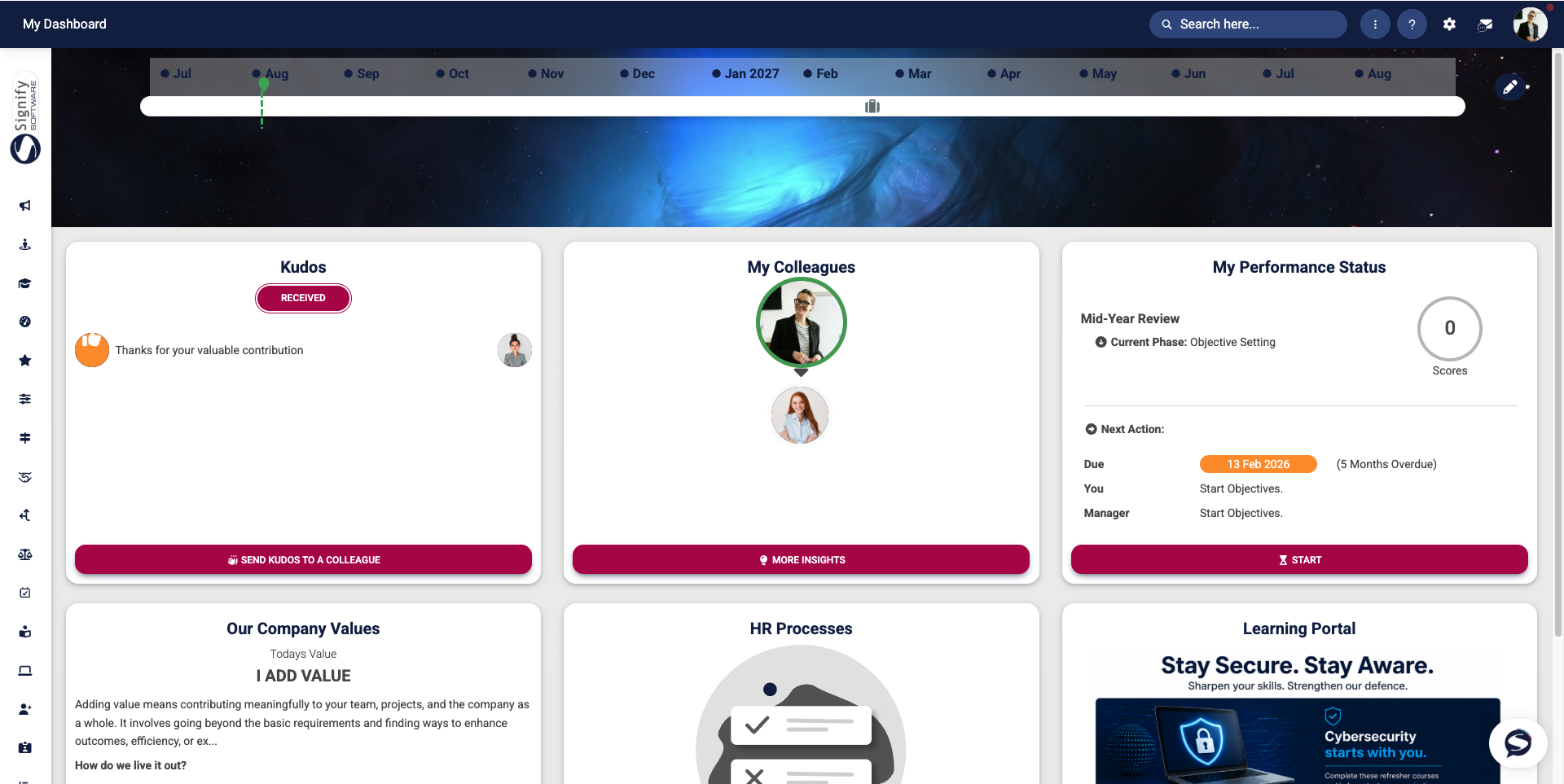
At a glance, users can view upcoming milestones, recognise colleagues, monitor performance activities, access company information, and manage outstanding HR tasks. The dashboard is designed to provide quick access to the information that matters most, reducing the need to navigate through multiple menus.
Dashboard components
The dashboard consists of several widgets, each designed to provide relevant information and quick access to key features. These include, but are not limited to, the following components:
- Timeline
- Carousel banner
- "Kudos" widget
- "My Colleagues" widget
- "My Performance Status" widget
- "HR Processes" widget
- "Our Company Values" widget
- Custom dashboard widgets
These will be discussed in more detail in the following chapters.
Benefits of the dashboard
The Main Dashboard helps users:
- Stay informed about company updates and announcements.
- Track important milestones and employment-related events.
- Recognise colleagues through the Kudos feature.
- Monitor performance activities and review progress.
- Access key information quickly from a single location.
- Complete outstanding HR tasks without navigating through multiple system areas.

Purpose of the Main Dashboard
The Main Dashboard feature offers a personalised, single entry point to the HR platform, allowing users to see what matters most to them at a glance and act swiftly. It combines milestone information, company communications, people insights, and outstanding HR tasks into a single view, reducing the need to navigate multiple menus and helping users stay on top of their responsibilities.
The dashboard highlights key items, including a timeline showing employment anniversaries and personal milestones, a carousel banner for organisation-wide announcements or featured content, and a kudos widget to promote peer recognition. Users can quickly view colleagues and people insights, check their current performance status, and read the company values to reinforce culture and behaviour. Custom dashboard widgets enable targeted announcements or direct links to specific areas of the platform, such as an e-learning course, a frequently used form, or an internal resource.
Overall, the purpose is threefold: to inform, prompt, and connect:

The following pages in this chapter offer a closer look at each widget, explaining how they work, their role-based visibility, and how to configure them to suit your needs.
Key Features of the Main Dashboard
The Main Dashboard combines people, status, and communications into a personalised view, enabling users to scan, act, and navigate easily without searching through menus. Let us examine the key features and their functions.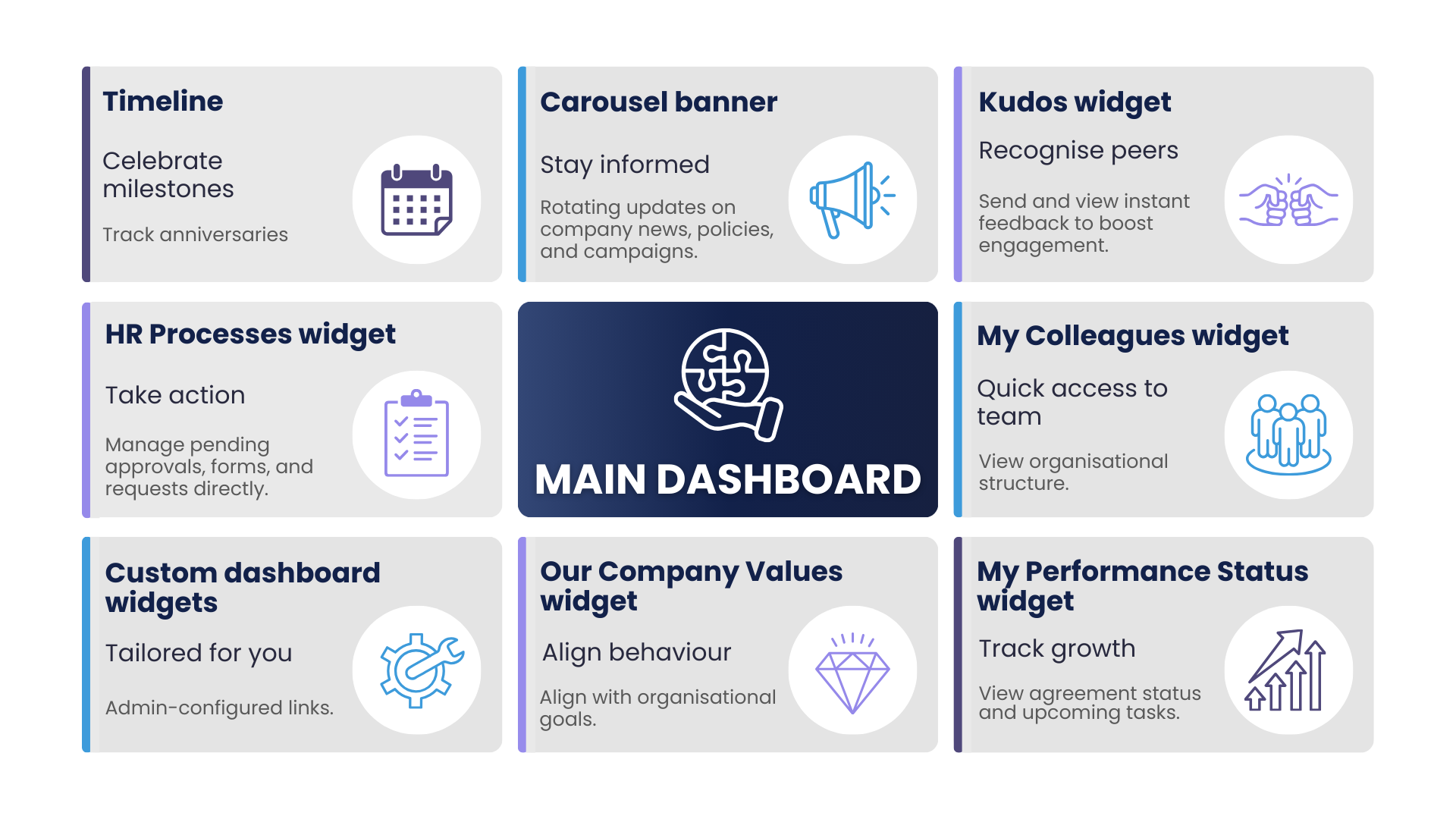
Timeline
The Timeline highlights some important employment-related milestones, such as work anniversaries and other significant events. This provides users with a visual overview of upcoming and recent milestones.
Carousel banner
Kudos widget
The Kudos widget helps boost engagement and highlights positive feedback without leaving the dashboard. It encourages peer recognition by showing recent kudos activity and providing a one-click option to send kudos to colleagues.
My Colleagues widget
The My Colleagues widget is a compact panel showcasing team members or reporting lines. It provides quick access to the organisational structure and offers additional people-related information and insights.
My Performance Status widget
The My Performance Status widget provides a summary of performance-related information, current agreement status, upcoming review dates, or pending performance actions.
Our Company Values widget
The Our Company Values widget is designed to encourage reflection and consistent behaviour across the organisation. It strengthens organisational culture by displaying the current value or behavioural focus, a brief explanation, and a link to the full values library or suggested behaviours.
HR Processes widget
The HR Processes widget displays outstanding requests, forms, approvals, and other HR-related activities that require attention. Users can track progress and complete tasks directly from the dashboard, helping them stay on top of their responsibilities.
Custom dashboard widgets
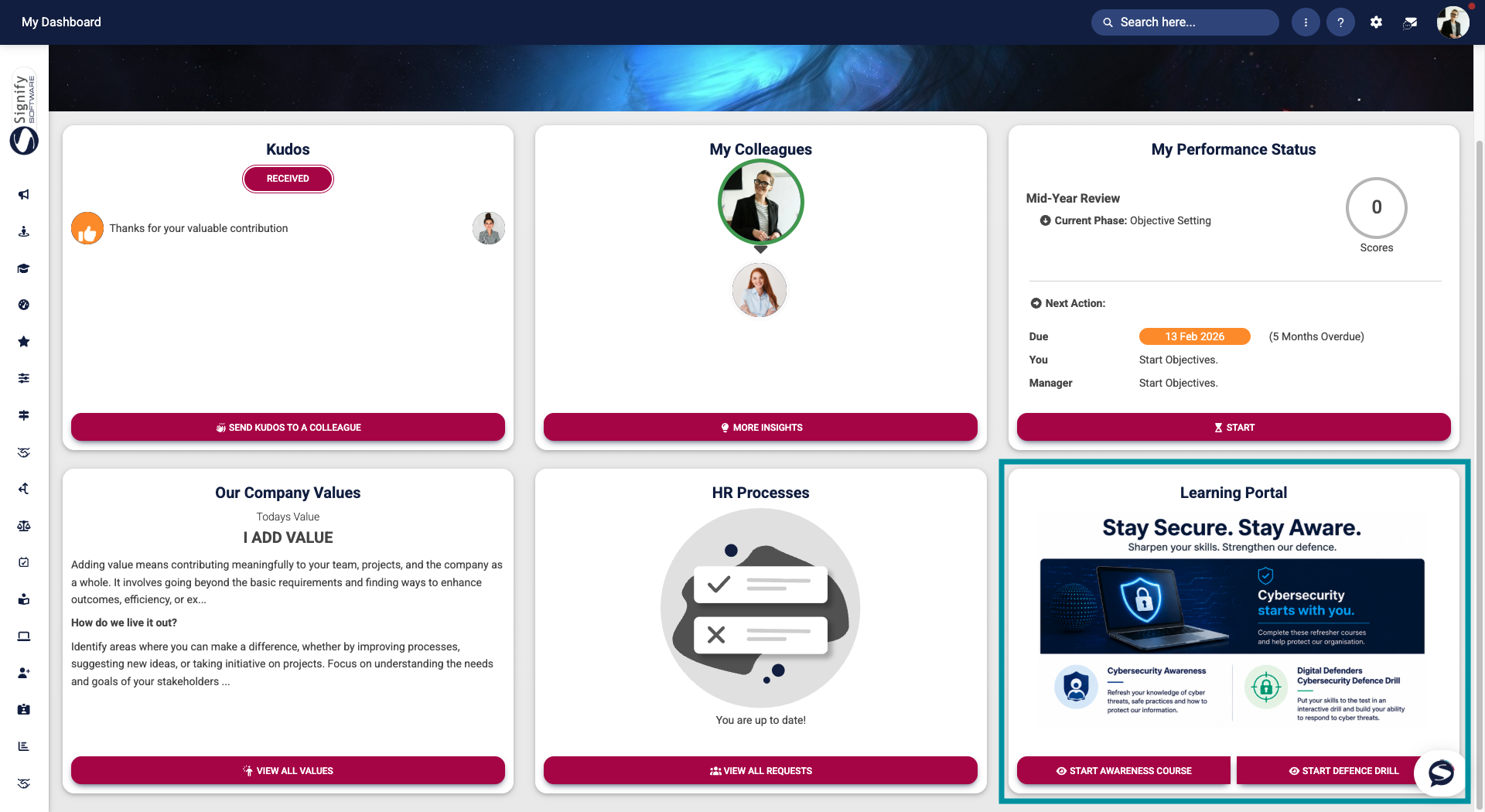
Custom Dashboard Widgets can be configured to display targeted announcements, important information, or direct links to specific areas of the system. Examples include links to e-learning courses, frequently used forms, and other commonly accessed resources. In the image below, the widget provides links to two e-learning courses for users to complete.