Chapter 2: Roles and Permissions
Effective use of the Learning Management module requires clear role definitions to ensure smooth operation and accountability. Each user type within the system has distinct responsibilities, from assigning and managing courses to completing required training.
Administrators oversee system configuration, create learning paths, and manage compliance-related training requirements. Learners, on the other hand, are responsible for enrolling in courses, tracking their learning progress, and completing assigned training within deadlines.
This chapter defines the key roles within the Learning Management module, outlining their responsibilities and how they interact with the system. A clear understanding of these roles ensures seamless learning management and maximises the module’s effectiveness.
Administrator Roles

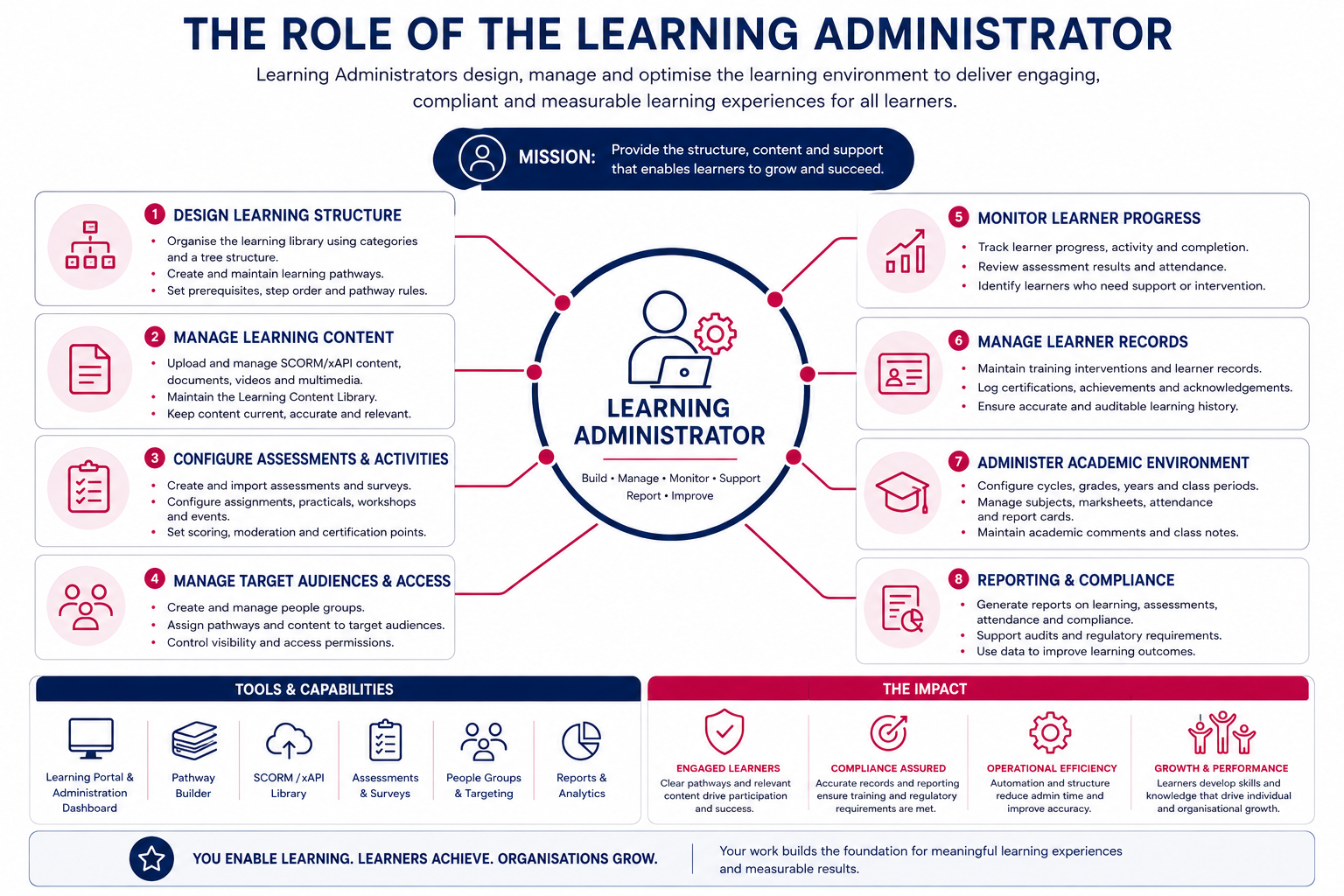
A learning administrator’s role within the Learning Management module is strategic, operational, and governance-driven, focused on managing learning content, learner engagement, training records, and the overall learning environment.
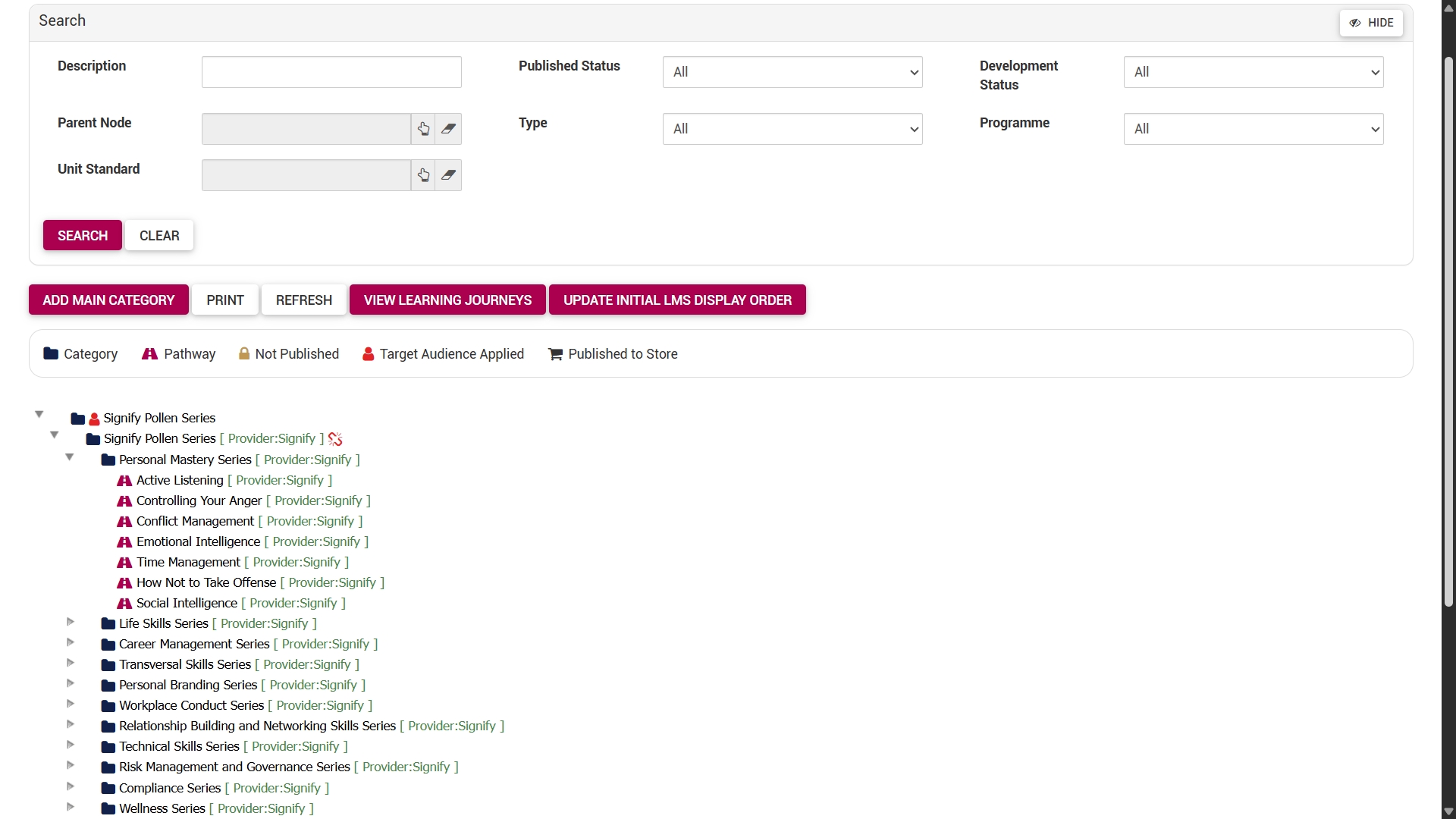
Manage learning pathways and content
Create, structure, and maintain learning pathways, categories, and eLearning content.
This includes:
- Building learning pathways,
- Adding and editing pathway steps,
- Managing pathway structures and categories,
- Uploading documents, videos, and learning resources, and
- Publishing learning content to the Learning Portal.
Manage SCORM and interactive learning content
Upload, configure, maintain, and monitor SCORM and xAPI learning content within the Learning Content Library.
This may include:
- Uploading SCORM packages,
- Configuring learner attempt limits,
- Linking SCORM content to pathways,
- Managing active and inactive learning content,
- Tracking learner registrations and completion activity, and
- Maintaining interactive eLearning resources.
Configure assessments and training activities
Manage assessments, assignments, workshops, certifications, and training interventions to support structured learning and competency development.
This includes:
- Creating and importing assessments,
- Managing assessment settings and answer groups,
- Configuring certification points,
- Linking workshops and training events to pathways,
- Creating training interventions, and
- Managing learner evaluation processes.
Monitor learner progress and engagement
Track learner participation, pathway progress, assessment outcomes, attendance, and completion activity across the learning environment.
Learning administrators can:
- Review learner progress reports,
- Monitor pathway completion,
- Track assessment attempts and results,
- View attendance registers,
- Manage learner records, and
- Identify learners requiring support or intervention.
Manage target audiences and learning access
Control which learners have access to specific pathways, programmes, courses, or academic subjects through target audiences and people groups.
This includes:
- Creating and maintaining people groups,
- Assigning pathways to target audiences,
- Managing class or group allocations,
- Controlling visibility of learning content, and
- Supporting secure and role-based learning access.
Support compliance and learner record management
Ensure that learner records, certifications, acknowledgements, and training history remain accurate, traceable, and aligned with organisational or academic requirements.
This may include:
- Logging learner activities,
- Managing training interventions,
- Maintaining certification records,
- Supporting audit and compliance processes,
- Managing pathway rollback functionality, and
- Ensuring accurate learner reporting.
Configure academic and online school environments
Within academic or online school environments, learning administrators support the setup and maintenance of educational structures and reporting systems.
This includes:
- Configuring subjects, grades, cycles, and years,
- Managing marksheets and academic reports,
- Supporting attendance management,
- Managing facilitators and educators,
- Configuring report card comments, and
- Supporting student performance tracking.

Maintain learning standards and governance
Ensure that learning content and training processes follow organisational standards, governance requirements, and best practices.
This includes:
- Standardising naming conventions,
- Maintaining consistent pathway design,
- Managing prerequisite logic,
- Supporting content quality assurance,
- Monitoring pathway publication status, and
- Ensuring training content remains current and relevant.
Support learners and facilitators
Provide guidance and operational support to learners, facilitators, managers, educators, and other stakeholders using the Learning Management module.
This may include:
- Assisting with pathway access,
- Troubleshooting learner issues,
- Supporting content updates,
- Managing permissions,
- Providing administrative guidance, and
- Assisting with reporting and learning analytics.

Learner Roles
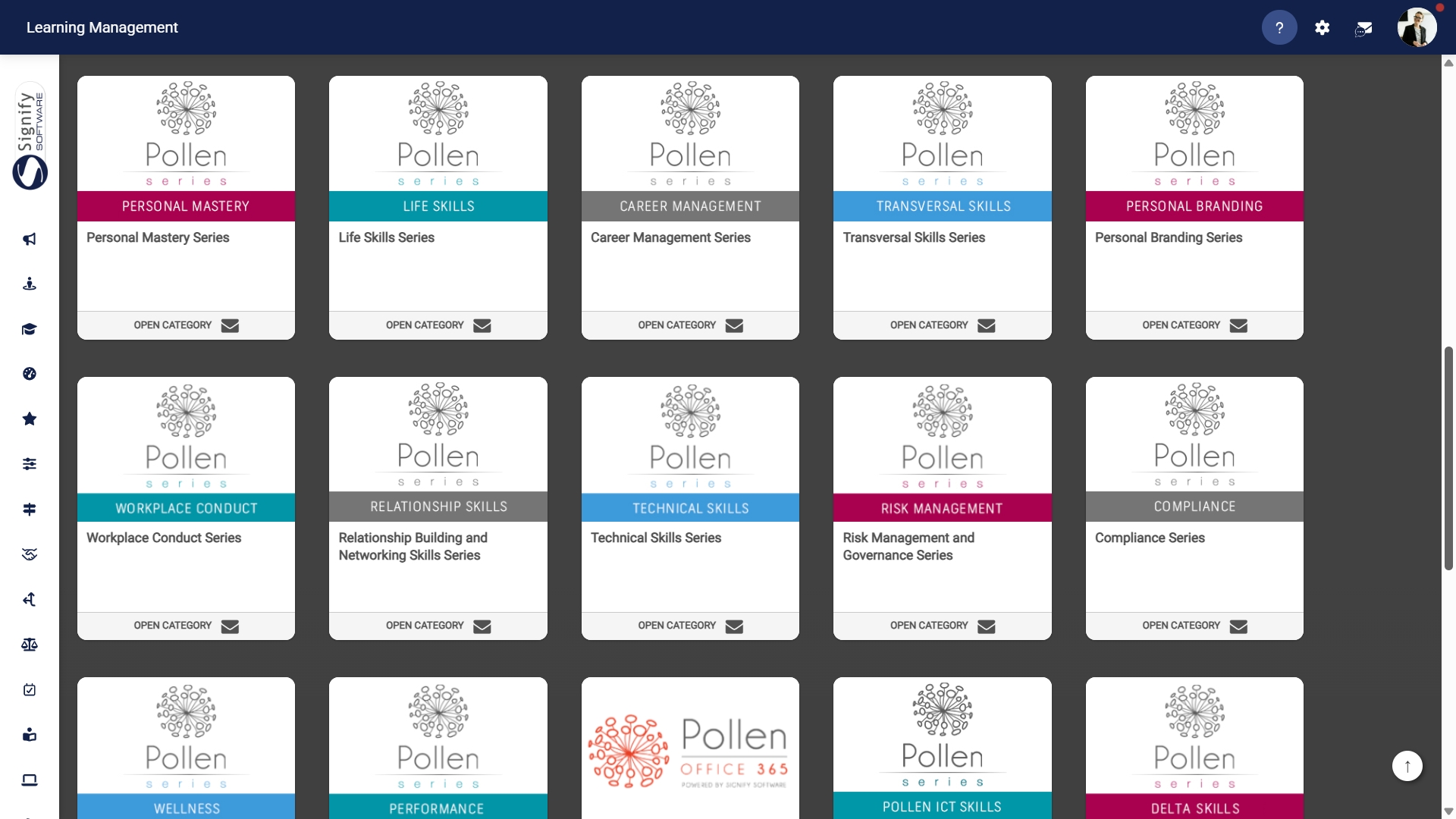
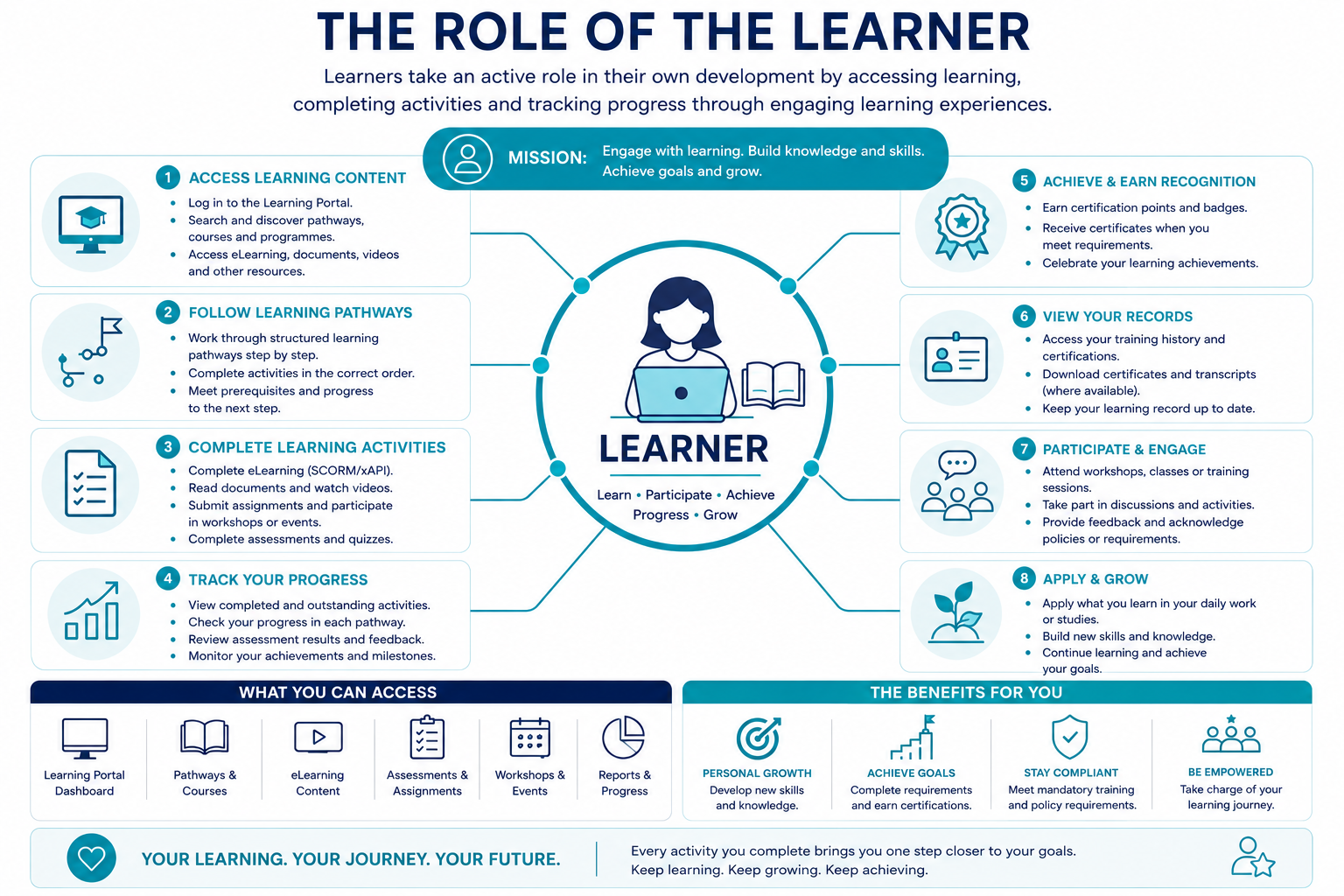
A learner’s role within the Learning Management module is interactive, self-directed, and development-focused, centred around participating in learning activities, completing training requirements, and tracking personal progress.
Access learning content and pathways
Learners use the Learning Portal to access training material, eLearning pathways, academic subjects, and development programmes assigned to them.
They can:
- Search for learning content,
- Access published pathways,
- Open eLearning programmes,
- Navigate structured learning journeys, and
- Participate in assigned training activities.
Complete learning activities
Learners engage with the various pathway steps and activities configured by administrators.
Depending on the pathway setup, learners may:
- Complete SCORM or interactive eLearning modules,
- Download and study documents,
- Watch videos,
- Attend workshops or training events,
- Submit assignments,
- Complete online or practical assessments,
- Provide responses or feedback,
- Accept terms and conditions, and
- Achieve certification points or milestones.
Track personal learning progress
The Learning Management module allows learners to monitor their own progress and training activity throughout their learning journey.
Learners can:
- View pathway progress,
- Monitor completed and outstanding activities,
- Access learner records,
- Review assessment outcomes,
- View certifications and training history, and
- Track personal development achievements.
Participate in assessments and evaluations
Learners complete assessments, quizzes, assignments, and evaluations to demonstrate understanding and competency.
This may include:
- Online assessments,
- Practical evaluations,
- Assignment submissions,
- Workshop participation,
- Academic activities, and
- Certification requirements.
Engage in self-directed learning
The module supports flexible, self-paced learning, enabling learners to complete training in line with organisational requirements and personal schedules.
Learners can:
- Access content remotely,
- Return to incomplete pathways,
- Redo permitted activities,
- Study supporting material at their own pace, and
- Continue learning across multiple devices and sessions.

Participate in academic and online school environments
Within the Online School environment, learners can participate in structured academic activities and engage in classroom activities.
This includes:
- Accessing subject pathways,
- Completing academic assessments,
- Viewing marks and progress,
- Tracking attendance,
- Accessing report cards,
- Taking private class notes, and
- Participating in virtual classroom activities.
Maintain learner accountability and compliance
Learners play an important role in ensuring that mandatory learning activities, compliance training, acknowledgements, and certifications are completed accurately and on time.
This includes:
- Completing required training,
- Acknowledging policies and procedures,
- Meeting assessment requirements,
- Participating in scheduled learning activities, and
- Maintaining up-to-date learner records through participation.
Engage with facilitators and learning processes
Depending on the learning environment, learners may interact with facilitators, educators, managers, or administrators throughout the learning process.
This may include:
- Receiving feedback,
- Participating in facilitated training,
- Submitting coursework or assignments,
- Attending workshops or classes, and
- Communicating through pathway activities or learning interactions.
How Learning Management Works
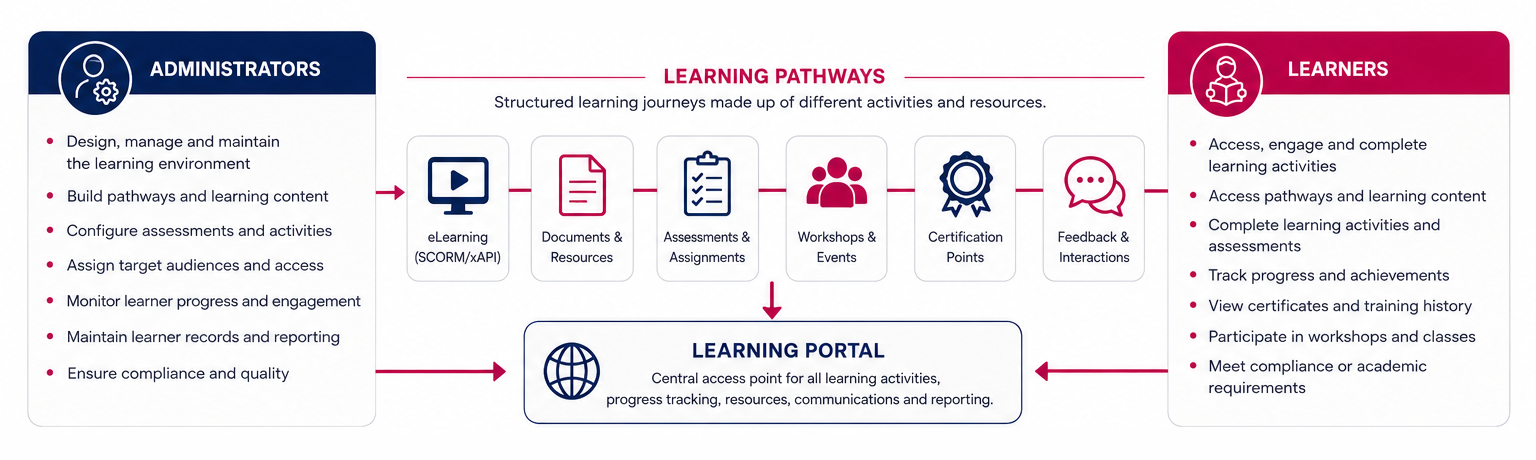
Learning Management is a connected ecosystem that supports creating, delivering, managing, and tracking learning activities across an organisation or academic setting.
Administrators establish and oversee the learning framework by designing pathways, setting up learning materials, handling assessments, assigning target groups, and keeping learner records up to date.
The module uses pathways as the foundation of the learning experience. A pathway is a structured sequence of learning steps designed to guide learners toward a specific outcome, such as completing onboarding, achieving a certification, attending training, completing compliance requirements, or participating in academic learning activities.
Administrators organise these pathways into structured categories and control how learners access them by target audience or academic class. This ensures that learning content is delivered to the correct individuals while maintaining governance and visibility across the learning environment.
Learners then interact with the learning environment by accessing pathways, completing training activities, participating in assessments, and progressing through structured learning journeys.
Learners access these pathways through the Learning Portal, where they can complete activities, monitor progress, review their training history, and learn at their own pace. As learners complete pathway activities, the system automatically tracks progress, logs learner records, records certifications, and updates assessment outcomes where applicable.
The relationship between the Learning Administrator and the learner is collaborative and interdependent.

Learning Administrators are responsible for:
- Designing and maintaining the learning environment,
- Managing learning content and pathways,
- Configuring assessments and training activities,
- Monitoring learner participation and progress,
- Managing learner access and permissions,
- Supporting compliance and reporting requirements, and
- Ensuring learning content remains accurate, engaging, and relevant.
Learners are responsible for:
- Participating in assigned learning activities,
- Completing required pathway steps,
- Engaging with learning material and assessments,
- Monitoring their own progress and development,
- Meeting compliance or academic requirements, and
- Contributing to successful learning outcomes through active participation.
To learn more about implementing the Learning Management module, proceed to the next chapter.