Add a Target Audience

- Hover over the sidebar menu, then click Learning Portal.

- Click the spanner icon to access the system's Administration menu.

- On the eLearning card, click Manage eLearning Library.
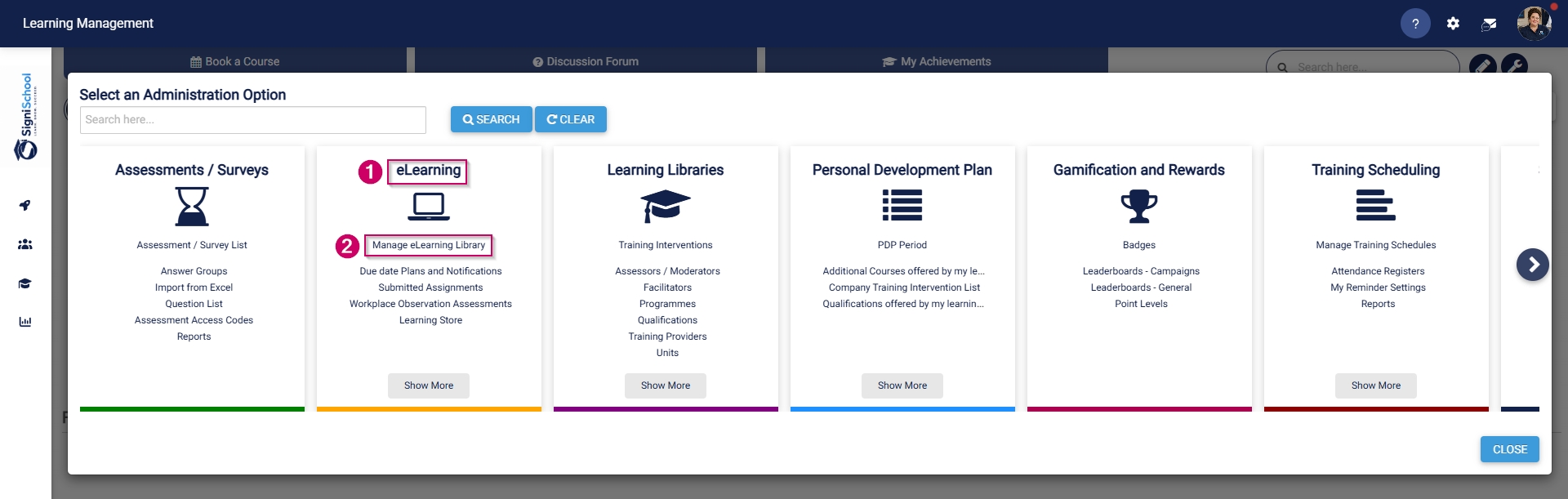
- The Pathways Tree View screen will open in a new tab.
- Navigate to the pathway you would like to add a target audience for.

- Go to the TARGET AUDIENCE tab.

- Add a target audience based on one (or a combination of) the following conditions:
-
- Organisational units
- Jobs
- Job grades
- Employees
- Learner records
- Excluded employees
- Excluded jobs
- Excluded organisational units
- Manual conditions
-
