# Key Features of the Module

The **Performance Management** module is designed to streamline and enhance the performance review process, making it more intuitive, transparent, and effective. With a range of **powerful features**, this module simplifies performance tracking, fosters meaningful feedback, and ensures alignment with the company's goals. Our system integrates automation, flexibility, and data-driven insights, thereby removing the complexity often associated with performance management. These features not only set the **Performance Management** module apart but also add significant value by creating a **structured, user-friendly experience** that supports employees and managers in collaboratively working towards improvement.
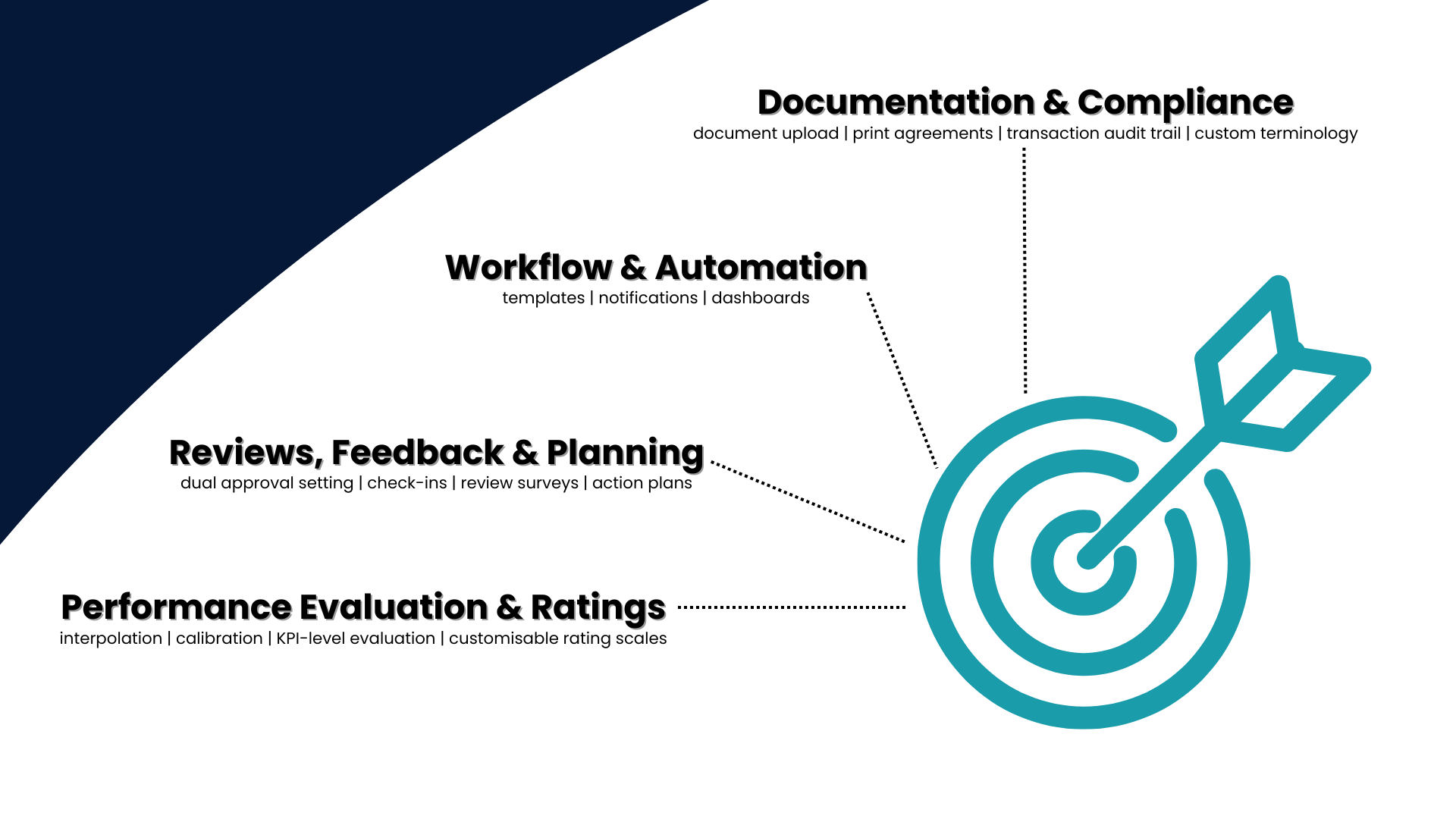
Documentation and Compliance
##### Terminology
The **Performance Management** module allows for **customisation of terminology**, ensuring that system labels, messages, and descriptions align with the company's unique performance management framework.
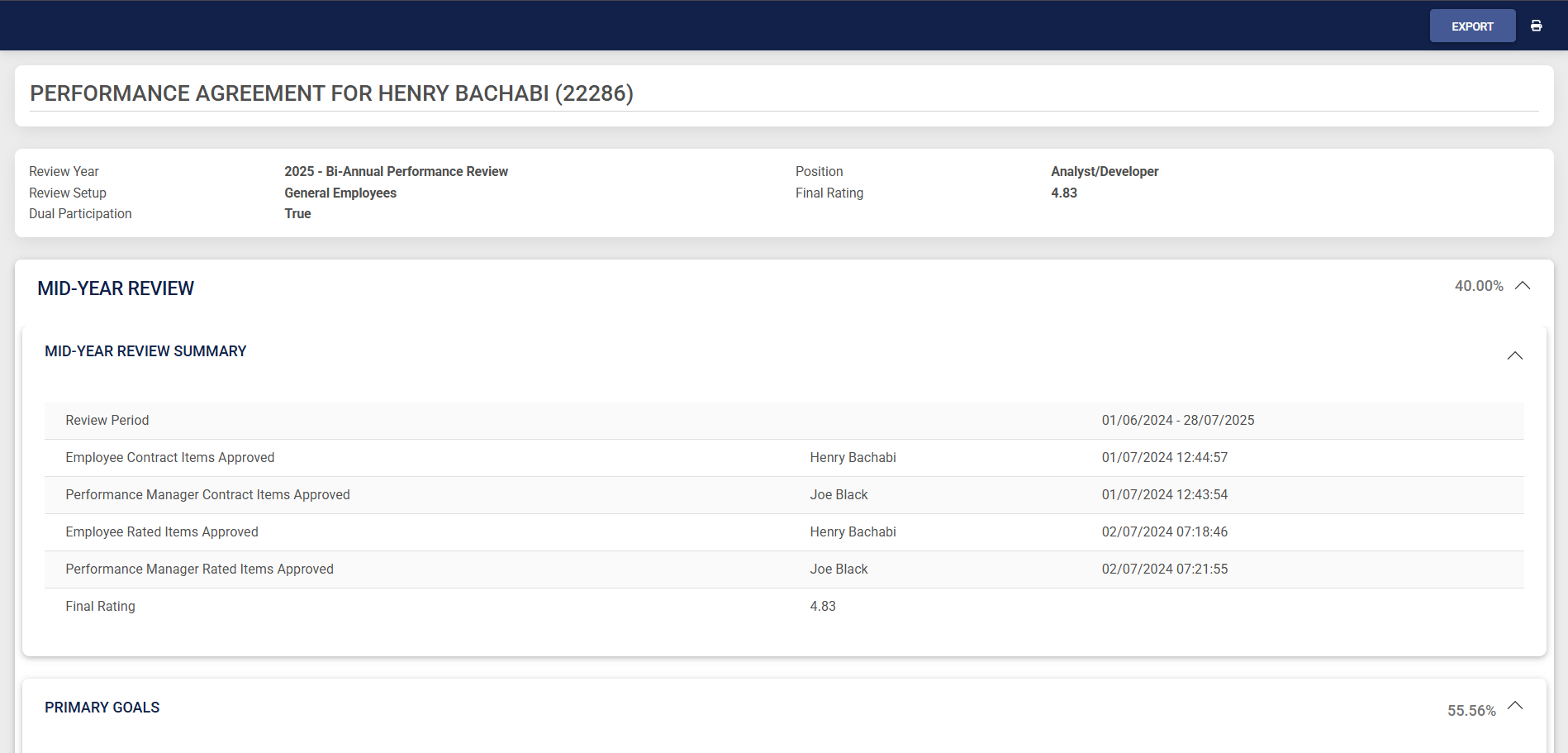
##### Audit Log of Transactions
The system keeps an **audit log** that records all transactions and modifications made to a **performance agreement**, ensuring transparency, accountability, and traceability throughout the performance management process.
##### Documents Upload
During the appraisal process, users can **upload multiple documents** per **KPI** to support performance evaluations. A summary of all uploaded documents is easily accessible on the dashboard.
##### Print Agreements
Performance agreements can easily be printed in **PDF** format.
Workflow and Automation
##### Templates
Performance agreements can be stored in a **template library**, allowing users to select a pre-populated template when creating a new agreement. This ensures that objectives are automatically copied to the individual's agreement, streamlining the setup process.
##### Notifications
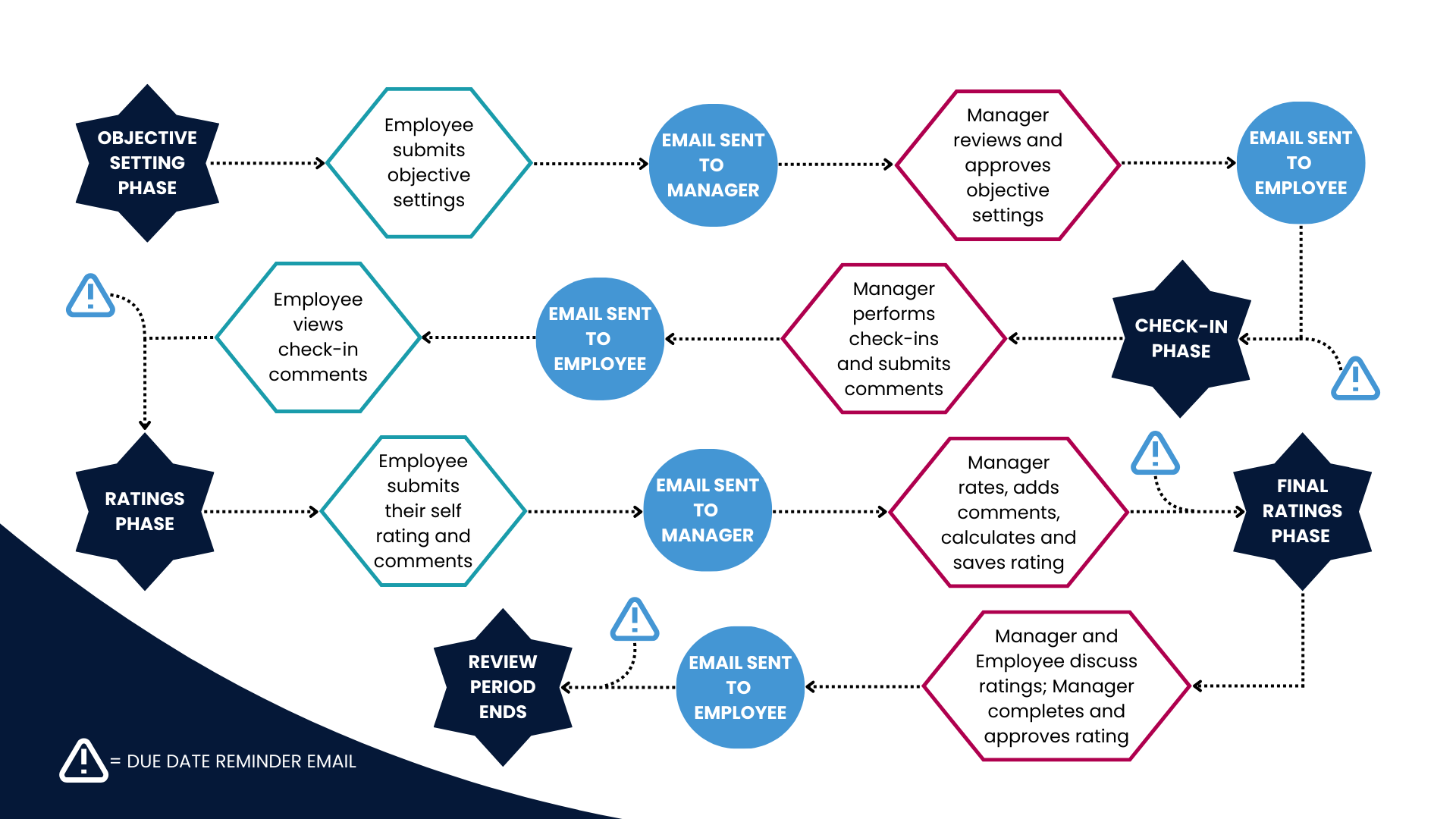
The system automatically notifies employees and managers via email when objectives are submitted, check-ins are conducted, or ratings are completed. Additionally, **automated reminder emails** can be sent before phase end dates to ensure timely completion.
##### Dashboard
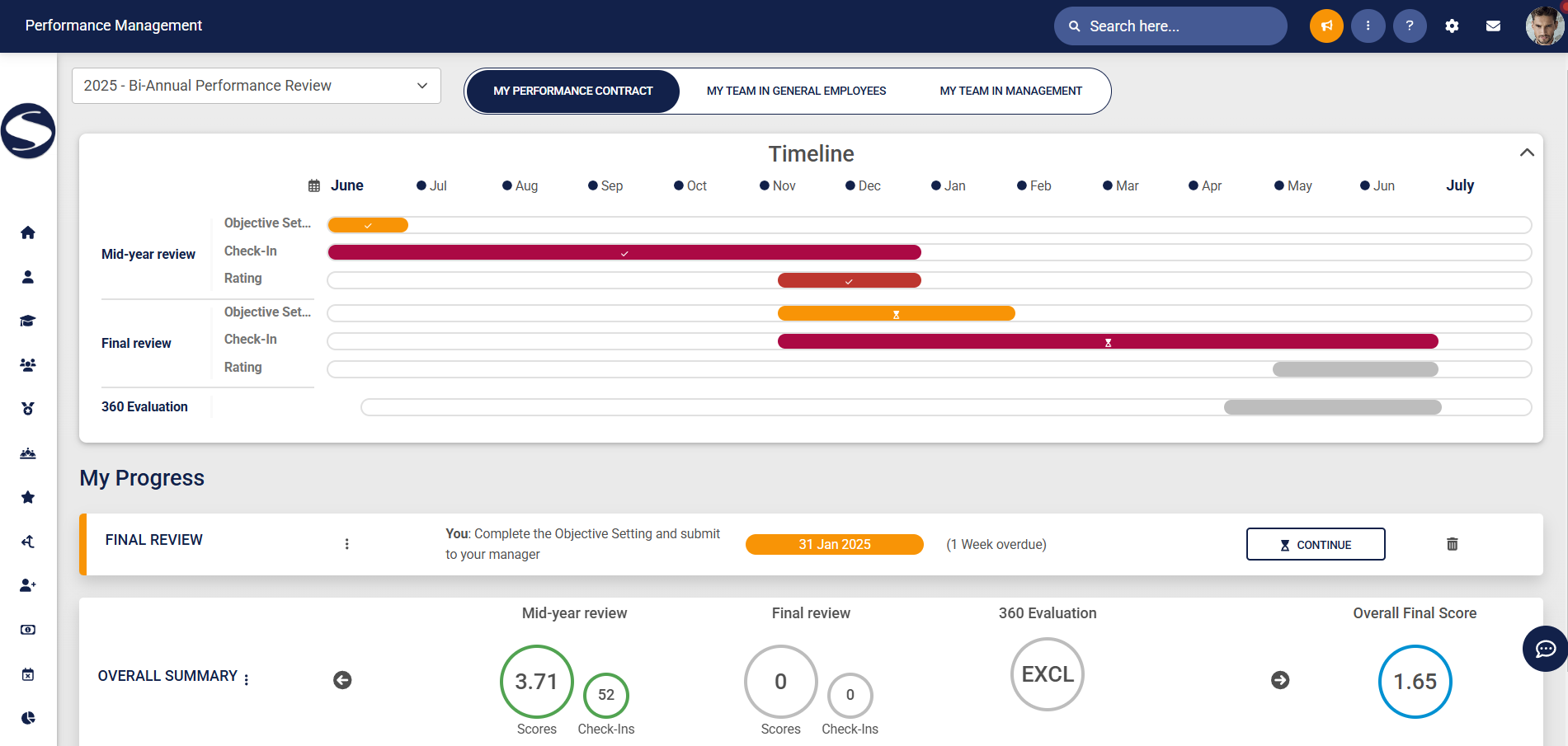
The **Performance Management** dashboard allows employees to select the performance year and managers to view their own agreements or those of their direct reports. A collapsible **timeline section** outlines key review phases, while colour-coded indicators clearly display progress and the status of each phase.
Review, Feedback, and Planning
##### Check-ins
The **check-ins** functionality allows managers and employees to assess progress before the **rating phase** begins, providing an opportunity to confirm whether the employee is on track and address any potential challenges in advance.
##### Review Surveys
Review surveys can be linked to the **review setup**, where applicable, to gather comprehensive feedback from multiple sources, such as a **360-degree review** process.
##### Action Plan
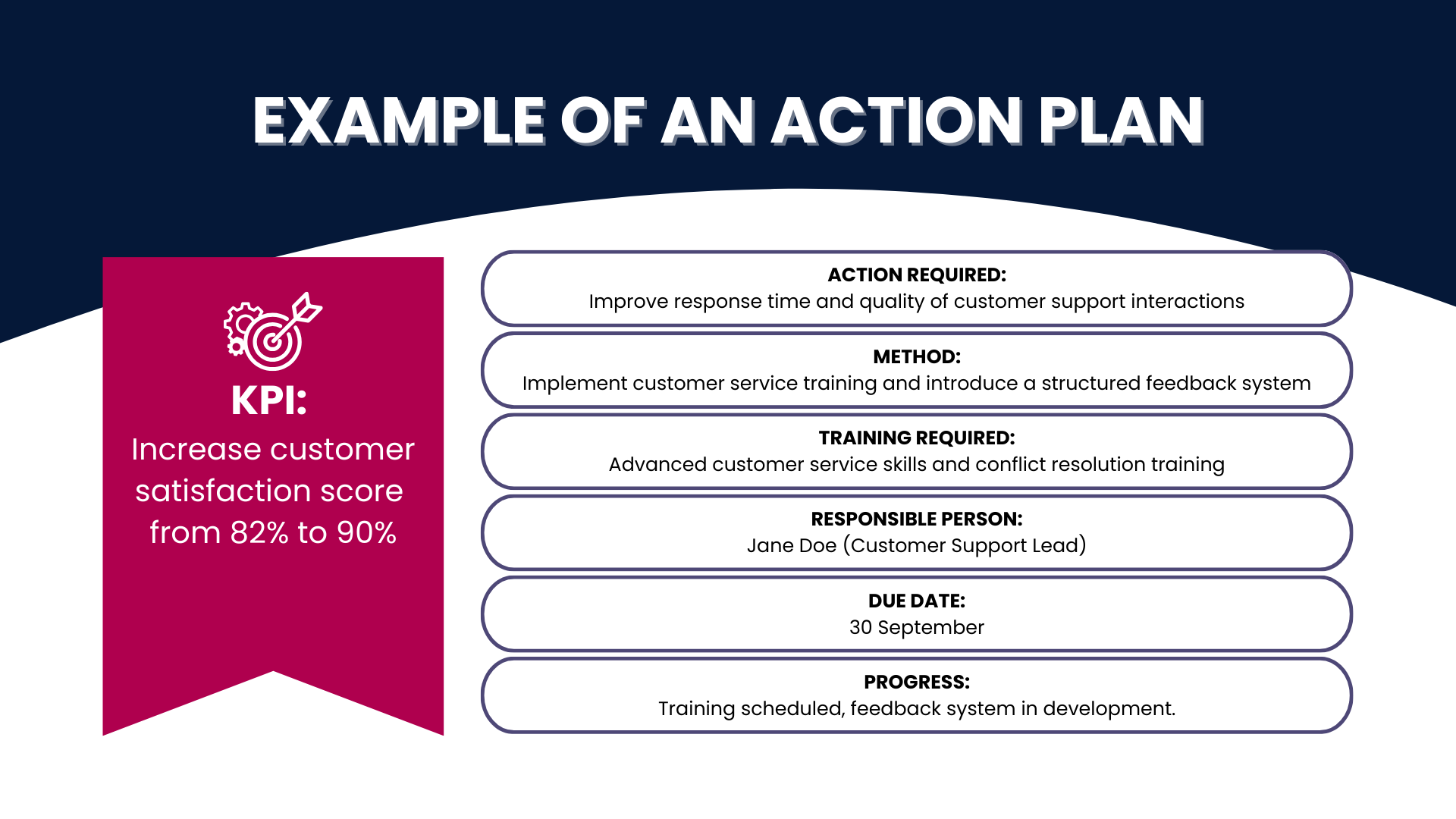
An optional **Action Plan** section can be enabled to monitor training and other activities throughout the **performance management** process, with actions recorded for each **KPI**. This section includes key details such as required actions, implementation methods, training needs, responsible persons, due dates, progress tracking, and comments from both the employee and manager.
Performance Evaluation and Ratings
##### Ratings Beyond KPA-level
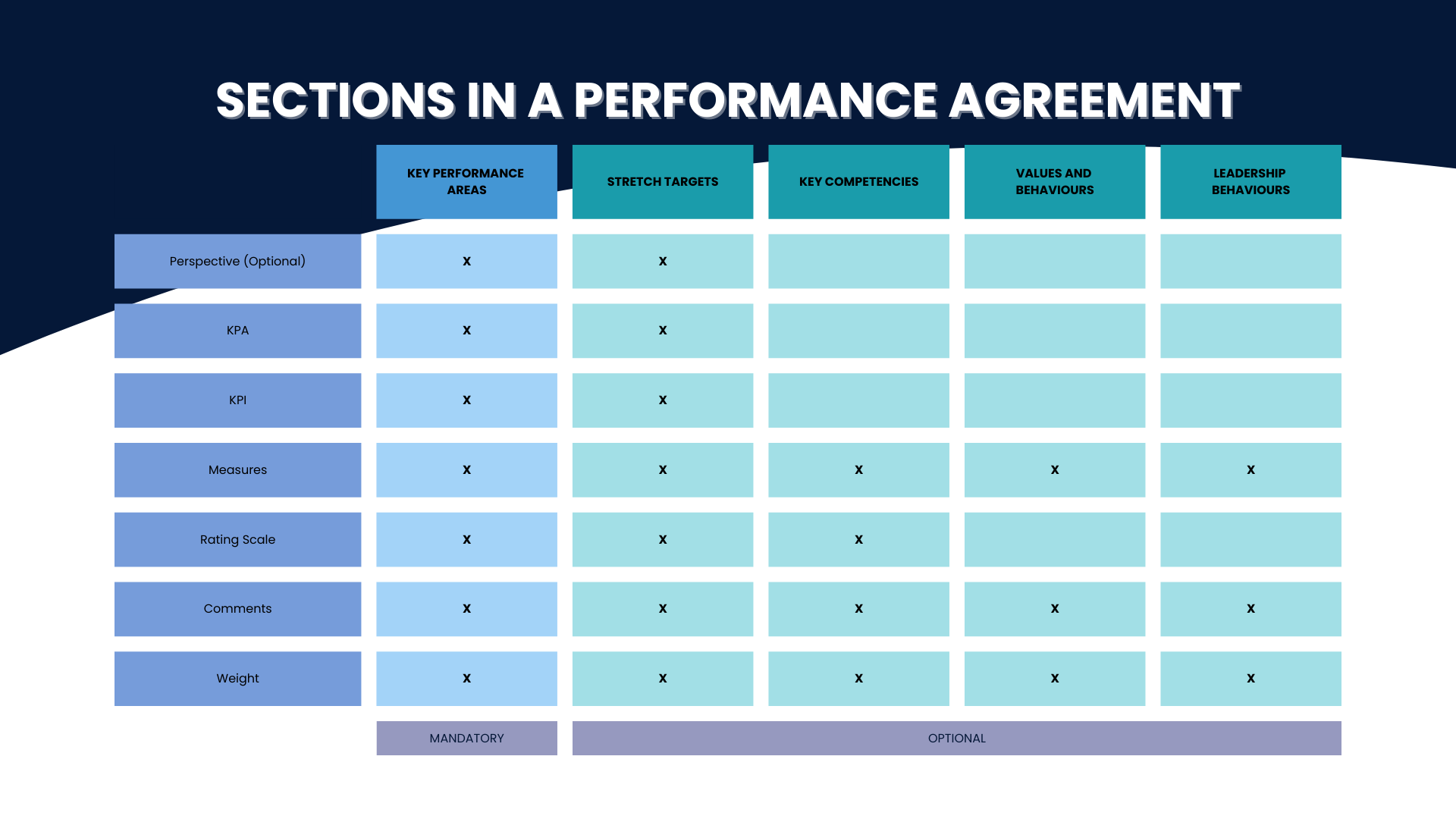
The **Performance Management** module allows for ratings beyond **Key Performance Areas (KPAs)**, extending to **Key Performance Indicators (KPIs)**, **stretch targets**, **company values**, and **leadership behaviours**. Each section allows for structured input, including rating scales, measures, weights, and manager and employee comments, ensuring a comprehensive and customisable evaluation process. Additionally, **perspectives** can be activated to categorise KPAs, following the Balanced Scorecard approach.
##### Customisable Rating Scales
The **customisable rating scales** allow companies to define their own scoring criteria, ensuring alignment with internal performance measurement standards and providing flexibility in evaluating employee achievements across different performance areas.
##### Calibration
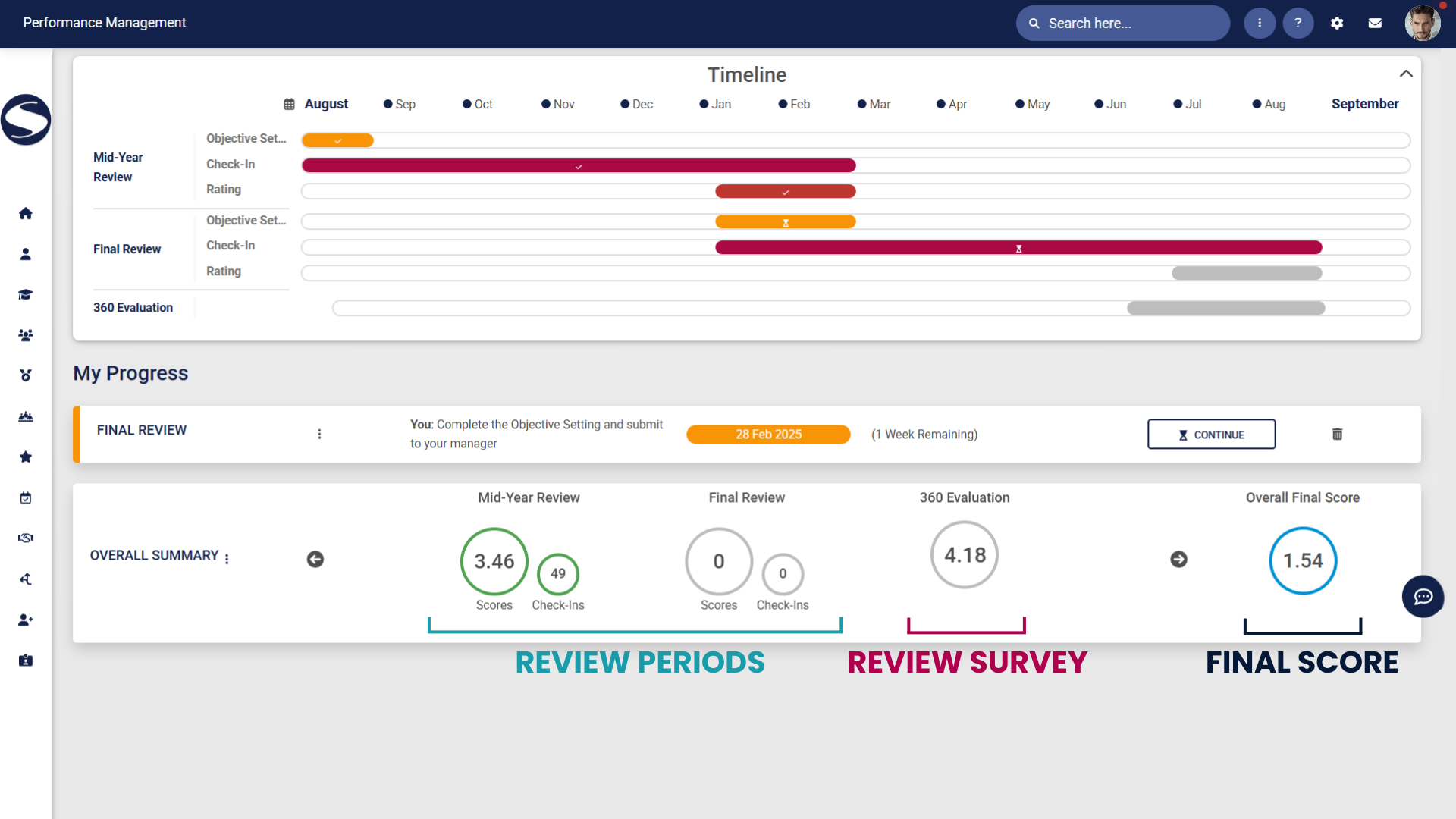
The **calibration** functionality promotes fairness and consistency in performance evaluations by allowing administrators to adjust scores at the **review period**, **review survey**, and overall **final score** levels. Administrators can export scores, make necessary calibrations with justifications, and then re-import the adjusted scores into the system. Employees can view their calibrated scores on the Performance Management dashboard, with the option to hover over the score to see the original rating before calibration.
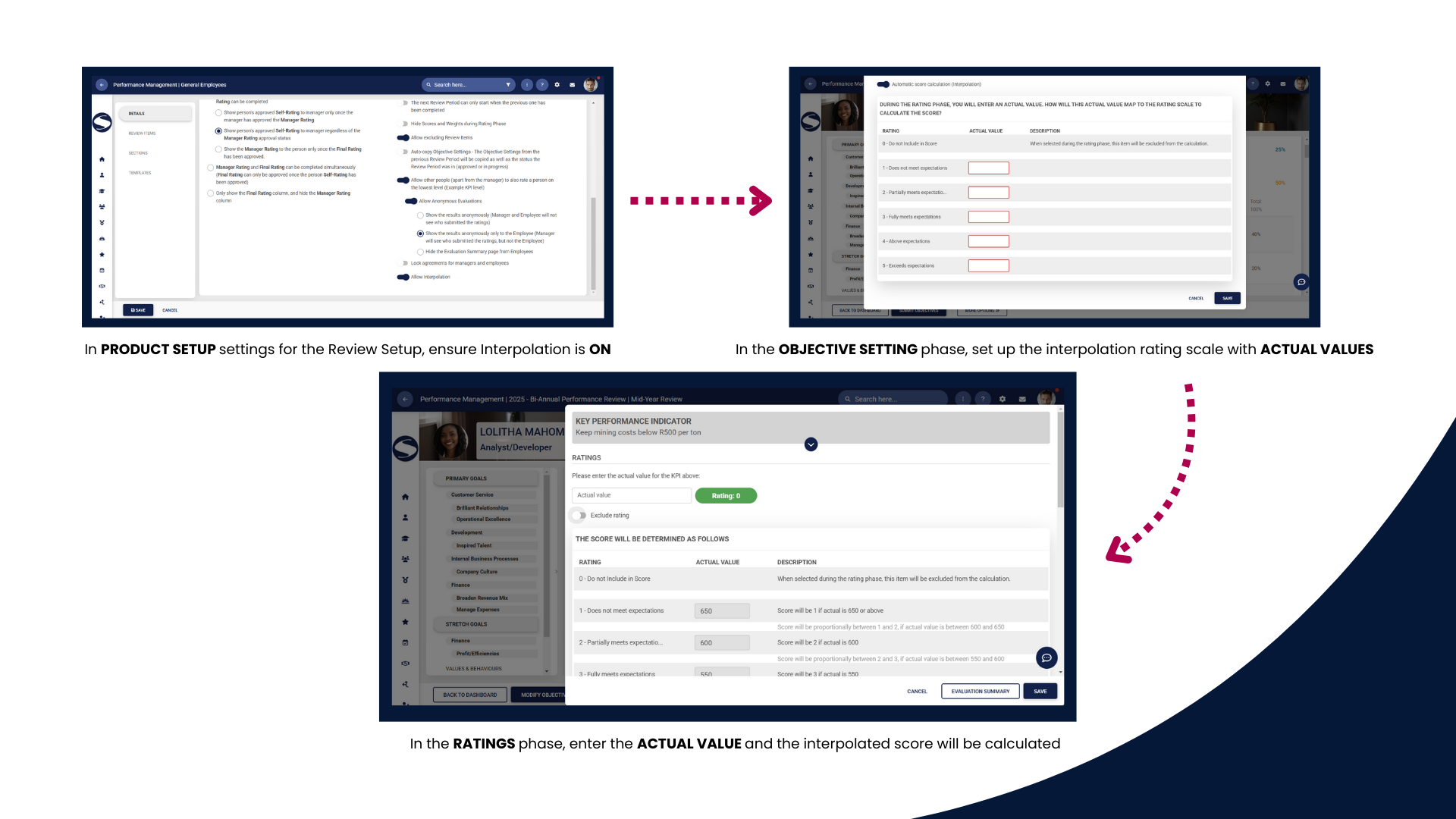
##### Interpolation
The **interpolation functionality** allows actual values to be mapped to a **rating scale**, ensuring a more precise and automated evaluation process. During the **rating phase**, users enter actual values, which are then automatically converted into ratings based on predefined mappings, eliminating the need for manual rating selection. This functionality can be enabled at the **KPI level** and is available in the **objective setting phase** when creating **templates, copying agreements, or setting up blank agreements**, providing flexibility in performance assessments.