Recruitment/Requisition via BOT
Master data
In order to retrieve various master data types from the api, which can be used from the BOT, the following endpoint is available:
POST - {liveURL}/api/jobprofilerapi/v1/ListMasterData
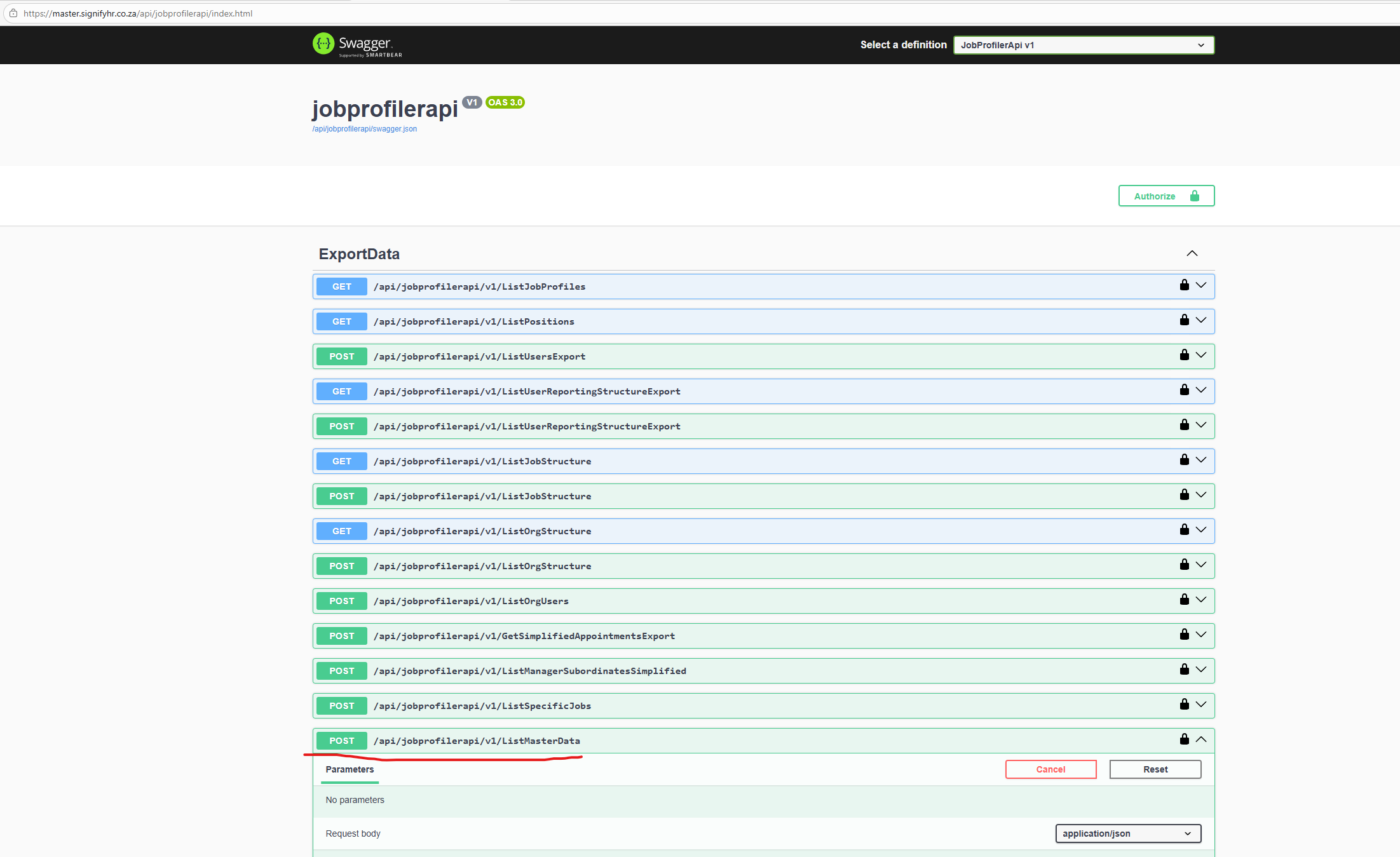
Swagger: {liveURL}/api/jobprofilerapi/index.html
Example request (POST)
{
  "type": "AppointmentTypesDto"
}
OR
{
  "type": "AppointmentTypesDto",
  "conditions": [
    {
      "field": "Name",
      "value": "Contract",
      "operator": 0
    }
  ]
}
(Note - Sent in the body of the request)
Example response
{
  "data": [
    {
      "Id": 10013,
      "Name": "Contract",
      "DisplayOrder": 1,
      "Active": true,
      "Default": false
    },
    {
      "Id": 10012,
      "Name": "Permanent",
      "DisplayOrder": 2,
      "Active": true,
      "Default": false
    },
    {
      "Id": 10014,
      "Name": "Probation",
      "DisplayOrder": 3,
      "Active": true,
      "Default": false
    }
  ]
}
Type
The type is the master data type, and the following type are supported:
VacancyReasons,
AppointmentTypesDTO(int Id, string Name, int DisplayOrder, bool Active, bool Default);
MaritalStatusDTO(int Id, string Name, string Description, int DisplayOrder, bool Active, bool Default);
HomeLanguageDTO(int Id, string Name, int DisplayOrder, bool Active, bool Default);
GenderDTO(int Id, string Name, int DisplayOrder, bool Active, bool Default);
DisabilitiesDTO(int Id, string Name, int DisplayOrder, bool Active, bool Default);
CitizenshipDTO(int Id, string Name, int DisplayOrder, bool Active, bool Default);
RaceDTO(int Id, string Name, int DisplayOrder, bool Active, bool Default);
RelationshipDTO(int Id, string Name, int DisplayOrder, bool Active, bool Default);
TitleDTO(int Id, string Name, string Description, int DisplayOrder, bool Active, bool Default);
TerminationReasonsDTO(int Id, string Name, bool Active, bool Default, int DisplayOrder);
PermitTypePreview(int Id, string Name, bool Active);
AssetTypePreview(int Id, string Name, bool Active);
AssetItemPreview(int Id, string Name, bool Active);
DisciplinaryTransgressionsDTO(int Id, string Name, bool Active);
DisciplinaryActionOutcomesDTO(int Id, string Name, bool Active);
CountryDto(int Id, string Name, string Code, bool Active);
CurrencyDto(int Id, string Name, bool Active);
ProvinceDto(
    int Id,
    string Name,
    int CountryId,
    [property: Attributes.MasterDataReferencedColumn("CountryId")]
    string? CountryName);
LocationDto(
    int Id,
    string Name,
    string? FloorNumber,
    string? Building,
    string? ComplexName,
    string? StreetNumber,
    string? StreetName,
    string? Suburb,
    string? City,
    string? PostalCode,
    int? CountryId,
    [property: Attributes.MasterDataReferencedColumn("CountryId")]
    string? CountryName,
    int? ProvinceId,
    [property: Attributes.MasterDataReferencedColumn("ProvinceId")]
    string? ProvinceName
);
Type must match text above exactly
Conditions
{
  "type": "AppointmentTypesDto",
  "conditions": [
    {
      "field": "Name",
      "value": "Contract",
      "operator": 0
    }
  ]
}
Notice the "conditions" section. "field" is a field returned by the API. From example above we see Id, Name, DisplayOrder, Active and Default fields.
"value", is the condition value which can be anything and the data will be evaluated against this.
"operator", is basically the condition type. See the types below:
Equal = 0,
NotEqual = 1,
GreaterThan = 2,
GreaterThanOrEqual = 3,
LessThan = 4,
LessThanOrEqual = 5,
Like = 6,
NotLike = 7,
In = 8,
NotIn = 9,
IsNull = 10,
IsNotNull = 11
Examples,
{
  "type": "AppointmentTypesDto",
  "conditions": [
    {
      "field": "Name",
      "value": "Contract",
      "operator": 0
    }
  ]
}
Operator = 0 (Equal), means get all appointment types where the name is exactly equal to "Contract"
{
  "type": "AppointmentTypesDto",
  "conditions": [
    {
      "field": "Name",
      "value": "con",
      "operator": 6
    }
  ]
}
Operator = 6 (Like), means retrieve all appointment types where the name contains or "is like", "con". Like can be seen as a general search essentially.
Conditions are optional
Note, data is automatically filtered to the Ruleset Id, which is retrieved from the access or authorization token which is sent with the master data API request.