# List of the Release Notes (2025)
Signify continually develops new functionality and resolves issues, so our system is continually improving. We also develop exciting new modules in line with how the use of Human Resource Information Systems is changing. A list of the Release Notes for the different versions is shown below.
# Version 9.1.202.1 (Support Release - 18 December 2025)
#### **People Management**
##### Optimise user org path queries and improve appointment selection when calculating people group users (#142962 & #142233)
**Problem**
- A user with an active and future-dated appointment has an incorrect future status in the calculated people group, and the user is excluded from the TA where it is used.
**Solution**
- Refactored user org path queries to use temp tables and bulk copy for efficiency, and improved appointment selection logic to better prioritise current appointments. Updated related PeopleGroups queries and gRPC service to handle distinct user IDs and avoid unnecessary queries.
---
#### **Imports**
##### Improve the schedules tools page + fix to schedules where the start time moves to tomorrow if the start time has already passed on the current day (#136927)
**Problem**
- Unable to control how many times the payroll connector should run per day on a specific ruleset.
- Unable to change the schedule of the V8 bulk sync
- Unable to disable the V8 bulk sync
**Solution**
- On ruleset management| Integrations | General add simple scheduling
- Make the occurrence always in hour intervals, and set the starting time in increments of 5 minutes. Add an optional ending to the field
- Add a flag to disable the schedule. When disabled, that type of import will not run on the ruleset
- Allow multiple occurrences to be configured for each schedule item, e.g
- Occurs every hour between 6h00 and 10h00
- Occurs every 6 hours between 11h00 and 24h00
- Add two separate schedules under Integration | General :
- Run Payroll connector
- Run Bulk Additional Service Imports
- Add schedules next to each of the bulk pulls
- Ensure the schedules are disabled when the Tenant subscription expires, or the ruleset is disabled
##### Multiple import instances created (#142329)
**Problem**
- 10 instances of the payroll import were started at the same time as the scheduled time, but before the payroll pull was completed, 10 instances of the user detail import were started. Neither completed. Please investigate why 10 instances were created
**Solution**
- Add ruleset ID to payroll additional service imports
---
#### **Notifications**
##### Cannot send a list of CC or BCC recipients via the external email API (#142336)
**Problem**
- When more than one CC or BCC email address has been configured on V8, V9 do not send any emails
**Solution**
- Correct the concatenation of the list of emails to allow the SMTP service to process them
---
# Version 9.1.202 (15 December 2025)
#### **Performance Management**
##### Add missing template migration file (#138767)
**Problem**
- Migration file not generated for template changes
**Solution**
- Add missing translation file
---
#### **Ruleset Management**
##### Resolve position of dropdown menu (#137794)
**Problem**
- Communication portal new menu is bit high in which the first item can not be seen
**Solution**
- Add a change to shift the menu a bit down in the case where it is rendered in the footer
##### Improve URL input sanitisation and validation (#124124)
**Solution**
- Replaced SingleOrDefault with FirstOrDefault in Ruleset.cs for registration field lookup.
- Removed \[Url\] attribute from RulesetSystemAccessViewModel properties.
- Updated \_RulesetSystemAccess.cshtml to use for URL fields and adjusted min value for DaysActiveForRegisteredUsers.
- Set default sanitizedValue to string.Empty in ValidationActionFilterAttribute.
- Minor formatting fix in ValidationService.cs.
---
#### **Data Warehouse**
##### Added new Registration fields within jpJobProfiles, jpOrganisationalNodes and accRulesets (#138087)
**Problem**
- New Registration fields need to be added to the DWH
**Solution**
- Added new fields AvailableForRegistration, DisclaimerAcceptanceMessage, DisclaimerMessage, ShowNotificationAtLogin and ShowNotificationAtRegistration within jpJobProfiles
- Added new fields AvailableForRegistration within jpOrganisationalNodes
- Added new fields DaysActiveForRegisteredUsers and EnableRegistrationApproval within accRulesets
---
# Version 9.1.201 (15 December 2025)
#### **Job Management**
##### Add UserId to JobInherentConstraint entity (#142647)
**Problem**
- Unable to set the status of a competency job's inherent requirement if another user already has the requirement on the same job profile
**Solution**
- Updated the uniqueness constraints for the `JobCompetencyInherentRequirements` table to include the `UserId` field.
- This change ensures that records are uniquely identified by a combination of `RulesetId`, `UserId`, `InherentRequirementsId`, and `JobProfileId`, rather than just by `RulesetId`, `InherentRequirementsId`, and `JobProfileId`.
- This will help prevent duplicate entries for different users and improve data integrity in scenarios where multiple users interact with the same job competency requirements.
##### Changed check to hide job profiler tabs to rather a ruleset id deny list (#142649)
**Problem**
- Need to change check to hide job profiler tabs based on a ruleset id deny list instead of just an on and off toggle.
**Solution**
- Changed check to hide job profiler tabs to rather a ruleset id deny list.
##### Resolve Collapse that did not work (#140555)
**Problem**
- When selecting an org node, and expanding the tree view, the collapse button did not do anything as no handler or event was attached.
**Solution**
- Create an event to collapse the tree nodes
##### Fix label not floating when adding reporting line (#141695)
**Problem**
- Reporting line input labels were not floating when adding managers to them. The label and the input text then overlapped.
**Solution**
- Changed the input from "disabled" to "read only", added inline CSS to prevent background from covering label when focusing.
- Changing it to read only instead of disabled allows the user to focus the input, but still not manually type anything into it.
##### Resolved Image being added to Disclaimer and correction on placeholder event listener (#142369)
**Problem**
- Event listener incorrect on placeholders being selected. When images needs to be uploaded it needs to be created with a link instead of base 64.
**Solution**
- Added correct event listener, and implemented the image source file upload.
---
#### **Learning Management**
##### Make issue date editable on report cards (#142241)
**Problem**
- Make the issue date editable on report cards.
**Solution**
- Make the issue date editable on report cards.
##### Profile Preview for Learning Displays "No Line Manager" for Users with Parent/Guardian Assigned (#142707)
**Problem**
- Profile Preview for Learning Displays "No Line Manager" for Users with Parent/Guardian Assigned.
**Solution**
- Profile preview for a learner now displays Primary P/G if assigned otherwise falls back to Secondary P/G otherwise defaults to No P/G assigned.
##### Enhance the attendance register and rectify the attendance history (#142606)
**Problem**
- The attendance register does not accurately reflect students who were added to the class later.
- Attendance history for students added to the class group after the initial register is recorded under the incorrect heading.
**Solution**
- An indicator text has been added beneath the student’s name, stating that attendance was not taken because the student was not part of the group at the time attendance was recorded.
- A new ban icon has been introduced to indicate the dates and periods when the student has no recorded attendance.
##### Fixed Attendance Register Duplicate Record created for Learner (#142676)
**Problem**
- Duplicate attendances are appearing for a learner for each absentee record.
**Solution**
- Prevented duplicate attendances from appearing for a learner for each absentee record.
##### Add an absentee index and a foreign key to resolve the migration issues (#133721)
**Problem**
- Migrations are not working due to a missing migration.
**Solution**
- Created a new migration to add an index on the UserId column in the Absentees table.
##### Added viewing of absenteeism of learner and document's uploaded (#138890)
**Problem**
- Need to add retrieval of absentee's details and listing of file names.
**Solution**
- Added retrieval of absentee's details and listing of file names.
##### Added loading indicator when people management setup form is saved and centred profile summary view buttons (#142332)
**Problem**
- Need to add loading indicator when people management setup form is saved and centred profile summary view buttons.
**Solution**
- Added loading indicator when people management setup form is saved and centred profile summary view buttons.
##### Resolved marksheet modal flickering (#142327)
**Problem**
- When users rapidly opened or closed modals, or clicked on multiple cells in quick succession, multiple setTimeout(..., 0) calls would be queued up. These delayed actions, or "stale timeouts," would sometimes execute after the user had already moved on to another interaction. As a result, the modal would unexpectedly reopen, causing a flicker effect as it kept opening and closing rapidly.
**Solution**
- Clear any previous timeouts before setting new ones. By doing this, any old, irrelevant timeouts that could trigger the modal to reopen are removed, ensuring only the most recent action is executed. This stops the unwanted flickering and improves the user experience.
##### Resolved flickering of comment modal (#142327)
**Problem**
- When the cell is clicked, the cellEdit args are focused even if a modal opens to set the comment, this causes cases where the focus on the modal as well as the cell tries to be applied which causes the flicker effect, 'switching between the 2 components'.
**Solution**
- Add change to cancel the args cell edit, this just removed the focus and edit functionality as a comment can not be edited only selected to be populated within the cell. Also addition implemented to take the cell text as a request.
---
#### **Ruleset Management**
##### Prevent the search bar from refreshing the page (#141955)
**Problem**
- The global search bar on the Ruleset Setup refreshes the page, which clears some of the text typed into the search bar.
**Solution**
- Increased the debounce time to the standard 700ms to ensure user has ample time to type before the submit, which refreshes the page.
##### Resolved custom widgets not being able to upload content (#142524)
**Problem**
- When uploading any content to the tinyMCE it converts to a base64 image, which exceeds content length when saved.
**Solution**
- Implemented change as other content to upload the file to the ruleset folder with a blob id link for reference.
---
#### **People Groups**
##### Fix bug where people group users were not refreshed when people group id list empty (#139340)
**Problem**
- Refreshing materialised people group users were refreshed from cached people groups only, resulting in the materialised people group users not being refreshed when not yet cached or cache busted.
**Solution**
- Add a new flag, refresh All, which is used when all people groups are refreshed. If true and people group ids empty, it refreshed for people groups which are currently materialised.
---
#### **Performance Management**
##### Show the file name and size when you edit the document (#139615)
**Problem**
- Clear modal not clearing the changed input fields.
**Solution**
- Correct the clearing of input values, Add change to view the file name and size once the edit document is clicked.
##### Resolved edit upload file (#142687)
**Problem**
- Currently any file can be edited regardless of the level item.
**Solution**
- Add change to only allow to edit a file when on level 3, contract or action plan item.
##### Rename Objective Settings word to only Objectives on PM Templates (#138767)
**Problem**
- In PM templates a word reads as Objective settings, as request to change to Objectives
**Solution**
- Rename the templates to Objectives
##### Resolved dropdown enabled when review setup not selected (#141788)
**Problem**
- Change was made to add disabled and loading indicators to dropdown values, but when nothing has loaded nor selected review period selection is enabled even if review setup has not been selected
**Solution**
- Add change check to see if review setup has been selected
##### Ensure selected review setup tab is maintained when navigating back to dashboard from contract (#140525)
**Problem**
- When user is on a specific Review Setup tab or on a specific additional contract tab, when navigating to the contact and back to the dashboard the previous selection was lost and it did not set the correct tab as selected nor load the correct review year setup details.
**Solution**
- Changed the tab type / identifier to be combination of the ReviewSetupId and User ContractId if applicable. When clicked store that to session. On load of dashboard read selected tab / review setup based on session value. On fresh visit reviewYearId is null then remove session value to reset to first year first tab. On year change reset session to revert to first tab,
##### Implemented loading indicators on moderation search (#141788)
**Problem**
- When dropdown items are selected the next list is loaded based on selection, when a user navigates and selects quickly the list could seem empty.
**Solution**
- Add change to disable dropdown with a loading indicator while results are being loaded.
##### Implemented moderation view/print per contract period (#141696)
**Problem**
- Cannot view only one contract period on the view/print of moderation.
**Solution**
- New change to allow from moderation to view/print a contract period and not all periods of the contract.
##### Resolved search for target audience (#136427)
**Problem**
- When searching within the header global search, the page is resubmitted.
**Solution**
- Correct to prevent original submit and let the table make use of global search and change to ajax server.
##### Resolved Documents not being able to navigate nor update visuals (#139615)
**Problem**
- With the additional contract changes when navigating for documents the bool value is not included When Editing a file changes are made on the add modal which does not update visually on modal any changes.
**Solution**
- Correct the navigation urls to include the primary contract variable Correct the ids as there can not be a duplicate id value on the page.
##### Enhance sorting of review setups link slider (#141701)
**Problem**
- Database ordering is used.
**Solution**
- Add enhancement to sort the review setup link items alphabetically.
---
#### **People Management**
##### Fix incorrect URL used within the user registration email when approval process is active (#142659)
**Problem**
- When registering a user while logged in on another service (i.e., the request does not originate from the Identity service), the URL in the registration confirmation email is resolved incorrectly. Specifically, it omits the /auth segment. This issue only occurs when the registration approval workflow is enabled. If the user self-registers directly (approval off), the URL is generated correctly.
**Solution**
- Simplify the URL generation by using the configured Issuer value, which already includes the /auth segment, instead of relying on HttpContext and LinkGenerator. This ensures that the confirmation link is correct regardless of which service initiates the registration request.
##### User registration fixes (#142639, 142601, 142600, 142659)
**Problem (142600,142659)**
- Registration Request Short URL goes to error page | Verify email address email contains a broken link.
**Solution**
- Fix the url contained within the emails
**Problem (142601)**
- Declined requests do not show the reason for decline status.
**Solution**
- Always display the latest registration outcome, even if there were no prior requests
142639 Center align the status column on the history tab,
##### Adjust table column styles for better readability in the absentee list (#142678)
**Problem**
- The lack of word-wrapping causes the URL to push the content outside the modal, making it unreadable.
**Solution**
- Enable word-wrapping on the front end and ensure that the Start Date and End Date do not wrap.
##### Hide initials when profile image is uploaded (#141440)
**Problem**
- When uploading an profile image when no image is set, the user initials overlaps the profile image.
**Solution**
- Added logic to hide the user initials and show the profile image preview when a new profile image is uploaded.
- Also assigned an ID to the initials span for easier DOM manipulation.
##### Resolved duplicate managers being returned (#142577)
**Problem**
- An event handler is attached on each load which causes duplication records to be added.
**Solution**
- Add of handler to first remove before adding new.
##### Displayed selected banners first in main dashboard banner list (#139225)
**Problem**
- It is sometimes hard for a user to see what banners they selected if the list is very long.
**Solution**
- Updated the ManageBannerModal component to sort the images array so that selected images appear first in the list. This improves the user experience by making selected banners more visible. Only two lines really differ. The rest is the TSX linter fixing indentation.
##### Kudos list on Firefox cut off by scrollbar (#139915)
**Problem**
- Kudos list on KudosModal on Firefox cut off by scrollbar.
**Solution**
- Added padding to the bottom of the Kudos list.
##### Copy user profile image and avatar to new ruleset when user is transferred (#142521)
**Problem**
- When user is transferred to new ruleset the users' profile image and avatar is not displayed.
**Solution**
- Copy user profile image and avatar to new ruleset when user is transferred.
##### Add capturing of learner's absenteeism (#138889)
**Problem**
- As a Parent/Guardian, I want to capture my Learner’s Absenteeism for the Teachers. Change 'Send Absent Notifications' to 'Send Absence Notifications' Change 'Log absence record' to 'Log absence record' Make the 'The system will notify the teacher' text small on the log absent modal. Remove capitals on the log absent modal. Hide learner records button. On the absent modal: add a counter to count the days between the from and to dates. Show snack message longer for overlapping date period.
**Solution**
- Add capturing of learner's absenteeism. Changed 'Send Absent Notifications' to 'Send Absence Notifications' Changed 'Log absence record' to 'Log absence record' Made the 'The system will notify the teacher' text small on the log absent modal. Removed capitals on the log absent modal. Hide learner records button. On the absent modal: add a counter to count the days between the from and to dates. Show snack message longer for overlapping date period.
##### Improve appointment selection logic in user queries (#142233)
**Problem**
- Future data appointments ignore the current appointment where retrieving the users latest appointment.
**Solution**
- Refactored SQL queries to consistently select the most relevant appointment per user, preferring current appointments over future or past ones using ROW\_NUMBER and date logic. Updated CTEs and join conditions to use this logic throughout the file, ensuring accurate data retrieval for user-related queries. Increased command timeout for long-running queries. Areas affected Users on Department Tab Users on My Company Tab Users on My Team Tab Users on People Groups Tab PM Ratings Evaluation PM list internal Evaluators Terminate Person Modal Event Scheduling List subordinates for booking Event Schedule Attendee View Event Schedule Attendees Individuals Event Scheduling GetDocuments Open event Schedule Calculate People group users.
##### Improve performance on simplified user export (#16727)
**Problem**
- DB user query for export of 17k users runs for 2 mins.
**Solution**
- Improve performance on DB query by evaluating disability once and not per row
##### Resolved focus resetting to input (#141914)
**Problem**
- When a toggle is changes for a role either edit or view, this triggers a react save edit and on each interaction it resets the focus to the modal input because of useEffect.
**Solution**
- Remove the on load to reset focus each time as the initial focus is set but for concurrent changes the view will stay on the toggle being changed.
##### Disable transfer to ruleset button when the user is already terminated (#142423)
**Problem**
- Transfer button still active for user that is transferred and terminated on current ruleset.
**Solution**
- Disable transfer to ruleset button when the user is already terminated.
---
#### **Imports**
##### Fix import schedules not executing consistently (#141825)
**Problem**
- Schedules did not always execute consistently, especially for bigger intervals - larger than 4 hours.
**Solution**
- Rather build a cron schedule from the schedule. + Add a section on the tools page which retrieves the cron schedules for the ruleset, so that we can verify if the jobs and triggers created correctly.
##### Fixes on dynamic import schedules (#136927)
**Problem**
- Incorrect label when no schedules exist.
**Solution**
- Fix label for no schedules.
---
#### **Data Warehouse**
##### Added new tables accUserRegistrationRequests and accUserRegistrationFields within PeopleManagement\_ETL (#138087)
**Problem**
- New Datasource accUserRegistrationRequests and accUserRegistrationFields needs to be added to the Datawarehouse
**Solution**
- Added new table UserRegistrationRequests within PeopleManagement\_ETL - Added new table UserRegistrationFields within PeopleManagement\_ETL
##### Implemented Performance Improvements within DataDictionary\_ETL (#140865)
**Problem**
- Performance Improvements are required within SSIS Package LearningManagement\_ETL due to the growth of system data and DWH Package.
**Solution**
- Removed the DELETE and Truncate Steps and replaced it with Update and Inserts for the below Data Sources: - ddDataSourceSetups - ddDataSourceCategories - ddDataSources - ddDataSourceFields
##### Implemented Performance Improvements within TenantManagement\_ETL (#140865)
**Problem**
- Performance Improvements are required within SSIS Package TenantManagement\_ETL due to the growth of system data and DWH Package.
**Solution**
- Removed the DELETE and Truncate Steps and replaced it with Update and Inserts for the below Data Sources: - accTenants - accRulesets.
##### Implemented Performance Improvements within LearningManagement\_ETL (#140865)
**Problem**
- Performance Improvements are required within SSIS Package LearningManagement\_ETL due to the growth of system data and DWH Package
**Solution**
- Removed the DELETE and Truncate Steps and replaced it with Update and Inserts for the below Data Sources: - lmEmployeeTrainingRequirementsMatrix - lmEventSchedules - lmEventScheduleAttendees - lmEventScheduleSessions - lmEventSchedulingCosts - lmEventScheduleAttendeeCosts
##### Disabled "Execute LearningManagementReport\_ETL" within ExecuteSequence.dtsx (#140865)
**Problem**
- Package "LearningManagementReport\_ETL" is being triggered within ExecuteSequence which is not needed since this package is run with it's own SQL Job.
**Solution**
- Disabled "Execute LearningManagementReport\_ETL" within ExecuteSequence.dtsx
##### Implemented Performance Improvements within JobProfiler\_ETL (#140865)
**Problem**
- Performance Improvements are required within SSIS Package JobProfiler\_ETL due to the growth of system data and DWH Package
**Solution**
- Removed the DELETE and Truncate Steps and replaced it with Update and Inserts for the below Data Sources: - jpAppointments - jpEmploymentHistories - jpJobCompetencies - jpJobProfiles - jpOrganisationalNodes - jpPositionCompetencies - jpReportingLines - jpJobPositions - jpHRProcesses - jpCompetencyLibrary - jpUserCompetencies - jpHRProcessRequestData - jpCompetencyProficiencyLevelMappings - jpSecondaryAppointments - jpHRProcessRequestPivotData - jpUserPermissions - jpJobInherentRequirements - jpJobCompetencyInherentRequirements - jpJobCompetencyInherentRequirementsEvidences 2. Implemented performance improvements within jpReportingLines
##### Updated C\_03549\_9999\_monGenerateDWHDataIntegrityReport (#125159)
**Problem**
- It returned results for missing data for pdmReviewYears and pdmReviewYearPeopleGroupsSetup which should not be the case.
**Solution**
- Updated script C\_03549\_99999\_monGenerateDWHDataIntegrityReport.sql to not check for "Pilot" ReviewYears data.
##### Added new Multiple Contract fields within pdmContracts (#142151)
**Problem**
- New Mulitple Contract fields are required within pdmContracts.
**Solution**
- Added new fields AdditionalContractReason, ManagerUsername, ManagerName, ManagerSurname and PrimaryContract within pdmContracts.
##### Adjustments made within LearningManagementReport\_ETL (#142377)
**Problem**
- Adjustments are required within LearningManagementReport\_ETL.dtsx.
**Solution**
- Added more subjects names to check for Promotion Status calculation within TermMarks.
- Added extra manual updates within "Manually Update Student Records within Staging Table for WFA".
- Added NullIF within Insert StudentSubject\_Staging\_V9 to avoid any divide by zero error.
- Updated Manual update steps for WFA 2025 accordingly.
---
#### **Content Management**
##### Implemented correction on signing of document update (#135989)
**Problem**
- When the user returns to the Document list tab, the Archive Icon and Action Required are not immediately updated. Only after the page is refreshed, are these updated.
**Solution**
- Add change to return data back to the notification through message so that page can update the row without page reload/refresh.
##### Selected banner/avatar was creating duplicate in selection list (#141439)
**Problem**
- When selecting and saving a banner/avatar, a duplicate of the image is placed into the list of banners/avatars to select from.
**Solution**
- Removed the logic that saved the current banner/avatar into the element that is meant for newly uploaded banners/avatars.
---
#### **Notifications**
##### Resolved new chat button position being calculated (#137794)
**Problem**
- When there is no discussions the modal footer becomes the body, and stays the footer should there be discussions, because of this the new button container is being positioned incorrectly and needs to be adjusted.
**Solution**
- Add change to render within the correct container and position to be adjustable on different screen sizes.
##### Resolved Template propagation (#138284)
**Problem**
- When a template gets propagated the first time the propagation field is set to false.
**Solution**
- Correct the initial constructor to allow for the propagation field to create with.
---
#### **Translations**
##### Resolved translation focus after search (#139399)
**Problem**
- When typing in global search, once the debounce timeout occurs it refreshes the content based on search results, once reloaded it focus the first input which causes where a users is busy typing but next part they are typing in the input.
**Solution**
- Added correction to the global search script to not focus to first input should the input have a containing value.
---
#### **Identity and Authorisation**
##### Resolved placeholder values not being replaced on inserted values (#142643)
**Problem**
- When the job profile disclaimer loads it needs to replace the inserted values.
**Solution**
- Add change to replace based on input.
##### User registration corrected styling and dark text (#142670)
**Problem**
- Custom label and select 2 which does not default to bootstrap 5 styling on select 2, and dark text colour missing
**Solution**
- Correct the styling for select 2 component, and then add missing dark themes.
##### Resolved logic factor for either Id Number of Passport as username (#142499)
**Problem**
- Logic factor needed on required field as well as it needs a specific setting case.
**Solution**
- Correct the logic split out to be used in both cases.
##### Implemented ID Number or Passport as username when set as username (#142499)
**Problem**
- Spec business case not implemented.
**Solution**
- Add change where when an id number is set to be used as a username and passport is set as visible, do a check to use passport as username and overwrite/bypass the id number validation.
##### Resolved user registration error (#142118)
**Problem**
- After a user is registered, and redirected to the login screen a check is done to see if there is any disclaimers, now within the job profile check, it needs to see if there is a disclaimer for the appointment, but at that time the user has not been created yet which throws an error instead of returning null as the code applies.
**Solution**
- Corrected default null check
##### Missing helper text (#142324)
**Problem**
- Missing helper text for location in org.
**Solution**
- Implemented helper text.
##### Resolved JobProfiler selection disable submit when no disclaimer is loaded (#142493)
**Problem**
- The check exists before the new job profile disclaimer is loaded, so once there is no disclaimer the submit is still disabled.
**Solution**
- Corrected method to only get called afterwards, and corrected to call valid email method
##### Resolved theme settings for dark not being taken into account (#139455)
**Problem**
- Theme settings are being retrieved based on rulesetId on reset password, which does not take into effect the theme setup.
**Solution**
- Correct call to change and make use of rulesetcode and themekey.
---
#### **Event Scheduling**
##### Clear local people groups when changing who can book type to everyone (#142055)
**Problem**
- Who Can Book" page does not clear content when moving between show on Calendar Options.
**Solution**
- Clear local people groups when changing who can book type to everyone.
##### Bug fixes and quality of life improvements (#141360)
**Problem**
- Admin was able to add more than the max allowed attendees on the Attendees page.
**Solution**
- Add domain error which displays when an admin tries to add more attendees than what is allowed.
- Display the max number on the attendee's tab when adding attendees.
- Updated the axios error interceptor to display error messages if available and fallback to TRANSLATED global error message.
##### Bug fixes and quality of life improvements (#142042)
**Problem**
- Load more displayed on the attendees page even if there are not more items available to load.
**Solution**
- Ensure that the load more button only displays when more data is available.
##### Bug fixes and quality of life improvements (#142050)
**Problem**
- Do not show the Change Confirmation Modal if no changes were made on the page.
**Solution**
- Ensure that the Change Confirmation Modal only displays if there were changes made.
##### Bug fixes and quality of life improvements (#142052)
**Problem**
- The loading Indicator does not appear.
**Solution**
- Implement Loading indicator to pages when Data is not yet loaded.
##### Bug fixes and quality of life improvements (#142054)
**Problem**
- The system displays the Search Field end-to-end.
**Solution**
- Reduce the search field length on the Pop-up modal.
##### Bug fixes and quality of life improvements (#142063)
**Problem**
- The system displays an oval image on the Change Confirmation Modal.
**Solution**
- Ensure that the avatar does not warp but is perfectly round.
##### Bug fixes and quality of life improvements (#142092)
**Problem**
- "Copy Event" creates a Duplicate event without saving any changes.
**Solution**
- Add a confirmation modal before copying the event.
##### Bug fixes and quality of life improvements (#142093)
**Problem**
- Sessions date from a copied event issue reset after changing.
**Solution**
- Do not sort the session dates as this resulted in the items "jumping" after editing the date.
##### Bug fixes and quality of life improvements (#142094)
**Problem**
- Copied Event always shows as "Full" on the Calendar.
**Solution**
- When copying an event, do not copy the attendees too.
##### Bug fixes and quality of life improvements (#142095)
**Problem**
- "Save & Set all unmarked Attended" does not work as expected.
**Solution**
- Ensure that "Save & Set all unmarked Attended" actually marks unmarked records as attended.
---
#### **Exports**
##### Resolved export link not working (#139625)
**Problem**
- PathBase appsetting invalid and does not exist,
**Solution**
- Make correction to use new service to calculate the mvc base path with extension for export.
---
#### **System Access**
##### Resolved unfound package and scripts not being used (#142540)
**Problem**
- Package was added for the feedback but later another package was used, while previous package was not removed Package reference for query which is not available and already references the min.js file.
**Solution**
- Remove the package and references.
---
#### **People**
##### Registration emails not being received by Administrator (#142533)
**Problem**
- After registering a new user as a People Management Administrator with the Manage Registration Access Request permission active, as well as having Enable registration approval toggled on, the admin user does not receive an email with the Registration Requests after registrations or even after waiting for the 2-hour schedule as it is set up
**Solution**
- Remove required email check in user registration emails + exclude UserRegistration permission by default for all admin users
# Version 9.1.200 (15 December 2025)
#### **Identity and Authorisation**
##### Styling for registration text area (#142116)
**Problem**
- Within identity, the text area does not have a border, as other inputs are generated
**Solution**
- Add a change to add the border
##### Dark heading text is not being used in Password reset (#139455)
**Problem**
- When using dark heading text, the theme in identity is being retrieved on reset password with the default theme, which results in the incorrect theme being retrieved for settings
**Solution**
- Add a check to include the default theme to retrieve the correct theme
##### Resolved user not being deleted in identity (#139779)
**Problem**
- When a user is hard deleted within the account, a request is sent to other services, and inside the identity user is not deleted
**Solution**
- Correct the SQL query to delete the correct user
---
#### **Performance Management**
##### Employee Progress Dashboard not showing (#142417)
**Problem**
- In PM, the employee progress dashboard was not showing.
**Solution**
- Pass the correct variable to the EmployeeDashboardProgress element.
##### Reporting Lines not updated (#141221)
**Problem**
- When a user's performance manager reporting line is removed, the contract can still be seen under the manager's subordinate view
**Solution**
- Correct the event to also send an update once a reporting line is deleted
##### Visually impaired improvements (#138423)
**Problem**
- Performance Management was not visually impaired-friendly.
**Solution**
- Added keyboard navigation and improved the text that a screen reader will read
##### Fix misaligned dashboard gauges (#141023)
**Problem**
- At times, the dashboard gauges in the overall summary section get misaligned.
**Solution**
- Removed the Eye icon from the check-ins and survey dials and aligned with the agreement standard, which shows the tooltip to "click to view".
- Removing that solved a lot of the misalignment issues. Additional styling changes to get dials aligned as close as possible.
##### Disable the Send / Approve button after click and resolve the issue where the QA score is also captured incorrectly on the Moderator save (#141061)
**Problem**
- When clicking the confirmation button on the moderation modal on slow connections user could potentially click the button again, causing duplicate moderation submissions.
- QA score is incorrectly captured when the moderator does a direct send to qa, causing the QA score to be shown prematurely
- The overall final score is the same as the moderated score after the moderation is approved
**Solution**
- Disable the confirmation button after clicked.
- Don't save the QA score if only the moderator is sending it to QA.
- Fix the moderated score showing as final after moderation approval
##### Disable the Create Additional Agreement button after clicking and add a loading indicator (#140958)
**Problem**
- On a slow connection, after clicking on create additional agreement it can take a couple of seconds to close the modal, presenting the opportunity for the user to click create again and add multiple additional agreements.
**Solution**
- Disable the create button on click and add a loading indicator to the Ajax post.
##### Fix issue where Review Setup selection is not shown, and it defaults to the first assigned setup (#140461)
**Problem**
- When a user is assigned to more than 1 review setup and has not yet had a contract, it must display the option to pick the review setup on which to create the contract. It does not do this and, by default, selects the first review setup available.
**Solution**
- Ensure that when the chosen review setup to use a contract does not exist that it does not set the selected review setup and allows the user to pick the initial review setup.
- Also made a change to only fetch the additional agreement modal data when the modal is opened.
---
#### **People Management**
##### Location Name in API (#142336)
**Problem**
- The incorrect value is used to populate the location name
**Solution**
- Corrected the value
##### Unnecessary permissions on the list of rulesets (#141953)
**Problem**
- Some users who have the role permission to transfer users to a ruleset get an error when opening the transfer modal.
**Solution**
- Remove unnecessary permissions on list rulesets for the tenant call.
##### Copy Reporting Lines tooltip is missing, and the copy button is missing on the summary page (#142243 and #142313)
**Problem**
- Copy Reporting Lines tooltip displays incorrectly, and the copy button is missing on the summary page
**Solution**
- Fixed Copy Reporting Lines tooltip displays incorrectly, and the copy button is missing on the summary page
##### Add domain error for existing user on other ruleset, apply styling fix for Firefox on date validator text, add excludeInactiveOrgnodes param to exclude inactive org nodes from ListOrgNodesExtended (#142177, #142156, #142150 and #141944)
**Problem**
- Validator message styling for date pickers is not consistent between Chrome and Firefox.
- Able to select unpublished org nodes to transfer to Long .net error when trying to transfer person Select2 has a clear button whose styling is incorrect
**Solution**
- Add a domain error for the existing user on the other ruleset.
- Apply styling fix for Firefox on the date validator text.
- Add the excludeInactiveOrgnodes param to exclude inactive org nodes from ListOrgNodesExtended.
- Remove the clear button for the select2 position dropdown. Not needed as only one should be selected.
##### Add Reporting lines to the appointment screen and the ability to copy and paste reporting lines (#133372)
**Problem**
- Need to add the ability to add Reporting lines to the appointment screen, and then, in general, the ability to copy and paste reporting lines.
**Solution**
- Added the ability to add Reporting lines to the appointment screen, and then, in general, the ability to copy and paste reporting lines.
##### Resolved load more, throwing an error (#141070)
**Problem**
- When User Roles are being viewed, and load more is clicked, it throws an error as the load more URL does not pass the correct params through, as the initial load
**Solution**
- Corrected parameters that needed to be passed through for loading more
##### Resolve validator styling on transfer ruleset modal, fix permissions checks (#141941)
**Problem**
- Can open transfer modal on certain users, styling inconsistencies between validator labels.
**Solution**
- Resolve validator styling on transfer ruleset modal, fix permissions checks
##### Add Settings to Control which People Management Tabs and Profile Preview Versions to Show (#139940)
**Problem**
- Need to Add Settings to Control which People Management Tabs and Profile Preview Versions to Show
**Solution**
- Add Settings to Control which People Management Tabs and Profile Preview Versions to Show
---
#### **Job Management**
##### Positions not loaded for Job Profile (#140550)
**Problem**
- When a user selects filled positions from a job profile, a modal opens with an empty list of position table data
**Solution**
- Call the needed endpoint to populate the datatable of positions
##### Resolved propagation script for master data on existing rulesets (#141811)
**Problem**
- Master data not created for existing rulesets
**Solution**
- Add a script to add the master data to all rulesets where the records do not exist yet
---
#### **Data Warehouse**
##### Adjustments within LearningManagementReport\_ETL (#137804)
**Problem**
- The promotion status did not calculate correctly due to subject names that have changed recently, which can make it inaccurate for TermResults
- Some averages did not calculate correctly for TermResults
- Rounding issue occurs for the score field within StudentSubjects when the score is updated with either the Moderated- or the Calculation Score
**Solution**
- Resolved issues with Promotion Status calculation step for TermResults
- Resolved the average calculation for TermResults
- Resolved the Rounding issue for the score field within StudentSubjects by adding a round function
- Added new field "FailedReason" within TermResults
##### Adjustments made within lmStudentSubjects (#137804)
**Problem**
- Fields YearID, GradeID and CycleID are required within lmStudentSubjects
- Adjustments are required within the lmStudentSubjects
- There are cases where duplicates return within the lmTermResults
**Solution**
- Added new fields YearID, GradeID and CycleID within lmStudentSubjects
- Added a step to update Score field to the latest Mark Score if it is either Calculated or Moderated Mark
- Resolved duplicate issue within lmTermResults
##### Added new datasource lmReportCards within LearningManagementReport\_ETL (#137804)
**Problem**
- A new datasource, lmReportCards, is required within the data warehouse
**Solution**
- Added new datasource lmReportCards within LearningManagementReport\_ETL
##### Implemented Performance Improvements within PeopleManagement\_ETL (#140865)
**Problem**
- Performance Improvements are required within the SSIS Package PeopleManagement\_ETL due to the growth of system data and the DWH Package
**Solution**
- Removed the DELETE and Truncate Steps and replaced them with Update and Inserts for the below Data Sources: - accUsers - accKudos - accDisciplinaryActions - accUserLogins - accUserAssets - accUserFiles
- Set the User Age update step to only run/update at midnight
- Set accUserLoginStats to only run at midnight 4. Updated FullRefresh to only refresh data that has been created or edited within the current year, instead of all the historic data
##### Resolved error on Update Step within LearningManagementReport\_ETL.dtsx (#137804)
**Problem**
- The package currently fails due to recent changes made within subject setups
**Solution**
- Resolved error on Step "Update and Delete Records within Staging Table" within LearningManagementReport
---
#### **Imports**
##### Sync Empty V9 roles to V8 (#136370)
**Problem**
- If all of a user's V9 roles are removed, the permission changes are not synced to V8
**Solution**
- Remove all V8 roles which were mapped to V9 roles when all roles are removed from a V9 user
- Add missing Dev configs
##### Resolved multiple file downloads (#138132)
**Problem**
- When a user has multiple tabs open, and a request is sent to download the file, it is generated multiple times, as a SignalR message is sent to each tab.
**Solution**
- Add a change to generate an ID value for that tab, which is used to validate on the incoming message before actioning
---
#### **System Access**
##### Resolved user registration field historical error (#134698)
**Problem**
- A historical bug in the domain object that created duplicate fields per user registration was corrected, but the script was not included to fix the data
**Solution**
- Add a script to remove duplicated fields and take the latest one, and update to user name fields as a default
---
# Version 9.1.199 (15 December 2025)
#### **Ruleset Management**
##### Set base URL when a schema is created during ruleset creation (#137697)
**Problem**
- When a new ruleset is created, or a schema setup request is made, the module setting SETTING\_EXTERNALSERVICES\_SAAS\_APPLICATION\_URL is not updated. This caused the assignment document annotation to stop working.
**Solution**
- When the ruleset is created/schema setup requested, send the MVCUrl in appsettings to V8.
- Use the value to update the application URL
- Confirm that the learning and content management API URLs are also synced to V8 and populated in the appropriate settings.
##### Add scheduling to the imports on V9 (#136927)
**Problem**
- Unable to control how many times the payroll connector should run per day on a specific ruleset.
- Unable to change the schedule of the V8 bulk sync
- Unable to disable the V8 bulk sync
**Solution**
- On ruleset management| Integrations | General add simple scheduling
- Make the occurrence always in hour intervals, and set the starting time in increments of 5 minutes. Add an optional ending to the field
- Add a flag to disable the schedule. When disabled, that type of import will not run on the ruleset
- Allow multiple occurrences to be configured for each schedule item, e.g
- Occurs every hour between 6h00 and 10h00
- Occurs every 6 hours between 11h00 and 24h00
- Add two separate schedules under Integration | General :
- Run Payroll connector
- Run Bulk Additional Service Imports
- Add schedules next to each of the bulk pulls
- Ensure the schedules are disabled when the Tenant subscription expires, or the ruleset is disabled
---
#### **Audit**
##### Move Support backups to central archive V9 (#136527)
**Problem**
---
#### **People Management**
##### Streamline V9 to V8 sync (#126727)
**Problem**
- The V9 to V8 sync failing causes users not to be able to log in to the learning portal
**Solution**
- Create a new user import, same as job structure import C\_03427\_99999\_sysImportJobStructure) for only employee information
##### As a People Management Admin viewing the Appointment History, I want to change the Reason for Ending (#139964)
**Problem**
- Managers previously had no way to edit or correct the termination reason (e.g., Resignation, Termination for Cause) or the last day of service for an employee's appointment after it was terminated, leading to permanent inaccuracies in employee records.
**Solution**
- Updated and added existing and new logic so that managers can now edit the termination details (reason and last service day) for terminated appointments directly when editing the appointment's details.
##### As a People Management Administrator, I want to have two new Reporting Lines for the Parent/Guardian (#134213)
**Business Rules**
- Two new Reporting Line Type needs to be created
- Primary Parent/Guardian
- Secondary Parent/Guardian
- When logging into the system, the person will only see the people reporting to them in this Reporting Line Type
- Reporting lines to be added to V8 and the sync
##### As a People Management Administrator, I want the same functionality as for the Line Manager reporting line type to apply to the Parent/Guardian reporting line type (#134214)
**Business Rules**
- A standard People Group Role should be created for a parent/guardian on R1
- Parent/Guardian People Group Role
- This is then propagated to all other Rulesets
- When the Parent/Guardian Reporting Line has been selected/filled, the People Group for this reporting line type should be created
- The person who is the Parent/Guardian should then be given the Reporting Line Type with the Role in User Permissions | People Admin | Permissions based on Reporting Lines
- Remove the ABC Filter and Filtering Search
- Roles to be added to V8 and the sync
- At the end, this should work like the Line Manager reporting line type.
##### \[People Management\]\[Edit Appointment\] Reason for Termination dropdown not saving values (#141429)
**Problem**
- The Reason for Termination dropdown does not save the value that is entered
**Solution**
- Resolved the issue to save
##### People group refresh, rework and refactor (#139340)
**Problem**
- Another people group change is triggered while people groups are busy refreshing, causing overlap.
- The overlapping request, in some cases, does not lead to a refresh of the people group; it is not remembered.
- Only on subsequent non-overlapping requests will the changes show on the people group.
- When a large people group is refreshed or its items amended, which triggers the refresh, the cache is busted in the beginning, and this leads to a situation where no employees are returned on reports / the front end while the people group materialises, and the cache is restored.
- Additionally, because of the PG refresh for an amount of time, the materialised table is empty, and any references to it return no records.
**Solution**
- Implement a queue system to refresh people groups when data is changed.
- Grab the latest request and mark the rest in the queue as completed.
- Either refresh the ruleset or a specific people group.
- Change the logical order of the operations to first do the PG calculation to get the list of users, and only once that is retrieved, bust and restore the PGU cache in sequence to reduce the amount of time that the cached people group is unavailable.
- This will mean that when the Refresh Integration Event is triggered, currently the cache is busted beforehand, now change it to not do that, but only raise the refresh event and there only bust the relevant PG cache.
- BustAllRulesetPeopleGroupKeysAsync
- BustRulesetCacheAsync
- BustDatabasePeopleGroupCacheAsync
- RefreshPeopleGroupUsersEventConsumer
- Modify the Refresh PG Materialisation process to do a delta of the newly added/removed users in the people group and not completely clear the PG table.
##### Reload personal details registration info per ruleset, Termination reason (#136630)
**Problem**
- Registration info not populated per ruleset, and termination reason not set when transferring the user
**Solution**
- Reload personal details, registration info per ruleset, Termination reason
---
#### **Imports**
##### Integrations page is blank (#140927)
**Problem**
- AdditionalServiceImportHostedService broke due to a table it requires from a migration, which has not yet been executed, but the time when it executes.
**Solution**
- Ensure AdditionalServiceImportHostedService only executes once the migrations have run
---
#### **Translations**
##### Translations - Investigate how translations can be implemented on the app (#127238)
**Problem**
- When using the app or other services in V9, import, identity the translations created on V9 cannot be accessed
**Solution**
- Add a gRPC server endpoint in WebMVC with 2 APIs that can be accessed externally
- By key accepts the culture, and key requested. The interpolation values can also be applied to render the full key. When not supplied, it is replaced by a blank, as in the system
- By namespace accepts the culture and namespace and returns all the translations from the JSON file, with its system overridden when available
- In both cases, when the culture is supplied, it attempts to provide the file in that language when available
- When not supplied, the user's culture of the user for which the token was generated is used; should they not have one, the default culture is returned
- UserId is also available, should translations need to be drawn per user for a standard auth key
- Add custom authorisation on the header auth token to ensure a secure connection in the context of MVC
- Add an anonymous GRPC endpoint that can be accessed by other services to draw specific translations
---
#### **Org Structure**
##### As a People Management Administrator, I want to transfer a user, including their training records, from schema 1 to schema 2 (#136630)
**Business Rules**
- Transfer a user from one Ruleset to another Ruleset
- Permissions to be set on People Management Administration
---
#### **Data Warehouse**
##### Duplicate issue within lmTermResults (#112511)
**Problem**
- Duplicates occurred within TermResults due to inserted records within StudentSubjects that do not have the new Grade and Year values
**Solution**
- Resolved duplicate issue within lmTermResults by including the Grade and Year Name for the inserted records
##### Added new tables for JobInherent data (#138087)
**Problem**
- New Datasources are required for the JobInherent data
**Solution**
- Created DataSource jpJobInherentRequirements
- Created DataSource jpJobCompetencyInherentRequirements
- Created DataSource jpJobCompetencyInherentRequirementsEvidences
##### Added new Event Scheduling Tables within LearningManagement\_ETL.dtsx (#136864)
**Problem**
- Event Scheduling data is required within the Data Warehouse
**Solution**
- Added Datasource EventSchedules within LearningManagement
- Added Datasource EventScheduleAttendees within LearningManagement
- Added Datasource EventScheduleSessions within LearningManagement
- Added Datasource EventSchedulingCosts within LearningManagement
- Added Datasource EventScheduleAttendeeCosts within LearningManagement
- Added Joins for new DataSources within UpdateDataDictionary
- Added Indexes for new DataSources
---
#### **Job Management**
##### Post imported the wrong enum type in step (#139779)
**Problem**
- When executing the post-import step, it has a reference ID to a pre-import type
**Solution**
- Correct change to the correct post import step
##### Resolved no data being shown message (#141428)
**Problem**
- When there is no data in the table, the table is empty without a message
**Solution**
- Add a change to show the message indication on only one view
##### Hard delete users when job profile appointment fails (#139779)
**Problem**
- When users are imported, and it fails to create an appointment, it causes complications as that user is only created half. But since there are a lot of reasons an appointment can fail, do not rely on the error type for appointment creation
**Solution**
- Retrieve all the users who were used to create an appointment to see if those users have an appointment. If not, send the user IDs to hard delete on the account and then also to other services with their people group user ID attached to re-materialise the data
---
#### **Ruleset Management**
##### Implement User Registration Phase 1 (#134689)
**Business Rules**
- Added a field to specify what the org location will be when a new user registers
- Added a field to specify what the job title will be when a new user completes the registration process
- A new option is available to enable a registration reason on the registration page
- Added a setting to specify what field on the registration page should be used as the username
- Added a setting so that a user’s ID number to be verified on the registration page
- Added placeholders to email templates that mask sensitive information
- Add an option so that users registering for a specific job have to acknowledge a disclaimer after registration
- Added a setting that will allow me to set how long a user will have access before they are automatically terminated
- All the new fields to be translatable
---
#### **Learning Management**
##### Implemented custom stamp to move over to next page (#141344)
**Problem**
- When a custom stamp is selected, it is bound to that page, as per the Syncfusion control limitation, so once the mouse cursor moves over to the next page, the stamp stays on the page where it was initiated
**Solution**
- Implement a new workaround that calculates the target(page) index value, deselects and reselects the stamp to be rendered on the active page
##### Improving Mark Tracking and Highlighting: Distinguishing Inherited and Manual Changes (#141315)
**Problem**
- It was difficult to tell apart the marks that were inherited and those that were changed manually. This occurred when highlighting, as marks that were only inherited were mistakenly highlighted along with the modified ones. - The way the system tracked changes didn’t consider inherited marks, leading to inconsistencies.
**Solution**
- Added an `inherited` label to the marks. This helped clearly separate inherited marks from those that were changed manually. We also updated how we tracked changes so that it only affected the marks that weren’t inherited.
- Improved the highlighting so that inherited marks wouldn’t get highlighted.
##### Fix the year master data being incorrectly converted when being retrieved, and subject data not being saved (#141224)
**Problem**
- The Year master data is not being serialised correctly within learning management. The subject data is saving the incorrect values.
**Solution**
- Retrieve the year master data from the cache without converting the date converter first, and then convert it to a model that converts the date time. Fix the subject data not using the modal values to save.
---
#### **Performance Management**
##### Implemented location path in contract view (#141696)
**Problem**
- Add the Org Path to the header of the View/Print report.
**Solution**
- Add a change to view the location of the org path of the user within the contract preview
##### Implement change to view contract from moderation and see comments (#141696)
**Problem**
- A new change was implemented to view a contract from moderation, but it fails to authorise as the moderator can not be a performance manager
**Solution**
- Add a change to the additional value to the auth based on from modernisation view
##### New Functionality: Allow Multiple PM Agreements per Year (#134446)
**Business Rules**
- People will now be able to see in which review setup the agreements have been created in
- My Agreement in: \[ReviewSetupName\]
- A new button to add additional agreements
- A new tab for my additional agreement is available
- A manager viewing the team's dashboard can see the team's additional agreement
- Add translation resources
- All the additional agreement fields need to be available in the Data Warehouse
- Include all User Additional Agreements on Moderation
- Update the Import Validation and/or Calibration
- Include 360 Scores on both the Primary and Additional Performance Agreements
- Only Primary Performance Agreements should be used on Career and Succession
- Include all User Additional Agreements on Evaluations
- Include Additional Agreements on Bulk Actions
- The Bulk Actions need to be modified to also cater for the additional agreements.
- The following changes need to be made:
- Create from template -> As with the import, enforce that only Primary contracts can be created from here.
- Delete agreements -> Add icon to indicate Primary / Additional contracts. Allow deletion of both.
- Move agreements -> All Additional contracts for the user must be moved along with the primary contract to the new Review Setup
- Recalculate Scores -> Should not require any calculation changes, add icons to indicate Primary / Additional contracts. Ensure both can be recalculated
---
# Version 9.1.198.1 (Support Release - 26 November 2025)
#### **Learning Management**
##### Improving Mark Tracking and Highlighting: Distinguishing Inherited and Manual Changes (#141315)
**Problem**
- It was difficult to tell apart the marks that were inherited and those that were changed manually.
- This occurred when highlighting, as marks that were only inherited were mistakenly highlighted along with the modified ones.
- The way the system tracked changes didn’t consider inherited marks, leading to inconsistencies.
**Solution**
- Added an `inherited` label to the marks. This helped clearly separate inherited marks from those that were changed manually.
- We also updated how we tracked changes so that it only affected the marks that weren’t inherited.
- Improved the highlighting so that inherited marks wouldn’t get highlighted.
##### Fix the year master data being incorrectly converted when being retrieved, and subject data not being saved (#141224)
**Problem**
- The Year master data is not being serialised correctly within learning management. The subject data is saving the incorrect values.
**Solution**
- Retrieve the year master data from the cache without converting the date converter first, and then convert it to a model that converts the date time.
- Fix the subject data not using the modal values to save.
---
#### **Performance Management**
##### Moderation request on View/Print (#141696)
*Issue 1:*
**Problem**
- Add the Org Path to the header of the View/Print report
**Solution**
- Add a change to view the location of the org path of the user within the contract preview
*Issue 2:*
**Problem**
- A new change was implemented to view a contract from moderation, but it fails to authorise as the moderator can not be a performance manager
**Solution**
- Add a change to the additional value to auth based on from modernisation view
*Issue 3:*
**Problem**
- Add the moderator and quality assurer moderation comments field to the Print/View report
**Solution**
- Implement a dropdown menu to view the contract.
- Include moderation and quality comments on the preview contract
---
#### **People Management**
##### Fixed Professional Membership not showing when managing an employee (#141761)
**Problem**
- When Professional Membership was the only Training and Development permission set as View or Edit, it did not show when viewing an employee profile.
**Solution**
- Added Professional Membership to a permission check.
##### Enforce "View" rights for Training & Development tab and sub tabs (#138050)
**Problem**
- "View" rights were not enforced for the Training & Development tab and subtabs when viewing a user's profile.
**Solution**
- Added checks to see if the person viewing the profile has the correct rights from their People Group to be able to view the tabs and subtabs
---
# Version 9.1.198 (24 November 2025)
#### **Data Warehouse**
##### Adjusted field CalculatedMarks within lmStudentSubjects (#140444)
**Problem**
- The DWH package field is due to a conversion error with the field CalculatedMarks
**Solution**
- Updated CalculatedMark field data type from DECIMAL(3,1) to DECIMAL(8,3) to support larger values with more precision
---
#### **Learning Management**
##### Fix Mark Inheritance, Duplication, and Display Logic for Consistent Front-End Behaviour (#141315 & #141316)
**Problems**
- Inherited marks that are not overridden currently appear blue, but they should retain a white background for consistency.
- Inheritance causes duplication of marks, which leads to display issues on the front-end.
- Currently, all marks with a value of 0 are displayed as yellow. Instead, yellow should be used only for non-captured marks.
**Solutions**
- Modified the backend to include an overridden field and added a condition to preserve the existing background colour.
- Adjusted the backend to update existing marks rather than insert duplicates when they already exist.
- Refined front-end conditions so that only marks without an ID are displayed in yellow.
---
# Version 9.1.197 (24 November 2025)
#### **Performance Management**
##### Moderation breaks when QA is required
**Problem**
- When the user only has the PM admin role for the moderations, the moderation page breaks due to requiring the user to also have People Admin role when QA is required.
**Solution**
- Allow the check for both PM and People admin roles
##### Sanitisation of review items names (#139392)
**Problem**
- Adding an "&" to the text input of the review items and saving encodes it as "&". Whenever saving an reloading, another "amp:" is added.
**Solution**
- Added sanitisation tag helpers to input and textbox of review item name. image Tested with various special characters. Input also blocks escaping character like "&" as you type.
##### Check-in dial not being able to be clicked (#140857)
**Problem**
- To be able to click the check-in dial some conditions must be met, whereas one of them is that the ratings phase should have been started, but should the ignore phase date be active it does not validate this check hence why the dial can not be clicked
**Solution**
- Add an either or check to include should the ignore ratings phase be active
---
#### **Ruleset Management**
##### Resolved notification email url generation check
**Problem**
- When no path specified it uses the correct fallback but when in code it adds new url path with added route
**Solution**
- Before returning add an additional check to trim any leading '/'
##### Resolved theme service MVC route
**Problem**
- Route incorrectly calculated
**Solution**
- Resolve fix for app
---
#### **Event Scheduling**
##### Resolved Base URL for custom domain
**Problem**
- Incorrect base url configuration key used for custom domain on learning management
**Solution**
- Corrected base url
##### Cost Structure not pulling through after running Training Intervention Cost Import (#139814)
**Problem**
- Cost Structure not pulling through after running Training Intervention Cost Import
**Solution**
- This happened due to an entity framework error which occurred because entities already tracked were again marked to be tracked. Simplified and improved import logic to not manually track cost description entities
##### The newly added cost on v9 page wipes out the v8 cost on from the Training Intervention (#140232)
**Problem**
- The newly added cost on v9 page wipes out the v8 cost on from the Training Intervention
**Solution**
- Do no remove costs when deselecting cost descriptions when adding new cost descriptions. Costs can now only be added via the cost description modal and removed (with confirmation) from the table displaying the costs.
##### Booking Requests do not show up on HR Processes tab (#141033)
**Problem**
- Booking Requests do not show up on HR Processes tab
**Solution**
- This happened when updating the status of the booking on the admin page. Ensure that hr process requests are also submitted from the admin page when updating the booking status of an attendee.
##### Show loading indicator for export (#141057)
**Problem**
- There is no loading indicator when exporting files
**Solution**
- Implement change to show loading indicator when doing an export
##### Decline reason not being populated (#140387)
**Problem**
- Decline reason not being replaced on email
**Solution**
- Corrected templates to have correct placeholders
##### Email calendar attachment not sending out (#139709)
**Problem**
- Recipient code missing for the one request, and type request should not be specified on a invite import as outlook see the request as an accept/decline type
**Solution**
- Correctly add recipient code and fix the request body
##### Implemented suggestion and empty list (#139872 & #140253)
**Problem**
- When there is no data in the table it is blank
**Solution**
- Add change to show row with wording indicating nothing to show, also add suggestion to swap admin and manager around
##### Sync notifications when new event is created (#139835)
**Problem**
- When a new event is created notifications are only created when confirmed
**Solution**
- Change to sync notifications when it has been created
##### Individuals loading people group target audience (#140249)
**Problem**
- When having a people group and target audience load, it will load under attendees when switching over to individuals,
**Solution**
- Add original check to validate and clear before switching as it will reload when opening target audience on people group again
##### Auto mark attendance check (#139385)
- Add new check in fronted to specify the minutes after each session to mark attendance
##### Syncfusion license error (#139610)
**Problem**
- At seemingly random times on master a syncfusion license error will occur.
**Solution**
- Moved the license registration from App.tsx to Index.tsx to hopefully make it more stable.
##### Last survey notification not being sent (#140104)
**Problem**
- Event schedule survey links not being sent for the users
**Solution**
- Correct logic to handle per batch of users
##### Enhancements on the calendar view (#138282, #139847, #139616, #139606)
- \*\*139282\*\* Change wording on upcoming events if you are not booked - You are not booked on any events Make the Calendar borders lighter
- \*\*139847\*\* Finalised & Cancelled Event not to display on Calendar View
- \*\*139616\*\* Show the events in the range that expands. Add the dates as well
- \*\*139606\*\* Orange dot when not approved but booked Don't show anything when not booked Display \[Pending Approval\] in the MyUpcomingEvents at the top Show tooltip when hovering over the event showing the status of the event (not booked, booked, pending approval)
---
#### **Learning Management**
##### Update marksheet legend definitions (#141310)
**Problem**
- Updates to marksheet legend definitions are required.
**Solution**
- Updated marksheet legend definitions.
##### Add ruleset to master data year cache retrieval on class subject save validation (#141224)
**Problem**
- The retrieval of year master data for when validation is performed on the class subject save, is not taking into account the ruleset.
**Solution**
- Added ruleset to master data year cache retrieval on class subject save validation
##### Refactored SQL query to retrieve all previous cycles and marks for class subjects (#140434)
**Problem**
- The system currently relies solely on the previous cycle/term to retrieve the most recent training intervention ID for data transfer. As a result, only the marks from Term/Cycle 4 are used for inheritance.
**Solution**
- We updated the backend query to include all cycles/terms, allowing us to Use the most recent training intervention ID for mark inheritance.
##### Comments to use 3 columns and wrap the text (#141203)
**Problem**
- The comment options are loading one after the other below one another which is leaving a lot of white space or available screen space un-utilized.
**Solution**
- Changed so comments use 3 columns and then wrap onto the next row
##### Subject cycle date range validation and subject detail UI values updating (#139581)
**Problem**
- Subject cycle validation is being checked against the currently saved Year date range, instead of the Year value that is being saved on the form.
- The subject detail UI values should only update after a successful AJAX call.
- The dates were being incorrectly formatted for the subject detail.
**Solution**
- Fixed subject cycle validation to perform date validation range checks against the Year currently being saved on the form.
- Ensure the subject detail UI values only update after a successful AJAX call.
- Fix date formatting for subject detail.
##### Created SQL Script that will insert DWH scores into table Marks (#140444)
**Problem**
- The scores within the DWH will need to be imported within LearningManagement.Marks as ModeratedMarks
**Solution**
- Created custom Script to insert DWH Scores within V9\_Master\_Learningmanagement.LearningManagement.Mark as ModeratedMarks
##### Support dynamic date formats with Day.js integration (#140434)
**Problem**
- Culture affected date calculations in the backend, preventing the inherit marks button from being available.
**Solution**
- Added backend date format to ensure compatibility with all cultures.
---
#### **Data Warehouse**
##### Adjustments made within lmStudentSubjects and lmTermResults (#140444)
**Problem**
- The Mark field should be updated with either Calculated- or ModeratedMark if it does exists within StudentSubjects
- The Calculated Mark should be set to Blank if it is 0
- The new Comment fields should be included within TermResults
**Solution**
- Added step to update Mark field to either Calculated- and ModeratedMark within StudentSubjects
- Added Step to set Calculated Mark to blank if it 0 within StudentSubjects
- Added the required comment fields within TermResults
##### Performance Improvement within jpAppointments (#125159)
**Problem**
- Container for jpAppointments currently fetches all the data within the Source DB with each DWH run
**Solution**
- Adjusted Source Query to only fetch data by using ReferenceDate
- Added Step to only insert data into DWH table if it does not exists
##### Added step within PerformanceManagement\_ETL.dtsx to remove certain pdm records as per requests (#140774)
**Problem**
- Certain pdm records needs to be removed from the DWH as per requests
**Solution**
- Added step within PerformanceManagement\_ETL.dtsx to remove certain pdm records as per requests
- Implemented performance improvement for Container pdmReviewYearPeopleGroupsSetup
##### Added fieds Calculated - and ModeratedMark within lmStudentSubjects (#140444)
**Problem**
- Fields Calculated - and ModeratedMark are required within the Datawarehouse
**Solution**
- Added fields Calculated - and ModeratedMark within lmStudentSubjects
---
#### **Identity and Authorisations**
##### Implement new custom domain (#138243)
- Add new change to allow for custom domains on MVC
---
#### **Job Management**
##### Align status header column
**Problem**
- Misalignment of columns
**Solution**
- Align the status header column
##### Resolved wrapping of status text (#140362)
**Problem**
- Width is not defined and some screen resolutions still wrap the text
**Solution**
- Add change to hard define the width size
##### Master data of incorrect product type (#140350)
**Problem**
- Master data product type incorrect
**Solution**
- Correct the product type for master data item
##### Display Document max size error message (#140612)
**Problem**
- Max size error for file not being displayed
**Solution**
- Add change to validate size
##### A global:messageNotification... error appears when uploading a document (#140616)
**Problem**
- After uploading a file it triggers previous handler and does not show correct translation
**Solution**
- Detach handler before attaching new and correct translation
##### Evidence modal styling issues (#140621)
**Problem**
- Alignment on the table data
**Solution**
- Resolve the class margin that has been added
##### The "Delete Reason" field caches the previous delete reason (#140623)
**Problem**
- Delete modal content is not being set
**Solution**
- Reset delete modal content after deletion
##### Remove the "yet" on the "Not yet Set" toggle (#140815)
**Solution**
- Suggestion to change translation and resize status
##### Position title not being set in modal title (#140556)
**Problem**
- Modal title was not being updated with the position title
**Solution**
- Add change to populate title with position title
---
#### **People Management**
##### New user sync (#126727)
**Problem**
- The user sync from V9 to V8 runs the full employee import that is inefficient.
**Solution**
- Corrected the field names of the appointment history API call to match the names on V8. Use the new User sync in V8
##### Fix breadcrumb back arrow no longer displaying (#140853)
**Problem**
- Back arrow no longer displays correctly on breadcrumb navigation.
**Solution**
- Remove condition check preventing arrow display that was intended to solve another problem unsuccessfully.
##### The address details not saving on the summary (#139878)
**Problem**
- Address details does not save on the summary when that is the only PG permission active to view or edit When Payroll connectors has been configured the connector drop down displays to the manager even though the section is disabled on the PG The logged in user can see the payrol details on their profile summary
**Solution**
- Only check if the section has changed to determine if it can be saved. Only show the payroll dropdown and payroll id to the manager that has view or edit rights on the PG and never to the user
##### Correct summary page authorisation for inactive and unchanged sections. Corrected data loss between users with view right and admins with edit rights (#139878)
**Problem**
- When the address section is disabled the user receives an unauthorised exception. When the user as data in a section but no view rights the dat is lost when saving data on the summary. The summary page save unchanged data unnecesarily.
**Solution**
- This pull request refactors how permissions and change tracking are handled for user profile summary updates in the People Management module.
- The main improvements include fine-grained permission checks for each profile section, tracking which sections have changed, and updating the view model and controller logic to support these features.
- This results in more secure and targeted updates, allowing only authorised edits and reducing unnecessary data processing.
---
#### **Notifications**
##### Communication Portal height (#140695)
**Problem**
- When there are no discussions a class is added to restrict the height, but when a new discussion is to be started that height does not reset
**Solution**
- Add change to remove the restirction
---
#### **Content Management**
##### Consolidate ContentType enum and change all references to point to centralized enum (#139343)
**Problem**
- There are inconsistencies between the MVC ContentType and ContentManagement ContentType enums leading to incorrect value assignments when the types are sent from MVC to CM.
**Solution**
- Centralise the ContentType enum and update all references. Add migration to force recreation of missing ContentType folders on nextcloud.
---
#### **Report Builder**
##### Increase people group filter length and add margin between filter and buttons (#140337)
**Problem**
- People group filter styling on ReportBuilder view report page needed some changes.
**Solution**
- Added bottom margin to people group filter and made it span parent container width to allow for longer PG names
---
# Version 9.1.196 (24 November 2025)
#### **Event Scheduling**
##### Notifications Not Being Received (#140104)
**Problem**
- Reminder events were requesting an event schedule ID to calculate, but as this is a schedule, it needs to take all events into consideration
**Solution**
- Add new queries to retrieve the users for reminders, as well as an addition to event cancellations that should be sent to all people for that event once cancelled
##### The double scroll bar makes it difficult for the user to see the "Book For Myself" button (#140271)
**Problem**
- The double scroll bar makes it difficult for the user to see the "Book For Myself" button
**Solution**
- Add a margin to the button at the bottom and make the button sticky
##### The Search/Filter criteria takes almost half of the screen (#140251)
**Problem**
- The Search/Filter criteria takes almost half of the screen
**Solution**
- Place the filter area within an accordion, which can be opened and closed
##### Pin the top Header Menu on the main landing page (#140227)
**Problem**
- Pin the top Header Menu on the main landing page to avoid a long scroll back to the top to switch between views.
**Solution**
- Pin the top Header Menu on the main landing page
##### Document gets cached on the modal when upload is cancelled (#140224)
**Problem**
- The document gets cached on the modal when the upload is cancelled
**Solution**
- Make sure the document is cleared when the modal is closed
##### Ellipse Document name after (#140223)
**Problem**
- The system displays the entire document name wrapped, and it shifts the other Columns (Loaded by and Date Uploaded)
**Solution**
- Give the table columns fixed widths and add ellipses with a popover for the document title and name.
##### Training Provider Import not Importing V8 Options into V9 (#139302)
**Problem**
- The order of items is done by ID, so every new item will always be displayed last
**Solution**
- Add a change to the order by name
##### Notifications Not Being Received (#140104)
**Problem**
- Notification email data is being retrieved from attendees, hence why no emails are sent out for people group users
**Solution**
- Change to select into the cte table users to be used from
##### Preview Icon Invisible unless approaching from the Right (#140099)
**Problem**
- The icon row hover class was placed on a column, hence why it was only triggered when on another column
**Solution**
- Change the class to the icon for row hover
##### Calendar View issues for investigation (#139616)
**Problem**
- Calendar View issues for investigation
**Solution**
- Show the events in the range that expands. Add the dates as well
---
#### **Job Profiler**
##### +Position button missing (#140445)
**Problem**
- The footer and button shared the same ID for the visibility being toggled
**Solution**
- Corrected the footer ID to toggle correctly
##### The add modal caches data in all fields after saving (#140351)
**Problem**
- When a row is clicked to be updated, and afterwards clicked new, the previous data is still shown. Script missing from the Employee dashboard
**Solution**
- Clean the data once the new inherent requirement is selected. Include the script on the employee dashboard
##### Resolved the racing condition on the Job Inherent script
**Problem**
- JavaScript fails on a script call to invoke the inherent requirements due to a race condition, where the other script may not be available yet
**Solution**
- Change to render script first, before, and add a safety fallback call to retry
---
#### **HR Processes**
##### Add the ability to approve on behalf of in HR processes workflow steps (#140244)
**Problem**
- When the Fallback approver views requests, they cannot see requests where they are also the approver
**Solution**
- Also show requests to the Fallback approver, where they are also the approver
---
#### **System Access**
##### Implement link to Signfy Learning App (#138249)
**Problem**
- Add a "download" app modal to the frontend, which contains a new setting called "Mobile App Company Key"
- Add the new setting under ruleset/management/general
- Add translations to the modal.
- Only show the "download app" button if the subscription to the mobile app is active, and also the setting Mobile App Company Key has a value.
**Solution**
- Added a new modal which contains 2 buttons, these 2 buttons navigate the user to either the App Store for IOS or the Play Store for Android.
- Added translations to ensure users of other languages can read the modal content.
- Created a new input element for ruleset management and added it to the microservice infrastructure to be transported to other client services.
- Added a new setting, Mobile App Company Key, which is conditionally displayed if the mobile app subscription is active.
---
#### **People Management**
##### Display option radio button setting does not persist on RS1 (#139699)
**Problem**
- A change was made to allow saving virtual tours without slides, but when opening the virtual tour again, no tour is identified, as the query still expects a slide
**Solution**
- Add a change to the left join to slides
##### User sync script failing issues (#139630)
**Problem**
- Custom Fields and Marital Dates were not included in the data pull. The pull retrieved data for all user types.
**Solution**
- Added Custom Fields and Marital Dates. Include only system users.
##### Organisational Unit and Position drop-downs are transparent and therefore overlap the other items in the filter box (#139877)
**Problem**
- When a select and a date picker are beneath each other date picker text is displayed above the select
**Solution**
- Add a change so that the date picker z-index = 0
##### People group refresh triggers (#136729)
**Problem**
- Users are not always refreshed correctly on the People Group materialised tables. Reviewed locations of user/org/job changes to ensure cache busting & materialisation takes place.
**Solution**
- Changed cache implementation to not do a potential double Refresh PG request. On \_BustRulesetCacheAsync\_ found that if it is the people group pattern, it also requests the DB cache bust \_BustDatabasePeopleGroupCacheAsync\_ (refresh materialised tables). However, in some instances, it does this twice. Streamlined the implementation so it only requests the refresh once per bust request. Added cache busting on Job Grade change
---
#### **Performance Management**
##### Cannot edit a document after uploading it (#139615)
**Problem**
- When a file is edited/changed, then saved, it gives an error: the review file could not be found, as the incorrect ID is being passed down
**Solution**
- Correct the ID value being sent through for update, as the content ID is being used instead of the review file ID
##### Time out while doing performance reviews (#140297)
**Problem**
- The lock backdrop stays on the page after clicking the Continue button
**Solution**
- Extend the timeout period if the button is clicked, and handle the backdrop accordingly
##### Removal of 360 participant (#140071)
**Problem**
- The `Allow Revised Score` option in the Review Survey Edit is not updating when saved.
- `Include Rating` check box can still be edited when `Allow Revised Score` is off
**Solution**
- Adjusted backend to align with the JSON data sent in the request.
- Updated the backend to disable `Include Rating` when `Allow Revised Score` was turned off
---
#### **Learning Management**
##### Select a Comment in the Primary Language column and have the Secondary Language Comment automatically populated (#138994)
**Problem**
- Need to select a Comment in the Primary Language column and have the Secondary Language Comment automatically populated.
**Solution**
- Added the ability to select a Comment in the Primary Language column and have the Secondary Language Comment automatically populated.
##### Wrong date stated on Start and End Date After Subject Created (#140239)
**Problem**
- The class subject details aren't being correctly retrieved after a new class subject has been added. Cycle dropdown is small, causing a horizontal scrollbar.
**Solution**
- Retrieve the class subject details after a new class subject has been created. Increase cycle dropdown width.
##### Remove Red Cell Border and Description from Legend (#140245)
**Problem**
- Need to remove the selected cell from the legend table on the marksheets
**Solution**
- Removed the selected cell from the legend table on the marksheets
##### Unable to save Marks (#140352)
**Problem**
- Unable to save marks
**Solution**
- Updated backend indexing problem
##### Dropdown on Create Subject differs from Edit Subject Dropdown (#139218)
**Problem**
- The dropdown list for group classes on the "Edit Subject" and "Add Subject" pages is inconsistent.
**Solution**
- The backend has been updated to ensure the dropdown on the "Add Subject" page matches that of the "Edit Subject" page.
##### Inherit a Training Intervention’s Score captured on a Previous Cycle to the Active Cycle (#138992)
- Introduced the `InheritMarks` functionality to enable inheriting marks from previous cycles to the current cycle.
- Key changes include:
- Added `InheritMarks` gRPC method in `learning\_management.v1.proto`.
- Defined Protobuf messages: `InheritMarksRequest`, `InheritMarksResponse`, and `InheritedMark`.
- Implemented `GetInheritableMarksAsync` in `LearningManagementQueries` with SQL logic for mark retrieval.
- Created `InheritMarksCommand` and `InheritMarksCommandHandler` for business logic.
- Exposed `InheritMarks` via HTTP API in `MarkController`.
- Enhanced `Marksheet` UI with a button to trigger mark inheritance.
- Added DTOs for HTTP request/response handling.
- Updated localisation files with translations for `InheritMarks`.
- Refactored `serverUrls.ts` to include `inheritMarksUrl`
##### Capture primary and secondary language comments on my marksheet (#138989)
**Problem**
- Need to add secondary language comments on the marksheet.
**Solution**
- Added secondary language comments on my marksheet.
##### Advanced Filter Removed from Subject Page if Navigated to Report Card Tab and then Back to Subject (#139867)
**Problem**
- When you first load Product Setup for Learning Management and land on the Subject Setup page, the advanced filter is present. Then, if you navigate to the Report Card Tab, the advanced filter is removed as intended, but if you navigate back to the Subject Tab, then the Advanced Filter remains removed.
**Solution**
- Ensure the advanced filter only shows on the subjects tab.
---
#### **Data Warehouse**
##### Performance Agreement Status Report - Template Names (#140246)
**Problem**
- The TemplateName field was not populated within ContractPeriods if it was copied by using a previous or another template
**Solution**
- Added a step within ContractPeriods to update the TemplateName field
##### Add the additional Subject fields that need to be available in the Data Warehouse (#135725 & #139040)
**Problem**
- The package failed due to Comments not existing anymore within UserClassSubjectComments
- New field MarkType needs to be added within lmStudentSubjects
**Solution**
- Removed the Comments field and replaced it with newly added fields ClassSubjectPrimaryComment and ClassSubjectSecondaryComment within lmStudentSubjects
- Added new field MarkType within lmStudentSubjects
---
#### **Notifications**
##### Search is executed before I have finished typing the search text in the box (#140034)
**Problem**
- When searching in the global search, it triggers a page refresh
**Solution**
- Remove JavaScript that triggers reload. Bind table to global search, confirmed all notification tab data gets reloaded correctly without page postback
---
#### **Master Data**
##### Enums displayed instead of proper names (#140241)
**Problem**
- The Type is returned as NULL on enum values even if using the type full name, as the enum type can be from a different assembly, no translations are being shown on enum type fields within master data
**Solution**
- Add a new change to determine the Enum Type over the assemblies of the application, to retrieve the Type and cast to get an enum value to retrieve the display name for translation display
##### Add a field to the Comments Master Data (#138993)
**Problem**
- Need to add a secondary comment field to the Comments master data
**Solution**
- Added secondary comment field to Comments master data
---
#### **Data Warehouse**
##### Daily Server Monitoring Checks (#125159)
**Problem**
- The DWH Package failed with Full Refresh due to the Log File size
**Solution**
- Added step to Shrink Log file size for V9\_Datawarehouse with Full Refresh within ExecuteSequence SSIS Package
---
# Version 9.1.195 (24 November 2025)
#### **Learning Management**
##### Add a legend on the marksheet that explains the meaning of specific cell formats and values (#138990)
***Issue 1***
**Problem**
- Needed to decrease the padding and font size on the legend table.
**Solution**
- Decreased padding and font size on legend table.
***Issue 2***
**Problem**
- Need to add a legend on the marksheet.
**Solution**
- Added legend on the marksheet.
##### Dropdown Search and Remove are not Functional (#139979)
**Problem**
- When using any of the dropdowns, there is a search bar and a 'Remove All Items' button - neither of which is working, unfortunately. They should be made to fulfil their functions or removed to prevent confusion
**Solution**
- Fixed the search bar, and removed the 'remove all items button'
##### The cells where no marks are entered are to be highlighted by default (#138991)
**Problem**
- The cells where no marks are entered need to be highlighted by default, and the background should be returned to grey automatically if the value is changed to anything other than 0 or 0.00.
**Solution**
- Added highlighting of cells when marks are 0.
##### Primary & Secondary Language Labels Missing (#139684)
**Problem**
- Column widths need further adjusting
**Solution**
- Resized the width of columns and reduced the padding on the report cards table
##### When the option "All" is selected for Grade and saved, all existing Grade Records are overwritten with ALL (#139863)
**Problem**
- When the option "All" is selected for Grade and saved, all existing Grade Records are overwritten with ALL
- Grade Field value copied when the Record is copied, when it shouldn't
- Unable to save a Record due to a missing issue date
**Solution**
- Fixed when the option "All" is selected for Grade and saved, all existing Grade Records are overwritten with ALL
- Fixed Grade Field value copied when the Record is copied, when it shouldn't
- Fixed unable to save a record due to a missing issue date value
---
#### **Event Scheduling**
##### Export Attendance Registers error when exporting (#139458)
**Problem**
- Data being exported with an enum value field
**Solution**
- Add a change to map back to the enum display translation
##### NaN on event field after selecting a date (#139609)
**Problem**
- Auto selections occur from data selections, but should it is null, a NaN is showcased
**Solution**
- Add a placeholder to the select component and update the logic with a parameter
##### Free-text field gets marked as checked after creating a new event (#139966)
**Problem**
- When only clicking free text off and there is still free text, and saves, when reloaded, the free text still comes back, same goes for the provider being selected
**Solution**
- Add a change to set free text to undefined.
##### The system does not have a validation check for the Coordinator field when moving an Event from Draft to Confirmed Status (#139874)
**Problem**
- The system does not have a validation check for the Coordinator field when moving an Event from Draft to Confirmed Status
**Solution**
- Force validation on the coordinator when the status of the event is updated (only when the user does not have the coordinator role)
##### Syncfusion Essential Studio License issue (#139610)
**Problem**
- Syncfusion license error displays randomly at times on pages on REACT, which makes use of Syncfusion components.
**Solution**
- This happens when the license is not yet loaded and registered, but the components are displayed. Delay using components until the Syncfusion license is registered. Also, rather than store licenses in local storage instead of session storage, which should result in the licenses being retrieved from the server less
##### When importing attendees as Booked, QR Codes are not being sent (#139687)
**Problem**
- On attendees being imported, service-to-service can not be authenticated with claims, hence why claims fail
**Solution**
- Pass check to service as implemented in other import handlers
##### Booking Request for Person - People Group Attendees Should Trigger a Notification (#139711)
**Problem**
- When a people group is selected, the people group does not receive an email
**Solution**
- Add a change to select user IDs, to still send email
##### User details not appearing (#139366)
**Problem**
- When an error occurs while scanning qr code, the error should display on the front-end, but it is not caught to get the error
**Solution**
- Change to move logic into a try block to catch errors for the response message
---
#### **Performance Management**
##### Calibrated Value Survey score displayed with a lot of zeroes (#139403)
**Problem**
- Calibrated score shows on the front with a lot of added .00000 at the end
**Solution**
- Change to round to 2 decimals
##### Calculations are not correct when mapping is in descending order (#138717)
**Problem**
- Range index could never be found as the operation was not <=
**Solution**
- Correct the operation
##### Align rating headings with the rating cards (#139373)
**Problem**
- The header was not aligned with the card below
**Solution**
- Add the same margin width as the card to match and align
---
#### **Master Data**
##### Error when "Type" field is not required (#139706)
**Problem**
- On the Master Data Setup, a column of type Enum can be set to be not required
- This then allows the user not to specify a value when adding a new Master Data item; however, this then breaks functionality since the value for this record is saved as 0 and does not map to an enum (if the enum starts at 1), or always to the first item (if the enum starts at 0)
**Solution**
- Don't show the required and visible checkboxes to enforce that the field is required and must always have a value captured.
---
#### **Imports**
##### MultiV8 Userimport Investigation and corrections (#139670)
***Issue 1***
**Problem**
- Valid emails are seen as invalid and rejected in the import
**Solution**
- Updated EmailHelper to support RFC 6532 (EAI) and internationalised domain names (IDN), allowing Unicode characters in both local and domain parts. Improved regex patterns for local and domain validation, and expanded unit tests to cover a wider range of valid and invalid email formats, including Unicode, apostrophes, and domain literals.
***Issue 2***
**Problem**
- Inactive tenants' rulesets are still processed even though the tenant is disabled.
**Solution**
- Include a join on active tenants when rulesets are selected to process
---
#### **Theme Management**
##### Make the text indicating minimum password length white (#139045)
**Problem**
- The text showing the minimum length for a password was always the same colour, even it the theme specified differently.
**Solution**
- Made the text colour theme dependent.
---
#### **People Management**
##### Manage Person card shows quickly when clicking on Direct Reportees (#137833)
**Problem**
- When clicking View Subordinates, the summary page is opened before redirection
**Solution**
- This pull request makes a small but important improvement to the `UserCard` component by ensuring that click events do not bubble up to parent elements. This helps prevent unintended side effects when the user interacts with the card or its buttons. - Added `e.stopPropagation()` to the click handlers in `UserCard` to prevent click events from propagating to parent components.
##### Error when landing on menu item which was changed from 'Only show ruleset specific' to 'Only show default' (#139704)
**Problem**
- The base filter of virtual tours did not exclude deleted tours and therefore picked the wrong one to try and display
**Solution**
- Add a deletion check to ensure the correct one gets calculated
##### Add a new subject to the subject list and link it to a year, grade, alias, and colour (#135199)
**Problem**
- The delete confirmation function on multiple administration pages, which does not require a reason from the user, is not working.
**Solution**
- The backend logic handler has been fixed to ensure that modals without a user reason still function properly.
##### 'Virtual Tour already exists' error shown when copying a virtual tour after the previous one was deleted (#137845)
**Problem**
- Copy from default is validated and checked if a tour exists, and prevents copying, but if all slides are deleted copy is blocked
**Solution**
- Move change to allow copying if no active slides, even if a tour exists
---
#### **Data Warehouse**
##### All the additional Subject fields need to be available in the Data Warehouse (#135725)
**Problem**
- Additional Subject fields need to be added within the Data Warehouse
**Solution**
- Added fields YearName, YearStartDate, YearEndDate, GradeName, GradeDescription, GradePrimaryLanguageAlias, GradeSecondaryLanguageAlias, ClassSubjectsPrimaryLanguageAlias, ClassSubjectsSecondaryLanguageAlias, ReportCardPrincipalCommentPrimaryLanguage, ReportCardPrincipalCommentSecondaryLanguage, ReportCardDeputyPrincipalCommentPrimaryLanguage, ReportCardDeputyPrincipalCommentSecondaryLanguage within lmStudentSubjects - Added fields Grade and Year within lmTermMarks
##### Join the People and Learning Management Datasources (#138311)
**Problem**
- Email and MobileNumber details of the Teachers are required within StudentSubjects
**Solution**
- Added Email and MobileNumber details for Teachers within lmStudentSubjects
---
#### **Identity and Authorisation**
##### Support Users Superceding Impersonated User when Original User's Actions are Logged in Audit Trail (#136700)
**Problem**
- When a user has support enabled, they have a user claim as a support email. Now, when the identity claim result is created and sent back, a check is done for this claim and within db entity, changes edited user is overwritten if there is a support email claim present.
**Solution**
- Add an Item context value that, when the normal login flow is taken, to not readd the support email claim
---
#### **Report Builder**
##### Resolved the curl file with null not populated
**Problem**
- When generating a curl file, the people group can be null, but it does not generate null
**Solution**
- Correct code to default to null as other fields
##### Permission (#136411)
**Problem**
- A check exists to update the show people group if the source allows it, but another update overwrites this field as it defaults to false, should no value be provided
**Solution**
- Add a change to make UI update pass in a null bool and check within the domain to update or not
---
# Version 9.1.194.1 (Support Release - 13 November 2025)
#### **Performance Management**
##### Time out while doing performance reviews (#140297)
**Problem**
- The lock backdrop stays on the page after clicking the Continue button; contract locking is not working properly
**Solution**
- Extend the timeout period if the button is clicked, and handle the backdrop accordingly
---
#### **Imports**
##### MultiV8 Userimport Investigation and corrections (#139670)
***Issue 1***
**Problem**
- Valid emails are seen as invalid and rejected in the import
**Solution**
- Updated EmailHelper to support RFC 6532 (EAI) and internationalised domain names (IDN), allowing Unicode characters in both local and domain parts. Improved regex patterns for local and domain validation, and expanded unit tests to cover a wider range of valid and invalid email formats, including Unicode, apostrophes, and domain literals.
***Issue 2***
**Problem**
- Inactive tenants' rulesets are still processed even though the tenant is disabled
**Solution**
- Include a join on active tenants when rulesets are selected to process
---
#### **People Management**
##### Add a new subject to the subject list and link it to a year, grade, alias, and colour (#135199)
**Problem**
- The delete confirmation function on multiple administration pages, which does not require a reason from the user, is not working.
**Solution**
- The backend logic handler has been fixed to ensure that modals without a user reason still function properly.
---
# Version 9.1.194 (4 November 2025)
#### **Organisational Structure**
##### When viewing the linked positions, and you click on “ALL”, it only seems to show filled positions (#137435)
**Problem**
- Org was not clickable to view positions linked to org after the styling changes
**Solution**
- Ensure that the org level is still clickable so that the positions for that org level can be viewed
---
#### **Translations**
##### Translation not mapped to the message indicating password requirements (#139039)
**Problem**
- Some of the translations for IdentityErrors are displaying the code/key instead of the actual message.
**Solution**
- Set the localizer to use the description/message instead of the code. Also fixed an issue where the wrong error was being shown.
---
#### **Job Management**
##### Incorrect Line Manager on Employee Profiles (#139500)
**Problem**
- An incorrect join was made from the reporting line ID instead of the user ID, as well as a missing Reporting line type
**Solution**
- Add change to include reporting line type as well as correct join
##### When viewing the linked positions, and you click on “ALL”, it only seems to show filled positions (#137435)
**Problem**
- When selecting Vacant positions, the position details are displayed, but once under ALL, the position is displayed with the user in that position reason being that the appointment has ended, and hence why it is vacant, but under all, it shows the user details still
**Solution**
- Update the logic check to include check to also not show user details when the end date has been reached
---
#### Performance Management
##### Unable to import templates when VB and LB sections are enabled (#137921)
**Problem**
- Front-end logic check was made to allow VB and LB section items on import
**Solution**
- Remove and correct section items
---
#### **People Management**
##### V9 We're sorry, screen when updating Reporting Lines (#139393)
**Problem**
- After appointing a person and editing the reporting lines, the user receives an unauthenticated error due to the people group check on the edit page. The default language error occurs repeatedly and fails silently. Error when executing service method \\u0027GetRulesetDefaultLanguageAnonymous\\u0027.","Exception":"System.InvalidOperationException: Sequence contains no elements\\n
**Solution**
- Introduces TempData\["ByPassUserActiveInPeopleGroupValidationCheck"\] = true before redirects in PeopleController to bypass user active group validation checks. Also updates RulesetQueries to return a default language if none is found, improving robustness.
---
# Version 9.1.193 (4 November 2025)
#### **Imports**
##### Staging process speed for large imports (#138277 & #138471)
**Problem**
- The materialisation during the import is inconsistent overall in the service Error due to concurrency in identity when creating users.
**Solution**
- Replaces BatchUsersEventConsumer with BulkMaterialiseUsersEventConsumer across multiple services, updating integration event contracts and related logic. Adds ListMaterialisedUsersAnonymous gRPC streaming endpoint and supporting proto definitions. Implements extended user materialisation queries and refactors import and identity user creation logic for improved bulk operations. Removes obsolete consumers and updates service registrations accordingly.
##### User data import, which was completed with errors, does not have entries in the error log (#137384)
**Problem**
- Change implemented in V8 to sync errors and transactions back to V9, but the V9 transaction does not include the message
**Solution**
- Include a message property to be passed down, not to default to null, but to populate
---
#### **People Management**
##### Styling Changes (#139280)
- Remove padding on the left of the tree view
- The screen that is split in two - make the tree view section larger - at least 40%
- On the right table, make the termination date column smaller.
- Perhaps move the job title underneath the position title and only display when they differ from one another
- Tree view, where it says "10 People", would rather have an icon? Display the entire section with icons, and when hovering, display it as it is now.
- Add space between the Org name and the left bracket currently: "Org Level(10...)"
- The main idea is to save space on the tree view
##### Add padding between icon and word (#138778)
**Problem**
- There is no margin between the icon and text on the button link slider on the Add/Edit People tab of the People Management tab.
**Solution**
- Added a small margin between the icon and text in the button link slider component (should now be fixed in all future occurrences of the ButtonLinkSlider component.
---
#### **Performance Management**
##### Sanitise Period name when configuring phase dates (#137977)
**Problem**
- Text is showing encoded string values
**Solution**
- Make use of the sanitise text helper to correct text
##### Calculations are not correct when mapping is in descending order (#138717)
**Problem**
- When die values are identified in a reverse order, an operation was missed to validate an exact value, as well as when a 0 exists with an excluded rating, an index could not be determined because the null scores are converted to 0 as well, which is selected
**Solution**
- Implement a change to correct the operation, as well as ensure the score is not null to exclude the excluded ratings from the index being found on the score
##### Auto-copy the objectives setting is not working as expected (#137438)
**Problem**
- The auto-copy does not function as expected. When auto-copying, it must only copy the contract state (approved / in progess) if the contract is within the same year when being auto-copied. It should not auto-copy from the previous year, nor can it find the immediate preceding review period's contract
**Solution**
- Changed functionality to indicate when it should copy the contract state. Added a new helper icon and detail to the settings page to detail how the setting works.
##### Unable to import templates when VB and LB sections are enabled (#137921)
**Problem**
- When importing templates and a weight is entered with a decimal separator, it is thrown if not in the correct culture separator
**Solution**
- Add a change to do Invariant as the other validation checks
---
#### **Dashboards**
#### **\[More Insights\]\[Span of Control\] Reporting lines on levels (#138469)**
**Problem**
- The treeview for the span of control was displaying terminated/inactive subordinates. The job title pill for each user disappeared after opening the second level of the treeview.
**Solution**
- Changed SQL query to not include terminated users. The terminated users are responsible for the users who don't have the job title, so it fixed both issues. Added some fallback logic for the job title and reporting lines.
---
#### **Organisational Structure**
##### \[Org\] Add a whitespace between the org name and the bracket (#139051)
**Problem**
- The org name and org details were crammed against each other.
**Solution**
- Added a whitespace after the org name.
---
#### **Learning Management**
##### Signify Training Requirement Matrix (request) (#137957)
**Problem**
- In the grid component, columns are used with a select search, but the search only allows starting with in which can not search for contains.
**Solution**
- Implement a new change to adjust and allow content search
##### Misalignment of icons (#138397)
**Problem**
- Icons on the "Module-Specific Functions" dropdown were unaligned.
**Solution**
- Fixed alignment.
---
#### **Content Management**
##### Digital signing - remove the unsigned document when signing is completed successfully (#135508)
**Problem**
- The managed content document deletion does not correctly call the V8 delete document api. Additionally, it also tries to delete the Signed Document contentId, which it should not do.
**Solution**
- Change the call to V8 to be exact, delete the method and change how parameters are sent through. Adapt the query that fetches content to delete to exclude the signed document.
---
#### **Communication Portal**
##### \[HR Processes\] No pulsing dot on notification envelope (#136264)
**Problem**
- Pulsing dot not removed when viewing tab content
**Solution**
- Clear the pulsing dot after a few seconds after opening the tab for which there was a notification
---
#### **Virtual Tour**
##### View Virtual Tour button removed when 'do not display again' is selected (#137842)
**Problem**
- The query is considering the user opt-out when calculating the virtual tour ID, in which it gets removed once the user has opted out, which does not allow the user to view the virtual tour again
**Solution**
- Add a change to return both checks and do the calculation on Fronted if it needs to be viewed on page render, else return the ID so the user can still view by clicking the view virtual tour
---
#### **Data Warehouse**
##### V9 PM Reports Yes/No instead of True/False (#137778)
**Problem**
- There are "Yes" and "No" fields required within the DWH
**Solution**
- Added field ActiveText within accUsers
- Added fields ItemsStartedText, ItemsApprovedByUserText, ItemsApprovedByManagerText, UserScoreApprovedText, ManagerScoreApprovedText and FinalScoreApprovedText within pdmContractPeriods
- Added field TrainingRequiredText within pdmContractPeriodActionPlans
---
#### **Exports**
##### When the error log is exported, the wrong file is downloaded (#137754)
**Problem**
- An incorrect base URL was used, which caused a blank redirect
**Solution**
- Correct the URL base path being retrieved, and make use of fire and forget to trigger after a second to complete the first request
---
# Version 9.1.192 (4 November 2025)
#### **Dashboards**
##### Main Dashboard: Disabled Widgets not Available to Enable (#138926)
**Problem**
- The widgets which were set to inactive do not show up on the manage widgets page. This makes it impossible for managers to activate a widget again.
**Solution**
- Passed null for the active property to ensure all widgets show; this allows admin users to toggle inactive widgets back to active. Please Note: - This logic does not affect the main dashboard frontend; only active widgets are displayed there.
##### \[Main Dashboard\]\[Custom Dashboard\]: When 1 button is specified the system does not span the full width (#138308)
**Problem**
- When 1 button is specified, the system does not span the full width.
**Solution**
- Ensure that 1 button does span the full width and 2 buttons share the width equally.
---
#### **Job Management**
##### An error occured during an import (#137904)
**Problem**
- On some cases, data received from Sage has empty appointment data in which the code logic handles this as a new appointment. To do this, it terminates the previous position
**Solution**
- Implement a pre-import step to try and update the user appointment details from an active appointment
---
#### **Exports**
##### \[Imports\]\[Admin User\]\[Export Errors\] When error log is exported, wrong file is downloaded (#137754)
***Issue 1:***
**Problem**
- When navigating, the location is set to the URL being auctioned instead of the href value
**Solution**
- Implement a fix to correct the href
***Issue 2:***
**Problem**
- Development that was implemented to automatically download once an export has been made was only implemented on imports, as well as the query that always only took the last export file, regardless of selection
**Solution**
- Extend SignalR to include a new message with an action URL that will be called upon receipt.
##### \[Exports\] Import error and Validation reports generated twice (#138132)
**Problem**
- An event handler is attached to the document button click event, but not detached first, which causes multiple triggers
**Solution**
- Remove the event handler before adding a new one
---
#### **Data Warehouse**
##### Create raw data data source for logins (#138394)
***Issue 1:***
**Problem**
- Fields ReasonForCalibration and 360EvaluationScore are required within DWH
**Solution**
- Added field ReasonForCalibration within pdmContracts, pdmContractPeriods and pdmContractSurveys
- Added field 360EvaluationScore within pdmContractSurveys
- Added field OverallFinalRatingScore within pdmContracts
***Issue 2:***
**Problem**
- Some fields are not required within accUserLogins, as it only needs to return the raw data
**Solution**
- Removed unnecessary fields from accUserLogins that are not raw data related
##### Report Builder: Join the People and Learning Management Datasources (#138311)
**Problem**
- New DataSourceJoins are required between People - and Learning Management
**Solution**
- Added new DataSourceJoins between People - and Learning Management
##### Training Matrix - Refresh (#138477)
**Problem**
- All the data within the lmEmployeeTrainingRequirementsMatrix would be truncated due to the Date Filter that was added within the Insert Query Step
**Solution**
- Adjusted Delete to only delete records within the lmEmployeeTrainingRequirementsMatrix if it exists within the Staging table
##### New Scorecard Status Report | Unapproved Score (#138289)
**Problem**
- The field FinalScoreBeforeApproval returned the results without taking PerformanceMaxRating into consideration
**Solution**
- Adjusted field FinalScoreBeforeApproval to include PerformanceMaxRating
---
#### **Performance Management**
##### \[PM\] \[Review Setup\] \[Templates\] Unable to import templates when VB and LB sections are enabled (#137921)
**Problem**
- With the new sections being able to be imported for templates, when a client has a different translation for that section name, it throws an exception as the backend could not map get the correct enum value as it was not parsed in the validation checks
**Solution**
- Add a change to map back from the translation to the correct enum section to be handled and updated correctly in the backend
##### User get logged out (#138398)
**Problem**
- The system’s lock and idle warning logic caused repeated warning modals and incorrect lock behaviour. Clicking “Continue” did not properly refresh the lock, and navigating into or away from a resource could leave it incorrectly locked or unlocked. These issues were caused by mixing lock acquisition, idle checks, and timers, leading to stale state being used and cleanup logic interfering with new sessions.
**Solution**
- Separate the idle warning logic from lock acquisition so the warning only appears when the lock is truly near expiry, and ensure clicking “Continue” refreshes the lock without resetting it. Unlock the resource on navigation or unmount only if the lock is actively held and not already being released, preventing conflicts with new sessions. Maintain a single source of truth for the lock state so timers always operate on up-to-date information. This ensures predictable locking, proper idle warnings, and safe unlocking when leaving a resource.
##### \[PM\] \[Review Setup\] Sanitise Name and Description text fields (#137277)
**Problem**
- Input text is not sanitised when adding special characters, and the encoding is displayed
**Solution**
- Make use of the newly implemented control
##### \[PM\] \[Dashboard\] Mapping descriptions shown for all periods if only one has been enabled (#137916)
**Problem**
- When a mapping item has been configured for only a certain period, when there is none for another period, it shows no rating, as a check is done if there are only mappings and not mapping specific to that contract period
**Solution**
- Add a change to the method to determine the mapping to extend and return if there was a mapping identified
##### \[PM\] \[Agreement\] \[Action Plans\] Action Plan items from deleted contracts displayed when you copy from a previous year (#138337)
**Problem**
- Action plan items of deleted contracts get retrieved to be listed for copy selection
**Solution**
- Add a check to the query to exclude deleted contracts
##### \[PM\] \[Agreement\] \[Action plan\] Cannot tag an Action plan item in a message to the person (#138144)
**Problem**
- When clicking the tag message for the communication chat, the action plan item is not being displayed
**Solution**
- Correct the value being retrieved and sent through
##### \[PM\] \[Review Setup\] \[Templates\] Unable to import templates when VB and LB sections are enabled (#137921)
**Problem**
- New validation was implemented to allow key components and stretch targets, and validation was done for valid sections, but preview sections were not included hence why it threw the error
**Solution**
- Add section names for validation check
##### Year dropdown is not populated on the moderation screen (#138651)
**Problem**
- The retrieval of active review years for Moderation takes too long
**Solution**
- Add missing filters for PM Materialised People Group users
---
#### **Imports**
##### Missing Employee and Leave Approval Issue (#138345)
**Problem**
- Payspace pull fails when users without reporting lines exist for the users with the same username being pulled from Payspace
**Solution**
- Updated manager data selection logic to safely handle null ReportingLines and ManagerUsername values, ensuring exported manager lists are never null and usernames default to empty strings if missing.
##### Change V9 PM 360 Evaluation Scores Import To Use Alternate Calculation (#138498)
**Problem**
- The scores shown on PM for value surveys that were imported from Employee Evaluations differ to the scores when viewed on the 360 Manager / Employee Reports. This is because 2 separate calculations are done, which return two different answers.
**Solution**
- Change the 360 Survey scores SP to do the same calculation as is done on the 360 Manager / Employee Report
---
#### **HR Processes**
##### \[HR Process\]\[End User\]\[Search\] Unable to search for multi-word phrase (#137367)
**Problem**
- When searching multiple words a space is inserted in which when sent through the query is not encoded which throws the words after the space away
**Solution**
- Encode the search term before sending through
---
#### **Ruleset Management**
##### Help File Migration (#134427)
**Problem**
- Migrate large user guides from production to be deployed to all clients.
**Solution**
- Introduces a PowerShell script for exporting user guide upsert statements and adds a new Entity Framework migration for seeding user guide data in the Account service. These changes support improved management and deployment of user guide content.
---
# Version 9.1.191 (4 November 2025)
#### **People Management**
##### Reset password message wrapping (#127977)
**Problem**
- On the screen below, the “?” must be directly after the email address so that it does not wrap.
**Solution**
- Prevent the "?" after the email address from wrapping by adding an HTML line break in the translation. Also centred email text.
##### Auto Docs Place Holders | Add employee address & Work location (#137612)
**Problem**
- When the user toggled has been selected to use residential for postal, the check was reversed as postal for residential was checked
**Solution**
- Correct the logic factor
##### \[Virtual Tours\]\[End User\]\[Display\] 'Do not show' on a ruleset has no effect - VT falls back to RS1 regardless (#138237)
**Problem**
- When a ruleset has changed its setting to Do Not Show, the query would remove the tour from the filtered list and default to the default tour identified as well as when all the slide toggles are off, it will have no tour being identified to the ruleset and will default back to the ruleset 1
**Solution**
- Refactor the query to select the tours identified, and only afterwards apply the rules as when from within the base it will be removed and the default rule will be applied.
##### Reporting line fields - user should not be able to type (#135254)
**Problem**
- It is currently possible to type anything in the fields and then click save - nothing is saved, but the user should not be able to type in these fields.
**Solution**
- Prevent the user from typing in the reporting line input fields.
---
#### **Dashboards**
##### \[More Insights\]\[Span Of Control\] Reporting Lines on Hover changes (#138354)
**Problem**
- The tooltip of the reporting lines on the span of control page had readability issues.
**Solution**
- Change the text color to white and make the first ManagerType bold in the tooltip.
---
#### **Notifications**
##### Content Server not available message shown when hovering over the Open or Processing icon (#138202)
**Problem**
- The description stipulates that no Export should be downloaded, but when I hover over the icon, the tooltip gives the impression that this is a feature, but that the Content Server is not available.
**Solution**
- Don't show Content Server tooltip for "Open or Processing" notification counts.
##### Test Notification is not being registered as 'Open or Processing' (#138358)
**Problem**
- "Open or Processing" notification counts aren't correct.
**Solution**
- Fixed "Open or Processing" notification count.
##### Add unprocessed email count on import stats count (#136281)
**Problem**
- On the notification statistics, a user cannot see how many emails have been queued for processing, making it impossible to know if there are still emails not yet sent.
**Solution**
- Add a counter next to the failed count of Email and SMS, indicating the total emails in the ToBeSent table with the status Open or Processing
- Add the same counter next to system messages.
- When the counter is clicked, no report should download
- Make the counter colour the warning orange colour.
##### PM Send email notification to employee when contract was moderated (#137237)
**Problem**
- New development request to send a notification when the user's performance contract has been moderated.
**Solution**
- Added new template and event codes for Moderation Finalised. Call the notification event when moderation is approved.
##### \[Notifications\]\[Admin User\]\[Pagination\] Signibot icon overlaps the Next pagination link on the Notifications page (#137152)
**Problem**
- The Signibot icon overlaps the Next pagination button at the bottom of the Imports tab page.
**Solution**
- Move up the Signibot icon when on the Imports tab page so that it doesn't overlap the Next pagination button.
##### \[People Management\] Reporting line fields - user should not be able to type (#135254)
**Problem**
- The Signibot icon overlaps the Next pagination button at the bottom of the Imports tab page.
**Solution**
- Move up the Signibot icon when on the Imports tab page so that it doesn't overlap the Next pagination button.
##### Tenant Creation Stuck (#137965)
**Problem**
- ImportApi registration is missing from the notification service. Import error notifications are not sent from the Import Api.
**Solution**
- Register import api on Notification Service Helm Charts
---
#### **Performance Management**
##### PM Text not fitting on start button (#138326)
**Problem**
- When the text for the dashboard buttons is too long, it gets cut off since the button text does not wrap
**Solution**
- Removed no-wrap from the button to allow the text in the button to wrap
##### New Scorecard Status Report | Unapproved Score (#138289)
**Problem**
- Clients need to "running" score displayed on the dashboard & final score gauge on the front end to be displayed on the reports. This score is only saved to the DB after the ratings are approved.
**Solution**
- On the item rating, when the running score is calculated, save the value to a new unapproved final score field.
##### Cursor on Templates (#135274)
**Problem**
- The cursor when hovering over the "Select items from the list" data table rows needs to be changed from the default to a pointer.
**Solution**
- Added a CSS class that accesses the tr's for the table. Inline styles/classes are not an option as the rows are added dynamically.
---
#### **Data Warehouse**
##### New Scorecard Status Report | Unapproved Score (#138289)
**Problem**
- Field FinalScoreBeforeApproval is required within pdmContractPeriods for DWH
**Solution**
- Added field FinalScoreBeforeApproval within ContractPeriods for DWH
##### Employees not appearing on Performance Report (#137870)
***Issue 1:***
**Problem**
- The step "Delete Non-Source jpAppointments Entries" failed due to SQL Syntax Error
**Solution**
- Corrected the SQL error within step "Delete Non-Source jpAppointments Entries"
***Issue 2:***
**Problem**
- The package step JobTitle Exclusions is not required anymore since the field IsJobTitleExcluded is available within accUsers
**Solution**
- Deleted "JobTitle Exclusions" step within the DWH package
##### Add new datasource Document Statement (#136915)
**Problem**
- Field IsAttached is required within UserFiles
**Solution**
- Added field IsAttached within UserFiles
##### Adjustments that need to be made within LearningManagementReport (#137761)
**Problem**
- The field IsJobTitleExcluded did not upgrade correctly if it was previously set to true
**Solution**
- Added an extra step to update the field IsJobTitleExcluded firstly to NULL before updating it to either true or false for all the users within accUsers
---
#### **Imports**
##### Materialisation not working for large imports (#138131 & #138277)
**Problem**
- People groups are not rematerialized after user import. User staging takes excessively long to stage
**Solution**
- Change materialisation from the import to ensure all calculated people groups are rematerialised after the import. Implement bulk copy during duplication check for the staging queue and delete duplicates using Dapper.
##### Queued imports do not start (#137945)
**Problem**
- New functionality has been implemented to queue imports, but in the services it makes call to the import service to get the latest import, in that method no new update was done to calculate the correct import as there is a new seperate method created for queued imports to be identfied
**Solution**
- Correct the method getActiveImport to take into account the calculation for queued imports
##### Rename Export/Import (#135253)
**Problem**
- The nav item under "Module-specific functions" called Export/Import needed to be renamed to "Import".
**Solution**
- Used "import" translation instead of "exportImport" translation.
##### Cannot queue an import if one has already been staged (#136401)
**Problem**
- When an import is queued, a restriction is returned indicating that another import can not start until the previous has finished
**Solution**
- Make use of the extended development done for API imports to extend to frontend imports.
##### Make email address validation more robust (#128949)
**Problem**
- Currently, an email is validated within normal regex, as well as a check is done on a valid email address for 350 characters, whereas the import staging table column only allows 200 characters
**Solution**
- Implement a new valid method for Emails returning a valid error message to stop the import within the UI, and provide user user-friendly message. Implement unit tests as well to cater for all scenario checks
##### \[Imports\] Bulk Imports Failing on 10K, 20K & 50K Users to Import (#132261)
**Problem**
- The position code is not imported during user imports
**Solution**
- Corrects property assignments in ImportUsersEventConsumer, ensuring PositionCode and OrgLevelX.ExternalId use the correct user properties—updates ImportPositionsCommandHandler to use collection expressions for requestPositions initialisation, improving code clarity and correctness.
---
#### **System Access**
##### SQL Job Failed \[Email Ref: 218829\] (#138355)
**Problem**
- A user with many subordinates is unable to log in
**Solution**
- Replaces batched IN clause for user ID filtering with a temporary table and SqlBulkCopy for improved performance and scalability. This change enables more efficient handling of large user ID lists in SQL queries.
---
#### **Organisational Structure**
##### Change wording on Org structure Filters (#137332)
**Problem**
- Naming for labels on the button link slider on the Org Structure needs to be changed.
**Solution**
- Changed translations for button link slider items.
---
#### **Identity and Authorisation**
##### Trim username and password (#135269)
**Problem**
- Username and password needs to be trimmed upon login, so when pasting a password or username with leading/trailing whitespaces, the login does not fail.
**Solution**
- Trim password and username upon user login.
---
#### **Salary Review**
##### Import the performance overall final scores of a specific review to a selected salary review period (#136322)
**New Functionality**
- Add import of performance scores from V9
---
#### **Job Management**
##### Access the V8 menus on V9 (#136363)
**New Functionality:**
- Requirements tab is now only visible if the Job Profiling product has been purchased
- Resolved nav menu being pushed and removed job requirements nav parent tab menu
---
#### **Ruleset Management**
##### Cannot edit templates published from ruleset 1 (#137276)
**Problem**
- The template unread communication messages can not be edited, should a ruleset want to change the schedule
**Solution**
- Alter the template to make not non-read-only to allow for changes and updates template
---
# Version 9.1.190.3 (Support Release - 21 October 2025)
#### **Imports**
##### Missing Employee and Leave Approval Issue (#138345)
**Problem**
- Payspace pull fails when users without reporting lines exist for the users with the same username being pulled from Payspace
**Solution**
- Updated manager data selection logic to safely handle null
- ReportingLines and ManagerUsername values, ensuring exported manager lists are never null and usernames default to empty strings if missing.
---
#### **Notifications**
##### PM Send email notification to employee when contract was moderated (#137237)
**Problem**
- New development request to send a notification when the user's performance contract has been moderated.
**Solution**
- Added new template and event codes for Moderation Finalised. Call notification event when moderation is approved.
---
#### **Performance Management**
##### The Year dropdown is not populating (#138651)
**Problem**
- The retrieval of active review years for Moderation takes too long
**Solution**
- Add missing filters for PM Materialised People Group users
---
# Version 9.1.190.2 (Support Release - 15 October 2025)
#### **Imports**
##### Improve people group sync and import duplicate removal (#138131 & #138277)
**Problem**
- People groups are not rematerialized after user import
- User staging takes excessively long to stage
**Solution**
- Change materialisation from the import to ensure all calculated people groups are rematerialised after the import.
- Implement bulk copy during duplication check for the staging queue and delete duplicates using Dapper.
---
# Version 9.1.190.1 (Support Release - 14 October 2025)
#### **Performance Management**
##### New Scorecard Status Report | Unapproved Score (#138289)
**Problem**
- Clients need to "running" score displayed on the dashboard & final score gauge on the front end to be displayed on the reports. This score is only saved to the DB after the ratings are approved.
**Solution**
- On the item rating, when the running score is calculated, save the value to a new unapproved final score field.
---
#### **System Access**
##### SQL Job Failed (#138355)
**Problem**
- A user with many subordinates is unable to log in
**Solution**
- Replaces batched IN clause for user ID filtering with a temporary table and SqlBulkCopy for improved performance and scalability. This change enables more efficient handling of large user ID lists in SQL queries.
---
#### **People Management**
##### \[Virtual Tours\]\[End User\]\[Display\] 'Do not show' on a ruleset has no effect - VT falls back to RS1 regardless (#138237)
**Problem**
- When a ruleset has changed its setting to Do Not Show, the query would remove the tour from the filtered list and default to the default tour identified as well as when all the slide toggles are off, it will have no tour being identified to the ruleset and will default back to ruleset 1
**Solution**
- Refactor the query to select the tours identified, and only afterwards apply the rules, as when from within the base it will be removed, and the default rule will be applied.
---
#### **Imports**
##### Bulk Imports Failing on 10K, 20K & 50K Users to Import (#132261)
**Problem**
- The position code is not imported during user imports
**Solution**
- Corrects property assignments in ImportUsersEventConsumer, ensuring PositionCode and OrgLevelX.ExternalId use the correct user properties—updates ImportPositionsCommandHandler to use collection expressions for requestPositions initialisation, improving code clarity and correctness.
---
# Version 9.1.190 (13 October 2025)
#### **Dashboards**
##### Ripple effect when selecting an image for a banner (#137261)
**Problem**
- There is a ripple effect when selecting an image for the banner.
**Solution**
- Removed ripple effect when selecting an image for the banner.
---
#### **People Management**
##### Disability dropdown not showing (#137946)
**Problem**
- There are 2 different disability toggles and lists in which are shown under the tab content of Summary as well as Profile, in which it does not toggle the visibility correctly accordingly to the view selected
**Solution**
- Add a change to find the parent row container and the correct list ID to toggle the visibility
---
#### **Data Warehouse**
##### Adjustments that need to be made within LearningManagementReport (#137761)
**Problem**
- Adjustments are required within lmTermResults and lmStudentSubjects for Student Reports
**Solution**
- Resolved calculation issue for Scores within StudentSubjects due to rounding that already occurs within the first calculation
- Added Step to update Score fields to blank for cases when Students only have 0 marks for a whole term within StudentSubjects
- Reduced the manual updates within StudentSubjects
- Updated the Promotion Status Calculation for Grade 7 - 12 to resolve issues where it had not been calculated correctly within TermResults
- Reduced the manual updates within TermResults
##### Training Matrix - Refresh (#137719)
**Problem**
- The @ReferenceDate has been commented out for lmEmployeeTrainingRequirementsMatrix which can cause performance issues
**Solution**
- Added @ReferenceDate within the source script for EmployeeTrainingRequirementsMatrix to improve DWH performance
---
#### **Imports**
##### Improvements to the user imports performance and implementation of batch processing (#131379; #135967; #136136)
**Problem**
- The performance when importing more than 6K users is abysmal
- When staging user import directly in the DB the pre-import validation is skipped.
- When importing positions without codes, a new position is created with every import.
- When an import is busy processing it is impossible to track the progress
- When updating the user's details on the profile, the payroll id is cleared, causing the username not to update when synced again from Payspace
- When the username, ID number or employee code's case differs from the existing DB case, the usernames are not updated and a new user is created.
- When importing user data the update delays the import
- When importing the org structure with many changes, the import takes an excessive time
**Solution**
- When data is staged directly in the DB, validate the data before starting the import
- Ensure that the payroll ID is not cleared when a user's profile is edited on the front end.
- Allow updating username using the payroll ID, ensure matching on username, ID number, and employee code is case insensitive when updating usernames.
- Ensure the payroll ID is always imported for new and existing users
- Implement bulk processing for the org structure, job profile and positions
- Improve matching of existing job profiles when importing job profiles and positions
- Remove the userdates update and replace it with a streamlined update for performance
- When importing a position without a code and title, ensure the position is mapped to the current position of the user, rather than creating a new position with every import
- Add import logs in the service to keep track of running processes
- Implement batch processing per service of 5K users per run
- Add detail exception logging when importing org nodes
- Remove concurrency stamp when creating users
---
# Version 9.1.189 (13 October 2025)
#### **Notifications**
##### Check-In deadline for Final Review (#137902)
**Problem**
- Terminated users are included in the recipient list for PM deadline notifications.
**Solution**
- Exclude users who do not have an active appointment from being included in the results of contracts that are approaching their deadline.
##### Training Intervention import does not show progress on the Imports tab (#134550)
**Problem**
- Integration Imports are not logged on the Notification Imports view:
- Cost Descriptions
- Training Interventions
- Pathway Groups
- Training Intervention Costs
**Solution**
- Included a logging mechanism for these imports on the Learning Management Module
##### Ruleset email configuration (#136875)
**Problem**
- Email from address is case sensitive
**Solution**
- A small update was made to the email validation logic in the `EmailSetupViewModel`.
- The regular expression previously used for validating email addresses has been replaced with the built-in `\[EmailAddress\]` attribute, which provides more robust and standardised validation.
- Replaced the custom regular expression for email validation with the `\[EmailAddress\]` attribute on the `FromEmail` property in `EmailSetupViewModel.cs` for improved accuracy and maintainability.
---
#### **Learning Management**
##### Assignment Management: Assessment Score to Pull to Marksheet (#137841)
**Problem**
- When a learner's score on the Marksheet has been captured and overridden, the assignment score is added additionally to the response, resulting in 2 scores being returned.
**Solution**
- Corrected the conditional check determining whether to use the score imported from the assignment or the overridden score.
---
#### **Data Warehouse**
##### Training Matrix - Refresh (#137719)
***Issue 1:***
**Problem**
- Not all the lmEmployeeTrainingRequirementsMatrix are being added due to the date filter within the script
**Solution**
- Adjusted the source script to return all non-deleted Training Requirements Matrix within DataSource EmployeeTrainingRequirementsMatrix
***Issue 2:***
**Problem**
- The source query for EmployeeTrainingRequirementsMatrix will not return all the data due to the Date filter logic
**Solution**
- Adjusted source query for lmEmployeeTrainingRequirementsMatrix to return TrainingRequirementsMatrix data for the current year
##### Request for access rights matrix (#137643)
**Problem**
- New Datasource is required to store UserPermissions data
**Solution**
- Added new Datasource jpUserPermissions
---
#### **People Management**
##### Save button disabled and Show default to be selected on open when ruleset does not have its own Virtual Tour (#137844)
**Problem**
- A check is done, which does not allow the user to save a virtual tour if there are no slides added, which can lead to the user not selecting DO not Show virtual tour and save
**Solution**
- Remove the logic check done for slide count and change the visibility default selection to show default, as this is the default rule.
##### More descriptive error to be shown when saving a Tour without slide details (#137846)
**Problem**
- When adding a new slide with no content and saving, in the backend, this throws an exception as the body HTML is needed, but it is not a descriptive error
**Solution**
- Implement logic check on the controller with the correct text error being returned
##### Tour shows after having set it to not show again (#137801)
**Problem**
- When saving a virtual tour from the culture selection, it takes the user's signed-in locale instead of the selected locale
**Solution**
- Correct the locale that is used to save the virtual tour
##### Add employee address & Work location (#137612)
**Problem**
- The client wants to add the employee's address and physical work location to the placeholders so that it can be used in the auto-docs contract setup.
- Currently, they have to type it in manually for each employee
**Solution**
- Implement additional placeholders relating to user address details
---
#### **Theme Management**
##### Hanging banners not shown correctly (#137802)
**Problem**
- When the primary colour is of a very light hue, the resulting tertiary colour exceeds 100% lightness and gets converted to white (#ffffff).
**Solution**
- Add handling to ensure that the lightness/desaturation never exceeds 100% V9 Portion
---
#### **Performance Management**
##### Text Sanitation Changes '&' to '&' (#132912)
**Problem**
- On the review setup template, the names were still not sanitised
**Solution**
- Add the new tag helper to sanitise text
---
#### **Translations**
##### Language selection duplicated on drop-down (#135774)
**Problem**
- Language options are shown in duplicate on the Login screen.
**Solution**
- Remove duplicate language options from the language list returned from cache
##### Date picker format remains on English (SA) when changing to English (US) (#135930)
**Problem**
- Date formats in localstorage was not updated immediately after changing language and logging in. This happened because a cookie was used to determine whether the date format was changed and if it should be updated in the local storage. But the cookie was set in the app controller, just before the user is authenticated, meaning it could not retrieve the correct language from the user claim (as it does not have access to the claim yet as the user is not authenticated), resulting in the fallback language being used, resulting in the incorrect date formats being calculated.
**Solution**
- Rather set the date format cookie in the home controller (where the user is authenticated) and update the local storage directly from the cookie value (not necessary to retrieve manually anymore) if the cookie values was changed.
---
#### **Auto-Doc**
##### Username not pulling through (#137664)
**Problem**
- Username placeholders in document templates display incorrect date values instead of the actual numeric usernames. This probably affects several places in the codebase because the cause is a commonly used method
**Solution**
- Added a conditional check to respect the `parseOADates` parameter in the `ToSignifyDateTime()` method.
---
# Version 9.1.188 (13 October 2025)
#### **People Management**
##### Virtual Tour not shown even though it has been set up on RS1 (#137702)
**Problem**
- When a virtual tour does not exists for a ruleset, it must default to ruleset 1, and if it exists, the visibility type should determine which tour to display. Incorrect tours are being displayed based on the visibility type, as when a user opts out of their ruleset, the SQL falls back to ruleset 1.
**Solution**
- Alter the SQL to apply the correct validation
---
# Version 9.1.187 (13 October 2025)
#### **Auto-Doc**
##### Error when attempting to create a document (#137677)
**Problem**
- A general error is displayed when the content management service is unavailable while viewing a document. + Error messages are not displayed correctly with a snack on the front-end.
**Solution**
- Display proper error when content management service is not properly configured when previewing document, + Improve error message display handling using a snack in the global ajax handler.
---
#### **Data Warehouse**
##### Request for access rights matrix (#137643)
**Problem**
- The Disabilities did not return unique disabilities within accUsers
**Solution**
- Adjusted source script for accUsers to return unique disabilities
##### KPI Weight percentage per section report (#137494)
**Problem**
- Field Level3SectionItemWeightPerSection is required within pdmContractPeriodSectionItems
**Solution**
- Added field Level3SectionItemWeightPerSection within pdmContractPeriodSectionItems
##### Term 3 report cards (#136081)
**Problem**
- There was an issue with one subject's Afrikaans translation
- The Promotion Status update for StudentSubjects showed as Passed of no Pass Mark were added
- The Promotion Status did not calculate correct for certain cases within TermMarks
- Marks needs to be adjusted manually within the lmstudentsubject
**Solution**
- Corrected the translation for one Afrikaans Subject
- Added a step to update the Promotion Status correctly for StudentSubjects if marks are certain range and no Pass Mark is added
- Corrected the Promotion Status calculation for TermMarks
- Added new tasks to update learner records manually
---
#### **Content Management**
##### Digital signing - remove the unsigned document when signing is completed successfully (#135508)
**Problem**
- On V8 and V9, the unsigned document is kept when signing completes successfully.
- This takes up double the hard drive space.
**Solution**
- Set the content deletion date to be 7 days from the signed document creation.
- Added a delete handler to remove the SignedDocument from the content server and unlink the entity.
- As well as request deletion on V8
---
#### **People Management**
##### Unable to change the language (#137471)
***Issue 1:***
**Problem**
- With the user guide logic, both view and edit are making use of the same content, which causes complications when switching languages, as well as when data is being saved.
- The content listed has wrong logic regarding ruleset rules, which is already handled in the backend with a previous development fix.
**Solution**
- Refactor the View Component to ensure it makes use of the correct view and edit forms, update UI to display as needed
***Issue 2:***
**Problem**
- User guides that were created in the past in ruleset 1 did not take effect on the new changes to create sections 2 and 3 as well. A logic check was done to accommodate this, but only made a check for 0 and not 1, as every ruleset will have at least 1 section from historical data
**Solution**
- Correct logic check to include the 1 section check
***Issue 3:***
**Problem**
- When changing a language within the user guides, no reset of selection was done on the section editors, as well as when saving sections that were not marked as active because of logic that excluded active sections from being saved
**Solution**
- Add a new clear method once a language is changed to reset the editors, as well as alter the logic to ensure the sections are saved from the main ruleset, as well as inactive sections
##### Update Tooltip text (#137333)
**Problem**
- The translation for a tooltip needs to change. "Manage People" tab needs to change to "View/Edit" tab.
**Solution**
- Change translations.
---
#### **Administration**
##### Access to admin pages (#137300)
**Problem**
- Only ruleset and tenant admins have access to the Other Systems Admin menu
**Solution**
- Grant all admins access to the menu
---
#### **Performance Management**
##### Display decimals when you click away from the rating field (#136644)
**Problem**
- When doing a key-up stroke validation is done and converted to ensure a decimal place of '.00' is used, but this makes it difficult if one would want to type 2.03 as example,
**Solution**
- Remove the enforced decimal place convert to when the user leaves the input after the full initial change happens
##### Evaluation Period not pulling through on V9 (#136272)
**Problem**
- When doing a bulk recalculation on performance contracts, the user position is being returned, but because there is not value, the NULL operator breaks the return values
**Solution**
- Implement change to default to blank string should the position be NULL
##### Improve error when copying from an incompatible Review Setup (#135623)
**Problem**
- Error translations where missing for the one item of review year setup not found
**Solution**
- Added missing translation
---
#### **Communication Portal**
##### No pulsing dot on notification envelope (#136264)
**New Feature**
- Add general pulse notification by making use of integration events and implement for HR Processes.
---
# Version 9.1.186 (13 October 2025)
#### **Imports**
##### Auto download V9 export on complete (#136523)
**Problem**
- Upon completion of exporting transactions/errors, an auto download of the file needs to be kicked off.
- The success snack bar should remain visible until explicitly dismissed.
**Solution**
- Snack lifetime duration increased to unlimited.
- The download of the file is now automatically started upon completion of export.
---
#### **Auto-Doc**
##### Image uploaded when signing is shown overlapping placeholder fields (#135952)
**Problem**
- When signing a document, the placeholder was not properly redacted.
**Solution**
- Ensure that the signature placeholder is properly redacted first, before drawing the actual signature in the place of the placeholder.
---
#### **Main Dashboard**
##### Custom Dashboard Widget (#130585)
**Features**
- Added the ability to create a custom widget to display on the Main Dashboard
- Heading, description, and images can be added
- 2 buttons are available to be configured with custom URLs
---
#### **Performance Management**
##### Long period names go over the divider line (#136280)
**Problem**
- When there is one word with no spaces, which does not cause a line break, it overlaps on the timeline, and the 20-character length for the ellipse does not break early enough before overlapping
**Solution**
- Shorten the length from 20 to 15 to fit in
---
#### **Data Warehouse**
##### Add new Chats table to the DWH (#136913)
**Problem**
- A new table, accChats, is required within the Data Warehouse
**Solution**
- Created a new table, accChats within Datawarehouse
---
#### **People Management**
##### Virtual Tour: Add functionality to reset all statuses of "Do not Show again" (#136771)
**Problem**
- An Admin cannot reset the "Do not show again" for users
**Solution**
- Add a change to allow resetting all "do not display again" for users
---
# Version 9.1.185.1 (Support Release - 26 September 2025)
#### **Integrations**
##### Hide Next Cloud Password (#137532)
**Problem**
- The Nextcloud password is available from the front-end and provides access to all client documents
**Solution**
- Do not return the password to the front-end
- Hide the password (eye)
- Only save the Nextcloud details when all fields are completed
---
# Version 9.1.185 (22 September 2025)
#### **People Management**
##### Copy from default ruleset button missing (#137232)
**Problem**
- Default ruleset check is only done if an active tour exists for the ruleset, which should check regardless, and incorrectly orders and shows the virtual tour if the current ruleset has a virtual tour
**Solution**
- Correct the check to check for default, as well as correct the order by to determine the correct virtual tour to be displayed
##### Edit icon is hidden when the menu is open (#136900)
***Issue 1:***
**Problem**
- The dropdown list is being rendered behind the padding of the section, which makes the last item not clickable when a section has content
**Solution**
- Add a z-index to elevate the list items to be selected
***Issue 2:***
**Problem**
- When the edit icon is clicked, a dropdown is given with options for a virtual tour or help page. The content pushes the view button when it is active
**Solution**
- Implement a change to alter the styling to be displayed beneath the icon, and the width is adjusted
***Issue 3:***
**Problem**
- When the icon is clicked to edit a virtual tour, the dropdown is displayed over the pencil icon,
**Solution**
- Implement styling so that the list of selections is on the left if the icon is present, as well as change the toggle of the icon click
##### Delete Modal stays on screen after deleting a slide (#136902)
***Issue 1:***
**Problem**
- When a slide gets deleted, it gets removed, and the delete modal fade gets toggled, as well as the delete modal closes
**Solution**
- Because the hide already removes the fade, it gets toggled back, and the toggle fade as this is handled within the modal close
***Issue 2:***
**Problem**
- When a slide is deleted, the delete modal does not disappear
**Solution**
- Add a change to hide the delete modal once deleted
##### \[People Management\]\[v8 Menu Items\] Extra space at the bottom (#136704)
**Problem**
- When opening a v8 menu item, the right-hand frame is much smaller than the page, leaving some blank space at the bottom
**Solution**
- Set the iframe height to the viewport height and subtract the height of all the other page elements besides the iframe itself.
##### Card styling issue when the user has a long Name and a long Job Title (#136407)
**Problem**
- On certain test cases, the Job Title does not fill up the rest of the text lines left over by the Name.
**Solution**
- Rather, use rounding instead of ceiling to more accurately calculate the number of lines occupied by the Name. Allocate 20 characters per line occupied by the title to more accurately determine the max text length used by the Job Title.
##### Labels showing after click (#136901)
**Problem**
- When a slide is reordered, the tool tip is still being displayed, as the mouse over technically never left the button to hide the tooltip
**Solution**
- Implement a change to hide the tooltip when the button has been clicked
##### An error occurred after toggling the Do not display again toggle (#136908)
**Problem**
- When a user toggles the do not show again for a virtual tour, an exception occurs if that virtual tour is displayed from the default ruleset
**Solution**
- Implement a change that if the virtual tour does not exist for the user's ruleset, fallback to the default ruleset virtual tour and implement user selection to not show again
##### Card styling issue when the user has a long Name and a long Job Title (#136407)
**Problem**
- Long names and job titles can cause the card content to overflow.
- Requested changes:
- Increase the number of lines to 4.
- Decrease the margin and padding within the user card to accommodate the additional line.
- Visually, the name is more important, so it should be allowed more lines than the job title.
- Allow the banner to overlay some of the avatar.
- Make the Kudos widget button smaller.
**Solution**
- Implemented CSS line clamping to limit the number of lines occupied by the name and title text.
- Implemented useLayoutEffect to dynamically calculate the number of lines occupied by the name and allocate the remainder of the lines left to the title, whilst ensuring the title always gets at least one line.
- Decrease margin and padding to allow the number of lines to be increased from 3 to 4.
- Increase the zIndex of the banner to allow the banner to overlay the avatar, to achieve additional space.
- Made the kudos widget button a bit smaller.
##### Copy button enabled when no Virtual Tours on RS1 (#136904)
**Problem**
- New implementation allows a ruleset to copy from the default ruleset
**Solution**
- Add a check to only allow copying if the default ruleset has a virtual tour of the selection details
##### Move text to the side of the filters (#135481)
**Problem**
- Fixed global search input text not clearing when clearing filters from help text
**Solution**
- Accessed the global clear filter button to clear filters instead of manually clearing.
##### Copy button enabled when no Virtual Tours on RS1 (#136904)
**Problem**
- New implementation allows a ruleset to copy from the default ruleset
**Solution**
- Add a check to only allow copying if the default ruleset has a virtual tour of the selection details
---
#### **Performance Management**
##### Description mapping pill not displayed (#136765)
**Problem**
- When a label mapping is returned for the dashboard widget, the colour and icon was not included
**Solution**
- Include the colour and icon for the label within the widget
##### Strange behaviour when QA unapproves agreement (#130380)
**Problem**
- When Send To QA is optional, and the moderations have been fully approved after a QA step. When the QA unapproves, it moves the contract back to the moderator. It should remain for the QA to approve again.
**Solution**
- Add a parameter to identify when it should send the contract back to the QA or the Moderator when it gets unapproved. Fixed an additional bug where the QA button is enabled on the search screen after the contract moderation has already been approved.
##### Unable to open agreement when there are no mappings (#137228)
**Problem**
- When a user opens a contract, no mappings are loaded, which causes the contract to not load
**Solution**
- Add a check to default to 0 if no mappings exist
##### PM Contract import changes (#135616)
***Issue 1:***
**Problem**
- When a contract/agreement is imported with a weight over a section, the perspectives are not being retrieved, as a check exists for the weight.
**Solution**
- Add a change that if the section allows perspectives to find the perspective ID needed for linking
***Issue 2:***
**Problem**
- When Templates are imported, no validation check on the client side is done for the KPI Items over section totalling to 100%, as well as within the import validate weights check, ignoring the level 2 checks, should the value be true.
**Solution**
- Implement the logic within the client side to validate the weights depending on the section's bool value if the setting is activated within that review setup, as well as the check within the backend logic to ignore level 2 weights should the setting be active.
##### Description mapping pill not displayed (#136765)
**Problem**
- On the dashboard widget, the score label mapping is not shown because the wrong review year setup was calculated for the user, as no mapping was found, and no check exists for null
**Solution**
- Correct the change to get the correct review year setup for the widget, and also pass the correct field to calculate the label mapping
##### Error message with Check-Ins (#135977)
**Problem**
- When calling the ListContractPeriodCheckInsLeveled endpoint for an Action Plan, an error: InvalidOperationException: Sequence contains no elements, was returned.
**Solution**
- Since Action Plans can't have a check-in, an empty response is returned.
##### Score gauges shown while rating (#136760)
**Problem**
- When no rating has been made for the user contract, the old dial still displays in the banner header
**Solution**
- Add a change to check if any mappings exist for the component to render no rating identified
##### Able to add a mapping that exceeds the maximum rating for that year (#136658)
**Problem**
- When a new row is added to the mapping, the max range is calculated based on the previous max range, which can exceed the review year max rating, as well as the errors now showing correct translation
**Solution**
- Implement a change to show a red border when the new max range exceeds the max rating, as well as expand the translation to show correctly according to the review year name max rating
##### Unable to delete a mapping section (#136928)
**Problem**
Score label mapping ID is an incorrect name when parsing ID to delete the mapping
**Solution**
Correct name to pass the correct ID value for deletion
##### Mapping sections naming convention not correct (#136929)
**Problem**
- When a new mapping is added, the name is calculated from the index value, which is incremented by 1, but the index value is a string which it can not be added and can only be concatenated with the values
**Solution**
- Parse the index to an int to apply addition
##### Character entity displayed in title bar (#136649)
**Problem**
- The title of the user contract is not sanitised and has HTML encoding
**Solution**
- Correct within the navbar that updated the title to sanitise the text content before setting
##### Able to create mapping for agreements where scores and weights are hidden (#136535)
**Problem**
- Section Score label mappings can be used when the hide scores setting is enabled in the review setup, which is incorrect according to the business rule
**Solution**
- Add a change to not allow a user to make use of score mappings when the hide score setting has been enabled
##### Description mappings not shown on View/Print screen (#136763)
**Problem**
- Score mappings are displayed based on the review period selected, as in this case, a null was passed in for final rating in which for this case it needed to be for a review item
**Solution**
- Correct the review item ID to be passed into
##### Error when saving while not all fields are populated (#136646)
**Problem**
- When a new score mapping item gets submitted with empty values, the form throws an exception instead of highlighting the values
**Solution**
- Add validation so that the boxes get validated on required fields for the user to enter, and add a default colour inthe backend as well to default to
##### Overall scores no longer indicate when they have been calibrated (#136756)
**Problem**
- Text under the overall final score is not aligned
**Solution**
- Make the width of the div 100, otherwise the text-centre can not be applied to centre the text
##### "No Rating yet" displayed in a gauge (#136766)
**Problem**
- No rating on the dashboard widget was incorrectly displayed and cramped because of the column size
**Solution**
- Correct check to increase column size, should there be a mapping
##### Score gauges are shown when the final score has been calibrated (#136761)
**Problem**
- When the score dials are loaded at the top of the final rating, an undefined value is entered to get the correct score label mapping
**Solution**
- Correct the code to pass in the review item ID needed to calculate the final score label mapping
##### Dials are still shown if agreement hasn't been started or scored yet (#136659)
**Problem**
- The min range has been changed to start at 0.01, which means that a label mapping will not be found should the score not be rated yet, resulting in showing the dial instead of no rating yet with label mapping
**Solution**
- Implement a change to pass a check to showcase if there are mappings present, and if so, make the calculation to show no rating or the label mapping
##### Score gauges shown while rating (#136760)
**Problem**
- When a user rates on a contract, the scores are updated through the slices, but there is no update indication for the label mapping
**Solution**
- Implement a change to calculate the label mapping from the updated score through the slice, as well as enhance the dapper method, as the min range is now saved
##### Overall scores no longer indicate when they have been moderated (#136757)
**Problem**
- When a contract has been moderated/calibrated, and a mapping exists, it does not show the mapping text
**Solution**
- Add the text to be displayed below the mapping
##### Able to add a mapping that exceeds the maximum rating for that year (#136658)
**Problem**
- When a new blank score mapping is added, there is no join to get the max rating needed, and when the value is entered, there is no value to match.
**Solution**
- Split the query to retrieve the max rating separately, so that if there is none, it still returns the max rating, as well as check to match for the max rating
##### Sanitise text to display special characters correctly (#136514)
**Problem**
- Text is displayed that is not sanitised, which shows encoding values.
**Solution**
- Make use of the newly added tag helper to sanitise text
##### Heading on page should be made an info note (#136530)
**Problem**
- A heading message is indicated at the top
**Solution**
- Change to be an alert info as the message is an indication to the user to notify them
##### Scroll down to fit the icon list on the screen (#136653)
**Problem**
- When the icon is clicked, it initialises the icon picker at the bottom of the page, but it does not flip to show above the icon
**Solution**
- Implement a fix to wait for icons to be rendered to have the content height, and then recalculate the height to flip over or not
##### Unable to add mapping for Final Review on Annual setup (#136655)
**Problem**
- A validation is done to not allow adding more mappings than review years, but the count does not take the overall score into consideration
**Solution**
- Add count to the total review items for validation for the overall score
##### Heading on page should be made an info note (#136531)
**Problem**
- When the content is first loaded, no colour is defined for the label and icon, as this is handled when the icon changes or the text changes.
**Solution**
- Start text and icon on white against the colour picked
##### Display decimals when you click away from the rating field (#136644)
**Problem**
- When a value, for example '2', is entered, it does not show the decimal value as .00
**Solution**
- Add a change to enforce a fixed value with the correct decimal place
##### Duplicate images (#136654)
**Problem**
- Some icons have the same icon but have different values
**Solution**
- Remove duplicate icons
##### Description mappings not shown on View/Print screen (#136763)
**Problem**
- When 2 label mappings are displayed on top of one another, there is no space between
**Solution**
- Add spacing between the two mappings
---
#### **Data Warehouse**
##### Term 3 report cards (#136081)
**Problem**
- An extra unrounded score field needs to be added within lmStudentSubjects
**Solution**
- Added new field UnroundedScore within lmStudentSubjects
##### Signify Performance Management Report (#136876)
**Problem**
- New fields ApprovedOverallFinalScorePercentage and UnapprovedOverallFinalScorePercentage are required within pdmContracts
**Solution**
- Added new fields ApprovedOverallFinalScorePercentage and UnapprovedOverallFinalScorePercentage within pdmContracts
##### Daily Server Monitoring Checks 2025 (#125159)
**Problem**
- The script did return deleted accDisciplinaryActions as missing fields
**Solution**
- Updated where clause for accDisciplinaryActions to exclude deleted entries within script C\_03549\_99999\_monGenerateDWHDataIntegrityReport
##### Add the mapping fields in the DWH (#133259)
**Problem**
- The Score Rating Descriptions have not been updated to tables pdmContracts and pdmContractPeriods
**Solution**
- Resolved the issue by including the new fields within the Insert Into Tables Step
##### Daily Server Monitoring Checks 2025 (#125159)
**Problem**
- The source script for lmEmployeeTrainingRequirementsMatrix requires @ReferenceDate for performance improvement
**Solution**
- Added @ReferenceDate within lmEmployeeTrainingRequirementsMatrix Source Script
##### Add the mapping fields in the DWH (#133259)
**Problem**
- Score Rating Description fields need to be added to the DWH
**Solution**
- Added Score Rating Descriptions within pdmContracts and pdmContractPeriods
---
#### **Notifications**
##### UTC not correctly calculated on scheduled run time (#130537)
**Problem**
- Schedule runtime displays incorrectly after saving, always adding the timezone offset every time it is saved.
- When saving the schedule runtime, the date and time are not saved as UTC in the database, but get converted back to Local time somewhere in the process.
**Solution**
- Send the datetime to the service as Local Time spoofed as UTC, and redo the UTC conversion on the service side.
- This is not an ideal approach, but I want to ensure that the traffic that gets sent to the Notification Api is correct and no conversion is lost, and only do the UTC conversion there.
##### Add API call to retrieve emails (#134239)
**Problem**
- A api is not available to retrieve the sent logs.
- The body of an email is not included in the export of the logs on the front end
**Solution**
- Add a calculated notification body in stats export on the front-end and add an API call for direct access to the notification logs.
---
#### **Identity**
##### Logged in with English (SA) language displayed is Afrikaans (#137127)
**Problem**
- When you unpublish the active language and you log out again, the selected language is incorrectly determined in the language drop-down, due to the cached language that is no longer available in the list of available languages
**Solution**
- Ensure that the cached language (from cookie) on identity is part of the list of available languages; otherwise, reload and fallback to the default language of the ruleset.
---
#### **HR Processes**
##### Error shown when Process is set to use Fallback, which has not been set up on Global Workflow Fallback Configuration (#136216)
**Problem**
- When a fallback type was previously selected and that option is no longer available, an empty option was displayed as the fallback type.
**Solution**
- When no fallback types are available, add a not application default option, so that the drop-down does not display an empty option.
##### Fall back approver's already approved level becomes enabled again, even after already having approved (#136651)
**Problem**
- Fall back approver's already approved level becomes enabled again, even after already having approved
**Solution**
- Ensure that a level cannot be approved or declined if already approved or declined.
---
#### **Learning Management**
##### Add stamps when marking an assignment (#136383)
**Problem**
- When placing the custom stamp annotation, the tool automatically deselects. The requirement is to have the tool kept enabled until the user selects another option or closes the annotation toolbar.
**Solution**
- Added handling to re-enable the selected custom stamp after placing the annotation.
##### Wrong date being shown on certain stamps (#135993)
**Problem**
- Syncfusion does not support the 'tt' format identifier - only used in en-US format.
**Solution**
- Rather, remove 'tt' to ensure the date is properly formatted.
##### Wrong date being shown on certain stamps (#135993)
**Problem**
- Built-in stamps displayed the author as "guest", and the date format was incorrect - not using the format from the current user.
**Solution**
- Ensure that the stamp author displays the username of the current user and uses the date format of the user.
##### Add stamps when marking an assignment (#136383)
- New development to add custom stamps to the online marking PDF annotation. Also modified the confirmation modal to now show the message as well as the custom stamps used.
---
#### **Imports**
##### Additional Placeholders on Auto-Doc (#135690)
**Problem**
- The organisational fields are not named according to the document template placeholders and fail to map
**Solution**
- This pull request updates the user query logic in `UserQueries.cs` to expand the set of user and organisational data being selected and refactor how results are handled.
- The main changes are focused on improving the detail and structure of the query output, making it easier to retrieve comprehensive user and organisational hierarchy information.
##### Unspecified error when clicking on the Request button in quick succession (#131848)
**Problem**
- Unspecified error when clicking on the Request button in quick succession
**Solution**
- This happened due to the restriction on the v8 side to allow requests for a certain type only every X minutes. Made some enhancements on the HttpClientWrapper to return the raw response when a request fails, so that we can better handle the above scenario and display the proper message instead of a general failure message.
##### Clicking the request tab in quick succession displays 'Completed with Errors' status log entry (#131849)
**Problem**
- Clicking the request tab in quick succession displays a 'Completed with Errors' status log entry
**Solution**
- Instead of simply displaying the status of the request in the error message, display the raw response too, which is more detailed.
##### Exported filename to be more descriptive (#132575)
**Problem**
- Exported filename to be more descriptive.
**Solution**
- Make the files more descriptive by including the type in the name.
##### Updating the username based on the Payspace Payroll ID (#136736)
**Problem**
- When importing a user with a new username from Payspace, a new user is created when the external/ payroll ID setting is active
**Solution**
- This pull request extends the user import and update functionality to support matching users by Payroll ID in addition to existing identifiers like Username, Employee Code, Id Number, and External ID.
- It introduces a new `BasicUserPreviewPayroll` model to include Payroll ID in user queries and updates the relevant methods and queries to handle this new identifier.
- The changes ensure that Payroll ID is considered when finding existing users, and add appropriate error handling for duplicate Payroll IDs.
- User import and update enhancements:
- Updated the user matching logic in `ImportUsersCommandHandler` to include Payroll ID as an identifier, allowing users to be found and updated by Payroll ID. Added checks for uniqueness and duplicates in both the database and the import file, with clear error messages.
- Replaced usages of `BasicUserPreview` with the new `BasicUserPreviewPayroll` type throughout the user update process to support Payroll ID.
- Query and model updates:
- Modified the `IUserQueries` interface and its implementation to accept and process Payroll ID as part of the user identifier tuple, and to return `BasicUserPreviewPayroll` objects.
- Updated the SQL query in `UserQueries` to include Payroll ID in the selection and filtering logic, converting string Payroll IDs to integers for database comparison.
- Added the `BasicUserPreviewPayroll` record to the user view models to represent users with Payroll ID information.
---
#### **System Access**
##### Missing Employee (#135967)
**Problem**
- When the employee number has a varying case or the encryption key in V8 and V9's case differs, the security key is invalid
**Solution**
- This pull request makes a minor update to the `GenerateTimeBasedSecurityKey` method in `StringHelper.cs`.
- The change ensures that the combined string used for generating the security key is always in lowercase, which helps maintain consistency and avoid case-sensitivity issues in key generation.
---
#### **Content Management**
##### Bulk signing does not start (#136623)
**Problem**
- When a new document request is created, the content ID is set to null, and a new method was added to set the content ID
**Solution**
- When the entity is added, first set the content ID
---
#### **Ruleset Management**
##### New tag only shown for one of the two newly created rulesets (#136328)
**Problem**
- Newly created rulesets are missing the "new" tag, which is caused by the ruleset lifetime duration being incorrectly calculated using the CreatedDate in local time and UTC.
**Solution**
- Move the ruleset label status calculation logic from the view to the server side. Additionally, log information about rulesets that are created on the current day, to debug the issue further if the attempted bugfix does not fix it.
##### Admins don't have access to the required Integrations screens (#131940)
**Problem**
- Tenant admins didn't have some permissions that ruleset admins have
**Solution**
- Grant them permissions
##### Date Pickers for Subject & Cycles is Warped (#135981)
**Problem**
- Some date fields were warped due to incorrect styling on date inputs. Solution: Ensure correct styling. 135930 Problem: Date pickers on ReportBuilder still do not format dates correctly.
**Solution**
- Ensure the fields are correctly formatted by storing formats in localStorage instead of session, and other tweaks to the global format setup and handling.
#### Termination Date placeholder not shown in user's preferred language (#136400)
**Problem**
- Termination date not formatted properly on auto doc.
**Solution**
- All auto doc placeholder values are read as strings, and sometimes the date string could not be parsed as a date, so it could not be formatted. Make the general string-to-date parsing more robust by supporting more formats.
**Other**
- Fix the incorrect jQuery locale file resolution by making use of the PathBase in base layout
- Make the jquery locale file resolution more robust
- Implement the small suggestion by Mechac to display the Course filter select on the event scheduling list view page with a placeholder
##### Admins don't have access to the required Integrations screens (#131940)
**Problem**
- Admins do not have access to Integrations
**Solution**
- General:
- Org Admin, People Admin
- Content Server:
- People Admin, Performance Admin, Learning Admin
- Chat Bots
- Super admins only
- Push Bulk V8 Additional Imports:
- People Admin, Job Profiler Admin, Org Admin
- Pull Bulk V8 Additional Imports:
- PM Admin, Learning Admin, Event Scheduling Administrator
- API Gateway:
- All Admins
- Payroll:
- Only super admins and People Admins
**Problem**
- When a login URL is used, the ruleset code forms part of the URL that many users bookmark. When the ruleset code is changed, this URL becomes invalid and breaks.
- Currently, the user has no warning that this is the effect, nor is there any measure to allow bookmarked URLs with the code to not become invalid.
- When the theme key also stored in the URL is changed, users will use the URL will be redirected to the default theme for the ruleset. The user changing the theme key is not warned about the impact.
**Solution**
- When saving the ruleset management details for a new code, show a system message to inform the user that the theme URL will change.
- When changing the theme key, show a system message to inform the user that the theme URL will change, and any user still using the previous theme URL will automatically be redirected to the default theme key for the ruleset
- When the rulesetcode is changed, store the historic codes as a list against the ruleset in a value object. Use these codes in the app controller and identity when the ruleset ID is determined.
- - When the previous code is used, the theme key must also exist on the same ruleset to ensure an incorrect ruleset is not loaded that also uses the code as its new active code
- When the rulesetcode cannot be found in the history,y displays a message to the user that the URL is not valid and they should contact their system administrator
---
#### **Imports**
##### Automated Employee Import Error (2) (#135625)
**Problem**
- When a terminated user is imported without a position code, a new position is created with every import. When a terminated user is imported with a new start date and position with the same end date as the appointment, it is processed as a new appointment, causing all new appointments to fail to create.
**Solution**
- When retrieving the position code from the existing appointments, include all appointments, not just the active appointments. When a new termination record is imported for a terminated user where the start date is before the current terminated appointment end date, handle it as a termination. Updated appointment import logic to use last appointments instead of only active appointments for transfer and new appointment calculations, ensuring no date overlaps. Refactored queries and handlers to support this, and added/updated unit tests to cover new scenarios for transfers, corrections, and overlapping appointments.
##### \[Payroll Connectors\] Client ID and option to change Client secret missing when editing existing connector (#135776)
**Problem**
- When an integration form opens, the details are populated without the client ID, as the client ID is shared with the same ID value between payroll and PowerShell.
**Solution**
- Implement a check as to which form is currently open and populate the client ID based on that check
##### Import Error (#135543)
**Problem**
- When a schedule processes the Payspace or PowerShell scripts, the data cannot be staged due to Cannot insert a staging record without a valid OwnerUserId
**Solution**
- Eliminated the check for a valid OwnerUserId in the UserImportStaging constructor and updated related unit tests. Also added ProcessPayroll job configuration to appsettings.Development.json.
##### \[Payroll Connectors\] Unable to add a new PowerShell script connector (#135772)
**Problem**
- A new setting has been implemented to make use of for pay-space payroll connector, but within PowerShell, this control does not exist and therefore causes an error
**Solution**
- Implement a null check to ensure the control first exists
##### \[People Import\] \[Validation Report\] Validation report populates "New Start Date In Group" when it was left blank in the import template (#134861)
**Problem**
- When a user pulls the Import validation report, the user's Start Date of Position is used to populate the StartDateInGroup
**Solution**
- Alter the check to make use of the correct field needed
##### Payspace changes to correct the appointment dates (#134132)
**Problem**
- Start Date in the company is not mapped from Payspace
**Solution**
- Map the employment date from the employee status API as the Start Date In Company for import
---
#### **People Management**
##### \[Images\] Issues with images on master (#135931)
**Problem**
- The default list of avatar images is not shown. Initially, avatar images are fetched from Ruleset 1 if the current ruleset has none. Once an avatar picture is uploaded, it never does the fallback and then the 'defaults' are lost. Additionally, it appears as though the ruleset 1 specific content is not available on all environments, resulting in only the custom uploaded avatar images being displayed.
**Solution**
- Always include the default avatar images in the list of available images to choose from. No longer fallback to Ruleset 1 content, but use the existing defaults avatar images folder.
##### \[People Management\]: The Load More button overlaps with People's Card (#135597)
**Problem**
- The Load More button on the People Management card view overlaps user cards when the viewport is a certain resolution.
**Solution**
- Removed the height specificity on the card container, causing the load more button to overlap the actual cards.
##### Upgrade issue (#135875)
**Problem**
- The people group user list times out after 60s
**Solution**
- Removal of the CTE (Common Table Expression) and restructuring the query to use a single SELECT statement, which improves readability and potentially performance.
- Additionally, the query now includes organisation path information directly and sets a longer command timeout for large queries.
- Query refactoring and optimisation
- Removed the CTE (`cteUser`) and replaced it with a single, streamlined SELECT statement in the SQL query for listing user items. This simplifies the query structure and reduces complexity.
- Moved the join to `OrgNodes` (`cnp`) directly into the main query, ensuring that the `FlattenedOrgPath` is included for each user item without requiring a secondary join.
- Added a command timeout of 600 seconds to the query execution, which helps handle cases where the query might take longer due to large datasets.
##### \[People Management\]: Profile Avatar selection is not saving (#134835)
**Problem**
- Images of file types that are not JPG are not saving when selecting and saving the profile avatar.
**Solution**
- Fixed what filetypes can be returned and used for avatar/profile. Not in scope of ticket, but changed the allowed file types when uploading images on profile image modal. Small code cleanup. Allowed filetypes (from Image Resources) are: PNG, JPG, JPEG, GIF, and SVG (this is an exception, as we only want admins to be able to upload SVGs). Changes discussed with William. No changes affect his current work.
---
#### **Translations**
##### \[Login\]\[End User\]\[Language\] Language selection duplicated on drop down (#135774)
**Problem**
- Language options are shown in duplicate on Login screen.
**Solution**
- Added a safeguard to the language publishing to not add the language to the cultures cache if it already exists.
##### \[Ruleset Management\]\[Admin User\]\[Default Language\] Able to select a language which is not published from the Default Language drop-down (#135670)
**Problem**
- When setting the default language for a ruleset, you can pick a culture that is Not Published.
**Solution**
- Change the default language options dropdown to not show languages that are not both selected (available) and published
---
#### **Data Warehouse**
##### Report Issues (#135915)
**Problem**
- The Promotion Status calculations are not calculated correctly within TermMarks
**Solution**
- Adjusted script that will calculate the TermMarks more accurately
##### Daily Server Monitoring Checks 2025 (#125159)
**Problem**
- There are no emails that return the Deploy SSIS Packages results
**Solution**
- Created SQL Script C\_03610\_99999\_GenerateDWHDeployJobResultsToBeEmailed that will return the SSIS Deployment Packages results
##### \[DWH\] - Remove join between datasources People and Learner records (#135282)
**Problem**
- There is no difference between Users and LearnerRecords within ReportBuilder
- There is no notification regarding whether the deployed SSIS Packages ran successfully
**Solution**
- Added Join between Users and LearnerRecords
- Added a Task to execute the SQL Job that will email the SSIS Package run results
##### Integrations: Bulk Additional Service Imports: DWH (#135629)
**Problem**
- A new SSIS Package is required within the Data Warehouse to refresh the report data on its own
**Solution**
- Created a new SSIS Package LearningManagementReport\_ETL THAT contains the required tasks to refresh the school report data
---
#### **Job Profiler**
##### Job Profiler: Importing competencies (#132883)
**Problem**
- Competency analysis is not showing the correct position information, only the first appointment record returned, resulting in older position details displaying.
**Solution**
- Order the appointments to ensure that the latest appointment information is selected to get the current position information.
##### \[Job Management\] Copy Position Error (#135780)
**Problem**
- Copy position gives a DataTable error due to a missing column.
**Solution**
- Refresh the position tab instead of manually adding a datatable row, which can be unstable if the rows ever change.
---
#### **Dashboards**
##### \[Dashboards\] Indicate when the dashboard has no data (#133268)
**Problem**
- No script will do a Data Integrity check for the current V10 Dashboards
**Solution**
- Created a Script that returns the Data Integrity data
---
#### **Learning Management**
##### The training matrix page gives an error on load when the server is busy (#135799)
**Problem**
- The training matrix page does not load at certain times when the server is busy
**Solution**
- Replace the long-running query to populate the job profiles dropdown with ListJobProfiles
##### LMS Portal: Subject Setup: No Cycle 'Weight in Period' Validation (#132285)
**Problem**
- The weights in a cycle can exceed 100
**Solution**
- Prevent users from assigning more than 100 total weight to interventions in a cycle, improving data integrity and user experience.
---
#### **Identity and Authorisation**
##### Login Report - Not recording reset password login data (#135574)
**Problem**
- No new login logs are viewable on the report builder
**Solution**
- Fixed backend User reference
---
#### **Caching**
##### Employee appointment/termination error (#134571)
**Problem**
- When a signed-in user terminates a user or adds a new user, the cache/roles are cleared and re-materialised, thus causing authentication issues, which throws a we're sorry screen
**Solution**
- Extend the duration attempt to wait as well as increase the retry count to 2 times.
---
#### **Date Handling**
##### \[Date Picker\] Format to user language (#135450)
**Problem**
- Date inputs were not formatting according to the user’s language.
**Solution**
- Store the user’s date format in browser session storage (similar to timezones, but not persisted in cookies). Add a global JavaScript event listener for date inputs. This listener sets a data attribute on the input, containing the correctly formatted date.
##### \[People Management\]\[Admin User\]\[Date Fields\] Date fields not populated on edit, even though dates have been captured (#135972)
**Problem**
- The way the date formats were applied did not work on Firefox, due to the way::before was used.
**Solution**
- Instead of using a date-attribute and applying a style on that for::before, draw a span over the date input so that the correct date format is displayed.
---
# Version 9.1.179 (1 September 2025)
#### **Identity and Authorisation**
##### Login Report - Not recording reset password login data (#135574)
**Problem**
- The following pages did not record login successes or failures: - Confirm Account Creation - Continue Registration - Disclaimer: When logging in, the disclaimer is required - External Login: When logging in with a non-existent user with the 3rd party login - Login with Recovery Code - Registration - Reset Password
**Solution**
- Added the missing logging functionality in the backend
##### Learningstore redirect givesan error when logging into V10 (#135006)
**Problem**
- When signing in via the learning store, the we're sorry screen appears. This is caused by the redirect code, which expires one month after creation.
**Solution**
- Added logic to ensure it only expires after 10 years. Also added migrations to update existing redirect codes
---
#### **Imports**
##### Payspace: Adda setting for effective and position effective dates (#135410)
**Problem**
- For payspace import, some clients make use of PositionEffectiveDate, where others make use of Effective date for start in group data.
**Solution**
- Implement a new setting to save accordingly to each connector so that a client can specify as to which one will be needed for the import.
##### Import Error (#135543)
**Problem**
- The import error email is not always send to the administrators when Payspace Pull, Payspace Push, Powershell Pull or the Bulk import to V8 fails. When the acctual import after the payrol connector import fails then not email is sent When Code and Name of a org is supplied as empty strings the preimport validation rejects the import incorrectly with the error Org node with code - contains no Org Name; When the Bulk import between V8 and V9 fails then no email is send to the people administrators to be aware of
**Solution**
- Change the import to send to the people with the people admin role when 'n backend import for the import types UserDetailsImport, CustomPowershellScriptImport, PaySpacePullImport, PaySpacePushImport, BulkAdditionalServiceImport When a user does the import from the front end only they will receive the error Change prevalidation on org to only require the name when the org code is provided Auto unlock a failed backend bulk V8 import after a period of 2 hours
##### Bulk Additional Service Import Failed (#135542)
**Problem**
- When the bulk additional service import is triggered, it includes the appointment history, which is currently not finished implemented in the v8 side. This then causes the import to fail, even if all the others succeeded
**Solution**
- Remove the appointment history from the additional service import to not execute for now
##### User Import: Queue Users for import via the API (#133099)
**Problem**
- When users are imported via the API, a check is done to see if there is an active report; if so, it stops the newly requested user import
**Solution**
- Implement functionality to stage the data and be picked up by the next job process
##### Payspace changes to correct the appointment dates (#134132) / Birthdays dates incorrect on Main Dashboard timeline(#135175)
**Problem**
- When pulling dates in Payspace on production, where the server's timezone is UTC dates with an offset return the UTC representation, which is not handled, e.g 1990-03-16T00:00:00+02:00" becomes 1990-03-15 22:00:00.0000000
**Solution**
- Ensure the offset is parsed as the same date without the time component, e.g. 1990-03-16T00:00:00+02:00" becomes 1990-03-16 00:00:00.0000000
---
#### **People Management**
##### Inactive Positions (Not Published) are not being accounted for correctly by the system. (#126723)
**Problem**
- When terminating an employee from the grid view on the people management index page, the "Keep position active" flag was not honoured, but always true.
**Solution**
- Fix the MDBSwitch to bind value using checked instead of value, and fix keepPositionActive property name (the name of React was different from the one returned from the API)
##### People Management: Admin Access to Profile Fields (#135626)
**Problem**
- The 'Assets' heading in people management does not update when the user changes the text on the frontend.
**Solution**
- There was no translation added, and the text "ASSETS" was hardcoded. Simply added the existing matching translation
##### \[Filter\]: Default to Active Tab (#135477)
**Problem**
- The default filter view in the ManagePeople tab is "All" and needs to be "Active"
**Solution**
- Changed the default to "Active"
##### Rename 'Manage People' (#135211)
**Problem**
- The 'Manage People' button requires renaming to 'View/Edit People', including the tooltip.
**Solution**
- Rename the 'Manage People' English translations to 'View/Edit People'.
#####
##### Display the correct Pop-up modal text (#135482)
**Problem**
- Bug on translations displaying incorrectly. Issue is resolved, translations resources generated on master. The size of the help modal is too small.
**Solution**
- Updated modal size, translations already working.
#####
##### No Close button on the Pop-up modal (#135483)
**Problem**
- The "Not finding the person" help modal had no close button. (Can click on the modal to close)
**Solution**
- Added a close button.
##### Late Coming Warning on HRIS (#135379)
**Problem**
- When adding a new user transgression, it displays inactive transgressions/outcomes
**Solution**
- Only return active transgressions/outcomes.
---
#### **System Access**
##### Employee appointment/termination error (#134571)
**Problem**
- Once a user has been added/terminated, the Redis cache is cleared, and a new call is made to materialize data as well as repopulate the user roles for the signed in user. Thus, after adding or terminating the user, the call is made to the Respective service to fetch the needed data, which requires the role of the user who is signed in, and because the roles are busy populating again, the error is thrown, which is caused by a 401 - Unauthorised
**Solution**
- Implement a check within the /Edit path view, which the signed-in user is redirected to after they have added or terminated the user, to wait for half a second, and should the error of unauthenticated state be received and try once more.
---
#### **Assessment Builder**
##### Online Marking: Investigate (#135561)
**Problem**
- When the ink annotation is clicked, it sets the pdf viewers state, where the user can draw, they do then need to click again to create the canvas, this can cause that they need to for each separate canvas be able to click multiple times
**Solution**
- Implement a new solution change to create a new canvas after every mouse-up event
---
#### **Data Warehouse**
##### Daily Server Monitoring Checks 2025 (#125159)
**Problem**
- The package failed on UAT due to the V8 DB, which does not have the UserLog table anymore
**Solution**
- Added V8 DB to be excluded within UAT for V8 Login calculations
##### Discrepancies - Leaver Report (#134926)
**Problem**
- There are fields required for the Employee Termination Report on the V9 Report Builder
**Solution**
- Added fields StartDateInCompany and EndDateInCompany within Users - Added field IsLatestAppointment within Appointments
##### Remove the join between data sources, People and Learner records (#135282)
**Problem**
- There are entries within DataSourceJoins that need to be archived
**Solution**
- Created a Step that will archive entries within DataSourceJoins if the DataSources have been archived
---
#### **Audit**
##### Security Audit Report (#133313)
**Problem**
- Audit export breaks sometimes from V8, as the AuditId prop does not always contain a value.
**Solution**
- Make the AuditId DTO nullable on the V9 side, to work with null audit IDs from v8 audit data.
---
#### **Content Management**
##### 009 Digital Signing Failed (#135527)
**Problem**
- Fail notification is sent for each try to sign a document, which caused a lot of emails
**Solution**
- Change the fail notification for signing documents to only send when the max retry count is reached.
---
#### **Notifications**
##### Cannot upload images using the uploader (#135366)
**Problem**
- On the notification template, WYSIWYG editors when you add images to the message body or the system message body, the images do not persist after saving the template.
**Solution**
- Store the images server-side for the notification templates to ensure they persist.
---
# Version 9.1.178 (1 September 2025)
#### **People Management**
##### Employee appointment/termination error (#134571)
***Issue 1***
**Problem**
- Sometimes the Were Sorry Screen is shown on the termination of people
**Solution**
- Ensure that the backend handles concurrent processes better
***Issue 2***
**Problem**
- After terminating a user and then terminating another user thereafter, a `We're Sorry` view is returned due to an authentication issue
**Solution**
- Updated backend logic to fix the fault causing the authentication
***Issue 3***
**Problem**
- After terminating a user, a `We're Sorry` view is returned due to an authentication issue
**Solution**
- Updated backend logic to fix the fault causing the authentication issue
##### Add an audit export on the user's profile for sign-ins per day (#133325)
- Add an audit export on the user's profile to export a report for a specific successful sign-in day
- The purpose is to draw an audit report for a specific user on a date they were logged in to see what the user changed
##### IR data - report (#134913)
**Problem**
- To display the user who uploaded a transgression file, the query makes use of the EditedUser; this is not ideal, as there could be instances where the edited user gets updated, which then loses the original uploader information.
**Solution**
- Added a new UploadedByUserId column to directly set the ID of the user who uploads the document on the transgession. Added/amended with a new column where required. Added additional null handling on the transgression file details select for incase the user id is 0 (should not happen, but added to prevent the modal from breaking).
##### \[Kudos\] Image enhancements (#133277)
**Problem**
- User story requires me to style the Kudo badges in People Management.
- The cursor needs to be changed to a pointer when hovering over Kudo badges.
- When a Kudo is selected, it should stand out more, while the rest of the unselected Kudos need to be greyed out.
**Solution**
- Cursor changed to pointer upon hovering over badges.
- Box shadow and border around badge when selected is now more rounded.
- Selecting a badge greys out all over badges that are not selected.
##### \[People Management\] Own record should be visible (#133381)
**Problem**
- The user card of the user currently logged in is not displayed in the "My Department" and "My Company" tabs of the people management page.
**Solution**
- Updated search parameters to ensure the logged-in account is displayed in the "My Company" and "My Department" tabs in people management.
##### \[People Management\] Employee Card changes (#133385)
**Problem**
- Improvements to the user cards had to be made. The name and business title will sometimes overlap with icons; this needed to be fixed.
- The clickable area on the card is inconsistent and needed to be over the entire card.
- The subordinate count bubble needed to be clickable on the TEAM and PEOPLE tabs.
- On the other two tabs, the tooltip when hovering over the subordinate count bubble needed to display the message: "This item is only clickable in the 'MY TEAM' and 'MANAGE PEOPLE' tabs."
- When clicking on the subordinate count bubble, the user needs to be routed to the Team Insights page.
**Solution**
- The name and title text have been made smaller, and the name and title are now limited to 30 characters each.
- The entire user card is now clickable instead of only the top half.
- The subordinate count bubble now displays the right tooltip and is clickable on the correct tabs.
- The user is successfully redirected to the Team Insights page when clicking on the subordinate count bubble.
##### \[People Management\] Panel shifting on v8 (#133406)
**Problem**
- A panel in the Edit Person page was shifting when opening a V8 menu.
**Solution**
- Overrode the styling that causes the issue when opening the V8 menu.
##### \[People Management\] Update filter view (#133383)
Problem
- The button link slider on the grid view tab of the Manage People tab needed to be on the card view, too.
- Debouncing had to be implemented for keystrokes when searching.
- A modal had to be added that provided the user with tips for searching when no users are found.
Solution
- The button link slider is now on both tabs, and the items are correctly ordered.
- Debouncing for the search has been implemented, and the search tip modal has been successfully implemented.
- Some minor UI changes have been made, as well as spelling mistakes fixed.
---
#### **Imports**
##### User Validation report not created (#135312)
**Problem**
- When exporting the User Validation Report on the Payspace type import (which includes the failed to import data pulled from Payspace), the openxml export functionality breaks due to the dynamic objects returned.
- For the failed import records, only the username and validation message are returned and not the rest of the staging data fields.
- These are expected when the OpenXmlService tries to build the sheet because the other imported records do have them.
**Solution**
- Ensure that the staged properties are always included, allowing the open xml export to correctly get the required fields for the export.
##### An error occurred during an import (#135315)
**Problem**
- There are certain scenarios where the org node import has either all nodes fail, or nothing imported, then the resulting list of nodeids to refresh ends up being empty.
- When the command to update the org flat path is called, if the nodeid list is empty, it ends up refreshing the paths for ALL nodes, across all rulesets, leading to potential timeouts and unnecessary refreshes.
**Solution**
- Added a check to not do the flat path refresh if the nodeid list is empty.
- Included RulesetId on the refresh query to ensure that it can only ever refresh the org nodes for the ruleset data being imported.
##### Org errors when Payspace/PowerShell imports run (#134958)
**Problem**
- New validation was added to prevent a parent from becoming a child of its child.
- With this change, it broke other flows where reorganising the structure no longer worked
**Solution**
- Enhance the method to search for whether the parent moves to as a Descendant of its child
##### User Import: Add custom fields (#133089)
**Problem**
- Clients import custom fields for reporting and other objectives
- Clients with custom fields
**Solution**
**V9**
- Add 20 custom field columns to the user import
- - Add to the front-end template and import
- Add to the API import
- Add to the PowerShell Payroll connector import
- Add a table in Account.UserCustomFields to store the data with 20 columns
- Add the custom fields in the export user data API
**V8**
- Change the bulk pull of data via the integration API to receive and stage the extra custom fields
---
#### **Languages**
##### Language Preference Handling (#134859)
- A user can now ONLY update their language preference on the login page - they can simply view their current language on the my preferences page on webmvc, but they cannot update it.
- **How it works now:**
User lands on the login page. Look for a cookie for the language (identity ONLY) and pre-select the language on the login page if the cookie exists. If the cookie does not exist, we pre-select the language from the default ruleset language.
- When the user updates the language, we simply update the cookie value. This ensures that the language is set when the user lands on the login page again.
- When the user *successfully* logs in, we store the language in the db (this is done really only for auditing purposes or for a fallback later on perhaps, it is not used or required elsewhere *currently*). We also use the cookie (again still only on identity) and set the "locale" claim of the user, which will be stored in the bearer token. This allows us to easily send the language from identity to webmvc (and to use it there).
- From now on, we read the language preference of the user ONLY from the claim while logged in. I removed the WebMVC culture cookie completely as to avoid confusion.
---
#### **Notifications**
##### Cannot upload images using the uploader (#135366)
**Problem**
- Emails will not send when the CustomToRecipient is an empty string instead of null.
- Gives error "The recipient address must be specified.: "
**Solution**
- Modified assignment of the recipient to check for white space and null. Also corrected the assignment to customToEmail to use GetString instead of ToString. GetString will honour a null JSON value and return null, while ToString returns an empty string for a null JSON value
##### Search icon on communications panel header not implemented (#135181)
**Problem**
- No implementation has been done for the search for the communication portal
**Solution**
- Implemented search functionality to search discussions
##### Pulsing red dot not shown next to the chat where a new message was received (#134974)
**Problem**
- When a user sends a new message, an indication is sent over signal r if that user has the portal open, the unread count does not change
**Solution**
- Implement a new change to update the unread count when a message is sent, and the user has the portal open
##### Chats are not removed when deleted (#134857)
**Problem**
- When a chat is deleted, it is soft-deleted within the backend, but still returns deleted chats to the user
**Solution**
- Alter the script to not return deleted chats
##### You cannot create a new chat on a mobile device (#135179)
**Problem**
- When on a mobile device, mouse hover can not be triggered to display new communication
**Solution**
- Add a new event handler to listen for a click to toggle the items
---
#### **Performance Management**
##### KC weights displayed incorrectly when using Decimals (#135102)
**Problem**
- On the Review Setup Templates, all the Weights are formatted to decimal count 0.00, except Key Competencies
**Solution**
- Alter to format to the correct value to display for the key competency
##### Performance Management: Delete agreements returns an error message (#135305)
**Problem**
- Some of the people lists break and shows a snack error, logs indicate a column cannot be found.
**Solution**
- Corrected the join for the People Group Custom query items select.
---
#### **Report Builder**
##### Report Builder: Filter Operator Returning an Error (#135385)
**Problem**
- Report filter criteria operator is getting sanitized when using > or < as the operator, causing the report generation to break.
**Solution**
- Add report filter criteria operator and value to the exclusion list for sanitisation
##### DateTime Conversion (#134860)
**Problem**
- Date formats and conversions using custom cultures and timezones did not work when executed on services other than webmvc and specifically on reportbuilder when run in a docker container.
**Solution**
- This happened because we did not include 'icu-data-full' when adding icu-libs and tzdata in the docker files (except webmvc).
---
#### **Data Warehouse**
##### Create an API for the Training Requirements Matrix to be retrieved (#131532)
**Problem**
- The join was incorrect between Users and TrainingRequirementsMatrix, which causesa performance issue with the DWH Package - Adjustments are required for WFA
**Solution**
- Corrected join between Users and TrainingRequirementsMatrix - Adjustments made within lmStudentSubjects and lmTermResults for WFA
##### Corrected DATETIME conversion error within accUser (#125159)
**Problem**
- The DWH package failed due to a DATETIME conversion error within accUsers
**Solution**
- Adjusted the accUsers script to prevent DATETIME errors for the Date fields
##### Implement a permanent solution for Template Names within pdmContractPeriods (#134946)
**Problem**
- The TemplateName caused confusion when it returned Int values due to copy templates changes made within the system
**Solution**
- Added field TemplateCreatedFrom within pdmContractPeriods to identify how the template was created and only return TemplateNames that are equal to 'Template'
##### Investigate and Adjust accUserLoginStats (#134945)
**Problem**
- The ActiveUserCounts were calculated per SchemaID and not per V8 DB Names, which is incorrect
**Solution**
- Added the DBNAME with join within insert #AllLogins for V8 calculation
##### Adjusted Source Script (#125159)
**Problem**
- The script failed due to a divide-by-zero error
**Solution**
- Adjusted the lmTermResults\_Staging script to resolve the error
##### Assistance with Disciplinary Action Outcomes (#135190)
**Problem**
- Within the ReportBuilder, there is no join between Users (People) and DisciplinaryActions
**Solution**
- Updated the DataSourceJoin script to include a join between Users and DisciplinaryActions
##### Updated Source Script (#125159)
**Problem**
- The Package for accTenantUsageStats failed due to the ItemType field that has been removed from PeopleGroupUserItems
**Solution**
- Resolved this by updating the SQL Source Script to use the new field Excluded from the table PeopleGroupUserItems
##### Discrepancies - Leaver Report (#134926)
**Problem**
- Field 'HasActiveAppointment' is required within Users (People). Field 'Published' has been removed from JobProfiler Source Table
**Solution**
- Added field HasActiveAppointment within Users that will be used to calculate if a user has an active appointment daily.
- Removed field 'Published' from JobProfiles
---
#### **Learning Management**
##### Pathways: Marksheet: Remove Comment Category from the Comments (#135277)
**Problem**
- The Comment Category is displayed in the comments field.
**Solution**
- Remove the Comment Category from the comments field to only display the actual comment
---
#### **Job Profiler**
##### Inactive Positions (Not Published) are not being accounted for correctly by the system. (#126723)
**Problem**
- When terminating an employee from the grid view on the people management index page, the "Keep position active" flag was not honoured, but always true.
**Solution**
- Fix the MDBSwitch to bind value using checked instead of value, and fix keepPositionActive property name (the name of React was different from the one returned from the API)
---
#### **Main Dashboard**
##### \[Banner\] Preview empty (#133418)
**Problem**
- The banner preview in the AddBanner modal on the Main Dashboard did not display a default banner (the preview before selecting any banners).
**Solution**
- Ensuring the default banner path is correctly assigned to the image URL, as well as ensuring the default banner path is correctly returned for different environments, with multiple fallbacks.
##### \[Main Dashboard\] Changes on More Insights | Span of Control (#133375)
**Problem**
- All reporting lines for each user on the "Span of Control" page were visible and needed to be a tooltip to prevent cluttering up the page. Position needed to be displayed for each user. When you click on a user, it needs to open their manage person modal.
**Solution**
- All reporting lines are now tooltips when hovering over position title. Position title is now a pill next to each person. When clicking on a user record, it opens his Manage-Person-Modal.
---
#### **Master Data**
##### \[Master Data\] Fix display of last edited date (#133282)
**Problem**
- Last Edited column header in MasterData data tables needs to be changed from LAST EDITED to LAST EDITED (BY USER), and the last edited table data needed to be formatted so that the dateTime is first and the user ID is last, and in brackets.
**SolutionThe**
- Last Edited column header was changed with Signify Translation Helper. Translation JSON files updated. Formatting of column data changed to match: "DateTime (userID)".
---
#### **Ruleset Management**
##### \[Ruleset Management\]\[Admin User\]\[New Ruleset Login\] Unable to log into a newly created ruleset (#134902)
**Problem**
- When a new ruleset is created from a ruleset where there is no default appointment type, then the first user on the new ruleset has no appointment and cannot login.
**Solution**
- This pull request modifies the SQL query in the `GetDefaultAppointmentTypeAsync` method to handle cases where no default appointment type exists. The change ensures that a fallback query is executed when a default appointment type is not found.
---
#### **New Functionality**
##### Communications
***As a System Owner, I want to combine Chat functionality and Inbox functionality so that this becomes the Communication Portal***
**Business Rules **
- The chat and inbox should be combined
- When clicking on the icon in the header, open the chat page
- - All discussions regarding the product are shown first
- - Discussions about \[Product Name\]
- - When a message was sent to a person while in a performance agreement, the context will show, for example, \[Review Year Name\] | Review Period
- - People reporting to the manager are shown by default in the Performance Management section
- Other discussions across all other products are also available
- - The context here is the Product Name
- The other messages section includes
- - Imports
- - Exports
- - Documents
- - Training Requests
- - Leave Requests
- - HR Processes
- When clicking on one of the other message buttons, the user will be navigated to the “old” inbox
- A red flashing dot will display when there is a new message
- - On the icon in the header
- - Other messages – on the button of the tab that has a new item
- New Discussions and Group Discussions can be created
- - Add an option to only allow Group Owners to post messages on Group Discussions
- - - When this toggle has been selected, only the Group Owner can make posts
- - - The people in the group will not be able to send messages and will only see the messages that the owner posts
- When clicking on the Inbox icon, the chat opens and displays the current employee’s / manager’s chat
- When clicking on the Inbox icon, the chat opens and displays the current employee’s / manager’s chat
# Version 9.1.177.5 (Support Release - 25 August 2025)
#### **People Management**
##### People Group list times out (#135875)
**Problem**
- The people group user list times out after 60s
**Solution**
- Removal of the CTE (Common Table Expression) and restructuring the query to use a single SELECT statement, which improves readability and potentially performance. Additionally, the query now includes organisation path information directly and sets a longer command timeout for large queries.
---
#### **Identity and Authorisation**
##### Learningstore redirect gives an error when logging into V10 (#135006)
**Problem**
- When signing in via the learning store, the we're sorry screen appears. This is caused by the redirect code, which expires in one month
after creation.
**Solution**
- Added logic to ensure it only expires after 10 years. Also added migrations to update existing redirect codes
##### Login Report - Not recording reset password login data (#135574)
**Problem**
- No new login logs are viewable on the report builder
**Solution**
- Fixed backend User reference
---
#### **Imports**
##### Import Error (#135543)
**Problem**
- When a schedule processes the Payspace or PowerShell scripts, the data cannot be staged due to Cannot insert a staging record without a valid OwnerUserId
**Solution**
- Eliminated the check for a valid OwnerUserId in the UserImportStaging constructor and updated related unit tests. Also added ProcessPayroll job configuration to appsettings.Development.json.
##### Payspace changes to correct the appointment dates (#134132)
***Issue 1***
**Problem**
- Start Date in the company is not mapped from Payspace
**Solution**
- Map the employment date from the employee status API as the Start Date In Company for import
***Issue 2***
**Problem**
- Start Date in the company is not mapped from Payspace
**Solution**
- Map the employment date from the employee status API as the Start Date In Company for import
---
#### **Learning Management**
##### LMS Portal: Subject Setup: No Cycle 'Weight in Period' Validation (#132285)
**Problem**
- The weights in a cycle can exceed 100
**Solution**
- Prevent users from assigning more than 100 total weight to interventions in a cycle, improving data integrity and user experience.
---
# Version 9.1.177.4 (Support Release - 21 August 2025)
#### **People Management**
##### People Management: Admin Access to Profile Fields (#135626)
**Problem**
- The Assets heading on people management does not update when the user changes the text on the frontend.
**Solution**
- There was no translation added, and the text "ASSETS" was hardcoded.
- Simply added the existing matching translation
---
#### **Identity and Authorisation**
##### Login Report - Not recording reset password login data (#135574)
**Problem**
- The following pages did not record login successes or failures:
- Confirm Account Creation
- Continue Registration
- Disclaimer: When logging in, the disclaimer is required
- External Login: When logging in with a non-existent user with the 3rd
- party login
- Login with Recovery Code
- Registration
- Reset Password
**Solution**
- Added the missing logging functionality in the backend
---
#### **Imports**
##### Import Error (#135543)
**Problem**
- The import error email is not always send to the administrators when Payspace Pull, Payspace Push, Powershell Pull or the Bulk import to V8 fails.
- When the acctual import after the payrol connector import fails then not email is sent
- When Code and Name of a org is supplied as empty strings the preimport validation rejects the import incorrectly with the error Org node with code - contains no Org Name;
- When the Bulk import between V8 and V9 fails then no email is send to the people administrators to be aware of
**Solution**
- Change the import to send to the people with the people admin role when 'n backend import for the import types UserDetailsImport, CustomPowershellScriptImport, PaySpacePullImport, PaySpacePushImport, BulkAdditionalServiceImport
- When a user does the import from the front end only, they will receive the error
- Change prevalidation on org to only require the name when the org code is provided
- Auto-unlock a failed backend bulk V8 import after a period of 2 hours
---
#### **People Groups**
##### Employee appointment/termination error (#134571)
**Problem**
- When a signed-in user terminates a user or adds a new user, the cache/roles are cleared and re-materialised, thus causing authentication issues, which throws a we're sorry screen
**Solution**
- Extend the duration attempt to wait as well as increase the retry count to 2 times,
---
#### **System Access**
##### Employee appointment/termination error (#134571)
**Problem**
- Once a user has been added/terminated, the Redis cache is cleared, and a new call is made to materialise data as well as repopulate the user roles for the signed-in user.
- Thus, after adding or terminating the user, the call is made to the Respective service to fetch the needed data, which requires the role of the user who is signed in, and because the roles are busy populating again, the error is thrown, which is caused by a 401 - Unauthorised
**Solution**
- Implement a check within the /Edit path view, which the signed-in user is redirected to after they have added or terminated the user, to wait for half a second, should the error of unauthenticated state be received and try once more.
---
#### **Imports**
##### Bulk Additional Service Import Failed (#135542)
**Problem**
- When the bulk additional service import is triggered, it included the appointment history, which is currently not finished implemented in the v8 side. This then causes the import to fail, even if all the others succeeded
**Solution**
- Remove the appointment history from the additional service import to not execute for now
---
# Version 9.1.177.3 (Support Release - 16 August 2025)
#### **Content Management**
##### Digital Signing Failed (#135527)
**Problem**
- Fail notification is sent for each try to sign a document, which caused a lot of emails
**Solution**
- Change the fail notification for signing documents to only send when the max retry count is reached.
---
#### **People Management**
##### IR data - report (#134913)
**Problem**
- To display the user who uploaded a transgression file, the query makes use of the EditedUser; this is not ideal, as there could be instances where the edited user gets updated which then loses the original uploader information.
**Solution**
- Added a new UploadedByUserId column to directly set the ID of the user who uploads the document on the transgession. Added/amended with a new column where required. Added additional null handling on the transgression file details select for incase the user id is 0 (should not happen, but added to prevent the modal from breaking).
---
# Version 9.1.177.2 (Support Release - 14 August 2025)
#### **Notifications**
##### Cannot upload images using the uploader (#135366)
**Problem**
- On the notification template, WYSIWYG editors, when you add images to the message body or the system message body, the images do not persist after saving the template.
**Solution**
- Store the images server-side for the notification templates to ensure they persist.
---
#### **Imports**
##### Payspace changes to correct the appointment dates (#134132)
**Problem**
- When pulling dates in Payspace on production, where the server's timezone is UTC, dates with an offset return the UTC representation, which is not handled, e.g 1990-03-16T00:00:00+02:00" becomes 1990-03-15 22:00:00.0000000
**Solution**
- Ensure the offset is parsed as the same date without the time component, e.g. 1990-03-16T00:00:00+02:00" becomes 1990-03-16 00:00:00.0000000
##### User Validation report not created (#135312)
**Problem**
- When exporting the User Validation Report on the Payspace type import (which includes the failed to import data pulled from Payspace), the openxml export functionality breaks due to the dynamic objects returned.
- For the failed to import records, only the username and validation message is returned and not the rest of the staging data fields; these are expected when the OpenXmlService tries to build the sheet because the other imported records do have them.
**Solution**
- Ensure that the staged properties are always included, allowing the open xml export to correctly get the required fields for the export.
---
#### **People Management**
##### Late Coming Warning on HRIS (#135379)
**Problem**
- When adding a new user transgression, it displays inactive transgressions/outcomes
**Solution**
- Only return active transgressions/outcomes.
---
# Version 9.1.177.1 (Support Release - 11 August 2025)
#### **People Management**
##### Employee appointment/termination error (#134571)
**Problem**
- Once a user has been added/terminated, the Redis cache is cleared, and a new call is made to materialise data as well as repopulate the user roles for the signed-in user.
- Thus, after adding or terminating the user, the call is made to the Respective service to fetch the needed data, which requires the role of the user who is signed in, and because the roles are busy populating again, the error is thrown, which is caused by a 401 - Unauthorised
**Solution**
- Implement a check within the /Edit path view, which the signed in user is redirected to after they have added or terminated the user, to wait for half a second, should the error of unauthenticated state be received and try once more.
---
#### **People Groups**
##### Performance Management: Delete agreements returns an error message (#135305)
**Problem**
- Some of the people lists break and show a snack error. Logs indicate a column cannot be found
**Solution**
- Corrected the join for the People Group Custom query items select
---
# Version 9.1.177 (11 August 2025)
#### **People Groups**
##### Search filter caches previous search result (#134842)
**Problem**
- The search filter value does not clear when opening and closing modals.
**Solution**
- Ensure that the search filter clears when opening and closing modals
##### Search field seems longer than usual (#134858)
**Problem**
- The search field seems longer than usual on some of the modals
**Solution**
- Ensure that the search boxes on all the modals are the same length
**Problem**
- Job Grade details are not included in the message
**Solution**
- Ensure that Job Grade details are included in the message
**Problem**
- When adding Org Units to a custom PG, if the modal is only closed without adding a new unit to the PG. When reopening the modal to add then the org nodes are displayed in duplicated. When the modal is opened, the org structure is appended to the content. Close does not destroy the treeview.
**Solution**
- Correctly destroy the tree view to ensure that when the modal is opened again, it is populated fresh.
##### Allow select all when clicking on "Select" to delete people from the group (#135089)
**Problem**
- Currently, there is no way to select multiple people at once to delink them in people group management
**Solution**
- Added new reusable logic to attach new functionality to the "SELECT" heading of the table, and once the user clicks on the heading, everyone on that page is selected. They can then remove them all simultaneously
##### People Group Cleared after appointing a new person (#135028)
**Problem**
- The all people people group returns no results
**Solution**
- Changed the destination table for user insertion from `#PeopleGroupUsers` to `#CalculatedUsers` for the "All People" group logic in `PeopleGroupsQueries.cs`. This likely aligns the "All People" group with the same user calculation process as other groups.
---
#### **Data Warehouse**
##### Report Builder: List Operator not Working on Parameters (#135074)
**Problem**
- The attendance has not been added to the ListItemValue list
**Solution**
- Added Attendances within ListItemValue that will populate the list dropdown for Attendances data
##### xAPI Report (#134665)
**Problem**
- xAPI Data Collection was failing on some tenants due to a mismatch between the LastSyncDate and the returned statements. Some statements then already exist on the flattened xapi statement.
**Solution**
- Added handling to check that duplicate statements are removed first before inserting any new ones.
##### Report cards: Mistake (#134775)
**Problem**
- Adjustments are required as requested within StudentSubjects and TermMarks
**Solution**
- Implemented manual updates and deletions within steps for lmStudentSubjects and lmTermMarks
---
#### **People Management**
##### Payspace changes to correct the appointment dates (#134132)
**Problem**
- The start date in group and start date in company are not imported correctly. When only SDIC is supplied, it overrides the SDIG incorrectly. The SDIG incorrectly validates that it cannot be before the first appointment. When the start date of the appointment in the position is moved earlier, it incorrectly gets rejected because it cannot be before the current start date
**Solution**
- Correctly map SDIG and SDIC Change check to ensure the SDIG can be completed before the first appointment date, but not after. Change the appointment check to allow appointment corrections on the start date when the position remains the same. Ensure the people group database cache is busted after import
##### Discrepancies - Leaver Report (#134926)
**Problem**
- People Management Grid view load additional people fails sometimes, this happens when there is an issue on the appointment information where the termination date is before the start date. This causes the year & months worked calculation to fail.
**Solution**
- Handle the failure when the termination date is before the employee's appointment start date by then only returning the work anniversary date and not the year/month calculation.
---
#### **Learning Management**
##### \[Training Matrix Requirement\]: +ADD button not responsive (#135069)
**Problem**
- The import template has extra columns, breaking the import staging Org nodes without orgpaths are displayed on the training matrix
**Solution**
- Replace the import template with the new version. Remove orgnodes without a path.
##### Rapport (#134908)
**Problem**
- Manual adjustments for subject name are requested within StudentSubjects
**Solution**
- Manually updated the subject name within the DWH for lmStudentSubjects
##### -1 save (#134762)
**Problem**
- The user could copy and paste invalid values to the marksheet
**Solution**
- Add Validation checks to prevent this
---
#### **Content Management**
##### \[Digital Signing\] \[Bulk Signing\] Not all documents signed (#135019)
**Problem**
- When a file is being tried to upload and an error occurs, or credentials fail to validate, the entire method is stopped and returns File failed to upload
**Solution**
- Implement an internal retry count of 3 times with 20seconds apart to retry to upload the file or validate the credentials, instead of failing directly.
##### Position title query (#134957)
**Problem**
- When a user wants to generate a document using the autodoc feature, the position title placeholder returns the incorrect position title. This is because it does not order the appointments by the latest appointment for the user, and naturally returns the first position it finds.
**Solution**
- Order the appointments first before retrieving the relevant placeholder information.
---
#### **Event Scheduling**
##### Typing in the cost fields does not work correctly (#134285)
**Problem**
- Typing a value in the amount of the Costs tab table did not work properly due to rounding.
**Solution**
- Use the custom system rounding method instead of 'toFixed(2)'
##### Make full line clickable, not just the > (#134884)
**Problem**
- After saving the attendance for the session or overall, the list page does not refresh with the updated counts.
**Solution**
- Ensure that the list page refreshes for a certain course after the attendance was updated.
---
#### **Imports**
##### Incorrect error when Parent is moved below the child (#134660)
**Problem**
- With the new validation rule implemented to not allow new parent orgs to be defined, the error gets logged for the number of org levels there are
**Solution**
- Implement a new check to break out of iteration for this Exception being thrown
##### \[Integrations\] \[Payroll Connectors\] Unable to save a new connector (#134483)
**Problem**
- After a payroll has been soft deleted and is being created again, a validation rule applies to ensure that the connector does not exist
**Solution**
- Enhance the logic rule to also ensure it only validates existing payroll connectors that have not been marked as deleted
##### User Import: Add custom steps to Account/Job Profiler/Identity (#133088)
**Problem**
- When user-import data is being retrieved for custom steps, org levels are not being returned after level 1
**Solution**
- Fix the naming convention of the org levels being selected
##### Payroll connector is not populating Job grade (#134763)
**Problem**
- The import is blocked by address validation when the address is available in the payroll but not used in Signify
- The current PowerShell connector is outdated
- It is difficult to see why the actual user import is not running
**Solution**
- This pull request introduces several changes aimed at improving validation logic, enhancing logging, updating PowerShell script templates, and refining UI elements. The most significant updates include removing redundant address validation logic, adding a new logging step for incomplete imports, modernising the PowerShell script for Sage Payroll integration, and updating UI icons for clarity.
---
#### **Report Builder**
##### Report Builder: An error occurred while processing your request. (#134450)
**Problem**
- When a report is viewed, People Groups are populated if it has not been. When a group has a lot of users, a timeout exception can occur, which fails the report.
**Solution**
- Enhance and modify the query to optimise for faster results. Generate a new user-friendly message to indicate that the display users are still being reloaded.
---
#### **Ruleset Management**
##### \[Help Page\]\[Edit section\] Save button on Ruleset 1 not saving after editing (#134847)
**Problem**
- When the Default ruleset has no sections, no user guides can be saved or created
**Solution**
- Implement new checks and enhance to create user guides for creation, should the default ruleset have no user guide
---
# Version 9.1.176 (11 August 2025)
#### **Ruleset Management**
##### \[Help Page\] Save button shows quickly, then disappears (#134850)
**Problem**
- The button is only hidden after the data is retrieved.
**Solution**
- Alter the flow to hide the button when a call is made
##### Unable to save a new connector (#134483)
**Problem**
- After a payroll has been soft deleted, and is being created again, a validation rule applies to ensure that the connector does not exist
**Solution**
- Enhance the logic rule to also ensure it only validates existing payroll connectors that have not been marked as deleted
##### Client ID and Secret fields are cleared when you edit the connector (#134480)
**Problem**
- When the change Client Secret is toggled, the correct value should be hidden or shown
**Solution**
- Split the correct logic and values for each element
---
#### **Imports**
##### People Management: Payroll connector is not populating Job grade (#134763)
**Problem**
- The import is blocked by address validation when the address is available in the payroll but not used in Signify
- The current PowerShell connector is outdated
- It is difficult to see why the actual user import is not running
**Solution**
- This pull request introduces several changes aimed at improving validation logic, enhancing logging, updating PowerShell script templates, and refining UI elements. The most significant updates include removing redundant address validation logic, adding a new logging step for incomplete imports, modernising the PowerShell script for Sage Payroll integration, and updating UI icons for clarity.
##### Incorrect error when Parent is moved below the child (#134660)
**Problem**
- With the new validation rule implemented to not allow new parent orgs to be defined, the error gets logged for the number of org levels there are
**Solution**
- Implement a new check to break out of iteration for this Exception being thrown
##### Streamline V9 to V8 sync (#126727)
**Problem**
- When retrieving simplified data between Account and JobProfiler details, no direct call can be made within the same query
**Solution**
- Enhance and split out the logic to the correct service to retrieve each separate data per user.
---
#### **People Management**
##### Filtering is not working (#134646)
**Problem**
- A recent change was made to accommodate user filtering that must be cleared when logging out. Because of this, a change was not set to update the sections of clearing search values
**Solution**
- Add a new set field to update the search filter values
##### Expand the people groups include and exclude functionality (#129793)
**Problem**
- Extend people group queries to include job grades and query conditions
**Solution**
- Split the people group admin into included and excluded sections. Each section has people, group conditions and query conditions. Add job grades to group conditions. Implement query conditions with validations and execution preview available in the account and no profiler services.
##### Screen preferences reset every time I log in (#132852)
**Problem**
- When logging out, all filter criteria on people management is cleared.
**Solution**
- Remove search criteria (filter and alphabet) from other filter criteria, store in its local storage key and clear it when logging out - which keeps the other filter criteria in the local storage - ready for when the user logs back in again.
##### \[People Management\] \[Admin\] Filters not stored per user (#107920)
**Problem**
- When you switch to another ruleset on the same browser (without first logging out of the previous ruleset), the search filter criteria are pulled over into the new ruleset.
**Solution**
- This happens because the search filter criteria is stored within the local storage, which will always be the same for the same domain, even if the ruleset differs. Make the key of the local storage contain the ruleset id, so that the filter criteria, stored in the local storage, can be unique per ruleset.
---
#### **Performance Management**
##### \[PM\] \[Review Year\] Search not working correctly when adding People Groups to linked Setup (#134227)
**Problem**
- When the text field is being cleared, the results are not being reset, only after a new key press is done
**Solution**
- Add a new check foran empty result to then reset the data again
---
#### **SigniChat**
##### Unable to open/initiate chat (#133060)
**Problem**
- An error occurs when the user types a message using Signi chat.
**Solution**
- Error occurred due to the name of the user being stored in the 'Name' claim and not in the 'GivenName' claim. Updated method to check both 'Name' and 'GivenName'
---
#### **Event Scheduling**
##### Implement new Load More arrow and make it dynamic (#133668)
**Problem**
- "Load more" arrow button displayed on the people group users modal, even though there weren't any more items to load.
**Solution**
- Ensure that the button only displays when there are more items to load.
##### Training Interventions not pulling through (#134273)
**Problem**
- Training interventions were not displayed, due to the rule set ID not being passed through to retrieve the training interventions. (Regression bug, after the GRPC method was made to \[AllowAnonymous\])
**Solution**
- Ensure the ruleset ID is passed through to the service method when retrieving training interventions.
##### Do not wrap icons/text (#134274)
**Problem**
- Icons and text were wrapped improperly on the status buttons for both session and overall attendance.
**Solution**
- Improve styling and fix the improper wrapping of text.
##### An error appears when typing time (#134275)
**Problem**
- An error appears when typing the time for the session manually using the keyboard.
**Solution**
- This happened due to the validation which occurs as the user types. This is a problem because as the user types, the time might be invalid until the entire time is entered. I removed the validation which happens on the event and moved it to just before the user saves the changes.
##### Not all Events open and load the page from the top (#134276)
**Problem**
- Not all Events open and load the page from the top - rather, the page sometimes jumps to the middle and focuses on the sessions accordion.
**Solution**
- Ensure that when the details tab loads, it focuses on the first element on the page.
##### Completion Status page does not scroll entirely (#134279)
**Problem**
- The overall attendance register modal had unnecessary white space at the bottom of the modal just before the buttons.
**Solution**
- Remove the whitespace.
##### Pop-up does not appear on hover (#134284)
**Problem**
- Missing tooltips and tooltips not displaying over the correct elements.
**Solution**
- Add the missing tooltips and ensure that existing tooltips display over the correct elements.
##### Typing in the cost fields does not work correctly (#134285)
**Problem**
- Typing a value in the amount of the Costs tab table did not work properly due to rounding.
**Solution**
- Use the custom system rounding method instead of 'toFixed(2)'
##### The Cancel/Close button does not return the user to the previous page (#134289)
**Problem**
- Close buttons on modals did not correctly route you back to the correct modals after switching around between modals.
**Solution**
- Ensure that you are taken to the correct modals when switching around (opening and closing) between different modals.
---
# Version 9.1.175 (11 August 2025)
#### **Notifications**
##### Due Date Notifications are not CC'ing the Parent/Guardians of the Students (#134294)
**Problem**
- Next of kin users do not receive emails when sent from V8
**Solution**
- Resolve the problem for CC and BCC addresses when email is sent externally
##### Screenshots not displaying correctly (#133883)
**Problem**
- When no screenshot is included in the email, it still shows an image tag
**Solution**
- Display the image if there is one, else show an error message
---
#### **Data Warehouse**
##### Daily Server Monitoring Checks 2025 (#125159)
**Problem**
- The DWH results cannot be retrieved and emailed from Master or other clients
**Solution**
- Created script C\_03592\_99999\_GenerateDWHJobResultsWithinInsertEmailsToBeSent.sql that will be used to fetch and email the latest DWH Job Results
##### Term 2 Report Card (#133772)
**Problem**
- Not all the new subjects are available within StudentSubjects, and the Marks are not calculating correctly for certain cases within TermResults
**Solution**
- Added the extra subjects for Grade 10 students and corrected the Mark calculations within the task "Manually Update lmTermResults\_Staging\_V9
##### Update the existing report to show all the login data (#133324)
**Problem**
- Extra fields are required within accUserLogins for Security Auditing purposes
**Solution**
- Added new fields IPAddress, Browser and FailedReason within accUserLogins\_Staging\_V9 and accUserLogins
---
#### **Learning Management**
##### Attendance History Date-Pickers (#134520)
**Problem**
- The calendar range picker shows incorrectly (without styling) on the attendance history
**Solution**
- Import the Syncfusion styles correctly to ensure the calendar range picker control renders correctly.
---
#### **Organisational Structure**
##### Improve org import validation and performance (#133495)
**Problem**
- When the save changes are called after all the Org nodes are built, and an exception occurs, all users fail and therefore cannot proceed to import the rest of the identity
**Solution**
- Make a change to save per user in the org, and if that fails, fail that user instead. Change how the org nodes are built up with a more generic approach to improve performance
---
#### **People Management**
##### Avatars and Profile Images settings (#134522)
**Problem**
- The Image Resources settings handling the display/upload of Avatar images were also affecting the profile image selection and upload.
**Solution**
- Removed the if check determining the display of the Profile Picture selection and upload, as this must ALWAYS be visible and not be affected by the Avatar settings.
##### Send Welcome Notification displays the incorrect username for the user with a ( ' ) (#134187)
**Problem**
- When a user has the " ' " character in their name, the system does not render this character correctly.
**Solution**
- Modifying the frontend logic to render it as raw HTML, which then displays the character correctly.
---
#### **Performance Management**
##### PM Manager not correct on Print View report (#134451)
**Problem**
- On the contract print preview, the performance manager is not displayed correctly.
**Solution**
- Fix the print preview page to correctly display the user's performance manager
##### Wage performance reviews (#134309)
**Problem**
- When Dual Participation is disabled, the manager cannot copy Manager Ratings to Final.
**Solution**
- Remove dual participation limitation on the check that determines whether to allow copying ratings to the final
---
#### **Imports**
##### Exception Errors (#133141)
**Problem**
- When syncing data from PaySpace, the employee's position effective date is used as the position start date rather than the Effective position date. Everytime an appointment is changes on Payspace, regardless if it influence the position or dates, a new appointment is created. The OFO codes are not used but differs between companies for the same job code, causing validation issues.
**Solution**
- This pull request introduces enhancements to the `PaySpaceUserDetailsExportCommandHandler` class by adding configuration support and refining logic for handling OFO codes and user details. Key changes include the integration of a new configuration setting, improved conditional checks, and updates to user detail mappings.
##### User Import: Add custom steps to Account/Job Profiler/Identity (#133088)
**Problem**
- When running imports through the services for Account, JobProfiler and Identity, data is being processed and handled through business rules, but no additional to handle special cases per ruleset
**Solution**
- Add custom import steps for pre and post import per service to handle the different cases, should there be an existing script to handle a ruleset's special conditions.
---
#### **Identity and Authorisation**
##### Default displayed language not applied from the Login page (#132901)
**Problem**
- Upon user sign-out, all cookies and identification data are deleted. As a result, the login screen cannot be rendered properly due to the absence of necessary context, such as language preferences.
**Solution**
- Introduce a new cookie during user login to store the user ID. This identifier can then be used to retrieve the appropriate language settings. After setting the cookie, the page should be reloaded to apply the updated configuration based on the new cookie.
---
# Version 9.1.174.3 (Support Release - 31 July 2025)
#### **Ruleset Management**
##### Save button on Ruleset 1 not saving after editing (#134847)
**Problem**
- On rulesets other than the default, User Guides could not be updated or saved, as it was using the User Guide of the default to try and update
**Solution**
- Implement and enhance the User Guides to be able to create a new Guide and its configuration for that ruleset, referencing the needed data from the default ruleset
---
#### **Imports**
##### People Management: Payroll connector is not populating Job grade (#134763)
***Issue 1***
**Problem**
- The import is blocked by address validation when the address is available in the payroll but not used in Signify
- The current PowerShell connector is outdated
- It is difficult to see why the actual user import is not running
**Solution**
- This pull request introduces several changes aimed at improving validation logic, enhancing logging, updating PowerShell script templates, and refining UI elements. The most significant updates include removing redundant address validation logic, adding a new logging step for incomplete imports, modernising the PowerShell script for Sage Payroll integration, and updating UI icons for clarity.
***Issue 2***
**Problem**
- Not all fields are mapped from a PowerShell script.
**Solution**
- This pull request enhances the `ProcessPowerShellPayrollConnectorsCommandHandler` class by extending the user data mapping logic to include additional fields. These changes improve the comprehensiveness of the payroll processing functionality by capturing more user attributes.
---
#### **Learning Management**
##### -1 does not save (#134762)
**Problem**
- When overriding is enabled on the Mark Interventions, we only save the marks if they are manually entered. If we copy and paste values, the marks for those students are not flagged as overridden.
Please note that entering '-' also does not set the override flag
**Solution**
- Replaced the logic that is used to determine if a user's mark has been overridden. Allowing copy and pasting when the Mark Interventions are set to auto with override enabled
##### Cannot add comment for learner (#134761)
**Problem**
- Copy and paste text that contains text that starts with a month name.
- It automatically switches to date and time format `DD/MM/YYYY`
**Solution**
- Set the format to be text only for comments and Numbers only for Marks
---
#### **HR Processes**
##### HR Processes emails (#134452)
**Problem**
- When the Request Workflow levels are set up in such a way that the direct next level approver is the same as the current approver, the next level is auto approved as well. In this case, the notification howeve,r is not sent should there be a subsequent approver, since the request's current approval level does not take into account those levels that have been auto-approved.
- **Consider workflow:**
Level 1 - Line Manager is Approver
Level 2 - Specific Position E.g. Hr Admin
Level 3 - Specific Position E.g. CEO
- If the originator of the request's line manager is also the Hr Admin, then when the Level 1 approval happens, Level 2 is also approved automatically.
- The notification, however, sends through the current approval level (Level 1), and the recipient is retrieved for the next level (Level 2). The Hr Admin then ends up receiving two emails, and the CEO never receives the email (although the request correctly falls into their queue).
**Solution:**
- Ensure that the current or subsequent next level approval is sent to the notification event to ensure the correct level approver recipient is retrieved.
---
# Version 9.1.174.2 (Support Release - 24 July 2025)
#### **Learning Management**
##### Attendance History Date-Pickers (#134520)
**Problem**
- The calendar range picker shows incorrectly (without styling) on the attendance history
**Solution**
- Import the Syncfusion styles correctly to ensure the calendar range picker control renders correctly
---
#### **People Management**
##### Avatars and Profile Images settings (#134522)
**Problem**
- The Image Resources settings handling the display/upload of Avatar images were also affecting the profile image selection and upload.
**Solution**
- Removed the if check determining the display of the Profile Picture selection and upload, as this must ALWAYS be visible and not be affected by the Avatar settings.
---
# Version 9.1.174.1 (Support Release - 21 July 2025)
#### **Imports**
##### Exception Errors (#133141)
**Problem**
- When syncing data from PaySpace, the employee position effective date is used as the position start date rather than the Effective position date. Every time an appointment is changed on Payspace, regardless of whether it influences the position or date, a new appointment is created. The OFO codes are not used consistently across companies for the same job code, resulting in validation issues.
**Solution**
- This pull request introduces enhancements to the `PaySpaceUserDetailsExportCommandHandler` class by adding configuration support and refining logic for handling OFO codes and user details. Key changes include the integration of a new configuration setting, improved conditional checks, and updates to user detail mappings.
---
# Version 9.1.174 (21 July 2025)
#### **Performance Management**
##### Action Plan section and General comment sections not always 'open' (#134363)
**Problem**
- The previous applied fix allowed adding action plans/comments had condition checks reversed.
**Solution**
- Corrected condition check to correctly reflect setting on whether allowed to add/edit AP / Comments.
##### Action Plan section and General comment sections not always 'open' (#134363)
**Problem**
- Action Plan items and general comments can not be added when period phases are inactive
**Solution**
- Add a new configuration check to do a validation check by ignoring the phase validation, to be able to add the action plans and general comments
---
#### **Report Builder**
##### Selected field on report when data table box is deselected already exists when (#132340)
**Problem**
- When clicking on the Data Source checkbox to include all the available fields, a snack error is shown indicating that a field has already been added to the report.
**Solution**
- Added an existence check when adding the entire data source fields to skip the field if it has already been included in the report.
---
#### **Imports**
##### Due Date Notifications are not CC'ing the Parent/Guardians of the Students (#134294)
**Problem**
- Next of Kin import api call fails
**Solution**
- Resolve the problem in the case of null email addresses for next of kin, as api call response does not support null values
---
#### **Learning Management**
##### Product Setup for Learning Management and V9 Error Log (#134245)
**Problem**
- On one ruleset, the Training Intervention Codes are null, and this causes the view model to throw exceptions when the user tries to access the product management page.
**Solution**
- Added null handling when the Training Intervention Codes are received from the DB.
---
#### **API / Themes**
##### Themes set for menu item on V9 not imported to module on V8 (#134336)
**Problem**
- When no Secondary Colour is set for a theme, it is saved as NULL. When then fetched externally (V8 theme sync), it returns as null, but the LESS theme generation on v8 expects there to be a secondary colour.
**Solution**
- By default, the secondary colour to Black (000000) if no secondary colour is chosen for the External List Themes API call. The system sets this to default on the front end if the secondary is not specified.
---
# Version 9.1.173 (21 July 2025)
#### **People Management**
##### Unable to access employee profile (#134130)
**Problem**
- When a ruleset has more than one loction master data record, the people edit page break between different users who is linked to different locations. Only one location is stored in the cache, and then the other person's location cannot be found. This breaks the summary and address views.
**Solution**
- Updates the `ListMasterDataCachedAsync` method in `src/Web/WebMVC/Services/MasterDataService.cs` to improve the handling of `RecordIds` during filtering.
- The changes simplify the logic and ensure the original `RecordIds` are preserved for filtering operations.
- Changes to `ListMasterDataCachedAsync`: \* Updated the method to store the original `RecordIds` in a separate variable (`originalRecordIds`) and set `RecordIds` in the filter to an empty enumerable. This ensures the original values are not overwritten during processing. \* Modified the filtering logic to use the `originalRecordIds` variable instead of directly accessing `cfgFilters.RecordIds`. This improves clarity and preserves the integrity of the original filter data.
##### Switching profiles on PM (#131168)
**Problem**
- On larger rulesets, viewing a user's profile on people management can sometimes timeout, especially if they are viewing a terminated user (which is not stored in people group users cache). The check to see whether the admin has access to the user is also excessive, requiring an entire people group of users to fetch and then just checking whether the user ID exists in that set or not. Recent improvements to MaterializedPeopleGroupUsers are already alleviating some issues with this, but an additional change is described below to streamline this check.
**Solution**
- Change HasUserInActivePeopleGroup in the UserService to check if the cache is populated for that people group. If not, emit an integration event that will fetch and populate the users for that people group into the cache. Added new PG gRPC methods to only do a check whether the provided userid exists within the provided people group id on MaterialisedPeopleGroupUsers and return true/false. This happens regardless of the above check for cache.
##### Send Welcome Notification displays the incorrect username for the user with a ( ' ) (#134187)
**Problem**
- When a user has the " ' " character in their name, the system does not render this character correctly.
**Solution**
- Modifying the frontend logic to render it as raw HTML, which then displays the character correctly.
##### Kudos show duplicates on Dashboard (#134263)
**Problem**
- The user can send a KUDO to themselves, which creates issues with the Kudo Give and Receive system.
**Solution**
- Prevented the user from being able to send a kudo to themselves by modifying existing logic.
- Added a new banner to distinguish the signed-in user from other users in People Management
---
#### **Performance Management**
##### Bulk delete (#133673)
**Problem**
- When contract periods are deleted in bulk action, the contract itself is still not deleted
**Solution**
- Add a new case to delete the contract when there are no other contract periods that are not deleted
##### Import Key Competencies for Templates (#133580)
**Problem**
- When importing Review Setup Templates, the section 'Key Competencies' is not allowed and therefore dismissed. Some Business rules that validate the data only occur in the import, which can lead to the import failing
**Solution**
- Implemented a new change to allow the section ' Key Competencies' to be added within the Import. Modified the validation logic that checks the Import file with the few business rules that were not checked before scheduling the import
##### Action Plan not pulling through (#134225)
**Problem**
- When retrieving action plan data to display for the functionality to copy from, an error occurs that needs new implemented data fields which was not provided in the query
**Solution**
- Enhanced method to provide and retrieve the needed fields for display
##### Error When importing Templates (#134207)
**Problem**
- When a decimal value has been added with a separator that is different from the machines culture, the value is marked as failed and can not be converted. When the Stretch Target section KPI is not picked up with changes made for Key Competencies
**Solution**
- Change the conversion to not check at the culture and make use of the default invariant culture. Add a check for stretch targets to resolve the field value
##### VB item weights not copied when weights are entered manually (#133589)
**Problem**
- When auto copy is enabled, for the value and behaviour sections, the weights were taken from the Review Setup (by design). This however, is not following how business wants to use it and when auto copy is enabled, it should take the items & weights from ALL the sections from the source contract.
**Solution**
- Modified the copy contract from previous functionality to take the items & weights from the source contract for the Values & Behaviour and Leadership Behaviour sections when auto copy is enabled.
---
#### **Report Builder**
##### Training Report (#133748)
**Problem**
- Incorrectly setting up the report builder filters can lead to incorrect data being returned.
**Solution**
- Modifications to the data retrieval to ensure correct behavior for filter conditions and enhancing the readability of the additional filter examples to more clearly highlight usage.
##### Employee Profile Data Category appears multiple times on Report Data Access list (#133537)
**Problem**
- Employee Profile Data Category appears multiple times on the Report Data Access list
**Solution**
- Ensure that duplicate categories do not display by filtering out archived categories.
##### The imported report does not have the people group filter (#134242)
**Problem**
- When a report is exported, the check to show the people group filter is not included in the export data, as well as when an import is done, the fields are not updated as there are no fields parsed in the export
**Solution**
- Modify the export to include the field, and also update the fields within the import based on the data in the export file.
---
#### **Language**
##### Date format (English SA) not being applied to the report (#133070)
**Problem**
- Dates and times are not converted properly to the culture format of the logged-in user on the report builder.
**Solution**
- Ensure that glibc is copied properly to the final image in the docker files, as it was only installed in the build stage (all but WebMVC - is handled correctly).
---
#### **Notifications**
##### Welcome Email Notification | Reset Password Link not working (#134161)
**Problem**
- When a welcome email is generated, the reset link and the security key do not match the web-encoded security key when used, and it fails to log in. When a standard user tries to send a welcome email, the feature gives and error
**Solution**
- This pull request introduces updates to improve security and logging in the Account and Identity services. Key changes include encoding security keys for password reset URLs, enhancing logging for invalid security keys, and removing redundant authorisation attributes.
---
#### **Exports**
##### Streamline V9 to V8 sync (#126727)
**Problem**
- When a user syncing issue arises, it causes users to not be able to log in to the learning portal
**Solution**
- Implement a new endpoint to retrieve simplified data to sync
---
#### **Data Warehouse**
##### PAS report shows template ID instead of the name (#134074)
**Problem**
- The TemplateNames for ContractPeriods are being stored as IDs when the templates are copied
**Solution**
- Added a step within the DWH that will update the TemplateName field correctly if it has been copied for ContractPeriods
##### PAS report shows template ID instead of the name (#134074)
**Problem**
- There are scenarios where the TemplateNames field is not updating correctly within DWH pdmContracPeriods due to scenarios with users and the current DataSource setup
**Solution**
- Added a short-term solution that will update the TemplateNames based on the scenarios identified
---
#### **Ruleset Management**
##### The default displayed language is not applied from the Login page (#132901)
**Problem**
- The login screen is not correctly selecting the default language defined in the ruleset. When a user logs out, their cookies are cleared, causing the login screen to revert to the system’s default language rather than retaining or applying the intended user's ruleset default.
**Solution**
- Updated the retrieval process to fetch and apply the ruleset’s default language during login. Additionally, upon user logout, the culture cookie is now set with a short expiration time (a few seconds) to ensure it is deleted, allowing the login screen to re-render with the correct default language settings.
##### System Access tab loads indefinitely (#134150)
**Problem**
- Randomly, when opening the system access page for ruleset management, an infinite loading indicator appears.
**Solution**
- This is due to components being used before they are properly configured. This was fixed by ensuring the components are initialized correctly and then the system can access them.
---
#### **Identity and Authorisation**
##### External user registration (#134195)
**Problem**
- After a user has registered, they are locally redirected to a confirmation page or return URL parsed in, because of the local redirect function being used, this causes issues with return URLs that contain '~/' values
**Solution**
- Enhanced code check to redirect based on a logic expression for '~/' values and do a Local redirect if no character found.
##### The default displayed language is not applied from the Login page (#132901)
**Problem**
- When the cookie is reattached for the period to re-render the login screen, the cookie does not exist on the identity sign-in
**Solution**
- Update the cookie to be shared in this case of the sub-domain to be retrieved
---
#### **SigniChat**
##### Unable to open/initiate chat (#133060)
**Problem**
- Error occurs when the user types a message using Signi chat.
**Solution**
- Error occurred due to the name of the user being stored in the 'Name' claim and not in the 'GivenName' claim. Updated method to check both 'Name' and 'GivenName'
---
#### **Learning Management**
##### Ellipse text after a minimal number of characters (#133729)
**Problem**
- The system displays the entire Training Intervention name in the delete modal, which can be overwhelming to the end-user
**Solution**
- Use an extra-large modal for delete to improve the display of large training intervention names.
##### Limit the number of cycles to 10 per subject (#133746)
**Problem**
- Users were able to add more than 10 cycles, which caused the marksheet layout to break and made it difficult to read or use.
**Solution**
- Added a limit to prevent adding more than 10 cycles. This helps keep the marksheet neat and easy to work with. Now, the "Add Cycle" button automatically stops working once the limit is reached
---
#### **HR Processes**
##### Error displayed when setting Sensitivity Fallbacks (#134265)
**Problem**
- When updating the fallback configuration, instead of retrieving the username from the identity service, it tried to retrieve the surname.
**Solution**
- Retrieve the username correctly from the identity service when updating the fallback configuration.
##### The drop-down contains duplicates of persons in the process (#134270)
**Problem**
- \[Request More Information\] The drop-down contains duplicates of persons in the process.
**Solution**
- Fix duplicates displaying on request for more information by ensuring that the user and level are unique
---
#### **Imports**
##### Unable to execute an Additional Service User Import (#134257)
**Problem**
- When including support users, the user sync fails
**Solution**
- Remove the support user type to be excluded from the external user import sync
---
#### **Dashboards**
##### HR Processes: General HR Requests ChatBot (#133209)
**Problem**
- Additional fields like position in org and job position are not available to the bot
**Solution**
- Key updates include the addition of a new `BotUserDetails` record, refactoring variable declarations for consistency, and extending user-related services to include master data integration.
- customData: { person\_name: person\_name, person\_surname: person\_surname, person\_initals: person\_initals, person\_known\_as: person\_known\_as, person\_title: person\_title, person\_user\_id: person\_user\_id, person\_username: person\_username, person\_email: person\_email, person\_mobile\_number: person\_mobile\_number, person\_language: person\_language, person\_ruleset\_id: person\_ruleset\_id, person\_access\_token: person\_access\_token , person\_id\_number : person\_id\_number , person\_race: person\_race, person\_gender: person\_gender, person\_citzenship: person\_citzenship, person\_home\_language: person\_home\_language, person\_employee\_code: person\_employee\_code, person\_is\_linemanager: person\_is\_linemanager, person\_birthday: person\_birthday, person\_work\_number: person\_work\_number, person\_profile\_image\_url: person\_profile\_image\_url, person\_position\_code:person\_position\_code, person\_position\_title: person\_position\_title, person\_position\_start\_date: person\_position\_start\_date, person\_position\_end\_date: person\_position\_end\_date, person\_location\_in\_org: person\_location\_in\_org }
- These changes collectively improve the application's ability to handle detailed user data, streamline code readability, and integrate master data for enhanced user-related operations.
---
#### **User Permissions**
##### Profile Returns an Error on User Permissions (#134137)
**Problem**
- If a role has only one permission, excluding the permission from a user causes the role to crash
**Solution**
- Return no permissions to view since there are no permissions left.
---
#### **System Access**
##### The email sent contains a non-working link (#134262)
**Problem**
- When using a redirect URL, the login page causes an infinite loop. The base layout fails on pages where the breadcrumbs are not used
**Solution**
- Improve input handling and error resilience in two areas of the codebase. The most important changes include enhancing the parsing logic for input strings in the login page and adding error handling to the shared layout view.
---
# Version 9.1.172 (21 July 2025)
#### **Imports**
##### Payroll sync with ITS (#133878)
**Problem**
- When auto-processing PowerShell connectors, the connectors fail to complete due to the parallelism
- The PowerShell command is not robust, and any failure fails the whole import on all rulesets
**Solution**
- This pull request refactors the `ProcessPowerShellPayrollConnectorsCommandHandler` class and simplifies the validation logic in the `UserImportStaging` domain model.
- Key changes include replacing parallel processing with sequential loops, adding error handling for PowerShell script execution, improving logging, and removing redundant validation methods.
---
#### **System Access**
##### Add terms of use to the login page (#133812)
**Problem**
- Terms of use are not on the login page
- New URL for terms of use
**Solution**
- Add terms of use to the login page and update the R1 default to the URL
- Add a fallback to R1 from other rulesets when their own URL is not defined
##### Errors encountered on V9 (#133655)
**Problem**
- When the user has opened the themed login URL and then opens the support login, the redirect is a fully qualified URL, whilst if the user only opens the support URL, then the redirect URL is local
**Solution**
- Updated the redirect behaviour in SupportLogin to use Redirect for absolute URLs and LocalRedirect for relative URLs, ensuring correct handling of external return URLs after support login.
---
#### **People Management**
##### Mobile app update (#132947)
**Problem**
- Not all required file types are supported.
**Solution**
- This pull request updates the configuration for allowed file types in the `appsettings.json` file to expand the range of supported formats for content management.
**\### Configuration Update**
*Expanded the `AllowedFileTypes` list to include additional image,
audio, video, document, and archive file formats, such as `.ics`,
`.vcs`, `.bmp`, `.tiff`, `.webp`, `.heic`, `.wav`, `.aac`, `.flac`,
`.ogg`, `.m4a`, `.wma`, `.avi`, `.mov`, `.mkv`, `.wmv`, `.flv`, `.webm`,
`.xlsm`, `.csv`, `.ods`, `.odt`, `.dot`, `.dotx`, `.mdb`, `.accdb`,
`.ppsx`, `.odp`, `.txt`, `.rtf`, `.md`, `.zip`, and `.rar`.
##### "Transfer Employee" buttons display when you click on the "Appointment" section heading (#133827)
**Problem**
- When editing a person in people management, the user clicks on the appointment tab, the children are revealed, AND the footer for transfer employee, etc., is also revealed, even though the appointment page is not loaded.
**Solution**
- Added JavaScript to determine if the tab is a sub-tab or a parent tab and only reveal the footer when a sub-tab is clicked. EXCEPT for the summary tab, which does not have any "children", the footer can directly show when this element is clicked.
---
#### **Tenant Management**
##### \[Mentoring & Coaching\] Banner Heading Changes (#121985)
**Problem**
- Mentoring and coaching were incorrectly displaying Learning Management for their banner
**Solution**
- Fixed the incorrect product mapping
##### \[System Summary\] Prevent tooltips from displaying until the page has finished loading (#133170)
**Problem**
- When loading the page, if a tooltip is showing and the page finishes loading, the tooltip gets stuck on the page
**Solution**
- Delete orphan tooltips after the page finishes loading
---
#### **Performance Management**
##### \[PM\] \[Contract Locking\] Contract not locked if you impersonate employee while contract is open (#132933)
**Problem**
- When a manager opens an agreement, then in another browser impersonates that user as well, the agreement is not locked
**Solution**
- Fix code check when agreements are loaded to also include logic check for impersonated ID as frontend does on hubConnection
**Problem**
- When navigating to Impersonate a user for PDP, no indication is shown of the people that the user must evaluate and instead shows the logged-in users to evaluate
**Solution**
- Parse the impersonating user to retrieve the users they must evaluate, rather than the person signed in
**Problem**
- When entering a contract and clicking back, the evaluations are no longer round but oval. There was a styling extension set to d-flex on that page component, which pulled through when clicking back which applied to all the d-flex there as well.
**Solution**
- Change the class name which extends the base but only applies to the new name, which will not apply to the base class d-flex
**Problem**
- When a template has KPI / KPA custom items that have the exact same name, the contract is created with the section items linked. Leading to a similar issue as previous where changing 1 item affects all of them. This is restricted on a per contract basis, so at least won't affect across contracts.
**Solution**
- Added used Ids list that populates when assigning the ids for the new custom section items, ensures that used Ids are not accidentaly assigned to all section item that have the same name.
---
#### **Content Management**
##### Document does not get attached on the first attempt (#133862)
**Problem**
- When selecting the upload document, selecting a file, closing the modal, and then reselecting the same file, the file does not get selected not bound to it.
**Solution**
- When clicking close modal, the file is not cleared, and therefore is seen as selected, so no file change event triggered
---
#### **Notifications**
##### Strip HTML from SMS Templates before sending SMS (#129165)
**Problem**
- SMS links display HTML tags
**Solution**
- Did not include HTML tags when sending an SMS
---
# Version 9.1.171 (21 July 2025)
#### **HR Processes**
##### Consecutive step approver update (#126525)
**Problem**
- When a user who is the Approver for two consecutive steps clicks to approve the first step, the second step should be automatically approved.
- Therefore, the button for the second step should be disabled and not show a hand cursor to reflect this behaviour.
**Solution**
- Adding a new list that tracks the usernames of previous individuals who have been requested to review an HR Process.
- If this user is already in the list (They were requested to review multiple times), give the second or third or nth Approve button for this user a disabled appearance/functionality.
---
#### **Learning Management**
##### \[Shared Links\] Links do not open the Pathways (#132844)
**Problem**
- Shared Pathway links don't open; instead, they display a 'Not Found' error. A malformed URL causes this.
**Solution**
- Avoid adding empty redirect URLs to the query string because it causes the query string to have duplicates.
- Duplicates create an invalid resulting URL.
##### Cycling between Cycles does not display appropriate Training Interventions (#133590)
**Problem**
- Cycle selection is not updating the training interventions on the marksheet
**Solution**
- Extended the `ListMarkSetupAsync` method in `ILearningManagementQueries` and `LearningManagementQueries` to accept an optional cycleId parameter, allowing filtering by cycle.
- Updated LearningManagementServiceV1 to use the new parameter when retrieving mark training interventions.
##### Unable to save Marks on Marksheet (#133653)
**Problem**
- No marks are displayed with the new cycle navigation when saving the marks
**Solution**
- Updated `ILearningManagementQueries` to include an optional `cycleId` parameter in `ListStudentMarksAsync`, enabling filtering of student marks by cycle.
- Modified the implementation in `LearningManagementQueries` to incorporate this new parameter in the SQL query.
---
#### **Notifications**
##### Tenant Subscription emails (#133709)
**Problem**
- The Tenant overdue / expiry emails are not getting sent out. It fails with the error "\_An invalid character was found in the mail header: '"'.
- The issue is that the Calculated / CC recipient is stored in the email to be sent table as "CustomToEmailCC": "will.madg@gmail.com", which then fails when trying to add that as an email address.
**Solution**
- Corrected the assignment of custom notification fields by using the element.Value.ToString()instead of the element.
- ToString(), ensuring the correct values are extracted.
- Added continue statements after each assignment to improve loop efficiency.
##### Sections 2 and 3 are not displaying on the Edit Help Page (#133175)
**Problem**
- The feedback label was linked to the button, making it clickable.
- The edit functionality had no save button visible, and even after being visible, it did not work for inserting
- Wording for the headers was outdated
**Solution**
- Label: Removed the for "btn-feedback" tag
- Edit functionality: Adjusted JS logic to show the relevant controls for the different stages and added logic to account for newly inserted records for UpsertUserGuideConfiguration by first saving the inserted records and then triggering the methods with their materialised IDs
- Also, replaced the forced not null statements with proper accounting for null values
---
#### **Report Builder**
##### Curl-Request - when valueStrings is null, it should return as null instead of "" (#133581)
**Problem**
- When generating the report builder curl file, if the ValueString are empty, it fails on the GRPC side
**Solution**
- Parse in NULL instead of an empty string
##### Report results API (#130102)
**Problem**
- When clients require API integration to retrieve data similar to what they see in the report of report build we need to build custom APIs for each request.
**Solution**
- Create an API to retrieve the report builder results for any Report Builder report via a single API
---
#### **Data Warehouse**
##### Stats from DWH (#132930)
**Problem**
- The Login Stats need to be added within the DWH
**Solution**
- Added the UserLoginStats datasource to the V9 Datawarehouse Package
##### Years of service report (#133024)
**Problem**
- Field YearsOfService is required as requested by the client
**Solution**
- Added new field YearsOfService within Appointments
##### Add settings to PackageSettings to disable modules (#133513)
**Problem**
- V8 and V9 require their own FullRefresh column within PackageSettings
**Solution**
- Added new fields V8FullRefresh and V9FullRefresh within PackageSettings
---
#### **Imports**
##### Exception Errors (#133141)
**Problem**
- A new change was added to log more detailed information about certain data failures, but this is not an error, and therefore, this is shown as errors on the import with a high count
**Solution**
- Add a new import type table of warnings, to log there instead of warnings, as it is not considered an import error
- Added new Command to Log Import Warnings, updated Payroll command to log warnings when needed, added migration to create the table
##### \[V9 to V8 Images\]\[End User\]\[Profile Images\] Images not being displayed across modules (#132909)
**Problem**
- The generation of the user image file name is per ruleset, and to timely to complete for the 140 rulesets on production.
- If any user cannot be found, the process fails.
**Solution**
- Refactored UpdateAllUserProfileImageFileNames to accept multiple ruleset IDs instead of a single one.
- Updated the gRPC and proto definitions accordingly across all affected services.
- Improved error handling and logging for batch updates.
---
#### **Performance Management**
##### Handle special characters on dashboard (#132067)
**Problem**
- When special characters are entered or returned, such as &, it will be shown instead of the & character
**Solution**
- Add a case to convert text and check for any special characters
- Improved and split out to a new component for sanitised text for spa pages
##### Moderated agreement not shown as moderated on dashboard (#132770)
**Problem**
- When moderation has been sent for quality assurance, no in-progress indication is shown on the dashboard
**Solution**
- Add a new check that, when sent to Quality Assurance, shows Moderation In Progress
---
#### **New Development - Performance Management**
##### Show fewer people on the Other People to Evaluate Section (#132590)
**Problem**
- When you need to evaluate others on Performance Management, the area displays:
[](https://signature.signifyhr.co.za/uploads/images/gallery/2025-07/HjSlVUrdLkxxQ56t-image.png)
**Solution**
- Show the first 5 people with a “Click to view more…” option
- When clicking, open the Evaluation page
##### Show anonymous ratings to the employee (#132553)
**New requirement**
We want staff members to see the scores as well. Essentially, what managers see, we want staff to see.
**Suggestion**
On the Anonymous setting, add another sub-setting:
[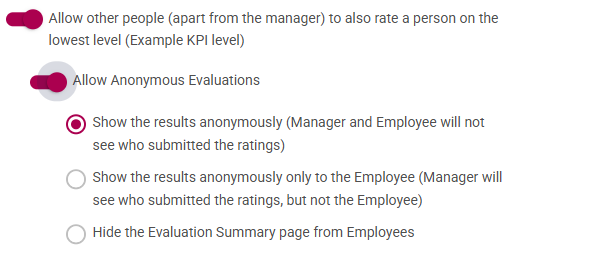](https://signature.signifyhr.co.za/uploads/images/gallery/2025-07/UjFuaDPpFoZoBNEz-image.png)
Show the comments and ratings anonymously (Manager and Employee will see the ratings and comments submitted)
---
#### **New Development - SigniChat**
##### \[Ruleset Setup\]\[Integrations\]\[Chat Bots\] Add helper text for Main Dashboard Bot Code (#116457)
- Added Helper Text for the Main Dashboard Bot Code to indicate where the Bot will display
[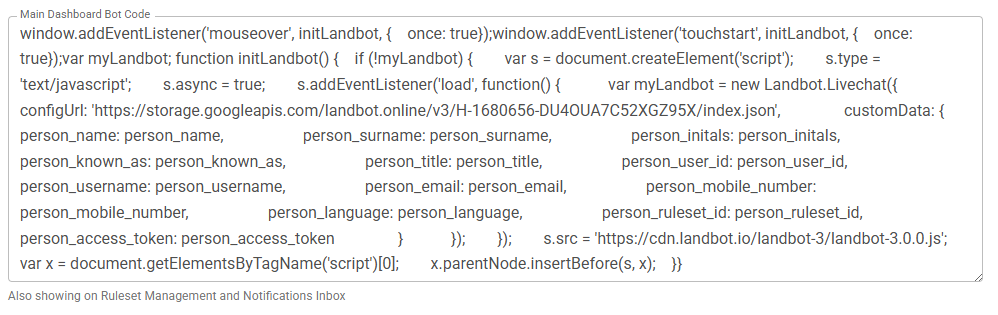](https://signature.signifyhr.co.za/uploads/images/gallery/2025-07/cGcoUgMwLOoY53Di-image.png)
- Add the Bot under the Inbox icon as well
[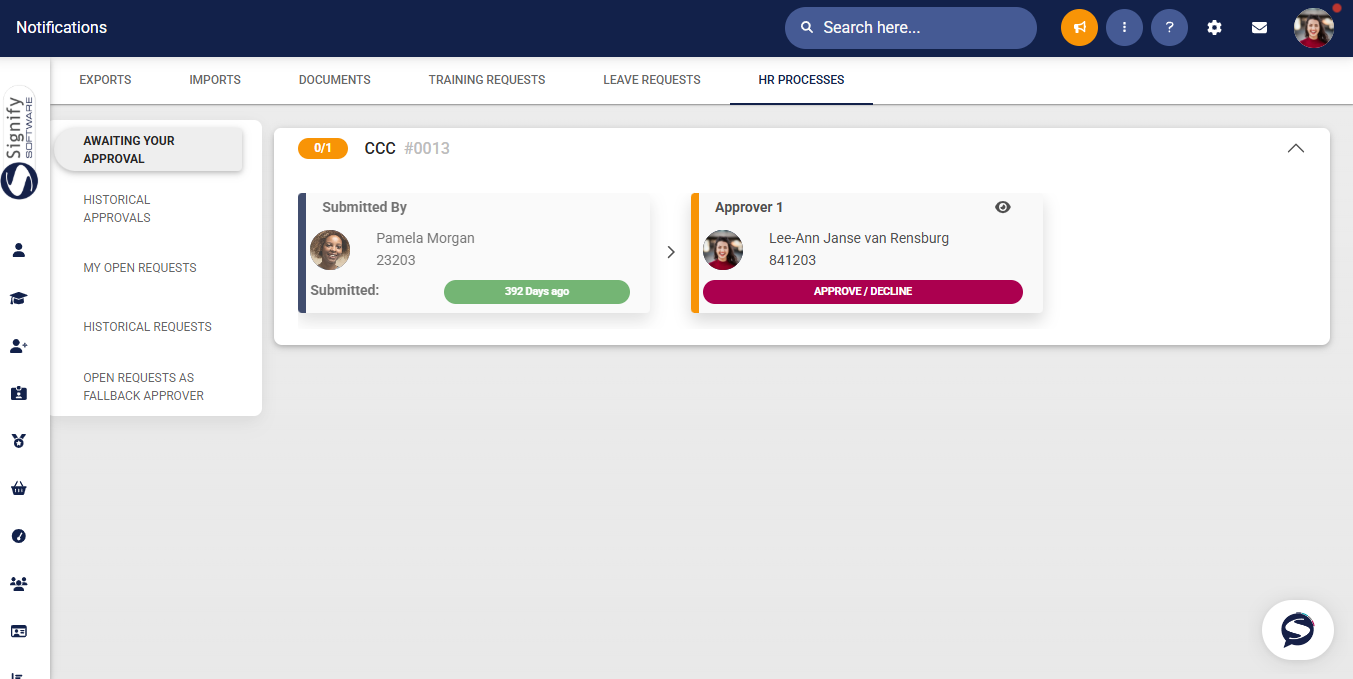](https://signature.signifyhr.co.za/uploads/images/gallery/2025-07/FvcV5wbGjCnYNAfX-image.png)
---
#### **New Development - Event Scheduling**
##### Event Scheduling: Mark Attendance (Phase 2) (#129927)
**User Story 1 – As an Event Administrator, I want to update the most relevant session’s attendance for an intake group**
- On the list of Events, click on the button to mark attendance
[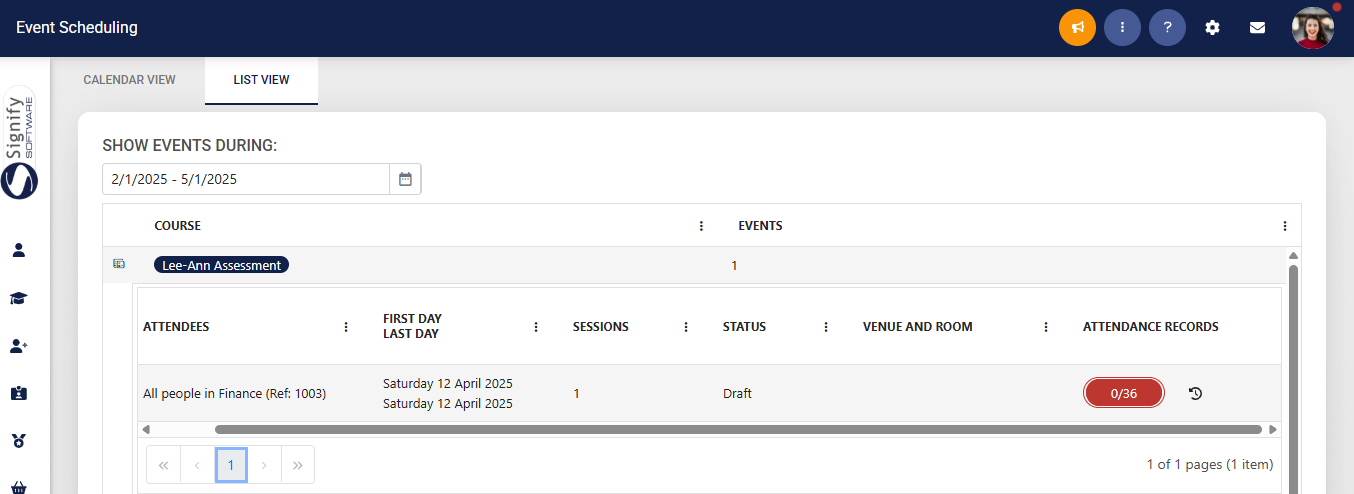](https://signature.signifyhr.co.za/uploads/images/gallery/2025-07/vrbj0qvY5OwDxFvK-image.png)
- On the next page, the attendance can be updated
- An option to mark all as Attended is available
[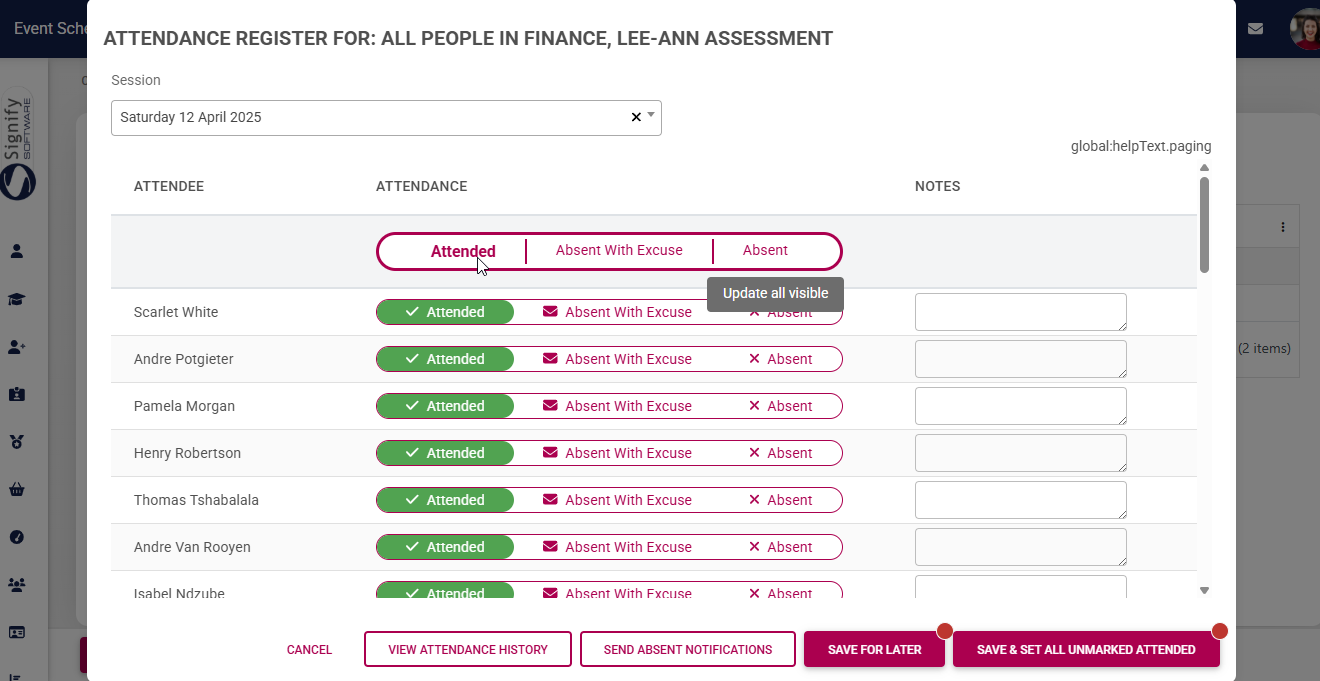](https://signature.signifyhr.co.za/uploads/images/gallery/2025-07/BBsDHlj5DS9sajGu-image.png)
**User Story 2 – As an Event Administrator, I want to update the overall completion status for attendees**
- To see the Overall Status per event, click on the button under Overall Status
[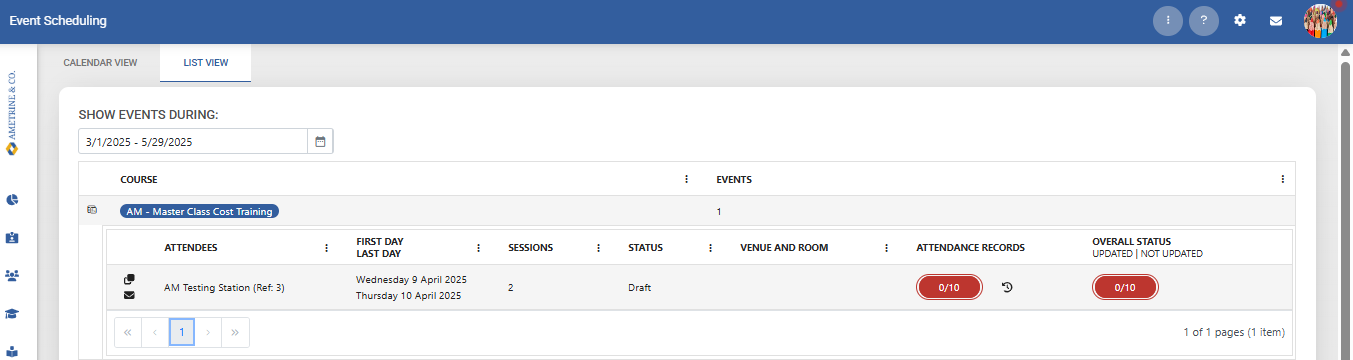](https://signature.signifyhr.co.za/uploads/images/gallery/2025-07/V3cRmaShTs9WRBUw-image.png)
- Sessions attended are shown
- Overall Status can be updated
- An option to mark all as completed is available
- The Competent Status is also available
[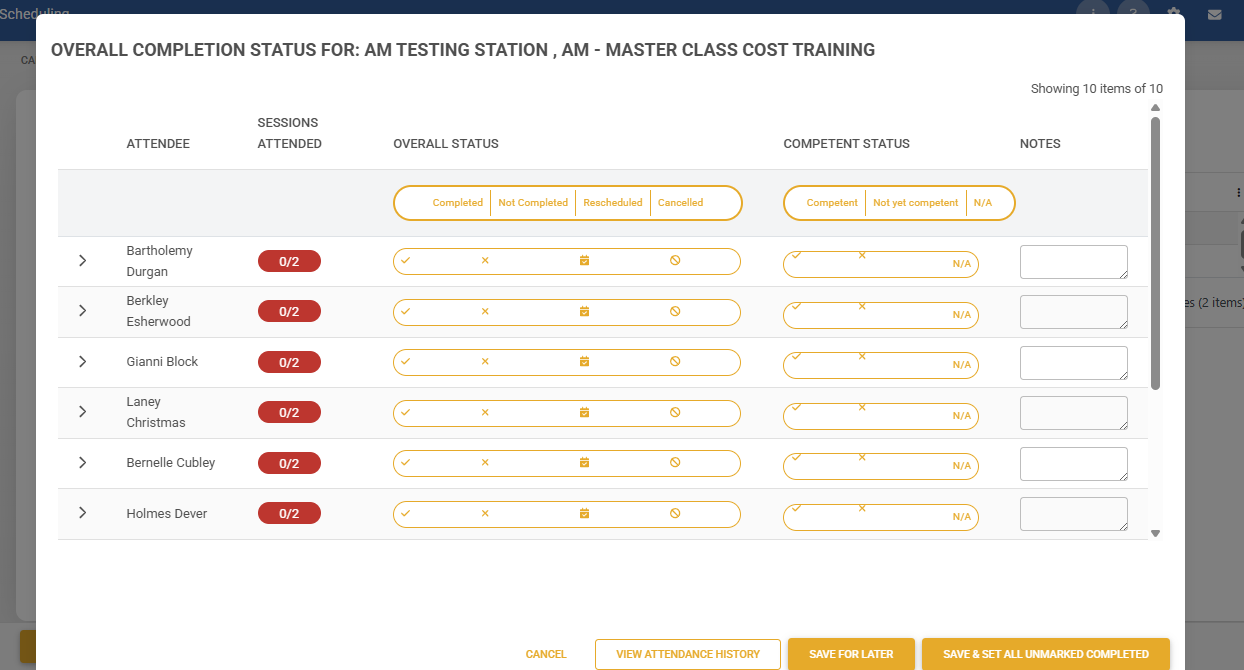](https://signature.signifyhr.co.za/uploads/images/gallery/2025-07/eupho7kH4XFiZH7y-image.png)
**User Story 3 – As an Event Administrator, I want to see the event costs per attendee and update the cost**
- The Training Intervention cost can be updated (if applicable - dependent on the Event Costs settings)
[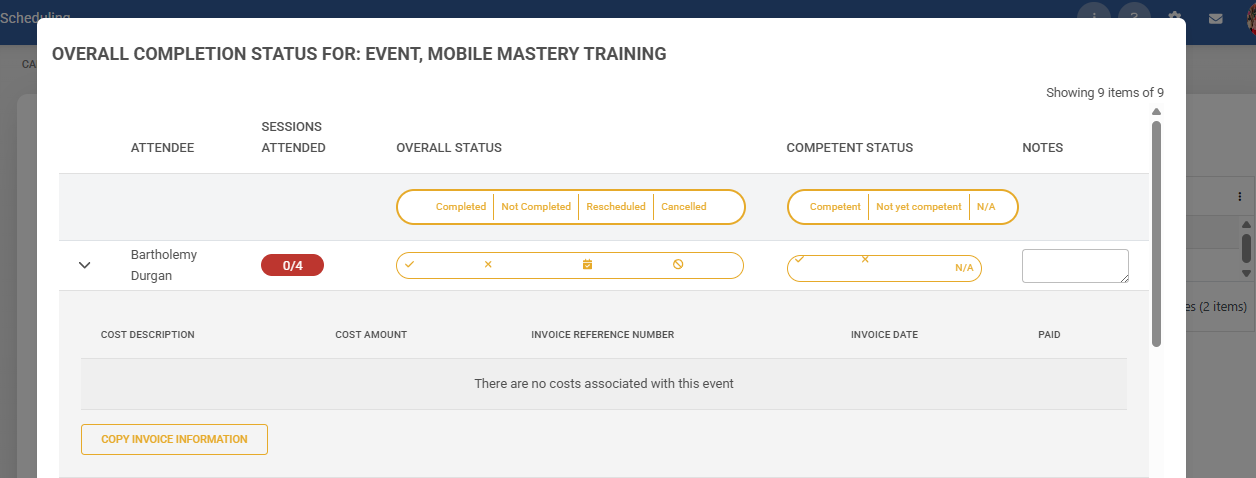](https://signature.signifyhr.co.za/uploads/images/gallery/2025-07/sO0GspdjIpz0k3gB-image.png)
**User Story 4 – As an Event Administrator, I want to view the historical attendance register**
- On the list of events, select the View Attendance History icon
[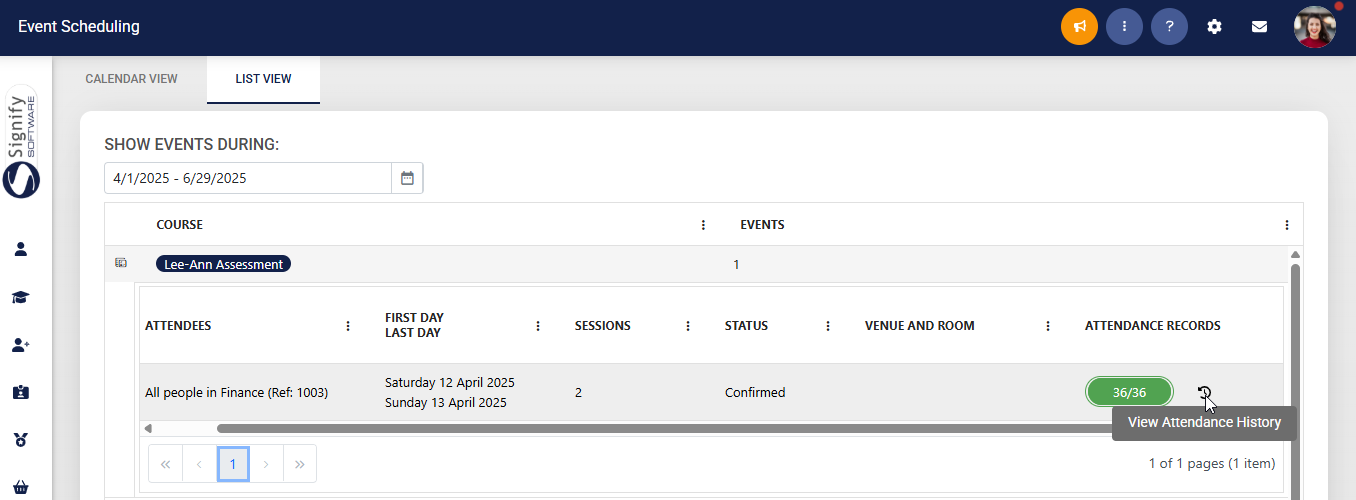](https://signature.signifyhr.co.za/uploads/images/gallery/2025-07/vncgJnaAF1JbMgGH-image.png)
- From here, the attendance for the sessions is shown
- A session can be updated
**User Story 5 – As an Event Administrator viewing the historical attendance register, I want to add a session**
TBC
**User Story 6 – As an Event Administrator viewing the historical attendance register, I want to add a new attendee**
TBC
---
# Version 9.1.170.3 (Support Release - 11 July 2025)
#### **Notifications**
##### Welcome Email Notification | Reset Password Link not working (#134161)
**Problem**
- When a welcome email is generated, the reset link and the security key do not match the web-encoded security key when used, and it fails to log in. When a standard user tries to send a welcome email, the feature gives an error
**Solution**
- This pull request introduces updates to improve security and logging in the Account and Identity services. Key changes include encoding security keys for password reset URLs, enhancing logging for invalid security keys, and removing redundant authorisation attributes.
---
#### **People Management**
##### Switching profiles on PM (#131168)
**Problem**
- Getting an error when viewing people's profiles
**Solution**
- Improve performance on checking whether the person being viewed is in the admin's active people group
##### System Access Issue (#134130)
**Problem**
- When a ruleset has multiple location master data records, the people edit page breaks between different users linked to different locations. Only one location is stored in the cache, and then the other person's location cannot be found. This breaks the summary and address views.
**Solution**
- This pull request updates the `ListMasterDataCachedAsync` method in `src/Web/WebMVC/Services/MasterDataService.cs` to improve the handling of `RecordIds` during filtering. The changes simplify the logic and ensure the original `RecordIds` are preserved for filtering operations.
##### Cannot access employee (#133837)
**Problem**
- Busting the cache doesn't always clear all the cache because we wait for the task to finish execution
- When setting cache, we don't wait for the response, but always use a false response, which causes ambiguity in logs
**Solution**
- Wait for the cache to be busted
- For some master data methods, use the default behaviour of waiting for the actual response after setting the cache
---
#### **Imports**
##### Payroll sync with ITS (#133878)
**Problem**
- When auto-processing PowerShell connectors, the connectors fail to complete due to the parallelism
- The PowerShell command is not robust and any failure fails the whole import on all rulesets
**Solution**
- This pull request refactors the `ProcessPowerShellPayrollConnectorsCommandHandler` class and simplifies the validation logic in the `UserImportStaging` domain model. Key changes include replacing parallel processing with sequential loops, adding error handling for PowerShell script execution, improving logging, and removing redundant validation methods.
---
#### **System Access**
##### Support URL not working (#133655)
**Problem**
- When the user has opened the themed login URL and then opens the support login, the redirect is a fully qualified URL, whilst if the user only opens the support URL, then the redirect URL is local
**Solution**
- Updated the redirect behaviour in SupportLogin to use Redirect for absolute URLs and LocalRedirect for relative URLs, ensuring correct handling of external return URLs after support login.
##### Add terms of use to the login page (#133812)
**Problem**
- Terms of use are not on the login page
- New URL for terms of use
**Solution**
- Add terms of use to the login page and update the R1 default to the URL
- Add a fallback to R1 from other rulesets when their own URL is not defined
---
# Version 9.1.170.2 (Support Release - 9 July 2025)
#### **People Management**
##### \[Kudos\]\[End-User\]: An error when sending a Kudo with a customised message (#133771)
**Problem**
- The user is unable to send a Kudo to a colleague. Recently, there has been a change which removes the "given\_name" key from the \_identityService authentication. Kudos directly uses Given Name, which caused it to not work anymore
- There is a duplicate auto-complete tag on the login page for the password input. Removed the "off" setting
**Solution**
- Use the username instead of the given name
##### HCO | New Tenant Creation | Errors (#133954)
**Problem**
- When a user with the people admin role and "Manage my data" active edits their own profile, any non-required fields on the summary or profile pages are marked as required.
**Solution**
- This pull request refines the conditional logic in the `_ProfilePersonal.cshtml` and `_Summary.cshtml` files to improve clarity and ensure consistent behavior when determining the visibility and editability of form fields based on user permissions and requirements.
---
#### **Ruleset Management**
##### \[Translation\] Add nl (Dutch) to the system - v8 and v9 (#133891)
**Problem**
- The language is not available for translation in the system
**Solution**
- Add nl (Dutch) to the system
---
#### **Imports**
##### User Import: Add rules to the import sample sheet (#134071)
**Problem**
- No description of the rules of each column in the user import
- When data is provided for a column without a heading, then the import fails obscurely
**Solution**
- This pull request introduces improvements to the `CreateListFromExcelStreamV1` method in `src/Web/WebMVC/Services/OpenXMLService.cs` to enhance code clarity and ensure data validation when processing Excel files. The most important changes include adding comments for better readability and implementing a check to avoid adding invalid or empty property names.
**Code readability improvements**
- Added a comment explaining the purpose of retrieving the first sheet from the workbook part's Sheets collection to clarify its role in worksheet data processing
**Data validation enhancements**
- Introduced a check to ensure that values are only added if the corresponding property name (header) is not null, empty, or whitespace, preventing invalid data from being processed
---
# Version 9.1.170.1 (Support Release - 2 July 2025)
#### **Performance Management**
##### Moderated agreement not shown as moderated on dashboard (#132770)
**Problem**
- When moderation has been sent for quality assurance, no in-progress indication is shown on the dashboard
**Solution**
- Add a new check that, when sent to Quality Assurance, shows Moderation In Progress
---
#### **Data Warehouse**
##### Add settings to PackageSettings to disable modules (#133513)
**Problem**
- V8 and V9 require their own FullRefresh column within PackageSettings
**Solution**
- Added new fields V8FullRefresh and V9FullRefresh within PackageSettings
---
#### **Imports**
##### Organisational Structure Not Reflecting in Target Audience (#133417)
**Problem**
- The reference to the import API was incorrectly pointing to Rapax, leading the V8 additional services imports not to report as completed.
**Solution**
- Corrected the Import api proto reference. Already corrected on Master.
---
# Version 9.1.170 (30 June 2025)
#### **Data Warehouse**
##### Add settings to PackageSettings to disable modules (#133513)
**Problem**
- Other clients do not use all the modules within the system, which will cause the DWH to fail
**Solution**
---
#### **Learning Management**
##### LMS Portal: Marksheet: Save does not work when entering and Removing Input in an Empty Row (#132306)
**Problem**
- When adding a value in a cell where there is no user, the marksheet can not be saved, even after removing the value
**Solution**
- Add new validation to ensure that the row has a user before taking any value to save
##### Only show First Name in comments (#133519)
**Problem**
- The full name displays instead of only name
**Solution**
- Change the full name on the marksheet to only display the name
---
# Version 9.1.169 (30 June 2025)
#### **Tenant Management**
##### Using Commas rather than periods causes loss of field data (#132987)
**Problem**
- When a "," is used to update decimal values of a field, the values are lost
**Solution**
- Convert commas to dots for consistency
---
#### **System Access**
##### The default displayed language is not applied from the Login page (#132901)
**Problem**
- The list of languages on the login screen always had the first alphabetical item in the list set as the selected value
**Solution**
- Try to get the User's preferred language from their cookies and fallback to the UI culture (most likely en-GB in most cases) if the cookie does not exist
---
#### **Imports**
##### Default Timeout for HttpClientWrapper to 5 minutes and remove option to set after initialisation (#132811)
**Problem**
- Since only one HttpClient is used and injected, its properties cannot change once any requests have been made. There are instances where the timeout is tried to be set after the HttpClient has already processed a request. This results in an error of " This instance has already started one or more requests. Properties can only be modified before sending the first request"
**Solution**
- By default, the HttpClient instance has a timeout of 5 minutes when it is initialised.
---
#### **Notifications**
##### Port and Time Out text box labels incorrect (#102607)
**Problem**
- When the page is displayed, the Port and Time Out text box labels have the border box drawn through the label.
**Solution**
- Change the floating labels to normal labels
---
#### **Report Builder**
##### \[Report Builder\]\[Admin User\]\[Delete\] Delete click area to be increased (#132803)
**Problem**
- Currently, the delete button is very small, and if you click a little off the icon, the Report's details are opened, which is not ideal.
**Solution**
- Increase the "My report builder" report delete button size
##### Previously deleted report imported by new user shown as previous user being the owner (#133015)
**Problem**
- Previously deleted report imported by a new user is shown as the previous user being the owner.
**Solution**
- Ensure that the user who imported the report shows as the owner of the imported report.
##### \[Report Builder\]\[End User\]\[Date Format\] Date format (English SA) not being applied on report (#133070)
**Problem**
- User culture was not always used in the report builder report results for date fields.
**Solution**
- This happened because when we checked for a date field before formatting according to user culture and timezone, we did not check for "datetime2" fields.
---
#### **Performance Management**
##### Unable to start Period 2 on a Bi-Annual setup (#133387)
**Problem**
- When starting a contract in the second review period,
**Solution**
- Added null values when copying a contract for the action plan items of training interventions that need to be bound
##### Linked setup items go over the edge of the card (#120465)
**Problem**
- When the Review Setup name or description has a lot of content, it pushes off the columns to the right, which causes the page to have a scroll and not be within the card
**Solution**
- Add a new wrapper around to scroll within the card, and not allow the page to grow horizontally.
---
# Version 9.1.168 (30 June 2025)
#### **Performance Management**
##### \[Recalculate Scores\] Results include deleted contracts (#133399)
**Problem**
- Deleted contracts are being retrieved when selecting the contract to recalculate
**Solution**
- Exclude deleted contracts
##### \[Recalculate Scores\] Search filters reset after recalculation (#133038)
**Problem**
- When agreements are selected to recalculate, selections are cleared because the new score might not show directly.
**Solution**
- Add a message indicating that recalculated scores can take up to 5 minutes to display
##### Key Competencies do not get highlighted when scrolled to (#133092)
**Problem**
- When the user is in the check-in phase and scrolls down, it does not hit the last section and highlight the nav menu on the left
**Solution**
- Resolved case to increase offset to ensure the section gets hit to highlight on the nav menu
##### Linked setup items go over the edge of the card (#120465)
**Problem**
- When the Review Setup name or description has a lot of content, it pushes off the columns to the right, which causes the page to have a scroll and not be within the card
**Solution**
- Add a new wrapper around to scroll within the card, and not allow the page to grow horizontally.
---
#### **Report Builder**
##### Condition button missing on first Filter By entry (#133101)
**Problem**
- The **Condition** button is removed from the first **Filter By** entry on the **Filtering** canvas.
**Solution**
- Move the condition column to the left
---
#### **Learning Management**
##### \[Shared Links\] Links do not open the Pathways (#132844)
**Problem**
- Shared Pathway links don't open but give a Not Found error. This is caused by a malformed URL.
**Solution**
- Avoid adding empty redirect URLs to the query string because it causes the query string to have duplicates. Duplicates create an invalid resulting URL.
---
# Version 9.1.167 (30 June 2025)
#### **Data Warehouse**
##### As a Report Builder Administrator, I want to have the audit data in the DWH so that I can create a report for the recalculated scores (#130423)
**Problem**
- The new recalculated score fields are not available within the Report Builder
**Solution**
- Added the new recalculated score fields within the Report Builder (DWH)
##### New Scorecard Status Report (#127073)
**Problem**
- The DWH did not exclude disabled years when generating the list dropdown values
**Solution**
- Adjusted the DWH package to exclude disabled years for list dropdown values
##### Add additional fields to accTenantStats (#132864)
**Problem**
**Solution**
---
#### **Ruleset Setup | Image Resources**
##### Unable to upload Banner Image (#133162)
**Problem**
- The file name included in the directory creation is causing issues with the image stream
**Solution**
- Only used the directory in creation
---
#### **Report Builder**
##### Date Parameters Logic vs Results (#132813)
**Problem**
- When date filters were being applied, it would also consider the time and thus end up being inconsistent and unintuitive
**Solution**
- The date filters should only consider the date value, not the time at all
##### \[Value Text Box\] Value text box is not emptied when changing the operator to 'list' (#133110)
**Problem**
- When the operator is changed to 'list' after already inserting text into the 'Value' text box, the box is not emptied when selecting the 'list' type operator. The text box has been disabled for this operator, so it cannot be emptied.
**Solution**
- Make sure that the Value text box is cleared when the Operator is cleared.
---
#### **Performance Management**
##### As a Performance Management Administrator, I want to recalculate performance scores from Bulk Actions (#130420)
**Problem**
- When a new review survey is added or review period weights are adjusted, all agreements that have already been done are/was calculated on the current weights being used
**Solution**
- Add a new Event to recalculate agreements
---
#### **General**
##### Help Files: Feedback Label not displaying correctly (#133157)
**Problem**
- Feedback Label not displaying correctly
**Solution**
- Corrected the path for the translation
##### \[Tools page\] \[System Summary\] \[Styling\] Improve column spacing (#132973)
**Problem**
- Improve column spacing
**Solution**
- Adjusted spacing and wording, additionally, in the case of overflow, the ellipse and tooltip, the text
##### Always log an error when throw is used in code (#130740)
**Problem**
- Sometimes an error is caught and thrown, but not logged to the error log. This makes it difficult to investigate some errors experienced in production
**Solution**
- Added loggers where appropriate to WebMVC, Notifications, Audit, Identity, Master Data, Import, Job Profiler, Performance, Learning, and Content Management
- Added explicit typing where I encountered any generics
- Reformatted some pages to follow the convention
---
# Version 9.1.166 (30 June 2025)
#### **Report Builder**
##### Objective Settings Queries (#133021)
**Problem**
- The Select Distinct set on the report is not applied when exporting, only on viewing, leading to duplicate records being displayed when exported.
**Solution**
- If DistinctRows is not provided, fall back to the configuration on the report.
##### Allow report builder admins to set certain filter criteria fields as drop-downs in a report (#129916)
**New Development**
***User Story 1 – Add a step to the DWH SSIS packages***
- Add a step on the DWH SSIS packages to check for any filters that are of Operator type 'Is Equal to (from List)', and then select a unique list of the values into a new table that contains the relevant data source ID and data field ID and then the individual item values. E.g.
DataSourceId DataFieldId RulesetId ListItemValue
1 1 10 FY24
1 1 10 FY25
1 2 11 Mid-Year
1 2 11 Final
***User Story 2 – As a Report Builder Administrator, I want to have a new operator available named is equal to (from the list)***
- Add a new filter Operator
- Is equal to (from list)
- When this is the operator type, do not show the input, as the list will be determined at runtime
- Ensure the data that is displayed is Ruleset-specific
***User Story 3 – As a Report User, I want to select the dropdown with the available values***
- Modify the View Report page to check for 'Is Equal To (From list)' filters and prefetch the unique values from the DWH table created above, add tand hat as list items to the page
- When the report is run the ,actual text value is still sent through, modification required to the report builder SP to handle 'List' operator filters as if it is 'Is Equal To (From list),' which does an exact match
- On the end-user view, the filter will show as follows, where the edit box on the right will show as a drop-down list.
##### Report Builder: Date Parameters Logic vs Results (#132813)
**Problem**
- When date filters were being applied, it would also consider the time and thus end up being inconsistent and unintuitive
**Solution**
- The date filters should only consider the date value, not the time at all
---
#### **Help Files**
##### As a person with access to the Help Files, I want to have an updated layout with feedback functionality (#129792)
**Problem**
- Change the help page modal's text to be more descriptive. Change the toggle functionality such that when checked, it would allow the content to be shown instead of hiding the content (reversed current toggle logic). For consistency, I standardised the pop-up design by adding a close (X) button to the top-right corner of all general modals (Only general modals for now).
**Solution**
- Added a generic close button at the top of each general modal. I also updated the help page's translations and fixed how the toggle works.
##### Add a feedback Template (#131914)
**Problem**
- The help screen modal should allow users (managers, employees, or administrators) to provide feedback on different parts of the system.
- It should have a feedback button to provide access to the new feedback functionality.
- The feedback form should show a new modal with three questions rendered as a partial view inside the modal.
- There should be appropriate error handling and navigation flow management.
- Upon submission, the following information should be sent to the Official Signify Documentation Email:
- A screenshot of the parent page embedded as a base64 image.
- The URL of the current window location.
- User details: username, first name, surname.
- Ruleset ID.
- Responses from the completed form.
- This functionality should be integrated using the existing "manual test notification" method.
**Solution**
- Altered the help page modal to include a button for showing the new feedback form.
- Added a new modal in the original CSHTML page containing the help page modals.
- Had the new feedback modal load the questions to answer in a new partial view, which uses JavaScript to manage when certain questions should be shown and other navigation flow management.
- Added translations for the new feedback modal in the languages
- Reused an existing method to send notifications. Most values are hardcoded, as they are unlikely to require changes.
##### Add feedback form (#131915)
- When the feedback button is clicked, open a new feedback model
- - Get the template ID from the notification service based on the code
- Get the user data from the users service
- On the model, implement show hide accordions according to the selection
- When feedback is clicked, trigger the manual test notification with the following
- - Send an email to documentation@signify.co.za
- Include the data
- Screenshot of parent page embedded as a base64 image
- URL from window location
- Username, name, surname,
- RulesetId
- Answers from the completed form
---
#### **Performance Management**
##### Manager rating cannot be saved - error message (#133058)
**Problem**
- When FinalRatingsOnly is enabled and the items are interpolated, it does not save the Manager Score along with the Final score (as it would when not interpolated). This causes the validation to fail when trying to approve the ratings.
**Solution**
- Ensure that the manager score values are also saved when the ratings type is FinalOnly, and correctly update the SPA after the save.
##### PM UPLOAD document button missing (#132985)
**Problem**
- When the contract is in the Objective phase but not yet in the Rating phase, users are unable to upload documents. As the Ratings phase where the only phase that where being checked/validated.
**Solution**
- Updated the validation logic to correctly parse and assess the current contract phase, ensuring document uploads are allowed during appropriate phases.
##### Incorrect Total after 10/10 Self-Rating and Error on Submit Final Rating (#131647)
**Problem**
- The scores within ContractPeriods do not round correctly when they round to above 100
**Solution**
- Adjusted the rounding issue for ContractPeriods scores to ensure it does not exceed 100
##### Move the "Modify Final Scores" option to the dashboard (#93147)
**Problem**
- When an agreement has been finalised and rated, you need to navigate within the agreement to select 'Modify Final Rating' when wanting to modify the agreement
**Solution**
- Added new Ellipse menu item to modify the Period Contract, and a new modal to select the Review Period to modify.
##### Radio buttons not behaving correctly (#121338)
**TBC**
---
#### **Data Warehouse**
##### Implement Additional Billing Fields for subscription (#132464)
**Problem**
- The default decimal precision of the decimal columns was set to 2, causing the entity framework to not update correctly, and the data not being there to be saved
**Solution**
- Set the decimal precision to match the appropriate values (38 numbers, 18 decimals)
##### Absenteeism tracking (#132467)
**Problem**
- The client requires a report that will show the absence history
**Solution**
- Added a new DataSource called lmAttendance that will provide the required data
##### Report Builder: 200 Data Value Fields in the HR Process Request Pivot Data Table (#132915)
**Problem**
- jpHRProcessRequestPivotData requires 100 extra custom fields
**Solution**
- Add 100 extra custom fields within jpHRProcessRequestPivotData
##### Years of service report (#133024)
**Problem**
- Field YearsOfService is required as requested by the client
**Solution**
- Added new field YearsOfService within Appointments
---
#### **Learning Management**
##### Manual overriding of marks - Report cards (#132474)
**Problem**
- Cannot add a negative mark that will not be counted in the average
**Solution**
- Allow the Teacher / Administrator to add a -1 for an absent student
- This mark should then be excluded from the average calculation
##### As an Administrator with access to the Learning Management setup, I want to import the Training Requirements and export the list (#131531)
**New Development**
***Create an import file to import the Training Requirements***
- Country
- Training Intervention Code
- Training Intervention
- Required Field
- Job Title
- Organisational Unit
- Job Grade
- Start Date in Position
- Requirement Start Date
- Requirement End Date
- Days required to complete the training
***Validation***
- If a Country Master Data value does not exist, the entire record will be rejected
- If a Training Intervention Code does not exist, the entire record will be rejected
- If a Training Intervention Code does not match the Training intervention, the entire record will be rejected
- If a Training Intervention does not exist, the entire record will be rejected
- If a Job Title does not exist, the entire record will be rejected
- If an Organisational Unit does not exist, the entire record will be rejected
- If a Job Grade Master Data value does not exist, the entire record will be rejected
- The Requirement Start Date cannot be after the Requirement End Date
- The Requirement End Date cannot be before the Requirement Start Date
***Export***
- Add Export functionality to export the table
·
---
#### **Imports**
##### Payspace Employee import rejections (#132840)
**Problem**
- When pulling users from Payspace, users without ID numbers have no employment statuses and are excluded from mapping without a reason.
**Solution**
- When the user does not have an ID number, fall back to the employee number when grouping the user's appointments to retrieve the latest record
- Add error logs for the users who are excluded
- Stage the excluded users into user staging for the Payspace import
- Ensure the provinces can be created case and culture-invariant.
**Another rule to be aware of is that the Payspace pull only imports terminated users when they already exist on the ruleset with the payroll ID from Payspace. Any user terminated on Payspace before today that does not exist in the payroll ID on the ruleset is excluded and will not be imported.**
##### Import log shows successful, but transaction log is empty (#132526)
**Problem**
- Not all import types are developed to export data; therefore, when a user clicks 'User validation report', it will export but have no data
**Solution**
- Add a new check to validate and ensure the import type is allowed to be validated
##### Automated Employee Details Import (1) (#104244)
**Problem**
- The import service Swagger is not working.
**Solution**
- Rename the duplicate message in the proto
---
#### **Content Management**
##### Bulk signing attempts fail immediately (#132716)
**Problem**
- When trying to sign attempts on multiple assessments, the process fails immediately. The retry also fails immediately.
**Solution**
- Add option to retrieve document by external request ID used for retry in V8
##### License documents are not digitally signed (#132379)
**Problem**
- When you print a license and then save it as a PDF, it does not have the certificate to show that it has been digitally signed.
**Solution**
- Correct problem when there is more than one signatory, the subsequent signatures show as invalid
---
# Version 9.1.165 (30 June 2025)
#### **People Management**
##### \[My Profile\] Error shown when user clicks on My Profile (#132878)
**Problem**
- When a user who does not have an admin role tries to view their profile, the page breaks.
- The problem is that it tries to fetch the active products for the tenant/ruleset, but the call to get ruleset information is admin-authorised only.
**Solution**
- Changed to get the tenant ID from the available anonymous call, which is then used to fetch the tenant subscription information.
##### \[Imports\] Error with future-dated appointment (#132805)
**Problem**
- When a user is added with a future-dated appointment, the appointment saves on V9 but does not sync with V8.
- When the User Import is manually executed, an error is encountered.
**Solution**
- Support users added to export a user for import to V8.
- Further investigation is in progress.
##### \[Appointments\] Terminated appointments can be deleted (#132690)
**Problem**
- When an end date (or termination date) has been added to an appointment record, it is possible to delete the appointment.
**Solution**
- The user cannot delete the latest primary appointment, even if there is a termination date.
- It is possible to delete a primary appointment that is not the latest.
##### \[Payroll integration\] User import fails when access to OrganisationPositionDetail is not granted (#132260)
**Problem**
- When the Payspace client does not grant access to the OrganizationPositionDetail, then the following API call fails as "forbidden": string url = $"{connector.BaseUrl}/v1.1/{companyId}/OrganizationPositionDetail?$count=true";
**Solution**
- Add try-catch statements when pulling data for the OFO code to suppress and log the failure should it occur, and then continue with the import.
#####
V9: Import Issue (#132815)
**Problem**
- When providing other data in the import for org level 1 than the default IN01 data, the import fails with the error: "The org node to link the user's position to could not be found."
**Solution**
- Add org level 1 as received data, and fall back to the default only when no data is provided
---
#### **Performance Management**
##### \[Agreement\] Manager Ratings not updated when Manager and Final Ratings can be completed simultaneously (#127230)
**Problem**
- With the setting to do both final rating and manager rating, the banner scores for Manager Rating are not being updated on the contract.
**Solution**
- Add a new check to update the Manager Rating along with the Final Rating when both are captured.
##### \[Agreement\] Radio buttons not behaving correctly when typing your own KPAs or selecting from the library (#121338)
**Problem**
- When adding a new KPA/KPI, the radio buttons do not work correctly when navigating between each toggle.
**Solution**
- Fixed the check to not overwrite the toggle's state.
##### As a Performance Management Administrator, I want to recalculate performance scores from Bulk Actions (#130420)
**Problem**
- When a new Review Survey is added or Review Period weights are adjusted, it affects all agreements that have already been completed.
- The completed agreements were calculated based on the previous weightings.
- If the weights are later updated, and a user opens an existing or completed agreement, the score now appears differently than it should, based on the new weights.
**Solution**
- A new bulk action has been added to allow agreements to be recalculated using the updated weights.
- Users can now click on "Recalculate Scores", apply the necessary filters, and select all agreements that need to be recalculated.
- The process will then run and update the scores for those agreements accordingly.
##### As a System Administrator, I would like to enable a setting on the Review Setup to inherit contract section weights (#130993)
**Problem**
- Change the description of the settings for Auto copy and for the Inherit Contract Weights.
- Add a total on the Edit Section Weights modal.
**Solution**
- Update the Translations to the new value.
- Add a total weight to the Edit Section Weights modal.
##### As a Language Administrator, I want to be able to translate the new fields (#130422)
**Problem**
- A new feature was added to the Performance Management for bulk recalculating of performance scores, but the new fields were not enabled for translations.
**Solution**
- Translation functionality was enabled for the new fields.
##### As a Performance Administrator, configuring Review Setups, I want a setting to allow training to be added to the PDP (#118125)
**Problem**
- When configuring a Review Setup, a Performance Administrator wants a setting to allow training to be linked to the personal development plan (PDP).
**Solution**
- A new setting was added that allows training interventions to be linked to a PDP.
##### \[Bulk Actions\] Errors display when you land on the Bulk Action Logs screen (#132668)
**Problem**
- When navigating to the Bulk Actions logs on Performance Management, it results in an error.
**Solution**
- Add a new column in the query that was created for the recalculation of performance management scores.
##### Performance Management: Incorrect Total after 10/10 Self-Rating and Error on Submit Final Rating (#131647)
**Problem**
- The scores within ContractPeriods do not round correctly when they round to above 100
**Solution**
- Adjusted the rounding issue for ContractPeriods scores to ensure it does not exceed 100
##### \[PM\] \[Full Agreement import\] Add more information to error messages (#129133)
**Problem**
- When there are errors on the Full PM import, it can be difficult to determine the exact section that the error relates to if there are multiple items used across sections.
**Solution**
- Improved the error messages to include the section that the error applies to in the error message, and had to add an additional parameter to get the translated section name to be able to correctly report the section in the error message.
##### The manager cannot modify objectives if objectives are approved and the ratings phase is inactive (#121163)
**Problem**
- When an agreement is within the ratings phase, which has not been started, it can be moved to modify objectives in the dashboard side, but it is unable to when navigating to the contract
**Solution**
- Fixed logic check to be able to modify objectives within the contract period view.
##### Path to link Signify to Power BI (#132335)
**Problem**
- An additional api required to export all user contract data for a review year and review setup
**Solution**
- Create a copy of rpc ListReviewYearSetupUserContracts (ListReviewYearSetupUserContractsRequest) returns (ListReviewYearSetupUserContractsResponse); and extend to include all users
- Include location in org
- Remove image path for performance
##### Move the "Modify Final Scores" option to the dashboard (#93147)
**Problem**
- When an agreement has been finalised and rated, you need to navigate within the agreement to select 'Modify Final Rating' when wanting to modify the agreement
**Solution**
- Added a new Ellipse menu item to modify the Period Contract, and a new modal to select the Review Period to modify.
##### \[View/Print\] Unapproved ratings show on the report (#119167)
**Problem**
- Ratings are displayed on Print/View even if the scores have not been submitted
**Solution**
- Add a new check to only show the score when scores have been submitted
##### \[Check-ins\] Historical Check-ins do not show the rating the manager gave (#120070)
**Problem**
- Cannot see the rating for the person's historical check-in
**Solution**
- Remove the check to only view manager rating checks
##### \[Moderation\] Add a clear button (#129908)
**Problem**
- Within the Moderation section, there is no way to clear selections other than manually clearing one
**Solution**
- Add a new Clear selections button to clear all input
##### \[PM\] \[Templates\] Add functionality to delete multiple templates at once (#120577)
**Problem**
- Can only remove one template at a time on the PM Review Setup Templates
- Modal is very small when a selection is required to select templates for bulk deletion
- Translation missing for en-GB
- When the modal is displayed to remove multiple templates, you can click on which then navigates you to the template
**Solution**
- Add a new option to remove multiple templates at once.
- Show a larger modal for Bulk delete templates
- Added Translation for en-GB
- Remove the check to be able to navigate to the template
---
#### **Login**
##### \[Login\] A Person cannot log in if all MFA options are turned off on a ruleset (#132853)
**Problem**
- A user is unable to log in when none of the multi-factor authentication options have been enabled.
**Solution**
- Fixed the local redirect after login to handle the new redirecturl to ensure that users can log in whether MFA is enabled or disabled.
##### \[3rd Party Login\] Unable to log in with Microsoft (#132846)
**Problem**
- A user is unable to log in with Microsoft, and an error displays after account validation.
**Solution**
- Fixed the local redirect after login to handle the new redirect URL to ensure that users can log in with their Microsoft account.
---
#### **System Access**
##### Improve Performance opening V8 links from V9 (#131794)
**Problem**
- The encrypted query string causes low performance when accessing V8 pages from V9.
**Solution**
- Replace the encrypted query string with a time-based security key.
- The security key is valid for 30 minutes and remains unchanged for the period.
- It is built using the username, encryption key and time constant.
- Add deep links to quick links.
##### Send V8 notifications through V9 (#129209)
**Problem**
- A client with a configured token-based own SMTP on V9 needs a separate basic SMTP for V8.
- V8 notifications do not handle token-based SMTP authentication.
**Solution**
- Make the endpoint available on the notification service on V9 to receive and process messages.
- V8 attachments need to be handled.
##### Implement Encrypted Fallback config (#131882)
**Problem**
- The new security key implementation in V9 requires all V8 counterparts to also be upgraded.
**Solution**
- Add a config setting on V9 to whitelist rulesets by Id to use the previous query string encryption.
- When a ruleset is not part of the config, then the new security key method will be used.
##### As a person with access to the Help Files, I want to have an updated layout with feedback functionality (#129792 )
**Problem**
- The Help page modal's text needs to be more descriptive.
- The toggle functionality needs to be updated. When checked, it should allow the content to be shown instead of hiding the content (thus reversing the current toggle logic).
- Standardise the pop-up design by adding a close (X) button to the top-right corner of all general modals (only general modals for now).
**Solution**
- Added a generic close button at the top of each general modal.
- Updated the Help page's translations and fixed how the toggle for permissions works.
- A feedback button will be added in upcoming updates for this feature.
##### \[v9 URL\] Bookmark URL (#127982)
**Problem**
- Clients are experiencing issues when they bookmark the secure login URL for the Signify system.
**Solution**
- Change the identity login page to accept a theme URL as the redirect URL
- Allow the theme redirect to be used should the cookies or the ruleset have changed
- Make the theme's redirect URL reusable
---
#### **Imports**
##### Implement log for import requests (#124033)
**Problem**
- Currently, onboarding and synchronisation are the biggest issues encountered by the consultants (between V8 and V9 and vice versa).
**Solution**
- In V8, create two procedures: sysExternalImportTransactions, sysExternalImportErrors.
- Read from the sysProcessLog and export the data for the request.
- Add a nullable field in sysProcessLog, ExternalRequestId, this field will contain Import.Imports.Id from V9.
- Add the procedures to the sysObjectWhitelist table to be available in the API.
- When the user clicks on export transactions or export errors, make an API call to the above and export the data as normal.
- Move the singular import requests to log an import like the bulk imports do.
- Add status "In Progress" when the import starts.
- Communicate completion of the import from V8 to V9.
##### V9: Import Issue (#132815)
**Problem**
- When providing other data in the import for org level 1 than the default IN01 data, the import fails with the error: The org node to link the user's position to could not be found."
**Solution**
- Add org level 1 as received data, and fall back to the default only when no data is provided
##### PaySpace Signify discrepancy script (#129254)
**Problem**
- When data is not staged in the user stagings for an import, then the exported Excel sheet is broken without data.
- Data fields are inconsistent in the export
**Solution**
- Add a check to export a default error
- Add a cast to shortdatestring for datetime and datetime? fields
##### \[Integration\]\[Admin User\]\[People Import\] Import log shows successful but transaction log is empty (#132526)
**Problem**
- Not all import types are developed to export data; therefore, when a user clicks 'User validation report,' it will export but have no data
**Solution**
- Add a new check to validate and ensure the import type is allowed to be validated
---
#### **General**
##### Upgrade nugget packages on Signify repository (#129990, #129991)
**Problem**
- .NET 8 is still used on the Signify solution.
**Solution**
- Upgrade the Signify solution to .NET 9 and test that the modules are still working.
---
#### **Data Warehouse**
##### \[DWH\] WFA Adjustments for Term 2 - Phase 1 (#132175)
**Problem**
- The Term 2 and Term 4 EXAM Marks need to be included within the subject list for reports
**Solution**
- Added **t**he Term 2 and Term 4 EXAM Marks within the subject list
---
# Version 9.1.164.4 (Support Release - 25 June 2025)
#### **Report Builder**
##### Objective Settings Queries (#133021)
**Problem**
- The Select Distinct set on the report is not applied when exporting, only when viewing and leading to duplicate records being displayed when exported.
**Solution**
- If DistinctRows is not provided, fall back to the configuration on the report.
---
#### **General**
##### Unable to upload Banner Image (#133162)
**Problem**
- The file name included in the directory creation is causing issues with the image stream
**Solution**
- Only used the directory in creation
---
#### **Imports**
##### Payspace Employee import rejections (#132840)
**Problem**
- When pulling users from Payspace, users without ID numbers have no employment statuses and are excluded from mapping without a reason.
**Solution**
- When the user does not have an ID number, fall back to the employee number when grouping the user's appointments to retrieve the latest record
- Add error logs for the users who are excluded
- Stage the excluded users into user staging for the Payspace import
- Ensure the provinces can be created case and culture manner.
##### Appointment error on Own (#132805)
**Problem**
- When logged in as a support user, the user cannot open the V8 pages
**Solution**
- Include users of type support in the export function from V9 to allow it to be imported on V8 and open the pages.
##### PaySpace Signify discrepancy script (#129254)
**Problem**
- When data is not staged in the user stagings for an import, then the exported Excel sheet is broken without data.
- Data fields are inconsistent in the export
**Solution**
- Add a check to export a default error
- Add a cast to shortdatestring for datetime and datetime? fields
##### Skip the OrganizationPositionDetail for the OFO population (#132260)
**Problem**
- When the Payspace client does not grant access to the OrganizationPositionDetail then the following API call fails as forbidden
- string url = $"{connector.BaseUrl}/v1.1/{companyId}/OrganizationPositionDetail?$count=true";
**Solution**
- Add try catches when pulling data for the OFO code to suppress and log the failure should it occur and then continue with the import
---
#### **Performance Management**
##### Manager rating cannot be saved - error message (#133058)
**Problem**
- When FinalRatingsOnly is enabled and the items are interpolated, it does not save the Manager Score along with the Final score (as it would when not interpolated). This causes the validation to fail when trying to approve the ratings.
**Solution**
- Ensure that the manager score values are also saved when the ratings type is FinalOnly. And correctly updates on the SPA after the save.
##### PM UPLOAD document button missing (#132985)
**Problem**
- When the contract is in the *Objective* phase but not yet in the *Rating* phase, users are unable to upload documents. As the *Ratings* phase where the only phase that where being checked/validated.
**Solution**
- Updated the validation logic to correctly parse and assess the current contract phase, ensuring document uploads are allowed during appropriate phases.
##### Performance Management: Incorrect Total after 10/10 Self-Rating and Error on Submit Final Rating (#131647)
**Problem**
- The scores within ContractPeriods do not round correctly when they round to above 100
**Solution**
- Adjusted the rounding issue for ContractPeriods scores to ensure it does not exceed 100
##### Project Management: Text Sanitation Changes '&' to '&' (#132912)
**Problem**
- When viewing the Review Setup, the & is showing incorrectly
**Solution**
- Added new sanitation, to show the correct & and not the encoded one.
##### Path to link Signify to Power BI (#132335)
**Problem**
- An additional api required to export all user contract data for a review year and review setup
**Solution**
- Create a copy of rpc ListReviewYearSetupUserContracts (ListReviewYearSetupUserContractsRequest) returns (ListReviewYearSetupUserContractsResponse); and extend to include all users
- Include location in org
- Remove image path for performance
---
#### **People Management**
##### Error shown when user clicks on My Profile (#132878)
**Problem**
- When a user that does not have an admin role tries to view their own profile, the page breaks. Problem is that it tries to fetch the active products for the tenant/ruleset, but the call to get ruleset information is admin authorized only.
**Solution**
- Changed to get the tenant ID from the available anonymous call, which is then used to fetch the tenant subscription information.
# Version 9.1.164.3 (Support Release - 12 June 2025)
#### **Ruleset Management | Image Uploader**
##### Unable to upload Banner Image (#133162)
**Problem**
- The wrong directory is being created for the copy of the existing default banner, causing an error on upload
**Solution**
- Changed the directory existence check and creation from `sourchPath` to `copyPath`
---
#### **Imports**
##### Payspace Employee import rejections (#132840)
**Problem**
- When pulling users from Payspace, users without ID numbers, who have no employment statuses, are excluded from mapping without a reason.
**Solution**
- When the user does not have an ID number, fall back to the employee number when grouping the user's appointments to retrieve the latest record
- Add error logs for the users who are excluded
- Stage the excluded users into user staging for the Payspace import
- Ensure the provinces can be created in a case and culture invariant.
**Another rule to be aware of is that the Payspace pull only imports terminated users when they already exist on the ruleset with the payroll ID from Payspace. Any user terminated on Payspace before today that does not exist by Payroll ID on the ruleset is excluded and will not be imported.**
##### PaySpace Signify discrepancy script (#129254)
**Problem**
- When data is not staged in the user stagings for an import, then the exported Excel sheet is broken without data.
- Data fields are inconsistent in the export
**Solution**
- Add a check to export a default error
- Add a cast to shortdatestring for datetime and datetime? fields
##### PaySpace (#132260)
**Problem**
- When the Payspace client does not grant access to the OrganizationPositionDetail, then the following API call fails as forbidden
- string url = $"{connector.BaseUrl}/v1.1/{companyId}/OrganizationPositionDetail?$count=true";
**Solution**
- Add try catches when pulling data for the OFO code to suppress and log the failure should it occur, and then continue with the import
##### V9: Import Issue (#132815)
**Problem**
- When providing other data in the import for org level 1 than the default IN01 data, the import fails with the error: The org node to link the user's position to could not be found."
**Solution**
- Add org level 1 as received data, and fall back to the default only when no data is provided
---
#### **Performance Management**
##### Manager rating cannot be saved - error message (#133058)
**Problem**
- When FinalRatingsOnly is enabled and the items are interpolated, it does not save the Manager Score along with the Final score (as it would when not interpolated). This causes the validation to fail when trying to approve the ratings.
**Solution**
- Ensure that the manager score values are also saved when the ratings type is FinalOnly. And correctly updates the SPA after the save.
##### PM UPLOAD document button missing (#132985)
**Problem**
- When the contract is in the *Objective* phase but not yet in the *Rating* phase, users are unable to upload documents. As the *Ratings* phase where the only phase that where being checked/validated.
**Solution**
- Updated the validation logic to correctly parse and assess the current contract phase, ensuring document uploads are allowed during appropriate phases.
##### Performance Management: Incorrect Total after 10/10 Self-Rating and Error on Submit Final Rating (#131647)
**Problem**
- Due to the increasing number of KPIs and the distribution of their respective weights, there is a potential for precision-related discrepancies during the selection and calculation of the final rating. As a result, the computed value may appear as 10.001 instead of the expected 10.
- The final ratings could not be submitted due to the system not accommodating a score of 100.0000, which resulted in a submission failure
- The scores within ContractPeriods do not round correctly when they round to above 100
**Solution**
- New logic was implemented in the score calculation to allow for slight overcalculations, which are then adjusted to the appropriate floor value.
The system has been updated to allow for larger max rating scores.
- Adjusted the rounding issue for ContractPeriods scores to ensure it does not exceed 100
##### Path to link Signify to Power BI (#132335)
**Problem**
- An additional api required to export all user contract data for a review year and review setup
**Solution**
- Create a copy of rpc ListReviewYearSetupUserContracts (ListReviewYearSetupUserContractsRequest) returns (ListReviewYearSetupUserContractsResponse); and extend to include all users
- Include location in org
- Remove image path for performance
##### Project Management: Text Sanitation Changes '&' to '&' (#132912)
**Problem**
- When viewing the Review Setup, the & is showing incorrectly
**Solution**
- Added new sanitation to show the correct & and not the encoded one.
---
#### **People Management**
##### \[My Profile\] Error shown when user clicks on My Profile (#132878)
**Problem**
- When a user who does not have an admin role tries to view their own profile, the page breaks. The problem is that it tries to fetch the active products for the tenant/ruleset, but the call to get ruleset information is admin-authorised only.
**Solution**
- Changed to get the tenant ID from the available anonymous call, which is then used to fetch the tenant subscription information.
---
# Version 9.1.164.2 (Support Release - 5 June 2025)
#### **Performance Management**
##### Performance Management: Incorrect Total after 10/10 Self-Rating and Error on Submit Final Rating (#131647)
**Problem:**
- The scores within ContractPeriods do not round correctly when they round to above 100
- Due to the increasing number of KPIs and the distribution of their respective weights, there is a potential for precision-related discrepancies during the selection and calculation of the final rating. As a result, the computed value may appear as 10.001 instead of the expected 10.
- The final ratings could not be submitted due to the system not accommodating a score of 100.0000, which resulted in a submission failure
**Solution:**
- Adjusted the rounding issue for ContractPeriods scores to ensure it does not exceed 100
- New logic was implemented in the score calculation to allow for slight overcalculations, which are then adjusted to the appropriate floor value.
- The system has been updated to allow for larger max rating scores.
##### Path to link Signify to Power BI (#132335)
**Problem**
- An additional api required to export all user contract data for a review year and review setup
**Solution**
- Create a copy of rpc ListReviewYearSetupUserContracts (ListReviewYearSetupUserContractsRequest) returns (ListReviewYearSetupUserContractsResponse); and extend to include all users
- Include location in org
- Remove image path for performance
---
#### **People Management**
##### \[My Profile\] Error shown when user clicks on My Profile (#132878)
**Problem**
- When a user who does not have an admin role tries to view their profile, the page breaks. The problem is that it tries to fetch the active products for the tenant/ruleset, but the call to get ruleset information is admin-authorised only.
**Solution**
- Changed to get the tenant ID from the available anonymous call, which is then used to fetch the tenant subscription information.
---
#### **Imports**
##### PaySpace Signify discrepancy script (#129254)
**Problem**
- When data is not staged in the user stagings for an import, then the exported Excel sheet is broken without data.
Data fields are inconsistent in the export
**Solution**
- Add a check to export a default error
- Add a cast to shortdatestring for datetime and datetime? fields
##### Person not updating via Import (#132260)
**Problem**
- When the Payspace client does not grant access to the OrganizationPositionDetail, then the following API call fails as forbidden
- string url = $"{connector.BaseUrl}/v1.1/{companyId}/OrganizationPositionDetail?$count=true";
**Solution**
- Add try catches when pulling data for the OFO code to suppress and log the failure should it occur, and then continue with the import
##### V9: Import Issue (#132815)
**Problem**
- When providing other data in the import for org level 1 than the default IN01 data, the import fails with the error: The org node to link the user's position to could not be found."
**Solution**
- Add org level 1 as received data, and fall back to the default only when no data is provided
---
# Version 9.1.164.1 (Support Release - 3 June 2025)
#### **Performance Management**
##### Path to link Signify to Power BI (#132335)
**Problem**
- An additional api required to export all user contract data for a review year and review setup
**Solution**
- Create a copy of rpc ListReviewYearSetupUserContracts (ListReviewYearSetupUserContractsRequest) returns (ListReviewYearSetupUserContractsResponse); and extend to include all users
- Include location in org
- Remove image path for performance
---
#### **Imports**
##### PaySpace Signify discrepancy script (#129254)
**Problem**
- When data is not staged in the user stagings for an import, then the exported Excel sheet is broken without data.
- Data fields are inconsistent in the export
**Solution**
- Add a check to export a default error
- Add a caste to shortdatestring for datetime and datetime? fields
##### PaySpace (#132260)
**Problem**
- When the Payspace client does not grant access to the OrganizationPositionDetail, then the following API call fails as forbidden
- string url = $"{connector.BaseUrl}/v1.1/{companyId}/OrganizationPositionDetail?$count=true";
**Solution**
- Add try catches when pulling data for the OFO code to suppress and log the failure should it occur, and then continue with the import
---
#### **Imports**
##### Issue when importing data in another root than IN01 (#132815/132240)
**Problem**
- When providing other data in the import for org level 1 than the default IN01 data, the import fails with the error: The org node to link the user's position to could not be found."
**Solution**
- Add org level 1 as received data, and fall back to the default only when no data is provided
---
# Version 9.1.164 (2 June 2025)
#### **Learning Management**
##### LMS Portal: Subject Setup: No Cycle 'Weight in Period' Validation (#132285)
**Problem**
- When saving the weights of a cycle which exceeds 100, it is unclear where the issue is.
**Solution**
- Add validation client-side to indicate the invalid weights in red
##### LMS Portal: Marksheet: Save does not work when entering and Removing Input in an Empty Row (#132306)
**Problem**
- When adding and removing data on empty columns of a marksheet, it cannot be saved.
**Solution**
- Check that the item for the cells has items; otherwise, skip it
---
#### **System Access**
##### Allow support user functionality not working (#132363)
**Problem**
- Unable to log in with a support user when disclaimers are active on a ruleset
**Solution**
- Change the authentication process during support to skip the disclaimer acceptance
---
#### **Ruleset Management**
##### When on the Notification Tab, the Image Resources Tab disappears (#128559)
**Problem**
- The image resources tab disappeared when navigating to the notifications tab in ruleset setup.
**Solution**
- Added a missing navigation tab for image resources when navigating from the notifications tab.
---
#### **Report Builder**
##### Information for the BOTS (#130430)
TBA
##### Error when changing condition (#132342)
**Problem**
- An error occurred when trying to preview data when the 'list' operator was selected as a filter condition.
**Solution**
- This was due to a syntax error in the query, which is now resolved.
---
#### **Performance Management**
##### Add functionality to delete multiple templates at once (#120577)
**Problem**
- Can only remove one template at a time on the PM Review Setup Templates
- Modal is very small when a selection is required to select templates for bulk deletion
- Translation missing for en-GB
- When the modal is displayed to remove multiple templates, you can click on which then navigates you to the template
**Solution**
- Add a new option to remove multiple templates at once.
- Show a larger modal for Bulk delete templates
- Added Translation for en-GB
- Remove the check to be able to navigate to the template
##### Manager Ratings not updated when Manager and Final Ratings can be completed simultaneously (#127230)
**Problem**
- With the setting to do both final rating and manager rating, the banner scores for Manager Rating is not being updated on the contract
**Solution**
- Add a new check to also update the Manager Rating along with the Final Rating when both are captured
---
#### **Data Warehouse**
##### I want to have the audit data in the DWH so that I can create a report for the recalculated scores (#130423)
**Problem**
- The new recalculated score fields are not available within the Report Builder
**Solution**
- Added the new recalculated score fields within the Report Builder (DWH)
##### Adjustments for Term 2 - Phase 1 (#132175)
**Problem**
- The Term 2 and Term 4 EXAM Marks need to be included within the subject list for reports
**Solution**
- Added **t**he Term 2 and Term 4 EXAM Marks within the subject list
##### Tenant Usage stats (#131639)
**Problem**
- The Tenant Usage Stats data needs to be available within the Data Warehouse
**Solution**
- Added table TenantUsageStats with the required fields within the Data Warehouse
---
#### **Notifications**
##### Tooltip when hovering over item on Exports list incorrect (#122691)
**Problem**
- The tooltip for the download icon in the Exports section incorrectly displays "Export" instead of "Download."
**Solution**
- Updated tooltip text to "Download".
---
#### **People Management**
##### \[Appointment History\] Reference Name and Surname fields are not marked as required (#131180)
**Problem**
- When adding/editing an employment history record, the save fails if you do not provide the reference name and contract information. This is because it is required/expected on the backend but not on the Modal.
**Solution**
- Make reference name and surname & reference contact required.
##### Issues on People Management Module (#131783)
**Problem**
- When a user searches on People Management, the search filter persists even when the user logs out and logs back in. This confuses sessions, as some results are not available.
**Solution**
- When the user clicks logout, clear the filterCriteria if it exists from the local storage
---
#### **HR Processes**
##### Not All Jobs Positions are Available on the Workflow Reporting Lines (#132320)
**Problem**
- When a position has a termination date in the future it cannot be found when setting up an HR process
**Solution**
- Change the filter in the query to include position in the future and only include users
---
#### **Languages**
##### Add en-ZA as language and set as default (#132295)
- Add a new culture for en-ZA on V9.
- - Ensure that the necessary translation files are added.
- Ensure that en-ZA can be selected by the user - if the language is published on the ruleset.
- Ensure that translations and date formats still work when en-ZA is used as a language.
---
# Version 9.1.163 (2 June 2025)
#### **Performance Management**
##### Add functionality to delete multiple templates at once (#120577)
**Problem**
- Can only remove one template at a time on the PM Review Setup Templates
- Modal is very small when a selection is required to select templates for bulk deletion
- Translation missing for en-GB
- When the modal is displayed to remove multiple templates, you can click on which then navigates you to the template
**Solution**
- Add a new option to remove multiple templates at once.
- Show a larger modal for Bulk delete templates
- Added Translation for en-GB
- Remove the check to be able to navigate to the template
##### If moderated, show original score when you hover over the gauge as well (#129852)
**Problem**
- When an agreement is moderated, on the overall score, when hovering over the text, the score is viewed within a tooltip, the hit area is a bit small
**Solution**
- Change the tooltip to be displayed over the entire gauge when moderated.
##### Able to save the sections on a setup after deleting all Rating Scales (#129104)
**Problem**
- The user could not save the review setup with the changes made to check for rating scales
- Users could save a review setup when there was no rating scales defined, for example, all were deleted.
- The user could save a review setup without adding a 'Performance' Rating Scale
**Solution**
- Add a check to not validate rating scales for action plan section
- Add a new check to ensure that the rating scales are defined for the active sections before saving, or else it results in a detailed error
- Add a new check to ensure that there are performance rating scales
##### Limit item weights to 3 digits with a max value of 100 (#124145)
**Problem**
- Weight input is not limited to correct values, for example can enter 120 in weight, but only errors when trying to submit
**Solution**
- Limit input to the correct min/max values of the weight percentage while the user enters input
##### Cannot open the Documents page when there are no KPIs (#126063)
**Problem**
- When doing an agreement, and a perspective or KPA is added, when clicking to View Documents, it does nothing and errors as no KPI has been added
**Solution**
- Disable the View Documents button when no KPI has been added when an agreement is being done, and also view a tooltip with a new translation message to first indicate to add a KPI
##### On the preview, the perspective is shown as unknown even when perspectives are not enabled (#120057)
**Problem**
- Unknown text is shown on templates where perspectives are disabled when previewing a template
**Solution**:
- Add a check to not display the Perspective name ('Unknown') when perspectives are disabled
##### "Save" and "Save Add New" have the same translation (#124587)
**Problem**
- Translation for save and saveAddNew had the same translation
**Solution**
- Changed to use a different translation for wording, save and saveAddNew
##### Incorrect error when you submit an agreement containing duplicate items (#124049)
**Problem**
- When adding a duplicate KPI in an agreement, the entire exception is displayed as an error and not a friendly UI error
**Solution**
- Add a new check to show a translation error message
##### Update text on 'submitting objectives' (#128266)
**Problem**
- When the objective settings are confirmed on the modal, the text reads 'be blocked for editing'
**Solution**
- Change the text on the confirmation modal to read 'be locked for editing'
##### Indicate that moderation is in progress (#130384)
**Problem**
- When an agreement is being moderated and saved to be completed later, on the user side within the agreement, it is shown as moderated
**Solution**
- Add a new check that if the moderation is in progress, show correct translations, else default to the moderated translation
##### Performance Management - Keep Action Plan open (#130044)
**Problem**
- Currently, when a period has been approved by the employee and manager, no changes can be made to the Action Plan section
**Solution**
- Change the logic of the Action Plan to allow updates throughout the active Performance Year
- If a review period has been approved by either the employee or the manager, allow the following actions on the Action Plan Section
- Add
- Edit
- Delete
- Copy from previous
- Complete status by the manager
- These actions should be applied to
- KPI Action Plan items
- Ad Hoc Action Plan items
- If the Check-ins period has been reached, also allow the Action Plan to be modified
- When the Performance Year is locked, the Action Plan will close, and no changes will be made
##### Radio buttons not behaving correctly (#121338)
**Problem**
- When adding a new KPA/KPI, the radio buttons do not work correctly when navigating between each toggle
**Solution**
- Fixed check to not overwrite the toggle state
##### Make message more prominent (#129638 & #129639)
**Problem**
- An important message is displayed within the Moderation search function that can be missed by many
**Solution**
- Changed to an alert message, which showcases the message to the user within an info icon
##### Apply the text-area rule for the Goals on view (#120063)
**Problem**
- The text area within the goals of the Action Plan grows as the text increases
- When an action plan is added with a lot of text, the tooltip displays on the left, which makes it difficult to read
**Solution**
- Apply the text-area rule to minimise text with ellipses.
- Move the tooltip to the right to show all text and read clearly
##### Tooltip on Hover for Final Score in English (#124580)
**Problem**
- English text displayed on the tooltip within the dashboard, Final Scores
**Solution**
- Added translation to view
---
#### **Imports**
##### The system does not use the specified org code when importing a new level 1 node (#119899)
Problem
- The system does not use the specified org code when importing a new level 1 node
**Solution**
- Ensure that when importing org nodes, we first check if a code was specified before looking at the auto-generated codes, thereby ensuring that if a code is specified for level 1, it is used.
##### Default the Import option to Performance Management (#113330)
**Problem**
- The import/export modal doesn't, by default, select the current product's imports; it needs to have the current active product selected and the imports for it displayed, depending on where you are in the system.
**Solution**
- Included the ProductCode to the baselayout and send that through to the importexport modal to ensure it correctly selects the correct product for import options.
##### Enable Sage Automated employee import (#129939)
**Problem**
- The PowerShell connector indicated an incorrect validation message.
- When a user leaves the Signify system open for more than 10 hours and then tries to continue their work, they receive the error
**Solution**
- Add the missing passport number field that caused the import to be incorrectly mapped, and receive invalid validation errors
- When the backend services return unauthorised as a status code, redirect the user to the login page rather than giving an infinite error message
---
#### **Data Warehouse**
Send DWH integrity report weekly via DB Mail (#131121)
**Problem**
- The integrity report has been developed and is not used frequently for monitoring purposes
**Solution**
- Send DWH integrity report weekly via DB Mail by creating a new SQL Job
---
#### **Notifications**
##### Styling on Reason for deletion to be standardised (#122689)
**Problem**
- Styling in the delete modal in Main Banner | Inbox | Notification | Exports did not match other standard modals' styling in the system.
**Solution**
- Updated the delete modal to match the standard styles.
##### User unable to send a Welcome Notification (#131852)
**Problem**
- When a user who only has People Admin role tries to send a Welcome Notification an error is displayed. This is because to fetch the template it first needs to fetch the active products. The active products fetch can only be done by Ruleset / Tenant admins.
**Solution**
- Allowed for users with the People Admin role to also retrieve Active Products. Confirmed that the user can still only see relevant areas, the fetch can successfully be made by a People admin without a ruleset/tenant admin role.
---
#### **Report Builder**
##### The order of the sources to be aligned with the database Display Order (#129894)
**Problem**
- The **Data Sources** are not displayed in the Order which has been set in the database under **DisplayOrder**
**Solution**
- Make sure the display order in the DB and front-end is the same
---
#### **Organisational Structure**
##### Errors - & (#131317)
**Problem:**
- When adding an Org Unit, the '&' gets sanitised from the name.
- The config map changes do not work correctly yet.
- Need to add the excluded object properties directly to AppSettings.
**Solution:**
- Add OrgUnitName and Code for the OrgNodeViewModel to the list of excluded sanitisation properties.
##### Errors on Org Structure (#131884)
**Problem**
- The org flat structure path is not working correctly on the root node
**Solution**
- Correct the generation of the org flat path on the root node
- Create the support user on the node IN01
- Add missing org flat path generation for the first user
---
#### **People Management**
##### Add Role Permission: Manage Own Data (#124043)
**Problem**
- A user is not able to update personal details when the particular feature for that item is not enabled, although the user has the "ManageOwnData" permission.
**Solution**
- If a user has the "ManageOwnData" permission, ensure they can update their profile details, even if, according to the product setup, the item cannot be edited.
---
#### **Translations**
##### Translations on Learning Management are not updating (#131968)
**Problem**
- Translations are not working on any cshtml pages and only on react pages
**Solution**
- Updated Translator.cs to include "learningManagement" in the services list.
- Changed UseExternalTranslations to true in both appsettings.Development.json and appsettings.json to utilise external translations in both development and production environments.
---
#### **SigniChat**
##### Adding a new group using the people group which was previously used to be handled (#123358)
**Problem**
- You should never have multiple chat groups for the same people group (and product).
- When you created a chat group which is linked to a people group, which was previously deactivated, a new chat group was created (for the same people group), instead of activating the existing chat, it created a duplicate chat group linked to the same people group.
- You can now activate the disabled chat group, and voila, you have two chat groups for the same people group.
**Solution**
- When creating a chat group for a people group, which was then disabled, activate the existing chat group instead of creating a duplicate.
---
# Version 9.1.162 (2 June 2025)
#### **People Management**
##### Improve People Group Materialisation and management (#130510)
**Problem**
- When a people group has been materialised and a consumer event fails to refresh the people group in a service, there is no way to refresh the users in, for example, Performance Management, without changing the people group.
- When a people group is handled by the SyncMaterialisedPeopleGroupUsersCommand command, there is no locking to prevent multiple consumers from processing the same people groups. This can lead to deadlocks, or at least redundant fetches and updates.
- There is no way to know when the people group were materialised last.
**Suggested Development**
Add a button to the people group summary page to manually force a refresh of the open people group on all services
- The Materialised people group users in the job profiler service are busted and rematerialised
- This should trigger a new event consumed by the job profiler service and then the jp service must trigger the SyncMaterialisedPeopleGroupUsersCommand on all services using gRPC to ensure all services are in sync.
Add a MaterialisedDataLog table to each service
- Columns: Id, created date, edited date, tabletype, status, referenceId
- tabletype: Enum: PeopleGroupUsers, Ruleset, Users, Appointments
- status: Available, Locked
- referenceId: Reference to materialised table e.g. PeopleGroupId
- When the people groups sync, add or update the entry in the table with the reference Id being the people group id.
- Set the status to "locked" when processing a request.
- Other refreshes wait, by checking every 20 seconds and up to 2 minutes, if the people group is Available and then continue refreshing.
- Use the log table to find the tables that have been materialised.
---
#### **Performance Management**
##### Column fields for Evaluations modals not translated (#124581)
**Problem**
- On the agreement, when adding an evaluation, the column headers were not translated into Deutsch.
**Solution**
- Added translation for headings in the Deutsch translation.
##### Able to save the sections on a review setup after deleting all Rating Scales (#129104)
**Problem**
- User could not save review setup with change made to check for rating scales.
- Users could save a review setup when there were no rating scales defined, for example, all were deleted.
- User could save a review setup without adding a 'Performance' Rating Scale.
**Solution**
- Added a check to not validate rating scales for the action plan section.
- Add a new check to ensure that the rating scales are defined for the active sections before saving, or else result in a detailed error.
- Add a new check to ensure that there are performance rating scales
##### The circle for the overall Status icon does not turn green (#129073)
**Problem**
- On the Performance Dashboard, the circle for the Overall Status icon does not turn green after finalising the agreement if the setting to hide all the weights is enabled.
**Solution**
- Added a check for the circle to turn green when the agreement has been finalised.
##### Only display 20 characters of the review period names and add a tooltip on the Performance Management timeline (#128454)
**Problem**
- Review period names are displayed in full length on the dashboard, causing an overlap with the edge of the card.
**Solution**
- Changed to display only the first 20 characters, with an ellipsis text and a tooltip to display the full period name on the dashboard timeline
##### Update wording on 'submitting objectives' (#128266)
**Problem**
- When the objective settings are confirmed on the modal, the text reads 'Please note that the Objective Settings will now blocked for editing'.
**Solution**
- Change the text on the confirmation modal to read 'be locked for editing'.
##### Instructions overlapping "Continue" button (#121399)
**Problem**
- Instructions text overlapping the "Continue" button on the manager's agreement for Objective Setting within the Performance Management Dashboard.
**Solution**
- Add styling to restrict text from overlapping.
##### The hover-over item displays twice when hovering over Action Plan items on KPIs (#120060,120063)
**Problem**
- A duplicate pop-over displays once an Action Plan has been added from a KPI within an agreement.
**Solution**
- Removed duplicate popover and only kept one.
##### Able to delete an agreement when the phase is no longer active (#121573)
**Problem**
- When a period has ended within a review setup, an agreement which has been started can still be deleted.
**Solution**
- Add a check that if the phase has ended, do not show the option to delete the agreement on both Dual and without Dual agreements.
##### Manager side shows "Rate" button if submitted before the employee (#115767)
**Problem**
- On the Manager side, the text 'Rate' is displayed even if the Manager has submitted their scores, and the user has not started yet.
**Solution**
- Change to display View instead of Rate within the case that a User has not started and the Manager has submitted their scores.
---
#### **Recruitment**
##### Error when saving external applicant as employee on Advertisement created directly as an advertised position (#131948)
**Problem**
- When selecting a position during Advertisement creation, the user could select job positions unrelated to any organisational structure, leading to issues later on when appointing an applicant.
**Solution**
- Added a check to only show job positions when they are also found in org positions.
---
#### **Imports**
##### Add exclude from update functionality (#128857)
**Problem**
- When using Sage and other third-party applications, a client does not utilise all the third-party modules, such as OFO codes.
- These codes are maintained directly in Signify via the front-end functionality.
- The user import uses the data received as the source of truth.
- Should a value be empty in the import received, the value in the system is also updated to empty.
- This means that if a field like OFO code has been updated in Signify, it will be cleared with the next import received from the 3rd party.
**Solution**
- Create a master data table for import fields and indicate which fields should be excluded from import, e.g. the system is the source of truth.
- Master data ship as empty, add columns to be excluded from the front-end.
---
#### **Main Dashboard**
##### HR Processes widget not showing even if set to active (#130867)
**Problem**
- The HR Processes widget did not display when the logged-in user had no actions to perform (in other words, they had none of their own requests or requests to attend to).
**Solution**
- Display an 'empty' widget when there are no actions to perform.
---
#### **Report Builder**
##### Signing is not going through on assessment acceptance with a moderator (#131820)
**Problem**
- Exceptions are thrown when the same Scoped DbContext is used in multiple threads/tasks, causing the signing to get stuck in "inprogress" status.
**Solution**
- Create a scope for services for each task or thread running when signing documents.
---
#### **Data Warehouse**
##### Add datasource field description (#131323)
**Problem**
- From the front-end, it is not known exactly what the purpose of each field in the data dictionary is.
**Solution**
- Add a Description NVARCHAR(MAX) field to reportbuilder.DataSourceFields - Developer on V9 on reportbuilder migrations.
- Update fields in the reportbuilder.DataSourceFields with description - only where it is not straightforward.
- Create a new report category "System".
- Create a report to display Table, Field, Field Description, Type, Length, and Display Order.
- Select only tables with fields where the table and the field are not archived and where the field is selectable.
---
# Version 9.1.161 (2 June 2025)
#### **HR Processes**
##### Upload file duplicated 115 times on the list of file uploads (#131114)
**Problem**
- Hr process request displays many duplicate file uploads.
**Solution**
- Ensure duplicate file uploads are not displayed by fixing the join on the query which retrieved the files.
##### Consecutive step approver update (#126525)
**Problem**
- When a user who is the Approver for two consecutive steps clicks to approve the first step, the second step should be automatically approved. Therefore, the button for the second step should be disabled and not show a hand cursor to reflect this behaviour.
**Solution**
- Adding a new list which tracks the usernames of the previous people who have been requested to review an HR Process. If this user is already in the list (They were requested to review multiple times) give the second or third, or nth Approve button for this user a disabled appearance/functionality.
---
#### **Master Data**
##### Unique constraints on Master Data (#127350)
**Problem**
- Proper(user-friendly) snack message did not appear when trying to save duplicate master data, due to the master data interceptor only being used when master data translations is turned on. I use the interceptor to look for SQL duplicate object errors.
**Solution**
- Ensure that the master data interceptor is always used, but that it only tries to translate the data if the setting is turned on.
---
#### **People Groups**
##### Learners not in subgroup (#130686)
**Problem**
- The additional services People Group sync from V9 only return active users. Terminated users must also be included in the list.
**Solution**
- Include the isForDisplay property on the PeopleGroupUserFetch to ensure that all users, regardless of status, are returned to the V8 sync.
---
#### **Data Warehouse**
##### Add a task to add Data Dictionary joins (#131144)
**Problem**
- Data Dictionary joins are added manually with deployments to different environments
**Solution**
- Automate the process by adding a task to add Data Dictionary joins in the DWH packages
---
#### **Performance Management**
##### Objective Settings Queries (#128628)
**Problem**
- ContractPeriodSection Weight fields are not available within DWH
**Solution**
- Added ContractPeriodSection Weight fields within V9 DWH (pdmContractPeriods and pdmContractPeriodSectionItems)
---
#### **Report Builder**
##### Allow report builder admins to set certain filter criteria fields as drop-downs in a report (#129916)
**Problem**
- There are no drop-downs that can be used as filters on end-user reports
**Solution**
- Add a step to the DWH SSIS packages
- As a Report Builder Administrator, I want to have a new operator available named is equal to (from list)
- As a Report User, I want to select the dropdown with the available values
---
#### **General**
##### Error screen wording changes (#130575)
**Problem**
- Requested an additional text to be added to the general error page (SVG file).
**Solution**
- Updated text as well as improved formatting to preserve neatness.
**Problem**
- Request to update the contact text in people management.
**Solution**
- Altered translations for multiple languages to match the request.
**Problem**
- Contract print preview breaks for unfinalized contracts because it expects there to be a premoderation score.
**Solution**
- Correctly handle the selection of the premoderation score to be null when the contract is not yet finalised.
---
# Version 9.1.159 (29 April 2025)
#### **People Management**
##### ESS issues (#130616)
**Problem**
- When saving user information on People Management, an intermittent "Error occurred" snack is displayed
- The problem is that user reporting lines are checked for changes, but all people groups are busted for the ruleset
- This means that every time user information is updated for any user (or if nothing is changed and the Admin only clicks on Save), all the people groups are cleared from the cache and deleted from JobProfiler.MaterialisedPeopleGroupUsers
- This creates additional race conditions when the PeopleGroupUpdated event is emitted, causing all services to try and refresh the MaterialisedPeopleGroupUsers table on JP, as well as when the page reloads, it needs to refetch the PeopleGroupUsers since the cache is empty
**Solution**
- Changed the User reporting line upsert to only bust the reporting line and people group caches if any changes have occurred, and to only bust for the specifically changed reporting line types
- Only bust the relevant PeopleGroupIds for the reporting line managerIds, not all people groups
---
#### **Performance Management**
##### Performance Management Errors (#131139)
**Problem**
1. When doing the initial moderation and directly clicking on approve & recalculate, the moderation scores were not saved first, when you then unapprove the moderations, the moderation state is broken.
2. On General Comments of a contract, the manager can click and view the person's comment which opens a modal that is editable. Saving then saves the exact comment for the person to the manager's comment. Same happens the other way around.
**Solution**
1. Fixed the moderation approve & recalculate to always correctly save the moderation scores since their could also be interim changes. And on unapproval to correctly reset the contract moderation status.
2. Changed the general comment modal to be not editable when it is the person viewing the manager's comments or vice versa
---
#### **Job Profiler**
##### Issue on New Appointment (#130526)
**Problem**
- When adding a new (second or next) appointment or doing a transfer, the appointment fails with an invalid appointment start date error.
- First issue is that the error is misleading as the problem should reflect that the end date overlaps the start date of the next appointment, secondly the check performed was incorrectly comparing the previous appointment's start date to be less than the next appointment's start date, which should normally always be the case so every appointment fails.
**Solution**
- Changed translation to be more specific to the actual error/check.
- Corrected the check to compare the current appointment end date against the new appointment start date.
---
#### **Notifications**
##### Notfications - Make sending welcome emails more robust and performant (#130837)
**Problem**
- The grpc channel size is too small when the list of users receiving the welcome email is more than 7500
- The welcome email fails should any user's reset URL fails to generate
**Solution**
- Add a setting to give the option to increase the size, should it be needed. This is not part of the Helm charts, as it should not be
Add tries to send the notification with an empty reset URL rather than failing the entire batch
---
#### **People Groups**
##### People Groups: Display incorrect number if people on "Custom" (#130594)
**Problem**
- On the People Group list, the Included Users count does not match up with the actual number of users displayed when viewing the PG summary, This is because on the list page, terminated users still included on the PG are taken into account, as well as users that have both been included and excluded. It needs to show the same counts as you would see on the summary view.
**Solution**
- Modify the included users count selection to only check for active appointments and to not include users that have also been excluded.
---
#### **SigniChat**
##### When first opening a new chat, the collapse button is missing (#130584)
**Problem**
- When opening a new chat, the close button does not show as it formed part of the search section (which should be hidden when opening a new chat).
**Solution**
- Ensure that the close button still displays when opening a new chat.
---
# Version 9.1.158 (29 April 2025)
#### **Imports**
##### Make "Approve Agreements" Label clickable (#128953)
**Problem**
- The label next to the checkbox is not clickable
**Solution**
- Changed label to also trigger the checkbox
##### Create SQL notification for support (#124083)
**Problem**
- The notification was not working for import errors
**Solution**
- Changed import error notification to enable propagation of master data
---
#### **People Management**
##### \[Roles\]\[Admin\]: Prevent user from Deleting the Default (#129276)
**Problem**
- The system allows an Admin to delete a Default People Group Role
**Solution**
- Prevent an Admin from Deleting a Default People Group Role
##### "Can Manage People" not selected by Default on a Default Role (#129381)
**Problem**
- The system does not tick the "Can Manage People" by default on a default People Group Role.
**Solution**
- Enable the checkbox by default on a default People Group Role
##### Multiple problems on ESS screens (#130616)
**Problem**
- When saving user information on People Management, there is an intermittent "Error occurred" snack displayed. The problem is that user reporting lines are checked for changes, but then all people groups are busted for the ruleset. This means that every time user information is updated for any user (or if nothing is changed and Admin only clicks on Save) all the people groups are cleared from the cache and deleted from JobProfiler.MaterialisedPeopleGroupUsers. This creates additional race conditions when the PeopleGroupUpdated event is emited, causing all services to try and refresh the MaterialisedPeopleGroupUsers table on JP, as well as when the page reloads it needs to refetch the PepleGroupUsers since the cache is empty.
**Solution**
- Changed the User reporting line upsert to only bust the reporting line and people group caches if any changes have occurred, and to only bust for the specifically changed reporting line types. Only bust the relevant PeopleGroupIds for the reporting line managerIds not all people groups.
---
#### **Organisational Structure**
##### Org Structure: Store calculated org path per node (#128856)
**Problem**
- Store calculated org path per node as JobProfiler.fncCalculateOrgPath(@orgid INT) is not performant enough for larger datasets
**Solution**
- Store calculated org path in table OrgNodes table and read from this field instead of using fncCalculateOrgPath in queries throughout system
- Create migration to add new column FlattenedOrgPath to orgnodes. Run recursive query to update existing data
- Create new command to update org path of specific nodeid and its children when creating new or updating entity.
---
#### **Imports**
##### PaySpace Imports (#129229)
- Added OFO codes to Payspace imports
---
#### **Ruleset Management**
##### Change of preferred People Group on My Profile | My Account not applied immediately (#128855)
**Problem**
- Active people group was not set when updating the default or preferred people group.
**Solution**
- Ensure that the active people group of the user is updated when updating their preferred people group.
---
#### **Notification**
##### Schedule Setup: User can set a Once-Off custom schedule to time already passed (#96569)
**Problem**
- On the notification schedule setup page, the end date could be in the past or before the start date.
**Solution**
- Ensure that the end date cannot be in the past or before the start date.
---
#### **Data Warehouse**
##### Review and adjust data sources on Report Builder (#128366)
**Problem**
- Data sources need to be reviewed and improved
**Solution**
- Implemented improvements within Data Dictionary DataSources/DataSourceFields
---
#### **Salary Review**
##### \[Salary Review\] Page perpetually loading (#130596)
**Problem**
- The iframe is unable to load on all V8 pages except LMS
**Solution**
- Added `Html.Raw` function to prevent Razor from splitting the string into multiple attributes
---
# Version 9.1.157 (29 April 2025)
#### **Learning Management**
##### Delete Button for Interventions Only showing on the latest Record (#130180)
**ProblemThe**
- Delete/Trash icon is not shown for all training interventions in a cycle.
**Solution**
- Remove script and markup that only allowed the last training intervention in the list to be removed.
##### Remove sandbox on V9 (#129502)
**Problem**
- Documents that should be embedded on pathways are not working because of the sandbox rule from V9 Iframe
**Solution**
- Load sandbox rule conditionally for the MENU\_PORTAL\_USER\_LMSPORTAL module
---
#### **People Management**
##### Managers cannot see their employees in the Performance Management system (#130434)
**Problem**
- The update of the people group query causes deadlocks
**Solution**
- Only update when the status has changed, and add WITH(ROWLOCK, UPDLOCK)
- Simplify the distinct for the inserts and remove the CTE
##### Double Scroll Bar appears after navigating across Tabs (#126461)
**Problem**
- A double scrollbar was displayed on some pages due to overflow on the body.
**Solution**
- Fix the double scroll by hiding the overflow globally on the body.
##### Country/Province set as "Not Required" but is being displayed as Mandatory (#128735)
**Problem**
- The system currently shows "Country/Province" as a required field, even though it is set to "Not Required."
**Solution**
- We will update the system to ensure that the "Province" field is no longer marked as mandatory. This involves adjusting the underlying data settings and applying an update to reflect the change.
##### Add Role Permission: Manage Own Data (#124043)
P&S
---
#### **Report Builder**
##### Column order specified on the Preview is not applied to the Full Report or Exported Report (#128854)
**Problem**
- When the user rearranges the column order, especially if the rearranged columns are more than one index away from each other.
- The order is inaccurate regarding what is displayed on the frontend.
- Each time a column is reordered (Moves an index), an AJAX call is made, and all changes after it are inaccurate.
**Solution**
- Collecting all the requests the user makes by waiting for a timer to finish, each time a reorder happens, the timer is reset (to ensure all changes will be sent).
- When the timer runs out, one AJAX call is made as a batch for the Server to handle.
- The server receives a list of requests and loops through them to ensure each column reorder is processed.
- Please note that after the previous code review changes, only columns which actually moved an index are sent to the server side for processing.
##### Ordering to be aligned with the database Display Order (#129893)
**Problem**
- When creating a new report, the list of data sources does not appear in the correct order.
- It does not display according to the DisplayOrder column inside the DB.
**Solution**
- We made sure the data sources are displayed in the correct order by updating how they are retrieved.
- A sorting rule was added to ensure the list follows the intended sequence.
- Additionally, we included **DisplayOrder** in various steps where data is added or retrieved to maintain consistency.
##### 'Is in list' operator shows Values selection across all tenants (#130008)
**Problem**
- When a user creates a new report and adds fields to the filter section, selecting the "is in list" operator returns data across all tenants instead of filtering correctly.
**Solution**
- To ensure that only data from the specified TenantID and RulesetID is retrieved, these values should be added as parameters in the SQL Stored Procedure.
- The filtering condition should then be applied within the query to restrict results accordingly.
---
#### **SigniChat**
##### Datatables warning error when clicking on the <--- back button (#129666)
**Problem**
- The error occurs when viewing your chats, as not all are returned to the user.
**Solution**
- Ensure that an error does not occur and make sure that all the chats for the user are returned.
---
#### **Ruleset Management**
##### Mentoring and Coaching are not available on the System menu (#129947)
**Problem**
- Mentoring and coaching could not be enabled or disabled because it was linked to its own product code, for which a product does not yet exist.
**Solution**
- I linked the mentoring and coaching URL back to LearningManagement (to which it was previously linked anyway)
##### Redirect tabs not on the current session's ruleset to the login page (#128356)
**Problem**
- When a tab is open and a user logs into a new ruleset in the same browser on a different tab with the same domain, they receive the following.
[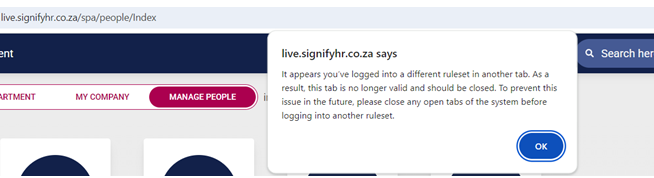](https://signature.signifyhr.co.za/uploads/images/gallery/2025-04/3cyCJrK9cxktjm1L-image.png)
- When clicking okay, the page is reloaded for the current ruleset's data.
- This is confusing for some users as they expect the other ruleset's data here.
**Solution**
- Rather than reloading the page, redirect the page to the login page of the previous ruleset on that theme
- e.g Url.ActionLink("Index", "App", new { rulesetCode = ruleset.Code, themeKey });
- Change location. Reload the following file to redirect the theme URL of the previous ruleset
---
#### **Notifications**
##### Changes to the template, not being propagated (#128679)
**Problem**
- New templates and schedules on ruleset 1 are not propagateable.
**Solution**
- Ensure new templates and schedules on ruleset 1 are propagateable.
---
#### **Imports**
##### As a person with access to Appointment History, I want to see the Start Date in Group and Company fields (#122770)
**Business Rules:**
- The Start Date in Group can be any date in the past - The imports allows this, but the front-end has validation that says that this cannot be earlier than the first appointment date. We can't expect a new client to capture the person's entire work history therefore, they should be allowed to capture a Start Date in Group that is earlier than the Start Date in Position. It cannot be after the first appointment date.
- Start Date in Company works correctly, the only validation is that it is not earlier than the Start Date in Group. We are not going to validate it against the appointment date at this time. (Currently, the Start Date in Position can be earlier than the Start Date in Company)
##### Validation Report not in the same format as the import (#128489)
**Problem**
- The columns on the import validation report did not properly group the columns (as with the import file)
**Solution**
- Properly group the columns.
---
#### **Performance Management**
##### As a person viewing the Print View of the Agreement, I want to have the More Information and Moderation sections collapsed (#128404)
- Add moderation information to Contract Print Preview, add new, more info and moderation accordions on Print Preview
##### The & symbol is displayed as "&" throughout the contract (#129768)
**Problem**
- The sanitisation that was added to all PUT | POST | PATCH requests on Webmvc to prevent malicious input values is also stripping out valid values like '&' and '>' and '<', which can be used in comments and on PM section item names.
**Solution**
- Added a list of excluded settings to the SanitizationConfiguration that will look for specific objects and then exclude specific properties from being sanitised.
---
#### **Organisational Structure**
##### Org Structure: Store calculated org path per node (#128856)
**Problem**
- Store the calculated org path per node as JobProfiler.fncCalculateOrgPath(@orgid INT) is not performant enough for larger datasets
**Solution**
- Store calculated org path in table OrgNodes table and read from this field instead of using fncCalculateOrgPath in queries throughout the system
- Create a migration to add a new column, FlattenedOrgPath, to orgnodes. Run the recursive query to update existing data
- Create a new command to update the org path of a specific node ID and its children when creating a new entity or updating an entity.
---
# Version 9.1.156 (7 April 2025)
#### **Performance Management**
##### Auto copy error (#129765)
**Problem**
- Auto copy auto approval fails when Action Plans are enabled.
**Solution**
- Exclude the AP section from the validation before the auto-approval happens
##### Indicate that all fields are mandatory (#129755)
**Problem**
- Required fields for moderation were not displayed making it unclear what is needed.
- When only ticking an item as moderated but then having other items which are correctly validated the react validation passes, and an incorrect error is displayed "failed to save"
**Solution**
- Add scss and class handling to indicate which fields are required.
- Fix validation not checking that All moderated items must pass.
##### Original score changes when you save the moderated score (#130375)
**Problem**
- The final rating displays the actual final rating value which gets overwritten when you moderate the item to the moderated value, then making it display the moderated rating as the final rating.
**Solution**
- Changed that the final rating column always displays the pre-moderated final rating
##### Moderated labels not shown when you impersonate (#130374)
**Problem**
- The employee dashboard is showing calibrated instead of moderated when contract moderations have been approved.
**Solution**
- Fix the employee dashboard to correctly display that contract has been moderated.
##### The moderator cannot unapprove the agreement after approving it (#130379)
**Problem**
- When QA is not required and the moderator approves the moderation the Change button is disabled, the moderator cannot then change or revert the moderation.
**Solution**
- Do not disable the Change button for moderation when QA is required and a QA score has not been provided.
---
#### **Organisational Structure**
##### The system is Duplicating Org Name (#129973)
**Problem**
- The Org name is displayed twice on the Org Builder Screen.
**Solution**
- Removed additional div that displays the org name
---
#### **Notifications**
##### Own SMTP sender details being used even though RS1 details are selected for sending emails (#129364)
**Problem**
- When turning off the "Use Own SMTP" setting and saving, then turning it back on, the system would reset the sender email to **master@signify.co.za** instead of keeping the previously used email.
**Solution**
- A new field was added to store the last sender email used, so when "Use Own SMTP" is re-enabled, it restores the correct email instead of resetting.
---
#### **HR Processes**
##### Inactive Workflows are Still Seen by the Bot (#130062)
**Problem**
- Cannot change active process code to inactive process code
- Can activate a process with the same code as an existing active process
**Solution**
- Correct update check
- Add validation when activating a process for a used active code
---
# Version 9.1.155 (7 April 2025)
#### **SigniChat**
##### Datatables warning error when clicking on the <--- back button (#129666)
---
#### **Learning Management**
##### Inform the user where to find the exported list of recipients (#123803)
**Problem**
- Currently, when you export the list of recipients or people who won't receive notifications, you only get a message "Saved Successfully". User won't know what this means.
**Solution**
- Added the link to the export page on the snack message
##### When Multiple Comments are added, Save creates formatting issues with large Gaps (#129623)
**Problem**
- When selecting preconfigured comments, the User can add multiple and they appear to be formatted correctly and economically initially. However, after saving the Marksheet, upon reload, many additional empty lines are added which makes the sheet difficult to read.
**Solution**
- Resolve the gap on top of mark sheet comments by resizing rows on load and save
##### When Marking Learners as Absent, if Send Notifications is clicked but cancelled Endless Load Logo Loops over Interface (#129847)
**Problem**
- The loading screen is shown indefinitely on the attendance register.
**Solution**
- Removed loading variables from the attendance list and attendance modal
##### Teacher not able to View Marksheet and Attendance (#129069)
**Problem**
- The pathway groups linked to a subject can be used on another subject.
- The marks page breaks due to ambiguous start date
**Solution**
- Add usage to query and gRPC to filter on the subject model
- Correct query table aliases
- The stardate validation is only at the domain level and not on the front end
- Could not replicate the editing of the name issue
---
#### **Imports**
##### No errors exported (#129226)
**Problem**
- When working on a project locally, clicking a link or button correctly takes users to the right page.
- However, in the testing environment, the same action leads to an error or a broken page.
- This happens because the system doesn’t recognize extra parts in the web address, like `/master/` or `/herculia/`, which are unique to different environments.
**Solution**
- The redirection logic was updated to recognize and include the correct base address for each environment.
- This ensures that users are always directed to the right page, no matter where the system is running.
---
#### **Translations**
##### Fix the translation of the page heading (#129839)
**Problem**
- The global header displays the translation key on the moderation screen.
- I found that the way it calculates the correct translation to use on the SPA pages relies on the 'app' portion of the URL being exact (case-sensitive); otherwise, it does not correctly determine the translated value.
- Eg spa/performanceManagement/ resolves translation correctly, but spa/performancemanagement/ does not
**Solution**
- Fixed the case of the redirect on the moderate / qa buttons on the moderation search to match the translation key case.
---
#### **Performance Management**
##### Comments mandatory on Ratings and Evaluations (#129585) - New functionality
- A new column has been added to the Review Setup | Sections | Performance Rating Scale
- Required Comments
- When a rating scale has been marked as required, the comments on the agreement are also required
- This is also the case when evaluations need to be completed
- The import will give an error when the rating has been completed and not the comment
##### Periods are shown in reverse order (#130060)
**Problem**
- On the contract print preview, there is no ordering on the contract periods leading to periods being displayed in the incorrect order.
**Solution**
- Add order by DisplayOrder to the query to have contract periods displayed in same order as on the dashboard
---
#### **People Management**
##### After saving a Secondary Appointment the system remains on the Appointment page (#129460)
**Problem**
- After adding/editing an appointment on the people profile page, it does not redirect back to the appointment page.
**Solution**
- Ensure it redirects back to the appointment page.
##### People Group Search does not work as expected (#130069)
**Problem**
- People Group Search does not work as expected
**Solution**
- The search did not always work, because the name was calculated, while the search only worked on the "name" property.
- Make sure that the search works on the calculated name.
##### The ribbon shown behind the Profile icon and the tooltip remains on the page (#129641)
**Problem**
- The "My Manager" Ribbon was hidden behind other elements on the card, making it difficult to see.
**Solution**
- Its display priority was increased slightly so that it appears on top of the other elements.
##### Prevent the user from Deleting a System Module Role without the Acknowledge toggle being switched On (#129274)
**Problem**
- The system does not prevent a user from deleting a record without the Acknowledge toggle being switched On.
**Solution**
- The system does not prevent a user from deleting a record without the Acknowledge toggle being switched On.
---
#### **HR Processes**
##### Inactive Workflows are Still Seen by the Bot (#130062)
**Problem**
- When submitting a request for a code that was deleted and then recreated the code is seen as deleted
**Solution**
- When retrieving the active hr process for the code only retrieve the process that has not been deleted
- When creating a new HR process command only check the code on none deleted codes
- When editing an HR process ensure the same code as an existing process cannot be used
**Areas Affected**
- Submitting a new HR process
- Creating a new HR process with the same code as a deleted HR Process
- Updating an existing HR process code to another code that is already used
---
#### **API**
##### API: ListUsersExport not returning all or correct information (#126458)
**Problem**
- The Occupational Category and Job Grade are not available on the API.
**Solution**
- Added the two fields to the API call as requested.
---
#### **Notifications**
##### Should be allowed to save "From Email Address" as empty (#128633)
**Problem**
- The problem is that when you save a template on Ruleset 1, the field is filled in with the default address configured on Ruleset 1. However, when you create a new ruleset for a client, this email address is copied to the new ruleset, which prevents certain emails, like the subscription emails, from going out.
**Solution**
- Ruleset 1 can now save blank email addresses for templates
---
#### **Ruleset Management**
##### Unable to create a ruleset using the Copy function (#129692)
**Problem**
- When copying a ruleset the PM template copy fails when trying to insert Review Setup Section items, this happens when there are items with the same name and type used on more than 1 perspective. (It is possible to for example have 2 custom KPAs both called 'Key Area' under the same section, because they are custom they are different). This presented an issue on the copy where it was only creating 1 Section Item and then trying to assign the ID to both KPAs on the template which breaks the foreign key constraint. Similar scenario for KPI (L3) items.
**Solution**
- Had to fix/modify two places, firstly on the template copy within the same ruleset (from the review setup admin screen), this still had an issue where it would like the same custom section items across 2 different templates, resulting in changes on the one affecting the other. Followed the same approach as on contract copy to ALWAYS create custom section items as new.
- A similar fix/modification on the ruleset PM copy, with regards to the template section items, changed it to bulk create all the custom items for the section first and then assign the relevant Ids.
---
# Version 9.1.154 (7 April 2025)
#### **Learning Management**
##### When Marking Learners as Absent, if Send Notifications is clicked but cancelled Endless Load Logo Loops over Interface (#129847)
**Problem**
- The loading screen is shown indefinitely on the attendance register.
**Solution**
- Removed loading variables from the attendance list and attendance modal
##### Confirmation on Send Notification for Absent Learners Modal Status is referencing the incorrect Email Locations (#129608)
**Problem**
- Custom to email recipient data was not applied because the parameter name was incorrect
**Solution**
- Fix parameter name and also handle cases where the custom email field is whitespace
##### On Save Button, Click Deselect Current Cell to Ensure Field Save (#129363)
**Problem**
- Edits on the mark sheet do not commit when clicking the save button without leaving cell edit mode first
**Solution**
- Commit values to the mark sheet on the save button even when the mark sheet is still in edit mode
---
#### **Imports**
##### Import from PaySpace (#128700)
**Problem**
- When the end date received from Payspace is equal the the start date which is the case with enrolments the record is rejected.
- When the termination reason is not available in the case of the above case the record is rejected.
- When an appointment is updated in Payspace the user receives a new position ID which causes a new position to be created in Signify for each update of the appointment.
**Solution**
- Remove the end date >= start date pre-import validation
- Remove the termination required when the end date is provided pre-import validation
- Change the position code to a concatenation of the organisation title and the employee id. This creates a position with a name per employee rather than per appointment change. This means that positions will not be reused should the employee transfer to a new position in Payspace
##### Cleanup duplicate records (#128477)
**Problem**
- When an appointment is updated in Payspace the user receives a new position ID which causes a new position to be created in Signify for each update of the appointment.
**Solution**
- Change the position code to a concatenation of the organisation title and the employee id. This creates a position with a name per employee rather than per appointment change. This means that positions will not be reused should the employee transfer to a new position in Payspace
---
#### **People Groups**
##### Grouped condition for reporting lines not working (#129613)
**Problem**
- When selecting a reporting line for custom grouping an error is given and no reporting lines are displayed.
**Solution**
- Included missing variable in SQL that loads the PeopleGroupReportingLine objects
##### The summary page is blank after creating a new Custom group and adding an org condition (#129079)
---
#### **Organisational Structure**
##### When the Org name is too long the (people, Vacancy, Inactive) does not appear (#129186)
**Problem**
- The organisation's name was not being displayed in full and the amount of persons and vacancies were hidden when a name is too long.
**Solution**
- Always displayed the vacancies and persons and showed the organisation's name in full in the tooltip
---
#### **People Management**
##### Informational displaying incorrectly calculated year/month count (#128994)
**Problem**
- An employee's termination date is not taken into account when calculating how long they've been in a position
**Solution**
- Used employee's termination date to calculate duration in position if employee has been terminated
---
#### **Notifications**
##### Emails are still being sent after the Tenant has reached expiry and close dates (#129519)
---
#### **Performance Management**
##### Final Review - Autocopy error (#129765)
**Problem**
- When auto-copy is enabled and the section is set to auto-distribute there is a scenario where the weights are not automatically distributed (the assumption is that it will be distributed during submission). On the auto copy auto approval it checks whether the weights are valid for all items in each section, finds these items that are not auto-distributed and still have a weight of 0% and does not auto approve the contract OS.
**Solution**
- When the auto-copy auto approval happens check if the section needs to be auto-distributed and always redistribute the weights before validating them for that section. This ensures that always on auto copy approval if the section is set to auto distribute it will redistribute the weights for all items according to the relevant L1 & L2s if applicable.
---
# Version 9.1.153 (7 April 2025)
#### **Imports**
##### ADMIN Register (#129238)
**Problem**
- The All People group is synced with an empty name to V8 and created as a subgroup with no name
**Solution**
- Corrected the function that calculated the names of the people group
---
#### **Learning Management**
##### Teacher not able to View Marksheet and Attendance (#129069)
**Problem**
- The pathway groups linked to a subject can be used on another subject.
- The marks page breaks due to ambiguous start date
**Solution**
- Add usage to query and gRPC to filter on the subject model
- Correct query table aliases
- The stardate validation is only at the domain level and not on the front end
- Could not replicate the editing of the name issue
---
# Version 9.1.152 (7 April 2025)
#### **Learning Management**
##### Pathways: Teacher not able to View Marksheet and Attendance (#129069)
**Problems**
1. When a class group linked to a subject has comments or attendance records linked to it, the group cannot be removed from the subject
2. When a subgroup is delinked from a pathway and synced to V9, the deleted pathway groups are not deleted in V9 and can be linked to new subjects.
3. Pathways groups that were linked with a deleted pathway group still show a link on the subject even though it has been removed from the pathway and no longer exists
4. When editing a subject and saving from the modal the data does not save
5. When editing a cycle and saving from the modal the data does not save
6. A subject's end data can be saved as a date before the start date
7. A cycle's end data can be saved as a date before the start date
8. A cycle can start before the subject started
9. A cycle can end after the subject has ended
10. The weights of the cycle or the interventions can be set to more than 100%
11. You cannot delete a training intervention from a cycle where marks have already been assigned
12. When a user is appointed from the front end or import the user is not materialised in the learning service
**Solutions**
1. Add soft deletes to the subject pathway groups to allow deletion when linked to comments or attendance. Should the same pathway group be linked to the subject again where the group was deleted from then the previously removed group will be undeleted and the attendance/comments will be available again.
2. When syncing the data from V8 and the subgroup is no longer linked to a pathway mark the pathway group as deleted. Should the subgroup be linked to the same pathway again the existing pathway group will be undeleted.
3. Amend all queries to not display the pathway groups that as been deleted as linked items on the subject.
4. Correct the form submitted when saving on the subject model
5. Correct the form submitted when saving on the cycle modal
6. Add domain exceptions to validate the subject dates
7. Add domain exceptions to validate the cycle dates
8. Add domain exceptions to the max weights
9. Implement the soft delete on training interventions linked to a cycle
10. Add the missing appointment columns in materialised users and add the consumers to materialise the appointment data also when changed
---
#### **Import**
##### Users (administrators) have blank subgroups linked to their user profiles which are also set as their preferred subgroup (#129238)
**Problem**
- The All People group is synced with an empty name to V8 and created as a subgroup with no name
**Solution**
- Corrected the function that calculated the names of the people group
---
#### **HR Processes**
##### The claims are not being processed (#129685)
**Problem**
- When submitting an Hr Process Request the process fails, on the logs, it is indicated unauthenticated.
- After investigations it was determined that it fails only when the Position Approval Level type is selected.
- When this is the type then the query to fetch the user details for the approval level fails due to a missing column on the dapper query.
- This failure bubbles up to the MVC that originally made the call and the MVC then tries to load the error page which fails with unauthenticated when trying to read the RulesetId, masking the original problem.
**Solution**
- Corrected the dapper query to select the additional required column.
- Also added additional error logging on the hr process submit to better log on JobProfiler when there is an error that occurs.
---
#### **Performance Management**
##### Display only the first 2 Decimal Points for Average Rating Score (#126335)
**Problem**
- When viewing the evaluation summary the Max, Min and Avg do not limit the number of decimal places
**Solution**
- Implemented a limit of two decimal places
##### Enable the editing of an uploaded document (#114656)
**Problem**
- When a document has been uploaded, you cannot edit it.
**Solution**
- Added modal to update file and title
---
#### **People Management**
##### Add card view counter (#126052)
**Problem**
- The direct subordinate count should show on the people management dashboard on each user card
**Solution**
- Implemented changes to queries as well as dashboard card to show the direct subordinates as well
##### Rename headings on Reporting Lines (#125944)
- On User Permissions, click on the button Reporting Lines, rename headings
[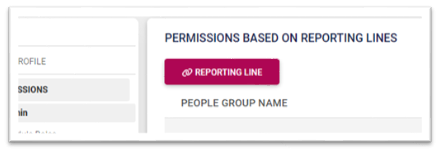](https://signature.signifyhr.co.za/uploads/images/gallery/2025-03/eAQnTvu8zuNCq4SI-image.png)
1. Rename 1st column from “People Reporting To” to “People Group Name”
2. In the 1st column, add the text “People Reporting To” in front of every name (which will be the name of the People Group that is created).
3. In the Position column, remove the code in brackets, and show it on hover.
4. To save more space, show the Org path as the last +-30 characters, with on hover the full path.
**Problem**
1. There are areas in V9 that still use **IN @{Ids}** when querying the database. When there are more than 2100 IDs the query breaks because of a SQL limitation.
2. MaterialisedPeopleGroupUsers used as a list of userids
**Solution**
1. Replace ALL INSTANCES in the system where IN @{Ids} are used with DapperInBatched
- Example where it has been replaced.
- The developer assigned should look for all instances where IN @ is used.
- And please test all changes made.
- Where it is used to filter people by a list of users from a peoplegroup it should be replaced by a direct join on MaterialisedPeopleGroupUsers and the in removed.
- Remove all temp tables where an insert is done for user-id and replace with a dapper batch to spare the execution time of thousands of inserts.
---
#### **SigniChat**
##### Adding a new group using people group which was previously used to be handled (#123358)
**Problem**
- If a user is added or removed from a people group, the chat group recipients are not synced.
- If a new chat group is created for a people group that already has a chat group, it only opens the existing chat.
**Solution**
- Added a sync to the chat group recipients.
- If a chat group is disabled, a new chat will be created if the same people group is selected.
---
#### **New Development**
##### Performance Management - Moderation
**Administrative Roles**
For the Performance Administrator Role, 2 additional permissions have been added:
- Moderate Agreements
- Quality Assure Agreements
**Master Data**
- Moderation Reasons
**Setting**
- Setting to allow Agreement Moderation
[](https://signature.signifyhr.co.za/uploads/images/gallery/2025-04/Sv0H2oGTrvZjYb72-image.png)
**Navigation to the Moderation page**
[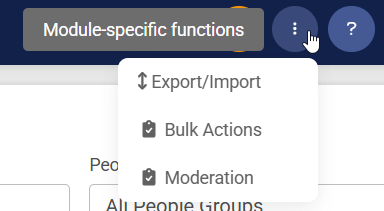](https://signature.signifyhr.co.za/uploads/images/gallery/2025-04/UWqtEllHhWrEisQb-image.png)
- Search according to Review Year, Review Setup and Review Period:
[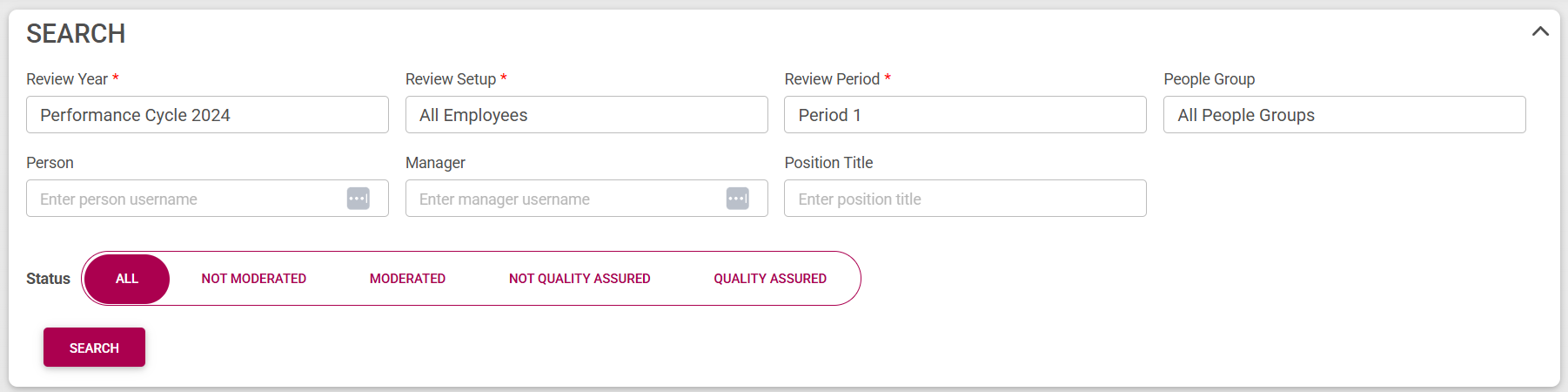](https://signature.signifyhr.co.za/uploads/images/gallery/2025-04/4D0sXZ2KiPLs87VG-image.png)
- People with Agreements
[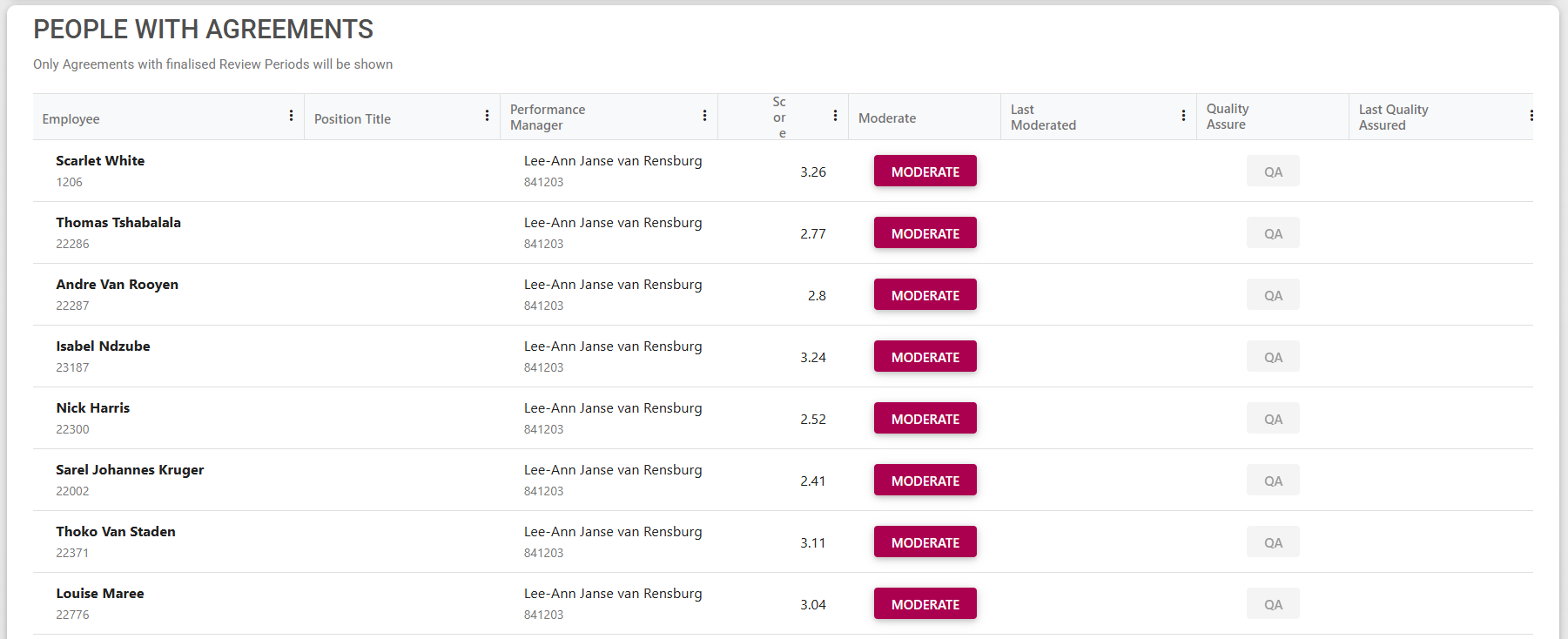](https://signature.signifyhr.co.za/uploads/images/gallery/2025-04/vrPCwLvJuaWI0qmY-image.png)
- Select Moderate button
[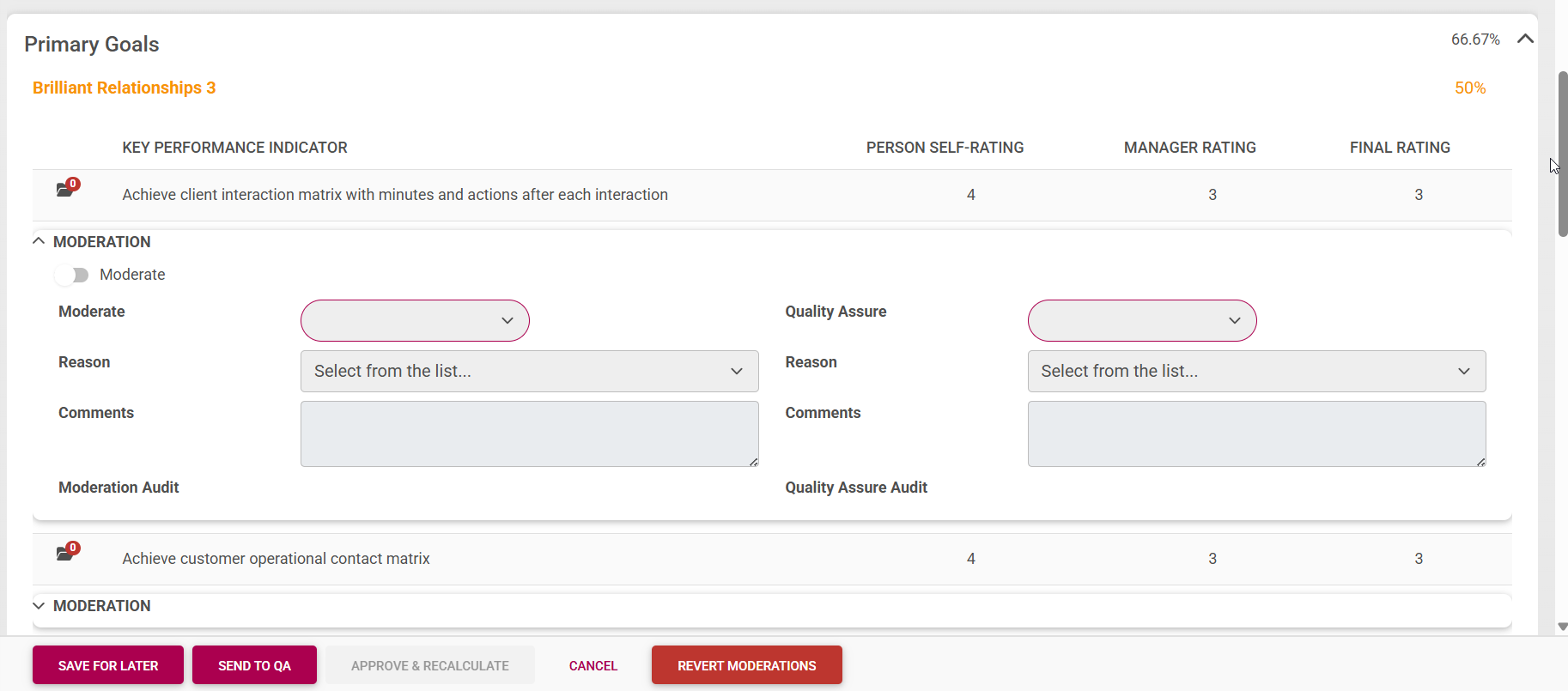](https://signature.signifyhr.co.za/uploads/images/gallery/2025-04/yxOEEdzMpxK8NrvT-image.png)
- After Moderation, Quality Assure is required (if setting has been enabled)
[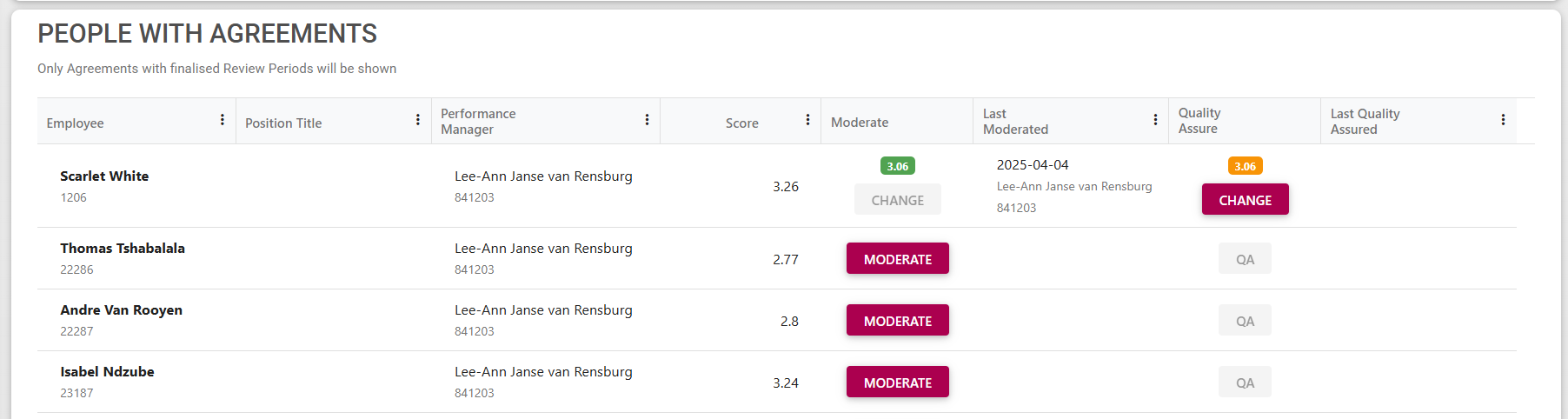](https://signature.signifyhr.co.za/uploads/images/gallery/2025-04/Lbgwu573awR3Kxxt-image.png)
- When Quality Assure is opened, the moderation can be done as well
[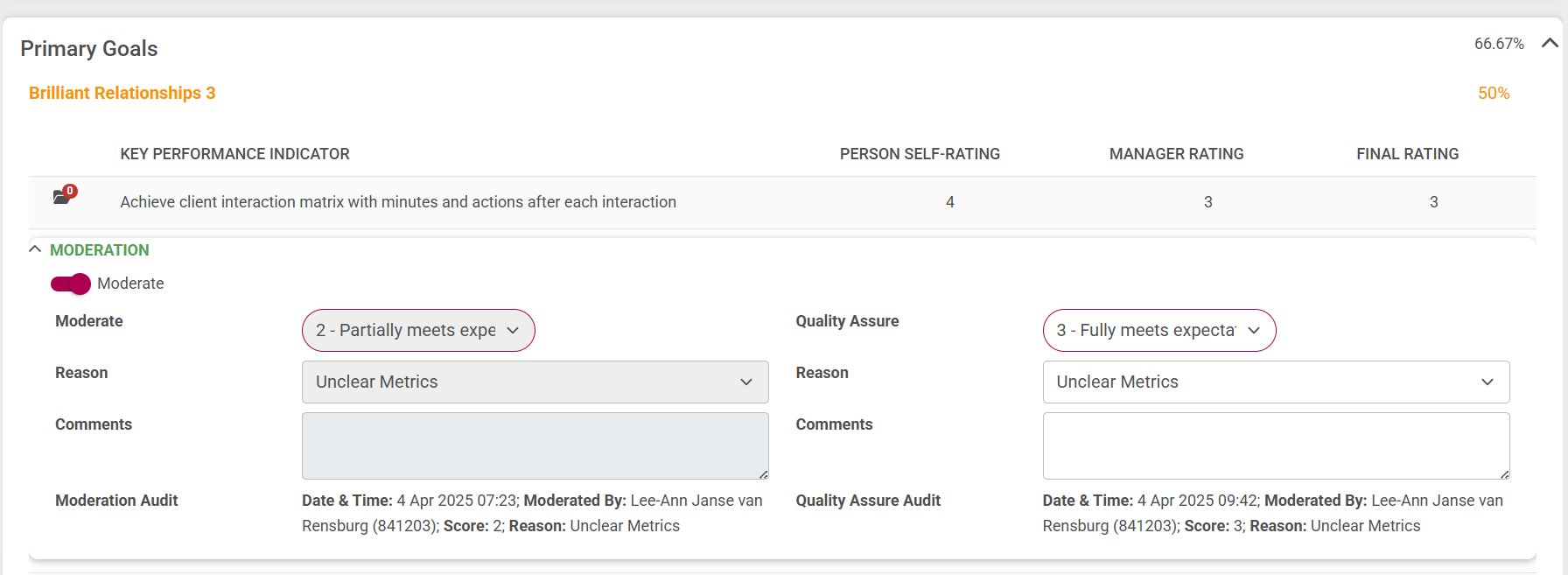](https://signature.signifyhr.co.za/uploads/images/gallery/2025-04/UY3unCSDg4Y3CHHr-image.png)
**Performance Management Dashboard**
- If an agreement has been Moderated, the Overall Final Score will show Moderated and on hover the original score
[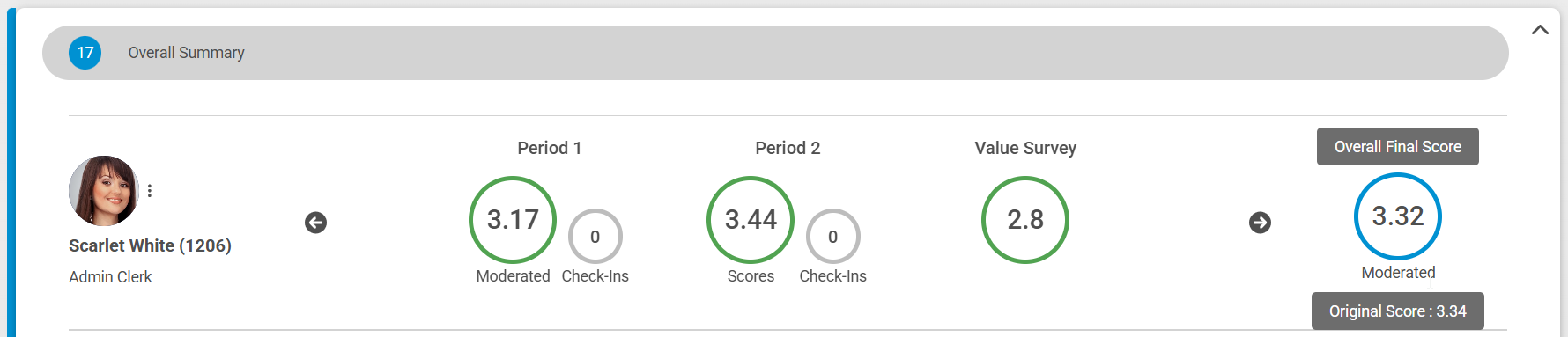](https://signature.signifyhr.co.za/uploads/images/gallery/2025-04/xjii3JtqGksPzuAw-image.png)
- The Agreement also shows which KPI has been moderated
[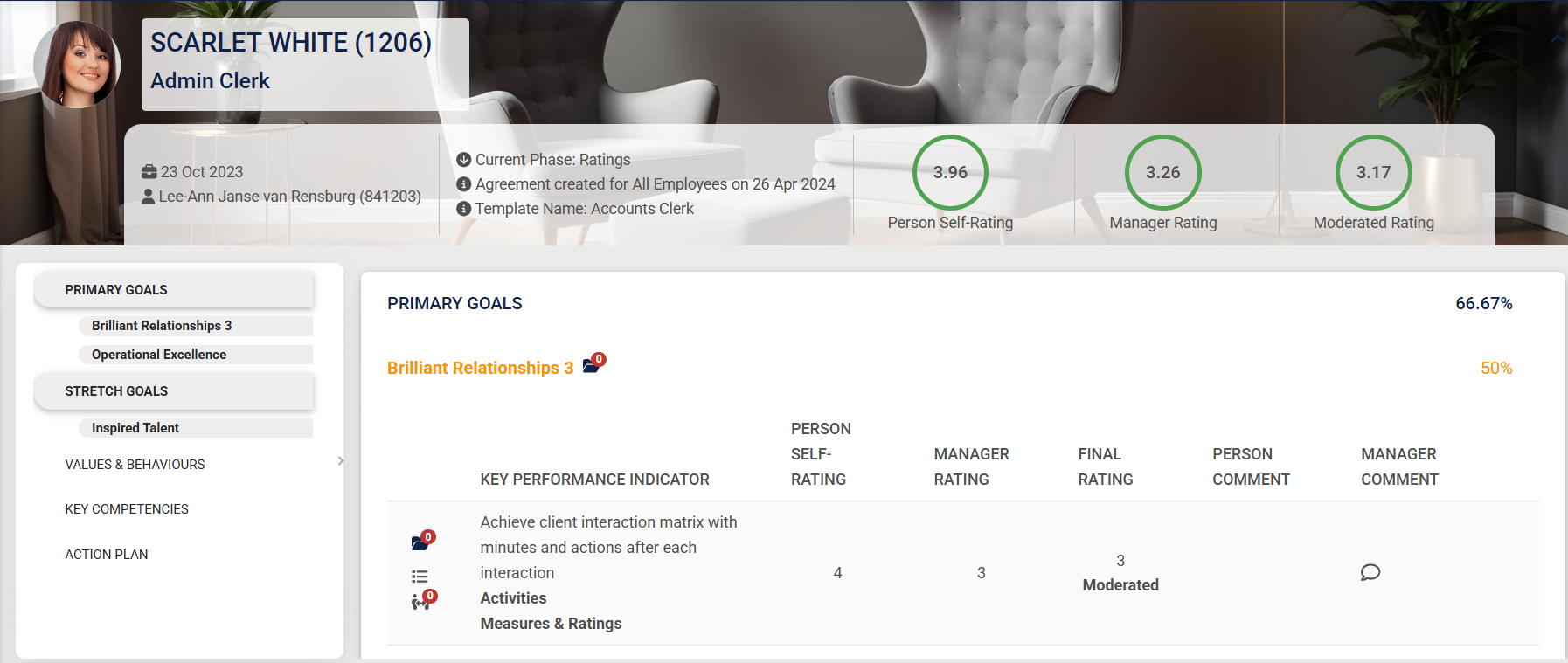](https://signature.signifyhr.co.za/uploads/images/gallery/2025-04/JJ5d4AykNeSq4CME-image.png)
# Version 9.1.151.3 (Support Release - 25 March 2025)
#### **Performance Management**
##### Final Review - Autocopy error (#129765)
**Problem**
- When auto-copy is enabled and the section is set to auto-distribute there is a scenario where the weights are not automatically distributed (the assumption is that they will be distributed during submission).
- On the auto copy auto approval it checks whether the weights are valid for all items in each section, finds these items that are not auto-distributed and still have a weight of 0% and does not auto approve the contract OS.
**Solution**
- When the auto-copy auto approval happens check if the section needs to be auto-distributed and always redistribute the weights before validating them for that section.
- This ensures that always on auto copy approval if the section is set to auto distribute it will redistribute the weights for all items according to the relevant L1 & L2s if applicable.
##### Evaluation Summary - Min and Max scores not reflecting correctly (#129365)
**Problem**
- The overall minimum and maximum ratings displayed on the Evaluation Summary was showing the LEAST AND MOST used ratings instead of the highest and lowest ratings used.
- Changed the overall min and max ratings to be the minimum and maximum ratings selected across all KPIs that were rated.
**Solution**
- The Import will stop if an invalid agreement will be created
##### Able to import the same file on two different setups in the same year (#129006)
**Problem**
- The user could not import multiple periods at the same time, and the user could create a contract in more than one period item.
**Solution**
- Changed PM Import so you can import multiple periods at the same time, as well as excluding users from creating contracts in more than 1 item per review year
---
#### **HR Processes**
##### Signify Down (#129685)
**Problem**
- When submitting an Hr Process Request the process fails, on the logs, it is indicated unauthenticated.
- After investigations it was determined that it fails only when the Position Approval Level type is selected.
- When this is the type then the query to fetch the user details for the approval level fails due to a missing column on the dapper query.
- This failure bubbles up to the MVC that originally made the call and MVC then tries to load the error page which fails with unauthenticated when trying to read the RulesetId, masking the original problem.
**Solution**
- Corrected the dapper query to select the additional required column.
- Also added additional error logging on the hr process submit to better log on JobProfiler when there is an error that occurs.
---
#### **Learning Management**
##### Saving Attendance Register and Default Recipient Check on Email Notification (#129038)
**Problem**
- The client requested to save attendance when the notification
- The client requested that the parent checkbox be a default recipient when sending absent notifications
**Solution**
- Modified `CreateAttendanceNotificationModal` to call `saveAttendanceRegister` before creating notifications.
- Changed `includeParent` state in `AttendanceNotificationModal` to `true` by default
---
# Version 9.1.151.2 (Support Release - 19 March 2025)
#### **Performance Management**
##### Evaluation Summary - Min and Max scores do not reflect correctly (#129365)
**Problem**
- The overall minimum and maximum ratings displayed on the Evaluation Summary showed the LEAST AND MOST used ratings instead of the highest and lowest ratings.
**Solution**
- Changed the overall minimum and maximum ratings to be the minimum and maximum ratings selected across all KPIs that were rated.
---
#### **Organisational Unit**
##### When the Org name is too long the (people, Vacancy, Inactive) does not appear (#129186)
**Problem**
---
#### **Learning Management**
##### Saving Attendance Register and Default Recipient Check on Email Notification (#129038)
**Problem**
- The client requested to save attendance when the notification
- The client requested that the parent checkbox be a default recipient when sending absent notifications
**Solution**
- Modified `CreateAttendanceNotificationModal` to call `saveAttendanceRegister` before creating notifications.
- Changed `includeParent` state in `AttendanceNotificationModal` to `true` by default
##### Show period dates on the mark sheet (#123699)
**Problem**
- The dates are not showing on the mark sheet
**Solution**
- Add the dates to display on the mark sheet
---
#### **Data Warehouse**
##### Added additional data (#120152)
**Problem**
- LearningManagement data needed to be added for WFA School reports
**Solution**
- Added Datasource fields lmStudentSubjects and lmTermResults to the V9 DWH with the required fields
---
# Version 9.1.151.1 (Support Release - 18 March 2025)
#### **Performance Management**
##### Copy the weights of the contracts instead of the Review Setup when using the Copy from Previous (#126081)
- When only the following setting is enabled:
[](https://signature.signifyhr.co.za/uploads/images/gallery/2025-03/KFZN9GDVerB4eq1K-image.png)
- Then the section weights are copied from the review setup
- If both settings are enabled:
[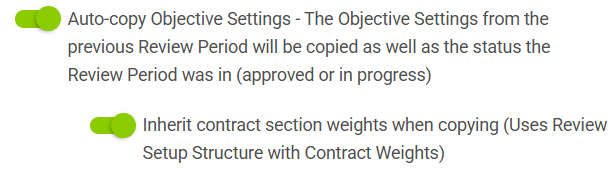](https://signature.signifyhr.co.za/uploads/images/gallery/2025-03/QkhQG3ty12Qu2cfe-image.png)
- Then the section weights are copied from the contract that you are copying from.
##### Agreement finalized with empty section when section weight change is not allowed (#129009)
**Problem**
- On the Review Setup, the Primary Goals Setup does not allow the section weight to be changed.
- After importing the following error was thrown, but the contract was created and finalized with the Primary goals section left blank.
**Solution**
- The Import will stop if an invalid agreement will be created
##### Able to import the same file on two different setups in the same year (#129006)
**Problem**
- The user could not import multiple periods at the same time, and the user could create a contract in more than one period item.
**Solution**
- Changed PM Import so you can import multiple periods at the same time, as well as excluding users from creating contracts in more than 1 item per review year
---
#### **Audit**
##### Investigate and implement solutions for better audit data retrieval (#119199)
**Problem**
- Get an error message when trying to get audit data for a specific table
**Solution**
- Corrected mapping of audit log lists to populate the front-end page
---
# Version 9.1.151 (17 March 2025)
#### **Imports**
##### PaySpace Signify discrepancy script (#129254)
**Problem**
- A user cannot validate all the received data from PaySpace or Powershell with the data currently in the system
**Solution**
- Add staging of the received data in the pull processes for Powershell and Payroll
- Include the import types on the front end for the allowed types to export the report
- Extend the allowed export period to 7 days
##### Signify Assistance (#128700)
***Issue 1***
**Problem**
When dapper batched has more than 2000 entries in the list it Ands multiple in statements together which returns no result
e.g AND( mu.Username in ('U1',....'U2000') AND mu.Username in ('U2001',....'U3000') )
When used like
```
public async Task> ListUsersIdsAsync(int rulesetId, string[] usernames)
{
using var connection = new SqlConnection(_connectionString);
await connection.OpenAsync();
var sql = $@"
SELECT
muser.[Id] [Id],
muser.[Username] [Username]
FROM
[JobProfiler].[MaterialisedUsers] muser WITH(NOLOCK)
WHERE muser.RulesetId = @rulesetId
AND {usernames.DapperInBatched(GlobalConstants.MaxDapperBatchSize, "muser.Username")}";
```
**Solution**
- When in is used use the OR when not in is used use the AND
- When a string has accents, escape it, e.g. TS'01 will be 'TS''01' within the in statement
***Issue 2***
**Problem**
- When multiple payroll connectors are set as scheduled imports, the parallel execution causes a DBContext conflict.
**Solution**
- This will need to be resolved, but for now, the parallel execution has been changed to a normal execution method, which should resolve this issue.
***Issue 3***
**Problem**
- Due to high traffic and/or other issues, the event to update the materialised users table in the job profiler is not always being consumed in time for the appointments to be created.
- This then caused the appointment controller to search for the user in the materialized tables that did not exist.
**Solution**
- Create a fall back where when the materialized table has not been updated in time, the relevant appointment controllers fetches the required data and triggers the updates before continuing with the appointment creation.
---
#### **Main Dashboard**
##### System Error Message (#129232)
**Problem**
- If the fallback path does not exist and an error occurs on the Dashboard page and the Edit banner pages
**Solution**
- Introduce `fallbackImagePath` for default image handling. Update logic to check for fallback directory when no default background files are found
---
#### **Performance Management**
##### Unable to import VB items if the section setting is disabled to allow section items to change (#129141)
**Problem**
- The user could not import multiple periods at the same time, and the user could create a contract in more than one period item.
**Solution**
- Changed PM Import so you can import multiple periods at the same time, as well as excluding users from creating contracts in more than 1 item per review year
##### Issues to access performance module (#129162)
**Problem**
- When a user's position is set as inactive, the user is not seen as part of the people groups used to determine which review years to show on the PM dashboard.
**Solution**
- Replace the active check with not deleted to be part of the dashboard always as long as the position exists
##### Evaluation Summary not available after Final Approval (#129000)
**Problem**
- When users view their contract and the employee evaluation is on and has a due date, regardless of the phase, the button cannot be seen.
**Solution**
- Added the button to the check for the user approved to always display in the rating phase
- Add the button to the default fallback also
##### Review Period Dates & Review Year Dates - Validation Messages Include Time Erroneously (#125347)
**Problem**
- On the review year setup and review period setup pages, when the End Date is selected as a Date that falls before the Start Date, validation correctly occurs; however, when the message displaying the error is displayed, it includes the time (00:00:00), which should be removed. The date is also in the format YYYY-MM-DD could this be adjusted to reflect the correct Date Format in accordance with the Language Selected?
**Solution**
- Changed the dates of the translations to short date string, with the correct timezone and culture
##### Unable to include the Value Survey score (#128772)
**Problem**
- Saving a contract survey gave SQL Dapper an error because of new columns added to the query object used on an unrelated query, causing it to break here.
**Solution**
- Made the query model used by the Survey creation distinct from the other usages.
---
#### **Data Warehouse**
##### PAS report: Overall Final score not correct (#129134)
**Problem**
- The Overall Final Score are not being calculated correctly within the Datawarehouse
**Solution**
- Adjusted the calculation of the Overall Final Score to consider excluded Review Items
##### Additional fields for the Group / Classes Report (#120152)
**Added the additional fields**
- ***Subject Setup:*** Setup and Config > Ruleset Setup > Product Setup > Learning Management > Product Setup > \*subject\*
- ***Marksheet:*** LMS > \[OPEN\] Category > \[OPEN\] Pathway > Class/Group Step > Marksheet
- ***Attendance History:*** LMS > \[OPEN\] Category > \[OPEN\] Pathway > Class/Group Step > Attendance History
- ***Training Interventions (linked to subject setup):*** Administration > Training Interventions > Type: Certification Point
- ***Training Interventions (subject assessments):*** Administration > Training Interventions > Type: Assignment
---
#### **People Management**
##### Error when deleting a user (#128917)
**Problem**
- The permissions required to terminate an employee was different between the grid view and when editing an employee.
**Solution**
- Ensured both termination methods do the same permission check.
##### User Error (#128950)
**Problem**
- When multiple processes materialise the same people group at the same time, the people group calculation fails due to duplicate insert
The performance management consumer for the reporting line consumes other reporting line types than LM and PM, resulting in unnecessary errors
**Solution**
- When inserting, confirm that the entry is not part of the people group
Filter the reporting line types used in the consumer and do not process the other types
---
#### **Notifications**
##### SMS Notifications Not Being Sent (#128562)
**Problem**
- An SMS cannot be sent by event or process.
**Solution**
- Correct test SMS sending from the template
- Correct test SMS sending from the SMS setup
- Implement mock sending of SMSs from both the SMS setup and the template
- Correct the actual sending of an SMS via Zoom
##### All Tenant Subscription mails to come from Global Ruleset (#125943)
**Problem**
- The Tenant Subscription process (Fee overdue, system close warnings, etc) must use the Global Ruleset templates.
**Solution**
- The above template is set to be active only on the default ruleset.
---
#### **Report Builder**
##### Auto scroll when dragging and dropping columns (#123392)
**Problem**
- The first problem is that dragging was registered when dragging in the middle of the table somewhere and also dragging the scrollbar at the bottom. This resulted in some strange behaviour while dragging/scrolling.
- The second issue is that I added a timeout previously to try to limit the number of requests while rearranging the headers.
- This resulted in the incorrect orders sometimes being saved, especially if you drag very quickly.
**Solution**
- Made sure that you can only re-arrange/drag the columns on the headers of the columns and removed the timeout, ensuring that the correct order is always saved.
---
#### **Ruleset Management**
##### Uptime Indicator not shown on the Login page when the Uptime URL is empty (#128373)
**Problem**
- When the default ruleset updates the default uptime monitor URL, the cache is not getting cleared for the other rulesets.
**Solution**
- Added a cache implementation to bust the cache of multiple rulesets
**Problem**
- The first problem is that dragging was registered when dragging in the middle of the table somewhere and also dragging the scrollbar at the bottom. This resulted in some strange behaviour while dragging/scrolling.
- The second issue is that I added a timeout previously to try to limit the number of requests while re-arranging the headers. This resulted in the incorrect orders sometimes being saved, especially if you drag very quickly.
**Solution**
- Made sure that you can only re-arrange/drag the columns on the headers of the columns and removed the timeout, ensuring that the correct order is always saved.
---
#### **Ruleset Management**
##### Employee data integration (#119925)
##### Uptime Indicator not shown on the Login page when the Uptime URL is empty (#128373)
**Problem**
- When the default ruleset updates the default uptime monitor URL, the cache is not getting cleared for the other rulesets.
**Solution**
- Added a cache implementation to bust the cache of multiple rulesets
##### Uptime Indicator shown on Employee Profile Summary even though ruleset 1 or user's ruleset have no Up-time Monitor URL set (#128374)
**Problem**
- When the default ruleset updates the default uptime monitor URL, the cache is not getting cleared for the other rulesets.
- Added a cache implementation to bust the cache of multiple rulesets
- The uptime monitor URL help text did not show the default URL that is set in ruleset 1.
**Solution**
- Fixed the translations of the URL help text.
---
#### **Performance Management**
##### Review Period Dates & Review Year Dates - Validation Messages Include Time Erroneously (#125347)
**Problem**
- On the review year setup and review period setup pages, when the End Date is selected as a Date that falls before the Start Date, validation correctly occurs; however, when the message displaying the error is displayed, it includes the time (00:00:00), which should be removed. The date is also in the format YYYY-MM-DD, could this be adjusted to reflect the correct Date Format in accordance with the Language Selected?
**Solution**
- Changed the dates of the translations to short date string, with the correct timezone and culture
##### Unable to include the Value Survey score (#128772)
**Problem**
- Saving a contract survey gave SQL Dapper an error because of new columns added to the query object used on an unrelated query, causing it to break here.
**Solution**
- Made the query model used by the Survey creation distinct from the other usages.
---
#### **Organisational Structure**
##### Support user shown on Org when ruleset is copied (#128500)
**Problem**
- Support users included in people groups and org structure
- Users linked to inactive or deleted appointments after termination cannot be found in people management
**Solution**
- Add check to only include system users
- Removed active and deleted position filter checks for people management queries.
---
#### **Data Warehouse**
##### Improve performance on full refresh (#128181)
**Problem**
- Data is deleted on a full refresh
**Solution**
- Rather truncate than delete to improve performance
---
# Version 9.1.149 (17 March 2025)
#### **Translation**
##### The last language the user was logged in as is used even though the user has selected another language (#126729)
**Problem**
- When on the log-in page and the user change their language and log in. It does not update the preferred language.
- This issue only happens on the deployed versions.
**Solution**
- Implemented a possible fix for the deployed versions to make use of the correct context.
##### Search results show the accordion which results fall under (collapsed) (#126575)
**Problem**
- When searching for a translation, although the section tables are filtered correctly, the section accordions stay collapsed; this makes it look like there is no match found if the section is collapsed.
**Solution**
- When searching, always expand the section accordions where a match was found and reset accordingly on search clear
---
#### **Performance Management**
##### I want to import PM Agreements into V9 (#124514)
Replace the three imports with one full performance agreement import that can handle both creating new contracts as well as updating existing contracts. To achieve this, the following has been done:
- Combine the Goals, Behaviour and Competency imports into one Full Performance Agreement Import that can handle all sections at once
- Modify the current functionality to not only create but also update existing contracts
- If the Import defines a section that is not configured on the review setup, those items will be exceptioned
- Section Items will be matched by name to allow importing additional items on a contract
- Implement the new requirement to import ratings
- The import should adhere to all rules that are applied when a contract is created/updated from the Front End (Dual Approve, Final ratings only, etc)
- Add checkbox to the import selection to "Approve contracts where completed"
- When the above parameter is set, the import should try to approve the Objective Settings, and it should try approve ratings if all ratings are provided. All current Objectives and Ratings Approval rules should be followed.
- Test multiple scenarios with new and existing contracts separately and on the same sheet; test with adding new items only to a contract; test Objectives and ratings approvals
##### Hide Evaluation Summary Button on Ratings Phase (#126277)
**Problem**
- The evaluation summary button shows in the ratings phase for the employee even if the hide evaluation summary setting is on.
**Solution**
- Added setting test on missed Show Evaluation Summary button
##### Evaluation Summary Button and Modal Available on Employee Self-Rating Modal (#126278)
**Problem**
- Evaluation summary button shows in the ratings model for the employee even if the hide evaluation summary setting is on.
**Solution**
- Added setting test on missed Show Evaluation Summary button
##### Cannot save a Review Setup once validation has been triggered (#126065)
**Problem**
- The submit button gets disabled when clicked, therefore it cannot be submitted again if the form is invalid.
**Solution**
- The disable is unnecessary because the loader is shown.
##### Review Period Dates & Review Year Dates - Validation Messages Include Time Erroneously (#125347)
**Problem**
- On the review year setup and review period setup pages, when the End Date is selected as a Date that falls before the Start Date, validation correctly occurs; however, when the message displaying the error is displayed, it includes the time (00:00:00), which should be removed.
- The date is also in the format YYYY-MM-DD; could this be adjusted to reflect the correct Date Format in accordance with the Language Selected
**Solution**
- Changed the dates of the translations to short date string, with the correct timezone and culture
---
#### **People Management**
##### Business Address information contains grammar errors (#127652)
**Problem**
- Business Address Information contains grammar errors
**Solution**
- Using the `signify translation tool` to correct the grammar issue and update translations.
##### Error when user tries to reset their own password (#126175)
**Problem**
- When the user tries to reset their own password, the attempt fails because the call is checking whether the user has the People Admin role.
- This should not be done when the user is resetting their own password.
**Solution**
- Changed the ResetPassword call to check whether the user has the People Admin role or if the user whose password is being reset and then allow the action. Also changed the message displayed for when the user resets their own password from "A notification has been sent to the Person to reset their password" to "A notification has been sent to you to reset your password."
##### As a person with access to Appointment History, I want to see the Start Date in Group and Company fields (#122770)
**Problem**
- Cannot update the Start Dates
**Solution**
- Added 2 fields that can be updated
- Start Date in Group
- Start Date in Company
##### As a person with access to Appointment History, I want to be able to add a Secondary Position (#122771)
**Problem**
- A secondary position cannot be added
**Solution**
- Add another section to add the secondary positions
##### Added the Start Date in Group and Company fields to the Employee Data Import (#126716)
**Problem**
- The start date in the group is not on the people data import
**Solution**
- Add the fields to the people data import
---
#### **Master Data**
##### Seeded data not appearing in drop downs on Employee Profile (#126916)
**Problem**
- Location, country and province master data did not display on the "Address" section due to conflicting component names which also appear on the "Summary" section.
**Solution**
- Give unique names to the component elements, ensuring that the master data correctly displays on both the "Address" and "Summary" sections
##### Navigating to the requirements tab displays an error (#127019)
**Problem**
- Barched queries failed due to too many of the same foreign keys
**Solution**
- Updated query to use DapperExtension to reduce the amount of parameters and remove batch query functionality
##### The load indicator is shown indefinitely when clicking on a person's profile (#127605)
**Problem**
- DapperInBatched used incorrectly in translation query, causing an invalid SQL query to be generated.
**Solution**
- Ensure that DapperInBatched is used correctly for the query.
**Problem**
- Inactive Positions are not being accounted for correctly by the system.
**Solution**
- Ensure that inactive positions are counted correctly.
---
#### **Learning Management**
##### No error detail if absent notification cannot be sent to Parent/Guardian (#123832)
**Problem**
- Add a username column to the exported report to help identify which user needs their contact details updated.
**Solution**
- Added the `Username` field to the `NextOfKinInfo` record in `UserViewModel.cs`.
- Updated the `NextOfKinInfo` record in `UsersServiceV1.cs` to include the `Username` field.
- Modified the `RecipientConfirmationExportInfo` message in `learning_management.v1.proto` to include `recipient_username` and reordered the fields.
- Added the `Username` field to the `NextOfKinInfo` message in `user_management.v1.proto`.
- Updated the `AbsenteeNotificationsRecord` and `AbsenteeNotificationExportInfoRecord` records in `NotificationViewModel.cs` to include the `LearnerUsername` and `RecipientUsername` fields respectively.
- Modified the `LearningManagementServiceV1` class to include the `Username` field in various LINQ queries and response objects.
- Updated the `AttendanceNotificationExportViewModel` class to include the `Username` field in the `NotificationEmailExportDTO`.
- Added the `Username` field to the `NotificationEmailExportDTO` record in `AttendanceNotificationDTO.cs`.
- Modified the `LearningManagementExportService` class to include the `Username` field in the data export process.
- Updated the `learningManagement.json` localization file to include the `recipientUsername` key and its translations in multiple languages.
- Ensured consistency in the `learningManagement.json` file by adding the `recipientUsername` key and its translations across different locales.
- Added the `Username` field to various classes and methods to ensure that the username is included in the data processing and export functionalities.
---
#### **Report Builder**
##### Error when saving without specifying a Report Name (#126792)
**Problem**
- When trying to save a report without having specified a name for the report, an unspecified error occurs.
**Solution**
- There is now a validation message when leaving the **Report Name empty** and clicking on **Save**
---
#### **Notifications**
##### Delete button remains disabled; therefore, unable to delete a schedule (#126839)
**Problem**
- The Delete button remains disabled, and therefore, a Schedule cannot be deleted
**Solution**
- Enable the delete button when text is added to the Reason field, and I have accepted the acknowledgement
##### Schedule Setup: User can set a one-off custom schedule to time already passed (#96569)
**Problem**
- The user is still able to type in a time that has already passed.
**Solution**
- Added validation to test if the time is valid; if not, it will be set to the min time
##### Changes to templates not saved on the first click (#116472)
**Problem**
- Snack message not properly displayed when saving template.
**Solution**
- Ensure the snack is properly displayed when saving the template
---
#### **Imports**
##### User Import Validation Report (#124039)
**Problem**
- After a user import has been completed, there is no simple way for an imported user to validate that all data is the same as expected.
**Solution**
- Add a report to be generated for each user import from that compares the data requested for import with the data currently in the system.
- On the Notification | Imports page for the user import add an additional action User validation Report
- When this button is clicked a report is generated for the list of users imported in the form of the import sheet
- The report is a comparison report exporting the field requested for import vs the current system value of the import e.g.
- Username, CurrentUsername, Name, CurrentName, Surname, CurrentSurname
- Add a new first column ValidationMessage. When any field is not insync between the import and the current value then it lists the column name that is incorrect e.g.
- Invalid Data: Name, Surname, StartDate
- RULE: only allow for comparison/validation if import ran in the last day
---
#### **Organisational Structure**
##### Drag and Drop Positions incorrectly increments people count for Org Unit rather than vacancy count (#126413)
**Problem**
- Drag and drop positions incorrectly increment people count for org unit rather than vacancy count.
**Solution**
- Ensure that the people count increments correctly based on if it is a vacant position or not.
---
# Version 9.1.148.2 (Support Release - 8 March 2025)
#### **Imports**
##### Error on Employee Automated import (#128700)
**Problem**
- When the end date received from Payspace is equal to the start date, as is the case with enrolments, the record is rejected.
- When the termination reason is not available in the case of the above case the record is rejected.
- When an appointment is updated in Payspace the user receives a new position id which causes a new position to be created in Signify for each appointment update.
**Solution**
- Remove the end date >= start date pre-import validation
- Remove the termination required when the end date is provided pre-import validation
- Change the position code to a concatenation of the organisation title and the employee id. This creates a position with a name per employee rather than per appointment change. This means that positions will not be reused should the employee transfer to a new position in Payspace .
---
#### **Performance Management**
##### Evaluation Summary not available after Final Approval (#129000)
**Problem**
- When users view their contract and employee evaluation is on and has a due date, regardless of the phase, the button cannot be seen.
**Solution**
- Add the button to the check for the user approved to always display in the rating phase
- Add the button to the default fallback also
##### Unable to include the Value Survey score (#128772)
**Problem**
- Saving a contract survey gave SQL Dapper an error because new columns were added to the query object used on an unrelated query causing it to break here.
**Solution**
- Made the query model used by the Survey creation distinct from the other usages.
---
#### **People Management**
##### User error (#128950)
**Problem**
- When multiple processes materialised in the same people group at the same time the people group calculation fails due to duplicate insert
- The performance management consumer for the reporting line consumes other reporting line types than LM and PM resulting in unnecessary errors
**Solution**
- When inserting confirm that the entry is not part of the people group
- Filter the reporting line types used in the consumer and do not process the other types
##### Error after appointing a new person (#128545)
**Problem**
- When appointing a new user the people groups are not busted in time of the profile page load due to eventual consistency
**Solution**
- Move the busting to the job profiler service to bust the materialised cached in the service first and then all the rest of the services.
##### Termination reasons (#128535)
**Problem**
- Inactive termination reasons are shown in the dropdown
**Solution**
- Only show active termination reasons. You still cannot delete a termination reason if it has been used, regardless of whether it is active or not.
---
# Version 9.1.148.1 (Support Release - 26 February 2025)
#### **People Management**
##### Error after appointing a new person (#128545)
**Problem**
- When appointing a new user, the people groups are not busted in time of the profile page load due to eventual consistency
**Solution**
- Move the busting to the job profiler service to bust the masterialised cache in the service first and then all the rest of the services.
##### Termination reasons (#128535)
- When terminating an employee, choosing a termination reason and then deactivating that reason in MasterData should no longer be an option when terminating another user.
- Only active termination reasons should be available as options
- The deactivated reason should still be on the appointment history record.
---
#### **Performance Management**
##### Additional API End Point (#128359)
**Problem**
- Request to make additional PM endpoint accessible via Api and include review year name on overall scores endpoint
**Solution**
- Added Reviewyear name to ListUsersOverallScores and made ListReviewYears accessible via API.
---
#### **Learning Management**
##### No error detail if absent notification cannot be sent to Parent/Guardian (#123832)
**Problem**
- No indication anything is wrong, only an empty cell within the columns email, name and surname
**Solution**
- Updated LearningManagementExportService to handle cases where recipient details (email, name, surname) might be missing using localized strings.
##### Training Interventions Duplicating on Marksheet (#128548)
**Problem**
- When viewing the mark sheet, duplicate training interventions and mark setups are shown when only 1 subject and training intervention have been linked.
- The problem is that when a class subject or class training intervention is deleted, the query does not filter out the deleted records.
**Solution**
- Change the select mark sheet setup query to exclude deleted class training interventions and class subjects.
##### Nextcloud error is displayed when you open the Marksheet link on an email (#124536)
**Problem**
- URL is incorrect on Angelo's Sites
**Solution**
- Added import for `generateUrl` from `../../helpers/generateUrl`. Updated `axios.get` call to use `generateUrl`
##### Attendance and Marksheet not working anymore for Teachers (#128087)
**Problem**
- The teacher can't view the Attendance list since the GPRC call doesn't allow LearningAdmins
**Solution**
- Updated the \[Authorize\] attribute on the `ListUsersLinkedToRoles` method in the` IdentityService` class to allow access for users with either the `PeopleManagementAdministrator` or `LearningAdministrator` roles. Previously, only users with the `PeopleManagementAdministrator` role could access this method
---
#### **Identity and Authorisation**
##### People Connect Slowness in APAC (#128284)
**Problem**
For the SSO from V8 to V9, when the identity cookie has expired, a "Too\_Many\_Redirects" error is shown, and the browser session is terminated. Users are then unable to continue to V9 until they delete their cookies.
There are 2 problems here:
1. This is the iterative error that happens on the error page. When the 1st failure happens, the error page is loaded. The error page uses the same base layout as other pages. It tries to access resources/information that requires an authenticated user, but since that was the initial cause of failure, the error page breaks and gets redirected to the error page from start again, which continues to fail until the browser forces a discontinuation.
2. This is the initial failure, which is that the SSO redirect fails because MVC sees the user identity (from the webmvc) token as authenticated / still valid, but according to Identity. Api itself The user token has expired. The identity is never recreated until the cookies are physically deleted.
**Solution:**
1. Added unauthenticated try catches to the base layout to handle situations where the error page is loaded without a user being authenticated. This at least prevents the browser discontinuation and displays the error page, we will need to look at improving this handling in future.
2. Made modifications to how the SingleSignOn token is handled by always expiring and then deleting the MVC cookies and forcing the re-authentication with Identity through use of an additional ChallengeCompleted flag. This then checks whether it is a new SSO request and re-initializes the identity auth-flow regardless of whether the Identity User is seen as authenticated or not.
---
#### **Imports**
##### There is an overlapping position error when terminating one employee and appointing another in the position in the same file (#126495)
**Problem**
- When importing for a position that does not exist in the system, the terminated record and transfer of the terminated record are handled as new appointments. When comparing the overlap, the terminated appointment's end date was not considered, thus causing the transfer to overlap the terminated record.
**Solution**
- Change the overlap check
- Add a unit test for the scenario
---
#### **Notifications**
##### Zoom Connect Credentials not persisting (#128180)
**Problem**
- Was calling an async method while not awaiting
**Solution**
- Added await to the call
---
# Version 9.1.148 (24 February 2025)
#### **Notifications**
##### Notification sent out based on historical dates (#120742)
**Problem**
- Licence expiry notifications are sent for inactive subscriptions.
**Solution**
- Changed query to select only the latest subscription of the tenant
##### Zoom Connect Credentials not persisting (#128180)
**Problem**
- Was calling an async method while not awaiting
**Solution**
- Added await to the call
##### Add time to Welcome email (#124699)
**Problem**
- An error is given when the Welcome Notification button on a user profile is clicked.
**Solution**
- Fixed issue with getTemplates query
---
#### **Ruleset Management**
##### The payroll name is not saving and PowerShell cannot be null (#128236)
**Problem**
- The payroll connector was not saving due to a prototype not being nullable, and the name field was not saving due to multiple name fields with the same ID
**Solution**
- Made prototype nullable and chose name field based on visible container.
---
#### **Performance Management**
##### Copy Over Scorecard (#128182)
**Problem**
- When creating a new contract and selecting Copy From Another, only subordinate contracts for the current Review Year were returned, you then cannot create a contract for someone in the current year from a colleague on a previous year.
**Solution**
- Fix the query that returns the list of contracts to pull for all previous years, also remove the subordinate ID fetch from JobProfiler and instead rely directly on the materialized table PerformanceManagerUserIds. Made the selection modal scrollable.
The following changes were made:
- Disable the Active toggles when anyone has started rating - same as the delete rule
- Add a tooltip on the disabled Active
- This rating value is already in use by some agreements
- Also, disable the *Click to add another item*
- When a rating value has not yet been used and you make the item inactive, then this should not reflect as an option on the agreement when rating
1) 2 offline refresh jobs were still running that I stopped I believe they were holding onto resources
2) At the same time 3 update processes were running that were blocking one another, I think the offline refresh jobs may have affected these, once the jobs stopped the processes were completed.
3) One of the queries pulling PG info is intermittently slow, although it seems to be fine now. There may be PG changes happening which is requiring refreshes on the PG and affecting the speed of the call. We will have to keep monitoring this, if we do experience significant performance problems again we can investigate further to try and see if we can identify something.
The previous Interpolation Actual Value field now serves as the Final Actual Value.
The following 2 fields were added:
- InterpolatedManagerValue
- InterpolatedUserValue
##### Adjust DWH deployment workflow for V8 DWH packages (#126906)
**Problem**
- Workflow can only deploy V9 DWH packages
**Solution**
- Adjust workflow (by adding a dropdown for V8 database names) to deploy V8 DWH package.
---
#### **Employee Import**
##### Error on People Group Import Request under Integrations (#127998)
**Problem**
- The prevented import translation is not shown when requesting bulk imports within 5mins from each other
**Solution**
- Add logic to show the message when forbidden
---
#### **Learning Management**
##### No error detail if absent notification cannot be sent to Parent/Guardian (#123832)
**Problem**
- No indication anything is wrong only an empty cell within the columns email, name and surname
**Solution**
- Updated LearningManagementExportService to handle cases where recipient details (email, name, surname) might be missing by using localized strings.
---
# Version 9.1.147 (24 February 2025)
#### **Performance Management**
##### The evaluation Period drop down is emptied when you save/reload (#124214)
**Problem**
- The new Evaluation Period field is cleared every time the page reloads, even after saving
**Solution**
- Ensure the values are saved correctly even when reloading the screen
##### Inactive Rating Scale item still taken into account (#127347)
**Problem**
- When you configure the PM module with a rating scale of 5, for example, and the 5th rating is disabled, the PM calculation still includes the disabled rating.
**Solution**
- Disable the Active toggles when anyone has started rating - same as the delete rule
- Add a tooltip on the disabled Active
- This rating value is already in use by some agreements
- Also, disable the *Click to add another item*
- When a rating value has not yet been used and you make the item inactive, then this should not reflect as an option on the agreement when rating
---
#### **Notifications**
##### Schedule Setup: Able to save monthly (days of the week schedule) without specifying Weeks and Days (#86006)
**Problem**
- When selecting monthly as a schedule type the "Choose Weeks" and "Choose days" dropdowns did not show. Also validation issues
**Solution**
- Issue in the code that did not call correctly on the change event, so a fix for that has been implemented.
- Also added the requested validation styling on dropdowns
##### Email sent when new ruleset is created contains Reset OTP placeholder instead of actual OTP (#128113)
**Problem**
- User authentication and user forgot password used the incorrect placeholder's name for "ResetOTP"
**Solution**
- Ensure that those events use the correct placeholder's name.
---
# Version 9.1.146 (24 February 2025)
#### **Notifications**
##### The user who registers does not receive their email (#126173)
**Problem:**
When a new user registers on the system using the Identity auto registration functionality:
1. The default appointment record did not get created leading to the user being seen as inactive due to not having an appointment.
2. The email confirmation email did not get sent out and the user could never continue with the registration
**Solution:**
- Ensure that when registering the default appointment gets created.
- Resolve the issue where the confirmation email was not getting sent out after the user registers.
##### Add time to Welcome email (#124699)
**Problem**
- When the Welcome Notification button on a user profile to is clicked, an error is given.
**Solution**
- Fixed issue with getTemplates query
---
#### **Data Warehouse**
##### Add 2 new interpolation fields (#127243)
- Two additional Interpolation actual value fields have been added, one for the Employee's Actual Value and another for the Manager's Actual Value.
- The previous Interpolation Actual Value field now serves as the Final Actual Value.
- Please add the following 2 fields from ContractPeriodSectionItems to the DWH & DD:
- InterpolatedManagerValue
- InterpolatedUserValue
- Rename the InterpolatedActualValue on the DWH to "InterpolatedFinalValue" (only change on DD and DWH for the client's benefit)
##### Adjust DWH deployment workflow for V8 DWH packages (#126906)
**Problem**
- Workflow can only deploy V9 DWH packages
**Solution**
- Adjust workflow (by adding a dropdown for V8 database names) to deploy the V8 DWH package.
**Problem**
- Data did not return on ReportBuilder due to PeopleGroups not being refreshed (Performance issues)
**Solution**
- Adjusted **PeopleGroupUsers** task in DWH so that the table is truncated only between 12 and 1 in the morning and not as well in the afternoons
##### The date field is not recognised as a date in the report filter (#125626)
**Problem**
- ApproverDate fields within jpHRProcesses are set as NVARCHAR DataType and not DATETIME2
**Solution**
- Set datatype for ApproverDate fields from NVARCHAR to DATETIME2
---
#### **Import**
##### Error on People Group Import Request under Integrations (#127998)
**Problem**
- The prevented import translation is not shown when requesting bulk imports within 5mins from each other
**Solution**
- Add logic to show the message when forbidden
- Correct the domain errors for the job profiler and report builder that show only the translation key
---
#### **Learning Management**
##### No error detail if absent notification cannot be sent to Parent/Guardian (#123832)
**Problem**
- No indication anything is wrong only an empty cell within the columns email, name and surname
**Solution**
- Updated LearningManagementExportService to handle cases where recipient details (email, name, surname) might be missing by using localized strings.
---
#### **People Management**
##### Error when a user tries to reset their password (#126175)
**Problem**
- When the user tries to reset their password the attempt fails because the call is checking whether the user has the People Admin role. This should not be done when the user is resetting their password.
**Solution**
- Changed the ResetPassword call to check whether the user has the People Admin role or is the user whose password is being reset and then allowed the action. Also, change the message displayed when the user resets their password from "A notification has been sent to the Person to reset their password." to "A notification has been sent to you to reset your password."
---
#### **Learning Store**
##### Learning Store Description on the deactivated product does not contain any information (#125890)
**Problem**
- There is no description when the product is deactivated
**Solution**
- Add the description
- The Learning Store module enables organizations to showcase their eLearning library to external users. It also integrates eCommerce, allowing the library to be made available for purchase.
---
#### **Master Data**
##### Load indicator shown indefinitely when clicking on person's profile (#127605)
**Problem**
- DapperInBatched was misused in the translation query, causing an invalid SQL query to be generated.
**Solution**
- Ensure that DapperInBatched is used correctly for the query.
##### Navigating to the requirements tab displays an error (#127019)
**Problem**
- Barched queries failed due to too many of the same foreign keys
**Solution**
- Updated query to use DapperExtension to reduce the number of parameters and remove batch query functionality
**Problem**
- Location, country and provided master data did not displayed in the "Address" section due to conflicting component names which also appear in the "Summary" section.
**Solution**
- Give unique names to the component elements, ensuring that the master data correctly displays on both "Address" and "Summary" sections
---
#### **Ruleset Management**
##### Able to log into a deactivated ruleset (#126304)
**Problem**
- User could not log in immediately after a ruleset was activated / User could log in after a ruleset was de-activated.
**Solution**
- Bust the cache when activating/deactivating ruleset
---
#### **Performance Management**
##### Interpolation to allow decimal actual values (#126547)
**Problem**
- The interpolated ratings only allow capturing whole number actual values, the request is to allow to capture decimals.
**Solution**
- Make the interpolation ratings value column decimal and apply type changes accordingly.
---
# Version 9.1.145 (24 February 2025)
#### **Ruleset Management**
##### Able to log into a deactivated ruleset (#126304)
**Problem**
- The user could not log in immediately after a ruleset was activated / User could log in after a ruleset was de-activated.
**Solution**
- Bust the cache when activating/deactivating the ruleset
---
#### **Performance Management**
##### Interpolation to allow decimal actual values (#126547)
**Problem**
- Cannot add decimal actual values
**Solution**
- Change the functionality to allow for decimals
##### Action plan copy from previous does not work as expected (#124270)
**Problem**
4 Action plan-related fixes on this PR.
1. This label was updated, it does not reflect Review Periods but rather the Review Setups
2. There was some confusion as to how the Copy Action Plans From Previous should work, the consensus between me, Bertie and Lee-Ann is that you can only copy from your previous review years. You cannot use this to copy APs from an earlier Review Period within the same setup (This should happen with the CreateContractFromPrevious fix 4)
Changed the query for the review years to exclude the year for the current contract.
3. The Copy Action Plans From Previous was not copying all the information, only Name and Description. Including now all AP fields on the copy.
4. When doing CreateContractPeriodFromPrevious it must also copy any Action Plans that exist on that contract period. (which it did not do)
**Solution**
1. Updated the translation to correct the label to show Review Setup
2. Changed the query for the review years to exclude the year for the current contract.
3. Modified the Action Plan handlers and queries to select all the additional information and to also copy that when creating the item. Had to fix an update here and there
4. Added a new portion to the CreateContractPeriodFromPrevious handler to check if there are any action plans on the source and then copy that to the new contract. Tries to copy the Ad-hoc items as well as those assigned to specific KPIs.
##### As a Performance User, I want to have a button that will open the evaluation raters page (#123615)
**Problem**
- As a Performance User, I want to have a button that will open the evaluation raters page
**Solution**
- Added a button on the PM dashboard to go to the evaluation page.
##### As a Performance Management Administrator, I want to have an additional setting that hides the Evaluation Summary page from employees (#123617)
**Problem**
- As a Performance Management Administrator, I want to have an additional setting that hides the Evaluation Summary page from employees.
**Solution**
- Added a setting on the Review Setup page under " Allow Anonymous Evaluations" to hide the Evaluation Summary page from Employees. When this setting is enabled, the Evaluation Summary page can only be accessed by the Manager.
##### PM Error with Review Years (#126058)
**Problem**
- PM Dashboard is not loading.
**Solution**
- Fixed issue with urlHelper not resolving.
##### As a Manager, I want to see the Ratings per KPI on the Summary page (#123611)
**Problem**
- As a Manager, I want to see the Ratings per KPI on the Summary page
**Solution**
- Implemented, minimum maximum and average ratings per KPI and overall ratings
##### "Allow Interpolation" does not enable the switch on templates (#126195)
**Problem**
- The "Allow Interpolation" does not enable the switch on templates
**Solution**
- Added the AllowInterpolation to the view modal return.
##### As a Performance User, I want to copy the weights of the contracts instead of the Review Setup when using the Copy from Previous (#126081)
**Problem**
- As a Performance User, I want to copy the weights of the contracts instead of the Review Setup when using the Copy from Previous
**Solution**
- When the auto-copy setting is on, the section weights will copy from the contract, otherwise it will copy from the review
##### As a Manager, I want to print the Evaluation Summary (#123613)
**Problem**
- As a Manager, I want to print the Evaluation Summary
**Solution**
- Added a print preview page to show all details of the evaluation summary modal
##### Import the 360 score to PM (#112612)
**In V8**
- Add an Endpoint to return all Evaluation periods that are active from
- Add an Endpoint to pull the 360 scores based on a DateTime
**In V9**
- Add a Master Data Table in Performance Management called EvaluationPeriods
- Add a Job that pulls master data from V8 daily
- Create a reusable job that can be used for multiple daily tasks in the PM service
- Add two drop downs on value surveys on the Review Year, review setup
- List of Evaluation Periods
- The import options, option two is hidden when the setting: All manager to change value survey score, is off on the review setup
- Store the data in the DB for the review year
- Add a Command that pulls the approved 360 scores from V8 via users
- The command should only pull the data from the last successful import of data
- The command should adhere to the import type of the review year item
- Create a query to fetch the review year for the linked evaluation period, match the linked period by name to the linked evaluation period and user name received from V8
- Use the query to map the data that should be changed for new scores and overriding current scores
- Create a new bulk command based on UpdateContractSurveyCommand to update the value score recursively and save entities once
- Use the import service to store the run dates of the import
- Automate the import with a quartz job in the Import service
- The import service should call the PM service to perform the action
- The import service is responsible for the external fetch of data
- Add a button to the integration tab to import the data from V8 to V9 on demand
##### Incorrect message when setting up Interpolation (#126467)
**Problem**
- An incorrect message is displayed when you set up interpolation mapping but start with the mapping at the bottom.
**Solution**
- Fixed the issue where the translation is broken when starting at the bottom rating first
---
#### **Translations**
##### Themes translation not showing on Login (#126618)
**Problem**
- Translations not pulling through to the login page
**Solution**
- Resolve the issue and make sure that the translations are displayed
---
#### **Master Data**
##### Seeded data not appearing in drop downs on Employee Profile (#126916)
**Problem**
- Duplicate master data is causing issues in the system.
**Solution**
- Add unique constraints on the master data name per ruleset on the simple master data tables that make sense e.g.
- - Data in select \* from v9\_master\_core.masterdata.Tables
- Simple MasterData - should only consider name and ruleset id
- Add unique constraints on the database for tables
- In the MasterData engine catch translatable exceptions to display on front end if the unique constraint is violated
---
#### **Job Profiler**
##### ListUsersExport not returning all or correct information (#126458)
**Problem**
- The API call returns the OfoCode ID instead of the Name.
**Solution**
- Corrected the Select statement to return the OfoCode Name
---
#### **Notifications**
##### Add time to Welcome email (#124699)
**Problem**
- When the Welcome Notification button on a user profile to is clicked, an error is given.
**Solution**
- Fixed issue with getTemplates query
##### Copy template does not copy the attached files on the Email panel (#101268)
**Problem**
- When the template is copied, the attachments are missing from the newly copied template.
**Solution**
- When copying a template, the original template's attachments will also be copied.
- Fixed next cloud copy
##### Schedule Setup: Able to save weekly schedule without specifying days of the week (#85993)
**Problem**
- When on the notification schedular setup form, the validation styling does not work.
**Solution**
- Implemented a workaround fix to add the styling to a multi-select Select2
##### Indicate customised templates (#126054)
**Problem**
- Indicate for each email template whether the template has been customized.
- The Restore To Default button should only be clickable for customized templates and added tooltip to the button.
- Move the Dashboard tab at the bottom and rename it to Statistics.
- The back button on the template view page must keep the search results and the opened tab.
**Solution**
- When a template is customized, a checkmark is shown on the custom column and a tooltip is added: "This template has been customized.". If a template is restored, the checkmark is removed.
- Restore to default will be disabled if the template is not customized.
- The search results of the templates table persist if the template is edited and the back button is used.
- The dashboard tab is renamed to Statistics and moved to the bottom of the tabs.
##### Extra detail to be added to all templates (#126050)
**Problem**
- For all emails that are sent, add Tenant ID, Ruleset ID and template ID (And a C if the template is customized) at the bottom of emails. Also, show the codes on the template list.
**Solution**
- All emails that are sent have a light grey code at the bottom with the format: \[T{TemplateId}R{RulesetId}-{TemplateId\] - \[T17R2-44\] or \[T17R2-44 C\] for customized templates. The code is also added to the template list
---
#### **Data Warehouse**
##### Grades Mismatched in Signify & SFTP (#126629)
**Problem**
- Data did not return on ReportBuilder due to PeopleGroups not being refreshed (Performance issues)
**Solution**
- Adjusted PeopleGroupUsers task in DWH so that the table is truncated only between 12 and 1 in the morning and not as well in the afternoons
---
#### **Organisational Structure**
##### As a person with access to the Organisational Structure, I want to see the linked positions on the same page (#124045)
**Business Rules**
- Hide the Search option in the Header of the page
- When clicking on the Organisational Structure menu under the gear, the landing page should include the linked positions - the page is split into two
- The first time the page is accessed, only the Organisational Units are shown on the left
- Expand the first 3 levels of the org chart when opening
- Suggestion: Add buttons to open the levels
- The drag & drop functionality of org units should still apply
- The Add, Edit and Delete functionality should still be available ()
- Add a tooltip on the (\[nr\] People, \[nr\] Vacancies, \[nr\] Inactive)
- Underline the text
- When clicking on this text, load the positions on the right
- When clicking on an Org Unit, show the linked positions on the right
- When clicking on the arrow to the left of the org node (), expand the org node but don’t load the positions. It would be great if clicking on  it could also expand (without loading the positions).
- Only load the positions when clicking on the part (\[nr\] People, \[nr\] Vacancies, \[nr\] Inactive)
- The ability to drag & drop positions to other org units should still be available
- The filters should be:
- Filled Positions (Default)
- Vacant Positions
- Inactive Positions
- All
- When no positions are linked to an Org Unit, show a placeholder
- Text (Add translations for the text)
- There are no positions in this organisational unit.
There could be positions in subordinate organisational units.
- Add a **+ Position** button on the right
- This will work the same as when appointing a person
- Job Title field should be blank
- When selecting a job title from the drop-down, change the position title to the same value, after which the user can update the position title. Do this on every Job Title change, even if the position title is populated.
- Location in organisation to be auto-completed
- Open in a new tab, but hide the menu
- Add an anchor tag when the person is a Job Profiler Admin
- When clicking on the job, open the job details in a new tab
---
#### **Access Management**
##### Change the System Access page to ensure there is no scroll bar at the bottom (#124625)
**Problem**
- When on the access management page the page overflows and pushes everything of the screen, no matter what you zoom size is.
**Solution**
- Found that the problem is the initialisation of the text areas, when one is initiated it creates a container and when the second is also initialised it creates another container that is exactly the same. Added a check to not add a second container on both.
##### Add uptime indicator (#125149)
**Problem**
- The system does not allow users to indicate the uptime of the services
**Solution**
- Added a setting “Up-time URL” on the Ruleset | System Access tab
- Added icons to the login page and the user profile to navigate to the up-time monitor page. If no URL is specified, the default will be used.
- Fixed the default URL of the privacy policy.
---
#### **Import**
##### As a person with access to a person's profile, I want to have the Location field synced to v8 (#122839)
**Problem**
- The location field not syncing to V8
**Solution**
- Add location to the user export on V9
- Map the location on V8 to the bulk employee import
- Implement location in the menu import
##### The validation message is incorrect when there is an issue with a position end date (#120182)
**Problem**
- Incorrect error validation message
**Solution**
- Corrected error validation message
---
#### **People Management**
##### Change search text (#126051)
**Problem**
- When filtering with either the search or the surname picker or both the search text should display accordingly
**Solution**
- Implemented the changes to show the correct text as requested
---
#### **Kudo Widget**
##### Send Kudo notification (#122323)
**Problem**
- An email should be sent when the Kudo has been saved by the person sending it.
**Solution**
- Added notification for the person receiving the Kudo
---
#### **People Groups**
##### People groups - automatically create a people group when a manager opens system menus (#124188)
**Problem**
- Manager people groups are not created automatically on V9 for all managers. This creates a lot of unnecessary data that is not always used.
**Solution**
##### The error displayed when viewing a list of employees on a people group (#125951)
**Problem**
- The error displayed when viewing a list of employees on a people group
**Solution**
- Saw that there were changes made to the query and the query broke, thus the reason for the error
---
#### **Report Builder**
##### Create a log entry when NextCloud credentials are invalid (#126158)
**Problem**
- When a file upload fails because of invalid Nextcloud credentials, it is not clear from the error log
**Solution**
- Improve the error logged to indicate a problem with the credentials
---
# Version 9.1.144.3 (Support Release - 18 February 2025)
#### **Performance Management**
##### Copy Over Scorecard (#128182)
**Problem**
- When creating a new contract and selecting Copy From Another, only subordinate contracts for the current Review Year were returned, you then cannot create a contract for someone in the current year from a colleague on a previous year.
**Solution**
- Fix the query that returns the list of contracts to pull for all previous years, also remove the subordinate ID fetch from JobProfiler and instead rely directly on the materialized table PerformanceManagerUserIds.
- Made the selection modal scrollable.
---
# Version 9.1.144.2 (Support Release - 14 February 2025)
#### **Translations**
##### Themes translation not showing on Login (#126618)
**Problem**
- Translation is not pulling through to the login page
**Solution**
- Implement the translations on the login page
---
#### **Ruleset Management**
##### Able to log into a deactivated ruleset (#126304)
**Problem**
- User could not log in immediately after a ruleset was activated / User could log in after a ruleset was de-activated.
**Solution**
- Bust the cache when activating/deactivating the ruleset
---
#### **Master Data**
##### Seeded data not appearing in drop downs on Employee Profile (#126916)
**Problem**
- Location, country and province master data are not displayed in the "Address" section due to conflicting component names which also appear in the "Summary" section.
**Solution**
- Give unique names to the component elements, ensuring that the master data correctly displays on both "Address" and "Summary" sections
##### Job Profiler: Navigating to the requirements tab displays an error (#127019)
**Problem**
- Barched queries failed due to too many of the same foreign keys
**Solution**
- Updated query to use DapperExtension to reduce the number of parameters and remove batch query functionality
##### Load indicator shown indefinitely when clicking on person's profile (#127605)
**Problem**
- DapperInBatched was used incorrectly in the translation query, causing an invalid SQL query to be generated.
**Solution**
- Ensure that DapperInBatched is used correctly for the query.
**Problem**
- User authentication and user forgot password used the incorrect placeholder's name for "ResetOTP"
**Solution**
- Ensure that those events use the correct placeholder's name.
---
#### **Performance Management**
##### Unable to Link Scorecards to Users (#127841)
The following changes were made to the bulk create and delete pages to allow it to work for small and large datasets
- The dropdown that searches on a user has been replaced with a list textarea where you can paste a list of usernames to search for. The load of all users to filter appropriately here was too much, and there was not enough time to implement proper async loading in the dropdown.
- The load all option will only load the first 1000 records that match your search criteria, the browser cannot handle the load of any more data than that without hanging
- The people groups filter is now applied using the materialised people group data
- When load all is done only the last part of the org path is displayed e.g. ...Parent Node Name | Position Node Name
- The existing performance contract filter was removed as it caused performance issues as how the data is loaded from different contexts
**Problem**
- Barched queries failed due to too many of the same foreign keys
**Solution**
- Updated query to use DapperExtension to reduce the number of parameters and remove batch query functionality
#####
##### Load indicator shown indefinitely when clicking on person's profile (#127605)
**Problem**
- DapperInBatched was misused in the translation query, causing an invalid SQL query to be generated.
**Solution**
- Ensure that DapperInBatched is used correctly for the query.
**Problem**
- Full refreshes of DWH tables are required on an ad-hoc basis
**Solution**
- Add a package setting called DoFullRefresh and default it to 0
- When it is 1 change the reference date for refreshes to 1900/01/01, which will force a full refresh
---
#### **Translations**
##### Language Translation not saving (#126551)
**Problem**
- The save button does not enable when going to a different tab than 'global' and also not when searching. The issue is that the 'active culture' gets overwritten because of incorrect lookup to the wrong nav-tabs which resulted in it not picking up the correct stored translation mapping and not determining any changes.
- The second problem is when searching or reloading the page on the current sub-tab, the Save button does not work, this was because the form to post is defaulted to {culture}-global and not to whatever tab you are currently on.
**Solution**
- Correct the determination to get the active culture by not looking at subTabs.
- Change the submit buttons related to form ID to post to on page load
---
#### **Master Data**
##### Change Activities field length on master data (#126538)
**Problem**
- The PM Master data text areas are limited to 2000 and not the standard text area max input. Activities however allow for this on Template and Contract levels.
**Solution**
- Allow a 4000-character limit when the field is Activities.
---
# Version 9.1.141 (3 February 2025)
#### **Imports**
##### Employee data import error (#125558)
**Problem**
- The org nodes are duplicated when no org structure exists and multiple users are linked to the node
- When importing nodes with accents in the name the import fails
- The bulk import to V8 for the job structure is blocked by the full org structure import when errors occur
**Solution**
- Remove unused caching check between node creation and replace with existence check on the newly created nodes
- Add accent escapes when querying the existing org nodes.
- Reorder the bulk import types
##### User Import: Change appointment import to import by action type (#121473)
**Problem**
- When a user is terminated or transferred in the same file the user conflicts with a new user taking the same position
- - The old User was terminated and the New user was appointed in the same position within the same import after the termination
- The old user transfers to a new position and the new user receives the old user's position after the transfer
- When the position is changed but the start date of the appointment remains the same the user appointment is not corrected
**Appointment Import Rules**
**Terminations**
- When an end date is provided for the active position
- With a termination reason, end on the imported date with the reason provided
- Without a termination reason, end the active appointment with the date
- Clear the current termination reasons if they exist
- When the terminated record imported's position is different from the latest appointment position the system handles the record as a transfer to a terminated position
- When the terminated record imported is on the same position but the start date, termination date, appointment type, and termination reason differ handle it as an appointment correction
- When no appointment exists and the user is imported with an end date handle as a new appointment
**New Appointments**
- When a user has no appointments in the system
- - Check for overlapping appointments for the position
- The start and end date of the imported position must not overlap any existing appointment for the position
- The appointment type must exist as master data
**Transfers**
- When the user has current appointments in the system, terminated or active
- The user's latest appointment is active
- - Check for overlapping appointments for the position
- - - The start and end date of the imported position must not overlap any existing appointment for the position
- Check for overlapping appointments with the current user's appointments and other than active
- The appointment type must exist as master data
- End the current active appointment with end date = new appointment start date -1
- The user's latest appointment is terminated
- - Check for overlapping appointments for the position
- The start and end date of the imported position must not overlap any existing appointment for the position
- Check for overlapping appointments with the current user's appointments
- The appointment type must exist as master data
**Appointment Corrections**
- The user has an appointment
- The latest appointment position matches the import position appointment
- The start date, end date, appointment type, and termination reason differ from the latest appointment for the user
- Check for overlapping appointments for the position
- The start and end date of the imported position must not overlap any existing appointment for the position
- Check for overlapping appointments with the current user's appointments
- The appointment type must exist as master data
- When the learning store page is loaded for V10 with an active session
- - Remove the header and replace the nav bar buttons with standard buttons- Browse Courses, Currency, Basket
- Remove the login options drop-down
- Add a spanner icon to navigate quickly to the learning store settings
- When clicked load the panel
- - The learning store panel shows the quick link options of the learning store depending on whether e-commerce is on
---
#### **Learning Management**
##### \[Pathways\] \[Marksheet\] \[Notifications\] The variable for the class name is not replaced in the subject (#124534)
**Problem**
- The Class placeholder still showed in the marksheet notification subject.
**Solution**
- Added the class name to the notification query.
##### \[Pathways\] \[Class/Group\] \[Marksheet\] Show loading indicator when you click save on a mark sheet (#124280)
**Problem**
- The loading indicator is not showing when saving a marksheet.
**Solution**
- Added a loading indicator when saving a mark sheet.
---
#### **Kudos**
##### Send Kudo notification (#122323)
**Problem**
- An email should be sent when the Kudo has been saved by the person sending it.
**Solution**
- Added notification for the person receiving the Kudo
---
#### **SigniChat**
##### Load More shown when only 1 search result is returned (#121539)
**Problem**
- On the direct chat recipient list, if only only one search result is returned, the Load More button icon is shown at the bottom of the Chat panel.
**Solution**
- Added fix to hide load more button if the search is being used
---
#### **Layout**
##### Move banner items to have the same space everywhere (#124619)
**Problem**
- The bulletin message button is too close to the search bar.
**Solution**
- Added space between the button and the search bar.
---
#### **HR Processes**
##### Unable to see who is set on a position when clicking on the populated drop-down (#123366)
**Problem**
- The fallback configuration position drop-downs display only the top 50 records. When you select someone not part of the initial list of 50 people, the selected person will not be automatically selected in the drop-down, when you open the drop-down.
**Solution**
- Always add the selected person to the list, even if not initially part of the list, so that it will be selected when opening the drop-down.
##### Create a job to substitute a terminated person with a Fallback approver (#123554)
**Business Rules**
- Create a job that substitutes a terminated person with a Fallback approver
##### As a Fallback Approver, I want to receive a notification (#123552)
- Create a specific email for the Fallback approver:
Dear \[\*\*\*ApproverName\*\*\*\] \[\*\*\*ApproverSurname\*\*\*\]
You have been identified as a fallback approver for \[\*\*\*ProcessName\*\*\*\] submitted by \[\*\*\*SubmittedByName\*\*\*\] \[\*\*\*SubmittedBySurname\*\*\*\].
Click on the link below to review this request.
\[\*\*\*UserInboxLink\*\*\*\]
Please contact HR for additional assistance.
Kind regards,
HR Team
##### As a Fallback Approver, I want to have a section to view all open requests where I can be an approver as a Fallback (#123555)
**Business Rules**
- Create a section for “OPEN REQUESTS AS FALLBACK APPROVER”
- This section should show all open requests where this (fallback approver) could potentially have been a fallback approver.
- When clicking on the tab:
- Determine all the org units for which the user is a fallback approver
- Get all the employees in the selected orgs, and sub orgs
- List all the open requests for the abovementioned employees
- On all the cards that are “in progress”:
- Show the APPROVE / DECLINE button – similar to what we do now for the Fallback approver, but on the “next card”
- When opening it, at the bottom of the screen, show an “ESCALATE” button:
- This button should request a reason, and then mark this card as “Escalated” and pass it to the next person in the approval line
- The last card cannot have an “ESCALATE” button.
- Perhaps the escalation can be combined with the existing option that the fallback approver has
---
#### **Organisational Structure**
##### Incorrect counts displayed (#121311)
**Problem**
- The number of users shown on the org structure did not match with the number of users on the org unit people groups.
**Solution**
- Added condition to get users for the org unit people groups only where the job profile is published.
##### Change hover text for 'Move Position' (#124737)
**Problem**
- Renaming of tooltip
**Solution**
- Rename the tooltip from "Move Positions" to "Postitions"
---
#### **Ruleset Management**
##### Ensure all languages start with a capital letter (#124736)
**Problem**
- Not all languages in the ruleset setup dropdowns are capitalized.
**Solution**
- Capitalize the languages in the dropdowns
##### Indicate 'Not Published' Languages (#124741)
**Problem**
- Show a “Not Published” orange pill next to the languages that are enabled, but that are not published.
**Solution**
- In the available languages dropdown, added an orange "Not Published" pill for enabled but not published languages.
---
#### **Master Data**
##### Rename fields (#124738)
**Problem**
- Rename fields - User File Categories to People Document Categories and fix PermitTypes not having a space
**Solution**
- Added necessary translations to fix the issues with field names.
##### Company Values display (#124739)
**Problem**
- When adding a list of items underneath each other in the field “How do we live it out” on the Master Data, it shows as a wrapped paragraph.
- Do not strip out the HTML.
**Solution**
- Changed the company values to keep the whitespace for the “How do we live it out” field.
---
#### **Notifications**
##### Add time to Welcome email (#124699)
**Problem**
- The time the welcome notification was sent is not showing.
**Solution**
- Display the time the notification was sent.
##### Implement Priority Emails (#124030)
**Problem**
- OTP, Forgot Password and Tenant creation emails take up to 5 minutes to arrive at the user.
- This causes frustration and doubt that the system is working in these highly sensitive areas.
**Solution**
- Implement priority emails that will be processed immediately rather than queued and then sent. The current flag on the email template must be used to determine if an email should be processed as a priority email as soon as possible
##### Dates on Schedule Setup are not shown in the preferred language set by the user (#124706)
**Problem**
- The date fields are shown in the American date format, even though the preferred language is set to English (UK).
**Solution**
- Replace jQuery date pickers with MDB and fix saving of UTC dates on schedules
##### Notification - create a standard e-mail template for errors on web MVC for the last 24 hours (#123354)
**Problem**
- There is currently no visibility of the exceptions that are experienced daily by end users
**Solution**
- Create a standard e-mail template to send daily for errors on webmvc.
##### Restoring to Default does not remove documents attached to Template (#101344)
**Problem**
- When an email template is restored to default, the old attachments are still on the template.
**Solution**
- The attachments are now deleted if a template is restored to default.
---
#### **Language**
##### Capitalize the first letter of the other languages (#121390)
**Problem**
- When a user selects their preferred language All the languages are capitalised except Portuguese and French. This is because of the method use to get name makes use of those languages' capitalisation norms. This does not look right on the system
**Solution**
- Implemented a workaround to not make use of the capitalisation norms so that everything is standardized across the entire system
##### Page reloads when searching in a module (#103759)
**Problem**
- When making use of the global search on the language page the entire page reloads and reverts to the "global" subtab. No implementation was done to keep track of the active tab
**Solution**
- Implemented a fix to not reload the page and keep track of the active sub-tab.
---
#### **People Groups**
##### Incorrect heading for the Org path column (#124530)
**Problem**
- Incorrect heading for the Org path column
**Solution**
- Ensure the correct heading is displayed on the table for the org path column
---
#### **Audit**
##### ValueObjects in tables are not audited (#116420)
**Problem**
- When only a Value Object has changed on an Entity (as opposed to a normal property) the auditing does not pick up that the entity should be audited because it does not evaluate the Value Object properties of the Entity.
**Solution**
- Unfortunately, there is no easy way to directly check the previous vs current values of Value Object properties as you would with a normal entity property change. Value Objects are immutable; any 'change' deletes the previous entity reference and adds a new one.
- To still be able to pick up changes, however, you can access all the 'Added' reference entities of an entity (the value objects essentially) and then compare that to the list of deleted entities from the Change Tracking.
- If it is the same type and has the same FK then assume that this Deleted entity is the pre-change version of the Added entity.
- Once the deleted entity is retrieved compare Added against Deleted properties and return true if any changes.
---
#### **Imports**
##### Employee data import error (#125558)
**Problem**
- The org nodes are duplicated when no org structure exists and multiple users are linked to the node
- When importing nodes with accents in the name the import fails
- The bulk import to V8 for the job structure is blocked by the full org structure import when errors occur
**Solution**
- Remove unused caching check between node creation and replace with existence check on the newly created nodes
- Add accent escapes when querying the existing org nodes.
- Reorder the bulk import types
- Correct 1000 appointment recursion error
##### Signify Employee data import API (#122932)
**Add the option on the payroll connector to save and validate a PowerShell script used for import**
- When adding a payroll connector
- Move the payroll connector provider to the top of the modal
- Add a new provider Powershell
- When the provider type is Powershell
- Change the display of the screen and show the following fields
- Name - Textbox
- Powershell Script- Text Area
- The text area is pre-populated with a PowerShell script for import from Signify's own APIs. This script servers as the base to be customised from
- Import Enabled- Toggle
- When the user saves the page the script is run without staging the data
- When the PowerShell script can run through and return data in the format to be stagged the script is valid
- Otherwise through an error
- When the manual processing button is clicked then the Powershell script will run and stage
- When more than one PowerShell script is added then all the data will be stagged and processed as a single import only keeping the latest record per user should a user be returned in multiple Powershell scripts
- Each provider's connectors will be processed together and will not include other providers
- This means Payspace connectors will be grouped and Powershell connectors will be grouped and processed as a batch separately.
**Create a PowerShell connector command to process connectors of this type per the ruleset**
Create a new command and handler- PowershellImportCommand
- The handler retrieves all the PowerShell connectors for active rulesets
- All the connectors for a specific ruleset must be processed as a batch
- The users from multiple connectors will be stagged and imported as a single import
- Should a user be returned by multiple connectors only the latest user according to appointment data should be imported
- Log all steps in the handler as an import occurring and display the status on Notifications| Imports
Security when running a PowerShell script
- Consider the implementation of custom run space when running the import
The handler should be able to be run manually for a single ruleset or per schedule for all rulesets
- Reuse the current payroll connector job to also process powershell connectors
**Create SQL notification for support**
**Problem:**
- When an import runs in the background no notification informs the client if a failure has occurred during the import. The user currently needs to go to the Notifications | Imports tab in the system to access this information.
**Solution:**
- When an import completes and any failures occurred during the import trigger a standard system notification.
**Recipient:** Front End Import- Person who started the import
Backend Import- Send to admins of product linked to import type
**CC:**
**Email Body:**
Dear [RecipientName] [RecipientSurname],
The [ImportType] import is completed with [ErrorCount] errors.
Please follow the below link for more information
[Link To Notification | Import]
Kind Regards
HR Team
**Create a PowerShell script to pull data**
- Create a PowerShell script to pull data from a client's API and stage the data in Signify
---
#### **Report Builder**
##### Changes to Styling on Full Report page (#121257)
**Problem**
- When on the Full report page of the report builder and you scroll down the headers are scrolling out of the page thus it is hard to see which column is for what.
**Solution**
- Implemented sticky headers so the headers always show when scrolling
##### Scrollbars to be implemented (#120403)
**Problem**
- Headers were not sticky and the user needed to scroll up every time to see headers.
**Solution**
- The preview headers were made sticky
---
#### **Data Warehouse**
##### Add Improvement Strategy Field (#125557)
**Problem**
- The Improvement Strategy field is not available when creating a report
**Solution**
- Added the field in the Data Warehouse for selection
# Version 9.1.139.2 (Support Release - 27 January 2025)
#### **Performance Management**
##### PM Allow Employee and Manager ratings on interpolation (#126340)
**Problem**
- Interpolation was based on having a single Actual Value, however, a client requested that we allow for the manager & person to capture individual actuals as there are scenarios where the actuals might be disputed.
**Solution**
- Added actual value columns for person and manager, saved relevant actual value according to which person is rating, modified queries and react state assignment to set relevant fields correctly.
---
#### **Imports**
##### User Import: Change appointment import to import by action type (#121473)
**Problem**
When a user is terminated or transferred in the same file the user conflicts with a new user taking the same position
- The old User was terminated and the New user was appointed in the same position within the same import after the termination
- The old user transfers to a new position and the new user receives the old user's position after the transfer
When the position is changed but the start date of the appointment remains the same the user appointment is not corrected
**Solution**
1. Terminations
2. Transfers
3. Corrections
4. New appointments
- The below fields do not exist in the report builder:
- Review Year Setup Id
- Review Item Id
**Solution**
- Make the Review Year Setup ID and Review Item ID available in the Data Warehouse
---
# Version 9.1.139 (14 January 2025)
#### **Performance Management**
##### Rate Button not displaying (#125563)
**Problem**
- Rate button not shown to either party when both have submitted but one or the other has rated but not yet submitted ratings
**Solution**
- Fix contract state calculation to correctly determine when ratings are in progress when Objectives are completed and when ratings are partially done.
##### Dashboard screen (#125269)
**Problem**
- The contract details do not show when the review year if the current date is not within the period.
- Error translation not shown correctly
**Solution**
- Remove the filter and add ordering on the review year start
- Correct translation key
---
#### **People Management**
##### Employees Org Structure not syncing correctly from V9 to V8 (#125562)
**Problem**
- Duplicate positions were created with the same position code when doing a bulk job structure import
**Solution**
- Corrected the external position ID check to ensure the existing position created by the employee import is mapped to the V9 position
##### People Management: Go to another does not work (#125569)
**Problem**
- When the summary tab is active on the people management edit, then go-to another does not work
**Solution**
- Change the selector to fall back to the default summary tab when no subtab is found that is active
---
# Version 9.1.138 (13 January 2025)
#### **People Management**
##### Add Person AppointmentEndDate to MaterialisedUsers tables (#121349)
**Problem**
- Report builder materialised users fails
- When importing
- Notification users are not created
- Performance reporting lines are not updated
- Appointments are not updated for materialised users
- User data is lost when updating appointments or reporting line data
**Solution**
- The notification did not implement batch user materialisation and appointments
- Performance management implements batch reporting line materialisation
- Report builder correct code
- Implement updates of materialised data only if changes
- Add migrations to update data across services for report builder and notifications
##### The page is shown as blank after Saving on editing details (#124445)
**Problem**
- When saving or refreshing some subtabs on the people management profile, the tab content shows blank.
**Solution**
- Fixed the issue where only the parent tab, instead of the sub-tab, was always loaded when reloading the page.
---
#### **Content Management**
##### Confirm the content server setting error (#125366)
**Problem**
- Cannot upload the employee data file
**Solution**
- Corrected the password of the production next cloud setup
---
#### **Data Warehouse**
##### Create a report to show the Tenant details (#116757)
A new report has been created to show the Tenant details
- Tenant Name
- Ruleset Name
- Ruleset Active
- Number of People - All
- Number of People - Active
- Module Name
- People Management
- Performance Management
- eLearning
- Career and Succession Planning
The value in each of the module’s columns can reflect the licenced employees for the module
##### Data Source items to be added to the Data Source list (#124057)
Add fields to HR Processes:
- Request Reference number
- Comment for each approver (currently, there is only one 'Comments' field)
- Request for more information Comments per approver
- Uploaded Files per request
- Requester details
##### Add fields to the DWH for the PowerBI reports (#124564)
**Problem**
- Required fields for a client's dashboard needs to be added to the V8 and V9 Data warehouse
**Solution**
- Added required fields for Netcampus within V8 and V9 Data warehouse
---
#### **Main Dashboard**
##### Dashboard screen (#125269)
**Problem**
- The incorrect contact details are displayed on the main dashboard when a user has multiple contracts in the last year where the review years have the same start date.
- When the conversion of the work anniversary fails the people dashboard does not load.
**Solution**
- When a review year is not active or deleted exclude it, order the results by the period start, review year start and the display order of the review years.
- Simplify query with inner selects to avoid unnecessary duplication of data
- Add a try-catch to return an empty string when the conversion fails rather than breaking the whole page and preventing the user from continuing
---
# Version 9.1.137 (13 January 2025)
#### **Performance Management**
##### Set Value Survey score to be included when importing (#119743)
**Problem**
- When calibrating value surveys, if the value survey has been excluded the calibrated score is not included in the calculation because of the survey being excluded.
- Can then only be set from the front end.
**Solution**
- Ensure when calibrating value surveys that it is included (Excluded = false).
##### \[Interpolation\] Reset the modal after entering the actual value (#121040)
**Problem**
- The rating modal was not reset after entering the actual value.
**Solution**
- Ensure modal is reset after entering value and opening modal again.
##### Nextcloud error pages is displayed when I click the Subordinates button (#124594)
**Problem**
- On environments where there are separate path bases the subordinate view URL is incorrectly calculated as
"[https://kubernetesdev.signifyhr.co.za/Spa/master/performanceManagement/Dashboard](https://kubernetesdev.signifyhr.co.za/Spa/master/performanceManagement/Dashboard)"
instead of
"[https://kubernetesdev.signifyhr.co.za/master/Spa/performanceManagement/Dashboard](https://kubernetesdev.signifyhr.co.za/master/Spa/performanceManagement/Dashboard)"
- It works if there is no pathbase eg local and uat and live
"[https://live.signifyhr.co.za/Spa/performanceManagement/Dashboard](https://live.signifyhr.co.za/Spa/performanceManagement/Dashboard)"
**Solution**
- Changed the URL generation so it correctly prepends the path base Eg 'master' before the entirety of the generated URL.
---
#### **People Management**
##### Person who is terminated on today's date should still be able to log in until midnight (#124279)
**Problem**
- A person who has been terminated, cannot log in on the termination date
**Solution**
- Change the log-out date to midnight
##### \[Profile Summary\]: Only underline on Hover (#124268)
**Problem**
- Only underline on Hover
**Solution**
- Add underline on hover.
##### \[Profile Summary\]: The Summary section does not get Docked/Pinned to the top (#124385)
**Problem**
- The Summary section does not get Docked/Pinned to the top
**Solution**
- Dock the Summary section when a user scrolls on the page
##### Issues with mobile phone numbers (#124248)
**Problem**
- There should not be a space between the numbers.
**Solution**
- Trim the contact numbers on the ListUsersExport call
---
#### **Ruleset Management**
##### Error on creation of ruleset (#124289)
**Problem**
- The support user is created before the ruleset creation completes on account and the ruleset created is consumed on the job profiler service.
- This causes the ruleset creation process to fail.
- The ruleset-created email is sent even when the ruleset fails to create
**Solution**
- Remove all the event consumers RulesetCreated
- Move work done by the consumers to a gRPC endpoint per service
- Create a new event CreateRulesetEvent with consumer CreateRulesetEventConsumer that is published after the ruleset has been created on the account service
- The new consumer calls each service to use gRPC to create the ruleset on the service
- Only once all the services have been created in the system and support users have been created
- As a final step, the notification is sent that the ruleset has been created
- The consumer has been constructed for retry only running the request that has not been completed again
##### Add functionality to retry the creation process of a ruleset which failed to create (#110754)
**Problem**
- Currently, if a ruleset fails to create, you are stuck, there is no way for you to retry it.
- This applies only to failed rulesets, and not rulesets still in the process of creating/copying.
**Solution**
- Add an option to retry the creation/copy process. When clicked, send the RulesetCreatedEventConsumer message to the failed services.
---
#### **Imports**
##### Signify Employee data import API (#122932)
**Add the option on the payroll connector to save and validate a Powershell script used for import**
- When adding a payroll connector
- - Move the payroll connector provider to the top of the modal
- Add a new provider Powershell
- When the provider type is Powershell
- Change the display of the screen and show the following fields
- Name - Textbox
- Powershell Script- Text Area
- The text area is pre-populated with a PowerShell script for import from Signify's APIs. This script servers as the base to be customised from
- Import Enabled- Toggle
- When the user saves the page the script is run without staging the data
- When the PowerShell script can run through and return data in the format to be stagged the script is valid
- Otherwise through an error
- When the manual processing button is clicked then the Powershell script will run and stage
- When more than one Powershell script is added then all the data will be stagged and processed as a single import only keeping the latest record per user should a user be returned in multiple Powershell scripts
- Each provider's connectors will be processed together and will not include other providers
- This means Payspace connectors will be grouped and Powershell connectors will be grouped and processed as a batch separately.
**Create a PowerShell connector command to process connectors of this type per the ruleset**
- Create a new command and handler- PowershellImportCommand
- - The handler retrieves all the PowerShell connectors for active rulesets
- All the connectors for a specific ruleset must be processed as a batch
- The users from multiple connectors will be stagged and imported as a single import
- Should a user be returned by multiple connectors only the latest user according to appointment data should be imported
- Log all steps in the handler as an import occurring and display the status on Notifications| Imports
- Security when running a PowerShell script
- - Consider the implementation of custom run space when running the import
- The handler should be able to be run manually for a single ruleset or per schedule for all rulesets
- - Reuse the current payroll connector job to also process PowerShell connectors
**Create SQL notification for support**
When an import runs in the background no notification informs the client if a failure has occurred during the import.
The user currently needs to go to the Notifications | Imports tab in the system to access this information.
**Solution**
When an import completes and any failures occur during the import trigger a standard system notification.
**Recipient:** Front End Import- Person who started the import
Backend Import- Send to admins of product linked to import type
**CC:**
**Email Body:**
Dear [RecipientName] [RecipientSurname],
The [ImportType] import is completed with [ErrorCount] errors.
Please follow the below link for more information
[Link To Notification | Import]
Kind Regards
HR Team
---
#### **Notifications**
##### Schedule Setup: The user can set the Once-Off custom schedule to time already passed (#96569)
**Problem**
- The user is still able to type in a time that has already passed.
**Solution**
- Added validation to test if the time is valid, if not it will be set to the minimum time
---
#### **Report Builder**
##### Date fields not shown in preferred language user is set at (#122731)
**Problem**
- Date fields not converted to user culture and language.
**Solution**
- Ensure date fields are converted to user culture and language.
##### Add different font sizes (#123391)
- Have three options for font size: Normal, Small, Extra Small.
- This must just be in the result set panel, including the headings
- It looks like the standard font size is:
[](https://signature.signifyhr.co.za/uploads/images/gallery/2025-01/Ehd0oN6R5PBsRfIn-image.png)
- - Make the Small size:
[](https://signature.signifyhr.co.za/uploads/images/gallery/2025-01/gBCaqKPEjbMeiXEM-image.png)

- - Make the Extra Small size:
[](https://signature.signifyhr.co.za/uploads/images/gallery/2025-01/oA7CTDCDUKMnbU4n-image.png)
[](https://signature.signifyhr.co.za/uploads/images/gallery/2025-01/EXIROsr5cMLzz2jU-image.png)
##### Add 'Show Condensed Results' (#123390)
- Have an option to “**Show condensed results**”.
- By default, it must be selected.
- When selected, all fields and values must show the first 15 characters with a … (if it is longer than 15 characters).
- When hovering over the value, it must show the complete text/field name.
- This must preferably be done through a JavaScript function that will not cause a reload of the page, but rather change it immediately.
[](https://signature.signifyhr.co.za/uploads/images/gallery/2025-01/EXIROsr5cMLzz2jU-image.png)
##### Error when clicking View Full Report button (#124518)
**Problem**
- An error occurs when clicking the View Full Report button
**Solution**
- Fixed the issue causing the crash
---
#### **Data Warehouse**
##### V10 PM Dashboards add Not Started value to the graphs (#123886)
- Add the **“Not Started”** value to the following two graphs:
- Note: Not Started means the person do not have a contract created for the Review period.
[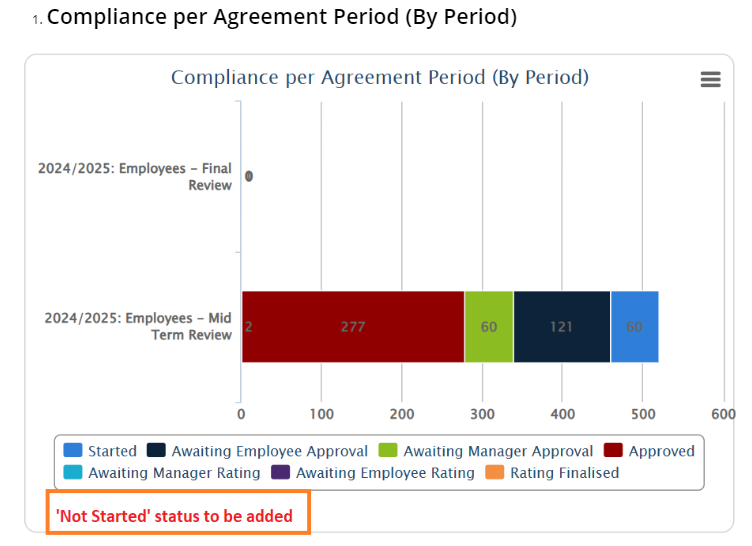](https://signature.signifyhr.co.za/uploads/images/gallery/2025-01/0zbg4cmgrKnJoF7i-image.png)
[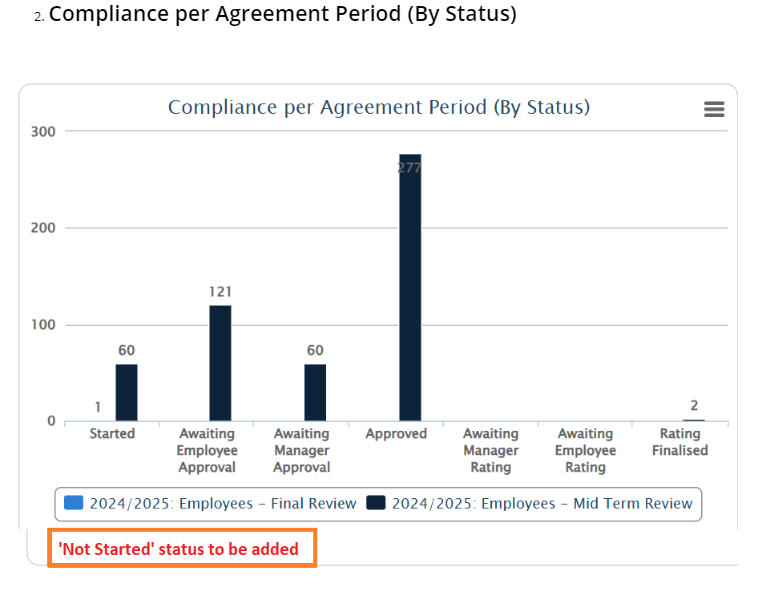](https://signature.signifyhr.co.za/uploads/images/gallery/2025-01/MLk052cVctOQiUB8-image.png)
---
#### **People Groups**
##### Tooltip on Org path displays "Undefined" (#124529)
**Problem**
- Tooltip on the org path displayed 'Undefined'
**Solution**
- Ensure that the tooltip displays the full org path correctly.
##### Incorrect heading for the Org path column (#124530)
**Problem**
- Incorrect heading for the Org path column
**Solution**
- Ensure the correct heading is displayed on the table for the org path column
##### Group cache not being busted when new employees are appointed/imported (#124457)
**Problem**
- It appears that the People Groups cache is not being busted when you have appointed or imported new employees.
- This means that you cannot see these new employees on the People Management dashboard.
**Solution**
- Properly clear people group cache and materialised people groups
##### The active people group set by the user on V9 is not activated as an active subgroup on V8 when clicking on the V8 module menu item (#124215)
**Problem**
- The active people group is not set as the active subgroup when opening the V8 page in V9
**Solution**
- Retrieve the active people group ID from the query string
- Select the people group from the user's assigned subgroups
- If not available then the preferred subgroup should be loaded
---
#### **Main Dashboard**
##### Performance Management Dashboard Widget not showing correct data (#125269)
**Problem**
- It seems the score and information are not displayed correctly for the user because they have two contracts.
**Solution**
- Changing the query that populates the dashboard to order the contracts if multiple exits by the display order of the review year.
- This will then allow the dashboard to display the latest data according to this ordering and secondly the start date of the cycle.
- The dashboard will also only display the latest review period for the contract details within the year.
---
# Version 9.1.136 (13 January 2025)
#### **Performance Management**
##### Able to capture contract although period closed (#123871)
**Problem**
- When a phase is already closed, the dial can be used to view the contract, but the actions (Eg. creating a KPI) are still active.
**Solution**
- Lock the agreement if the phases are not active.
##### PM V9 Action plan copy from previous does not work as expected (#124270)
**Problem**
4 Action plan-related fixes on this PR.
1. This label was updated, it does not reflect Review Periods but rather the Review Setups
2. There was some confusion as to how the Copy Action Plans From Previous should work, the consensus between me, Bertie and Lee-Ann is that you can only copy from your previous review years. You cannot use this to copy APs from an earlier Review Period within the same setup (This should happen with the CreateContractFromPrevious fix 4)
Changed the query for the review years to exclude the year for the current contract.
3. The Copy Action Plans From Previous was not copying all the information, only Name and Description. Including now all AP fields on the copy.
4. When doing CreateContractPeriodFromPrevious it must also copy any Action Plans that exist on that contract period. (which it did not do)
**Solution**
1. Updated the translation to correct the label to show Review Setup
2. Changed the query for the review years to exclude the year for the current contract.
3. Modified the Action Plan handlers and queries to select all the additional information and to also copy that when creating the item. Had to fix an update here and there
4. Added a new portion to the CreateContractPeriodFromPrevious handler to check if there are any action plans on the source and then copied that to the new contract. Tries to copy the Ad-hoc items as well as those assigned to specific KPIs.
##### Cannot Copy from previous (#124269)
**Problem**
- The CopyFromPrevious / CopyFromTemplate functionality breaks when creating for an employee on a review setup that has leadership behaviours enabled.
- This is because only managers get the section added to their contracts, but the copy from then tries to add the default library items to the employee's contract.
- This breaks because the LB section does not exist to add it to.
**Solution**
- Do a check to not add the LB items if the employee is not a lIne manager.
- The preceding Create Contract step will not have created the ContractPeriodSections LB section if the employee is not a line manager.
##### Import the 360 Survey Scores into Performance Management (#112612)
On the Review Years | Review Setup | Review Period | Review Survey
- Add a dropdown with all the Evaluation Periods (V8)
- Evaluation Period
- Required field
- Master Data Table to be added with the 360 Evaluation Periods from v8
- Add a dropdown with the Import Actions
- I want to import
- Options
- ONLY new scores
- When selected, show helper text
- Import new evaluation scores from \[selected evaluation period\]. Leave existing scores as is.
- New scores and override existing scores (from evaluations)
- When selected, show helper text
- Import new evaluation scores from \[selected evaluation period\]. Existing scores will be overridden.
- Business Rule:
- When the setting is inactive and the Manager cannot revise, exclude this option
[](https://signature.signifyhr.co.za/uploads/images/gallery/2025-01/ySUM0GMiIlQdrq7N-image.png)
- Integration Tab on Ruleset Setup
- Review Year Review Survey Import
- When selected, the scores should import according to the option selected via the API
- Import from last sync / import date
- Also add a daily sync
- Only run when a Review Setup has a Review Survey
---
#### **People Management**
##### Error on New People Group Save (#124474)
**Problem**
- People group HiLo sequence did not match the Id value in the table that caused a duplicate trying to be created for the same Id
**Solution**
- Add a script to sync the sequence with the table
##### The page is shown as blank after Saving on editing details (#124445)
**Problem**
- When saving or refreshing some subtabs on the people management profile, the tab content shows blank.
**Solution**
- Fixed an issue where only the parent tab, instead of the sub-tab, was always loaded when reloading the page
##### Auto-generate employee number (#122694)
- Add a setting that will automatically generate an employee number for a new user on the system. Allow the admin to set the starting value in the range.
- Also, allow the administrator to set prefix and suffix values for the employee number.
---
#### **Report Builder**
##### Evaluation questions (#123006)
**Problem**
- Report contain duplicate records.
**Solution**
- Added a "Select Distinct" filter for the reports
---
#### **Imports**
##### Import Error (#124391)
**Problem**
- The allow anonymous tag has been removed which causes the daily syncs to fail.
**Solution**
- Added anonymous tags to ensure the daily syncs work again.
---
#### **Translations**
##### Investigate changing translation keys from key-based to file-based (#119512)
**Problem**
- Translation calls need to be improved, it is used extensively throughout the system
**Solution**
- Investigate to cache the translations with a different key strategy - perhaps we store the entire translation file (JSON object) within a single key
---
# Version 9.1.135 (13 January 2025)
### Performance Management
#### Rating button not displaying (#124149)
**Problem**
- The rate button not shown to the employee when the manager has not yet submitted objectives
**Solution**
- Fix the check that determines the contract state on the dashboard.
#### Improve the performance of queries throughout the system by providing a materialised PeoplegroupUsers table per service (#122980)
**Problem**
- Improve the performance of queries throughout the system by providing a materialised PeoplegroupUsers table per service
**Solution**
A new people group all people has been added and includes everyone in the system with an appointment
- You can only exclude users from this custom people group
- It is auto-populated when adding a user either from the front end or via the user import
All services that make use of People groups
- For all services, the following must be confirmed
- When adding or terminating a user the user must be automatically added/removed from the people group
- Editing appointments on the front end
- Adding a new user on the front end
- Importing users
- When the people group is used in the service the data is auto-populated
- Performance management
- Performance dashboard and the loading of subordinates
- Target Audience Page
- Report Builder
- When drawing a report for a specific people group
- People Management
- Dashboard
- Active, future and terminated should still show correctly
Busting the cache from the front end
- Both the Redis cached people groups are removed and the data for the people groups in MaterialisedPeopleGroupUsers are removed
- The MaterialisedPeopleGroupUsers must be materialised when next used in the service e.g PM, People Management, Report Builder
#### Create master data for evaluation periods pulled from V8 (#112612)
- - Add a dropdown with all the Evaluation Periods (V8)
- Evaluation Period
- Required field
- Master Data Table to be added with the 360 Evaluation Periods from v8
- Add a dropdown with the Import Actions
- I want to import
- Options
- ONLY new scores
- When selected, show helper text
- Import new evaluation scores from \[selected evaluation period\]. Leave existing scores as is.
- New scores and override existing scores (from evaluations)
- When selected, show helper text
- Import new evaluation scores from \[selected evaluation period\]. Existing scores will be overridden.
- Business Rule:
- When the setting is inactive and the Manager cannot revise, exclude this option On the Review Years | Review Setup | Review Period | Review Survey
- Integration Tab on Ruleset Setup
- Review Year Review Survey Import
- When selected, the scores should be imported according to the chosen option via the API
- Import from last sync/import date
- Also, add a daily sync
- Only run when a Review Setup has a Review Survey
#### Import PM Scores to V8 SCP (#112597)
- On V8
- When opening the Profile
- Use the API to import the Overall Final Score
- Overall Final Score = Review Period 1, 2 etc has been approved and Review Survey has value / is excluded
- Materialised view - use table
- PM - Update score to materialised view every 2 hours
- PM Year to use
- The PM Year is irrelevant because only the latest approved Overall Final Score will be used
- Add Import to Integrations tab
- Talent Profile - Latest PM Score Import
#### Change the Ignore Phase End Date rule (#123374)
The label should be changed to:
IGNORE PHASE DATES
The business rules that should be applied when this setting is enabled:
- The Start Date and End Dates should be ignored
- This will mean that the users can start the phase before the date is reached and they can continue after the date is reached
- Thus, the phase will never be locked
---
### Learning Management
#### Notifications not sent out (#123776)
**Problem**
- Notifications are not sent as soon as mark setup is marked as published and send notifications are enabled
**Solution**
- Add `sendNotifications` call in `Marksheet.tsx` when the mark is published and locked. Also, the marks will now be saved before sending the notification
#### Cannot save marks for a second class (#123870)
**Problem**
- Some users are missing from materialized users causing the save not to work
**Solution**
- Increase the retry interval for message processing to 60s for consumer events
- Add migration to sync the MaterializedUsers table again
#### Add a loading indicator when exporting the list of recipients (#123802)
**Problem**
- No loading indicator when exporting the list of users that will not receive a notification on the attendance register
**Solution**
- Add loading indicators on Ajax calls in the attendance notification modal
---
### Data Warehouse
#### Organisational path - Incorrect (#124143)
**Problem**
The issue was these 2 users' Appointments were edited last May according to the source data. The data warehouse data for these specific 2 users was not updated with the latest Org data. For Appointments, the data warehouse fetched the data that had been updated for the past 72 hours. I am not sure if the Datawarehouse at that time did not update the Appointment data or if there is perhaps an issue on the data source where the Edited Data did not update correctly, due to this being updated manually on the source DB with support query.
**Solution**
Adjust the Appointments DWH package to refresh all the appointments daily. This is now possible due to the massive performance improvements that were made within the DWH. This will ensure that the DWH does have all the latest appointments daily going on forward.
#### 'Null' values should return an empty string (#123389)
**Problem**
- The Datawarehouse returned 'blank' if the nvarchar returned NULL values
**Solution**
- Adjusted the V9 DWH to return NULL if the nvarchar column value is NULL
#### Dashboards: Scores not showing on graphs (#123887)
**Problem**
- The final rating score field needs to be added within Contract Periods for V9 DWH to implement the dashboard changes
**Solution**
- Added Final rating score field within Contract Periods
---
### People Management
#### The system does not Auto-Confirm the User with a valid Email address (#118978)
**Problem**
- The system does not Auto-Confirm the User with a valid Email address
**Solution**
- If a user's email is provided, the email will be auto-confirmed. If not provided initially, it will confirm the email if the user is updated with one. The email will also be unconfirmed if it is removed.
#### The curser does not change when hovering on the People Group selection (#121876)
**Problem**
- The Curser does not change when hovering over the People Group selection
**Solution**
- Changes styling to show a pointer when hovering over the people group dropdown
#### Add a Summary Menu Item (#122957)
**Problem**
- As a person with access to a person’s profile, I want to have a menu item for the summary
**Solution**
- Added a summary tab to the user profile
---
### Organisational Structure
#### Delete modal heading displays incorrectly when Name contains ampersand (#122269)
**Problem**
- Org Structure delete modal heading displays incorrectly when Name contains ampersand
**Solution**
- Added fix to show name in heading correctly if it contains special characters
---
### SigniChat
#### Buttons to be moved away from the bottom border of the Group Chat setup box (#123357)
**Problem**
- The save group button is near the bottom border.
**Solution**
- Increased the margin of the footer of the create group modal
---
### Auto Doc
#### Styling on Delete Template modal to be aligned with mock-up on CR (#104629)
**Problem**
- On the delete template modal, the name of the template should be replaced by Template and the name of the template to be deleted shown in quotation marks and in bold
**Solution**
- Fixed the styling of the delete template modal
#### \[Auto Doc\]\[Admin User\]\[Templates\] Asterisk to be placed alongside Delete Reason text box label (#102815)
**Problem**
- Delete modals reason field that is required does not show asterisks.
**Solution**
- Implemented correct class on the global component to fix issues everywhere
---
### Ruleset Management
#### Tooltip to be adjusted (#104399)
**Problem**
- When the creation of a ruleset fails, the 'could not create ruleset' label contains a list of services which could not be set up.
- Please could we insert a space between the 2 words in the name of the Services?
**Solution**
- Added spaces between the words
#### Error when trying to save External Link with name with 225 characters (#104617)
**Problem**
- Error when trying to save External Link with name with 225 characters
**Solution**
- Increased the length of the external link name to 500 characters.
#### The Kudos icon is not available on the Change Icons list (#113037)
**Problem**
- The Curser does not change when hovering over the People Group selection
**Solution**
- Changes styling to show a pointer when hovering over the people group dropdown
---
### Competency Analysis
#### Do not display text in Bold (#121394)
**Problem**
- When a user hovers on the Competency Title the system displays the pop-up text in Bold
**Solution**
- Changed the tooltip to normal text.
---
### Language
#### Incorrect product name displayed for Career Conversations (#113009)
**Problem**
- When on the language page the Career Conversation translation did not work.
**Solution**
- Saw that some of the translations were missing, so I added the missing values
---
### Notifications
#### Confirmation message on Create of new Schedule to be corrected (#101309)
**Problem**
- The confirmation message on Create of new Schedule to be corrected
**Solution**
- Fixed the confirmation message when saving a schedule
#### Event Deactivation Reason text box label asterisk to be displayed in red instead of grey (#102805)
**Problem**
- When deactivating a notification event, the reason field label asterisk (\*) needs to be displayed in red.
**Solution**
- Changed the deactivation reason asterisk to red.
#### The user can set the Once-Off custom schedule to time already passed (#96569)
**Problem**
- Able to set a custom once-off schedule to a time today that has already passed.
**Solution**
- When once-off schedule type is selected, remove time slots that has passed already.
#### Events: 'Can be scheduled' indicator to be shown on the Notification Events list (#85834)
**Problem**
- Please consider indicating on the Notification Events page which events can be scheduled.
**Solution**
- Added a "Can Schedule" column to the notification events list to indicate whether that event can be scheduled or not
---