# List of the Release Notes (2026)
# Version 9.1.260 (28 Spetember 2026)
#### **Imports**
##### Added Payroll connector and frequency name to master data (#155755)
**Problem**
- Oversight on CR for master data on multiple pay roll connectors, have to save a connector id with the master data item
**Solution**
- Add Payroll connector ID
- Add frequency and frequency name split
---
#### **People Management**
##### Increase width of user selection drop-down on user merge modal (#156045)
**Problem**
- The search field is small and cannot display long names and Users properly.
**Solution**
- Made the drop-down wider to accommodate longer names.
---
#### **Ruleset Management**
##### Add more bustable methods to the gRPC cache (#152420)
**Solution**
- Add more bustable methods to the gRPC methods
---
#### **HR Processes**
##### Change from Enum Type to int value over query sending (#151556)
**Problem**
- Enum value type was sent over as a query param, and in some cases it threw a 501 within gRPC, meaning the value could not be mapped
**Solution**
- Added a change to send the int ID value and then map it back to the enum type
---
#### **Data Warehouse**
##### Implemented fixes/improvements for StudentSubjects and TermResults calculations (#156192)
**Problem**
- Fixes and improvements need to be implemented for calculations with StudentSubjects and TermResults
**Solution**
- Implemented fixes/improvements for StudentSubjects and TermResults calculations
---
#### **Performance Management**
##### Copy Lock Access settings over for create from another (#156229)
**Problem**
- When copying a contract over from another person, access lock settings is not copied over
**Solution**
- Add lock settings to copy over
- Correct display order on the rating scales
---
# Version 9.1.259 (28 September 2026)
#### **Mobile App**
##### Add viewport guard styles to app layouts (#156128)
**Problem**
- Some clients try to access the system via their phones using the browser. The responsive design doesn't display correctly, so I suggest we limit the system's minimum size to 1024 x 768. Users will then be able to pan, but at least it will look better.
**Solution**
- Introduce shared viewport-limit styles for the MVC app and identity pages, then include them in the main layouts and SPA entry points.
- This preserves the desktop minimum layout on smaller viewports by enforcing a 1024x768 minimum area and allowing scrolling instead of letting key screens collapse.
---
#### **Content Management**
##### Large videos fail to compress with "Compression failed" (#155598)
**Problem**
- When compressing larger or longer videos through the media compression tool, the operation failed with a generic "Compression failed" message.
- Any video that took more than about three minutes to process was affected, regardless of how far it was under the file-size limit, and very tall portrait videos (for example, phone recordings) failed even sooner.
- There was also no way to tell a genuine failure apart from one that had simply run out of processing time.
**Solution**
- The time a video is allowed to take to compress is now based on the length of the video instead of a fixed three-minute allowance, so longer clips are given more time proportionally, up to a one-hour ceiling.
- Video processing is also faster, and very tall videos are now resized so that both their width and height stay within the target size, which removes a major cause of slow, failing conversions.
- When a video genuinely exceeds the processing-time limit, the tool now reports that clearly rather than a generic failure, and if the caller disconnects part-way through, the conversion stops immediately instead of continuing to run in the background.
---
#### **Theme Management**
##### Guard access token lookup for anonymous users to ensure anonymous themes are loaded (#156184)
**Problem**
- When the user is not yet authorised, the anonymous theme is not loaded and a error is logged
- Cannot retrieve token: No active user.
- The default ruleset 1 theme is then loaded
**Solution**
- Cache the authentication state and only call GetUserAccessTokenAsync when the current user is authenticated.
- This avoids unnecessary token resolution attempts for anonymous requests while preserving existing short-circuit behaviour and warning logs when authenticated token retrieval fails.
---
#### **Performance Management**
##### Resolved exclude rating logic; translated a clear selection (#156143, #156145)
**Problem**
- When excluded rating or rating scale selected incorrect value condition, Missing translation When Clear selection is pressed or 'x' on select values not behaving correctly or resetting
**Solution**
- Added logic correction to get the correct rating Scale based on the check added; translation added; logic to clear selections
##### Resolved modal styling (#154634)
**Problem**
- Development/Change was made to showcase the nav app bar over modals because of a screen capture; a fix was thereafter made to add margin to the modals to push it down, but in some cases - smaller screens it triggers a scroll bar to view the modal even if it has content-scroll dialogue class for the body.
**Solution**
- Correct margin to padding to be adjusted within its own container rather than push the entire container down
##### Resolved user permission not resetting after addition or removal (#156050)
**Problem**
- When setting new roles or removing them, the cache is not being busted
**Solution**
- Add bust method once interaction is completed (did confirm it is not occurring in service)
---
#### **People Groups**
##### Updating people group name does not reflect on Summary page (#156091)
**Problem**
- The People Groups page title continued showing the old group name after a successful save.
**Solution**
- Update the page heading and browser tab title with the saved group name when the save succeeds.
---
#### **Ruleset Management**
##### Resolve virtual tour that always displays regardless of display setting (#156183)
**Problem**
- Even though the virtual tour for Learning Management is set to "Do not show", users still get the virtual tour displayed.
**Solution**
- Resolve virtual tour that always displays regardless of display setting
- There is currently an issue with Virtual Tours where, if the tour is set to “Do not show” but has no slides configured for the current ruleset, it defaults to the Virtual Tour configured for User Ruleset 1.
- Added a null check on the VirtualTourSlides IsDeleted field to fill cteVirtualToursBase even if there are no slides for the current ruleset.
---
#### **Job Management**
##### OrgNodes trying to be created on ImportUsers (#151052)
**Problem**
- During a User Import, importing the org structure could fail with a duplicate key error on `IX\_OrgNodes\_RulesetId\_Code` (e.g. `Cannot insert duplicate key row ... The duplicate key value is (307, ONS\_TEC\_PROJ)`), followed by `Cannot continue, no valid org nodes data available after attempting import of org nodes`, aborting the whole import.
**Solution**
- The query that looks up existing org nodes before deciding whether to create or update them was combining its identifier filters incorrectly: the `Id` match was AND-ed onto the rest of the filters (Name/ExternalId/Code/OrgPath) instead of being OR-ed with them.
- As soon as any row in an import batch carried a known `Id`, the query silently restricted the entire result set to just that `Id`, causing org nodes that should have matched by `Code` alone to be missed.
- Those nodes were then treated as brand new and re-inserted, colliding with the existing row on the unique `(RulesetId, Code)` index. Fixed `ListNodesByIdentifiersQuery` so the `Id` filter is OR-ed together with the other identifier filters, matching the original intent of the lookup.
---
#### **Learning Management**
##### Resolve ListSubordinatesForBooking query problem for event management (#156120)
**Problem**
- Error on the Book a Course button from a calendar event.
**Solution**
- Resolve ListSubordinatesForBooking query problem for event management
---
#### **System Access**
##### Add timeout for extend external logout requests (149425)
**Problem**
- When the V8 logout is slow, the V9 logout is not performant and causes unnecessary delays
**Solution**
- Refactors the external logout flow in the Account area to improve reliability and maintainability.
- The main change is moving the external logout logic from backend C# code to a new frontend bridge page and JavaScript handler, which coordinates the logout process with the external identity provider.
- This makes the logout flow more robust and easier to debug, and removes unnecessary dependencies from the controller.
- Addition of absolute expiry after a 5s load wait.
---
# Version 9.1.258 (28 September 2026)
#### **Data Warehouse**
##### **Resolved error on update for jpAppointments and accRulesets (#155300)**
**Problem**
- - The package fails on Update jpAppointments due to update on field that does not exists within staging table - The package fails for insert step for accRulesets due to swopping fields
**Solution**
- - Removed field from Update jpAppointments step that does not exist on staging table - Corrected the order of field insert for insert accRulesets\_Staging step Revert "154635 - \[%V9-HR Processes%\] - Expired landbot access token can be used when user session is still active (#12102)"
---
#### **Performance Management**
##### **Added class to make it scrollable content (#154634)**
**New Functionality**
- Added class to make it scrollable content
##### **Change historical score order and fix contract finalised check (#155744)**
**Problem**
- Ordering on the contract id is not consistent.
- Contracts erroneously showed as in progress, which can happen when contracts are amended.
**Solution**
- Ordering now happens on the review year end date.
- Calculate the contract finalised state from contract periods and contract surveys (if applicable)
# Version 9.1.257 (28 September 2026)
#### **Ruleset Management**
##### Enable YouTube embeds in the rich text editor (#153294)
**Problem**
- Unable to embed YouTube videos in widgets and help files
**Solution**
- This update broadens the Content-Security-Policy to allow YouTube iframe sources and disables the Syncfusion HTML sanitiser in the rich text editor so embedded video content can load without CSP blocking.
- It preserves the existing allowances for app assets and Syncfusion resources while enabling video embeds in editor content.
---
# Version 9.1.256 (28 September 2026)
#### **Dashboards Onboarding**
##### **Adding info icon on Onboarding dashboard widget (#155249)**
**Problem**
- The \*\*Info\*\* icon was missing for people who do not have a linked journey.
**Solution**
- Added an \*\*Info\*\* icon with a tooltip to any card where no journey is present.
---
#### **Data Warehouse**
##### **Implemented performance improvements within TenantManagement\_ETL (#155300)**
**Problem**
- Performance improvements needs to be implemented for TenantManagement\_ETL
**Solution**
- Removed Source step for Steps to improve performance/memory usage
##### **Implemented performance improvements within JobProfiler\_ETL (#155300)**
**Problem**
- Performance improvements needs to be implemented for JobProfiler\_ETL
**Solution**
- Added hashrows for jpAppointments to improve performance
- Removed Source step for Steps to improve performance/memory usage
##### **Updated DataDictionary to exclude TenantID (#155482)**
**Problem**
- The reports within report builder did not return correctly when join occurs between users and reportinglines
**Solution**
- Updated DataDictionary to exclude TenantID between users and reportinglines
##### **Implemented performance improvements within LearningManagement\_ETL (#155300)**
**Problem**
- Performance improvements needs to be implemented for LearningManagement\_ETL
**Solution**
- Removed Source step for Steps to improve performance/memory usage
##### **Implemented performance improvements within PerformanceManagement\_ETL (#155300)**
**Problem**
- Performance improvements needs to be implemented for PerformanceManagement\_ETL
**Solution**
- Removed Source step for Steps to improve performance/memory usage
##### **Added latest V9 DWH Package Backup to repo (#143176)**
**New Functionality**
- Added latest V9 DWH Package Backup to repo
---
#### **General**
##### **Support Deployment of Release branch (#154731)**
**Solution**
- Support Deployment of Release branch
##### **Allow termination reason to be optional when terminating a user's active appointment (#155351)**
**Problem**
- Terminating a user's active appointment always required a termination reason ID. When terminating by username with a termination reason name that didn't match exactly one active reason for the ruleset, the API rejected the request outright instead of allowing the termination to proceed without a reason.
**Solution**
- `TerminateUserActiveAppointmentCommand.TerminateReasonId` is now nullable, matching the already-nullable-ready domain layer (`IUserDomainService.TerminateAppointmentAsync` / `TerminateActiveSecondaryAppointmentAsync`).
- The gRPC `TerminateUserActiveAppointment` handler now treats `reason\_for\_termination\_id == 0` (the proto3 default) as "no reason" and passes `null` through, since real termination reason IDs are DB-generated and start at 1.
- `TerminateUserActiveAppointmentByUsername` no longer throws when the termination reason name doesn't match exactly one active reason — it now falls back to no reason and proceeds with the termination.
##### **Restart Identity cert consumers and log updated certs (#0)**
**Problem**
- Updating the Identity certs only restarts identity, so webmvc and the APIs that mount `encryption-certificate` keep the old keys in memory until they happen to restart. The job log also only prints the certs from before the update, so a successful run looks like nothing changed.
**Solution**
- After updating the secrets, the script restarts identity first and then every other deployment in the namespace that references either cert secret (dry-run lists them). It then prints the cert summary again under "Certificates after update".
##### **Schedule Legate identity cert updates (#0)**
**Problem**
- Update Identity Certs only runs when someone dispatches it by hand, and each run targets every namespace that has Identity certs.
**Solution**
- The new Identity Certs Scheduler queues a Legate `Update` every `IDENTITY\_CERTS\_SCHEDULE\_MINUTES` minutes for `IDENTITY\_CERTS\_SCHEDULE\_NAMESPACE`, which defaults to `victrix` and accepts `all` for the whole cluster. Update Identity Certs gets `namespace` and `notify\_success` inputs, and the scheduler turns `notify\_success` off so it doesn't email and post to Teams every run.
##### **Scan release images for vulnerabilities (#151872)**
**Problem**
- Vulnerable packages are able to be deployed in some cases
**Solution**
- Scan release images for vulnerabilities before releases
---
#### **HR Processes**
##### **Expired landbot access token can be used when user session is still active (#154635)**
**Problem**
- The access token which is passed to landbot (so that it can make authenticated requests), are set initially when the page opens. If the user stays on the page for extended periods, the token can expire, meaning subsequent landbot requests to our authenticated API's will fail with a 401 (Unauthorized) due to the expired token that is still erroneously used.
**Solution**
- Access Token along with the landbot key is used to determine whether the user still has an active session. If the user does then the expired access token can be used to authenticate for that user's landbot session.
---
#### **Imports**
##### **Resolve emails being sent out after User import of existing users (#154003)**
**Problem**
- During user import, existing users are rebuilt as new DomainUser objects inside UpdateExistingUsers. The lookup model used for existing users did not include WelcomeNotificationSentDate, so the rebuilt object always had that property as null. That null value then flowed through the import response/update path, making it look like the user had never received the welcome notification and allowing the value to be reset or rematerialised incorrectly.
**Solution**
- The existing user lookup now reads WelcomeNotificationSentDate from \[Account\].\[Users\] and stores it on BasicUserPreviewPayrollModel. When UpdateExistingUsers reconstructs the existing DomainUser, it copies the saved welcome notification date back onto the object. The bulk update config also excludes WelcomeNotificationSentDate from updates, giving a second layer of protection so imports update user details without clearing the welcome notification history.
##### **Corrected property to be excluded that is a normal column and not ValueObject (#154003)**
**Problem**
- Excluded properties is mapped within the sql insert update call, but for sent welcome notification it is identified as if it was nested within another object
**Solution**
- Added fix to remove one part
---
#### **Job Profiler**
##### **Excluded people are not removed from query included conditions (#155746)**
**Problem**
- When a people group used an included custom SQL query to select users, a user manually added under the excluded people section could still appear in the final materialised people group. The full materialisation flow was not always adding manually excluded people into the exclusion set before calculating the final result, so the included query result could win.
**Solution**
- Update the full materialisation query to explicitly load excluded PeopleGroupUserItems into #CalculatedUsers with Excluded = 1 before building #Result. The existing final calculation already removes any included user that has a matching excluded row, so this keeps the current design intact while ensuring manual exclusions override custom SQL includes.
##### **Resolved caching values (#155748, #155882)**
**Problem**
- When actions occur the previous cache is not being busted
**Solution**
- Added more bustable methods to attributes
---
#### **Master Data Performance Management Ruleset Management**
##### **Added more bustable methods to cache queries (#155862)**
**Problem**
- More queries not being busted on certain methods Master data cache queries conflicting with redis cache no need to add these as cacheable queries
**Solution**
- Add more bustable methods and remove cache query attribute from master data calls
---
#### **Notifications**
##### **Added manual test flag to send emails when not active (#155529)**
**Problem**
- When setting the Email setup email notificaitons off, and then proceeding to do a test email the email will fail as email notifications is set to inactive,
**Solution**
- Add new flag check to be mapped and pulled to still be able to trigger an email when email notifications is off as it is test email
##### **Multiple files being downloaded when clicking export (#155528)**
**Problem**
- Multiple files are downloaded when multiple tabs are open as signalR sends a request to download file once it is done processing, development was added to only limit to a tabId generated but was not added here
**Solution**
- Added tabId to limit download to tab which requested it
---
#### **Onboarding**
##### **Resolved cache methods and user exclusion (#155244)**
**Problem**
- Cache methods was not busting correctly, user exclusion not removed once a journey is created
**Solution**
- Added cache methods to bust. Add new command to remove user exclusion if exists
##### **Updating Onboarding Dashboard Widgets Translations (#155505)**
**Problem**
- There are no translation entries for the following Dashboard Widgets: \* \*\*Onboarding Employee\*\* \* \*\*Onboarding My Activities\*\* \* \*\*Onboarding Manager\*\*
**Solution**
- Moved the translation strings to the correct file and updated the widget types to use the new translation keys.
##### **Removing Banner activity from dashboard widget (#155525)**
**Problem**
- For the HR Process Automation Journey Widget, \*\*Banner\*\* activities are being counted as \*\*In Progress Activities\*\*, which can be confusing. Banner activities should not be included in activity counts.
**Solution**
- Removed Banner activities from the dashboard widget data so they are no longer included in activity counts.
---
#### **Performance Management**
##### **Resolved save add new, allows to reselect a library item (#155890)**
**Problem**
- When selecting a library item within the contract, saved, and thereafter it can not be reselected, but when you do save add new the library item selection list does not update and keep behaviour causing it to be reselected
**Solution**
- Added fix to restrict it and update the list
##### **Add change to only show update section when there is a record for that type (#155821)**
**Problem**
- When clicking update all modal both sections show for interpolation and rating scales
**Solution**
- Add check to only show the update section when there is of that type record
##### **Added bust methods for list review year setups (#155589)**
**Problem**
- When linking/unlinking a review setup the list does not bust cache
**Solution**
- Add methods to bust the list cache data
##### **Resolved translation, and some missing case checks (#153180)**
**Problem**
- 155610
- Imports does not have the validation check as the UI when editing is disabled ratings can not be enabled 155617
- Incorrect naming 155619
- Interpolation check was not included in group by 155635
- Save add new does not recall the sync checks to the rules of editing and rating
**Solution**
- 155610
- implemented validation to accommodate these checks and throw error 155617
- corrected naming translation 155619
- added check to group by 155635
- added correction to recall sync check
##### **Resolved comment not being able to update if ratings are locked (#155523)**
**Solution**
- Business rule logic required if the ratings is locked, allow the ratings modal to open and still save comments without ratings
---
#### **Report Builder**
##### **Adding Status enum and job requested date alternative (#155032)**
**Problem**
- The DWH modal was being refreshed before the SQL Agent job had started, resulting in an incorrect or outdated status being displayed.
**Solution**
- Updated the status check to use the job's requested date when the start date is not yet available. The modal now displays a broader job status instead of waiting for the job to start, allowing it to refresh immediately while still disabling the REQUEST button and displaying the appropriate status.
---
#### **System Access**
##### **Improve the performance of the logout process (#155329)**
**Problem**
- The V8 logout excessively delays user logout, causing the user to wait on a blank page very long
**Solution**
- Reworked account logout to call the legacy external logout endpoint from HomeController using IHttpClientFactory instead of rendering an iframe bridge page. The action now validates the generated URL, posts externalBaseUrl in a background task, logs failures/invalid configuration, and then proceeds directly to CompleteLogout. The obsolete ExternalLogoutBridge view and external-logout-bridge.js script were removed.
---
#### **System Help**
##### **Fix help content showing the wrong language or hide other sections when falling back to English. (#152901)**
**Problem**
- Help content could show the wrong language or hide other sections when falling back to English.
**Solution**
- Each section now checks the current ruleset and language first, then follows the English and RS1 fallback order independently.
---
# Version 9.1.255 (28 September 2026)
#### **Performance Management**
##### Added bustable methods to queryable cache attributes (#155589, #155592)
**Problem**
- Missing bustable methods; cached values were being returned
**Solution**
- Added bustable methods to clear cached values
##### Implement event publish after loading the bulk action (#155511)
**Problem**
- When loading a bulk action, the action is never processed.
**Solution**
- This change makes a small but important update to the bulk action event-handling process.
- After adding and saving the integration event, it now ensures that all pending events are published through the event bus.
##### Added Kpi Name to evaluations (#155219)
**Problem**
- KPI name was not being rendered on the frontend, as well as a request to change the translation and remove the default KPI translation above each rating scale
**Solution**
- Added kpi name rendering, changed the translation and removed the removal of kpi translation
##### Fix review document handler logger dependencies (#155503)
**Problem**
- Opening Portfolio of Evidence files from KPA or KPI rows returns "Invalid identifiers" because the review-file handler cannot resolve its logger dependency.
**Solution**
- Use the registered generic logger in the affected review-file handlers and add dependency-injection coverage for all review-file query handlers.
##### Truncate Check-Ins label with tooltip when translation is long (#155250)
**Problem**
- On the performance dashboards, the "Check-Ins" label (on the check-ins dial, the check-ins count badge, and the "Check-Ins & Ratings" accordion header) was previously changed to wrap onto multiple lines when the translation is long.
- Wrapping looked untidy inside the small circular dials and badges.
**Solution**
- Instead of wrapping, the label is now shortened with an ellipsis (…) when it does not fit, and hovering it shows the full text in a tooltip. Short labels look exactly as before.
##### Lock KPIs and add functionality to rate KPIs as an Admin (#153180)
**New functionality:**
- A new Performance Management permission is available
- Rate KPIs
- When creating a template, the following options are available
- Lock editing for person
- Lock editing for manager
- Lock rating for person
- Lock rating for manager
- For an admin with the permission, allow the option to be selected under the module-specific functions menu
- A new page is available where a KPI can be selected and rated
##### Performance Management Feedback Report (#150927)
**New functionality**
- Add a column to the Score Label Mapping to add text for achieving higher performance
- Add a toggle to enable the Feedback Report
- Show the report for the end-user
---
#### **People Management**
##### Allow documents to be previewed and updated (#152813)
**New functionality**
- Allow editing of uploaded documents
- Allow previewing of documents without having to download them
- Documents can be previewed
- It converts the document to PDF and then uses the normal PDF viewer to preview it (same one used on auto doc)
- Document types which can be previewed: Word, Excel, PDF, text files, and standard images
##### Change Merge and Delete permission translations to title case (#155330)
**Problem**
- Some People management role permissions are not in title case
**Solution**
- Change Merge and Delete permission translations to title case.
##### User Activity Tracker (#152090)
**New functionality**
- This includes activity on V8 pages and V9 pages.
- The HR automation pages in the Blazor project are not yet tracked.
- In order to make this more useful and assist with testing, I have added user activity under audit information of the user.
- Only the latest 200 activity records will be returned on the page.
- These are the business rules of the tracker
- It only starts tracking after the user stays on the page for 5 seconds (startDelay).
- Once started, it sends:
- start once,
- heartbeat every 5 minutes by default,
- end when tracking stops.
- It tracks inactivity and will suspend after 20 minutes of no interaction.
- If user activity returns after inactivity suspension, it resumes with the same sessionId and sends a new start.
- It does not end just because the tab becomes hidden:
- on hidden: sends one heartbeat (prefers beacon), stops interval heartbeat;
- on visible: sends heartbeat and restarts heartbeat interval.
- It ends permanently on page lifecycle exits (pagehide, beforeunload) and avoids duplicate permanent end events.
- It listens to activity events: mousemove, mousedown, keydown, click, touchstart, and scroll.
- heartbeat and end payloads are minimal (session + last seen + timestamp); start includes page/user context.
- Requests go to /App/ActivityTracker endpoints by default (StartTracker, Heartbeat, EndTracker), with base URL auto-derived if needed.
- For reliability, it prefers navigator.sendBeacon for exit/background sends, else falls back to fetch with keepalive: true.
- It includes an anti-forgery token (\_\_RequestVerificationToken) if present, both in the header and payload.
- Tracking errors are swallowed so user experience is not interrupted.
##### Add Person Profile Image Setting (#153139)
**New functionality**
- Enable or disable the ability for users to upload a profile picture, so that my company can prevent users from displaying a profile image if required
- Configure permission settings for updating profile pictures, so that I can decide whether employees or only administrators are allowed to change profile pictures
---
#### **System Access**
##### Correct external menu routing for additional services general and deep link types (#155499)
**Problem**
- General external pages return an error
- Deep link external pages do not correctly authenticate
**Solution**
- Updates menu URL generation to route AdditionalService deep links through encoded redirect paths, and adds explicit handling for MenuType.General to support external redirect/service links more consistently.
- It also broadens ruleset menu previews to include all external menu items, not only those missing an external code.
---
#### **Ruleset Management**
##### Resolve "Default Text" snack when toggling screen capture tool (#155038)
**Problem**
- "Default Text" snack when toggling screen capture tool
**Solution**
- Resolve "Default Text" snack when toggling screen capture tool. response is the raw JSON body from the server ({ Message, RedirectUrl? }), not a plain string. When a RedirectUrl is present, the global AJAX handler reloads the page and shows the message afterwards. Passing the object straight to snack() would render the snackbar library's "Default Text" placeholder.
---
#### **Data Warehouse**
##### Implemented performance improvements within PeopleManagement\_ETL (#155300)
**Problem**
- Performance improvements need to be implemented for PeopleManagement\_ETL
**Solution**
- Added hashrows for accUsers to improve performance
- Removed Source step for Steps to improve performance/memory usage
---
#### **Report Builder**
##### Make the download of the report in Report Builder fire-and-forget; resolve the problem with the first load that does not download (#146300)
**Problem**
- Large downloads can take a few minutes, locking the system.
- Download fails with the first page load.
**Solution**
- Make the download of a report in Report Builder fire-and-forget; resolve the problem with the first load that does not download
##### Integrations: Bulk Additional Service Imports: DWH (#140632)
**New functionality**
- A new section under Integrations is available
- Data Warehouse refresh
- All the sources are available
##### Replace jQuery contextMenu with custom context menu (#152615)
**Problem**
- With the upgrade of jQuery to v4.0.0, a bunch of previously deprecated $.api functions have been removed Eg. $.isFunction & $.isArray
- Some plugins still make use of these and are now outdated; one of them, jquery-contextMenu, does not have an updated version and is not compatible with jQuery 4
**Solution**
- Replace the contextMenu functionality on ReportBuilder with a custom context menu (Bootstrap Dropdown / Alternative?)
---
#### **Imports**
##### Add company pay frequency master data (#154755)
**New functionality**
- A new field is added to People Management and the PaySpace push
---
#### **Identity and Authorisation**
##### Strengthen permission checks on Identity user creation (#152824)
**Problem**
- A change was made to remove the Auth role, as there is a new people group role to appoint new people
**Solution**
- Added a new policy to validate and ensure the current user can create a new identity user
##### Registration - Hide the password field during registration (#152969)
- System Access tab - Password and Confirm Password slider
- Both Always Required and Visible to be ON or OFF together (when one is On, so is the other and the same when Off)
- Password field to be removed from Registration field
- Email should be triggered, and the request should show on Registrations | Awaiting Approval
- User who is approver needs the role/permissions to do so
---
# Version 9.1.254.6 (Support Release - 23 September 2026)
#### **HR Processes**
##### Change from Enum Type to int value over query sending (#151556)
**Problem**
- The enum value type was sent over as a query param, and in some cases it threw a 501 within gRPC, meaning the value could not be mapped
**Solution**
- Added a change to send the int ID value and then map it back to the enum type
---
# Version 9.1.254.5 (Support Release - 22 September 2026)
#### **Ruleset Management**
##### Resolve virtual tour that always displays regardless of display setting (#156183)
**Problem**
- Even though the virtual tour for Learning Management is set to "Do not show", users still get the virtual tour displayed.
**Solution**
- Resolve virtual tour that always displays regardless of display setting
- There is currently an issue with Virtual Tours where, if the tour is set to “Do not show” but has no slides configured for the current ruleset, it defaults to the Virtual Tour configured for User Ruleset 1.
- Added a null check on the VirtualTourSlides IsDeleted field to fill cteVirtualToursBase even if there are no slides for the current ruleset.
---
#### **People Management**
##### Allow termination reason to be optional when terminating a user's active appointment (#155351)
**Problem**
- Terminating a user's active appointment always required a termination reason ID.
- When terminating by username with a termination reason name that didn't match exactly one active reason for the ruleset, the API rejected the request outright instead of allowing the termination to proceed without a reason.
**Solution**
- `TerminateUserActiveAppointmentCommand.TerminateReasonId` is now nullable, matching the already-nullable-ready domain layer (`IUserDomainService.TerminateAppointmentAsync` / `TerminateActiveSecondaryAppointmentAsync`).
- The gRPC `TerminateUserActiveAppointment` handler now treats `reason\_for\_termination\_id == 0` (the proto3 default) as "no reason" and passes `null` through, since real termination reason IDs are DB-generated and start at 1
- `TerminateUserActiveAppointmentByUsername` no longer throws when the termination reason name doesn't match exactly one active reason — it now falls back to no reason and proceeds with the termination.
---
# Version 9.1.254.4 (Support Release - 16 September 2026)
#### **Imports**
##### Resolve emails being sent out after User import of existing users (#154003)
**Problem**
- During user import, existing users are rebuilt as new DomainUser objects inside UpdateExistingUsers.
- The lookup model used for existing users did not include WelcomeNotificationSentDate, so the rebuilt object always had that property as null.
- That null value then flowed through the import response/update path, making it look like the user had never received the welcome notification and allowing the value to be reset or rematerialised incorrectly.
**Solution**
- The existing user lookup now reads WelcomeNotificationSentDate from \[Account\].\[Users\] and stores it on BasicUserPreviewPayrollModel.
- When UpdateExistingUsers reconstructs the existing DomainUser, it copies the saved welcome notification date back onto the object.
- The bulk update config also excludes WelcomeNotificationSentDate from updates, giving a second layer of protection so imports update user details without clearing the welcome notification history.
##### Corrected property to be excluded that is a normal column and not a ValueObject (#154003)
**Problem**
- Excluded properties are mapped within the SQL insert/update call, but for the sent welcome notification, it is identified as if it were nested within another object
**Solution**
- Added a fix to remove one part
---
# Version 9.1.254.3 (Support Release - 10 September 2026)
#### **Performance Management**
##### **Added Kpi Name to evaluations (#155219)**
**Problem**
- KPI name was not being rendered on the frotnend as well as a request to change translation and remove the default KPI translation above each
**Solution**
- Added kpi name render, change translation and the removal of kpi
##### **Implement event publish after loading the bulk action. (#155511)**
**Problem**
- When loading a bulk action the action is never processed.
**Solution**
- This pull request makes a small but important change to the bulk action event handling process. After adding and saving the integration event, it now ensures that all pending events are published through the event bus.
# Version 9.1.254.2 (Support Release - 8 September 2026)
#### **Performance Management**
##### Fix review document handler logger dependencies (#155503)
**Problem**
- Opening Portfolio of Evidence files from KPA or KPI rows returns "Invalid identifiers" because the review-file handler cannot resolve its logger dependency.
**Solution**
- Use the registered generic logger in the affected review-file handlers and add dependency-injection coverage for all review-file query handlers.
---
# Version 9.1.254.1 (Support Release - 7 September 2026)
#### **System Access**
##### **Correct external menu routing for additional services general and deep link types (#155499)**
**Problem**
- General external pages returns an error Deep link external pages does not correctly autheniticate
**Solution**
- Updates menu URL generation to route AdditionalService deeplinks through encoded redirect paths, and adds explicit handling for MenuType.General to support external redirect/service links more consistently. It also broadens ruleset menu previews to include all external menu items, not only those missing an external code.
# Version 9.1.254 (7 September 2026)
#### **Organisational Structure**
##### Org Structure "&" symbol not showing correctly (#155333)
**Problem**
- The Org name does not correctly render the "&" symbol.
**Solution**
- Place the name inside HTML.Raw
---
#### **Job Management**
##### Added a new pre-import step to set the PM manager to the same as it is currently (#154903)
**Solution**
- Added a new pre-import script to join the current user to get the current PM manager and override that pm username
---
#### **HR Processes Automation (such as Onboarding)**
**New functionality**
- A new HR Process Automation product is available
- New Dashboard Widgets are available for the person assigned to a journey, the Manager and HR Processes Automation Admin
- A new Dashboard is available to see all tasks that need attention
- A new role is available to be assigned for HR Processes Automation
- Templates can be created
- Different steps as activities can be added
- Journeys can be assigned to people
- Where applicable, add more steps
- Be able to complete the journey
---
# Version 9.1.253 (7 September 2026)
#### **Imports**
##### When a duplicate ID number is received from PaySpace, only import the record with the newest appointment (#154281)
**Problem**
- When the same user is appointed in multiple PaySpace companies with different usernames, the user fails import validation because the import data contains a duplicate ID number.
**Solution**
- Remove records with duplicate ID numbers and keep the record with the latest appointment.
##### Optimise export queries and org node processing (#152102)
**Problem**
- Retrieving the job structure returns a timeout on large rulesets
**Solution**
- Refactored org flat-structure SQL to replace cursor-based JSON parsing with a set-based OPENJSON insert and added a clustered temp-table index for faster lookups. Updated export query filtering to use EXISTS instead of a left join to avoid unnecessary row expansion, and switched Dapper execution to CommandDefinition with timeout and cancellation token support. Also modernised NodeIds list creation with collection expression syntax.
##### Support Sage responses without company fields + Employee code upload (#148015)
**Problem**
- Sage photo endpoints do not all return the same fields. Some responses do not include company or company-rule codes, which caused the import to stop. The importer also treated a Sage employee code as a Signify username. When an employee's username was different from their employee code, the preview could not find them and reported that no images matched.
**Solution**
- Only require Sage company fields when matching company filters are configured. Match each Sage employee code to the employee-code field of a Signify user in the authenticated ruleset. Show the resolved username in the preview, and do not import records when the employee code is missing or belongs to more than one user. The same matching is used for interactive and scheduled imports. WebMVC and Account API must both be deployed with this change because they share the updated employee-code contract.
---
#### **Communication Portal**
##### Resolved cases where the navigation link is empty; do not add the href attribute (#155014)
*Issue 1:*
**Problem**
- The references already have double quotes
**Solution**
- Add a fix to remove the quotes
*Issue 2:*
**Problem**
- When there is an empty navigation link and it is clicked, it navigates to
**Solution**
- Added a change to not add the href attribute when empty
##### Changed height to rem-based for comms portal footer (#151959)
**Problem**
- On Firefox, there seems to be a height difference that causes an overflow
**Solution**
- Changed from vh to rem
##### Resolved Banner links and variant not saving (#154525, #155014, #155263)
**Problem**
- When the form is being synced to save on the client, it accesses the control .data(); now this only accesses those values it was rendered with or created, but if a value is updated on an existing item within the other file, it sets the .dataset.{} value, which is not read. When on the carousel of banners, click the next it retains focus with a highlight colour
**Solution**
- Added a change to access .dataset properties and ensured that the same variables are used as btn-primary and btn-secondary. Added a change that, after carousel interaction, clicked remove focus on click
##### Make standalone communication portal more mobile-friendly (#154022)
**Problem**
- The links at the bottom of the communication portal are clipped at the bottom and right-hand side on small screens.
**Solution**
- Enable the links to wrap to a second line and enable scrolling on the web page.
---
#### **Performance Management**
##### Resolved variant delimiter for decimal values in contract import (#155293)
**Problem**
- In different cultures, the decimal operator caused import decimalparse errors
**Solution**
- Added invariant culture to accommodate different cultures with delimiters on import
##### Resolved Import not taking into account approved agreements (#155280)
**Problem**
- AdditionalOptions was only added during the form submit event, but the AJAX/unobtrusive submit flow was already serialising or posting the form before that handler finished. So the controller received the request without AdditionalOptions.
**Solution**
- Create the AdditionalOptions hidden input earlier in the import button click handler, before the form is submitted/serialized. Keep the submit handler as a fallback and reuse the same helper to avoid duplicate hidden inputs.
##### Wrap Check-Ins label when translation is long (#155250)
**Problem**
- Where the "Check-Ins" label appears on the performance dashboards (on the check-ins dial, the check-ins count badge, and the "Check-Ins & Ratings" accordion header), the text was forced onto a single line. In languages where the wording is longer, or if the wording changes in future, the label split outside its badge/dial and pushed the surrounding layout out of shape.
**Solution**
- Allowed the label to wrap onto multiple lines and stay centred under the dial. The accordion header row can now flow its labels onto a second line instead of squashing them together. Short labels look exactly as before; long ones now wrap neatly.
##### Create Document item on Kebab menu is disabled (#154060)
**Problem**
- Grid row actions could use a pending status filter while old rows were still displayed.
**Solution**
- Pass GridView the status tied to the loaded users instead of the live filter status
---
#### **Report Builder**
##### Remove the dropdown arrow when the bit operator field (#153976)
**Problem**
- A change was made to only show is equals to when the field type is a bit operator; currently, a dropdown arrow is still being shown, indicating as if there is another option
**Solution**
- Added a change to not render the button when of bit field
##### Limited Bit field values to only Equals (#153976)
**Problem**
- Slider fields offered blank-related operators even though they always contain True or False.
**Solution**
- Restrict Slider filters to is equal to with True/False values, and migrate existing blank filters to is equal to / True
##### Resolved scroll with multiple subreports that overflow screen width (#155051)
**Problem**
- When many sub-reports were displayed in the Add/Edit Report header, the tab list exceeded the available navigation width. The original scrolling logic relied on missing HTML elements, so the navigation arrows never activated. After introducing native scrolling, the wide tab list still contributed its full width to the page layout, causing the entire page to scroll horizontally instead of only the report-tab header. This also made the final “Add Sub-Report” button difficult to reach.
**Solution**
- The legacy positioning logic was replaced with a native horizontal-scrolling tab viewport. The report header was then constrained to the layout’s dedicated tabs area so the tab list cannot expand the page width. Left and right navigation controls now appear only when additional tabs exist, active tabs are automatically brought into view, and the final “Add Sub-Report” button remains accessible. Existing tab selection, action menus, drag-and-drop ordering, and report functionality were preserved.
---
#### **Data Warehouse**
##### Implement Performance Improvements for Content Management (#154134)
**Problem**
- The PowerShell scripts for Content Management need to be improved to only fetch for the past 14 days
**Solution**
- Updated PowerShell scripts for Content Management to only fetch files that have been added/edited in the past 14 days
##### Resolved issue with jpAppointments "Active" field update step (#154126)
**Problem**
- The Active field for Appointment was not updated correctly for the scenario where EndDate is today's date
**Solution**
- Resolved the issue of updating the Appointment's Active field when the EndDate is today's date
##### Added field OrganisationalLevel4And6 into jpAppointments (#153957)
**Problem**
- Field OrganisationalLevel4And6 needs to be added to Appointments
**Solution**
- Added field OrganisationalLevel4And6 into Appointments
---
#### **Notifications**
##### Preserve SMS tokens when editing the setup and enable test SMS template (#154773)
**Problem**
- When saving the SMS setup, the user receives an error The SMS portal type is not correctly spelled
**Solution**
- Updates SMS setup handling to reuse the existing token when no new token is provided (including whitespace-only input), preventing credential validation failures during updates. It also enables SMS on the EmailSetupTest template in seeded data and via a migration so existing environments are corrected, and fixes smsPortal localisation strings/typos across several locale files.
---
#### **People Management**
##### Hide obsolete Additional Self Service Items profile option (#155020)
**Problem**
- People viewing their own profile could see an “Additional Self Service Items” option that opened an older page which is no longer in use.
**Solution**
- The obsolete option has been removed from the Profile list, so people can no longer navigate to that retired page from People Management.
##### Ensure the user can only delete the document if admin or the creator of the document (#154324)
**Problem**
- User can delete a document assigned to them
**Solution**
- Ensure the user can only delete the document if admin or the creator of the document
---
#### **Ruleset Management**
##### User Guides: Language not falling back to English (en-ZA) when English (en-GB) is removed (#152901)
**Problem**
- User guide fallback selected disabled en-GB content as a valid match, blocking enabled lower-priority RS1 en-ZA content.
**Solution**
- Only treat fallback cultures as valid when they contain active, non-empty guide content
##### Add menu item types and external redirect flow (#154121)
**Problem**
- Unable to access standalone V8 systems from a newer V10 ruleset
**Solution**
- Extend the external menu with two new types: Interface connector types, to allow a user to SSO to an older V8 using the interface login deep link menu to redirect a user to any deep V10 pages
---
# Version 9.1.252 (7 September 2026)
#### **AutoDoc**
##### Ensure the admin only receives emails for active employees (#154866)
**Problem**
- Admin received a reminder for an outstanding document for a terminated employee
**Solution**
- Ensure the user and the admin are both active
---
#### **Performance Management**
##### Added recompile to PM query (#155012)
**Problem**
- SQL Server was reusing a cached execution plan that was poor for some parameter values, causing parameter sniffing performance issues.
**Solution**
- Added OPTION (RECOMPILE) to the main query so SQL Server builds an execution plan per execution using the current parameters.
##### Resolved spyscroll on Contract with Nav and content sections (#154486)
**Problem**
- The ScrollSpy used a fixed 310 px offset, causing navigation items near the middle of the content pane to be highlighted instead of the section displayed at the top.
**Solution**
- Changed ScrollSpy to track sections at the top of the pane using a 100 px tolerance. When the pane reaches the bottom, it switches to a bottom fallback so the final section can still be highlighted. Also added a new utility class to keep contained and split for easy debugging and reference
##### Changed historical graph year order and fixed the graph when 100% rating (#154846)
**Problem**
- Historical Score Graph with full rating hides score at the top
**Solution**
- Ensure rating is not hidden when rating is 100%
- Change the Order of Historical Score Graphs
##### Additional fixes in calendar TypeScript to address the month selector not working. Ensure previous calendar functionality still functions (#154485)
**Problem**
- Previous fixes to calendar controls worked, but caused incorrect behaviour on the month picker, and focus was diverted when clicking on the year picker.
**Solution**
- Reworked the calendar input to ensure that all calendar controls function (paging arrow, month dropdown, year scroller, date selection). Ensured that the calendar displays docked to the relevant input.
##### Fixed inconsistent date formatting on review year setup phase dates (#154466)
**Problem**
- When editing performance year period phase dates, depending on user culture, the formatting can be inconsistent between right after change and on load / reload.
**Solution**
- Ensure that the date inputs are correctly formatted to ISO for save operations and to user culture for display purposes.
##### Resolved issue where paging to next date on calendar input caused other calendar inputs to focus (#154485)
**Problem**
- When more than 1 calendar input exists on a modal, paging to the next month causes other input to be focused and its calendar to be opened. MDB focus trap moves focus to the first input and opens that picker.
**Solution**
- Added a guard to prevent focus transfer and ensure that the calendar stays docked to the correct input.
---
#### **Communication Portal**
##### Resolved styling on portal header (#155024)
**Problem**
- Left-aligned the unread message count label and the “MARK ALL AS READ” button
**Solution**
- Added a change to styling to align context flex start
##### Removed border radius from button (#154525)
**Problem**
- When the form is being synced to save on the client, it accesses the control .data(), now this only accesses those values it was rendered with or created, but if a value is updated on an existing item within the other file, it sets the .dataset.{} value, which is not read
**Solution**
- Added change to access .dataset properties
- And corrected and ensured that the same variables are used for btn-primary and btn-secondary
##### Added backdrop shadows for comms portal and system message (#154521)
**Problem**
- When opening the Communication Portal modal, the background behind the modal is not greyed out.
- When opening a System Message on the Communication Portal, the Communication Portal modal is also not greyed out.
**Solution**
- Added a backdrop to the comms portal
- Added backdrop to System message modal centered and changed the z-index of the different backdrops
##### Resolved DateTime differences (#154595)
**Problem**
- When the banner dates are saved, they where configure on the client timezone and saved accordingly, but all other calculations are assumed that it saved in UTC
**Solution**
- Added a fix to convert back to UTC when saving and, when showing, convert again from UTC
##### Set default width starting point of banners (#154511)
**Problem**
- Gantt chart overlaps with the banner list
**Solution**
- Added a change to increase the default width
##### Added client-side validation for system alert dates (#154902)
**Problem**
- A recent change was added where validation within the controller restricted certain values and threw a snack error message, but a suggestion was requested to add client-side validation to display a span text
**Solution**
- Add jQuery client-side validation that matches to show the span error message
##### Added change to active search users (#134821)
**Problem**
- Terminated users could be searched
**Solution**
- Added a change to the Users view to only return active appointment users
##### Implemented suggestion to move carousel buttons (#153514)
**Problem**
- Carousel prev and next got lost within the banners; moved them to the bottom right
**Solution**
- Added CSS to move the prev and next of the carousel to the bottom right
##### Resolved Load more on recipients (#153972)
**Problem**
- Load more does not work correctly as the start increases, but in the query it does a skip of start \* size. Requested to add a navigate back before search
**Solution**
- Resolved the load more to not try to append load with previous results - just load the next page size so only increase number
- Added navigation back
##### Resolved Audience being created without dates (#153519)
**Problem**
- Could save an alert without a valid start and end date selected
**Solution**
- Added a check within the controller to ensure values are selected
##### Implement standalone Communication portal page for the mobile app (#154022)
**Problem**
- The communication portal is a modal and thus cannot be opened in a webview on the mobile app.
**Solution**
- Open the communication portal in a standalone page that the mobile app can open
---
#### **Data Warehouse**
##### Resolved errors where the records were not inserted in the correct order for jpHRProcessRequestData and jpHRProcessRequestPivotData (#154850)
**Problem**
- The records were not inserted in the correct order for jpHRProcessRequestData and jpHRProcessRequestPivotData
**Solution**
- Resolved errors where the records were not inserted in the correct order for jpHRProcessRequestData and jpHRProcessRequestPivotData within the Insert Staging Steps
##### Resolved an issue with jpReportingLines where the latest records were not refreshed (#154796)
**Problem**
- The latest jpReportingLines did not refresh within the DWH
**Solution**
- Resolved an error within the insert step for jpReportingLines to ensure that the latest records are inserted
##### Added field PersonInPosition within jpJobPositions (#153622)
**Problem**
- Field PersonInPosition needs to be added within jpJobPositions
**Solution**
- Added field PersonInPosition within jpJobPositions
---
#### **Imports**
##### Import Sage profile images (#148015)
**New functionality:**
- This change adds a PowerShell process that imports employee profile photos from Sage into Signify.
- It can run automatically every day through Windows Task Scheduler.
- Developers can also run it manually to preview which employees and photos will be processed before starting an import.
- How it works
- Retrieves employee photos from Sage.
- Filters the results by the configured company and company rule.
- Selects the latest photo for each employee.
- Safely ignores identical duplicate Sage records.
- Stops when duplicate records contain conflicting photos.
- Uploads photos to Signify in small batches.
- Records successes and failures in timestamped log files.
- Returns a failure exit code when a scheduled import does not complete successfully
##### Correction to import of custom fields (#154641)
**Problem**
- Import fails when new users and existing users are imported that have custom fields
**Solution**
- This change makes improvements to the `ImportUsersCommandHandler` in the Account service, focusing on better error reporting and ensuring proper entity detachment during user import operations.
---
#### **People Management**
##### Fixing tables not loading after using the breadcrumb back button (#153690)
**Problem**
- After using the Back button, the relevant tab is displayed, but its data is not refreshed or displayed.
**Solution**
- Updated the page onload event to make the correct data call and update the correct table. Additionally, updated the URL when switching tabs so that a page reload uses the current tab instead of the previously selected tab.
##### Correct schema selection for table relationships, only show recycle bin when user has delete profile permission, prevent deletion of useractions (#151416)
**Problem**
- Recycle bin shown when user does not have delete profile permission; UserAction table records also deleted for user.
**Solution**
- Correct schema selection for table relationships, only show recycle bin when user has delete profile permission, prevent deletion of useractions
##### Make Delete and Merge Profile permissions disabled by default (#151415)
**Problem**
- Merge and Delete module permissions should be disabled by default
**Solution**
- Add migration to make Delete and Merge Profile permissions disabled by default
---
#### **Report Builder**
##### Add a " No results found" message on data source field search (#154857)
**Problem**
- On Report Builder data sources, when no results are returned for the field name search, all sources are shown with no indication as to why
**Solution**
- Added small span text to indicate no results were found
---
#### **Notifications**
##### Fallback to from email of default ruleset when current ruleset's user own smtp setting is off (#154837)
**Problem**
- From email of the current ruleset is displayed even though the user's own SMTP setting is off.
**Solution**
- Fallback to the From email of the default ruleset when the current ruleset user's own SMTP setting is off.
- This brings it in line with the email template page default From email that is displayed.
---
#### **API**
##### Add endpoint to terminate user (#153656)
**Problem**
- There is no endpoint to terminate a user.
**Solution**
- Add an endpoint and function that takes Username, terminationDate(in format yyyy-MM-dd) and terminationReason(takes a string and matches it with the termination reasons for that ruleset in JobProfiler.TerminationReasons) and terminates the user.
---
#### **Organisational Structure**
##### Resolved delete tooltip not showing (#153241)
**Problem**
- The delete icon was missing the class in which it was identified to register the tooltip
**Solution**
- Added the missing class
---
#### **Master Data**
##### Resolved Single Global Admin can not access master data (#153620)
**Problem**
- When a single admin is given, a user can not see the master data
**Solution**
- Added a check to ensure that if the user has the single role admin and the manage master data permission, they can see all
---
#### **Job Profiler**
##### Fix ListUserJobProfileInherentRequirements EvidenceQuery alias (#154786)
**Problem**
- The SQL selects from an alias that was not set
**Solution**
- Ensure the alias is correct
---
# Version 9.1.251 (7 September 2026)
#### **Ruleset Management**
##### Resolve the resource exhaustion error when error logs exceed 1000 (#154679)
**Problem**
- Resources are exhausted when error logs exceed 1000; the current 5000 limit is unnecessary for on-screen analysis.
**Solution**
- Reduce the returned error logs to the last 500 logs
##### Session does not expire (#152563)
**Problem**
- User session never expires, and it is difficult to know when it will expire.
**Solution**
- This solution introduces significant improvements to session management, token lifetime configuration, and user experience around session expiry. The changes ensure that session expiry is consistently enforced and communicated across the backend and frontend, and that refresh token lifetimes are configurable and respected throughout the application stack.
- Session expiry has been added to the footer of the profile drop-down.
- The warning message shows from 30min before the session expires every 5min and then again 60s before the session expires to warn the user of the session expiry.
---
#### **People Management**
##### Fix inconsistent subordinate count (#153718)
**Problem**
- Subordinate count displays inconsistently
**Solution**
- This was due to the query joining to the incorrect column. Ensures that it joins to the managerId column, correcting the count
##### Ensure the user, when not authorised to edit appointments, does not receive a 405 screen (#154695)
**Problem**
- When a user is not allowed to edit appointment history based on the people group access, the user receives a 405 error rather than getting notified of the not authorised exception.
**Solution**
- This change updates the way unauthorised access is handled in several actions within the PeopleController.
- Instead of returning a generic Unauthorised () response, the controller now provides user feedback via a localised error message and redirects the user back to the appropriate edit page or tab.
- This improves the user experience by making authorisation failures clearer and guiding users back to relevant pages.
##### Fix squashed tooltip on People Management Data sources tooltip (#154698)
**Problem**
- With numerous data sources linked to the category and the tooltip displayed, the popover content is squashed and the text overlaps.
**Solution**
- Correct styling on the popover to ensure that tooltip text does not overlap and the popover size is updated correctly.
##### People with birthdays not available on the People dashboard. Unable to edit a user's profile when a unique ID number is active (#154605)
**Problem**
- Birthday saved with a time component.
- Filter criteria on the People Management dashboard incorrectly filter on birthday
- When a unique ID number is active, saving on the profile screen incorrectly validates for the user itself
**Solution**
- This change focuses on improving date handling and filtering logic across several user query endpoints, as well as ensuring consistent date-only comparisons in both application code and SQL queries.
- Additionally, it introduces a minor scheduling fix for bi-weekly notifications.
##### Add Allow HID for iframe to allow signature pad connection (#154099)
**Problem**
- Signature pad does not want to connect when trying to sign an assessment document from within V9
**Solution**
- Add Allow HID for iframe to allow signature pad connection
##### Improve large data source tooltip layout and positioning (#154378)
**Problem**
- Large data source tooltips displayed all items in a single column, causing the popover to exceed the screen and briefly overflow while positioning.
**Solution**
- Display large tooltips across a maximum of four columns, dynamically increasing the column size for larger lists and constraining the popover to the viewport.
##### Adding breadcrumb when redirecting to update people group view (#153690)
**Problem**
- When opening one of the Event Scheduling People Groups and clicking Back or Cancel, the system navigates the user to Custom People Groups instead of returning to Event Scheduling People Groups.
**Solution**
- Added the appropriate breadcrumb action so that the Back button in the ribbon redirects the user to the correct tab on the People Groups page.
##### Permanent deletion & merging of user profiles (#111732)
**New functionality features:**
- Create additional permissions to delete and merge profiles
- Delete a person's profile from the Grid View
- Merge a person's profile from the Grid View
- Add a Recycle Bin to the filters to see the deleted profiles
- Have a summary of the merge on a person's profile
---
#### **Performance Management**
##### Add Dapper type handler for Section enum (#154345)
**Problem**
- A bunch of PM queries are failing because Dapper cannot map the custom "Section" enum automatically
**Solution**
- Add a Dapper type handler globally for PM so that it can map the enum properly in queries
##### Resolve DataTables error on Review Setup page (#154694)
**Problem**
- DataTables warning is displayed when loading the Review Setup admin page, and template information is not displayed.
**Solution**
- Resolve issue on review setup templates query handler breaks due to enum conversion.
##### Updating global modal margin (#154465)
**Problem**
- Navbar was set to be in front of the modal overlay. This causes the modal header to be rendered behind the navbar.
**Solution**
- Update modal margin so that the modal is always rendered below the navbar.
##### Resolve issue where the Single Approval Final Rating button text is not displaying correctly (#154484)
**Problem**
- On single participation (Manager only) review setups, when the manager has completed ratings, the button still only displays Rate for the Final Rating phase. It should reflect Final Rating, the same as with Dual Participation
**Solution**
- Correct the Rate button label to display Final Rating for Single Participation
##### Resolve edge case scenario where unapproved score differs from approved score due to decimal precision (#154439)
**Problem**
- When the unapproved score is calculated, the score can work out to more than 4 decimals in precision depending on the score and weight distribution. This leads to a 0.01 difference in some instances displayed on the front end, due to the 4-decimal rounding not being applied until the rating is saved. (Enforced by DB precision).
**Solution**
- When calculating the score for the Contract Period, ensure that 4-decimal rounding is always applied.
##### Add a PM historical graph (#148639)
**New functionality features:**
- Styling of the Review Year button
- Add a new button to access the historical scores for myself
- Add a new button to access the historical scores on the Overall Summary of the Managers Dashboard
##### Setting when Dual Participation is inactive to have only Final Rating (#148703)
**New functionality features:**
- When dual participation is not selected, have an option to select whether only the Final Rating should be completed
- Include this rule on the Agreement Import
---
#### **Data Warehouse**
##### Moved SystemAlerts to the Communication category within ReportBuilder (#154598)
**Problem**
- The SystemAlert data sources were in the incorrect Category within the ReportBuilder
**Solution**
- Moved SystemAlerts to the Communication category
##### Merged ES with TS within stored procedure C\_03798\_99999\_reportCustomUserUsage\_2026 (#152566)
**Problem**
- The count for Event Scheduling needs to be included within Training Scheduling
**Solution**
- Merged the Event Scheduling count with Training Scheduling within the stored procedure C\_03798\_99999\_reportCustomUserUsage\_2026
##### Updated the jpAppointments step to use Delete/Insert instead of Update/Insert (#142737)
**Problem**
- The jpAppointments Update step did not update existing fields as expected
**Solution**
- Updated the jpAppointments step to use Delete/Insert instead of Update/Insert
---
#### **AutoDoc**
##### Add SendReminders to ListUserDocumentsPreviewQueryHandler, fixing the query (#154703)
**Problem**
- SendReminders missing from query, causing page load to break
**Solution**
- Add SendReminders back to the query
##### Fix Create Document item on Kebab menu is disabled (#154060)
**Problem**
- The grid rendered before ruleset settings loaded, so Extended Core defaulted to false and disabled “Create Document” incorrectly
**Solution**
- Treat ruleset settings as unloaded initially and show loading until the real feature status is available
##### User with no permissions sees enable Create Document menu item and can select a template before seeing unspecified error (#154125)
**Problem**
- User with no permissions sees the Enable Create Document menu item and can select a template before seeing an unspecified error
**Solution**
- Ensure the button only displays when the user is an admin
##### Special characters not displayed correctly on Create Document confirmation modal (#154136)
**Problem**
- Special characters not displayed correctly on Create Document confirmation modal
**Solution**
- Decode the username before displaying
---
#### **Communication Portal**
##### Added image upload for system messages (#154601)
**Problem**
- When adding an image to a system alert/message, the image is never actually uploaded.
**Solution**
- Correctly handle uploads using the "Insert Image" control and pasting an image into the RTE.
---
#### **Notification**
##### Allow nullable Quartz simple trigger string props (154089)
**Problem**
- Quartz simple-property triggers can store NULL string properties, but the generated Notification schema marked STR\_PROP\_\* columns as required.
- This made it so that the Notification service did not successfully do its part during ruleset/tenant creation
**Solution**
- Override the Quartz EF model so those string properties are nullable and future migrations align with Quartz runtime behaviour.
##### Implement SMS portal as a SMS provider (#153056)
**Problem**
- An additional SMS provider with WhatsApp capability is required.
**Solution**
- This solution introduces multi-SMS provider support (ZoomConnect and SMSPortal) into the notification system.
- The main changes include adding the SMSProvider enum, updating SMS setup commands and handlers to support provider selection, and modifying queries and models to store and return the selected SMS provider type.
---
#### **API**
##### Expose functions over api for event scheduling on the mobile app (#154097)
**Problem**
- Certain event scheduling data is not available on the mobile app.
**Solution**
- Expose certain functions as endpoints for the mobile app to use.
---
#### **Report Builder**
##### Bust report permission cache when copying a report. Improve report permission denied error notification (#154401)
**Problem**
- When opening a copied report immediately, an empty snack message is displayed.
- The issue is that the report permission check is failing because the user permission cache is not cleared once the report is copied, and as such, the error is actually 403.
**Solution**
- Ensure the user report permissions cache is busted when report copy succeeds.
- Changed the auth failure to return a formatted 403 message and display a snack accordingly.
---
#### **System Framework**
##### Correct watermark that gets cut off on certain screen resolutions (#154033)
**Problem**
- When cropping an image on a screen with higher resolution, the watermark is being cut off
**Solution**
- Correct the watermark that gets cut off on certain screen resolutions
##### Safari modal focus fix, Firefox sharing notification fix (#154033)
**Problem**
- Firefox: sharing notification shown in screen capture; Safari: screen capture not focusing after capture
**Solution**
- Safari modal focus fix, Firefox sharing notification fix
##### Resolve focus problem on Safari after screen capture (#153916)
**Problem**
- Safari still not focusing
**Solution**
- Resolve Safari focus problem
- The finally block now calls window.focus() instead — reclaims OS/browser-level focus from Safari's native picker without depending on the modal's visibility.
- unhideModalAfterCapture() now calls modalElement.focus() itself, right after restoring opacity/pointer-events — so the focus reclaim happens at the one point the modal is actually a valid, visible focus target again, and it's covered on every unhide path (success, error, and cancel) since they all go through this function.
---
#### **System Access**
##### The time displayed on the watermark is not the same as the default timestamp the screen capture is named with (#153224)
**Problem**
- It appears the zip folder on display on the screen capture contains UTC.
**Solution**
- Correct the timestamp on the watermark and zip file name, and correct the translation on the Email button
##### Session expiry notification does not dismiss (#153089)
**Problem**
- When will the session expire? It shows 30 minutes before it expires on every page.
- When the session expires on an SPA file, the page breaks on click.
**Solution**
- Add checks to show the 5-minute warning only once every 5 minutes.
- Add an auto-redirect to log out when the user session has expired.
##### Issue with error message translations when using Microsoft login (#152530)
**Problem**
- Issue with error message translations when using Microsoft login; message shows translation path
**Solution**
- Update external login translations to use TranslateAsync
---
#### **Audit**
##### Multiple entries created in the Identity audit table (#144811)
**Problem**
- When changes are made to a user role on the System modules admin screen, 3 audit entries are logged in the Identity audit table.
**Solution**
- Resolve Audit entities getting lost or not always logging correctly
---
# Version 9.1.250.3 (Support Release - 10 September 2026)
#### **Communications**
##### Removed border radius from button (#154525)
**Solution**
- Removed the border radius added to button
##### Added backdrop shadows for comms portal and system message (#154521)
**Solution**
- Added backdrop to comms portal
- Added backdrop to the system message modal centered and changed the z-index of the different backdrops
##### Resolved DateTime differences (#154595)
**Problem**
- When the banner dates are saved, they where configure on the client timezone and saved accordingly, but all other calculations are assumed that it saved in UTC
**Solution**
- Added a fix to convert back to UTC when saving and, when showing, convert again from UTC
##### Set default width starting point of banners (#154511)
**Solution**
- Added a change to increase the default width
##### Added image upload for system messages (#154601)
**Problem**
- When adding an image to a system alert/message, the image is never actually uploaded.
**Solution**
- Correctly handle uploads using the "Insert Image" control and pasting an image into the RTE.
---
# Version 9.1.250.2 (Support Release - 25 August 2026)
#### **Imports**
##### Import Sage profile images (#148015)
**New functionality:**
- This change adds a PowerShell process that imports employee profile photos from Sage into Signify.
- It can run automatically every day through Windows Task Scheduler.
- Developers can also run it manually to preview which employees and photos will be processed before starting an import.
- Retrieves employee photos from Sage.
- Filters the results by the configured company and company rule.
- Selects the latest photo for each employee.
- Safely ignores identical duplicate Sage records.
- Stops when duplicate records contain conflicting photos.
- Uploads photos to Signify in small batches.
- Records successes and failures in timestamped log files.
- Returns a failure exit code when a scheduled import does not complete successfully.
##### Correction to import of custom fields (#154641)
**Problem**
- Import fails when new users and existing users are imported that have custom fields
**Solution**
- This change makes improvements to the `ImportUsersCommandHandler` in the Account service, focusing on better error reporting and ensuring proper entity detachment during user import operations.
---
# Version 9.1.150.1 (Support Release - 20 August 2026)
#### **People Management**
##### Ensure that the All People, People Group is recalculated when a person is appointed (#154414)
**Problem**
- When appointing a person, the All Employees people group is not always refreshed
**Solution**
- Ensure the people group is fetched when all types are requested without filtering
##### Ensure that users who are not authorised to edit appointments do not receive a 405 screen (#154695)
**Problem**
- When a user is not allowed to edit appointment history based on the people group access, the user receives a 405 error rather than getting notified of the not authorised exception.
**Solution**
- This change updates the way unauthorised access is handled in several actions within the PeopleController.
- Instead of returning a generic Unauthorised () response, the controller now provides user feedback via a localised error message and redirects the user back to the appropriate edit page or tab.
- This improves the user experience by making authorisation failures clearer and guiding users back to relevant pages
##### People with birthdays not available on the People dashboard. Unable to edit a user's profile when unique ID number is active (#154605)
**Problem**
- Birthday saved with a time component
- Filter criteria on people management dashboard incorrectly filter on birthday
- When a unique ID number is active, saving on the profile screen incorrectly validates for the user itself
**Solution**
- This change improves date handling and filtering logic across several user query endpoints and ensures consistent date-only comparisons in both application code and SQL queries.
- Additionally, it introduces a minor scheduling fix for bi-weekly notifications
---
#### **System Access**
##### Ensure that when absolute session expiry is reached, the user is redirected to the login page automatically. Prevent warnings from 30 to 1 minute from showing on every page loaded (#153089)
**Problem**
- When the session will expire 30 minutes before it shows on every page.
- When the session expires on an SPA file, the page breaks on click.
**Solution**
- Add checks to show the 5-minute warning only once every 5 minutes.
- Add an auto-redirect to the logout page when the user session has expired.
---
#### **Ruleset Management**
##### Implement usage of refresh token expiry as absolute session expiry. A warning to the user when the session is about to expire from 30 minutes before. Add session expiry to the Profile drop-down (#152563)
**Problem**
- User session never expires, and it is difficult to know when it will expire.
**Solution**
- This change introduces significant improvements to session management, token lifetime configuration, and user experience around session expiry.
- The changes ensure that session expiry is consistently enforced and communicated across the backend and frontend, and that refresh token lifetimes are configurable and respected throughout the application stack.
---
#### **Notifications**
##### Allow nullable Quartz simple trigger string props (#154089)
**Problem**
- Quartz simple-property triggers can store NULL string properties, but the generated Notification schema marked STR\_PROP\_\* columns as required.
- This made it so that the Notification service did not successfully do its part during ruleset/tenant creation
**Solution**
- Override the Quartz EF model so those string properties are nullable and future migrations align with Quartz runtime behaviour.
---
# Version 9.1.250 (17 August 2026)
#### **Performance Management**
##### Confirmation modal not opening when submitting evaluations. Fix date pickers in review setup (#153492)
**Problem**
- In PM Review setup, the date input styling for the phase dates was broken
- In PM Review setup, the period start date is automatically focused and expands the calendar control
- When evaluating others, the submit button does nothing.
- A console error is displayed indicating the error relates to mdb not loaded.
**Solution**
- Resolve issue introduced by previous fix that caused the flatPicker functionality to override/mask the mdb input / floating functionality.
- Exclude flatpicker inputs from the auto-focus functionality on the global input element handling. 3. Added the missing jQuery shim file to EvaluationLayout; also added a guard to try to handle modal opening better.
---
#### **Data Warehouse**
##### SendReminders Field added to accDocuments (#154384)
**Problem**
- Needed the SendReminders field in report builder
**Solution**
- Added SendReminders field in accDocuments
##### Added CAST function for jpHRProcessRequestPivotData (#142737)
**Problem**
- The step failed if NVARCHAR values exceeded 2000
**Solution**
- Added a CAST function for the jpHRProcessRequestPivotData Staging Insert step to resolve the error
##### Resolved error within UpdateDataDictionary SSIS Package (#153855)
**Problem**
- Currently, the package fails within UpdateDataDictionary due to a SQL error with the step Update Existing DataSourceJoins
**Solution**
- Resolved the SQL error for the step Update Existing DataSourceJoins within UpdateDataDictionary
##### Created datasource accDocuments (#139797)
**Problem**
- Need to create a “Document Signature Outstanding” report , which requires additional fields in the DWH
**Solution**
- Added required fields within datasource Documents
##### Updated Insert step for jpAppointments (#154027)
**Problem**
- Currently, for jpAppointments, it only refreshes appointment data for the current year. But it does not consider other tables it joins
**Solution**
- Updated Insert step for jpAppointments to also check for records that have been updated this year for other tables that the insert query joins
##### Added ReviewYearSetupID within pdmContractPeriods (#153887)
**Problem**
- Field ReviewYearSetupID needs to be added within pdmContractPeriods
**Solution**
- Added field ReviewYearSetupID within pdmContractPeriods
---
#### **Auto Doc**
##### Fix signed-on Date/Time field shown as UTC instead of local (UTC+2) time (#154309)
**Problem**
- Signed-on Date/Time field shown as UTC instead of local (UTC+2) time
**Solution**
- Resolve the timezone from webmvc, where it is available from the request cookie and not from the contentmanagement service
##### Fix lines on Signature misplaced once employee has signed document (#154318)
**Problem**
- Lines on Signature misplaced once employee has signed document
**Solution**
- Ensure that the signature displays on top of the line and not over it
##### Fix user receives notification for unsigned document where template has been removed (#154298)
**Problem**
- User receives notification for unsigned document where template has been removed
**Solution**
- Ensure Send Reminders is disabled when the template is deleted
##### Ensure list documents does not fail when category master data was deleted (#153873)
**Problem**
- List document templates for autodoc fail when the category master data was removed or does not exist anymore for some reason
**Solution**
- Default to an empty string if category master data cannot be found
---
#### **Event Scheduling**
##### Ensure the user can assign themselves as coordinator (#153720)
**Problem**
- User cannot assign themselves as the event coordinator.
**Solution**
- Ensure the user can assign themselves as the coordinator
---
#### **Job Management**
##### Fix disclaimer enabled on Job Title set to show on Registration page is not being displayed when the job is selected (#153407)
**Problem**
- Disclaimer enabled on Job Title set to show on Registration page is not being displayed when the job is selected
**Solution**
- The disclaimer does not display because the incorrect query was called, which expected a user ID, and the code incorrectly sent the job profile ID. Add a query which expects a job profile id and use that query instead to determine whether a disclaimer should display
---
#### **People Management**
##### Add a check when creating new reporting line people groups to only users that already exist on the same type of people group (#153696)
**Problem**
- All line managers who do not yet have a reporting line people group
**Solution**
- Limit the query to include only reporting line people groups in the filter of existing people groups to exclude
---
#### **Imports**
##### Add Recompile option to Simplified Users Export query (#154101)
**Problem**
- Simplified users export query can at times run excessively long when the query plan has been cached, and we run into parameter sniffing issues.
**Solution**
- Added the option to recompile the simplified users export query to ensure the plan is not cached and is recalculated each run. Execution time went from >2 mins to +-4 seconds.
---
#### **Learning Management**
##### Add borders and a calendar icon to cycle Start/End date fields (#153968)
**Problem**
- The Start Date and End Date fields in the Add/Edit Cycle modal (Subject Cycle Detail setup) had no visible border or calendar icon, making them inconsistent with other bordered form fields and less discoverable as date pickers.
**Solution**
- Wrapped the Start Date and End Date inputs in a bordered input-group and added a calendar icon (`fa-calendar-alt`) to each field.
---
# Version 9.1.249 (17 August 2026)
#### **System Access**
##### Correct the timestamp on the watermark and zip file name, and correct the translation on the Email button (#153224)
**Problem**
- Timestamp not updating, Translation incorrect on email button, zip file name inconsistency
**Solution**
- Correct the timestamp on the watermark and zip file name, and correct the translation on the Email button
---
#### **Data Warehouse**
##### Updated jpUserPermissions to only fetch current year data (#143175)
**Problem**
- The package runs slowly when a full refresh occurs for jpUserPermissions
**Solution**
- Updated jpUserPermissions to only fetch current-year data instead of all the data for a full refresh
---
#### **Performance Management**
##### Resolved an issue where an impersonating user is unable to copy action plans from the previous year (#153854)
**Problem**
- Action plans cannot be copied over from the previous year when using impersonation.
**Solution**
- Please send through the impersonation user ID from the action plan copy from the previous year.
##### Resolve issue on review setup template save silently failing (#153513)
**Problem**
- Creating / Editing a performance template when perspectives are disabled silently fails when clicking the Save button, and it seems like nothing happens.
**Solution**
- Firstly, ensure that the weight-to-string conversion is done culture-independent to enforce weights in the format "0.00"
- Second, resolve the conversion in the JS object by compiling the weight as a string property instead of a number.
- Third, change is to set "placeholder" perspective to 100 on JS when perspectives are disabled to allow validation to pass.
---
#### **Auto Doc**
##### As a Manager, I want to receive a daily summary of all outstanding documents I assigned to a person (#139800)
- Create a reminder email that goes out once a day to the admin who assigned the document to the user, reminding them that there are employees who have not signed their assigned documents yet
##### As an Employee, I want to be notified when I have an outstanding document that requires a signature (#139799)
- This is a daily reminder email for active employees who have outstanding documents to sign - only when the setting is enabled
##### As an administrator, I want to be notified when an employee has signed a document
- A notification is sent to the administrator who created the document for the user when the user signs the document
##### Send notification for unsigned documents (#139794)
- It adds a setting, SendReminders, when creating a document for an employee
---
#### **People Management**
##### Adding Known As display name logic on line manager name (#152904)
**Problem**
- Line manager's "Known as" name and surname do not display on the manage person modal on both the main dashboard and people management.
**Solution**
- Add the known-as display name logic to the line manager's name in the manage person modal. The same way the user's name is displayed.
---
#### **Integrations**
##### Prevent PaySpace master data imports from remaining stuck (#153774)
**Problem**
- When PaySpace could not supply master information, the import could remain marked as in progress. Users could not see a stored explanation, and disability information was requested using a name that PaySpace does not recognise.
**Solution**
- Failed requests now leave a clear error and finish the import as failed, making the outcome visible to users and support teams. Disability information is now requested using PaySpace's supported Disability Type name.
---
#### **Imports**
##### Add robustness improvements to user imports and the import of custom fields (#139409)
**Problem**
- When importing data and not every user is linked to a custom field, the user import fails obscurely
**Solution**
- Improved the reliability and correctness of bulk update operations in the user import process and database context handling.
- The main changes focus on preventing entity state corruption during bulk operations, handling concurrency conflicts more robustly, and ensuring that UserCustomFields are processed without causing database errors.
---
# Version 9.1.248 (17 August 2026)
#### **Notifications**
##### Update materialised birthday column to Alias 'Birthday', else query can't find the column (#153450)
**Problem**
- Manager Birthdays and Work Anniversaries email template not firing on scheduled jobs
**Solution**
- Update the materialised birthday column to Alias 'Birthday', else query can't find the column
##### Implement end-of-service warning notifications for month and day period warnings (#138602)
**Problem**
- The Line Manager is not warned on user is ending their service soon
**Solution**
- Introduced new functionality to support manager notifications about subordinates' upcoming end of service, both for short-term (days) and longer-term (months) periods.
- It adds new event and recipient codes, extends the data model and queries, and updates the notification service to deliver these new types of notifications.
- Additionally, it introduces a bi-weekly schedule type and improves code structure by refactoring repeated logic.
---
#### **Performance Management**
##### Fixing mdb script reference (#153492)
**Problem**
- Models do not open because the MDB script reference is incorrect.
**Solution**
- Fixed the MDB script reference. Modals open as expected again.
##### Resolved issue where Overall Final Score label mappings were not showing (#153405)
**Problem**
- Score label mappings for Overall Final Score were not showing
**Solution**
- Fixed condition check that determines whether to display for overall final score
---
#### **Job Management**
##### Insert missing UserCompanyDates records during user import (#146950)
**Problem**
- `ImportUserDatesAsync` (used by the JobProfiler user import) only ever `UPDATE`d existing `JobProfiler.UserCompanyDates` rows. Since the materialisation rework, `UserCompanyDates` is no longer created as part of the User aggregate, so newly imported users never got a `UserCompanyDates` row created for them — their start dates were silently dropped.
**Solution**
- Added an `INSERT INTO JobProfiler.UserCompanyDates` step (before the existing `UPDATE`) that creates a row for any imported user matched by username who doesn't already have one for that ruleset, using the same create-vs-update semantics as `UserDomainService.UpdateUserCompanyDatesIfRequiredAsync`.
- Replaced the row-by-row string-concatenated `INSERT` loop used to populate the `#UserDates` temp table with a `SqlBulkCopy`, matching the pattern already used elsewhere in `UserQueries.cs` (e.g. `ListUserOrgPathsAsync`). This also removes the manual string escaping that was needed for the old concatenation approach.
---
#### **Communication Portal**
##### Resolved archived items not shown when collapsed (#151781)
**Problem**
- Archived items can not be seen when the system alert has elapsed
**Solution**
- Add a change to the query that, when searching archived, ignores the dates of the system alert to be shown
##### Resolved flatpickr that caused errors on communication portal banners (#153083)
**Problem**
- flatpickr injects a hidden type="number" minute input with step="5". If the banner datetime has a minute like 17, browser validation marks that hidden control invalid and blocks submission before the AJAX save handler runs.
**Solution**
- Set minuteIncrement: 1, so all valid minute values 0-59 pass native validation
---
#### **Data Warehouse**
##### Added ID fields within lmEvent tables (#151434)
**Problem**
- Field EventStatusID needs to be added within lmEventSchedules
- Field AttendanceStateID needs to be added within lmEventScheduleSessions
- Field BookingStatusID needs to be added within lmEventScheduleAttendees
**Solution**
- Added the field EventStatusID within lmEventSchedules
- Added field AttendanceStateID within lmEventScheduleSessions
- Added field BookingStatusID within lmEventScheduleAttendees
##### Updated Insert step for lmEventScheduleSessions\_Staging\_V9 (#153307)
**Problem**
- Duplicate results are returned
- The #Source is not needed in Insert lmEventScheduleSessions\_Staging\_V9
**Solution**
- Added DISTINCT and removed #Source within Insert lmEventScheduleSessions\_Staging\_V9
---
# Version 9.1.247.2 (11 August 2026)
#### **Imports**
##### Add Recompile option to Simplified Users Export query (#154101)
**Problem**
- Simplified Users Export query can at times run excessively long when the query plan has been cached, and we run into parameter sniffing issues.
**Solution**
- Added the option to recompile the simplified users export query to ensure the plan is not cached and is recalculated each run.
---
#### **Learning Management**
##### Add borders and calendar icon to cycle Start/End date fields (#153968)
**Problem**
- The Start Date and End Date fields in the Add/Edit Cycle modal (Subject Cycle Detail setup) had no visible border or calendar icon, making them inconsistent with other bordered form fields and less discoverable as date pickers.
**Solution**
- Wrapped the Start Date and End Date inputs in a bordered input group and added a calendar icon (`fa-calendar-alt`) to each field.
---
#### **Integrations**
##### Prevent PaySpace master data imports from remaining stuck (#153774)
**Problem**
- When PaySpace could not supply master information, the import could remain marked as in progress. Users could not see a stored explanation, and disability information was requested using a name that PaySpace does not recognise.
**Solution**
- Failed requests now leave a clear error and finish the import as failed, making the outcome visible to users and support teams. Disability information is now requested using PaySpace's supported Disability Type name.
---
# Version 9.1.247.1 (3 August 2026)
#### **Performance Management**
##### Resolve issue with review setup template save silently failing (#153513)
**Problem**
- Creating / Editing a performance template when perspectives are disabled silently fails when clicking the Save button, and it seems like nothing happens.
**Solution**
- Firstly, ensure that the weight-to-string conversion is done culture-independent to enforce weights in the format "0.00"
- Second, resolve the conversion in the JS object by compiling weight as a string property instead of a number.
- The third change is to set the "placeholder" perspective to 100 in JS when perspectives are disabled to allow validation to pass.
##### Resolve issue where Overall Final Score label mappings were not showing (#153405)
**Problem**
- Score label mappings for Overall Final Score were not showing
**Solution**
- Fixed the condition check that determines whether need to be displayed for Overall Final Score
---
#### **Job Management**
##### Insert missing UserCompanyDates records during user import (#146950)
**Problem**
- `ImportUserDatesAsync` (used by the JobProfiler user import) only ever `UPDATE`d existing `JobProfiler.UserCompanyDates` rows. Since the materialisation rework, `UserCompanyDates` is no longer created as part of the User aggregate, so newly imported users never got a `UserCompanyDates` row created for them — their start dates were silently dropped.
**Solution**
- Added an `INSERT INTO JobProfiler.UserCompanyDates` step (before the existing `UPDATE`) that creates a row for any imported user matched by username who doesn't already have one for that ruleset, using the same create-vs-update semantics as `UserDomainService.UpdateUserCompanyDatesIfRequiredAsync`.
- Replaced the row-by-row string-concatenated `INSERT` loop used to populate the `#UserDates` temp table with a `SqlBulkCopy`, matching the pattern already used elsewhere in `UserQueries.cs` (e.g. `ListUserOrgPathsAsync`). This also removes the manual string escaping that was needed for the old concatenation approach.
---
# Version 9.1.247 (27 July 2026)
#### **Identity & Authorisation**
##### Error when clicking on the Not yet registered? link (#153319)
**Problem**
- Error when clicking on the Not yet registered? link
**Solution**
- This happened due to a SQL query which was not properly formed, leading to an extra double quote " in the query
##### Added functionality for v9 pages to open on the mobile app using a token (#138802)
**Problem**
- When a v9 page is opened from within the Mobile Learning App, the user is directed to the login page instead of automatically logging the user in like with v8 pages.
**Solution**
- Added support for an authorisation header.
---
#### **Content Management**
##### Prevent SVG uploads in all image resource areas (#143842)
**Problem**
- SVG files could still be selected in some image upload areas after the earlier update, especially when older saved settings were still in use. This left a way to upload a file type that should be blocked for security.
**Solution**
- SVG has been removed wherever image upload options are available, and uploads are rejected if an SVG is submitted directly. Existing saved settings can no longer make SVG selectable. Image types are also kept consistent for badges, banners, and avatars.
##### Block SVG uploads for badges, avatars and rich text images (#143842)
**Problem**
- Across the product, SVG image files are meant to be disallowed because they can carry hidden active content. However, the image settings for badges, avatars and rich-text-editor images still listed SVG as an accepted file type. This meant SVG files could be uploaded in those areas, leaving a gap that the rest of the system does not have.
**Solution**
- SVG has been removed from the list of accepted file types for badge, avatar and rich-text images. These areas now only accept standard, safe image formats (PNG, JPG/JPEG, GIF, and TIFF for rich text), bringing them in line with the rest of the application and closing the upload gap.
---
#### **Imports**
##### Add ID column to notifications import table (#153003)
**Problem**
- Request to display the Import ID on the imports details screen, making debugging and support easier
**Solution**
- Add an ID column to the notifications import table
##### Ensure results on ListUserPeopleGroups APIs are not filtered based on empty usernames (#153216)
**Problem**
- When V8 bulk processing requests all user people groups, it requests the username as an empty string in the array. This then causes the import to not receive any data
**Solution**
- Add a measure in V9 to remove all empty usernames and return all data when only an empty string is received
---
#### **Ruleset Management**
##### Ensure the pill is not fixed to its position to fix overflow issues (#152442)
**Problem**
- Display issue when on the Integrations tab and the system menu is pinned. The integrations menu (General, Content Server and Payroll) overlaps with the content to the right of it.
**Solution**
- Make the pill position absolute and not fixed to fix the overflow issue
##### Corrected ruleset deletion on master data items (#143128)
**Problem**
- The generic ruleset delete script was also identifying parent tables without a RulesetId column for deletion. In the MasterData database, this caused shared metadata tables such as \[MasterData\].\[Tables\] to be included because ruleset-specific child records reference them by keys like TableId.
**Solution**
- Exclude the MasterData schema from the parent-table delete discovery where the parent table has no RulesetId. Also ensure backups only filter by RulesetId when the target table actually contains that column; otherwise, back up the full table using @RulesetId = 0.
##### Extend error logging and add ruleset creation master data for the communication portal (#152171)
**Problem**
- When errors occur during ruleset creation, critical details are not logged for support. Master data is not copied for the communication portal to the new ruleset
**Solution**
- Introduce integration of the Communication Portal service into the ruleset creation workflow, ensuring that ruleset setup is coordinated across all relevant services. It adds a new gRPC endpoint for anonymous ruleset creation in the Communication Portal, updates the Account API to call this endpoint, and improves error logging throughout the ruleset creation process. Additionally, it includes internal refactoring and new command handlers for copying master data. These changes ensure that the Communication Portal is now a first-class participant in ruleset provisioning and that error information is more complete across the distributed setup process.
---
#### **Notifications**
##### Ensure EditedBy reflects logged-in username by passing in session username as parameter (#152025)
**Problem**
- We currently don't store the details of the user that triggered a notification. This is important to know for notifications like the passwords reset and welcome notifications.
**Solution**
- Ensure EditedBy reflects the logged-in username by passing in the session username as parameter
---
#### **Communication Portal**
##### Implemented archiving for elapsed system alerts (#151781)
**Problem**
- When system alerts have elapsed, the recipient alerts must be archived
**Solution**
- Add a Quartz job that runs every 1hour that updates all the recipient alerts if the system alert has elapsed
##### Implemented persistence state for slitter and returned unread discussions first (#153049, #153091)
153049
**Problem**
- Splitter position is not remembered
**Solution**
- Request to implement a change to remember the position of the splitter as the user drags
153091
**Problem**
- Unread discussions are not brought back first, which means on many discussions if over page size it does only come up when searching for
**Solution**
- Created a change to return unread discussions first
##### Resolved New container overlay (#153090)
**Problem**
- Difficult to hover on the plus to get access to the new
**Solution**
- Change the styling and event listeners to ensure that it is easy to open the overlay and select an item
---
#### **Data Warehouse**
##### Added field BookingStatus within lmEventScheduleAttendees (#151434)
**Problem**
- Field BookingStatus needs to be added for lmEventScheduleAttendees
**Solution**
- Added field BookingStatus within lmEventScheduleAttendees
##### Created cleanup Data Dictionary script (#151627)
**Problem**
- Data Dictionary entries need to be deleted that are not linked to Tenant 1
**Solution**
- Created Data Dictionary cleanup script to remove entries that are not linked to Tenant 1
##### Added check for accUserLoginStats within DWHDataIntegrityReport (#142732)
**Problem**
- accUserLoginStats needs to be added for DWH weekly integrity report check
**Solution**
- Added a check for accUserLoginStats within monGenerateDWHDataIntegrityReport
**Problem**
- New field LastRefreshedDate needs to be added - Integrity check needs to be added for accUserLoginStats
**Solution**
- Added new field LastRefreshedDate - Added Integrity check for accUserLoginStats to ensure the entries are being added as expected for the first of each month - Corrected Live DB Server name for V8 accUserLoginStats calculation
##### Added step for cmScormFolder\_Staging to update CompanyCode (#151058)
**Problem**
- The insert for cmScormFolderUploads did not work as expected due to the join for CompanyCode not matching for cmScormFolder\_Staging
**Solution**
- Added a step for cmScormFolder\_Staging to update CompanyCode for the join for cmScormFolderUploads to work as expected
##### Added new SSIS Packages to the monitoring report (#142737)
**Problem**
- New SSIS Packages need to be added to the DatawarehouseJobResultsReport
**Solution**
- Added new SSIS Packages CommunicationPortal\_ETL.dtsx and ContentManagement\_ETL.dtsx within DatawarehouseJobResultsReport
##### Added step to remove archived entries within lmStudentSubjects (#152973)
**Problem**
- With each DWH run, previous entries for lmStudentSubjects are not removed due to records not having YearID
**Solution**
- Added step to remove archived entries within lmStudentSubjects
---
#### J**ob Management**
##### Ensure description displays on modal (#151675)
**Problem**
- Description displays 'true' on modal, instead of the saved description
**Solution**
- Change JavaScript so the description displays on the modal
##### Resolved People Group Role Permission overrides (#152827)
**Problem**
- Editing a user’s existing people-group link to enable permission override created a new custom role link but left the original non-overridden link in place. An earlier attempt to fix this in the API link handler was too broad and caused normal linking of additional roles to be replaced unintentionally.
**Solution**
- The fix was narrowed to the actual edit flow. Normal LinkUserPeopleGroupRole behaviour remains additive, with only exact duplicate links prevented. When editing an existing user people-group link and switching it to override permissions, the UI now carries the original UserPeopleGroupRoleId; the system creates or updates the custom override role, links it, and then unlinks only that original row. This preserves standard linking behaviour while ensuring an overridden link does not leave the old base link behind.
##### Resolved Reporting Lines not pulling through on Edit Appointment (#152476)
**Problem**
- The Editor View is being generated with a Blank Liens ViewModel even if there is data
**Solution**
- Add a check: if there is a userId given, pull the reporting lines to be displayed
---
#### **People Management**
##### Resolved: User not being materialised after frontend addition (#152930)
**Problem**
- When a user has been added from the frontend, the user is then replicated to the read-only database, but during this, a call has been made to materialise the new user based on appointment. If the user has not replicated yet and materialisation triggers first, no user is materialised to all people
**Solution**
- Add a wait operation method to ensure all the requested users are replicated to materialised read-only users before executing the people group materialisation
---
#### **Learning Management**
##### Prevent duplicate subject cycles (#152166)
**Problem**
- When setting up a subject, the same cycle could be added more than once. This could leave a subject with duplicate terms.
**Solution**
- The cycle list now excludes cycles already assigned to the subject. Saving also prevents duplicate cycles from being created if an outdated page or another request tries to submit them.
---
#### **Report Builder**
##### Corrected default font on report export (#152899)
**Problem**
- The default font on report builder export is incorrect.
**Solution**
- Corrected the default font.
---
#### **Performance Management**
##### Reset the modal each time it opens and load KPI pages in a consistent order so “Load More” adds only the next set of items (#152620)
**Problem**
- The KPI library “Load More” list reused old modal data and loaded later pages in an order that caused repeated items.
**Solution**
- Reset the modal each time it opens and load KPI pages in a consistent order so “Load More” adds only the next set of items.
---
# Version 9.1.246 (27 July 2026)
#### **Image Resources**
##### Fix image upload not working when using copy-paste or drag-and-drop on Syncfusion editors (#152211)
**Problem**
- Image source is saved incorrectly when copying/pasting or dragging and dropping an image, resulting in an image not found after initial upload.
**Solution**
- Add a handler in the shared Syncfusion editor script to handle image drops and copy/paste the same as when images are uploaded normally
---
#### **Translations**
##### Reset password feedback translation improvements (#152474)
**Problem**
- Password and confirm password comparisons were not being properly translated. Also missing a check for leading or trailing spaces
**Solution**
- Reset password feedback translation improvements
##### Translations for external logins (#152530)
**Problem**
- Issue with error message translations when using Microsoft login; the message shows the translation path
**Solution**
- Update external login translations to use TranslateAsync
---
#### **Job Management**
##### Remove validation for inherent requirement add (#151675)
**Problem**
- Odd behaviour on Inherent Requirements. Unable to add a requirement with the same importance twice + Cannot add a requirement again if it has been deleted.
**Solution**
- Removed all validation on creating new inherent requirements - should always be able to add a new one, and be left up to user discretion
---
#### **Communication Portal**
##### Resolved console error for integration ErrorHandler (#146859)
**Problem**
- The new error logging exposed that the \_Integration tab was not actually throwing an application exception. The console message was a browser-level ResizeObserver loop completed with undelivered notifications warning, which was being surfaced through the global window.onerror hook looked like a real app failure.
**Solution**
- Updated the global error handling so it still logs real uncaught errors with message/source/stack details, but ignores the known harmless ResizeObserver loop warnings. That removes the false console noise without hiding actual application errors.
##### Resolved datepicker opening up within the card (#152956, #152926)
**Problem**
- DateTimePicker component opening within the Card and has no overflow visible
**Solution**
- Add a change to allow the datepicker to overflow and be visible
##### Fields are incorrectly validating as required while the sections are disabled – System Message Subject, Email Subject, SMS Subject and SMS Message (#152935)
**Problem**
- When the toggle is inactive and the form is submitted, validation triggers for the empty fields, which it only must for when the toggle of the editor is active
**Solution**
- Add a change to only validate the fields when the toggle is active
##### When editing a System Message, there isn’t a popup to send the system message again, and the screen just goes blank – Changes are being saved (#152685)
**Problem**
- When submitting a full form, the post is done and not an AJAX form submission
**Solution**
- Implemented a change to do an AJAX form submission
##### Resolved chat messages not being able to send (#149151)
**Problem**
- Package upgrade which causes certain $.func() errors; a new shim file was added to accommodate these package differences, but the Communication portal is not using it to initialise the emojione area, which causes errors. Also issues with SignalR differences
**Solution**
- Implemented the new change within the shim file and the change to be used
##### Resolved Translation Core that does not allow section within section value (#152418)
**Problem**
- For translations, it is only one section up, and if there is no key-value pair, the section is not shown; likewise for custom translations that are section within a section
**Solution**
- Implemented a change to read the treeview style downwards to identify sections to be able to translate, excluding static sections, and then also for the translator so that it can be identified
##### Issue with new paging that has been implemented on the Specific People, Specific Jobs and People Groups tabs for Banners and System Messages (#152475)
**Problem**
- For paging count, not all the page values were rendered because the total count was not returned only showed " more rows, which shows another page as you click through
**Solution**
- Added a change to return the total count and show the total page counts
##### Unable to move the split screen barrier for Banner Notifications (#151524)
**Problem**
- The divider on the Gantt control keeps jumping to the middle and is not allowed to scroll/move freely
**Solution**
- Implemented a fix on styling and jQuery to correct the behaviour
##### Display issue when selecting the Communications tab – The tab selection highlight goes away, unable to see which tab has been selected when on Communications (#152441)
**Problem**
- There are nav links within the nav tab; when these values are selected, it resets the top nav item
**Solution**
- Implemented a change so that the sub-nav tabs are only selected within the nav tab content itself
##### Display issues on Banners (#151610)
**Problem**
- When no background colour is selected for the tag or timer, it defaults to incorrect white
**Solution**
- Add a change to keep empty and update the model to pass an empty string if it is NULL
##### Resolved V8 Email Not triggering system message when active (#152896)
**Problem**
- Email from V8 can trigger a system message when configured, but the implementation of system alerts requires a userId to indicate to whom to display, as V8 only sends through a recipient list of emails
**Solution**
- Implemented a change that only applies in cases where the category ID is passed through to retrieve the userId for that email user within the ruleset.
##### Resolved Upload button difference styling (#149850)
**Problem**
- Difference in styling, no corner radius or non-uppercase text
**Solution**
- Added rounded corners and text decoration to none to remove casing
##### Resolved Loading containers for communication portal (#152682)
**Problem**
- Banners and System Alert with nav tabs have been implemented that render for Learning Pathway topic lists, which they should not
**Solution**
- Add new abstract methods to ensure new rules to allow render modes, split discussion list to render fragment and just render in correct place
##### Allow Discussion to load inside V8 (#152682)
**Problem**
- When a learner opens the new Discussion feature from within the older (V8) part of the system, the Discussion area fails to load: the request reaches WebMVC's `DiscussionController`, but the downstream gRPC call to CommunicationPortal.API short-circuits with `User access token unavailable`, and the user is signed out.
**Solution**
- Set `AuthenticationType = Bearer` in WebMVC's JWT `TokenValidationParameters`. On `Cookies,Bearer` endpoints the merged principal now carries a Bearer-typed identity, so the existing fast path forwards the inbound token and the local and downstream identities agree. - \*\*Opt-in fallback\*\* (`Authentication:ForwardExternalBearerToken`, default `false`): for requests whose principal lacks a Bearer identity, WebMVC explicitly authenticates the Bearer scheme and forwards the header only when validation succeeds \*\*and\*\* the token does not change the acting user (its `user\_id` claim must match any other authenticated principal; missing claims fail closed).
- Only well-formed `Bearer ` headers are ever forwarded.
##### Resolved banner metadata not showing on the list (#152734)
**Problem**
- The data can be passed in a different format than what is expected can have a wrapper as well
**Solution**
- Add fallback to correct the path and the value to show the background colour, date and expires date
---
#### **People Management**
##### Correct permission checks on user profile pages - reverse condition on summary page (#152580)
**Problem**
- Bug in the previous fix; the conditional check on summary page was reversed.
**Solution**
- Correct conditional check for section access
##### Resolved registration email not being triggered (#148426)
**Problem**
- After a user has confirmed their email for registration, another email should trigger to confirm that the request has been submitted, but when a JobProfile has not been selected, it is null and throws an error when trying to be retrieved.
- Also, some translations are not being retrieved.
- The disclaimer is not correct in showing a message when there is none
**Solution**
- Implemented fix for null check; corrected translations
- Added a check to set when there was a disclaimer shown
##### Resolved Custom People group role creating new links each change/save (#152827)
**Problem**
- When a Custom Org unit role is edited and saved, it keeps adding a new role
**Solution**
- Removed the check to set the value to null to update the current custom role
##### Display masked email address on password reset (#152465)
**Problem**
- The Password reset toast notification does not include a masked email address.
**Solution**
- Display masked email address on password reset
##### Fixed race where filters loaded after the initial user fetch by restoring them synchronously via lazy useState init (#152201)
**Problem**
- When on Terminated filter/tab, and the user opens a person and uses the browser back button/system back button, the Terminated filter/tab shows people that should not be there and a count of 207 instead of 4. The browser back button consistently causes this behaviour while the system back button only causes it occasionally.
**Solution**
- Moved the saved filterCriteria/searchFilterCriteria restoration from an async useEffect into lazy useState initialisers so they're correct on the very first render, eliminating the race where the user-fetch effect could run with default (unfiltered) criteria before localStorage was read.
##### Resolved count mismatch or hard reload of people management (#149700)
**Problem**
- The People Management page could fire multiple startup requests with different people-group/filter values during a hard refresh, and on slower datasets an older response could finish last and overwrite the correct count.
**Solution**
- The page now waits for filter and people-group restoration before the first load, uses the saved people-group filter as the initial source of truth, and ignores stale responses so only the latest request can update the displayed count.
##### Resolved Required-validation for manage own data fields (#152580)
**Problem**
- Server-side required-field validation always treated edits to another user as Administrator, so People Group edits could fail on required fields that were not editable in ESS setup.
**Solution**
- Pass the intended SelfServiceSettingType from WebMVC to the Account API update commands, and use that type during required-field validation so only required editable fields for the correct setup context are enforced.
##### Ensure non visible/editable fields are correctly bound (#152580)
**Problem**
- When the profile fields are disabled due to the ESS settings, the values are not bound and get lost when submitted.
**Solution**
- Ensure that the profile values are still bound correctly when they are disabled / not visible due to ESS settings.
##### Remove forced role check on identity user creation (#149668)
**Problem**
- When a user only has PG permissions, the new user appointment fails. When an identity user is created requires that the user has People Admin or Tenant Admin roles.
**Solution**
- Remove explicit role authorisation on Identity user creation. Added a comment to add permission-based auth.
##### Ensure non visible/editable fields are correctly bound (152580)
**Problem**
- When the profile fields are disabled due to the ESS settings, the values are not bound and get lost when submitted.
**Solution**
- Ensure that the profile values are still bound correctly when they are disabled / not visible due to ESS settings.
---
#### **Ruleset Management**
##### Update translation for previously used password (#152464)
**Problem**
- The "Number of previous password.." helper text does not describe the function correctly
**Solution**
- Update translation for previously used password
---
#### Learning Management
##### Fix the subject form layout and wording (#152406)
**Problem**
- When adding a subject, field spacing was inconsistent, the timetable colour label used the wrong spelling, and the colour controls could overlap or extend outside the dialogue.
**Solution**
- The subject form now spaces its fields consistently, uses the correct “Colour” wording for South African and UK English, and keeps the timetable colour selector and value aligned within the dialogue.
##### Prevent incorrectly calculated marks from being saved (#152742)
**Problem**
- A learner's term result could sometimes be saved as zero, or as one of the individual assessment marks, even though the marksheet showed captured assessment results. This could cause incorrect or blank results on report cards and require manual data correction.
**Solution**
- The marksheet now works out the term result again from the learner's captured assessment marks at the moment it is saved. It no longer depends on the displayed calculated cell being ready, while still allowing a genuine zero result and the existing excluded-mark behaviour.
---
#### **Virtual Tours**
##### User is taken to the top of the Virtual Tours modal when clicking on Editing tools on the second slide (#152207)
**Problem**
- User is taken to the top of the Virtual Tours modal when clicking on Editing tools on the second slide when the modal scrolls.
**Solution**
- Ensure you are not taken to the top of the modal.
##### Module which Virtual Tour is being set up / edited to be added to Virtual Tour heading (#152245)
**Problem**
- Error on saving after slides have been deleted
**Solution**
- Ensure virtual tour slides can be saved after removing a slide
##### Error on Saving after slides have been deleted (#152964)
**Problem**
- Error on saving after slides have been deleted
**Solution**
- Ensure virtual tour slides can be saved after removing a slide
##### Edit Help Page Information not translated when logging in with Afrikaans (#152905)
**Problem**
- Edit Help Page Information not translated when logging in with Afrikaans
**Solution**
- Add missing translation
---
#### **Performance Management**
##### Fix "Load More" not working correctly when selecting KPI's from the library (#152620)
**Problem**
- "Load More" not working correctly when selecting KPI's from the library
**Solution**
- Ensure that when clicking "Load More", it appends the response, replacing the result set
##### Display on contract and template setup an asterisk (\*) and red border instead of just a snack message, when required (#152461)
**Problem**
- Only a snack was displayed when a required field was not completed.
**Solution**
- We now display on contract and template setup an asterisk (\*) and red border instead of just a snack message when required
---
#### **Master Data**
##### "Duplicate data errors" not displaying for certain service master data (#152439)
**Problem**
- "Duplicate data error" message did not display for certain services when adding master data where a unique constraint was violated.
**Solution**
- This happened due to the master data interceptor not being registered for all services in masterdata. Created a shared method to ensure each registered GRPC client adds the interceptor.
---
#### **Data Warehouse**
##### Added Joins within Data Dictionaries (#152962)
**Problem**
- New joins need to be added for ReportBuilder
**Solution**
- Added a join between jpAppointments and jpJobCompetencies
- Added a join between jpAppointments and jpPositionCompetencies
##### Added a step to resolve ReportBuilder errors due to redundant fields being used (#152556)
**Problem**
- Currently, there are published reports that fail due to using redundant fields
**Solution**
- Added a step to resolve ReportBuilder errors due to redundant fields being used within the UpdateDataDictionary SSIS Package
##### Improved the integrity check for published reports on Report Builder (#152556)
**Problem**
- The current ReportBuilder integrity check did not pick up all the errors for published reports
**Solution**
- Updated the script by improving the check for published reports
##### Added new fields within comuSystemAlerts (#152599)
**Problem**
- Fields TotalUnread, TotalArchived, TotalUnarchived need to be added within comuSystemAlerts
**Solution**
- Added fields TotalUnread, TotalArchived, TotalUnarchived within comuSystemAlerts
---
#### **System Access**
##### Correct duplicate submission of OTP token (#152558)
**Problem**
- The OTP request is submitted multiple times
**Solution**
- Make a targeted improvement to the JavaScript event handling for the network speed form on the two-factor authentication login page.
- The change ensures more robust and predictable form submission behaviour. JavaScript Event Handling Improvements: Changed the event listener from using delegated event handling with $(document).on('submit', ...) to directly binding the submit event on the form.capture-network-speed element.
- This prevents potential issues with multiple bindings or unintended event bubbling.
- Added event.stopImmediatePropagation(); after preventing the default submission to ensure that no other event handlers for the submit event are triggered, further reducing the risk of duplicate submissions or side effects.
##### Resolve problem on virtual tours with activeTab= query param (#152722)
**Problem**
- Landing page when logging in as well as FitAndProper sharelink breaks when accessing
**Solution**
- Since "activeTab" contains "tab", the first condition matches. But when splitting by "tab=", there's no "tab=" in the string (only "activeTab="), so Split returns a single-element array. Accessing index \[1\] throws the exception.
- Check for "tab=" instead of "tab" (includes the equals sign)
- Check for "activeTab=" instead of "activeTab" (includes the equals sign)
- Add bounds checking before accessing array indices
- Limit split to 2 parts for better performance
- Use case-insensitive comparison for robustness
---
#### **Identity & Authorisation**
##### Correct Translation for the Password reset toast messages (#152474)
**Problem**
- The system displays Incorrect none translated values for the Password reset toast messages ("passwordDoesNotMatch")
**Solution**
- Correct Translation for the Password reset toast messages
---
#### **System Help**
##### Ensure empty HTML bodies are not saved (#152596)
**Problem**
- When using the syncfusion editor and you clear the textbox, it still saves HTML tags, instead of a blank string
**Solution**
- Validate the body from the Syncfusion editor first and ensure that it contains content; otherwise, save a blank string. Note: also added a migration to clear "empty" HTML bodies
---
# Version 9.1.245 (27 July 2026)
#### **People Management**
##### Correct permission checks on user profile pages (#152580)
**Problem**
- The permission checks on a user's profile aren't working correctly depending on whether the user is People Administrator / PG User or editing their own profile.
**Solution**
- Corrected the permissions to ensure correct users can action a profile when allowed.
- Scenario 1
- User -> Not people admin, no PG permissions, normal user. Cannot access other users' profiles
- Own Profile -> Page loads the Product Setup's ESS settings and applies those rules.
- Scenario 2
- User -> Not people admin, has PG permissions
- Can view profiles of users on PG -> Page loads the Product Setup's ESS settings -> ALSO uses PG permissions to determine sections available (View / Edit)
- Own Profile -> Page loads the Product Setup's ESS settings and applies those rules.
- Scenario 3
- User -> People Admin, WITHOUT Manage Own Data
- Can access other users' profiles -> Page loads the Product Setup's ADMIN settings
- OwnProfile -> Page loads the Product Setup's ESS settings and applies those rules.
- Scenario 4
- User -> People Admin, WITH Manage Own Data
- Can access other users' profiles -> Page loads the Product Setup's ADMIN settings
- Own Profile -> Page loads the Product Setup's ADMIN settings and applies those rules.
##### Add missing page mapper for Help Files (#152472)
**Problem**
- Page mapping missing for product roles
**Solution**
- Add page mapping
##### Last sync run times (#149383)
**Problem**
- Users can be created with usernames containing leading and trailing spaces (copy-paste issues), resulting in duplicate users, which can cause sync issues
**Solution**
- Ensure when users are created or edited, trim the username to ensure no leading or trailing spaces
##### Issue with Disabled toggle not being remembered + Type of Disability dropdown not opening (#151668)
**Problem**
- Issue with Disabled toggle not being remembered + Type of Disability dropdown not opening.
**Solution**
- Ensure that the dropdown values display and that when disabling, it clears the selected disabilities
##### Grid view not loading properly (#152084)
**Problem**
- Grid view sometimes doesn't load all the correct values in the columns (Appointment Date and Location in Org)
**Solution**
- Fixed logic that gets appointment date
##### Help Files: Unique Help Files Required for People Management (#152186)
**Solution**
- Correction made on event scheduling missing page mappings
- Added new pageTab to user guides and tours to make it specific to a page tab within a page, for example people management profile on Summary | Profile Tabs
---
#### **Report Builder**
##### Add updated response when adding filter from datasource not yet included on report (#152560)
**Problem**
- When adding (dragging) a data field to the filters from a datasource that has NOT yet been included on the report (at least one data field is added to the report), a "missing" error is shown, and the loading indicator is not removed from the filters
**Solution**
- Improved the error message returned to indicate why the field could not be added to the filters. Ensure that the loading indicator is correctly hidden when filter management fails.
##### Replace Highcharts with chart.js in V8 (#143430)
**Problem**
- Highcharts is outdated, and the renewal is too high
**Solution**
- Chart.js is already used in V8; replace Highcharts with chart.js
- First determine impact and provide more accurate effort before continuing with changes
##### Unable to drag filters onto the Filter pane when more than one data source is added to the Report (#151829)
**Problem**
- When adding filters after a subsequent data source has been expanded, the data field does not get added to the list of filters and JS console errors are displayed.
- Found that the event from the jsTree nodes was not correctly working after the initial node expansion and thus not triggering the filter canvas as a drop area and not registering the new item added.
**Solution**
- Changed how the dragged node is tracked and determined which node ID to add/remove on the start/end events.
- Also fixed up the user data source category/source role assignments which resulted in entity tracking conflicts.
- Also removed the Unit declarations on the request handlers to just return void.
##### Unable to Generate Curl file (#151656)
**Problem**
- Cannot export curl for subreport
- Subreport is also not restricted to Active People Group.
**Solution**
- Replicate functionality from Report view to Subreport view to allow choosing people group to run subreport for.
- Also replicated missing curl functionality.
- Report authorisation was also missing; added this.
---
#### **Virtual Tours**
##### Unable to view Learning Portal Virtual Tour (#152244)
**Problem**
- Virtual tours on AdditionalService pages could use the previous page’s product context, so the wrong tour was checked and nothing was displayed.
**Solution**
- Determine the product from the current AdditionalService URL first, using explicit menu-key mappings, before falling back to the previous page context.
##### User remains on top of the page when a new slide is opened, instead of being taken to the new slide (#152210)
**Problem**
- User remains on top of the page when a new slide is opened, instead of being taken to the new slide
**Solution**
- Ensure that when a new slide is added, the view scrolls down to the new slide instead of staying at the top of the view
##### Upward, Downward and To Top, To Bottom controls unresponsive if Tour has not been saved (#152209)
**Problem**
- Upward, Downward and To Top, To Bottom controls are unresponsive if the Tour has not been saved
**Solution**
- Ensure that the navigation buttons work, even if you have not yet saved
##### User is taken to the top of the Virtual Tours modal when clicking on Editing tools on second slide (#152207)
**Problem**
- User is taken to the top of the Virtual Tours modal when clicking on Editing tools on the second slide when the modal scrolls.
**Solution**
- Ensure you are not taken to the top of the modal.
##### Pop-up from the Product Roles and Permissions overlaps the System Help box (#152593)
**Problem**
- Pop-up from the Product Roles and Permissions overlaps the System Help box.
**Solution**
- Ensure popovers/tooltips do not overlap by clearing them when opening the help modal.
---
#### **Imports**
##### Avoid updating PaySpace company frequency (#150845)
**Problem**
- PaySpace started rejecting updates for some existing employees because the push was trying to resend their company frequency.
- PaySpace only allows that value to be set when the employee is first created, so affected users could not be updated successfully.
**Solution**
- The push now keeps the employee's existing company frequency unchanged when checking whether an update is needed, and leaves that value out when updating an existing employee. New employees can still be created with the default frequency
##### Normalise address province and country values (#152287)
**Problem**
- Some employees fail to import into V9 and are skipped every day. The cause is inconsistent capturing of their home and postal address details; the province or country was entered with different spelling or casing than the official list (for example, "GAUTENG" or "gauteng " instead of "Gauteng"). Because the value does not match the standard list exactly, the import rejects those employees, so their details are never updated in V9.
**Solution**
- During the daily import, the province and country values are now automatically tidied up before the data is handed to V9, extra spaces are removed, and values that differ only in capitalisation are corrected to match the official master list for that client. Genuine spelling mistakes and blank values are left as-is, so nothing is silently guessed. This lets affected employees import successfully without anyone having to manually fix the source data each time.
##### Return success from CompleteImportAdhoc for untracked partial syncs (importId 0) (#152361)
**Problem**
- A background job that runs every few hours copies data from the new system (V9) into the older system (V8) - things like org structure, job structure, reporting lines, people groups, permissions and roles. Each time it runs, the copy itself works perfectly, but V8 then tries to send a "this import is finished" confirmation back to V9. For this particular scheduled sync, there is no import record to confirm, so V9 rejects the confirmation, and V8 records an error. The result is a steady stream of harmless-but-misleading "Internal Server Error" entries in the process log, roughly 48 a day per affected client, that make it look like imports are failing when they are actually succeeding. This creates noise that hides real problems, and wastes support time investigating non-issues.
**Solution**
- System now recognises when a completion message has no import to confirm and acknowledges it instead of raising an error. The data still syncs exactly as before; the only change is that the false errors stop being generated
##### Signify Scubed Integration (#151719)
**Problem**
- The notice period field type change is not backwards-compatible in the API.
**Solution**
- Introduce a new version (v2) of the Export Data gRPC API for job profiler appointment exports, while also making some adjustments to the v1 API and improving Swagger documentation handling. The main focus is on enabling a more flexible and extensible export endpoint, with improved data typing and service registration.
---
#### **Performance Management**
##### Fixing SQL parameter sniffing issue (#152528)
**Problem**
- The query was timing out due to SQL Server parameter sniffing, in which a cached execution plan was reused with parameter values it was not optimised for.
**Solution**
- Adding OPTION (RECOMPILE) forces SQL Server to generate an execution plan specific to the current parameters, resolving the performance issue.
Make the “Measurements” and “Rating” fields a mandatory requirement when employees complete their performance objectives. (#148411)
New Functionality
**New toggles on Contract Section items:**
[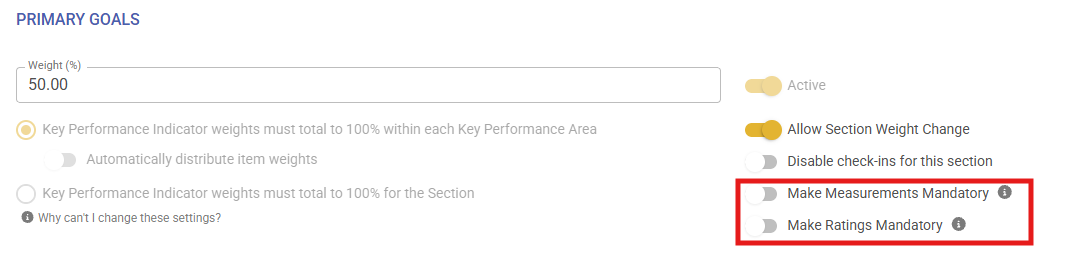](https://signature.signifyhr.co.za/uploads/images/gallery/2026-07/08lh8bkeRVDA6qq9-image.png)
**Make Measurements Mandatory (tooltip):**
[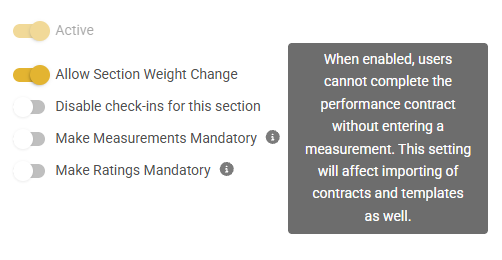](https://signature.signifyhr.co.za/uploads/images/gallery/2026-07/ae2y0bo4KzPRGv7t-image.png)
**Make Ratings Mandatory (tooltip):**
[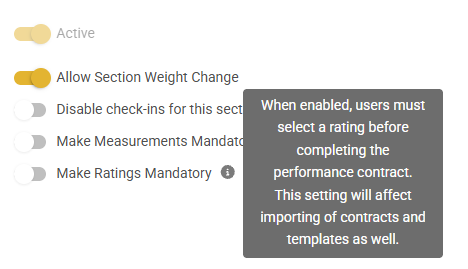](https://signature.signifyhr.co.za/uploads/images/gallery/2026-07/BmFqCXvCFG3h8nCS-image.png)
If the fields are marked as mandatory, the new KPI item can't be saved if nothing is filled in and shows a snack message stating that the field cannot be empty **- *Suggestion ticket loaded to change this* -**
[](https://signature.signifyhr.co.za/uploads/images/gallery/2026-07/bb240tfYn5F4A5GC-image.png)
[](https://signature.signifyhr.co.za/uploads/images/gallery/2026-07/yCMxBwQqijX1nwo5-image.png)
If the fields are marked as mandatory and nothing is filled in on the field **on a Template**, the input gets highlighted in red to indicate that the field is a mandatory/required field
[](https://signature.signifyhr.co.za/uploads/images/gallery/2026-07/XulMDnPYPSvaMFGe-image.png)
[](https://signature.signifyhr.co.za/uploads/images/gallery/2026-07/Mej7Ej8cv8NY8aGH-image.png)
If the fields are marked as mandatory and nothing is filled in on a file **Import**, the file does not import and gives the following error (as expected):
[](https://signature.signifyhr.co.za/uploads/images/gallery/2026-07/mSM0ClUqybkYVHCG-image.png)
##### Transition only triggered when moving from one section to the next (#151996)
**Problem**
- Improve transition when clicking 'Save and Go Next' on ratings and check-ins
**Solution**
- The loading indicator makes it much clearer that you have moved to the next KPI. It is now shown every time you click next
##### Getting error when trying to delete a linked document (URL) from the Performance Management > View Documents screen + Issue with error message translation (#151715)
**Problem**
- Error when trying to delete a linked document (URL)
**Solution**
##### Keep main buttons on one side of the modal (#152027)
Have all 4 buttons on first load.
- Enabled
- Cancel, Save & Save and go to next
- Disabled
- Edit Last Comment
- Make this also an outlined button
When you can edit a comment, enable the button
Order of the buttons on the left, from right to left (hope it makes sense)
- Cancel
- Edit Last Comment
- Save
- Save and Go to Next
##### Comma showing instead of Full Stop on EN-ZA (#151793)
**Problem**
- A comma is being displayed for the Weight of a Review Item on the page, but when trying to edit the item, a full stop is shown. The page should not show a comma
**Solution**
- Remove the full stop that is being displayed for the Weight of a Review Item on the page, and when trying to edit the item, a full stop is also shown
##### Performance management check-in | Displaying manager's comment in the person's comment column (#152177)
**Problem**
- The manager's comment is being displayed below the employee's comment in the "Person Comment" Section.
- It is not displaying in the "Manage comment" column.
**Solution**
- Resolved the issue where very long comments added by the manager were resulting in their check-in comments showing in the employee's column.
---
#### **Data Warehouse**
##### Updated Join for Data Sources for communication portal data sources (#152565)
**Problem**
- Currently, the JOINS are not working both ways for Communication portal data sources
**Solution**
- Updated the join for Communication portal data so that data sources can be selected in both ways
##### Updated pdmReviewYearPeopleGroupsSetup to do a full refresh with each run (#142737)
**Problem**
- The package does not update the pdmReviewYearPeopleGroupsSetup
**Solution**
- Updated pdmReviewYearPeopleGroupsSetup to do a full refresh with each run
- Updated insert staging script to only run at midnight
##### Change storage report to calculate data for all applications installed on Windsor (#151058)
**Problem**
- Currently, only MultiV8's storage is calculated
**Solution**
- Create a control script to cycle through all clients on Windsor
- And performance steps currently only performed on MultiV8
---
#### **Notifications**
##### Ensure the correct file size settings are used for notification templates (#152315)
**Problem**
- Mismatch between pages for max Notifications attachment size
**Solution**
- Ensure the correct file size settings are used for notification templates. Previously, it used the max file size setting for both individual files and for the total attachment size across all file uploads for the templates. Correct settings are used and displayed now
##### Email Notifications are not sent out a 2nd time if the Date Ranges and therefore triggers are reconfigured (#151109)
**Problem**
- The subscription expiry emails are not sent.
**Solution**
- Make small but important improvements to how notification data is handled and returned, focusing on ensuring correct data types and preventing null value issues when all subscription data is not populated for a tenant
##### Email Notifications: Unable to save template because of blank recipients (#151486)
**Problem**
- The event HrProcessSubmitterFinalApproval is not linked to a recipient
**Solution**
- Introduce a new HR notification recipient type for final approval submitters. The main changes add the `HrProcessSubmitterFinalApproval` recipient code, seed data, and related database migration to support this new recipient type throughout the notification system.
---
#### **Communication Portal**
##### Fixed no chats portal size (#152554)
**Problem**
- When there are no discussions/system messages/chats on the communication portal, it defaults to a smaller size. On certain screen resolutions or zoom factors, the action buttons on the bottom of the modal are cut off
**Solution**
- Add min-height fit content to ensure that on these smaller screens or larger zoom settings, the Action buttons are still displayed
---
#### **Job Management**
##### Fixing appointment termination reason clear logic (#152386)
**Problem**
- When an appointment end date is cleared, the termination reason is removed on the screen but is not cleared when the changes are saved. This can result in an active appointment with no end date still displaying a termination reason.
**Solution**
- Updated the save logic to automatically clear the termination reason when the appointment end date is removed, ensuring data consistency.
##### Trigger materialise ruleset people groups after import (#152409)
**Problem**
- After a frontend import, no trigger is done to materialise the newly added users
**Solution**
- Trigger a materialise for the ruleset
Job Profiler errors on Live (#152112)
---
#### **HR Processes**
##### Fix current approval displaying as transparent (#151858)
**Problem**
- Current approval is transparent when the approver features twice in the request
**Solution**
- Ensure current approval is never transparent
---
#### **Event Scheduling**
As a person viewing the Book a Course on the LMS Portal, I want to see the configured version's calendar (#146214)
**Business Rules**
- When the setting is set to use V9 Event Scheduling, show the Calendar of V9 instead of V8 Training Scheduling
- Same functionality as on V9 to book myself on a course
- Open in new tab
##### Additional scrollbars (#152216)
**Problem**
- Additional scrollbar on the external event calendar view as opposed to normal event scheduling view
**Solution**
- Update Syncfusion imports to render correctly
##### Dropdown menus not working on v9 Calendar (#152217)
**Problem**
- Child component's Collapse is never initialised and therefore does not work
**Solution**
- Manually initialise mdb-ui-kit Collapse
---
#### **Content Management**
##### No warning when max file size is exceeded in chat (#151789)
**Problem**
- No warning when max file size is exceeded in chat
**Solution**
- Ensure a warning message is displayed when the file upload size exceeds. Also, the exception handling middleware did not correctly return AJAX errors when the fetch API was used, causing the request to fail silently.
##### "Default" helper text not showing after removing the input from the field (#151794)
**Problem**
- "Default" helper text not showing after removing the input from the field
**Solution**
- Ensure default text always displays even when the value is filled in
##### Error when uploading files (#151765)
**Problem**
- File upload fails when the max allowed file size is bigger than the MaxSendMessageSize configured for the contentmanagement GRPC client in webmvc
**Solution**
- Remove this setting so that file sizes are only validated against the max file upload size configured on the contentmanagement service
##### Centralise WYSIWYG editor image upload location & functionality (#149657)
**Problem**
- When adding an image to a WYSIWYG editor (currently using SyncFusion RTE), without any additional configuration, the image is uploaded to BROWSER STORAGE and visible to the user for a limited time until the image gets removed.
**Solution**
- Centralise WYSIWYG editor image upload location & functionality
---
#### **Dashboards**
##### \[Main Dashboard\] Round Button Edges (#151957)
**Problem**
- Straight corners of buttons do not match the rest of the widget.
**Solution**
- Rounded the buttons (only the outside edges if there are multiple buttons), added padding to the inside of the card to offset the buttons from the side. Fixed sizing/spacing issues on widgets.
Direct Reports - Card Display (#151968)
---
#### **Organisational Structure**
##### Org Structure Bug (#152026)
**Problem**
- Error when attempting to select the positions that were displayed after the load more option was selected
---
#### **Learning Management**
##### Switching between classes stops the Marksheet Page Refresh (#151991)
**Problem**
- When a user switched between classes on a marksheet, the new marksheet could remain blank until the page was manually refreshed.
- This interrupted mark capturing and made the class switch appear unsuccessful.
**Solution**
- The class-switching flow has been updated to complete cleanly and display the selected class's marksheet without requiring a manual refresh.
---
# Version 9.1.244 (6 July 2026)
#### **Communication Portal**
##### Resolved translation for no files path (#152035)
**Problem**
- Incorrect path for no files
**Solution**
- Corrected path
---
#### **Report Builder**
##### Fixed export button not working (#151660)
**Problem**
- The Export to Excel button on the report raw-data popup was visible, but clicking it did not reliably download a usable Excel file
**Solution**
- Fixed the raw-data export flow by rebuilding the popup’s report table correctly, wiring the export button to the DataTables Excel export action, returning export data in the format expected by the current DataTables library, and cleaning the exported column headers
---
#### **Performance Management**
##### Increase size on Create Agreement Modals (#152167)
**Problem**
- When hovering/selecting the Copy From Template option, the text wraps and pushes the rest of the content outside of the container
- The same issue happens if the text length is increased
**Solution**
- Increased the overall modal size and the option sizes, and centered/aligned the content to allow for more space for text to wrap
##### Rework bulk actions move people select query to increase performance (#152202)
**Problem**
- On Bulk Actions contract move, for large people groups, the people select times out
**Solution**
- Reworked query into temp tables to improve performance
---
# Version 9.1.243 (6 July 2026)
#### **People Management**
##### Implemented User Guides to be defined per master data item (#152269)
**Problem**
- User guides were designed per page type; a new implementation was done to do it per tab that is calculated from the query string, but currently on master data, a request exists to do it per master data item, as these are dynamic based on ID and not route.
- Route params cannot be used to determine this
**Solution**
- Implemented a hidden field in master data items with the table name that will be used as an override to the tab Page name within the development done
- The combination of pageType with the override name is unique, and there is no concern that it will clash with another tab name from another page Type
##### Ensure uneditable fields are greyed out / disabled (#145700)
**Problem**
- When a profile field is not editable but required, it displays as normal input, but read-only should be more clearly indicated that it cannot be edited
**Solution**
- Add disabled tag to inputs where required but not editable
##### Only display "Load More" link when there are more than 20 items (#108777)
**Problem**
- Load more displayed when there were not actually more items to load
**Solution**
- Ensure load more only displays when there are moreitems/pages
##### Resolved page tab-specific user guides/tours (#152186)
**Solution**
- Correction made on event scheduling missing page mappings
- Added new pageTab to user guides and tours to make it specific to a page tab within a page, for example, people management profile on Summary | ProfileTabs
##### Grid view not loading properly (#152084)
**Problem**
- Grid view sometimes doesn't load all the correct values in the columns (Appointment Date and Location in Org)
**Solution**
- Fixed logic that gets appointment date
##### Disabled toggle not being remembered + Type of Disability dropdown not opening (#151668)
**Problem**
- Issue with Disabled toggle not being remembered + Type of Disability dropdown not opening
**Solution**
- Ensure that the dropdown values display and that when disabling, it clears the selected disabilities
---
#### **Communication Portal**
##### Resolved SystemAlert bugs (#141183)
**Problem**
- Gantt control split drag did not work
- Validation message not being shown when multiple fields are missing only first one
- Inconsistent count on jobs
- The Audience tabs did not have any paging implemented
- Search handler inconsistent and did not use tag helper
**Solution**
- Corrected styling on gant control so divider can drag
- Corrected jQuery on validation elements
- Corrected count consistency between methods
- Implemented paging on audience tabs, also on their turning values, to ensure that if an audience item is already present, mark it as selected
- Used search handler tag instead
##### Resolved UI styling and target audience queries within system alerts (#141183)
**Problem**
- UI styling issues on new shared editors
- File Upload dropzone not working
- Queries not returning all data due to duplicate selects
- HTML editor getting HTML text of the header information as well and not only user input
- When selecting placeholders with Ctrl+Copy and paste or enter same issue occurs as it re-adds HTML over HTML
**Solution**
- Correct UI changes
- Implement fix on Syncfusion text area editor
- Implemented correction on file upload zone
- Add distinct to queries to correctly identify the needing of paging
---
#### **Performance Management**
##### Resolved Export of Contract With Action Items (#151569)
**Problem**
- When a contract has action plan items and is exported, there is an error that occurs saying the dataset already has this table defined.
- Currently, for each section adds a table to the dataset, but the action plans has a different implementation where it builds its own table and adds that to the dataset afterwards, but no check exists; likewise, the other foreach to merge if exists
**Solution**
- Implemented change to check if exists; just merge
- Also added the tab ID implementation to ensure only one file is prompted to download when there are multiple open
##### Ensure review set-up period phase dates are displayed according to culture (#144147)
**Problem**
- Review period phase dates are displayed inconsistently with user culture
**Solution**
- Ensure phase dates are displayed according to culture.
##### Wrapping SyncFusion Popover in td tag (#152177)
**Problem**
- Manager comments and employee comments are in the same column when their text exceeds the max length and SyncFusion styles are applied
**Solution**
- Wrap the SyncFusion Popover element in a td element to prevent a div tab from being added to the table body
##### Ensure review item weight displays decimal point regardless of culture (#151793)
**Problem**
- Depending on culture, decimals are displayed as "0,00" on review item weights
- Should always display here as "0.00"
**Solution**
- Ensure it displays a decimal point regardless of culture
##### Fixed order of buttons on Check-ins modal (#152027)
**Problem**
- When editing a check-in rating, the buttons are left-aligned, and the edit comment is on the right.
**Solution**
- Fix the position of the buttons to ensure they always display in order and are right-aligned
---
#### **Import**
##### PaySpace cell number formatting and position effective date (#150845 & #146760)
**Problem**
- When employee details are pushed to PaySpace, two issues were causing records to be rejected:
- Cell phone numbers were sent in a format PaySpace/SARS would not accept
- South African mobile numbers captured without their leading "0", and numbers belonging to other countries PaySpace supports, were not converted into the layout PaySpace expects, so the push failed
- Newly created employee positions were rejected with "Effective date required" because the position was sent to PaySpace without an effective date
- A related rejection, "Effective date cannot be before the employee'sgroup join date", could also occur when the date used was earlier than the date the employee joined the group
**Solution**
- Cell phone numbers are now tidied up automatically using a standard phone-number library that knows the rules for each country
- South African numbers get their leading "0", and numbers from other countries are sent in the international "00 +country code" format PaySpace expects.
- Numbers that cannot be understood are still passed through cleanly rather than blocking the employee
- When a position is created for an employee, it is now always given a valid effective date, so PaySpace accepts the record
- The date used is the current date, which always sits on or after the employee's group join date, so no rejection occurs
---
#### **Job Management**
##### Resolve bug with Job Inherit Requirements footer not hidden correctly (#151674)
**Problem**
- When on the Requirements tab, the Inherit Requirements subtab on a job profile, and then clicking on the Disclaimer tab, the inherit requirements footer persists and the disclaimer footer is not shown
**Solution**
- Ensure the inherit requirements footer is correctly hidden when going to the Disclaimer tab
##### Optimising job profile query (#152112)
**Problem**
- Query runs too long on live, and this causes timeouts
**Solution**
- Optimising query to reduce execution time to ensure that it does not time out
---
#### **People Groups**
##### Correct count on PG summary page to only include users' current positions (#152179)
**Problem**
- Count on the PG list page differs from actual count of users when viewing PG
**Solution**
- Corrected query retrieving included users count to restrict to current appointment
- Applied some code suggestions
---
#### **Data Warehouse**
##### jpAppointments to daily refresh org data (#152183)
**Problem**
- The Appointments Org Data only refreshes when an appointment has been edited recently
**Solution**
- Updated jpAppointments to daily refresh Org Data with each run
##### Created new SSIS PackageCommunicationPortal\_ETL (#140910)
**Problem**
- New data sources need to be added to the DWH
**Solution**
- Created new data sources comuSystemAlerts and comuSystemAlertRecipients
##### Implemented fixes within DWH steps for ContentManagement\_ETL (#151058)
**Problem**
- The ContentManagement\_ETLpackage is failing after adding all the V8 clients
**Solution**
- Resolved errors and added steps within ContentManagement\_ETL after testing it for all the V8 clients
---
#### **Help Files**
##### Corrected trimming of character removal on page type identification (#152187)
**Problem**
- Trim end added with new development for page tab, but added Trim instead of EndTrim, which removed the front slash to identify the page
**Solution**
- Corrected the TrimEnd
---
#### **Ruleset Management**
##### Correction on Ruleset deletion (#143128)
**Problem**
- The delete script only catered per database and had to be used within each database
**Solution**
- Corrected call to fetch active databases, and iterate through each one to then calculate the deletion plan to delete
---
#### **Report Builder**
##### Resolved issue with subreport not restricted to PG and curl export not working (#151656)
**Problem**
- Cannot export curl for subreport
- Subreport also not restricted to Active PeopleGroup
**Solution**
- Replicate functionality from Report view to Subreport view to allow choosing the people group to run the subreport for
- Also replicated missing curl functionality
- Report authorisation was also missing; added this
##### Resolve issue where you could not add additional filters after subsequent datasource expanded (#151829)
**Problem**
- When adding filters after a subsequent datasource has been expanded, the data field does not get added to the list of filters and JSconsole errors are displayed
- Found that the event from the jsTree nodes was not correctly working after the initial node expansion and thus not triggering the filter canvas as a drop area and not registering the new item added
**Solution**
- Changed how the dragged node is tracked and determined which node ID to add/remove on the start/end events
- Also fixed up the user datasource category/source role assignments, which resulted in entity tracking conflicts
- Also removed the Unit declarations on the request handlers to just return void
---
#### **Content Management**
##### Remove max send size for content management (#151765)
**Problem**
- File upload fails when the max allowed file size is bigger than the MaxSendMessageSize configured for the content management GRPC client in webmvc
**Solution**
- Remove this setting so that file sizes are only validated against the max file upload size configured on the content management service
---
#### **Notifications**
##### Add HR process submitter as the final approval recipient (#151486)
**Problem**
- The event Hr Process Submitter Final Approval is not linked to a recipient
**Solution**
- Introduce a new HR notification recipient type for final approval submitters
- The main changes add the Hr Process Submitter Final Approval recipient code, seed data, and related database migration to support this new recipient type throughout the notification system
---
#### **Dashboards**
##### Adding known as profile name logic (#151968)
**Problem**
- On the Main Dashboard's my colleagues widget, the "known as" name is not displaying as it does on People Management
**Solution**
- Add known-as display logic to the My Colleagues dashboard widget, same as previously done on People Management
---
#### **Learning Management**
##### Fix blank marksheet when switching classes (#151991)
**Problem**
- When a user switched between classes on a marksheet, the new marksheet could remain blank until the page was manually refreshed
- This interrupted mark capturing and made the class switch appear unsuccessful
**Solution**
- The class-switching flow has been updated to complete cleanly and display the selected class's marksheet without requiring a manual refresh
---
# Version 9.1.242 (6 July 2026)
#### **Performance Management**
##### Resolved Export of Contract With Action Items (#151569)
**Problem**
- When a contract has action plan items and is exported, there is an error that occurs saying the dataset already has this table defined, currently a foreach over each section a table is added to the data set, but the action plans has a different implementation where it builds its own table and adds that to the dataset afterwards, but no check exist likewise to the other foreach to merge if exists
**Solution**
- Implemented a change to check if it exists; just merge
- Also added the tab ID implementation to ensure only one file is prompted to download when there are multiple open files
---
#### **Imports**
##### PaySpace cell number formatting and position effective date (#150845 & #146760)
**Problem**
When employee details are pushed to PaySpace, two issues were causing records to be rejected:
- Cell phone numbers\*\* were sent in a format PaySpace/SARS would not accept. South African mobile numbers captured without their leading "0", and numbers belonging to other countries PaySpace supports, were not converted into the layout PaySpace expects, so the push failed.
- Newly created employee positions\*\* were rejected with "Effective date required" because the position was sent to PaySpace without an effective date. A related rejection, "Effective date cannot be before the employee's group join date", could also occur when the date used was earlier than the date the employee joined the group.
**Solution**
- Cell phone numbers are now tidied up automatically using a standard phone-number library that knows the rules for each country. South African numbers get their leading "0", and numbers from other countries are sent in the international "00 + country code" format PaySpace expects. Numbers that cannot be understood are still passed through cleanly rather than blocking the employee.
- When a position is created for an employee, it is now always given a valid effective date, so PaySpace accepts the record. The date used is the current date, which always sits on or after the employee's group join date, so neither rejection occurs.
---
# Version 9.1.241 (6 July 2026)
#### **Ruleset Management**
##### Correction on Ruleset deletion (#143128)
**Problem**
- The delete script only catered per database and had to be used within each database
**Solution**
- Corrected call to fetch active databases, and iterate through each one to then calculate deletion plan to delete
---
#### **People Management**
##### Ensure uneditable fields are greyed out / disabled (#145700)
**Problem**
- When profile field is not editable but required it displays as normal input but readonly. should be more clearly indicated that cannot be edited
**Solution**
- Add disabled tag to inputs where required but not editable
##### Fix Only display "Load More" link when there are more than 20 items (#108777)
**Problem**
- Load more displayed when there were not actually more items to load
**Solution**
- Ensure load more only displays when there are more items/pages
##### Resolved page tab specific user guides/tours (#152186)
**Problem**
- The Help Files currently display based on pre-configured parent-child relationships
- This means that, in some cases, the Help Text for one screen is shared with another screen because the child screen inherits the Help Text from its parent
**Solution**
- Correction made on event scheduling missing page mappings
- Added new pageTab to user guides and tours to make it specific to a page tab within a page, for example people management profile on Summary | Profile Tabs
##### Grid view not loading properly (#152084)
**Problem**
- Grid view sometimes doesn't load all the correct values in the columns (Appointment Date and Location in Org)
**Solution**
- Fixed logic that gets appointment date
##### Fix Disabled toggle not being remembered + Type of Disability dropdown not opening (#151668)
**Problem**
- Issue with Disabled toggle not being remembered + Type of Disability dropdown not opening
**Solution**
- Ensure that the drop down values display and that when disabling that it clears the select disabilities
---
#### **Performance Management**
##### Ensure review setup period phase dates are displayed according to culture (#144147)
**Problem**
- Review period phase dates are displayed inconsistent with user culture
**Solution**
- Ensure phase dates displayed according to culture
##### Wrapping SyncFusionPopover in td tag (#152177)
**Problem**
- Manager comments and employee comments are in the same column when their text exceeds the max length and sync fusion styles are applied
**Solution**
- Wrapping SyncFusionPopover element in td element to prevent a div tab from being added to the table body.
##### Ensure review item weight displays decimal point regardless of culture (#151793)
**Problem**
- Depending on culture, decimals displayed as "0,00" on review item weights
- Should always display here as "0.00"
**Solution**
- Ensure displays decimal point regardless of culture
##### Fixed order of buttons on Check-ins modal (#152027)
**Problem**
- When editing a checkin rating the buttons are left aligned and the edit comment is on the right
**Solution**
- Fix the position of the buttons to ensure they always display in order and right aligned
---
#### **Communication Portal**
##### Resolved UI styling and target audience queries within system alerts (#141183)
**Problem**
- UI styling issues on new shared eidtors
- File Upload dropzone not working
- Queries not returning all data due to duplicate selects
- Html editor getting html text of the header information as well and not only user input
- When selecting placeholders with ctrl copy and paste or enter same issue occurs as it readds html over html
**Solution**
- Correct UI changes
- Implement fix on syncfusion text area editor
- Implemented correction on file upload zone
- Add distinct to queries to correctly identify the needing of paging
---
#### **Report Builder**
##### Resolve issue with subreport not restricted to PG and curl export not working (#151656)
**Problem**
- Cannot export curl for subreport Subreport also not restricted to Active People Group
**Solution**
- Replicate functionality from Report view to Subreport view to allow choosing people group to run subreport for
- Also replicated missing curl functionality. Report authorization was also missing added this
##### Resolve issue where could not add additional filters after subsequent datasource expanded (#151829)
**Problem**
- When adding filters after a subsequent datasource has been expanded, the data field does not get added to the list of filters and JS console errors are displayed
- Found that the event from the jsTree nodes were not correctly working afte the initial node expansion and thus not triggering the filter canvas as a drop area and not registering the new item added.
**Solution**
- Changed how the dragged node is tracked and determined which nodeid to add / remove on the start / end events. Also fixed up the user data source category / source role assignments which resulted in entity tracking conflicts
- Also removed the Unit declarations on the request handlers to just return void
---
#### **Content Management**
##### Remove max send size for contentmanagement (#151765)
**Problem**
- File upload fails when the max allowed file size is bigger than the MaxSendMessageSize configured for the contentmanagement GRPC client in webmvc
**Solution**
- Remove this setting, so that file sizes are only validated against the max file upload size configured on the contentmanagement service
---
#### **Job Management**
##### User Validation Report Export (151687)
**Problem**
- The server supports a maximum of 2100 parameters
**Solution**
- Reduce the number of parameters and resend the request" errors in people group materialisation
##### Optimizing job profile query (#152112)
**Problem**
- Query runs too long on live and this causes timeouts
**Solution**
- Optimizing query to reduce execution time to ensure that it does not timeout
---
#### **Data Warehouse**
##### Created new SSIS Package CommunicationPortal\_ETL (#140910)
**Problem**
- New datasources needs to be added to the DWH
**Solution**
- Created new datasources comuSystemAlerts and comuSystemAlertRecipients
##### Implemented fixes within DWH steps for ContentManagement\_ETL (#151058)
**Problem**
- The ContentManagement\_ETL package is failing after adding all the V8 clients
**Solution**
- Resolved errors and added steps within ContentManagement\_ETL steps after testing it for all the V8 clients
---
#### **System Help**
##### Help content available for different languages (#144502, #144503)
**Problem**
- Cannot view Help Pages or Virtual Tours if different active language are configured
**Solution**
- Enable the ability to view Help Pages or Virtual Tours if different active language are configured
---
#### **Notifications**
##### Add HR process submitter as the final approval recipient (#151486)
**Problem**
- The event HrProcessSubmitterFinalApproval is not linked to a recipient
**Solution**
- Introduce a new HR notification recipient type for final approval submitters
- The main changes add the HrProcessSubmitterFinalApproval recipient code, seed data, and related database migration to support this new recipient type throughout the notification system
---
#### **Dashboards**
##### Adding known as profile name logic (#151968)
**Problem**
- On the Main Dashboard's "my colleagues widget" the "known as" name is not displaying as it does on People Management
**Solution**
- Adding known as display logic to my colleagues dashboard widget same as previously done on people management
---
#### **Learning Management**
##### Fix blank marksheet when switching classes (#151991)
**Problem**
- When a user switched between classes on a marksheet, the new marksheet could remain blank until the page was manually refreshed.
- This interrupted mark capturing and made the class switch appear unsuccessful
**Solution**
- The class-switching flow has been updated to complete cleanly and display the selected class's marksheet without requiring a manual refresh
---
# Version 9.1.240 (6 July 2026)
#### **Imports**
##### Add ExportData v2 and update the notice period for backwards compatibility (#151719)
**Problem**
- The notice period field type change is not backwards-compatible in the API.
**Solution**
- Introduce a new version (v2) of the Export Data gRPC API for job profiler appointment exports, while also making some adjustments to the v1 API and improving Swagger documentation handling
- The main focus is on enabling a more flexible and extensible export endpoint, with improved data typing and service registration
---
#### **Dashboards**
##### Fixed rounding of buttons on dashboard widgets (#151957)
**Problem**
- Straight corners of buttons do not match the rest of the widget
**Solution**
- Rounded the buttons (only the outside edges if there are multiple buttons), added padding to the inside of the card to offset the buttons from the side
- Fixed sizing/spacing issues on widgets
---
#### **Performance Management**
##### Resolve bug where you cannot delete contract files (#151715)
**Problem**
- Cannot delete a file added to the contract
**Solution**
- Add missing parameter required to check user authorisation to delete file on contract
##### Improve the load for large groups of people when moving contracts in bulk (#151617)
**Problem**
- Large groups of people cannot be loaded when doing a bulk move.
**Solution**
- Introduce significant enhancements to the contract movement functionality, mainly by adding pagination and enriching the user data returned by the relevant endpoints
- The changes affect the backend query, gRPC API, and web controller to support more efficient data retrieval and improved client-side display
- These changes collectively improve the scalability, efficiency, and usability of the contract movement feature
---
#### **Organisational Structure**
##### Fixing max position selection error text (#152026)
**Problem**
- Selecting a position after having 20 positions selected shows an error message as "default text"
- Additionally, you cannot unselect any position after 20 positions were selected
**Solution**
- Added the missing error text hidden field
- Fixed unselecting logic
---
#### **Data Warehouse**
##### Updated ContentManagement to fetch file data for all active clients (#151058)
**Problem**
- Currently, PowerShell is only fetching data for MultiV8
**Solution**
- Updated PowerShell scripts to fetch for all Live Clients
- Made adjustments to the DWH steps for ContentManagement to cater for all the V8 Live clients
##### Updated the production ServerName for LearningManagementReport\_ETL (#142732)
**Problem**
- The LearningManagementReport\_ETL did not refresh due to the production server name that changed
**Solution**
- Updated the production ServerName for LearningManagementReport\_ETL
---
#### **Content Management**
##### Fix file upload bugs (#151789, #151794)
*Issue 1*
**Problem**
- No warning when max file size is exceeded in chat
**Solution**
- Ensure warning message is displayed for file upload size exceeded.
- Also, the exception handling middleware did not correctly return AJAX errors when the fetch API was used, causing the request to fail silently.
*Issue 2*
**Problem**
- "Default" helper text not showing after removing the input from the field
**Solution**
- Ensure default text always displays even when the value is filled in
---
#### **People Management**
##### Trim username on update of summary and profile tab (#149383)
**Problem**
- Updates on the summary and profile tab do not trim username
**Solution**
- Trim username on update of summary and profile tab
---
#### **Communication Portal**
##### Resolved styling, file selection, and Job Position Audience count (#141183)
**Problem**
- Still had old JavaScript references on input events for create/edit template; same issue with the file selection and SaveAddNew; incorrect file count returned when identified on multiple audiences; incorrect style on invalid line items
- No placeholder on dropdown for select option
**Solution**
- Removed and ensured the new shared JS editor handles it correctly
- Correct query logic to count on deduplicated records if identified more than once
- Correct styling
- Added placeholder
---
#### **Report Builder**
##### Fixed "User Validation Reports" not exporting correctly (#151687)
**Problem**
- Report exports and user import validation exports could fail due to mismatched data/service lifetimes
**Solution**
- Add a DataTable-based report result path for ReportBuilder exports. Update the background user validation export to create its own DI scope
- Remove the unused #Usernames temp table drop and clean up the OpenXML comment formatting
---
#### **Learning Management**
##### Fix marksheet mark override link to training intervention (#151708)
**Problems**
- Marks linked to the wrong source on first save. When a user captured a brand-new mark in a highlighted (yellow) cell and saved, the mark stayed \*\*linked to the training intervention\*\* on the first save and only "delinked" on a second save, even though it had been entered manually
- Manual overrides could be reverted
- A manually overridden mark could be unexpectedly changed back to the learner's original training-record score
**Solution**
- A manually entered mark now \*\*delinks on the first save\*\* - no second save needed
- A manual override now \*\*stays in place\*\* unless the learner record itself was genuinely edited more recently, in which case the mark re-syncs to the learner record (most-recent change wins). This uses the learner-record last-edited date now supplied by V8
---
# Version 9.1.239 (6 July 2026)
#### **Performance Management**
##### Resolve issue where unable to flag comments required on newly added section Rating Scale (#151807)
**Problem**
- When adding a new rating scale, you cannot flag that rating scale as Comment Required until the page reloads.
**Solution**
- Class used to indicate comment required toggle only added from server side; changed JS to add required class to relevant td after new rating scale has been added.
##### New setting to disable Check-Ins per Section (#148983)
**Problem**
- There is no setting to disable the check-ins for a section
**Solution**
- Add a setting per section to disable the check-ins
##### Add a "Save and Go to Next" Button on the KPI Ratings Screen (#144297)
**Problem**
- Users are currently required to click on each KPI individually to provide a rating and comments, then click “Save” before moving on to the next KPI.
- This process must be repeated for each KPI
**Solution**
- Introduce a “Save and Go to Next” button, which would automatically save the current KPI rating and open the next one in sequence, aiming to streamline the user experience by reducing the number of clicks required to complete their ratings
##### Add ratings, measures and activities character limit validations (#150981)
**Problem**
- When trying to import performance management templates, validate the length of the measures and ratings fields
- If the length exceeds 4000 characters, block the import
- The front-end currently blocks additional input at 2000 characters; increase the limit to 4000 characters, as we have for activities.
**Solution**
- The front end now allows up to 4000 characters for measures and ratings, as we had for activities
- Validation has been added to flag and block imports where the number of characters for activities, measures and ratings exceeds the 4000-character server limit
##### Add ratings & measures data mapping to PM contracts and templates (#149078)
**Problem**
- The measures and rating fields are not available when capturing KPI's and Key Competencies on Master Data
**Solution**
- Add the Measures and ratings fields on Master Data when capturing KPI's and Key Competencies
---
#### **Report Builder**
##### Fixed exported Excel files corrupting (#151760)
**Problem**
- ReportBuilder Excel exports were corrupt when reports had multiple end-user filters or empty ValueStrings. The export path also did not write the visible report filters into the workbook.
**Solution**
- Changed the anonymous ReportBuilder export to use a schema-preserving DataTable export path, normalised exported ValueStrings, and hardened OpenXML output for empty/columnless result sets. Added support to export user-facing filters to the report
##### Fix sub report not returning data (#151337)
**Problem**
- When opening raw data from a pivot/sub report cell, the request did not always include the same filter context that was used to build the visible report. This could cause the API to return no rows or the wrong rows.
**Solution**
- Updated the pivot/sub report raw-data request to send the active report filters along with the cell filter. This keeps the clicked cell data in sync with what is shown in the report table
##### Fix imported sub report not getting the correct pivot rows and columns (#151465)
**Problem**
- During import, new sub reports did not have real IDs yet, so pivot rows were all added to the first sub report.
**Solution**
- The import now adds pivot rows directly to the sub report that was just created, instead of using its temporary ID
---
#### **Content Management**
##### Ensure no unauthenticated requests to Next Cloud after credentials have been validated (#151765)
**Problem**
- File upload fails when the max allowed file size is bigger than the MaxSendMessageSize configured for the contentmanagement GRPC client in webmvc
**Solution**
- Remove this setting, so that file sizes are only validated against the max file upload size configured on the contentmanagement service
##### Add max file size setting on ruleset level (#151222)
**Problem**
- File size needs to be controlled per ruleset on V9
**Solution**
- Add a setting on Ruleset management for Max file size
- It is applicable and should be enforced for any place a file is uploaded in V9
- If it is not set on a ruleset, the default application-wide Max file limit should be enforced
---
#### **Communication Portal**
##### Resolved Audience link tables (#151527)
**Problem**
- Does not seem that all people in the system are available for selection under Specific People for Banners and System Messages
**Solution**
- All people are available for linking, and all people that have been linked are being displayed under the SPECIFIC PEOPLE target audience tab and under the SUMMARY tab
##### Resolved SMS body given error when not filled in (#151458 & #151457)
**Problem**
- Dynamic editors are being loaded with required fields, even if the toggle on sms is off; it throws a validation error unless you toggle it on and off
**Solution**
- Added a fix only to let JavaScript add the validators based on toggle state
##### When a system alert has already been saved and the user modifies the System Message, Email, or SMS content, prompt them to resend previously sent messages with the updated changes when saving (#151457)
**Problem**
- When a user changes something, no request to retrigger that system alert is given
**Solution**
- Add a new modal with a check to retrigger a system alert accordingly
##### Resolved Email attachments not being sent with (#151455)
**Problem**
- When email attachments are added, they are not sent to the Notification service to be able to send through
**Solution**
- Implemented a new addition on external notification to add a JSON object to data to then attach as needed
##### Resolved Deletion on System Alert (#151382)
**Problem**
- When the archive button is triggered no active styling indication it is because it is a checkbox; no styling
**Solution**
- Add toggle state between button classes
##### Resolved pencil item open (#151427)
**Problem**
- When a user clicks on the pencil, it needs to open in a new tab and not just trigger navigation
**Solution**
- Correction made to navigate to a new tab
##### Resolved dateTime picker 1st selection issue (#151381)
**Problem**
- The datetime input had a blur handler for manual typing, so when selecting a dateTime picker on the input, it opens the picker but has focus on the input. When selecting a value, it swaps focus to the picker but does not select a value
**Solution**
- Changed the wrapper to suppress that blur-sync while the user is interacting with the flatpickr calendar
##### Resolved duplicate system messages shown (#151380)
**Problem**
- When a user has been identified multiple times based on a specific person or People Group item, the query returns the user twice in this case, showing a system message for each indication
**Solution**
- Limit the distinct return of system messages
##### Resolved Active state on Archived button (#151382)
**Problem**
- When the archive button is triggered no active styling indication it is because it is a checkbox; no styling
**Solution**
- Add toggle state between button classes
##### Resolved System Alert not being able to delete (#151462)
**Problem**
- When deleting a system alert that has an audience defined or recipients, it fails to delete as that is not pulled with the entity to allow EF tracker to delete
**Solution**
- Added a change to include items so that EF Core can cascade the delete
---
#### **API**
##### Trigger V8 logout/session expiry on V9 logout (#149425)
**Problem**
- When a user is working on a V8 page and then logs out on V9 in a V10 system, the session on the V8 side persists
- This can lead to incorrect data being shown for clients where a device is shared, and a bookmarked deep link is used
**Solution**
- Add an endpoint in the V8 account controller, ExternalLogout
- Clear the V8 session
- Disconnect the SignalR hub
- Check other actions in ClearSession.aspx
- Use the endpoint when
- User clicks on logout in V9
- The session refreshes in /connect/authorize, logout when the session can no longer authenticate.
---
#### **Master Data**
##### Implement new Search-as-you-type logic to master data searching (#150446)
**Problem**
- Exact matches to search criteria are not on top of search results
**Solution**
- Add ordering
- First exact match
- The starts with
- Sub ordered by name
---
#### **People Management**
##### Add tooltip for 'None' profile summary option (#151211)
**Problem**
- No tooltip displayed on hover
**Solution**
- Add tooltip for 'None' profile summary option
##### Implement educational preview and hide cursor when no profile summary selected (#144094)
- When Standard View is enabled, the View Summary tooltip is there
[](https://signature.signifyhr.co.za/uploads/images/gallery/2026-07/AThIXUJe03KHvYKG-image.png)
- When None is enabled, no View Summary tooltip is displayed on My Team, My Department, My Company or View/Edit People in People Management, Kudos Page, or when clicking on Colleagues (Team Insights - Span of Control)
- When None is enabled, the hand cursor is also disabled, and a normal mouse pointer is shown
[](https://signature.signifyhr.co.za/uploads/images/gallery/2026-07/RD6z1jTZyO46E6m1-image.png)
- When an admin user clicks on Manage on a person’s tile in View/Edit People, the preview summary view modal is not displayed but instead navigates the administrator directly to the person’s profile
- When Educational view is enabled, the View Summary tooltip and hand cursor are displayed as well as the Educational Summary for the user's card
[](https://signature.signifyhr.co.za/uploads/images/gallery/2026-07/NK547k4tDOD22mnO-image.png)
---
#### **Identity and Authorisation**
##### Correct redirect URL when incorrect ruleset theme key provided (#149473)
**Problem**
- When using an incorrect URL, the login page resets to the default theme if the provided theme key cannot be found.
- When then going to the forgot password / reset password page and trying to reset the password, the theme cookie has the invalid key, and the GetTheme call fails because the theme cannot be found, causing an error page to display.
**Solution**
- On the login page, when the default theme is fallen back to, update the return URL to use the default theme key and redirect to that URL to ensure the correct cookies are set.
---
#### **Job Management**
##### Request a job structure import on job and position copy (#151154)
**Problem**
- On copy of job and position, job structure import is not requested
**Solution**
- Add job structure import on copy of job and position
##### Implemented temp change to check for duplication during ruleset creation (#150918)
**Problem**
- During Ruleset creation, multiple integration events are kicked off, creating multiple items/data at the same time. During this, when job porfilers default org nodes and positions get created, likewise with the first system user, there is a default appointment also occuring doing the same checks. When it is being called, it is a race condition which ever saves first, the other fails
**Solution**
- Added a temp fix to catch a SQL duplication exception and either retry or call the get again to get the data, re-throw after the first retry attempt
---
# Version 9.1.238.3 (Support Release - 2 July 2026)
#### Imports
##### PaySpace cell number formatting and position effective date (#150845 & #146760)
**Problem**
- When employee details are pushed to PaySpace, two issues were causing records to be rejected:
- Cell phone numbers were sent in a format PaySpace/SARS would not accept. South African mobile numbers captured without their leading "0", and numbers belonging to other countries PaySpace supports, were not converted into the layout PaySpace expects, so the push failed.
- Newly created employee positions were rejected with "Effective date required" because the position was sent to PaySpace without an effective date. A related rejection, "Effective date cannot be before the employee's group join date", could also occur when the date used was earlier than the date the employee joined the group.
**Solution**
- Cell phone numbers are now tidied up automatically using a standard phone-number library that knows the rules for each country. South African numbers get their leading "0", and numbers from other countries are sent in the international "00 + country code" format PaySpace expects. Numbers that cannot be understood are still passed through cleanly rather than blocking the employee
- When a position is created for an employee, it is now always given a valid effective date, so PaySpace accepts the record. The date used is the current date, which always sits on or after the employee's group join date, so neither rejection occurs.
---
#### **Performance Management**
##### Wrapping SyncFusionPopover in td tag (#152177)
**Problem**
- Manager comments and employee comments are in the same column when their text exceeds the max length and SyncFusion styles are applied
**Solution**
- Wrap the SyncFusion Popover element in a td element to prevent a div tab from being added to the table body
---
#### **Job Management**
##### Optimising job profile query (#152112)
**Problem**
- Query runs too long on live, and this causes timeouts
**Solution**
- Optimising the query to reduce execution time to ensure that it does not time out
---
#### **Dashboards**
##### Adding known as profile name logic (#151968)
**Problem**
- On the Main Dashboard's My Colleagues widget, the "known as" name is not displaying as it does on People Management
**Solution**
- Add known-as display logic to the My Colleagues dashboard widget, same as previously done on People Management
---
# Version 9.1.238.2 (Support Release - 29 June 2026)
#### **Performance Management**
##### Wrapping SyncFusionPopover in a td tag (#152177)
**Problem**
- Manager comments and employee comments are in the same column when their text exceeds the max length and SyncFusion styles are applied
**Solution**
- Wrap the SyncFusionPopover element in a td element to prevent a div tab from being added to the table body.
---
#### **Job Management**
##### Optimising job profile query (#152112)
**Problem**
- Query runs too long on live, and this causes timeouts.
**Solution**
- Optimising the query to reduce execution time to ensure that it does not time out.
---
#### **Dashboards**
##### Adding known as profile name logic (#151968)
**Problem**
- On the Main Dashboard's "my colleagues widget, the "known as" name is not displaying as it does on People Management.
**Solution**
- Add known as display logic to the My Colleagues dashboard widget, same as previously done on People Management.
---
#### **Notifications**
##### Add HR process submitter as the final approval recipient (#151486)
**Problem**
- The event HrProcessSubmitterFinalApproval is not linked to a recipient
**Solution**
- Introduce a new HR notification recipient type for final approval submitters.
- Add the HrProcessSubmitterFinalApproval recipient code, seed data, and related database migration to support this new recipient type throughout the notification system.
---
#### **Imports**
##### Add ExportData v2 and update the notice period for backwards compatibility (#151719)
**Problem**
- The notice period field type change is not backwards-compatible in the API.
**Solution**
- Introduce a new version (v2) of the Export Data gRPC API for job profiler appointment exports, while also making some adjustments to the v1 API and improving Swagger documentation handling.
- The main focus is on enabling a more flexible and extensible export endpoint, with improved data typing and service registration.
---
#### **Organisational Structure**
##### Fixing max position selection error text (#152026)
**Problem**
- Selecting a position after having 20 positions selected shows an error message as "default text". Additionally, you cannot unselect any position after 20 positions were selected.
**Solution**
- Added the missing error text hidden field.
- Fixed unselecting logic.
---
# Version 9.1.238.1 (Support Release - 18 June 2026)
#### **Performance Management**
##### Resolve issue where unable to flag comments required on newly added section Rating Scale (#151807)
**Problem**
- When adding a new rating scale, you cannot flag it as Comment Required until the page reloads.
**Solution**
- Class used to indicate comment required toggle is only added from the server side; changed JS to add required class to relevant td after new rating scale has been added.
---
#### **Report Builder**
##### Fixed exported Excel files corrupting (#151760)
**Problem**
- ReportBuilder Excel exports were corrupt when reports had multiple end-user filters or empty ValueStrings. The export path also did not write the visible report filters into the workbook.
**Solution**
- Changed the anonymous ReportBuilder export to use a schema-preserving DataTable export path, normalised exported ValueStrings, and hardened OpenXML output for empty/columnless result sets. Added support to export user-facing filters to the report.
---
#### **Job Profiler**
##### Implemented a temporary change to check for duplication during ruleset creation (#150918)
**Problem**
- During Ruleset creation, multiple integration events are kicked off, creating multiple items/data at the same time. During this, when job porfilers default org nodes and positions get created, likewise with the first system user, there is a default appointment also occuring doing the same checks. When it is being called, it is a race condition which ever saves first, the other fails
**Solution**
- Added a temp fix to catch a SQL duplication exception and either retry or call the get again to get the data, re-throw after first retry attempt
---
# Version 9.1.238 (15 June 2026)
#### **People Management**
##### Resolve bug where reporting lines are not updated from the profile Summary Section (#151683)
**Problem**
- Changing user reporting lines from the Summary Tab does not persist changes.
**Solution**
- Moved check that determines if reporting lines have changed to the row click handler for the reporting line selection to ensure the flag gets set correctly.
##### Remove leading and trailing whitespaces from username when creating or updating a user (#149383)
**Problem**
- Users can be created with usernames containing leading and trailing spaces (copy-paste issues), resulting in duplicate users, which can cause sync issues
**Solution**
- Ensure that when ensures are created or edited, trim the username to ensure no leading or trailing spaces
##### Resolve the issue where no managers displayed when adding a new person. Fix paging and add name, surname sorting to employee modal (#151299)
**Problem**
- Manage modal did not display managers from
- Add Person function
- Manager modal paging and sorting were not correct
**Solution**
- Display managers when adding a new person
- Fix sorting and paging
---
#### **Imports**
##### Auto-populate the Talent Manager with the Line manager's details (#151532)
**Problem**
- Request: Auto-populate the Talent Manager with the Line manager's details
**Solution**
- Ammend CustomUserImportSteps SP to auto-populate the Talent Manager with the Line manager's details
---
#### **Report Builder**
##### Add a check for existing report roles before adding or removing (#151294)
**Problem**
- After saving an initial report role list for a user, a subsequent update to the list throws an error.
**Solution**
- Add a check for existing report roles before adding or removing
---
# Version 9.1.237 (15 June 2026)
#### **Job Management**
##### Request a job structure import on the creation of a new job profile or position. Standardise the Save of profile and position. Return job profiles without positions when syncing job structure to V8 (#151154)
**Problem**
- On creation of a new job profile or position a job structure import to V8 is not run. On saving the position of the profile, the behaviour is not the same.
**Solution**
- Request job structure import on creation of a new job profile or position. Return all job profiles, even if they already have a position linked to them or not. Change Save behaviour to be the same for a job profile and position (save, redirect and display created successfully)
##### Force refresh after copying a job position (#151286)
**Problem**
- The Job Profile's page requires a refresh to show the newly added position
**Solution**
- Use a table reload to ensure it shows.
##### Resolved error where the user was not able to add an org if the org code was deleted previously (#151120)
**Problem**
- When a user imports or adds an org on the front end that has the same code as an org that was previously deleted, the org does not get created.
**Solution**
- Updated the index on the table to exclude deleted orgs. Updated the queries to exclude deleted orgs.
---
#### **Report Builder**
##### Fix sub report not returning data (#151337)
**Problem**
- The count shows a load indicator, but no raw data pops up. This happened due to the report filter criteria being built incorrectly, which resulted in an empty result set.
**Solution**
- Ensure the filter criteria are generated correctly.
##### Ensure report view table data is left-aligned (#151519)
**Problem**
- Column contents centre or right aligned
**Solution**
- Ensure the report view table data is left-aligned
##### Ensure only active sub reports are included when exporting (#151465)
**Problem**
- When exporting a report, it also includes deleted sub-reports
**Solution**
- Ensure only active sub-reports are included when exporting a report
---
#### **Performance Management**
##### Updating displayed error message (#151340)
**Problem**
- When adding a document link, users only receive a generic "Invalid document link" message.
- This does not clearly indicate whether the URL format is invalid or whether the domain is not included in the approved whitelist.
**Solution**
- Added client-side URL format validation to verify that the entered value is a valid URL before submission.
- Invalid URL formats will continue to display the "Invalid document link" message.
- If the URL format is valid but the domain is not whitelisted, the system will now display the more specific validation message returned by the server, providing clearer feedback to the user.
##### Exclude inactive Master Data items from new contract creation (#147678)
**Problem**
- When section items are made inactive in Master Data, they still appear linked to review setups.
- When creating contracts from this setup (or copied from a template, or previous), the inactive items are created on the new contract, causing errors during creation since the inactive Master Data cannot be retrieved.
**Solution**
- Ensure that inactive items are excluded when viewing the Review Setup and when copying/creating a contract.
##### Resolve bug where Check Ins comment label overlaps typed comment (#151030)
**Problem**
- When typing a comment into the Check Ins modal, after the text area loses focus, the label overlaps the typed text
**Solution**
- Replace the default HTML textarea with MDBTextArea, which handles the floating label state automatically.
##### Resolve the issue where a user without a performance manager cannot create a contract (#151445)
**Problem**
- User's that do not have a Performance Manager cannot access PM to create their contracts. They should be able to create the contract, but not be able to submit objectives.
**Solution**
- Corrected the issue on the query returning user available review year setups, which was excluding users who do not have performance managers.
##### Prevent duplicate section links when copying (#151533)
**Problem**
- When VB and LB are active, but no items are linked to the review setup, both the previous contract items and all the library items are copied to the new contract in case of multiple periods, causing the creation to fail
**Solution**
- Add checks to avoid re-linking ValuesAndBehaviours and LeadershipBehaviours items when copying a contract period if those sections already exist on the target contract period.
- The conditions now verify contractPeriod.ContractPeriodSections doesn't already contain the section before falling back to link master-data items (LeadershipBehaviours still respects allowLeadershipBehaviours).
- This prevents creating duplicate section entries during the copy operation.
##### Enforce culture-insensitive transfer of decimal data when saving performance data (#147853)
**Problem**
- When performance management decimal data, such as weights, is saved, the current server culture sometimes causes the values to be received as 0, causing validation to fail
**Solution**
- Add the FlexibleDecimal attribute to allow replacing culture-specific decimal characters like commas with periods during model binding
##### Ensure Activities, Measures, Ratings subsections are hidden on check-ins modal when empty (#150987)
**Problem**
- When a KPI has no activities, measures or ratings, the subheaders for the items still display on the Check-Ins modal
**Solution**
- Ensure that when either has no data, the header is not shown on the Check-Ins modal
---
#### **Imports**
##### Keep the latest termination date if no current or future appointments are found (#151609)
**Problem**
- When using the pre-import script, it filters out terminated employees when there are no current or future appointments for that user.
**Solution**
- Keep the latest terminated record IF there were no Current or Future Appointments
##### GRPC Unauthenticated Error (#151197)
**Problem**
- The import service gives an unauthenticated error during the user import.
**Solution**
- Add an Allow Anonymous to the newly added method.
##### Add pre-import step for User Imports (#149150)
**Problem**
- There should be an option to have custom user import steps prior to the staging happening in the Account Database.
**Solution**
- Add functionality for custom import steps on the Import Service, before staging the data in the Account database.
- Added a custom import script
---
#### **Exports**
##### Fix PaySpace organisation and position create/update (#150845)
**Problem**
- PaySpace pushes were failing for several setup-dependent cases in the payroll integration.
- Root organisations could be sent with an invalid parent, employee custom fields could be overwritten or omitted during updates, and position updates could fail when PaySpace required grades or when an existing position row belonged to a closed payroll run.
- Newly created organisation units were not added back into the in-memory PaySpace organisation list for the current run, and the closed-run position fallback depended on a generic exception message instead of the PaySpace API response details.
**Solution**
- The push now uses PaySpace upload codes as the stable organisation match, preserves existing employee custom fields when updating employees, sends grade values when pushing positions, and avoids reusing old position effective dates when a position change needs to be sent.
- Newly created organisation units are available for the rest of the same push run, and preserve structured PaySpace API response details when position updates fail, so the closed-run retry is based on the API response body instead of a rethrown generic message.
---
#### **Notifications**
##### Extensive Unit Tests for NotificationServiceLevel on Account service (#150982)
**Problem**
- Some services have many event codes and recipients which trigger emails. Each event/recipient triggers an email with different data and for different people
- During development, when these queries are altered for specific cases or a new event/recipient, developers might not test other emails which also reuse that query, nor do testers know whether a query has been reused and adjusted to accommodate the new case.
**Solution**
- Add new Unit Tests for Account Service for each 'switch' case with the correct business rules to ensure that, should a request be given to test that query, it will produce the same results as expected using IMock and MockData for repositories
---
#### **People Management**
##### Fix Manage Own Data permission not working (#151271)
**Problem**
- Manage Own Data permission not working
**Solution**
- Fixed the permission checks so users can only edit their own personal details when ManageOwnData is enabled.
##### When the ID number is changed on the person summary page, also update the identity ID number for 2FA (#151170)
**Problem**
When updating the ID number on the people summary page, the ID number in Identity is not updated.
**Solution**
- Add vm.Biographical has changed to the condition that triggers UpdateIdentityUserAsync, so Identity is updated when biographical fields change.
- Also, reformat the if condition across multiple lines for readability.
##### Remove the user login history tab from my preferences (#151293)
**Problem**
- The My-Signins page has been moved to the audit section on the user profile and enhanced. The Signins on my preference is deprecated and no longer accurately shows a user's sign-ins
**Solution**
- Remove the Login History UI from the account user view. This deletes the \_LoginHistory.cshtml partial and removes the corresponding nav-link and tab-pane rendering from Index.cshtml (including the LoginHistoryViewModel creation/render call). Cleans up the user account page by removing the sign-in history feature and its markup.
##### Add confirmation modal for job positions (#151300)
**Problem**
- Job positions should have a confirmation modal similar to Job Profiles when copying
**Solution**
- Added a new modal and the same copying functionality to Job Positions
##### Resolve issue where active positions linked to inactive profiles could not be found on the org after being linked (#151113)
**Problem**
- Position does not show after being added to the org node
**Solution**
- The check about active positions was extended to check for active job profiles also. The same was done for the inactive check
---
#### **Translations**
##### Resolved translations (#151488)
**Problem**
- Incorrect translation used
- When submitting from Ajax through a handler, the basePage Model of translation T() has no translations anymore due to the page dropping the list reference and needs to be refreshed from cache
**Solution**
- Added a correction to the translation to be retrieved from cache on ajaxHandlers called
---
#### **Data Warehouse**
##### Updated C\_03549\_99999\_monGenerateDWHDataIntegrityReport to align with Materialsed changes (#151372)
**Problem**
- The script is failing due to materialised changes
**Solution**
- Updated C\_03549\_99999\_monGenerateDWHDataIntegrityReport to align with Materialised changes
---
# Version 9.1.236 (15 June 2026)
#### **Performance Management**
##### Prevent users from adding/selecting the same KPA or KPI within their respective Perspectives when already added (#150989 & #150988)
**Problem**
- Users are able to select the same KPA and/or KPI that has already been added to a Perspective.
- This causes some problems with the contract since there are multiple KPAs created on the contract for the same Library ID.
- Confuses users and also has additional negative effects further down the phases.
- Additionally, users can create a custom item with the same name in duplicate.
**Solution**
- Ensure that the list of library items available for selection excludes the items already added within this Perspective and/or KPA.
- When trying to add a Custom Item, check that another item with that name has not already been added to this Perspective or KPA, and disable the save buttons if so.
- Display a warning message indicating such.
##### Resolve culture-sensitive decimal handling when displaying decimals in the section weights setup (#147853)
**Problem**
- In the performance management section, the weight setup in the weights section is culture-sensitive, causing the client-side weight validation to malfunction
**Solution**
- Ensure the weight displayed on the screen is culture insensitive, forcing it to display period as a decimal operator
##### Resolve issue with review setup tab not selected when viewing subordinate dashboard (#148720)
**Problem**
- When viewing the subordinate dashboard, no information is displayed until clicking on the review setup tab.
- Found that not selecting the correct subordinate review setup tab.
**Solution**
- Ensure the subordinate review setup tab is selected correctly, and then fallback to the first review year setup if unavailable.
---
#### **Communication Portal**
##### Resolved translation path (#149151)
**Problem**
- Incorrect translation path
**Solution**
- Corrected translation path
##### Changed to cursor on member count (#144017)
**Problem**
- When hovering over the member count within a group discussion no cursor change to indicate that you can click on it
**Solution**
- Added styling to the cursor pointer
##### Resolved api users being able to retrieve (#150993)
**Problem**
- APi Users can be found on recipients
**Solution**
- Added a check to only check for system users
---
#### **Notifications**
##### Resolved SMS Log not being able to export (#150892)
**Problem**
- When exporting the values from queries can return null, but proto is defined not to handle null operations, and MVC receives and handles it that way
**Solution**
- Added null check for each property to set to a value or empty, so MVC could use this for exporting
##### Resolve selected item indication (#150875)
**Problem**
- When selecting the item, it does not indicate any active state, and when an active state is added on hover removes the styling.
**Solution**
- Corrected JavaScript and Sass file for button change when hovering to keep the inherited styling state
---
#### **Event Scheduling**
##### Fix calendar View flickers non-stop (#151002)
**Problem**
- Calendar View flickers non-stop
**Solution**
- The calendar’s event-loading code now runs only when needed, instead of after every screen update, preventing the endless refresh loop.
---
#### **People Management**
##### Resolved help pages not being able to edit when product admin (#151018)
**Problem**
- On some pages, the product is not sent through in cases, for example, spa pages
**Solution**
- Added a check if the product is null, and tried to determine from the referer
##### Resolved User Guide creation and edit rule (#151018 & #150863)
**Problem**
- When creating a user guide, a check exists to ensure it does not exist before creating, but the culture condition
- Check is not included for the product admin to be able to edit the user guide
**Solution**
- Implemented a check for user culture
- Ensures that the product admin rule is passed to the model to be used in the condition
##### Resolved virtual tour slide ordering (#150625)
**Problem**
- When changing the order of the slide, the slide is reinitialised with the HTML content
**Solution**
- Implement change/correction towards how the slide gets handled for re-initialisation
---
#### **People Groups**
##### Who's on Leave keeps showing the previous people group after a preference change (#121077)
**Problem**
- When a user changes their preferred People Group in V9, the V8 \*\*Who's on Leave\*\* page (and other V8 portal pages) continues to show data for the \*\*previously selected\*\* People Group. The only workaround was to clear browser cookies and reload, which is disruptive and non-obvious to end users
**Solution**
- Fixed by including the active People Group ID in the cache key, so the cache automatically produces a fresh link whenever the People Group changes
---
#### **Identity and Authorisation**
##### Resolved Identity Translations (#151304)
**Problem**
- When the translations were built, it was adding all the identity tree nodes with the correct path key, as well as re-adding them as flat, causing duplicate keys to be returned and the custom values not being taken into account
**Solution**
- Resolved the Translator.cs file for this occurrence, as well as corrected all the paths within the identity
---
#### **Report Builder**
##### Fix error when saving Report Builder Data Source (Job Profiler) access on an employee's profile (#151289)
**Problem**
- Error when saving the Report Builder Data Source (Job Profiler) access on an employee's profile
**Solution**
- This happened because the command handler tried to add records that already existed. Ensure that only records that don't exist are added
##### Resolve issue with multiple columns on subreport causing no columns to be returned (#137889)
**Problem**
- Adding multiple columns to the subreport view causes the 128-character limit on column names to be exceeded, resulting in no columns returned.
**Solution**
- Added Left to truncate the temp table column name to 128 characters. Actual column names returned in a separate result set
##### Move the export of report data to a background task. Fix snack to show when download is completed (#146300)
**Problem**
- Export of the report can take a long time, and the user has to wait for the download to finish.
**Solution**
- Move the export of report data to a background task. Fix snack to show when the download is completed
---
#### **Data Warehouse**
##### Added steps within UpdateDataDictionarySSIS Package to remove redundant fields within acc-, jp- and pdm Tables (#150517)
**Problem**
- Redundant fields within acc-, jp- and pdm tables need to be removed
**Solution**
- Added steps within UpdateDataDictionary SSIS Package to remove redundant fields within acc-, jp- and pdm Tables
##### Added fields ReviewItemExcluded and ReviewItemExcludedDate within pdmContractPeriods (#151175)
**Problem**
- Fields ReviewItemExcluded and ReviewItemExcludedDate need to be added to the DWH
**Solution**
- Added fields ReviewItemExcluded and ReviewItemExcludedDate within ContractPeriods
##### Updated JOIN for the latest accUsers details within jpReportingLines\_Staging\_V9 (#150517)
**Problem**
- Step failing for Update latest accUsers details within jpReportingLines\_Staging\_V9 due to fields that were removed within accUsers
**Solution**
- Updated JOIN for the latest accUsers details within jpReportingLines\_Staging\_V9 to resolve package error
##### Removed redundant fields for accUsers and accUserLogins (#150517)
**Problem**
- Redundant fields in accUsers and accUserLogins.
**Solution**
- Removed redundant fields in accUsers and accUserLogins.
##### Changed Insert step for ContractPeriodSectionItems (#150517)
**Problem**
- The Insert Step was updated on the SQL Script, but not on the DWH step
**Solution**
- Changed the Insert step for ContractPeriodSectionItems to align with the SQL Script and to resolve the package error
##### Updated JOIN for Insert V10 Login Calculations into accUserLoginStats\_Staging\_V9 (#150517)
**Problem**
- The package failed for PeopleManagement\_ETL due to the field Username that does not exist within jpAppointments
**Solution**
- Updated JOIN from Username to UserID for Insert V10 Login Calculations into accUserLoginStats\_Staging\_V9
##### Updated JOIN within Insert audUsers\_Staging\_V9 (#150517)
**Problem**
- The package failed for Audit\_ETL due to the field Username that does not exist within the jp Table
**Solution**
- Updated JOIN within Insert audUsers\_Staging\_V9 from Username to UserID
##### Updated JOIN within LearningManagementReport\_ETL (#150517)
**Problem**
- The Package failed due to a Join that must be changed from Username to UserID for a step within lmStudentSubjects\_Staging\_V9
**Solution**
- Updated the join from Username to UserID for step "Calculate and Insert PeopleGroup Details within Staging Table"
##### Added field UserID within jpPeopleGroupRoles (#150517)
**Problem**
- The UserID field needs to be added within jpPeopleGroupRoles
**Solution**
- Added field UserID within jpPeopleGroupRoles
---
# Version 9.1.235 (15 June 2026)
#### **Data Warehouse**
##### Added step to execute PowerShell scripts for ContentManagement (#136619)
**Problem**
- The PowerShell scripts need to run first before running the DWH Packages
**Solution**
- Added a step to execute the required PowerShell scripts for ContentManagement
##### Adjustments made within JobProfiler\_ETL SSIS Package (#151077)
**Problem**
- Redundant fields need to be removed from the JobProfiler SSIS Package
- The Insert step needs to be updated for Appointment to fetch all current-year Appointment data
- The isLatestAppointments only refreshes at midnight
- End dates that are NULL need to be updated for Appointments
**Solution**
- Removed redundant fields within JobProfiler\_ETL SSIS Package
- Updated Insert Script to refresh all Appointment data for the current year
- Updated the IsLatestAppointment step to refresh with each run
- Added a step to update the EndDate if it is NULL for Appointments
##### Removed redundant fields within PerformanceManagement\_ETL SSIS Package (#150517)
**Problem**
- Redundant fields need to be removed within PerformanceManagement\_ETL
**Solution**
- Removed redundant fields within the PerformanceManagement\_ETL SSIS Package
---
#### **People Management**
##### Add validation for duplicate support users on the default ruleset, adjust translations for support users (#148351)
**Problem**
- Unable to log in with the support user that has been assigned to the ruleset.
- Get error message:
- Support impersonation is not enabled for the user
**Solution**
- Add validation for duplicate support users on the default ruleset, adjust translations for support users to make it clear what the problem is, as the user support date has expired
##### Fixing the "service not available" error
**Problem**
- Changes to the advanced filter criteria can cause a frontend error when restoring previously saved filter values from local storage.
- This occurs when the stored filter structure no longer matches the current filter structure expected by the application due to recent development changes to the filter structure.
**Solution**
- Added validation to compare the stored filter structure against the current filter definition before restoring it.
- If the stored filter is incompatible, it is automatically cleared and ignored. If the structure is valid, the filter is restored as normal.
- This prevents errors while maintaining filter persistence for compatible saved filters.
##### Correct export of people dashboard and report builder reports (#149495 & #149491)
**Problem**
- The People Dashboard cannot be exported.
- Reports exported do not display under the exports tab
**Solution**
- This pull request introduces several improvements and fixes related to file export and upload functionality across the API, gRPC, and web layers.
- The main focus is on enhancing the handling of user file types, improving error handling during export operations, and refining method implementations for exporting files.
---
#### **Event Scheduler**
##### Fix calendar view console warning (#151002)
**Problem**
- Syncfusion calendar component produced the following warning in the browser console: "\[WARNING\] :: Module "Week" is not available in the Schedule component! You either misspelt the module name or forgot to load it."
**Solution**
- Ensure the warning does not display by explicitly setting the calendar current view to Month (we do not use the week view at all)
---
#### **Notifications**
##### Ensure schedule run times are captured as UTC (#149421)
**Problem**
- Schedule run times get a bit confusing, seeing that the run time is selected as local time, but then, when processed, it is converted to UTC - this leads to inconsistencies.
**Solution**
- Just as we do with the additional service imports, where the times are captured and stored directly as UTC, we do the same with schedules. I did update labels to assist the user so that they know the selected times are UTC. I also added help text when selecting the run time, so that you can see what the selected UTC is in local time. This just makes the whole process more consistent and less confusing
---
#### **Performance Management**
##### Inform user buttons are to create agreement for the selected period (#142925)
**Problem**
- Duplicate heading readings and incomprehensible speech.
**Solution**
- Remove duplicates and improve the flow to tab through buttons before they are read
##### Focus on the Review Year drop down after creating agreement (#146075)
**Problem**
- When loading the page after creating an agreement, the review year drop-down list does not focus.
**Solution**
- Focus on the year drop-down list on page reload
##### Improve handling period sections (#146076)
**Problem**
- My agreement section for review periods and summary has an illogical flow. I need to be able to enter into and have a comprehensible flow.
**Solution**
- Group review periods and summary separately, and allow entering into sections for further action and hearing.
##### Focus on the "Create new agreement" modal after clicking the Start button (#146081)
**Problem**
- Incomprehensible flow for creating a new performance agreement and missing enter logic to allow user access to all functionality.
**Solution**
- Update and improve, creating a new agreement flow on all corresponding pages
##### Improve narration in an agreement (#146085)
**Problem**
- Incomprehensible flow in an open agreement.
**Solution**
- Improve flow, speech and functionality for all sections, including enter functionality for new grouped tabs
##### Corrected view subordinate button no longer displaying on dashboard (#148720)
**Problem**
- On the Manager Dashboard, the View Subordinates button was no longer displaying for employees who are managers.
**Solution**
- Corrected dashboard query that was incorrectly determining subordinate count by looking at the current user's manager instead of the current user's reportees.
---
#### **Job Management**
##### Add confirmation modal for copying a Job Profile (#148305)
**Problem**
- When copying a job profile, there should be a pop-up modal to confirm if the user wants to copy the JobProfile
**Solution**
- Added a new modal, which appears when the user clicks on the copy button
---
#### **Identity and Authorisation**
##### Improve handling of the expiry of the refresh token to allow the user to log in again (#139977)
**Problem**
- When a user's refresh token period expires, and the access token cannot be refreshed, the session page breaks due to the existence of invalid authentication cookies.
**Solution**
- Set cookie authentication defaults and OpenID Connect sign-in/sign-out schemes; add forced sign-out/challenge flow when a user's access token is expired or unavailable to prompt re-authentication and avoid duplicate challenges.
- Introduce ReAuthenticationTriggeredContextItemKey and ForceSignOutAndChallengeAsync with safeguards and logging.
- Update CreateUnauthorizedResponse to return a gRPC-compatible response (HTTP/2 OK with grpc-status=Unauthenticated) for gRPC requests and add IsGrpcRequest helper.
- Also, add Grpc.Core import for status codes.
##### Resolved Null theme for Identity Translation PR (#148357)
**Problem**
- Incorrect throw for the theme service, which can be null with the first load for identity translations
**Solution**
- Removed check
##### Refactor Identity Translations to use MVC translations (#148357)
**Problem**
- Identity had its own Resource.ResX localizer, as well as MVC, has its own Translation dynamic tree.
- This means that Identity could not be translated by a ruleset to be used
**Solution**
- Removed Resource. resx in Identity
- Added a new section identity within MVC translations, implemented a new MemoryCache Localisation to be used within a new base page model to retrieve localisation.
- Tries to get the memory cache translation, should it not be available or timed out, fetch new namespace translation from mvc load into memory and use on each page as needed with T("..")
---
#### **System Access**
##### Ensure the provider is set for support login (#148127)
**Problem**
- Provider not available in support login, causing an incorrect redirect on challenge
**Solution**
- Add a hidden provider input and update client-side submit logic to populate it from the clicked submitter so the provider value is consistently sent with the form.
- Also, add a server-side fallback in OnPostAsync to default the provider to Microsoft when none is provided.
- This ensures the provider is always available for processing (covers cases with/without JS and relies on the submitter value when multiple provider buttons exist).
---
#### **Communication Portal**
##### Do not display "Null" (#151091)
**Problem**
- Incorrect logic was used for item counts on the second inner badge
**Solution**
- Correctly handle logic flow
##### Incorrect validation for Mandatory fields (#151085)
**Problem**
- Banners must be able to create without text and values
**Solution**
- Added null empty checks to pass in blank
##### The Banners are not displaying to all users by default when there is no Target Audience (#151086)
**Problem**
- Publish to the dashboard, check used to show within the communication portal banners
**Solution**
- Remove check for dependency on publish to dashboard
##### An empty Target Audience selection list appears when linking Jobs (#151089)
**Problem**
- In some cases, when opening the link modal, it does not result in items.
**Solution**
- Add retry check and stale removal on data for page items
##### An error appears when viewing the "Summary" of the Banner Target Audience (#151092)
**Problem**
- SQL query times out when having lots of audiences
**Solution**
- Improve SQL query join
##### The Banner Overlay resets after save (#149890)
**Problem**
- Culture difference on double pointer
**Solution**
- Added an attribute to model binding for the attribute to resolve
---
#### **Imports**
##### Correct disability import check and change user repository to load navigational properties sequentially (#150961)
**Problem**
- On the user imports, the user disability records are getting duplicated with each import. Each import creates a brand new disability record for the user, even though the user already has the disability record.
- The current user gets from the repository leads to a Cartesian product, causing degraded performance. Consider 1 User, having 200 User Files, the user has 2 next of kin records, the user has UserReleaseHistory for each release, 50 records, and then the user has 100 transgression files. The way EF compiles the query is Users left joined to all the other tables, and multiplies the rows for each collection navigation. The above example leads to 1x 200 x 2 x 50 x 100 = 2 million records returned; this is extremely inefficient.
**Solution**
- Fixed the user disabilities query to select disabilities for the user IDs provided (dapper IN was set to be NOT IN)
- Changed the Get for User to load the main entity and then load each collection sequentially. Initial execution time of cartesion product query: 00:01:05 -> 2, 338, 770 rows, for one user. Updated execution time with sequential collection load: 00:00:01 ALL queries (1 main entity + 9 collection fetches) -> Total 494 rows (across all result sets for user + user's files and transgressions)
##### Send Welcome Email to imported users (#149149)
**Problem**
- There should be functionality for sending a bulk welcome email during the import process.
- There should also be a new import setting to toggle whether or not this functionality should occur.
**Solution**
- Add a new import setting
- Add the send welcome email functionality to the import process if the setting is active
---
# Version 9.1.234 (15 June 2026)
#### **People Management**
##### Fixing 0px width on modal data table (#150848)
**Problem**
- Table headings are rendered in a 0px-wide div.
- This causes them to become unreadable.
**Solution**
- Recalculate the data table width after loading data to prevent this issue from occurring.
##### Updating NoticePeriod type to decimal (#148364)
**Problem**
- The Notice Period field does not allow decimal values to be saved. Users should be able to enter values such as 0.5 for two weeks and 0.25 for one week.
**Solution**
- Updated the NoticePeriod data type from integer to decimal and configured the frontend number input to support decimal step values.
##### Add materialise interaction for new user created (#150725)
**Problem**
- When a new user registers or is created, they are not added to the all people group
**Solution**
- Call the materialisation service for the new user to be added to all people
##### Replacing position filter with job title filter on advanced search (#149108)
**Problem**
- Request to update the position filter to a job search filter.
**Solution**
- Updating the advanced search multi-select to have job titles and not positions.
- Updating search functions and queries to also filter on job title instead of position.
---
#### **Communication Portal**
##### Fixing incorrect join (#150862)
**Problem**
- Query joins the user table with HrProcessRequestApprovalFiles table, userid = username
**Solution**
- Fix the join so that it is done on username to username
---
#### **Learning Management**
##### Auto-save only V8-imported marks (#150858)
**Problem**
- When a teacher opens the marksheet, the system automatically imports any new scores that came across from V8 and saves them.
- Today, auto-save also re-saves every other mark on the sheet, even marks that didn't change.
- The business rule for this feature is "only auto-save the marks received from learner records" - everything else on the sheet should be left alone until a person clicks Save.
**Solution**
- The auto-save now sends only the marks that V8 actually imported, and only for the students those marks belong to.
- Marks that already existed in V9 are left untouched.
---
#### **Performance Management**
##### Ensure Activities, Measures, Ratings subsections are hidden on ratings modal when empty (#150987)
**Problem**
- When a KPI has no activities, measures or ratings, the subheaders for the items still display.
**Solution**
- Ensure that when either has no data, the header is not shown
---
#### **Data Warehouse**
##### Added custom step to remove certain Performance Management DWH data (#149539)
**Problem**
- Certain V9 Performance Management data needs to be removed from the DWH
**Solution**
- Added a custom step to remove certain Performance Management DWH data
---
#### **System Access**
##### Improve the auth sign-out when accessing the system with a support URL or when the refresh token expires, and the user is not allowed to continue (#139977)
**Problem**
- Reusing the support URL does not sign the user session out, but just continues on the previous session.
- Using the support login Microsoft Auth sometimes redirects the user to signify login rather than authenticating on Microsoft.
- When the refresh token expires, the user is not properly signed out, and the session persists indefinitely
- When the user is signed out, the SignalR hub generates a lot of errors due to the session not existing, and the user ID claim could not be determined.
**Solution**
- SupportLogin
- fix form submission so the clicked provider button is preserved — track submitter, use form.requestSubmit when available, and add hidden-input fallback; also, minor JS variable cleanup.
- AuthorizationController
- centralise sign-out logic into SignOutExpiredSessionAsync (sign out SignInManager, OpenIddict scheme and delete Identity.AuthenticationProvider cookie) and replace direct HttpContext.SignOutAsync calls when handling expired/missing sessions.
- AppController
- Set the impersonation cookie explicitly to "True" and perform an OpenID Connect sign-out with a redirect back to Home instead of a simple HttpContext.SignOutAsync.
- Ensure that when a support URL is used, the user starts with a clean session.
- UserNotificationHub
- guard group add/remove calls with an authenticated check to avoid operating for unauthenticated users.
- Misc
- remove unused System.Globalization usings and reorders/adjusts using directives in affected Identity pages.
---
#### **Content Management**
##### Fix: Image Compression does not work as an API (#140481)
**Problem**
- Image compression does not work for API requests, and the client gets unauthorised even though the API request was sent with a bearer token with the correct header.
**Solution**
- Modify the authorisation on the endpoint to accept "Bearer" as well as "Cookies", as there is a frontend page which uses this controller action
---
#### **Ruleset Management**
##### Resolve issue where deleted People Groups are still considered part of Menu Item Target Audience (#150039)
**Problem**
- When a People Group is linked to a menu item and that People Group is then deleted, the menu item shows no linked TA, but the menu is not displayed for any users.
**Solution**
- Excluded deleted People Groups when retrieving menu item-linked target audience People Groups.
---
# Version 9.1.233 (15 June 2026)
#### **Communication Portal**
##### Resolved Styling mismatches and business rule logic (#150829)
**Problem**
- When discussions are disabled, no banners are displayed, which is incorrect
- Styling mismatches when selecting a button, it selects all text to replace when correct typing, but once a space is pressed, it reselects the text
- Misalignment No uppercase on wording from mocup
**Solution**
- Added logic correction for banners and class to not overwrite the height of the modal, but to still display banner
- Corrected styling
- Adjustments to alignment and overlays
##### \[Communications Porta\]\[End User\]\[Read Button\] Implement Read All button (#149151)
**Problem**
- There is no Read All button
**Solution**
- Added new functionality to mark all messages as read
##### Move to the top of the "No Banner Found" message and fix Translation (#149633)
**Problem**
- When there are no items, the ganttControl still occupies space and exists, pushing down the no-banner display
**Solution**
- Implement destroy to remove space to ensure that no banner displays are inline.
---
#### **Content Management**
##### Add ffmpeg by default to contentmanagementapi during build (#143882)
**Problem**
- ffmpeg is not installed on contentmanagementai
**Solution**
- Add ffmpeg by default to contentmanagementapi during build
- Add other packages also in the same command without cache to reduce the size of the image
---
#### **Master Data**
##### Fixed adding of Eval Periods in Master Data - Recreated (#147863)
**Problem**
- An error is thrown when adding an Evaluation Period in master data.
**Solution**
- After the new date pickers' changes have been made, the fields for the dates were not sent in the front-end request.
- The changes I made ensure the date fields are also now included.
---
#### **Job Management**
##### Populating Future Dated property on Positions table (#146973)
**Problem**
- The tooltip displayed on a future-dated position is incorrect when an employee is actively appointed in the position.
- In this scenario, the tooltip should display: “There is a future-dated appointment linked to this position.”
- The frontend checks the future-dated flag to determine which tooltip to display, but the controller does not currently populate this value, causing it to default to false.
**Solution**
- Updated the controller to correctly populate the future-dated flag for positions with a status containing Future or with a validity period that starts in the future.
- This ensures the correct tooltip is displayed when hovering over the position.
##### Resolved people group role duplicate when editing (#150074)
**Problem**
- When a user edits the people group role modal and saved it creates a duplicate entry to the table for UserPeopleGroupRoles. No unique key index nor checks when adding a new userPeopleGroupRole
**Solution**
- Added an IsUnique index on needed columns that makes the entity proceed to add an exists check to return the ID value instead of adding a new one.
- Add migration to first delete any duplicate entries before trying to add a unique key index
##### Adding information text to input elements (#147045)
**Problem**
- The tooltips and placeholders for the Currency dropdown field and the Min / Max Budget fields are not being displayed as specified.
**Solution**
- Added the missing tooltip and placeholder configurations for the Currency, Min Budget, and Max Budget fields to ensure the UI behaves according to the specification.
##### Add missing index on User Company Dates (#148760)
**Problem**
- Some queries joined to UserCompanyDates are extremely slow due to a missing index on UserCompanyDates table.
**Solution**
- Added index to UserCompanyDates. Already added on production and a significant increase (2+mins to < 5 seconds)
---
#### **Report Builder**
##### Added paging on the left-hand side (#149484)
**Problem**
- Because columns are built dynamically, it grows, and with default styling on datatables, the paging is added on the right, forcing the user to scroll all the way to the right to page
**Solution**
- Add styling to only show paging on the left-hand side for the ReportBuilder view Report
##### Clear all ruleset user report permissions when a new report is added to ensure users have required access when viewing report (#148874)
**Problem**
- When a new report is added, users who have access to "All Reports" under that category cannot see the report and are presented with a "permission denied" message.
- This is because of the report permissions being cached when the user logs in / views reports, and the new report not forming part of the permission list.
- User needs to log out and back in again to see the report.
**Solution**
- When the report is created, ensure that ALL report permissions keys for the current ruleset are bust.
- Added new cache handler method to fetch cache key based on pattern for better performance (Redis does the filtering immediately) and prevent the need to scan through the entire keyset
---
#### **People Management**
##### Splitting Future Dated into Future Appointed and Future Terminated (#135271)
**Problem**
- The current Future Dated filter combines employees with future appointment start dates and those with future termination dates into a single list.
- This makes it difficult to distinguish between the two groups.
**Solution**
- Split the Future Dated filter into two separate options: Future Appointed and Future Terminated.
- Future Appointments will display employees with a future appointment start date.
- Future Terminated will display employees with a future termination date.
- Employees with future termination dates will continue to appear in the Active list until their termination date is reached, ensuring consistency with current behaviour.
##### Resolved People Edit on Contact Details (#149468)
**Problem**
- When on the Summary tab, when editing a user, when updating user details or in this case contact details, and afterwards navigating to the contact details subtab, the values that were just updated and saved are not displayed due to user details being cached but never reset after being saved on the Summary tab
**Solution**
- Bust the cache once the values have been saved within the summary tab
##### Fixing missing tooltip caused by invisible parent element (#149602)
**Problem**
- When hovering over the copy icon, no tooltip text is displayed. The expected behaviour is for the tooltip text to appear when hovering over the icon.
**Solution**
- Updated the tooltip implementation so that it is initialised on the container element instead of the icon itself.
- This avoids initialisation issues caused by Bootstrap 5 invisible parent elements and ensures the tooltip displays correctly on hover.
##### Resolved people group selection not taken into effect after hard refresh (#149700)
**Problem**
- When a people group value has been selected, the filter value is used, but once a hard refresh occurs, the selected value is still selected, but not used for filter search
**Solution**
- Added a sync effect that, when the page reloads, and a value exists, just forces that value to be used
##### Performance considerations for people management SQL queries (#148495)
**Problem**
- Some performance considerations were excluded due to the urgency of getting the ticket to master.
- Re-examine people management queries regarding multiple table scans
**Solution**
- Updated people management queries to improve performance by not doing multiple table scans
---
#### **Performance Management**
##### Resolved Bulk delete not returning users (#150666)
**Problem**
- Known as an alias not set to match the record object, class
**Solution**
- Added alias naming for KnownAs to map back to the record object
##### Resolved Moderation screen not opening up (#150410)
**Problem**
- Wrong library and joins used to fetch materialised data
**Solution**
- Correct the joins to retrieve the correct user information
##### Performance improvement using materialised appointment table (#148356)
**Problem**
- When retrieving user contracts, a separate gRPC call is made to get all their information and then only populate the details
**Solution**
- Adjustments were made to select from read-only tables to get the relevant user information and, within one call, return the correct data.
---
#### **System Access**
##### Addition of the DNS name and the network speed in the login history (#146693)
**Problem**
- Additional information regarding the DNS name and speed of a user's network during login is required for effective support.
**Solution**
- Enhances the login and two-factor authentication (2FA) flows by capturing and recording the user's browser network download and upload speeds during authentication.
- These speeds are sent as part of the login/2FA form submissions and are stored with each login attempt for further analysis or troubleshooting.
- The changes span both the frontend (Razor pages and JavaScript) and backend (model and controller logic).
- These changes provide improved telemetry for user authentication events, enabling better diagnostics and potentially informing user experience improvements based on network conditions.
---
#### **Ruleset Management**
##### Resolved users being created as inactive on the new Tenant (#149848)
**Problem**
- System users are created as inactive during new Tenant Ruleset creation.
**Solution**
- Correct to set as active once created
##### Amend RulesetCode validation to allow 3 or more characters (#149929)
**Problem**
- Cannot save information on existing rulesets that have a ruleset code that is 3 characters, since the current validation requires at least 4 characters.
**Solution**
- Amend ruleset code length validation to allow 3-character ruleset codes.
---
#### **Translations**
##### Resolved Afrikaans translation (#149167)
**Problem**
- Incorrect translation for Afrikaans 'close' and a key spelling mistake on Afrikaans, so now the value found
**Solution**
- Corrected translation and key value
---
#### **Dashboards**
##### Resolved user guide upsert (#149620)
**Problem**
- When submitting the form, the selected language is not always selected in some cases when disabled
**Solution**
- Enable just before submission occurs to retrieve the value
##### Resolved timeline on dashboard (#149775)
**Problem**
- Dashboard column name does not match the record object
**Solution**
- Corrected column name
---
#### **Notifications**
##### Filter users by role to only include active appointments (#149619)
**Problem**
- Role-based notifications are sent to inactive users
**Solution**
- Limit role selection in the query used for the recipients to only active people
##### LearningManagement NotificationsServiceV1 Fails on EvaluationNotification — EventScheduleId Is Null (#148478)
**Problem**
- Errors on the Learning Management api notification service indicate that EventScheduleId was not provided, the request data indicates that only RulesetId was provided in data and not the other required properties for LM notifications.
- Found that the EvaluationNotification template was getting triggered due to being on a daily schedule, but the schedule process is only supplying the RulesetId, with the expectation that the event would retrieve its own data accordingly.
- EvaluationNotification, however, is handled differently with a Quartz Job that fetches the relevant information and compiles the notification to be sent.
**Solution**
- Remove the EvaluationNotification template schedules and ensure propagation happens correctly.
- Combined with helm-chart update to ensure ProcessEventScheduleEventsJob runs as per intention
##### Perform notification processing only on active rulesets (#148633)
**Problem**
- Notification processing is done on rulesets that are no longer active
**Solution**
- Identify queries that perform notification processing and only filter on active rulesets when processing is done
---
#### **Imports**
##### Refine transfer logic and add dedupe unit tests (#149494)
**Problem**
- When a person is reappointed to a new position after the previous termination, a duplicate new appointment is created.
**Solution**
- The change excludes the appointment from the transfer process so it can be handled as a new appointment, since the last position is no longer active, and the new position does not overlap with it.
- This pull request improves the robustness and correctness of appointment import logic, with a particular focus on handling duplicate appointments and transfers.
- It also significantly expands unit test coverage for the RemoveDuplicatesForAppointments method, ensuring correct behaviour across a variety of scenarios.
- These changes collectively strengthen the reliability of appointment imports and ensure that duplicate handling and transfer logic are thoroughly validated.
---
#### **People Groups**
##### People Groups: Make immediate materialisation more robust (#148355)
**Problem**
- When the job profiler service receives changes that cause immediate changes to a people group, these events are stored in memory and processed as a parallel queue from memory.
- When a service then restarts, the in-memory queue is lost, and the materialisation events are never processed.
**Solution**
- Add a DB-backed queue that will store unprocessed events for materialisation.
- When a service starts, this table will be used to recreate the in-memory queue.
- Once the process of an event completes, it must be deleted from the DB queue to ensure it is not reprocessed.
---
#### **Exports**
##### Large ReportBuilder export causes memory spikes (#147972)
**Problem**
- Exporting large report builder reports creates large memory spikes in MVC, causing the service to crash
**Solution**
- This pull request primarily restructures and refactors the location and namespaces of several extension and enum classes related to OpenXML and dictionary mapping, moving them from the WebMVC project to the SignifyExtensions infrastructure project.
- It also introduces a new dependency and corrects some naming inconsistencies.
##### The User Import fails with InternalServerError (149532)
**Problem**
- When an error occurs during import staging, the error report is not downloaded
**Solution**
- This pull request introduces support for a unique tab identifier (tabId) during the import/export process.
- The changes ensure that a unique tabId is generated and passed through the import workflow, from the frontend view, through the controller, and into the service and export logic.
- Additionally, there is a refactor to the OpenXML service interface and its usage.
---
#### **Identity and Authorisation**
##### Identity ExceptionHandlerMiddleware Masking 2200 Unhandled Exceptions — RulesetId 0 Is Primary Driver (#148476)
**Problem**
- Numerous errors on identity caused by instances where the ruleset ID is 0 as retrieved from the theme service.
**Solution**
- Added error handling to system access setting fetch, added translations to indicate could not fetch settings and correctly logged errors.
---
#### **Learning Management**
##### Pathways: Auto-save on Marksheet First Load (#148178)
- Marksheet Auto-saves after Learner Record values are imported
- Marksheet Auto-saves after Learner Record values are imported when there are existing records already
- Marksheet Auto-saves after Learner Record values that already existed are updated on the Learner Record, Marksheet is updated and saved to reflect this change
- Marksheet Auto-save is DISABLED for Periods that do not match the current year, i.e., 2025 Marks (Even if Learner Record values are updated) are not auto-saved if accessed in 2026. Manual save is still possible if the Marksheet is not locked.
---
# Version 9.1.232.4 (Support Release - 3 June 2026)
#### **Performance Management**
##### Corrected view subordinate button no longer displaying on dashboard (#148720)
**Problem**
- On the Manager Dashboard, the View Subordinates button was no longer displaying for employees who are managers.
**Solution**
- Corrected dashboard query that was incorrectly determining subordinate count by looking at the current user's manager instead of the current user's reportees.
---
#### **System Access**
##### Ensure the provider is set for support login (#148127)
**Problem**
- Provider not available in support login, causing an incorrect redirect on challenge
**Solution**
- Add a hidden provider input and update client-side submit logic to populate it from the clicked submitter so the provider value is consistently sent with the form.
- Also, add a server-side fallback in OnPostAsync to default the provider to Microsoft when none is provided.
- This ensures the provider is always available for processing (covers cases with/without JS and relies on submitter value when multiple provider buttons exist).
---
# Version 9.1.232.2 & 9.1.232.3 (Support Release - 2 June 2026)
#### **Communication Portal**
##### Fixing incorrect join (#150862)
**Problem**
- Query joins the user table with HrProcessRequestApprovalFiles table, userid = username
**Solution**
- Fix the join so that it is done on username to username
---
#### **People Management**
##### Fixing 0px width on modal data table (#150848)
**Problem**
- Table headings are rendered in a 0px-wide div. This causes them to become unreadable.
**Solution**
- Recalculate the data table width after loading data to prevent this issue from occurring.
Add materialise interaction for new user created (#150725)
Problem
When a new user registers or is created, they are not added to the all people group
Solution
Call the materialisation service for the new user to be added to all people
---
# Version 9.1.232.1 (Support Release - 27 May 2026)
#### **Imports**
##### Refine transfer logic and add dedupe unit tests (#149494)
**Problem**
- When a person is reappointed to a new position after the previous termination, a duplicate new appointment is created.
**Solution**
- The change excludes the appointment from the transfer process so it can be handled as a new appointment, since the last position is no longer active, and the new position does not overlap with it.
- Improves the robustness and correctness of appointment import logic, with a particular focus on handling duplicate appointments and transfers.
- It also significantly expands unit test coverage for the RemoveDuplicatesForAppointments method, ensuring correct behaviour across a variety of scenarios.
- These changes collectively strengthen the reliability of appointment imports and ensure that duplicate handling and transfer logic are thoroughly validated.
---
#### **Performance Management**
##### Resolved Bulk delete not returning users (#150666)
**Problem**
- Known as an alias not set to match the record object class
**Solution**
- Added alias naming for KnownAs to map back to the record object
##### Resolved Moderation screen not opening up (#150410)
**Problem**
- Wrong library and joins used to fetch materialised data
**Solution**
- Correct the joins to retrieve the correct user information
---
#### **Report Builder**
##### Clear all ruleset user report permissions when a new report is added to ensure users have the required access when viewing the report (#148874)
**Problem**
- When a new report is added, users who have access to "All Reports" under that category cannot see the report and are presented with a "permission denied" message.
- This is because of the report permissions being cached when the user logs in / views reports, and the new report not forming part of the permission list.
- User needs to log out and back in again to see the report.
**Solution**
- When the report is created, ensure that ALL report permissions keys for the current ruleset are set.
- Added new cache handler method to fetch cache key based on pattern for better performance (Redis does the filtering immediately) and prevent the need to scan through the entire keyset
---
#### **Dashboards**
##### Resolved timeline on dashboard (#149775)
**Problem**
- Dashboard column name does not match the record object
**Solution**
- Corrected column name
---
#### **Ruleset Management**
##### Amend RulesetCode validation to allow 3 or more characters (#149929)
**Problem**
- Cannot save information on existing rulesets that have a ruleset code that is 3 characters, since the current validation requires at least 4 characters.
**Solution**
- Amend ruleset code length validation to allow 3-character ruleset codes.
---
# Version 9.1.232 (25 May 2026)
#### **Ruleset Management**
##### Resolve issue with System Access Disclaimer & Bulletin images not persisting (#149632)
**Problem**
- Images uploaded on the WYSIWYG editor on System Access Disclaimer & Bulletin editors don't persist after saving.
**Solution**
- Correct the hidden field ID containing the upload URL
---
# Version 9.1.231 (25 May 2026)
#### **Notifications**
##### Resolve issue with notification schedule run time not saving correctly (#130537)
**Problem**
- The user's selected Run time is converted to UTC from the server's time
**Solution**
- The user's selected Run time should be converted to UTC from their own timezone
- Create a helper method to convert the user's local time to UTC
##### Resolved System Help Page error (#149490)
**Problem**
- An error occurred when opening the system help modal for Notifications
**Solution**
- Missing mapping for page type
##### Resolve issue where images loaded onto the Template email or system message body did not persist (#148295)
**Problem**
- When adding an image to the body of a template's Email or System Message on the QYSIWYG editor, the image is not persisted after saving the template, nor does it display when the notification is sent.
**Solution**
- Ensure the full URL is returned when the image is uploaded, and the blob src is replaced with the actual URL before saving the template details.
##### Add ruleset password encryption API and helpers. Decrypt passwords when sending email or SMS messages (#147890)
**Problem**
- Encrypted passwords are not decrypted when sending emails or sms messages. All historic passwords are not encrypted.
**Solution**
- Add support for encrypting stored ruleset credentials and decrypting them at runtime.
- Introduce CryptoHelper.ValidateAndEncryptString and DecryptValue to detect/encrypt plaintext and decrypt stored values using the configured AES key.
- Add a new gRPC endpoint, EncryptRulesetPasswords and corresponding protobuf message; validate provided encryption key before running.
- Add EncryptRulesetPasswordsCommand and handler to encrypt passwords/client secrets/tokens for EmailSetup and SmsSetup records via repositories.
- Update Notification API and processing services to use CryptoHelper.DecryptValue when reading credentials (password, client secret, tokens) so values are decrypted from storage before use.
- Add UpdatePassword methods to EmailSetup and SmsSetup aggregates to support credential updates.
- Add ListAsync(rulesetId) to EmailSetup and SmsSetup repository interfaces and implementations so the handler can enumerate setups to update.
- Minor cleanup
- Remove an unused using in Import.API Program and reorder usings in various files.
- These changes enable a safe migration path to encrypt existing plaintext credentials in the DB and ensure services decrypt credentials at runtime.
##### Rename FourHourly, implement front-end and add missing translations (#149046)
**Problem**
- Some schedules are displayed without a mandatory schedule type
**Solution**
- This happened due to the "Four-Hourly" schedule type not being implemented on the front-end. Implement the schedule type on the front-end. Also, renamed the "FourHourly" schedule type enum. It is quite misleading, seeing that this schedule is used for 2-hour schedules too. Lastly, updated a couple of missing translations for schedules and notifications
##### Ensure that when repeat false, repeat x hours is 0 (#149224)
**Problem**
- Repeat every x hours shown as '8' when no repeat has been set
**Solution**
- Ensure that when repeat false, repeat x hours is 0
##### When clicking on a schedule, the bread crumb takes the user back to templates (#148308)
**Problem**
- When the user clicks on a schedule within the schedules tab of Notifications, the bread crumb takes the user to templates instead of schedules.
**Solution**
- Modified the existing logic to not take the user back to the index page of rulesets, and rather to the schedules tab.
---
#### **People Management**
##### Correct System help pages file uploads not persisting and resolve toolbox squashed (#148297)
**Problem**
- Images are not persisting when uploaded onto the user guide help page section editors.
**Solution**
- Added server-side upload URL to store images and ensure the image is persisted. Fixed squashed toolbar.
##### Resolve virtual tour slides images uploaded on the editor not persisting (#148297)
**Problem**
- When uploading an image to the editor for a virtual tour slide, the image does not persist when logging out and back in again.
**Solution**
- Ensure image upload paths are accessible when the modal is opened, and that editor initialisation options are rendered correctly to allow event handlers to fire.
##### Try to resolve the issue with syncfusion wysiwyg editor not available when the page help modal is opened (#148296)
**Problem**
- Page help modal editors don't show the toolbar, and not actually the editor, it shows a textarea
- Cannot reproduce locally, possible cause is that when the page help modal js file loads and the Syncfusion variable is instantiated, the Syncfusion script hasn't fully run, and the component has not been initialised.
**Solution**
- Changed to load the Syncfusion editor via a function on the page help modal to ensure that when it is accessed, the editor control should be initialised.
##### Incorrect Email is showing when the user resets email and clicks Reset User Password (#127979)
**Problem**
- When the user changes an email address on People Management, clicks save, and proceeds to do a password reset, the old email is shown.
**Solution**
- Added additional logic to ensure the email is updated on the frontend after the save is successful.
##### Resolved issue where no users are returned in the API call if the list of usernames is not supplied (#149033)
**Problem**
- When a full user sync is done from V9 to V8, the list of users returned to V8 is empty.
**Solution**
- Added functionality to return all users if no list of specific users is returned.
##### Implemented suggestion to show enter character (#149129)
**Problem**
- When on the advanced filter, the dropdown is opened, search is only initiated after the first character has been typed, but the wording is read as No Options
**Solution**
- Add a change to show wording to enter a character when text is empty, and when no items are returned, only then show No Options
##### Resolved image urls not imported to V8 and used (#143999)
**Problem**
- Changes were made when a user selects their profile image, which is stored in a new location defined by the type and the ruleset ID, with the file name as the user ID, but for the imports, the utility did not have this new change
**Solution**
- Corrected helper to fetch the correct URLs for the users selected for the import result back to v8
---
#### **Dashboard**
##### Remove universal selector from syncfusion editor styling, causing no borders to display (#148395)
**Problem**
- Table borders are not shown in the editor. Styling has a universal selector that forces table cells, columns and rows to also have no borders.
**Solution**
- Remove the universal selector and explicitly set the border colours for tables within the SF editor component. Added cache busting to syncfusion editor stylesheet load on baselayout
##### Set the SF WYSIWYG editor toolbar to floating to try to resolve the issue where it gets squashed (#148231)
**Problem**
- With large content in the editor, the toolbar gets squashed.
**Solution**
- Cannot replicate locally, trying the suggestion to make the toolbar floating, which should hopefully solve the overflow and squashing of it
##### Resolve issue with the uploaded image on the custom dashboard widget not displaying after being saved (#148599)
**Problem**
- When adding an image to a custom dashboard widget, the image is not displayed after saving and does not show on the main dashboard. Image path is not correctly replaced when the content path is returned from the server after editor upload.
**Solution**
- Ensure the actual image src path is replaced in the editor after the upload completes.
---
#### **Imports**
##### Implement a unique tab ID when exporting transaction logs and the user validation report on Notification| Imports to ensure a single download (#148249)
**Problem**
- When exporting transactions or the validation report, the export is auto-downloaded multiple times. When the communication service is unavailable, the notification page fails to load tabs unrelated to communication
**Solution**
- This pull request introduces several improvements and refactorings to the user validation export and transaction log export functionality, as well as error handling enhancements for user notifications. The main changes involve switching the export endpoint from GET to POST, improving error handling, and updating the JavaScript logic for exporting user validation reports.
##### Resolve import error when dual participation is disabled, indicating either person or manager ratings required for final rating (#139918)
**Problem**
- When importing full agreements on a setup where Dual Participation is disabled (manager rating only). The import fails when you provide both final rating and manager rating, indicating "Person and Manager Ratings required for Final".
**Solution**
- Corrected validation that checks final ratings supplied to take the Dual Participation setting into account. NOTE: Actual changes line 863 - 866, the rest is applied to code suggestions
##### Add custom script for client to exclude all non-permanent employees from the import (#148440)
**Problem**
- Non-permanent employees are imported with the Payroll sync.
**Solution**
- Add a custom script to delete non-permanent employees from the import staging table.
##### Add additional context logging on Import process errors (#148482)
**Problem**
- Multiple errors are logged on the Import service regarding the CreateImportErrorsCommand. Possibly due to a scenario where the ImportId provided for the errors is '0'. By looking at the code, it is not clear where or how this scenario would be encountered, as all places where the command is actioned have a guard beforehand (where ImportId > 0) or the ImportId has already been used in prior instances of that caller, so should technically not be 0 at this point.
**Solution**
- To assist with identifying where this issue stems from, added a context parameter to the logging on the CreateImportErrorsCommandHandler. Along with the error should now also point out from which context the errors are being logged, and we can then address the root cause more accurately.
##### Correct duplication in identity when importing a username change (#149214)
**Problem**
- When importing a username, the change in the identity service is not updated, and a duplicate user is created. When the user fails to create or update the materialisation, wait indefinitely, as the change is not materialised due to rejection
**Solution**
- Switch user matching in Identity import to use UserId instead of Username. Update ImportUsersEventConsumer to pass a list of valid usernames into VerifyUserMaterialisation. Change IUserDetailsStagingQueries.UnMaterialisedUserCount signature to accept (rulesetId, List usernames) and update implementation to create a #Usernames temp table, bulk-insert the usernames via SqlBulkCopy, and join against the materialised users table to count unmaterialised entries.
##### Employee code update retention, correction of pre-import validation, and keep the existing job profile title when importing with code only. Add V8 import retry (#121156, #120370, #127183 and #127189)
**Problem**
- When the address information is not mandatory, during pre-import validation, the existing employee code is lost when updating a user. The job title of an existing job profiler is overwritten with the Learner title when importing using only the code. When V8 is not available, the import request fails without a retry
**Solution**
- Remove logic to prevent incomplete address details when the mandatory is inactive A change has been implemented when updating a user; if the employee code is not provided in the import sheet and already exists in the system, it will not be overridden When importing an existing job with only the job code, keep the existing title when updating the job profile Add a retry on the V8 request to try every minute for 5 minutes when communication is not available.
---
#### **Performance Management**
##### Adding external link confirmation modal on opening doc link and doc link whitelist validation (#140349)
**Problem**
- On Performance Management, document links(external URLs) can be added that open in a new tab without any validation or user warning. This means users may be redirected to external sites without being informed or protected.
**Solution**
- Added validation when creating a document link to ensure the URL belongs to an approved (whitelisted) domain. If not, the link cannot be saved, and an error message is shown. When opening a document link, a confirmation prompt is now displayed with a warning. This helps prevent users from accidentally navigating to external sites.
##### Performance improvement on Contract Period Section Items select query and Review Files index added (#149185)
**Problem**
- Query that fetches a list of KPIs for the contract section identified as long-running/high usage and requires some optimisation. Review the Files table, identified as requiring an index.
**Solution**
- Added index to Review Files table. Optimised KPI query, moved sub selects out to CTEs to improve performance:
- Eliminates N+1 query problem (correlated subqueries executing per row)
- Pre-aggregates counts once using GROUP BY • Uses set-based operations instead of row-by-row execution
- The query optimiser can better optimise JOIN operations
##### Resolve issue on Copy From Previous / Another creation where duplicate section items fail contract creation (#149100)
**Problem**
- When copying from a previous contract (or another / template) and that previous contract has duplicated KPIs (caused by a historical resolved bug), the section item creation fails, but the contract record is created and orphaned due to the db context save getting triggered. Ends up with duplicate users displaying on the dashboard since the query is picking up the extra contract records.
**Solution**
- Added error handling to the section item create, and if fail then remove the contract from the DB since this is an orphan. Added handling on the front end as well to better handle error responses.
##### Correct date verification for check-in started notification recipients (#149007)
**Problem**
- Checkin Started Email not sent on the correct date
**Solution**
- Update NotificationQueries to use explicit table references and cleaner SQL formatting. Replaced dynamic muPerson/muManager/url query fragments with explicit JOINs using {muPerson\_query.TableReference}, {url\_query.TableReference} and {muManager\_query.TableReference}; adjusted date comparisons to cast RYSI.StartDate/EndDate and ISNULL(PD.StartDate, RYSI.StartDate) consistently; added a comment for the manager section and reformatted the SELECTs for readability. Also changed the result return expression (previous ToList() call replaced with the new expression).
---
#### **Learning Management**
##### Fix issue on absent notification not correctly embedding image source when sending absent notification with image (#148368)
**Problem**
- On the attendance register, when adding an image to the email body, navigating to confirmation and back loses the image. When sending the notification, the image is also not included.
**Solution**
- Ensure the selected image is uploaded to the server before sending the notification, and replace the image src in the email body with an absolute URL
##### Fix SqlException 'Invalid column name RulesetId' on marksheet load (#149479)
**Problem**
- After the recent materialisation changes, the RulesetId was no longer part of the table, which caused the marksheet to stop loading.
**Solution**
- Updated the Join to include RulesetId via other means, which should resolve the marksheet load issue.
---
#### **Exports**
##### Resolve incorrect product displaying on user export list (#126260)
**Problem**
- When exporting the Error Logs for certain imports, the product is incorrectly displayed as People Management.
**Solution**
- The product code is not sent through to the export error logs function and always defaults to PeopleManagement. Added a helper to determine product type from import type. Include Product Type when requesting export of logs/transactions so it correctly saves the User Files with the correct Product Type.
##### Improve the performance of Excel imports and implement in the service report builder exports (#147972)
**Problem**
- Exporting large report builder reports creates large memory spikes in MVC, causing the service to crash
**Solution**
- Restructures and refactors the location and namespaces of several extension and enum classes related to OpenXML and dictionary mapping, moving them from the WebMVC project to the SignifyExtensions infrastructure project.
- It also introduces a new dependency and corrects some naming inconsistencies.
- Key changes include:
- Refactoring and Relocation of Extensions and Enums: Moved multiple extension classes (such as CellExtensions, ColumnExtensions, OpenXMLOptions, PropertiesExtensions, SheetDataExtensions, SpreadsheetDocumentExtensions, WorkbookAttributes, WorksheetExtensions, and WorksheetPartExtensions) from the WebMVC project to the SignifyExtensions project, updating their namespaces accordingly.
- This improves code organisation and reusability across projects.
- Relocated and updated enum files, such as UserFileType and PropertyType, to the SignifyExtensions.Enums namespace, ensuring consistency and proper separation of concerns.
- Dictionary Mapping Extension Refactor:
- Moved the DictionaryExtensions class from MasterDataShared.Extensions to SignifyExtensions.Extensions, and restored its implementation there. The original file is now commented out, centralising this utility in a shared location.
- Namespace and Type Corrections:
- Updated all OpenXML-related extension files and usages to reference the new SignifyExtensions namespaces and corrected enum type references in method calls.
- Dependency Management:
- Added the Microsoft.Extensions.Configuration NuGet package version 10.0.1 to the solution, possibly to support configuration features in the refactored codebase.
- Minor Cleanups:
- Removed unused usings and commented-out code, and made minor adjustments to code formatting and comments for clarity and maintainability. These changes collectively improve code modularity, maintainability, and clarity by consolidating shared logic and ensuring consistent usage of namespaces and dependencies across the solution.
---
#### **Data Warehouse**
##### Updated DataDictionary SSIS Package (#148377)
**Problem**
- The field name needs to be renamed to the DataSource Contract Surveys
**Solution**
- Updated FieldAlias "Comment" to "Review Survey Contract" for Data Source Contract Surveys
---
#### **Ruleset Management**
##### Fixing breadcrumb for back button (#149003)
**Problem**
- When opening a schedule from the Schedule Setup tab in Ruleset setup -> communications, then navigating back using the Back button, the system redirects to the Templates list instead of returning to the Schedule Setup list.
**Solution**
- Updated the breadcrumb generated when opening the edit page to ensure back navigation returns the user to the correct page.
##### Resolved account inactive on ruleset creation (#148872)
**Problem**
- When creating a new ruleset, a user is created, but when copied from R1, a user account can be set to inactive.
**Solution**
- Added new rule check if it is within the account creation for a new ruleset and is copied from R1, always set active to true
---
#### **Job Management**
##### Add tooltips to copy and preview buttons for job positions (#148304)
**Problem**
- The copy and preview buttons do not have tooltips in JobProfiler's Positions page.
**Solution**
- Add the translation text as hidden fields so the JS can access it and initialise tooltips for those elements.
##### Resolve overflow of continuous position title in delete modal (#148987)
**Problem**
- Position name does not fit on the delete modal
**Solution**
- Resolve overflow of the continuous position title in the delete modal
##### Add missing required fields to CreateRequisitions endpoint (#147946)
**Problem**
- The CreateRequisitions endpoint for v9 does not send EditedUser, and also the PrsEmploymentTypeId should be sent to v8 as PrsEmploymentTypeExternalId.
**Solution**
- Corrected the request
##### Resolved Inactive jobProfiles being selected (#149293)
**Problem**
- Within people groups, grouped conditions for jobs, inactive job profiles can be selected
**Solution**
- Added a condition to only include active jobProfiles
##### Fix Missing property on Endpoint (#142989)
**Problem**
- The ListPositions endpoint had a missing property in the response section "NodeId".
**Solution**
- Added the missing property to the response.
---
#### **Ruleset | Integrations**
##### Display "No schedules" if the schedule date is past (#143241)
**Problem**
- Difficult to determine when a schedule is not active due to the ending date being in the past
**Solution**
- Display "No schedules" if the schedule date is past
---
#### **Event Scheduling**
##### Ensure training provider filtered results are prioritised (#149337)
**Problem**
- The Search-as-you-type function does not populate the closest result to the top of the list
**Solution**
- Ensure the training provider's filtered results are prioritised
##### Fix blank notification templates for new event schedules (#149309)
**Problem**
- The Event notifications page is blank for new event schedules
**Solution**
- The integration event consumer (which populates the templates for the event schedule) was not registered and therefore never executed, even though the event was fired.
---
#### **HR Processes**
##### Use uniform button styling for the hidden field add button (#149292)
**Problem**
- Hidden Fields: Add a button to be uniform with the existing Add button
**Solution**
- Use uniform button styling for the hidden field add button
---
#### **People Groups**
##### Fix duplicate insert error into MaterialisedPeopleGroupUsers (#149213)
**Problem**
- When a user has multiple appointment records where the current position = 1, the full people group refresh will try to insert a duplicate entry into MaterialisedPeopleGroupUsers. You have the same user, same ruleset, same people group, but different status (2 records), it tries to insert both and fails.
**Solution**
- Group people, group users, and take the first appointment status (which will be preferred Active). Note, this should technically not be the case, as there should be, in almost all cases, only a single CurrentPosition appointment record, making this more of a defensive fix
##### Resolved load more on Reporting Lines for People Group (#149115)
**Problem**
- When opening the modal for reporting line people group, all items are returned with the load more button at the bottom, which does not search extra data to append to the context, the same load of data
**Solution**
- Limited results to default 20 items and added a cursor for load more items to append to the end of the data
---
# Version 9.1.230 (25 May 2026)
#### **Imports**
##### Resolve the incorrect import of org level 9. Correct import of reporting lines and company dates after materialisation migration (#149114)
**Problem**
- Org level 9 name and code imported in the incorrect order. The Reporting line import fails due to a mapping issue with the record in the Dapper query. StartDateInCompany cannot be imported due to missing aliases. The job profile import starts before the user materialisation completes, then appointments, reporting lines, and company dates are only partially imported.
**Solution**
- Reorder OrgLevel9Name/OrgLevel9Code across models, DTOs and gRPC mapping so field positions are consistent (UserDetails, BasicUserDetailsData, PaySpace export, ImportManagementService). Fix a tuple return in UserDetails to return OrgLevel1Name instead of OrgLevel1Code. Correct SQL in UserQueries: reference ud and muser aliases explicitly, use the proper JOIN for UserCompanyDates, and fix KnownAs column alias formatting. Also, remove a stray blank line. These changes ensure correct mapping of org/job fields and correct user date update logic. Add a short delay before starting the job profile import
---
#### **Data Warehouse**
##### Updated insert step for PAYU tables (#142732)
**Problem**
- New SchemaIDs need to be added for the Insert step for PAYU tables
- The step needs to be adjusted to execute the original SP within the DWH staging insert step
**Solution**
- Added new SchemaIDs for the insert step for PAYU tables
- Updated the insert staging step to execute the original SP to ensure consistency
---
#### **People Management**
##### Improved performance on Company tab query (#149132)
**Problem**
- When selecting the Company tab, and there are a lot of employees, it can take a very long time
**Solution**
- Optimised and improved query
##### Toggle compression view when clicking the modal cancel button (#148107)
**Problem**
- When uploading a profile image and clicking the Cancel button, reopening the modal still displays the previously uploaded image in the compression preview sections.
**Solution**
- Updated the cancel functionality to also reset the compression previews, ensuring previously uploaded images are cleared when the modal is closed.
##### Resolved people group import to v8 returning 0 users (#149113)
**Problem**
- When an empty list is sent from v8, it has an empty string within that, which causes the extra where condition that returns no users
**Solution**
- Added logic check to only take items that are not empty or null
---
#### **Master Data**
##### Disable the Evaluation Master Data scheduled import. Improve handling on Bulk Import handler for evaluation master data (#148480)
**Problem**
- Errors occur on the Bulk Evaluation Master Data Handler. Currently, this runs for ALL rulesets, even those that do not utilise PM or that have invalid or inaccessible api endpoints.
**Solution**
- Since this Master Data is only used during specific periods, we don't need to fetch it daily. Will now only trigger when requested ad hoc from the front end. Disabled the schedule on all rulesets for EvaluationMasterData import (import type 13). Improved handling of the bulk evaluation master data handler. Note that this will no longer be called technically since the schedule is disabled, but it will still include the improvements in case the schedule is re-enabled from the front end.
##### Implemented paging within master data (#149206)
**Problem**
- No paging exists on the Master Data Items page
**Solution**
- Implemented paging on the table for master data items
---
#### **Identity and Authorisation**
##### Adjusted user registration flow email confirmation (#148426)
**Problem**
- Business rule flow is missing. Once a user submits a request and the ruleset has confirmed registrations, the request is logged, and the manager can accept or reject it. The flow missed a part where it first needs to send a confirmation email to the newly created registration to confirm the email address, then only submit for the manager to accept or reject the request. There was a restriction that an email confirmation code could only be generated from an identity profile that was created
**Solution**
- Implemented new properties to indicate which part of creation it needs to do with CreateUser in Identity and within Account. Once a user registers, it sends a new email template with the email confirmation link. Once the user has confirmed the link, only then are the original templates triggered to the manager and user for submission. The manager can only then accept or reject the request; it will see the dependency that awaits email confirmation. Once accepted, the account user is created; if rejected, the identity user is then deleted
---
#### **People Groups**
##### Fix for duplicate insert into MaterialisedPeopleGroupUserMatches and grouped condition calculation fix (#149213 & #148485)
**Problem**
- Full people group refresh failing due to duplicate insert into MaterialisedPeopleGroupUserMatches. It looks like this is due to not having a distinct on the Job people group condition type, which may occur when the condition resolves the same job profile ID twice
- Grouped conditions calculated incorrectly - it required a user to satisfy ALL configured grouped conditions, meaning it worked like an AND, instead of working like an OR
**Solution**
- Ensure distinct is used, and also use an edited date variable to ensure the distinct works correctly.
- Ensure that a user forms part of a people group when they satisfy ANY of the configured grouped conditions. Also, a bit of cleanup. There was a dangling RN = 1 for the latest appointments, which is not required. Also changed LatestAppointments to be CurrentAppointments to be more semantically correct
---
#### **Learning Management**
##### Remove Duplicates and add unique indexes to Marks (#147342)
**Problem**
- The system was allowing duplicate mark entries for the same student, subject, and mark type - meaning a student could have two "final marks" for the same class, causing data inconsistencies and incorrect reporting.
**Solution**
- The database was updated to enforce a rule that prevents duplicates from being saved in the future. Before applying that rule, any existing duplicate entries were cleaned up automatically (keeping the most recently edited one per student). A safety backup of the marks' data was also taken before any changes were made
---
#### **Event Scheduler**
##### Fixing the save error caused by disabled form fields (#148927)
**Problem**
- User is unable to save the newly created or edited virtual tour. This was due to language being disabled on the form when submitting, and disabled form fields are not added to the payload submitted. After the tour is saved, the 'View Tour' button is still missing
**Solution**
- Toggle the disabled property to false when clicking the save button. Toggle back to disabled after callback. Adding product code for event scheduling in the spa controller to ensure that the user guide can find the existing virtual tour on the event scheduling page
##### Bug fixes on event details page (#149130, #149109 & 149107)
**Problem**
- The global flatpickr date input handler still did not properly set the values when entering manually and when selecting via the date picker.
- The first session was selected only when there was a single session
- An error appears when the system loads the Attendance Register
**Solution**
- Updated the global flatpickr date input handler so both manual typing and date picker selection write the parsed ISO value back to the original input and notify the owning framework correctly. For React-owned inputs, the handler now calls the React change/input callback directly after syncing the real input value. For normal jQuery/plain JavaScript inputs, it continues to dispatch standard input and change events. Also ensured the shared Day.js setup is loaded before datepickers, so custom display formats continue to parse correctly.
- Ensure that the first session is always selected, regardless of the number of sessions
- Solution had a syntax error with regards to a CTE (WITH), ensure CTE statement begins with a semi-colon ';'
---
# Version 9.1.229 (25 May 2026)
#### **Notifications**
##### Fix monthly nth weekday Quartz scheduling (#148903)
**Problem**
- Quartz does not support multiple monthly nth weekday cron values in one expression, such as MON#1, WED#1. This caused RefreshQuartzSchedules to fail when a schedule selected multiple weekdays or weeks of the month.
**Solution**
- Split those monthly nth-weekday combinations into separate Quartz triggers under the same grouped job, so each trigger has a valid single # cron expression while preserving the existing schedule processing behaviour.
##### \[People Groups\]\[Admin User\]\[Org Grouped Condition\] Summary not showing any persons after having added an Org Condition to a new People Group (#148926)
**Problem**
- Even though I am expecting to see a list of 7 persons to show on the page, there are none. I have also tried to remove an employee from a long-time existing People Group, and that person is also not removed from the Summary as expected.
**Solution**
- Move the search button on the notification schedule tools page
##### \[Notification Schedules\] Add Schedule Name on the JobDataMap column data (#148855)
**Problem**
- Please, can the schedule name be displayed somewhere on the details under the JOBDATAMAP column? This will help in finding schedules a little more easily.
**Solution**
- Move the schedule name and ruleset id's first in the job map to assist the tools page
##### Safely fail ruleset detail retrieval failure when the ruleset provided does not exist (#148474)
**Problem**
- Query to retrieve ruleset details fails silently when no information is returned due to a deleted Ruleset, always expecting 1 record. This, in turn, bubbles up to NotificationCommandHandler, which also subsequently fails but repeatedly does this for the same ruleset for each template.
**Solution**
- Safely handle the Ruleset detail query to return the first or default. And throw with a proper RPC exception. On the notification handler, moved the ruleset detail fetch outside of the template foreach loop to prevent multiple queries for the same information. And wrapped in a try catch when RPC fails, then log accordingly.
##### Implement changes to the check-in started email to be triggered on a daily schedule only on the day the check-in period starts if the objective setting phase has been approved (#149007)
**Problem**
- The check-in email sends out without replacing all the linked placeholders. Updating the seed data on R1 does not propagate to other rulesets
**Solution**
- Update the notification system to improve the handling and content of "Check-In Started" notifications. The main focus is on updating recipient placeholders, email templates, and the logic for copying data, ensuring that notifications are more accurate and flexible. Additionally, some SQL and API changes improve the accuracy of notification triggers and data returned.
##### Resolved Recipient Code for HR Fallback Template (#148823 & #148435)
**Problem**
- The HR Approval template used a recipient who had a different event from the template event. When a template had already been propagated, the master data job updated it by resolving the recipient only from recipients already linked to existing propagated templates, which caused it to keep the old recipient instead of switching to the newly propagated fallback recipient.
**Solution**
- Created a new recipient and updated the template to use the new recipient ID. Changed MasterDataRepository so the template update path resolves recipients the same way as the add path, first by matching the propagated recipient ID from all available target recipients and only then falling back, because this allows historical propagated templates to correctly move to the new recipient without breaking the existing propagation behaviour.
##### Implement a couple of suggestions on the notification quartz schedule tools page (#147877)
**Solution**
- Filter schedules displayed on the tools page to the selected ruleset.
- Implement search functionality on the tools page
##### Corrected send test email disabled (#148529)
**Problem**
- The send test email button selector was bound to a textarea that is only enabled when a text change occurred
**Solution**
- Incorrect logic handling, as the send test email button can be used regardless of text changes
##### Resolved placeholders not being able to add to the cursor position (#148613)
**Problem**
- Placeholder insertion worked correctly for standard text inputs like the subject fields, but not for the email body because the email body uses the (new)Syncfusion rich text editor rather than a normal textarea. When the user clicked the placeholder dropdown, focus moved away from the editor and its internal text selection was lost. As a result, when the placeholder was inserted, the editor no longer knew the user’s caret position and defaulted to inserting at the beginning of the content.
**Solution**
- The rich text editor wrapper was updated to track and preserve the editor’s current selection range while the user interacts with the content area. Before inserting a placeholder, the saved selection is restored so the editor inserts the HTML at the user’s last cursor position instead of at index 0. The existing placeholder insertion call in the notification page script was left in place, while the supporting selection save/restore behaviour was added to the shared Syncfusion editor component.
##### Resolved schedule time being shown (#148778)
**Problem**
- When turning the repeat task on for a schedule, but there is still a value greater than 0, it shows on the grid view that the schedule is part of a task
**Solution**
- Added a bool check part of the condition to show the time
##### Resolved start and end date not being shown (#148609)
**Problem**
- When a schedule is set to start today, with an end date and saved, when opening the schedule for editing the following day, no value is shown, due to the mindate being set to the current date, which invalidates the previous value selection
**Solution**
- Add a change to set the mindate for the enddate to startdate, and remove mindate for start date
---
#### **Report Builder**
##### Resolve issue with data sources not displaying on My Report Builder (#149094)
**Problem**
- Clicking on a data source when building a report does nothing, but an error is shown in the console logs.
**Solution**
- Fix query returning user data source access
##### Resolved reports being imported that can not be viewed (#148820)
**Problem**
- Reports get imported correctly, but once imported and opened to view, it throws a forbidden error
**Solution**
- Add a cache bust when a report is imported and added
---
#### **Performance Management**
##### Resolved PM Query with new replication Library (#149112)
**Problem**
- Moderation query joined previously to the materialised user to get the position code and position title, which has been removed
**Solution**
- Corrected SQL join to the new replication library to get the correct position code and title
##### Resolved templates not saving when updating (#148114)
**Problem**
- When a template is opened for editing, a new perspective is added and then saved. The template was saved correctly in the database, but when it was loaded again, the query rebuilding the template structure grouped items only by the level 3 item ID. If the same KPI existed under different perspectives or KPAs, those rows were incorrectly merged during reload, so the newly added perspective appeared to be missing even though the save had succeeded.
**Solution**
- Change the reload query logic to group by the full composite key of level 1, level 2, and level 3 item IDs, which preserves each perspective/KPA/KPI combination as a distinct template item when the template is reopened.
##### Resolved styling on pill buttons (#148916)
**Problem**
- Pill items have a lot of padding on the dashboard, and reduce the size to match people management
**Solution**
- Adjusted padding on the button for the performance management dashboard
##### Fix error when creating contract survey (#148763)
**Problem**
- Getting error snack when creating contract survey, but survey information is captured and displays when reloaded.
**Solution**
- Fix incorrect parameter mapping on state update, causing the error snack to display. Don't allow clicking on the survey dial if a contract does not yet exist to prevent additional errors when trying to create a survey without a contract record.
##### Fix Mandatory Comment toggle not hidden when editing review period (#148757)
**Problem**
- When updating a review period item and re-opening the same item on the modal, the mandatory comment toggle is shown. Should only show for Surveys.
**Solution**
- Resolve the issue where a mandatory comment is set for the review period when not required, causing the modal to display an input field.
##### Fix Mandatory Comment label on review survey not clickable (#148496)
**Problem**
- Mandatory Comment toggle on Review Survey is clickable, but the label is not
**Solution**
- Ensure that clicking the Mandatory Comment label also toggles
---
#### **Ruleset Management**
##### Resolved Tenant/Ruleset creation errors (#148872)
**Problem**
- Ruleset materialisation has been removed from all services. During the creation of a tenant/ruleset, an integration event is executed, and all consumers have been removed except the account which sends an extra request to each service to create master data items and relevant information. In those checks, an existing check is called to see if the ruleset exists, does not create any and steps over, which in this case is no longer valid as replication immediately creates a record
**Solution**
- Remove checks and create a new global check in the account consumer to ensure the ruleset has been replicated correctly before sending to services
##### Left align Ruleset Id (#148162)
**Problem**
- For a dt-type-numeric class, it right-aligns the text for the table
**Solution**
- Added a text-start class to left-align when the table renders
##### Resolved styling on Tenant Rulesets (#148162)
**Problem**
- The Ruleset ID column is too wide
**Solution**
- Added width to minimise the 2 columns displaying
---
#### **Job Management**
##### Added new replication articles (#140903)
**Solution**
- Implemented 3 new tables/articles for replication, and added the Libraries for use
---
#### **Master Data**
##### Resolved Reset on Items of Master data not triggering (#147949)
**Problem**
- On the Master Data items page, the reset action did not fully clear the active filter state when a filter type, such as SectionItemType, had been applied through the global search/filter UI.
**Solution**
- The items page script was updated so that both reset entry points clear the page-specific filter state, restore the default sort state, and reload the items view without the stale query or filter values. This is now aligned with the reset behaviour on the master data index page
---
#### **People Management**
##### Resolved Unauthorised access on dashboard insight people modal (#143187)
**Problem**
- On Insights, a change was made to make use of the same modal as people management to manage a person. Now, when opening insights, without having the correct permissions and checks, it throws an error
**Solution**
- Adjusted the query to implement the same flow logic as people management to ensure the user can be managed and accessed
##### Resolved styling on Summary View indication (#148928)
**Problem**
- No clear indication of which item is selected
**Solution**
- Corrected styling and added JavaScript for Ui toggle on class
##### Fixing profile picture upload bug (#148107)
**Problem**
- Newly uploaded profile pictures are not automatically selected by default when saving. When cancelling an upload, the previous upload attempt is not cleared correctly. The banner list scrollbar responds slowly, causing a delay when scrolling.
**Solution**
- Updated the upload process so that newly uploaded images are automatically selected by default. Improved the cancel functionality to correctly clear previous upload attempts and improved scrolling.
##### Updating Advanced search filter positions to job title (#148365)
**Problem**
- In People Management → Advanced Search, the label “Position” may be unclear or inconsistent with other terminology used in the system.
**Solution**
- Updated the label from “Position” to “Job Title” for improved clarity and consistency.
##### Resolved SQL timeout exceptions on large datasets (#148844)
**Problem**
- The query was timing out because paging was being applied after a wide, heavily joined result set had already been built and sorted, so later pages became increasingly expensive as the SQL query had to process far more data than was actually needed for the page being returned.
**Solution**
- The query was reworked to page against a much narrower intermediate result first, and only then join the extra user, org, manager, and company-date details, which reduced the amount of data being sorted and joined and produced the large speed improvement.
---
#### **Data Warehouse**
##### Updated DWHDataIntegrityReport to align with the latest Materialised changes (#142737)
**Problem**
- The DWHDataIntegrityReport needs to align with the latest Materialised changes
**Solution**
- Updated DWHDataIntegrityReport to align with the latest Materialised changes
##### Updated TenantManagement\_ETL to align with new Materialised changes (#142737)
**Problem**
- The package fails currently due to new Materialised changes
**Solution**
- Updated package TenantManagement
---
#### **Imports**
##### Corrected handling for empty org codes on the PaySpace integration (#148414)
**Problem**
- When the parent org code is empty on PaySpace, the user import gives an error.
**Solution**
- Added better handling for when the org code is empty on PaySpace.
---
#### **Event Scheduler**
##### Adding eventScheduler tabs to pageMappingHelper to fix the userGuide Button (#148927)
**Problem**
- A null reference error occurs when clicking the help (?) button on the Event Scheduler pages, including List View, Calendar View, and QR Code View.
**Solution**
- Updated the page mapping helper to ensure the User Guide modal receives the required page information when opened from the Event Scheduler pages.
##### Improve styling on the calendar view (#149001)
**Problem**
- The Calendar View expands when a user zooms out on the page to see the Book Yourself button
**Solution**
- Improve styling on the calendar view by adding a proper flex layout instead of hard-coded height values. This led to weird issues, where on small screens the calendar did not show a scrollbar, along with the selected event on the right.
##### Resolve issue where future-dated sessions are not persisted (#148716)
**Problem**
- On an event when adding multiple future-dated sessions, the dates in the state are not correctly updated to the selected value. When clicking on save, the initial set dates from the state are selected and submitted, and on reload, the chosen dates no longer reflect. Cannot replicate this locally, only happens on k8s environments
**Solution**
- Changed the input handler to on change and added normalisation to the date selected value.
---
#### **Identity and Authorisation**
##### As a user receiving a notification, I want the URL to have my Theme URL bug fixes (#148379, #148423 & #148490)
**Problem**
- The reset password page does not use the theme from the link, but rather the default ruleset theme.
- Theme not shown correctly when the user clicks on the link in the email
**Solution**
- Ensure that the reset password page uses the theme key from the return URL, resulting in the correct theme displaying on identity.
- Ensure that the return URL in the confirmation link contains the current theme(of the approver) and ruleset code
##### Moving terms of use link and removing some notes on system access (#148294)
**Problem**
- On the login page, the Terms of Use and Privacy Policy links are not positioned as required. In addition, on Ruleset Setup → System Access, the footnote stating “If blank then … will be used” is misleading, as no link is displayed when the URL is left blank.
**Solution**
- Moved the Terms of Use and Privacy Policy links to display below the SSO options on the login page. Removed the incorrect footnote from the Terms of Use, Privacy Policy, and Uptime Monitor link settings to ensure the UI reflects the actual system behaviour
##### Resolved MS login for multiple email addresses (#147592)
**Problem**
- When there are multiple users with the same email address in identity, it immediately fails external (Microsoft) login. For Rulesets (Clients) reusing email addresses, new active users can not sign in due to an old user still referencing that email.
**Solution**
- Add a new change to try to fetch the correct user based on the latest active appointment
---
#### **HR Processes**
##### Add hidden field support (#147849)
**Problem**
- With new recruitment development on HR processes, "Id" fields are part of the request body, which is not very user-friendly.
**Solution**
- Add setup for "hidden fields", so that certain fields for an hr process can be hidden from displaying to the user. Note, also improved performance on the position select 2 for approval levels, as I noticed the page started to get slow when the modal is open
##### Adding the eye icon on Historical Approvals (#148303)
**Problem**
- On Historical Approvals, items can be opened and viewed, as there is no visual indicator on the card.
**Solution**
- Added a view (eye) icon to the card on Historical Approvals to indicate when an item can be opened and viewed, aligning with the behaviour shown in Historical Requests.
---
#### **Translations**
##### Updating My Profile on navbar to preferences (#148306)
**Problem**
- The label “My Account” does not accurately reflect the purpose of the page and may be unclear to users.
**Solution**
- Updated the label from “My Account” to “Preferences” to better represent the functionality of the page
---
#### **Communication Portal**
##### Resolved styling for add button container (#137794)
**Problem**
- When the hover shows the 2 selection items, it pushes the button upward within its container instead of overlaying it
**Solution**
- Correct CSS styling to overlay the button with the menu items
---
#### **Organisational Structure**
##### Assign incumbent data and correct position data (#148701)
**Problem**
- Under org structure edit, position data seems to display incumbent data, and incumbent data is all marked as 'undefined'
**Solution**
- Assign the incumbent data its value and correct the position data
---
# Version 9.1.228 (25 May 2026)
#### **Data Warehouse**
##### Updated SSIS Packages to align with new Materialised changes (#142737)
**Problem**
- The package fails currently due to new Materialised changes
**Solution**
- Updated packages JobProfiler, PerformanceManagement and LearningManagement to align with the new Materialised changes
##### Resolved Insert Step for jpEmploymentHistories (#142737)
**Problem**
- The insert step for jpEmploymentHistories did not work as expected due to swapped alias names
**Solution**
- Resolved issue where no new entries were added for EmploymentHistories due to incorrect alias names with the DWH Insert step for jpEmploymentHistories
##### Added new user within DWH Email Scripts (#142737)
**Problem**
- A New Signify user needs to be added to the DWH Email Scripts for monitoring purposes
**Solution**
- Added a new user within DWH Email Scripts
##### Added new field Comment within pdmContractSurveys (#148377)
**Problem**
- New field Comment needs to be added within the datasource ContractSurveys
**Solution**
- Added a new field Comment within the datasource ContractSurveys
##### Updated Insert scripts for accUserLoginStats (#142732)
**Problem**
- The #UserLoginDays step for accUserLoginStats needs to be moved for backlog calculation purposes
**Solution**
- Updated Insert scripts for accUserLoginStats by moving the #UserLoginDays step
##### Added the latest DWH Package to the DWH Package Backup folder (#143176)
**Problem**
- The latest DWH Package backup needs to be added to the repo
**Solution**
- Added the latest DWH Package to the DWH Package Backup folder
---
#### **HR Processes**
##### When retrieving an active appointment on request submission, only check dates and not the termination reason (#148724)
**Problem**
- An error is displayed when a previously terminated employee is reinstated and set as an approver again
**Solution**
- When retrieving an active appointment on request submission, only check dates and not the termination reason
---
#### **Performance Management**
##### Retrieve position titles from id's on the Review Period on the Recalculate screen (#148520)
**Problem**
- Error when selecting Review Period on the Recalculate screen
**Solution**
- This happened because the position title was not part of the read-only appointments table. Query now returns position id's, which are used to retrieve titles from webmvc
##### Fix contract footer buttons styling (#148065)
**Problem**
- The footer buttons under more options have styling problems when the more options are shown.
**Solution**
- Adjust the styling to ensure the button text always stays centred and the buttons don't misalign
##### Add Mandatory Survey Comments and Setting (#148262)
- US1: New setting added to specify whether Review Survey (review item) requires mandatory comment
- US2: When capturing/editing Review Survey, check if setting enabled and set require comment functionality.
- US3: On contract print view added survey comment.
- US4: Survey comment should show as a tooltip. Added an icon below the gauge since it cannot handle multiple tooltips over the same element
---
#### **Ruleset Management**
##### Added Passport to the user replication table (#148726)
**Solution**
- Added passport to replication and updated queries
---
#### **Job Management**
##### Subordinates being returned for inactive reporting lines (#146928)
**Problem**
- `ListManagerSubordinatesSimplified` returns subordinates for inactive reporting line types instead of rejecting the request.
**Solution**
- Fetch active reporting line types for the current ruleset via `ListReportingLineSetupAsync` and filter the requested `managertypes` against them.
- Throw `StatusCode.InvalidArgument` (not `NotFound`) when all requested types are inactive, with a message that names the offending types: ``` The requested reporting line type(s) \[1, 2\] are not active for this ruleset ```
---
#### **API**
##### Exposed v9 function to v8 and added functionality to use clientId to get rulesetId (#148366)
**Problem**
- The integration api does not have access to whether the mobile app is enabled for the ruleset.
**Solution**
- Expose the function that fetches the mobile app setting to the integration api.
- Also added functionality to use the clientId to get the rulesetId since the integration api does not have access to the rulesetId.
---
#### **Notifications**
##### Implement quartz schedules for notification schedules (#147877)
Problem
Solution
##### Adding a clear button toggle after search term restore (#148307)
**Problem**
- After searching for an email/SMS template and opening it, returning to the list (via Back or Cancel) restores the search term, but the Clear search icon is not displayed.
**Solution**
- Updated the search control to correctly toggle the Clear search icon when restoring a search term, ensuring it is visible if a search term is present.
##### Migrate V8 SMS sending to V9 (#135406)
**Problem**
- When sending SMS in v8, using V10 requires additional zoom setup and credits. The SMSs sent for V10 are not consolidated on V9's statistics, making it difficult to see an overview and manage from a single platform
**Solution**
- In V8, when an SMS message is sent to Zoom Connect, rather send it to the new V9 API endpoint as with the V9 email endpoint, so that the actual sending is handled by V9.
- The SMS schedules and templates remain on V8; only the actual sending should be moved to V9
---
#### **Master Data**
##### Include Identity API in GetMasterDataClientWithoutInterceptor (#148163)
**Problem**
- The system infinitely loads the Data within the Section "Master Data" on Translations
**Solution**
- Include the Identity API in GetMasterDataClientWithoutInterceptor, so that the calls do not fail
---
#### **SSO**
##### Use a consistent username for URL and Security Key (#148159)
**Problem**
- The username used in the URL, and the one used when generating a Security Key were different, which caused issues when usernames changed, and the cache was busted
**Solution**
- Use the same new username for both the URL and the Security Key generation
---
#### People Management
##### Moving profile picture upload functionality to the save button (#148106)
**Problem**
- When uploading a new profile image and clicking Save, the image is not saved. The image is only saved if a compression option is selected.
**Solution**
- Updated the save process so that the profile image is uploaded and saved when clicking Save. Selecting a compression option now only updates the preview and determines which version of the image will be saved.
##### Removing tab reset when changing from card to grid view (#147905)
**Problem**
- When switching to Grid View while on the Terminated tab, the page switches back to the Active tab. The selected tab should remain unchanged and continue displaying terminated employees.
**Solution**
- Updated the view change logic to preserve the selected tab when switching views.
##### Updating the input for image upload to look the same as document upload (#148107)
**Problem**
- Uploading a profile picture in People Management uses a standard file input, which is not consistent with other file upload components in the system.
**Solution**
- Updated the profile picture upload to match the look and feel of the document upload components in People Management, ensuring a consistent user experience
##### Default 'Keep Position Active' to true (#148226)
**Problem**
- Keep Position Active defaults to false when terminating employees
**Solution**
- Default 'Keep Position Active' to true
##### ListManager Subordinates returns future-dated employees (#146082)
**Problem**
- The list manager subordinates endpoint returns future employees.
**Solution**
- Add the missing check to ensure the Start date is before the day the API was called.
##### People Groups - 2. Immediate Materialisation of users after affecting action (#145471)
**Problem**
- When information is changed that affects the people in the people group, the specific people are not added or removed from the people group without recalculating the whole people groups
- Areas that trigger this action
- Appointing a new person
- Transferring a person to a new position
- Terminating a person
- Moving an org node to another node
- Changing the job grade on a job profile
- Changing the manager of a person
**Solution**
- Immediate Materialisation:
- The changes to linked conditions to people groups will do an initial calculation to determine the people groups affected
- The conditions to evaluate are Org, JobProfile, JobGrade, People, Custom Conditions
- Add a new command in job profiler-MaterialisePeopleGroupUsers- Consider splitting this into separate commands per type of immediate materialisation.
##### As an End-user and Administrator, I only want my Known As Name displayed (Should I have a Known as name) so that my preferred name is visible and used throughout the People Management module. (#142749)
**Problem**
- As an End-user and Administrator, I only want my Known As Name displayed (Should I have a Known as name) so that my preferred name is visible and used throughout the People Management module.
**Solution**
- Adding a helper that generates names and extended tooltip names based on given rules.
- Using the helper on people management to get proper names and tooltips in the view models.
- Adding newly generated name and new tooltip to the following locations:
- Landing Page -> My Profile
- People Management -> My Team
- People Management -> My Department
- People Management -> My Company
- People Management -> View / Edit People -> Card View
- People Management -> View / Edit People -> Grid View
---
#### **Identity and Authorisation**
##### Fixing lockout modal not opening issue (#148363)
**Problem**
- When a Tenant reaches or passes its close date and is configured to lock, users are correctly prevented from logging in to the ruleset. However, no message is displayed to inform the user that access has been locked.
**Solution**
- Updated the modal trigger logic to align with the MDB modal implementation, ensuring the lock message is displayed when login is blocked. Users are now shown an appropriate message explaining that the system has been locked.
---
#### **Imports**
##### Updated Event Scheduling import templates to contain "Rules" sheet (#148487)
**Problem**
- The old templates did not have the "Rules" sheet.
**Solution**
- Added the templates with the "Rules" sheets
---
# Version 9.1.227.1 (Support Release - 12 May 2026)
#### **Identity and Authorisation**
##### Fixing lockout modal not opening issue (#148363)
**Problem**
- When a Tenant reaches or passes its close date and is configured to lock, users are correctly prevented from logging in to the ruleset. However, no message is displayed to inform the user that access has been locked.
**Solution**
- Updated the modal trigger logic to align with the MDB modal implementation, ensuring the lock message is displayed when login is blocked. Users are now shown an appropriate message explaining that the system has been locked.
---
#### **People Management**
##### Fix the Custom People Group condition count incorrectly, including excluded conditions (#147342)
**Problem**
- When a Custom People Group has both include and exclude conditions, the system was counting all conditions together when deciding if a user qualifies. So if a group had 2 include conditions and 1 exclude condition, a user had to match all 3 to be included - meaning valid users were wrongly dropped because they didn't also match the exclusion rule.
**Solution**
- The system now includes and excludes conditions separately. A user, only 8 days ago, needs to match all include conditions to be added to the group, and separately, if they match an exclude condition, they are removed. These two checks no longer interfere with each other.
---
# Version 9.1.227 (4 May 2026)
#### **People Management**
##### Link the Address section to the required field, and implement required address import validation (#148420 & #148425)
**Problem**
- Address section (not on summary page), not yet linked to required field setup. Also, import validation doesn't fire for missing required address fields
**Solution**
- Link the Address section to the required field, and implement required address import validation
##### Improve people management search functionality and add ID and passport number to Materialised Users (#146799)
**Problem**
- People management search functionality needs improvements for score-based relevance searching, and to search on ID number and passport number
**Solution**
- Add ID and passport number to Job Profiler materialised user to enable searching, and improve all 4 people management SQL queries to include improved score-based searching
##### Fix Long username overflows to the side on a Person's User Card (#146219)
**Problem**
- Long username overflows to the side on a Person's User Card
**Solution**
- Ensure that long names do not overlap by introducing a popover with ellipses
##### Fix People linked to a role navigation not working to go back (#147781)
**Problem**
- People linked to a role navigation not working to go back
**Solution**
- Ensure that when clicking the back button from people linked to either product roles or people group that, it navigates you back
##### Resolve people group panes that do not clear correctly when navigating between them (#147818)
**Problem**
- When switching between "Included"/"Excluded" and "People"/"Grouped Conditions", the wrong information/tables are displayed
**Solution**
- Resolve people group panes that do not clear correctly when navigating between them
- Added hideChildPanes() to clear all child panes (fixes the original bug — grouped conditions content not clearing).
- Added $(targetPane).addClass('active show') immediately after to manually re-show the clicked tab's target pane, since MDB's pill listener fires first and we override it.
- Reused the targetPane variable in the #v-pills-query-conditions check to avoid calling attr('href') twice.
##### Resolve issue where non-people administrators received errors when updating users to whom they have access via custom people group permissions (#146966)
**Problem**
- When a user has been given people edit permissions via a custom people group, the editing of the user's details only partially succeeds.
- The authorisation on Identity is checking whether the acting user has the people management administrator role and is not taking the PG permissions into account.
**Solution**
- Added authorisation check on Identity service to perform an auth check that determines whether the user is editing their own profile, whether a people administrator or whether allowed to edit based on supplied permission type.
- For this also necessary to ensure that the logged-in user's permissions are always set in the cache and not just in the session, when the gRPC context is made to identify the HTTP context's session, which is no longer available to retrieve the permissions from, so it must rely on the cached value.
##### Resolve duplicate loads of the default child menu when clicking on the parent menu under people management admin (#147833)
**Problem**
- Long loading times with certain menu items under the people management admin page
**Solution**
- Resolve duplicate loads of the default child menu when clicking on the parent menu under the People Management admin
---
#### **Event Scheduler**
##### Fix scroll drag on event list view (#148222)
**Problem**
- When a user scrolls on the page, the system drags and has a delayed response
**Solution**
- Fix the styling on the page so that the elements on the list view page fill it better, so that only the list view scrolls instead of the entire page
##### Ensure facilitators can view events they are facilitating and also update attendance (#148265)
**Problem**
- Facilitators could not view events they were facilitating, and as a result, could also not update attendance.
**Solution**
- Ensure facilitators can view events they are facilitating and also update attendance
---
#### **Report Builder**
##### Fix drop-down spills over the accordion and activates a scroll bar (#147795)
**Problem**
- Drop-down spills over the accordion and activates a scroll bar
**Solution**
- Ensure the drop-downs do not spill over the accordion
---
#### **ChatBots**
##### Ensure selected person details are available in JS for the bot - specifically for Replacements via bot (#142989)
**Problem**
- Replacements via the bot do not expose the user selected for replacement
**Solution**
- Ensure selected person details are available in JS for the bot - specifically for Replacements via bot
---
#### **People Groups**
##### Resolve issues on org unit and custom people group treeview selections (#148080)
**Problem**
- Indicators and tooltips on the org structure treeview displaying whether Org PG exists weren't displaying.
- Nothing happened when clicking on either of the icons to create the org unit
- Org unit selection when adding org to Custom PG's Grouped Conditions was not working correctly, due to a functionality collision between the Org Type PG treeview functionality and the Custom PG org grouped condition functionality.
**Solution**
- Recent changes to retrieve org nodes per level did not return the required single/multi-node pg classes needed to display colour and tooltips on relevant icons. Added this calculation to the query.
- Confirmation modal was missing from the page that requests the user to confirm the creation/linking of a node to PG. Tooltip triggers were not triggering on the icon, so I moved them to the wrapping span of the icon.
- Modifications to the JS handlers to correctly send through the Custom PG ID to which org must be linked or create a new ORG PG if applicable, and take no action when already linked/created.
- Changes to the Grouped Condition for Org units query to calculate positions depending on whether to include sub-nodes or only have the main node.
- Additional correction on query to allow adding org unit again, depending on whether it should include child org nodes, also corrected to display "(Excl. sub org units") on those that do not include sub org nodes.
##### Fix bug on icon highlight on org unit pg. (#148080)
**Problem**
- On the previous fix, the org unit PG is reflecting the custom PG node if selected.
**Solution**
- Resolve the issue to have the org unit PG only show when the org unit is the actual PG.
---
#### **Identity and Authorisation**
##### Fixed styling of registration page (#147892)
**Problem**
- There are no margins on the registration page breaks when some elements are not displayed.
- The width of the main container changes when some fields are not displayed.
**Solution**
- Adding margin where needed on the page and ensuring the container does not resize when making changes.
##### Fixed styling of registration page (#147892)
**Problem**
- There is no margin between the Job Profile Disclaimer and the Captcha. The 'Location in Organisation' and 'Job Title' fields do not scale with horizontal page size.
**Solution**
- Adding margin after the Job Profile Disclaimer field and ensuring the 'Location in Organisation' and 'Job Title' fields scale with horizontal page size.
---
#### **Job Management**
##### Resolve the positions footer that disappears when navigating to other tabs (#147804)
**Problem**
- The “+ New Position” button at the bottom disappears after navigation, and refreshing the page brings the button back
**Solution**
- Resolve the positions footer that disappears when navigating to other tabs
##### Update recruitment HR process post approval default URL (#147843)
**Problem**
- The additional service API URL already contains 'api'
**Solution**
- Remove 'api' from recruitment relative URL
##### Fixing date ordering of appointment tables (#147134)
**Problem**
- When the date format used for the appointment start and end dates in the appointments tables is lexicographically unsortable (dd/mm/yyyy), the appointments are not sorted correctly.
**Solution**
- Ensure the date values used to sort the appointment rows are lexicographically sortable (yyyy/mm/dd) even though the culture uses lexicographically unsortable dates (dd/mm/yyyy or yyyy/dd/mm).
---
#### **Imports**
##### Corrected User Import field length validation (#148173)
**Problem**
- Field length validations on the user import were not correct for all the import fields.
**Solution**
- Corrected the length validations.
##### Ensuring that the link to download the User Validation Report is shown for PowerShell imports as well (#146598)
**Problem**
- The link to download the User Validation Report is not shown for PowerShell imports.
**Solution**
- Adding PowerShell imports to the list of reports that should show the User Validation Report button.
---
#### **Notifications**
##### Skip to-be-sent records when there are no valid recipients (#147877)
- Ensure that we do not add "empty" to-be-sent records when there are no recipients. This was done for auditing purposes, but it causes a very large growth in the table. Rather, just log it instead.
---
#### **Dashboards**
##### Adding refresh on Banner Modal open (#146695)
**Problem**
- When a user updates selected images and then either saves or cancels, the modal closes as expected.
- However, when the modal is reopened, the image list is not refreshed.
- This can result in outdated or incorrect data being displayed, including unsaved changes after cancelling or incorrect image order after saving.
**Solution**
- Ensure the image list is refreshed every time the modal is opened, so it always reflects the latest saved state from the database.
- This prevents stale or incorrect data from being displayed after cancel or save actions.
##### Replace all TinyMCE implementations with Sync Fusion rich text boxes (#146565)
**Problem**
- TinyMCE WYSIWIG (rich text boxes) is not free anymore. Replace all components with Sync Fusion WYSIWIG
**Solution**
- Create a reusable JavaScript component for Sync Fusion rich text boxes, and replace all existing TinyMCE components on Razor pages, and 1 page on React.
- Affected pages:
- Ruleset | Dashboard Widgets | Add custom - 1 component
- Ruleset | System Access | 3 components (1 is only available on Ruleset 1)
- Ruleset | Communications | Add template - 2 components
- Ruleset | Communications | Email Setup - 2 components
- Job Management | Select Job | Disclaimer - 1 component
- System help page (V8) | Edit help page information - 1 component
- System help page (V8) | Edit virtual tours - 1 component
- Learning Management | Open subject | Class/Group | Attendance Register | Send email notification (Mark as absent) -1 component
---
#### **Data Warehouse**
##### Updated script C\_03585\_99999\_monDatawarehouseJobResultsReport.sql (#142737)
**Problem**
- The newly added SSIS Packages are not included in the DWH Job Results email
**Solution**
- Added the new SSIS Packages within the DWH Job Results email
---
#### **API**
##### Default attendance register to absent (#147668)
**Problem**
- A request has been submitted that attendance registers be defaulted to absent
**Solution**
- Update the SQL script to default to absent
##### Ensure font configs register at build time (#147982)
**Problem**
- Docx to PDF conversion still failing when charts and maths equations are in the docx
**Solution**
- Ensure font configs register at build time by adding a command to Docker
---
# Version 9.1.226 (4 May 2026)
#### **Communication Portal**
##### Resolved Master Data deletion relation being slow (#147642)
**Problem**
- SQL cursor performance issue checks every FK relation before attempting to delete the master data item
**Solution**
- SQL improvement to minimise the cursor and a single select to determine any relations
##### Resolved red-dot appears after reading messages (#147066)
**Problem**
- When a message is sent, the end user receives it, and there are local-storage checks to keep track so as not to always hit the database to refresh. But never reset when opening the modal to set the local key, even if the server/database side has been updated to read
**Solution**
- Corrected logic to update values when opening the modal
##### Resolved notification not being sent out (#147971)
**Problem**
- RecipientUserId is needed in the notification service, which the communication portal is not passing through
**Solution**
- Added a change to send through the userId for the recipientUserId
---
#### **API**
##### Ensure font fallbacks work on file conversion (#147982)
**Problem**
- The Docker file is missing some dependencies needed for font fallbacks.
**Solution**
- Add dependencies needed for font fallbacks to the Docker file. Also, improve the code for the fallback to be more robust.
##### Add embedded fonts for sync fusion to use on the Linux server for docx to PDF conversion (#147982)
**Problem**
- Word (docx) files don't display content when converted to PDFs
**Solution**
- Add embedded font types to the Linux server for Sync Fusion to use in conversion. Also, remove previously added debug logs
##### Fix successful logins logged as failed attempts (#147675)
**Problem**
- When logging in successfully multiple times in quick succession, logins are blocked (successful logins marked as unsuccessful attempts)
**Solution**
- Do a check to see if the login was successful, or if the successful login is being routed to the disclaimer required before logging the attempt
---
#### **Imports**
##### Serve PaySpace user export as a stream (#146311)
**Problem**
- Large payspace clients experience the following issue: StatusCode="ResourceExhausted", Detail=" Received message exceeds the maximum configured message size.") Multiple pull requests are also processed using unnecessary resources.
**Solution**
- Change ListUsersExportPerDatePayspaceAnonymous to a server-streaming RPC and update server/client code to stream users in batches.
- The ExportData proto and ExportDataServiceV1 now stream UserExport responses (batched at 1000) and write each batch to the response stream.
- The Import API handler was updated to consume the async server stream from JobProfiler, aggregate users, and adapt logging to per-user transactions.
- Also injected IImportQueries and added a check to prevent concurrent PaySpace pull imports (logs a fatal error and aborts if an active import exists).
- Miscellaneous fixes: improved null-safety and mappings when building UserExport payloads and adjusted log messages.
##### Improve Payspace performance when fetching employee positions and extend logging in Payspace implementation (#146311)
**Problem**
- When pulling a large number of positions from PaySpace, it takes a very long time and fails. Logging is limited to debugging the PaySpace API calls and results
**Solution**
- Introduce several improvements and refactorings to the PaySpace user details import flow, focusing on simplifying data handling, improving logging, and enhancing error/warning reporting.
- The changes include updates to proto files, removal of unnecessary dependencies, streamlining of collection operations, and improved logging for better traceability and maintainability.
- Reduce the fields selected from the position call and implement parallel tasks to speed up processing by 5
---
#### **People Groups**
##### Correct problem with user people group fetch excluding appointments that end on the current day (#147959)
**Problem**
- When a user's appointment ends on the current day, then no people groups are returned on which the user is a part of, resulting in no menu items being displayed.
**Solution**
- Correct the filter condition on the query to consider the end date of the appointment as inclusive.
---
#### **Dashboards**
##### Adding filter info and refreshing image list on upload and delete (#146695)
**Problem**
- Users are not aware that older banners still exist and can be accessed via the search field, as the list is now limited to 21 banners and older items are no longer shown by default.
- When new images are uploaded, they are automatically selected, which can result in more than the maximum of 5 banners being selected.
- In addition, uploads can cause the displayed list to exceed the 21-item limit.
- When images are deleted, the list may drop below 21 items, but older banners are not automatically loaded to fill the available space (where available).
**Solution**
- Added an information section at the bottom of the modal to inform users that older banners can be accessed via the search field.
- Uploads will continue to auto-select new images, but the oldest selected image will now be automatically deselected to enforce the 5-banner limit.
- Uploading and deleting images now trigger a refresh from the database, ensuring the displayed list remains accurate and up to date.
---
#### **Job Management**
##### Update default required fields for requisition HR process level actions (#142989)
**Problem**
- HRPRactitionerId should not be required for the post approval actions
**Solution**
- Remove HRPractionerId as required
---
#### **Data Warehouse**
##### Updated AbsentAttendance for lmTermResults (#147669)
**Problem**
- AbsentWithExcuse needs to be excluded from the absent calculation
**Solution**
- Updated the Attendances calculation step to only select Attendances where they are equal to "Absent"
- Added a step to only fetch attendance records for the current year
##### Adjustments made within lmEmployeeTrainingRequirementsMatrix (#146700)
**Problem**
- The data is not refreshing as expected within the lmEmployeeTrainingRequirementsMatrix when using the date filter
**Solution**
- Adjusted the lmEmployeeTrainingRequirementsMatrix DWH Step to do a full refresh only in the morning, and skipping the staging table step
##### Corrected the Update step for jpAppointments (#144482)
**Problem**
- The Appointments did not update correctly due to how joins were implemented
**Solution**
- Corrected the join to ensure that the existing Appointments are updated correctly
##### Adjustments made within accPAYU tables (#147540)
**Problem**
- RulesetID, RulesetName and SchemaID need to be added and populated within accPAYUSummary
- The accPAYE tables need to be run and populated on the 21st of each month
**Solution**
- Added new fields RulesetID, RulesetName and SchemaID within accPAYUSummary
- Adjusted Container package to execute on the 21st of each month
- Adjusted the Cursor that it runs per DBName and SchemaID
- Added fields DateFrom and DateTo
- Resolved issue where #Totals needs to be done by using #TempOutputWithRowNumber
- Corrected ActivityStart
---
#### **Master Data**
##### Resolve template propagation for prior partial copies (#147828)
**Problem**
- Some email templates are not copied to the newly created ruleset.
**Solution**
- Resolve the problem with partial job runs where templates were not copied, preventing templates from being copied in subsequent job runs.
- Root cause:
- newEvents, newRecipients, and newSchedules only contain items added in the current job run. If a prior run was partially completed (e.g. events/recipients were saved, but templates weren't), these lists are empty, and the existing fallback (existingEvent from template navigations) is also empty since there are no existing templates yet.
- Fix — both CopyRecipientsAsync and CopyTemplatesAsync:
- Fetch all target-ruleset entities directly from the DB (allTargetEvents, allTargetRecipients, allTargetSchedules) at the start of each method.
- Merge those with newEvents/newRecipients/newSchedules into allAvailable\* lists, deduplicating by Id to avoid double-entries.
- Resolve linked entities from allAvailable\* first by PropagatedFromId, then fall back to a code/name match — this handles the partial-run scenario where PropagatedFromId lookup would have been the only path before.
---
#### **Ruleset Management**
##### Remove Google country api (#147832)
**Problem**
- When opening the general table, a call is made to select the current user's country and then set the rulesets
**Solution**
- Remove the Google location API feature; the user must select the country themselves.
##### Default decryption for clientSecret on the payroll model (#147782)
**Problem**
- Connector execution fails due to failing decrypting of ClientSecrets
**Solution**
- Default decryption for clientSecret on the model itself, so it doesn't need to be manually decrypted
##### Correct theme generation due to flatdatepicker styles (#147900)
**Problem**
- The theme selected cannot be generated due to the flatpicker CSS in the site's Sass file.
**Solution**
- Add support for the Flatpickr date picker library by including its CSS in the project. The main changes involve updating resource management and layout files to ensure the Flatpickr styles are available throughout the application.
##### Add the dropdown-toggle class to the dropdown button and hide the caret that is automatically added (#146588)
**Problem**
- The click event on the kebab (Actions) menu icon is no longer firing
**Solution**
- Add the dropdown-toggle class to the dropdown button and hide the caret that it adds automatically
---
#### **Organisational Structure**
##### Fix import creating duplicates (#147839)
**Problem**
- When importing org nodes, blank intermediate org levels are incorrectly replaced with the root node name while building the org path. That produces paths like `Client0001 | Client0001 | Packaged Gases | Sales`, prevents matching the existing node, and can lead to duplicate org nodes being created.
**Solution**
- Only fall back to the root node name for the first org level. Blank intermediate levels are skipped when building the org path, so the generated path matches the existing hierarchy, and the importer can reuse the correct node instead of creating a duplicate.
---
#### **Notifications**
##### As a user receiving a notification, I want the URL to have my Theme URL (#145940)
Ensured that the following notifications take the current theme key from the user acting, which results in the notification:
- Welcome Notification
- Reset Password
- New Person Registered
- Approve Registration Request
- Registration Request has been approved
---
#### **Learning Management**
##### Fix marksheet save and continue navigation (#147137)
**Problem**
- When a user had unsaved marks and chose Save and Continue, the page sometimes tried to reload the current marksheet and move to the next page at the same time. That clash caused the screen to go blank, and the user lost navigation.
**Solution**
- The save process was changed so that, when the user clicks Save and Continue, the system now saves the work and then moves on directly instead of trying to reload the current page first. This prevents the blank screen and keeps navigation working properly.
##### Fix translation for marks save error (#147342)
**Problem**
- When someone tried to save marks, and a duplicate mark already existed, the system showed a confusing technical error message instead of a clear explanation.
**Solution**
- Updated the system so it now shows a proper user-friendly message for that save error, making it clear what went wrong instead of exposing technical text.
---
#### **People Management**
##### Adding optional close on backdrop click to ManagePersonModal (#147824)
**Problem**
- Remove the static backdrop and allow the user to close the modal by simply clicking away from it.
**Solution**
- Adding a boolean to give us the ability to toggle this functionality on and off, since this component is used on multiple different pages. Toggling it on for the People Management page.
##### Ensure user session timeout can be set via configuration (#147837)
**Problem**
- User session timeout is hard-coded to 20 minutes.
**Solution**
- Get session timeout value from configuration/appsettings and also increase the default to 60 minutes
---
#### **Performance Management**
##### Resolved master data searching Perspective (#147640)
**Problem**
- When searching perspective, it results in data, but within the mapping, it fails due to the first check instead of returning a default value.
- Enum value being forced and throws.
**Solution**
- Corrected returning type of tuple null, null
##### Resolved check-in dial phases (#147902)
**Problem**
- On the overall summary check-in dial can not be opened unless ratings have been confirmed, discussion resulted in removing the requirement that ratings should be completed. When a dial is clicked to view the ratings, even if the rating phase is no longer active, it can still be edited
**Solution**
- Removed ratings completed requirement. Added Check-Ins phase active check to pass through that ensures if the edit modal can be opened or not
---
#### **Event Scheduler**
##### Adding a badge to show your booking Reference number (#146254)
**Problem**
- The system should show “Your Booking Reference Number” somewhere when clicking on an upcoming event
**Solution**
- Adding a badge with “Your Booking Reference Number” next to the event heading/title
##### Add more default booking reasons plus seed to other rulesets (#146251)
**Problem**
- Limited booking reasons and master data are not seeded
**Solution**
- Add more default booking reasons, plus seed to other rulesets
---
# Version 9.1.225 (4 May 2026)
#### **People Management**
##### Catching and handling error occurring when terminating inactive person (#146377)
**Problem**
- When attempting to terminate a user without an active appointment, a “We’re Sorry” page is displayed.
**Solution**
- A message is now shown instead, clearly explaining the issue without redirecting to the “We’re Sorry” page
##### Implement a unique field configuration on the ESS settings (#144890)
**Problem**
- Cannot define Username, Id Number, Passport Number, Employee Code, and Email as unique for the ruleset using ESS settings
**Solution**
- Introduce enhanced uniqueness validation for user-related operations, ensuring that users cannot be created or updated with duplicate key identifiers (such as username, employee code, ID number, passport number, or email) within the same ruleset, according to the ESS setup's unique field configuration. The changes span updates to the data model, gRPC contracts, and command handlers to support this feature.
##### Resolved transfer user data validation bug (#147063)
**Problem**
- When the termination date is before the appointment date when transferring a user to another ruleset, the validation happens, but no message is displayed. The validation was appearing, but instantly hiding itself again.
**Solution**
- Just ensured that the validation message is not hidden directly after being displayed.
##### Limit My Department users to only active appointments (#147835)
**Problem**
- Users are duplicated per appointment on the My Department page. The duplicated user is also added as a phantom user when switching tabs on people management, like view/edit people.
**Solution**
- Limit My Department users to only active appointments. Duplicate user IDs break the key attribute on React components, causing it not to clear the list properly when switching tabs
---
#### **Data Warehouse**
##### Updated manual step for lmTermResults (#147814)
**Problem**
- Currently, the DWH will remove any entries within TermResults if the Average is equal to 0
**Solution**
- Updated manual step for TermResults by removing the delete step where the average is equal to 0
##### Added step to update existing fields within Data Dictionary (#142732)
**Problem**
- Fields Selectable and Searchable are not available to select within ReportBuilder for Job Positions
**Solution**
- Update fields to be Selectable and Searchable for JobPositions within ReportBuilder
##### Added step to remove duplicate entries within pdmContractPeriodActionPlans (#142737)
**Problem**
- The DWH table pdmContractPeriodActionPlans does contain duplicate entries based on how the source query is structured
**Solution**
- Added a step to remove duplicate entries within pdmContractPeriodActionPlans if the fields ContractPeriodActionPlanID, ContractID and ContractPeriodID are the same
---
#### **Job Profiler**
##### Future and past subordinates being returned (#146082)
**Problem**
- Subordinates are being returned for ListManagerSubordinatesAsync who are not active employees.
**Solution**
- They still had the CurrentPosition = 1 flag. Added the EndDate check for an appointment to filter on present appointments.
---
#### **Dashboards**
##### Updating Main Dashboard banner search functionality on Banner Modal (#146695)
**Problem**
- On the banner selection pop-up, having many banners causes the buttons to move off-screen. When scrolling to reach the buttons, the search bar is no longer visible. Large images can also make the page slow and unresponsive.
**Solution**
- Updated the layout so the banner list is scrollable, keeping the search bar and buttons visible at all times.
- Search results are now limited to 21 banners for better performance.
- Selected banners will always be included in the results, along with any that match the search term.
- Results are ordered with selected banners first, followed by the most recently uploaded banners
##### Adding a clear button to the search field (#146522)
**Problem**
- The search field does not have a clear button.
**Solution**
- Add an eraser icon to clear the search field
---
#### **Event Scheduler**
##### Changed ScheduleComponent event handlers to useCallback to prevent re-render errors (#146447)
**Problem**
- A blank calendar page appears after opening the "Multiple Event Booking" modal and then cancelling/closing it again.
**Solution**
- Improved how the calendar handles updates when opening and closing popups. This ensures the calendar stays visible and continues to display events correctly instead of disappearing or showing a blank screen.
---
#### **Content Management**
##### Add functionality to convert HTML to Word and replace placeholders in a PowerPoint presentation (#145071)
**Problem**
- Functionality required to update a PowerPoint presentation.
**Solution**
- Added functionality to replace placeholders on a PowerPoint presentation. Also added a function to convert HTML to a Word document.
##### Fix typos in document placeholder descriptions (#147637)
**Problem**
- Some of the placeholders had typos in the translation description.
**Solution**
- Fix translation descriptions in placeholders
---
#### **Imports**
##### Add additional unique field validation to pre-import validation (#144890)
**Problem**
- Correct creation and update of unique user fields in import
**Solution**
- Refine the error messages for user creation and update failures in the `ImportUsersCommandHandler` to provide clearer and more accurate information about conflicts due to existing users. The changes clarify that the conflict is with another user and improve the details shown for matching fields.
##### Implemented immediate employee sync (#143194)
**Problem**
- When a new user is created, it is not immediately imported into V8 unless an entire import is kicked off
**Solution**
- Added a change after a new user creation happens, create a user import for that username to V8
##### Add additional unique field validation to pre-import validation (#144890)
**Problem**
- When importing users with the same fields, that is still unique, it is still allowed
**Solution**
- Introduce a Unique flag on SelfServiceSetting and wire it through the validation pipeline to support uniqueness checks for Email, ID Number, Passport Number and Employee Code. Precompute per-field value counts and a uniqueFields map in UserDetailsValidationService, and add duplicate-value checks that emit validation errors when a field marked unique is duplicated. Update all SelfServiceSetting construction sites to pass the new Unique flag and adjust related method signatures. Add unit tests covering unique-field scenarios and update existing tests accordingly.
---
#### **Notifications**
##### Adjusted character count for masking rule (#147452)
**Problem**
- Development was done to do character masking with 1 character count, request to do a 2-character count display
**Solution**
- Added new rules to do character counts, should there be enough characters, 2 prefix shown, masked in between, and the last 2 characters are displayed
---
#### **Performance Management**
##### Change score when review setup and item not in use (#145198)
**Problem**
- When a user has added a rating scale, they can not change the score, as there are business rules defined for this
**Solution**
- Allow a user to only change the score on an item if the review setup has not been used within a contract, and add a safety check within the command to check that the review item has also not been used yet
##### Resolve sanitisation problem by handling newlines properly for data table and textarea (#147709)
**Problem**
- Break tags shown on the add/edit modal of KPI, KC review section items
**Solution**
- Resolve sanitisation problem by handling newlines properly for the data table and the textarea. Items saved from the modal are saved with new line chars \\r\\n. The sanitiser converts these to break tags that display correctly on the data table. When opening this in the modal again, the breaks are shown in the text area. Added helper functions to replace breaks with newlines when opening the modal and vice versa when saving from the modal
---
#### **Workplace Assessment App**
##### Implemented new endpoint for Observation app to upload stream file content (#143882)
**Problem**
- Endpoints created to allow the observation app to stream files, large files to service, due to http2 endpoints not being able to make public, normal http1 api transcoding takes place. But with large files, this causes timeouts and stream errors, for example, 60mb to be converted to a base64 string fails
**Solution**
- Added a new endpoint and proto to accept a streamed body file and use that to then send for the next method. Add a new app setting to allow/regulate the upload max file size
---
#### **Master Data**
##### Resolved master data items being searched (#147640)
**Problem**
- When searching for a master data item, the global search text is not passed through, resulting in no value sent to the master data service. This results in the top 50 records, where after those server results are returned to the page, it only filters client side from the 50, hence why not all records are returned
**Solution**
- Add a correction to also search for the query string, as those values are not part of form data when posted from the jQuery table
---
#### **Learning Management**
##### Log mark audit failures and incorrect audit table names (#147362)
**Problem**
- Users could accidentally save duplicate marks on the Marksheet by clicking the Save or Inherit Marks buttons multiple times before the request is completed. This caused errors that were either silently swallowed or shown as a confusing technical message with no guidance on what to do next.
**Solution**
- Duplicate prevention (frontend)
- The Save and Inherit Marks buttons are now disabled while a request is in flight, preventing the user from submitting the same marks more than once.
- Duplicate prevention (database)
- Two partial unique indexes have been added to the `Marks` table to enforce that a learner can only have one mark per assessment per cycle at the database level — a safety net even if multiple requests arrive simultaneously.
- Existing duplicate rows are cleaned up as part of the migration (keeping the most recently edited entry). A backup of the `Marks` table is taken before any changes are made.
- Meaningful error messages
- When a duplicate mark is detected, the user now sees a clear message: \_"A mark for this user already exists. Please reload the page to see the latest marks."\_
- All other save/inherit failures show the server's error details (if available), followed by "Please reload the page and try again."\_ so the user always knows the next step.
- If there is no specific error detail, only the reload instruction is shown — no empty or generic filler text.
##### Add idle auto-save and unsaved changes warning to Marksheet (#147137 & #147138)
**Problem**
- When teachers or administrators are entering marks on the Marksheet, their work can be lost if they:
- Step away from their computer without saving
- Accidentally navigate away from the page or close the browser tab
- Get distracted and forget to click Save
- There was no safety net to protect unsaved mark entries, which could result in having to re-enter all the data again
**Solution**
- Idle Auto-Save
- The system now automatically saves mark changes after a period of inactivity (defaulting to 5 minutes). If a user steps away or gets distracted, their progress is saved in the background without any action required. This behaviour can be configured or disabled via application settings.
- Unsaved Changes Warning
- If a user tries to navigate away from the Marksheet while there are unsaved changes, a clear warning message is shown asking whether they want to save, discard, or stay on the page - giving them full control and preventing accidental data loss.
---
#### **Communication Portal**
##### Resolved member count (#147597)
**Problem**
- User count not returned for group discussions
**Solution**
- Re-added count, and show loading indicator for internal use as well.
---
# Version 9.1.224.3 (Support Release - 10 July 2026)
#### **Communication Portal**
##### Resolved: Loading containers for communication portal (#152682)
**Problem**
- Banners and System Alerts with nav tabs have been implemented that render for Learning Pathway topic lists which they should not
**Solution**
- Add new abstract methods to ensure new rules to allow render modes, split the discussion list to render a fragment, and just render in the correct place
---
# Version 9.1.224.2 (Support Release - 9 July 2026)
#### **Communication Portal**
##### Allow Discussion to load inside V8 (#152682)
**Problem**
- When a learner opens the new Discussion feature from within the older (V8) part of the system, the Discussion area fails to load: the request reaches WebMVC's `DiscussionController`, but the downstream gRPC call to CommunicationPortal.API short-circuits with `User access token unavailable`, and the user is signed out.
**Solution**
- Set `AuthenticationType = Bearer` in WebMVC's JWT `TokenValidationParameters`. On `Cookies,Bearer` endpoints, the merged principal now carries a Bearer-typed identity, so the existing fast path forwards the inbound token and the local and downstream identities agree.
##### Resolved banner metadata not showing on the list (#152734)
**Problem**
The data can be passed in a different format than what is expected can have a wrapper as well
**Solution**
- Add fallback to correct the path and the value to show the background colour, date and expires date
---
#### **System Access**
##### Resolve problem on virtual tours with activeTab= query param (#152722)
**Problem**
- Landing page when logging in as well as FitAndProper sharelink breaks when accessing
**Solution**
- Since "activeTab" contains "tab", the first condition matches. But when splitting by "tab=", there's no "tab=" in the string (only "activeTab="), so Split returns a single-element array. Accessing index \[1\] throws the exception.
- Check for "tab=" instead of "tab" (includes the equals sign)
- Check for "activeTab=" instead of "activeTab" (includes the equals sign)
- Add bounds checking before accessing array indices
- Limit split to 2 parts for better performance
- Use case-insensitive comparison for robustness
---
# Version 9.1.224.1 (Support Release - 20 April 2026)
#### **People Management**
##### Resolved transfer user data validation bug (#147063)
**Problem**
- When the termination date is before the appointment date when transferring a user to another ruleset, the validation happens, but no message is displayed. The validation appeared but instantly hid itself again.
**Solution**
- Just ensured that the validation message is not hidden directly after being displayed.
---
#### **Learning Management**
##### Fix translation for marks save error (#147342)
**Problem**
- When someone tried to save marks, and a duplicate mark already existed, the system showed a confusing technical error message instead of a clear explanation.
**Solution**
- Updated the system so it now shows a proper user-friendly message for that save error, making it clear what went wrong instead of exposing technical text.
##### Log mark audit failures and incorrect audit table names (#147362)
**Problem**
- Users could accidentally save duplicate marks on the Marksheet by clicking the Save or Inherit Marks buttons multiple times before the request is completed. This caused errors that were either silently swallowed or shown as a confusing technical message with no guidance on what to do next.
**Solution**
- Duplicate prevention (frontend)
- The Save and Inherit Marks buttons are now disabled while a request is in flight, preventing the user from submitting the same marks more than once.
- Duplicate prevention (database)
- Two partial unique indexes have been added to the `Marks` table to enforce that a learner can only have one mark per assessment per cycle at the database level — a safety net even if multiple requests arrive simultaneously.
- Existing duplicate rows are cleaned up as part of the migration (keeping the most recently edited entry). A backup of the `Marks` table is taken before any changes are made.
- Meaningful error messages
- When a duplicate mark is detected, the user now sees a clear message: \_"A mark for this user already exists. Please reload the page to see the latest marks."\_
- All other save/inherit failures show the server's error details (if available), followed by "Please reload the page and try again."\_ so the user always knows the next step.
- If there is no specific error detail, only the reload instruction is shown — no empty or generic filler text.
##### Add idle auto-save and unsaved changes warning to Marksheet (#147137 & #147138)
**Problem**
- When teachers or administrators are entering marks on the Marksheet, their work can be lost if they:
- Step away from their computer without saving
- Accidentally navigate away from the page or close the browser tab
- Get distracted and forget to click Save
- There was no safety net to protect unsaved mark entries, which could result in having to re-enter all the data again
**Solution**
- Idle Auto-Save
- The system now automatically saves mark changes after a period of inactivity (defaulting to 5 minutes). If a user steps away or gets distracted, their progress is saved in the background without any action required. This behaviour can be configured or disabled via application settings.
- Unsaved Changes Warning
- If a user tries to navigate away from the Marksheet while there are unsaved changes, a clear warning message is shown asking whether they want to save, discard, or stay on the page - giving them full control and preventing accidental data loss.
---
#### **Imports**
##### Improve Payspace performance when fetching employee positions and extend logging in Payspace implementation (#146311)
**Problem**
- When pulling a large number of positions from PaySpace, it takes a very long time and fails. Logging is limited to debugging the PaySpace API calls and results
**Solution**
- Introduce several improvements and refactorings to the PaySpace user details import flow, focusing on simplifying data handling, improving logging, and enhancing error/warning reporting.
- The changes include updates to proto files, removal of unnecessary dependencies, streamlining of collection operations, and improved logging for better traceability and maintainability. Reduce the fields selected from the position call and implement parallel tasks to speed up processing by 5
##### Add additional unique field validation to pre-import validation (#144890)
**Problem**
- Correct creation and update of unique users' fields in import
**Solution**
- Refine the error messages for user creation and update failures in the `ImportUsersCommandHandler` to provide clearer and more accurate information about conflicts due to existing users. The changes clarify that the conflict is with another user and improve the details shown for matching fields.
##### Add additional unique field validation to pre-import validation (#144890)
**Problem**
- When importing users with the same fields, that is still unique, it is still allowed
**Solution**
- Introduce a Unique flag on SelfServiceSetting and wire it through the validation pipeline to support uniqueness checks for Email, ID Number, Passport Number and Employee Code. Precompute per-field value counts and a uniqueFields map in UserDetailsValidationService, and add duplicate-value checks that emit validation errors when a field marked unique is duplicated. Update all SelfServiceSetting construction sites to pass the new Unique flag and adjust related method signatures. Add unit tests covering unique-field scenarios and update existing tests accordingly.
---
#### **People Management**
##### Implement a unique field configuration on the ESS settings (#144890)
**Problem**
- Cannot define Username, Id Number, Passport Number, Employee Code, and Email as unique for the ruleset using ESS settings
**Solution**
- Introduce enhanced uniqueness validation for user-related operations, ensuring that users cannot be created or updated with duplicate key identifiers (such as username, employee code, ID number, passport number, or email) within the same ruleset, according to the ESS setup's unique field configuration. The changes span updates to the data model, gRPC contracts, and command handlers to support this feature.
---
#### **Performance Management**
##### Resolved check-in dial phases (#147902)
**Problem**
- On the overall summary check-in dial can not be opened unless ratings has been confirmed, discussion resulted in removing the requirement that ratings should be completed
- When a dial is clicked to view the ratings, even if the rating phase is no longer active, it can still be edited
**Solution**
- Removed ratings completed requirement
- Added Check-Ins phase active check to pass through that ensures if the edit modal can be opened or not
---
#### **Workplace Assessment App**
##### Implemented new endpoint for Observation app to upload stream file content (#143882)
**Problem**
- Endpoints created to allow the observation app to stream files, large files to service, due to http2 endpoints not being able to make public, normal http1 api transcoding takes place. But with large files, this causes timeouts and stream errors, for example, 60mb to be converted to a base64 string fails
**Solution**
- Added a new endpoint and proto to accept a streamed body file and use that to then send for the next method
- Add a new app setting to allow/regulate the upload max file size
---
# Version 9.1.224 (13 April 2026)
#### **Ruleset Management**
##### Fix the save button incorrectly disabled when changing the disclaimer acceptance message (#147508)
**Problem**
- When the display disclaimer toggle is inactive, and you change the acceptance message, the save button is incorrectly disabled.
- It should allow saving when the toggle is inactive and changing the disclaimer or acceptance message.
- Only when the toggle is active must the disclaimer/acceptance messages be required, and the save button be disabled when they have no value.
**Solution**
- Correct the onchange condition of the acceptance message to only disable the save button when the show disclaimer toggle is active, and no text is provided.
---
#### **Communication Portal**
##### Resolved discussions name not being searched on (#147601)
**Problem**
- When searching for discussions, the search for the discussion name is not implemented
**Solution**
- Added a change to search on the discussion name
---
#### **Performance Management**
##### Fix styling on User Banner for long usernames (#147662)
**Problem**
- With the current banner layout, when the user has a long username, collapsing the banner pushes the username down to fit into the container, causing the other elements to overflow the parent container's bounds.
- Slight misalignment issue on the expanded banner.
**Solution**
- Changed the layout of user information on the banner to be in line with the people management user details banner, to have the username always displayed on its own line below the name and surname.
- Adjusted styling accordingly to ensure proper alignment and no overflows when collapsed or expanded.
##### Fix issue where the perspectives list is not searchable (#147622)
**Problem**
- When adding a Perspective to a contract, the perspective list on the modal is not searchable.
**Solution**
- Added a callback to filter out the perspectives list when the search input is changed.
---
#### **Notifications**
##### Resolve anniversary emails being sent to terminated employees (#147374)
**Problem**
- Anniversary emails are being sent to inactive employees
**Solution**
- Resolve anniversary emails being sent to terminated employees
---
# Version 9.1.223 (13 April 2026)
#### **Imports**
##### Make grading types anonymous when running the Payspace connector on a schedule (#146311)
**Problem**
- When pulling grading types during the payspace import that runs on a schedule, an unauthenticated request is received
**Solution**
- This pull request introduces a minor change to the JobProfilerServiceV1 gRPC service by allowing anonymous access to the ListGradingTypes method.
- This update makes the endpoint accessible without authentication.
---
#### **Communication Portal**
##### Recipient and Owner incorrectly displayed (#147067)
**Problem**
- The results being returned are sorted by unread messages. Still, a rule exists that an entry occurs only when the user first opens this, causing NULL values, and that, when sorting this, it takes priority over 1 unread message, for example.
- When a user creates a discussion with another user, the owner sees the recipient's name when opening the discussion, but the recipient sees their name as well, instead of the owner's name
**Solution**
- Corrected order clause to match the same as wproperty
- Added a check to correctly retrieve the needed details depending on the owner-recipient.
##### Resolved the "save and add a new" issue (#147474)
**Problem**
- When a user opens a modal to add a new record, it gets the default values rendered for the colour picker and icon selection. Once they save and add a new one, the form gets cleared, but the default values are not initialised, causing an issue on save
**Solution**
- Add a correction to JavaScript to initialise the fields
---
#### **Performance Management**
##### Change popover display on contract to have all information combined into a single scrollable popover (#146587)
**Problem**
- Because of the new popover component and the fact that on a contract, there are multiple items that each have individual popovers, when you hover over each item quickly, it does not look great with all the popovers opening.
**Solution**
- Combined the popovers for all the L3 items into a single scrollable popover.
- Additionally, added a toggle on the contract footer that allows the user to disable the popovers from showing.
---
#### **Data Warehouse**
##### Resolved error with Audit\_ETLSSIS Package (#147404)
**Problem**
- The package failed for the Audit\_ETLSSIS Package due to a staging table that is not being used anymore, which causes a SQL Syntax error
- AuditID field is missing within the V9 DWHPackage creation of audUserAccess
**Solution**
- Removed Join within Insert of #AuditResults as the Staging Table is not being used anymore
- Added field AuditID within audUserAccess
---
#### **Main Dashboard**
##### Ensured the Kudos of large size can be read in the tooltip (#147381)
**Problem**
- When a large kudo message is sent, the entire message can not be read in the tooltip.
**Solution**
- Extended height and width params of SyncFusionPopover to SyncFusionPopoverWithEllipseText so the tooltip is scrollable.
- Increase the size of the maxPopOverLength parameter to ensure the entire message can be read.
---
#### **People Management**
##### Updating conditional data to match the current business rule (#147175)
**Problem**
- When updating the Start Date in Group/ Start Date in Company to another date (e.g., 2023) and then updating the Current Position start date, the updated Start Date in Group / Start Date in Company resets to the date that it was before the initial update.
**Solution**
- Applying the current business rule, the Start Date in Group / Start Date in Company should only be reset to the oldest appointment start date in appointment history if it is unset or if it is a more recent date than the oldest appointment start date
##### Updating datatable hidden field handling (#146324)
**Problem**
- Tables are not correctly centred within the card, causing layout and alignment issues.
**Solution**
- Updated how table columns are hidden to align with standard DataTables behaviour.
- This prevents hidden columns from affecting the layout and ensures the tables are properly centred
---
# Version 9.1.221 & 9.1.222 (13 April 2026)
#### **Data Warehouse**
##### Adjustments made within jpAppointments, jpJobPositions and jpReportingLines (#146998, #144482, #147178)
**Problem**
- New Status and Currency fields need to be added within jpJobPositions
- Currently, the Appointments are only being fetched and stored for active users
- The new field CurrentPosition needs to be implemented within jpAppointments
- The latest Appointments are being removed if the StartDates are the same
**Solution**
- Added fields PositionStatus, CurrencyName, MaxBudget, MinBudget, ValidFrom and ValidTo into JobPositions
- Adjusted the Insert script for Appointments to include inactive users
- Updated the IsLatestAppointment field to rather use CurrentPosition rather than manual calculation
- Updated step for Appointments to also check for the latest EndDates to ensure that the latest Appointment is not being deleted within the DWH
- Changed Update jpReportingLines\_Staging\_V9 to jpReportingLines to ensure that the latest user details are being captured from accUsers
##### Adjustments made within LearningManagementReport\_ETL (#144417, #147128)
**Problem**
- A step needs to be added for TermResults to fail learners if there are 2 or more subjects marked as absent
- Manual adjustments need to be made within StudentSubjects and TermResults
**Solution**
- Added a step to fail learners if there are 2 or more subjects marked as absent within TermResults
- Added manual tasks to update/delete entries within StudentSubjects and TermResults
- Removed step where marks are updated as NULL if captured as 0
---
#### **Master Data**
##### Resolved styling on tables (#145109)
**Problem**
- The master data tables were rendering with inconsistent row heights depending on whether they had an ORDER column.
- Tables with the ORDER column (like Communication Categories) displayed uniform row heights, while tables without it (like Communication Priorities) showed noticeably taller, uneven rows despite using the same underlying table structure and markup.
**Solution**
- Modified the initialisation logic to always initialise the DataTable regardless of whether the ORDER column exists, ensuring consistent styling across all master data tables.
- The rowReorder feature is now conditionally added to the configuration only when displayOrderExists is true, maintaining drag-and-drop functionality where needed while providing consistent visual presentation everywhere.
##### Resolved global search on items (#144639)
**Problem**
- Search is incorrect, wrong code in the file for master data
**Solution**
- Removed incorrect code and added a global search to the table
##### Fix Like and NotLike operators for conditions (#147155)
**Problem**
- Unable to filter on Operator 6 and 7 (like and not like) using master data conditions from the generic master data api call.
**Solution**
- Prepend and append filter value with '%' when using LIKE operator types
##### Resolved styling on colour-pickers (#145109)
**Problem**
- Styling for colour pickers-incorrect
- When opening the modal, it does not render the colour, or when changing
**Solution**
- Added styling updates after the upgrade; styling changed.
- Remove the colour-picker class, new styling on that class broke this, as it is only used for an identifier, changed safely
---
#### **System Access**
##### Resolved release history not updating (#147064)
**Problem**
- When clicking on the release history on the users profile, it loads and fails.
- When updating the release history and then saving, it fails on the save as it tries to retrieve EditedUser for auditing, but the entity has no fields relating to this
**Solution**
- Added an interface to not audit the release history view for a user
---
#### **Communication Portal**
##### Resolved Materialised Users not receiving updates (#147364)
**Problem**
- Using statements for contracts to be received from RabbitMQ events are referencing incorrect using statements, which caused no events to be consumed. So no users are updated for materialised users
**Solution**
- Corrected using statements
##### Resolved incorrect recipient information for new discussion (#147070)
**Problem**
- When starting a new discussion, incorrect details are shown on the recipient's existing channels
- When the user logs in and is not the owner, it shows its own details as if it were discussing with itself
**Solution**
- Correct SQL query
- Add a check to show the owner or recipient details
##### Adding additional styling (#146725)
**Problem**
- The table overlaps the card in the background.
**Solution**
- Added styling to ensure the card grows with the table
---
#### **Performance Management**
##### Resolve edge case where modifying objectives after approval and adding and/or removing items causes item weights to not sum to 100 (#147159)
**Problem**
- There are specific conditions where a user may modify previously approved objectives, and then proceed to add/remove perspectives, kpas and/or kpis.
- This manipulation after the fact messes with the previously calculated weights, and adding a new item results in the new weight calculated being either less than 0 or greater than 100 for the relevant item's KPA / Level2.
- This is mostly applicable to contracts where the Weighted over Section setting is enabled.
- This leads to a further edge case where, due to the mixture of high and low percentages on the weights, the calculated weighted averages of the KPAs end up as large decimal values with +10 precision, which all sum to 1 (100%).
- However, DB only permits decimals up to 4, implicit truncation happens and causes the calculation to gou out by 0.0002.
- This will create outliers during rating, where the item score may be off by a range of 0.001 - 0.01 when calculated.
**Solution**
- When the level2weight in this instance is less than zero, make it zero.
- This is done only when the weighted over-section setting is in use, and can be set to zero since the approval function will redistribute the weights accordingly.
- When the redistribution happens during the objectives approval, do a check to see if, from that perspective, the total kpa weight is not 100 (exceeds margin of error), and if so, redistribute the missing margin to the last kpa - > kpi item.
- Eg, Last KPI goes from weight 0.0745 to 0.0747. Low enough difference in score to not have a major effect.
##### Removed duplicate icons on picker (#136654)
**Problem**
- Duplicate icons
**Solution**
- Removed duplicate icons
---
#### **Notifications**
##### Ensure invalid bcc and cc email addresses do not break the notification (#144960)
**Problem**
- Email processing fails when a template contains an invalid cc or bcc email address.
**Solution**
- When a template contains an invalid bcc or cc emails address, rather than throw an exception, clear it instead of breaking the entire process.
- Also, process templates within a try catch, so that if one template fails, it does not fail for other templates of the same event too.
---
#### **Translation**
##### Update French & German translations (#145436)
**Problem**
- Missing translations and translated fields with incorrect context for French and German.
**Solution**
- Update all French and German translations with correct context based on en-GB
---
#### **Organisational Structure**
##### Resolved List Org Nodes check (#147309)
**Problem**
- In the List Org Nodes, there is a calculation done to see if the org node has any children, but it does not exclude deleted nodes, hence why that node can not be deleted
**Solution**
- Fix query to include a deleted check for the has children calculation
##### Resolved after adding new org node (#144475)
**Problem**
- After adding a new org path and then clicking on positions, the path is not populated on the right
**Solution**
- Corrected jQuery to the correct value to set the path
---
#### **People Management**
##### Add missing helpetext and drop down values (#146973, #146976, #146978, #146980, #147043, #147045, #147048)
**Problem**
- Add missing translations
- Add disabled master data
**Solution**
- This pull request introduces enhancements to the Job Profiler feature, focusing on better handling and display of future-dated positions, improved accessibility and guidance in the UI, and expanded localisation support.
- The changes include backend logic updates, frontend improvements for user experience, and the addition of new translation strings across multiple languages.
##### Request Replacement button not displaying (#146594)
**Problem**
- The "Request Requisition" button does not display when the Appoint New People group permission is disabled.
**Solution**
- Modified the logic so the Request Requisition button is independent of the Appoint New People permission
##### Add IsDefault switch back for banners when uploading and add translations (#147044)
**Problem**
- Not able to set banners as the default when uploading
**Solution**
- Add IsDefault switch back for banners when uploading and add translations
---
#### **Theme Management**
##### Add stable version stamp to theme background URL to ensure it is cleaned from cache when changed (#147274)
**Problem**
- When you change the default login background image for a theme, it does not reflect on the login page.
- Because the browser/server caches the image, it never reloads the latest from the persistent volume on the pod.
**Solution**
- Added a stable version stamp to the background image.
- When it changes on the theme setup, it creates a new version tick; this value is retrieved by the login page and appended to the image URL.
- If no stamp, then we will fetch fresh from the volume.
##### Fixing styling issues (#146724)
**Problem**
- When editing a theme, some content does not fit within the layout on the left of the page.
- This causes a horizontal scrollbar to appear.
- Certain fields and buttons are also misaligned or extend beyond the visible area.
**Solution**
- Updated the layout and styling to ensure all content fits correctly and displays as expected.
---
#### **Job Management**
##### Added new Job to recalculate future appointments (#147134)
**Problem**
- New development uses an on-action calculation for the current position, meaning any interaction done on an appointment calculates which appointment is the active one, but for cases where a future appointment start date is set, once that date arrives at the current date, it does not move over unless a user does an interaction on the profile appointment
**Solution**
- Add a new job to use the recalculation service on the user IDs that have a future appointment date set that has arrived
---
#### **Ruleset Management**
##### Fix Change Icon button on System Menu tab not working (#147268)
**Problem**
- When setting up a Ruleset's System Menu, clicking the **Change Icon** button on any menu item had no effect — the icon picker dropdown never opened, making it impossible to change the icon for a menu item.
**Solution**
- Fixed the dropdown so it opens and works correctly.
- When an item is clicked, the icon preview updates immediately and the selection is saved when the form is submitted.
- The original curated list of available icons is preserved.
##### Added Global admin role as well (#146338)
**Problem**
- Oversight that did not add the Global admin role as well
**Solution**
- Added Global Admin
---
#### Identity and Authorisation
##### Allow http to https redirect to be forced on multiple domains (#147214)
**Problem**
- Current HTTP to HTTPS redirect is only allowed on one domain, but clients who have more than one domain behind a load balancer, where this is required
**Solution**
- Rather use a list of domains to verify against
##### Resolved autofill in details overlapping (#145431)
**Problem**
- Changes added to toggle on focus for autofill events on a browser tab that does not interact with the control to move the label, but in some cases, it does not always trigger, and every browser has different handling effects
**Solution**
- Added changes to more event handlers and timeouts to take into effect all browsers
---
#### **Event Scheduling**
##### Removing text-white from the important information section (#146502)
**Problem**
- The system opens the side modal with a section of the Important Information being very difficult to read.
**Solution**
- Updated the font colour so that the text becomes clearly visible and legible.
---
#### **Learning Management**
##### Add logging for SyncFusion registration on app initialisation and fallback function on marksheet to check for and register licence (#146996)
**Problem**
- Syncfusion invalid license is displayed on the Marksheet page.
- Cannot reproduce locally, the app init appears to not fire on production but happens on Master and local, hence why on prod it shows the invalid licence.
- Suspicion is that on prod due to environment setup or other factor, the app init never happens when marksheet is loaded (since loaded from external link and loads spa-minimal), and due to that the licence is never loaded.
**Solution**
- Added additional logging to assist with checking when the licence registration fires.
- Changed the Syncfusion setup component to keep tab on and expose IsLicenceRegistered to allow checking for that on the marksheet page.
- On Marksheet check if the licence is valid and register if not.
---
# Version 9.1.220 (13 April 2026)
#### **Event Scheduling**
##### Make the loading indicator smoother (#145136)
**Problem**
- On the Event Scheduling Calendar view, clicking an Event flashes the right-side modal. This was due to the loading indicator abruptly displaying and hiding instead of transitioning.
**Solution**
- Add a transition effect to the indicator, making its hiding and showing appear much smoother
##### Make event detail event clicking smoother (#145136)
**Problem**
- When events are open on the right side of the calendar, and you click on other events, the screen flashes.
**Solution**
- Cache event details so that they do not empty when loading the new details, which causes the empty details to be briefly rendered before rendering the new details, which results in the flashing.
---
#### **Data Warehouse**
##### Adjustments made within LearningManagementReport\_ETL (#144417)
**Problem**
- The Calculation for Pass or Fail did not calculate 100% for grades 10-12 due to missing subjects within the calculation
- The latest ModeratedMarks were not updated within lmStudentSubjects
**Solution**
- Updated Step to calculate Pass or Fail for Grade 10-12 within lmTermResults by including two new subjects
- Resolved issue where the 7 hours ago latest Moderated or Calculated Marks were not used within step "Update fields CalculatedMark and ModeratedMark within #ResultsTI" for StudentSubjects
##### Added the latest V9 DWH Package to the repo (#143176)
**Problem**
- The latest V9 DWH Package needs to be added to the repo as backup after Live deployment
**Solution**
- Added the latest V9 DWH Package to the repo
##### Removed Previous SQL Scripts that are not part of the Code Review Folder Structure (#145986)
**Problem**
- There are previous SQL files that were used for the Code Review process before the new folder structure was added
**Solution**
- Removed Previous SQL Scripts that are not part of the Code Review Folder Structure
##### Added field Completed within pdmContractPeriodActionPlans (#146665)
**Problem**
- Field Completed is required within pdmContractPeriodActionPlans
**Solution**
- Added field Completed within pdmContractPeriodActionPlans
##### Updated Existing DataSourceFields (#146665)
**Problem**
- Field Progress needs to be renamed to Milestones within ContractPeriodActionPlans
**Solution**
- Update FieldAlias "Progress" to "Milestones" for DataSource ContractPeriodActionPlans
##### Added field "CustomField" within lmStudentSubjects (#144417)
**Problem**
- Field CustomField is required within lmStudentSubjects
**Solution**
- Added field "CustomField" within lmStudentSubjects
---
#### **Communication Portal**
##### Resolved extra column on file attachment (#146678)
**Problem**
- Extra icon on the left-hand side when sending an attachment
**Solution**
- Remove column
##### Resolved New discussions not shown first (#147067)
**Problem**
- Discussions with new messages are not prioritised at the top
**Solution**
- Add an order clause to correct the new message shown at the top
##### Removed Flags (#146682)
**Problem**
- Flag Icons render within the library differently and return Unicode when the text is extracted
**Solution**
- Removed Flag Category of Emojis
##### Remove inappropriate icons (#146683)
**Problem**
- Certain icons are references in the library that can be used, which is not ideal for children who have access to the icon picker
**Solution**
- Remove the few icons that could be identified
##### Added new Reload icon button (#146674)
**Problem**
- V8 does not allow signal-R updates currently, so no way to refresh the views or indicate when the user is on a page
**Solution**
- Add a new reload button to refresh the discussions
##### Added loading indicator for external clients using package (#146681)
**Problem**
- When within external service, there is no loading indicator that gets triggered, as this is the V9 reference loaders.
**Solution**
- Add a loading component to be used for external clients using the package(v8)
##### Corrected business rule on subject type ignores global setting for discussions disabled (#146739)
**Problem**
- When the global setting of discussions is disabled, a user can not open or create any discussion
**Solution**
- Add a business rule that if it is of a certain subject type, it is allowed to continue
##### Resolved Text overlapping tone colours on emojionearea (#146680)
**Problem**
- In the Emojione area, the tone colours and the first heading overlap one another
**Solution**
- Added override styling to add margin to the tones to push content down
##### Resolved Icon Search Background Colour (#146674)
**Problem**
- V9 colour is calculated from the site CSS with the current background colour lightened. Which V8 does not have
**Solution**
- Add a new Model check if step type is of type topic, add the v8 background colour
---
#### **Ruleset Management**
##### Nullify client secret in payroll connector (#146732)
**Problem**
- Client secret available in plain text on inspection of payroll connectors
**Solution**
- Nullify client secret
##### Correct actions and delete on the payroll connector list (#146588)
**Problem**
- Cannot open the kebab menu on the payroll connector list
- Cannot delete a payroll connector
- PowerShell scripts are too lengthy in the list
**Solution**
- This pull request improves the user interface and user experience for the Ruleset integration management page in both the backend view and the frontend JavaScript. The changes focus on enhancing usability, accessibility, and code maintainability, particularly around dropdown menus, script display, and modal confirmation behaviour.
##### Themes drop-down not loading for system menu items (#146750)
**Problem**
- When a menu item is selected, the page content is loaded dynamically. The themes dropdown was not being initialised as part of that process, so clicking it had no effect.
**Solution**
- Added code to explicitly initialise the themes dropdown each time the page content is loaded, so it responds correctly when clicked.
---
#### **Job Management**
##### Resolved people group org unit selection in tree view modal (#145942)
**Problem**
- Org Unit on tree view modal not rendering, and incorrect nodes are shown; no implementation done for the nodes, incorrect logic on the page
**Solution**
- Added new logic and handler events to handle the different selections
##### Resolved ordering on appointment history (#145442)
**Problem**
- When no order has been identified by defaults it is ordered by the first column, which overrides the foreach on initial data order
**Solution**
- Add the calculation to order by the correct start data
##### Duplicate subordinates returning (#146924)
**Problem**
- The API endpoint ListManagerSubordinatesSimplified returns duplicate subordinates
**Solution**
- Added a distinct keyword to ensure unique subordinates are returning.
##### Add position activation functionality and future planning (#139481)
**Problem**
- A position cannot be reactivated from the front-end. Future planning cannot be captured
**Solution**
- Add active switches to the position list page
- Add a future planning section to position creation
- As a People Management Administrator, I want to be able to set the status of each position (e.g., Planned, Budgeted, Unapproved, Approved), so that I can generate categorised reports for better workforce planning.
- As a People Management Administrator, I want to be able to define the validity period of each position (e.g., Valid From and Valid To), so that I can track position timelines.
- Helper text must show that it is for future use as well.
- As a People Management Administrator, I want to be able to specify the Minimum and Maximum Budget for each position, so that I can analyse and report on budget allocations across positions.
- As a People Management Administrator, I want to see the newly entered data on the Job Management page, where all the positions are summarised.
- Custom styles for the date filter have been added to the position HTML so as not to override the global CSS, which seems to be an issue only on these pages
##### ListOrgUsers endpoint returns future and terminated employees (#146921)
**Problem**
- The ListOrgUsers endpoint returns terminated or future appointments
**Solution**
- Added the new IsCurrentPosition check to filter out terminated and future appointments.
---
#### **Identity and Authorisation**
##### Resolved Disclaimers (#145552)
**Problem**
- An incorrect logic check existed for the ruleset disclaimer before pulling the job profile disclaimer details. Redirect occurring from disclaimers back to the login screen
**Solution**
- Resolved if check, Changed logic checks to ensure context items are added if accepted and not based on their render mode from Razor if conditions
- Added a redirect check to redirect to the disclaimer page again instead of all the way back to login
##### Cleanup expired ID tokens (#144999)
**Problem**
- Expired tokens in OpenIddictTokens will become a performance problem as an index was removed during the .NET 10 upgrade
**Solution**
- Create a quartz job to remove expired tokens at 4 am every day
---
#### **Content Management**
##### Centralise decryption of NextCloud credentials (#147083)
**Problem**
- The decryption feature is missing in the OCI Share link development
- The integration setup is confusing because it sometimes includes an encrypted client secret while at other times it does not.
**Solution**
- Implemented the missing decryption feature
- Ensured that the encrypted data is always stored in a secret and that a public method is used for decryption.
##### Next cloud not working due to missing config (#146727)
**Problem**
- The missing configuration is causing the next cloud to break
**Solution**
- Add encryption keys to the Content management appsettings
##### Upload of and handling of evidence using the workplace assessment app (#143882)
**Problem**
- There is currently no way to upload evidence on a question, e.g., a short video or photo
**Solution**
- If you are online, sync starts in the background and will even continue when the app is closed
- Compress evidence using the V9 compression service, and store compressed evidence in the local entity
- Sync back to V8 once compressed evidence is ready, prompt the user to Submit
- Send compressed content to the content service and store the ContentId against answers
- On V8, when the submit method is called, send ContentId in AssessmentAttemptDTO with the Questions object - one to many
- If the user has an access token for V9, use this to access the content; else, use stored credentials for api user to upload content
- On People Management > Assessment List, if evidence is available to attempt per question, make the "Download evidence" link available
---
#### **People Management**
##### Use StartDateInCompany to calculate work anniversary (#146800)
**Problem**
- On the people management dashboard, the work anniversary query currently uses the user's current position to determine the date, rather than the user's start date with the company
**Solution**
- Return StartDateInCompany to PeopleController and use it for work anniversary mapping
##### Reporting Lines on Summary Page not underlined as a link (#145925)
**Problem**
- Reporting lines have no on-hover effect (underline)
**Solution**
- Move hover class anchor tag
##### When moving an org node to another parent node, correct the update of the calculated org flat path (#146379)
**Problem**
- When moving an org node, the calculated org flat path is not updated
**Solution**
- This pull request updates the UpdateOrgStructureParentCommandHandler to improve how changes to the organisational structure are handled. The main change is the addition of logic to update the flattened organisational path after a parent update, ensuring data consistency across related structures.
---
#### **Notifications**
##### Newly appointed users are getting work anniversary notifications by only returning records of tenure greater than 0 (#146919)
**Problem**
- Work Anniversaries email is being sent on the appointment date to new users
**Solution**
- Resolve the problem of newly appointed users getting work anniversary notifications by only returning records of tenure greater than 0
##### Add a line break before the V9 footer to allow space between the email body (#146666)
**Problem**
- The V9 build in the footer sometimes touches the normal email body
**Solution**
- Add a line break before the V9 footer to allow space between the email body and the footer.
---
#### **Imports**
##### Ruleset Culture never sent to v8 for schema setup (#134516)
**Problem**
- The ruleset's culture is never sent to the v8 schema setup endpoint; this results in en-GB always being set in V8.
**Solution**
- Added the culture to the API request for v8.
##### Correct the delta check for optional staging for the import data (#145548)
**Problem**
- When the appointment details have not changed, but the other personal details have changed, the user data is not staged for import
**Solution**
- Move the appointment to a conditional OR with the other personal details.
##### Ensuring that the link to download the User Validation Report is only shown for User imports and PaySpace Pull imports. (#146598)
**Problem**
- The link to download the User Validation Report is shown for reports for which it does not work.
**Solution**
- Hiding the User Validation Report download link for all reports except the select few reports for which it works.
---
#### **Performance Management**
##### Inform user buttons are to create agreement for the selected period (#142925)
**Problem**
- When you move past the review setup tabs at the top, the narrator will simply read the names of the buttons, which will be the same as the names of the tabs. This can be confusing.
**Solution**
- Include the review setup component as a tab index
##### Inform the user that the page is loading when creating an agreement (#142928)
**Problem**
- Loading is not verbally indicated by NVDA
**Solution**
- Indicate loading when creating contract
##### Narrator mentions heading types and sizes (#142929)
**Problem**
- NVDA reads heading levels (h4, h6)
**Solution**
- Suppress the heading levels where possible
##### Unable to interact with my own agreement (#142931)
**Problem**
- Tab navigation is not complete when tabbed past timelines
**Solution**
- Update tab order and inclusion
##### Investigate the possibility of adding pauses between phrases (#142918)
**Problem**
- It is sometimes a bit difficult to follow what the narrator is saying because they ramble off sentences without pausing. Please investigate if it is possible to add some pauses so that you can more easily distinguish between different concepts.
**Solution**
- Create tab-list and add aria improvements to improve flow and readability. Also added accessibility sentence to translations.
##### Review setup container not selected (#142933)
**Problem**
- The tablist forces you to tab through all items to progress.
**Solution**
- Create an index for the entire tab list, and allow the user to press enter to tab through the list, or tab over the list
##### Screen flickers when moving the mouse pointer over the period label (#144966)
**Problem**
- When hovering over some elements that have a popover, it continues to re-render and the popover flickers, as if its visibility state is constantly changed.
**Solution**
- Memoised the popover properties so that it does not re-render when anything else on the dashboard changes.
- Found an additional issue where for a fraction of a second, the popover is shown topleft of the viewport before it positions where it's supposed to. Enforced additional CSS onto the popover to attempt to prevent that from happening.
---
#### **System Access**
##### Encrypt secrets, passwords and tokens (#144974)
**Problem**
- Secrets, passwords and tokens used in V9 are stored in clear text
**Solution**
- Encrypt and decrypt secrets, passwords and tokens when records are stored and fetched from the database by means of changes to OnModelCreating
---
#### **Technical**
##### Syncfusion license key is visible in dev tools (#144510)
**Problem**
- SyncFusion license key is available in clear text in the local storage view in dev tools.
**Solution**
- Remove the license key from local storage; instead, make the lightweight api call. Also, encode the response, and decode it in code
##### Media compression process (#140481)
**Problem**
- Currently media is uploaded in its original size to the system without being compressed or optimised
**Solution**
- Implement a PowerShell script to
- Compress uploaded media
- Remove original large media
- Keep track of what was compressed to compress once
---
# Version 9.1.219.10 (Support Release - 1 June 2026)
#### **Imports**
##### Refine transfer logic and add dedupe unit tests (#149494)
**Problem**
- When a person is reappointed to a new position after the previous termination, a duplicate new appointment is created.
**Solution**
- The change excludes the appointment from the transfer process so it can be handled as a new appointment, since the last position is no longer active, and the new position does not overlap with it.
- Improves the robustness and correctness of appointment import logic, with a particular focus on handling duplicate appointments and transfers.
- It also significantly expands unit test coverage for the RemoveDuplicatesForAppointments method, ensuring correct behaviour across a variety of scenarios.
- These changes collectively strengthen the reliability of appointment imports and ensure that duplicate handling and transfer logic are thoroughly validated.
---
#### **People Management**
##### Resolve duplicate loads of the default child menu when clicking on the parent menu under the people management admin (#147833)
**Problem**
- Long loading times with certain menu items under the People Management admin page
**Solution**
- Resolve duplicate loads of the default child menu when clicking on the parent menu under the People Management admin
---
# Version 9.1.219.9 (Support Release - 18 May 2026)
#### **Identity and Authorisation**
##### Fixed styling of registration page (#147892)
***Issue 1***
**Problem**
- There are no margins on the registration page breaks when some elements are not displayed.
- The width of the main container changes when some fields are not displayed.
**Solution**
- Adding margin where needed on the page and ensuring the container does not resize when making changes.
***Issue 2***
**Problem**
- There is no margin between the Job Profile Disclaimer and the Captcha. The 'Location in Organisation' and 'Job Title' fields do not scale with horizontal page size.
**Solution**
- Adding margin after the Job Profile Disclaimer field and ensuring the 'Location in Organisation' and 'Job Title' fields scale with horizontal page size.
---
#### **People Management**
##### Limit My Department users to only active appointments (#147835)
**Problem**
- Users are duplicated per appointment on the My Department page. The duplicated user is also added as a phantom user when switching tabs on people management, like view/edit people.
**Solution**
- Limit My Department users to only active appointments. Duplicate user IDs break the key attribute on React components, causing it not to clear the list properly when switching tabs
---
# Version 9.1.219.8 (Support Release - 4 May 2026)
#### **Identity and Authorisation**
##### Temporary change to translate Username (#148159)
**Problem**
- There is no front-end translation
**Solution**
- Add a temporary translation
---
# Version 9.1.219.7 (Support Release - 22 April 2026)
#### **People Groups**
##### Correct problem with user people group fetch excluding appointments that end on the current day (#147959)
**Problem**
- When a user's appointment ends on the current day, then no people groups are returned on which the user is a part of, resulting in no menu items being displayed.
**Solution**
- Correct the filter condition on the query to consider the end date of the appointment as inclusive.
---
# Version 9.1.219.6 (Support Release - 9 April 2026)
#### **Imports**
##### Make grading types anonymous when running Payspace connector on a schedule (#146311)
**Problem**
- When pulling grading types during the payspace import that runs on a schedule, an unauthenticated request is received
**Solution**
- This pull request introduces a minor change to the JobProfilerServiceV1 gRPC service by allowing anonymous access to the ListGradingTypes method. This update makes the endpoint accessible without authentication.
---
# Version 9.1.219.5 (Support Release - 2 April 2026)
#### **Communication Portal**
##### Resolved Incorrect object null message (#147387)
**Problem**
- The problem with the Dapper query binding to the record was fixed on master, but on release, this issue arose. Could nit-pick over the base on a large development change
**Solution**
- Change from the init constructor to properties
---
#### **Performance Management**
##### Resolve edge case where modifying objectives after approval and adding and/or removing items causes item weights to not sum to 100 (#147159)
**Problem**
- There are specific conditions where a user may modify previously approved objectives, and then proceed to add/remove perspectives, kpas and/or kpis.
- This manipulation after the fact messes with the previously calculated weights, and adding a new item results in the new weight calculated being either less than 0 or greater than 100 for the relevant item's KPA / Level2.
- This is mostly applicable to contracts where the Weighted over Section setting is enabled.
- This leads to a further edge case where, due to the mixture of high and low percentages on the weights, the calculated weighted averages of the KPAs end up as large decimal values with +10 precision, which all sum to 1 (100%).
- However, DB only permits decimals up to 4, and implicit truncation happens and causes the calculation to go out by 0.0002.
- This will create outliers during rating, where the item score may be out by a range of 0.001 - 0.01 when calculated.
**Solution**
- When the level2weight in this instance is less than zero, make it zero.
- This is done only when the weighted over-section setting is in use, and can be set to zero since the approval function will redistribute the weights accordingly.
- When the redistribution happens during the objectives approval, do a check to see if, from that perspective, the total kpa weight is not 100 (exceeds margin of error), and if so, redistribute the missing margin to the last kpa - > kpi item.
- Eg, Last KPI goes from weight 0.0745 to 0.0747. Low enough difference in score to not have a major effect.
---
# Version 9.1.219.4 (Support Release - 3 March 2026)
#### **Theme Management**
##### Add stable version stamp to theme background URL to ensure it is cleaned from cache when changed (#147274)
**Problem**
- When you change the default login background image for a theme, it does not reflect on the login page.
- Because the browser/server caches the image, it never reloads the latest from the persistent volume on the pod.
**Solution**
- Added a stable version stamp to the background image.
- When it changes on the theme setup, it creates a new version tick; this value is retrieved by the login page and appended to the image URL. If no stamp, then we will fetch fresh from the volume.
##### Themes drop-down not loading for system menu items (#146750)
**Problem**
- When a menu item is selected, the page content is loaded dynamically.
- The themes dropdown was not being initialised as part of that process, so clicking it had no effect.
**Solution**
- Added code to explicitly initialise the themes dropdown each time the page content is loaded, so it responds correctly when clicked.
---
#### **Ruleset Management**
##### Change Icon button on System Menu tab not working (#147268)
**Problem**
- When setting up a Ruleset's System Menu, clicking the **Change Icon** button on any menu item had no effect — the icon picker dropdown never opened, making it impossible to change the icon for a menu item.
**Solution**
- Fixed the dropdown so it opens and works correctly. When an item is clicked, the icon preview updates immediately and the selection is saved when the form is submitted. The original curated list of available icons is preserved.
---
# Version 9.1.219.3 (Support Release - 30 March 2026)
#### **Identity and Authorisation**
##### Allow http to https redirect to be forced on multiple domains (#147214)
**Problem**
- Current HTTP to HTTPS redirect is only allowed on one domain, but clients with more than one domain behind a load balancer require this
**Solution**
- Rather use a list of domains to verify against
---
#### **Imports**
##### Improve performance of user validation report (#145548)
**Problem**
- Compare map data between the current data and the new data sources, a lot of memory
- The data is fetched from the account, and the job profiler is slow for a large number of users
- When the generated file is more than 30MB, it cannot be sent to the content management for storage
**Solution**
- Implement Hash sets in the compare data method
- Implement streaming of Data from the account and job profiler for comparison
- The dictionary of results to MVC
- The Excel document for content management
---
# Version 9.1.219.2 (Support Release - 27 March 2026)
#### **Identity and Authorisation**
##### Resolved autofill in details overlapping (#145431)
**Problem**
- Changes added to toggle on focus for autofill events on a browser tab that does not interact with the control to move the label, but in some cases, it does not always trigger, and every browser has different handling effects
**Solution**
- Added changes to more event handlers and timeouts to take into effect all browsers
---
# Version 9.1.219.1 (Support Release - 26 March 2026)
#### **Imports**
##### PaySpace API | Not returning Job Grades (#146224)
**Problem**
- Grades are not uniquely imported for job profiles from Payspace
- A setting is not available per the payroll connector to define the grading type
- When synchronisation is automatically disabled, but the schedule is still active, the PowerShell and PaySpace connectors still run regardless.
- Unable to edit and save a Payspace connector without providing the secret again
**Solution**
- This change introduces support for associating a "Grading Type" with payroll connectors, including database, domain, API, and gRPC/protobuf changes.
- It also removes several unused payroll providers and makes minor improvements to import command handling and logging.
- Correct schedules so that they do not import automatically when auto sync is disabled, even though the schedule is still active.
---
#### **Ruleset Management**
##### Resolved incorrect role on Upsert virtual tours (#146338)
**Problem**
- The incorrect role is being authorised to save virtual tours
**Solution**
- Corrected role to RulesetAdmin
---
#### **Identity and Authorisation**
##### Resolved Disclaimers (#145552)
**Problem**
- An incorrect logic check existed for the ruleset disclaimer before pulling job profile disclaimer details
- Redirect occurring from disclaimers back to the login screen
**Solution**
- Resolved if check
- Changed logic checks to ensure context items are added if accepted and not based on their render mode from Razor if conditions
- Added a redirect check to redirect to the disclaimer page again instead of all the way back to login
---
#### **Learning Management**
##### Add logging for SyncFusion registration on app initialisation and fallback function on marksheet to check for and register licence (#146996)
**Problem**
- Syncfusion invalid license is displayed on the Marksheet page.
- Cannot reproduce locally, the app init appears not to fire on production, but happens on Master and local, hence why on prod it shows the invalid licence.
- Suspicion is that on prod due to environment setup or other factor, the app init never happens when marksheet is loaded (since loaded from external link and loads spa-minimal), and due to that the licence is never loaded.
**Solution**
- Added additional logging to assist with checking when the licence registration fires.
- Changed the Syncfusion setup component to keep tab on and expose IsLicenceRegistered to allow checking for that on the marksheet page.
- On the Marksheet, check if the licence is valid and register if not.
---
#### **Performance Management**
##### The section weight labels overlap other weight labels (#147088)
**Problem**
The section weight label is overlapping onto the perspective or kpa label, especially visibly when the weighted over section setting is on.
**Solution**
Resolve styling issue causing section weight to overlap onto other labels
---
# Version 9.1.219 (23 March 2026)
#### **HR Processes**
##### Ensure file table cannot be filtered (#146728)
**Problem**
- When using global search on HR processes, it also filters the files table (which is incorrect) and results in no files being displayed.
**Solution**
- Remove the filter/search capability from the files table so that it is not affected by the global search
---
#### **Performance Management**
##### Updated Export button's look and feel (#146586)
**Problem**
- The "Export" button on the View/Print page does not have the same style as other similar buttons on the system.
**Solution**
- Changed export button text to export icon. Updated the button style so that it looks the same as the print button.
---
#### **People Management**
##### Adding missing text to display on "Not finding the person" modal (#146696)
**Problem**
- There is some information missing on the "Not finding the person" modal.
**Solution**
- An additional bullet point was added to the "Not finding the person" modal.
---
#### **Ruleset Management**
##### Ensure that when no new payroll secret is set on update, to reuse the secret (#146425)
**Problem**
- Empty secrets sent from payroll connectors cause persistence errors
**Solution**
- Ensure that when no secret is sent, reuse the existing secret
##### Trimmed leading space from theme (#146654)
**Problem**
- When creating a new theme, leading spaces are not removed if a user adds them
**Solution**
- Trim the space on the Name and code before saving
---
#### **Imports**
##### Auto-populate the reporting line for the PDP manager based on the line manager (#146225)
- Added a custom step to auto-populate the PDP reporting lines with the Line Manager's details (PaySpace import: the reporting lines must be updated automatically)
---
# Version 9.1.218 (23 March 2026)
#### **Report Builder**
##### Resolved SubReport can not be exported (#146574)
**Problem**
- Missing NPM package. Incorrect logic for building the pivot report details, no header values, and incorrect counts starting
- On the building of the subreport dropdown buttons, not being initialised after being dynamically built
**Solution**
- Added npm package
- Corrected logic for rebuilding the output to the Excel file export
- Initialised the MDB dropdowns after being built
##### Implemented Excel Type replace for Pivot Table reports (#141028)
**Problem**
- When adding multiple columns to pivot on, the back-end runs into a SQL limitation of the length of column name of 128 characters
**Solution**
- When generating the script to execute and formulate columns to pivot, create a new mapping table to reference each column name to an Excel-type column 'A, B .. AA, AB' to allow several columns, and before returning, remap to keep the code and logic as needed.
##### Avoid intermittent Export Errors (#146243)
**Problem**
- Intermittent errors happen because we don't wait for the file to be exported
**Solution**
- Wait for the file to be exported, and don't go out of scope
---
#### **Identity**
##### Ensure v8 fallback is only used when v9 password is not set (#146607)
**Problem**
- Users are still able to authenticate using the v8 password after the v9 password was set.
**Solution**
- Ensure v8 fallback is only used when v9 password is not set
##### V8 password fallback on login (#146398)
**Problem**
- When migrating to V10, a user needs to reset their password to log in and cannot continue using their V8 password until the V9 expiry is reached.
**Solution**
- Introduce support for validating legacy ("v8") password hashes as a fallback authentication mechanism in the identity service.
- The changes span the application, database schema, and data access layers to enable seamless login for users with older password hashes.
- The most important changes are grouped below.
- These changes ensure backward compatibility for users with older password hashes while maintaining the integrity of the authentication process.
##### Added UI validation check on confirm password and space for recaptcha (#146286)
**Problem**
- Submission can be done, which then results in an error from the backend that the password and the confirmation password do not match
**Solution**
- Add a UI check to restrict and show a validation error message from the frontend side
---
#### **Event Scheduler**
##### Added event name and ref nr on the confirmation modal (#146253)
**Problem**
- After booking yourself onto an event, the booking confirmation pop-up does not show the event reference number.
**Solution**
- Updated the booking confirmation pop-up to show the event name and its reference number.
##### Changing button font colour (#146255)
**Problem**
- The system displays the Booking confirmation modal with the "Modify Booking" button not being easily readable due to the Font Color.
**Solution**
- Update font colour to white to make the "Modify Booking" button easily readable.
##### Added logic to save when whoCanBook is changed with a confirmation Modal (#145624)
**Problem**
- When you change Who Can Book from Everyone to one of the other options, you can’t add people groups until you save first.
**Solution**
- Switching between Who Can Book options now saves automatically.
- A confirmation pop-up appears when switching to Everyone to prevent accidental changes.
- This helps avoid losing any people groups that were already added.
##### When marking attendance, and there is only one session, default the drop-down to that session (#146256)
**Problem**
- The default does not show the session if there are no multiples
**Solution**
- When marking attendance, and there is only one session, default the drop-down to that session
##### No master data for Motivation for booking default values (#146251)
**Problem**
- No master data for Motivation for booking default values.
**Solution**
- Ensure master data for learning management is copied over.
##### Event Scheduling: Selecting an event/day on the calendar view opens a modal instead of the side view (#145136)
**Problem**
- Selecting an event/day on the calendar view opens a modal instead of the side view
**Solution**
- When clicking on an event on the calendar, do not open a modal; open the side menu.
---
#### **People Management**
##### Updated styling on the data tables (#146324)
**Problem**
- Paging controls are displayed even when there are not enough items to require paging.
- They should only appear when the number of items exceeds the paging limit.
- The delete icon is also not aligned correctly
- It should appear against the right edge of the table, but there is currently extra spacing.
**Solution**
- Updated the layout and styling so that paging controls only appear when needed.
- Adjusted the spacing to correctly align the delete icon with the right edge of the table.
---
#### **Performance Management**
##### Changed DateTime Picker to Date picker (#146543)
**Problem**
- The new date picker that has been added to the due date field when adding action plans now has a button to select the time as well.
**Solution**
- Removed the time picker.
##### Updating Score Label Mapping cards to white background (#146352)
**Problem**
- On the Score Label Mapping page (under Performance Years → Review Setups), the mapping header and options are not displayed within the card with the scoring criteria, making the section harder to read.
**Solution**
- Updated the styling so that the mapping header and options are displayed within the card, improving clarity and layout.
#### **No date picker on Action plans (#146349)**
**Problem**
- Date time picker not rendering on action plans when using dayjs
**Solution**
- Changed to make use of Syncfusion's picker
##### Add change to calculate running score when copying manager score to final rating score (#146110)
**Problem**
**Solution**
- Added a new change to calculate the running score when copying the manager rating to the final rating
---
#### **Master Data**
##### Fix ListMasterData filter by properly parsing values (#146258)
**Problem**
- Filtering for ListMasterData in JobProfiler/ExportDataService did not work due to the value being improperly parsed as a string.
**Solution**
- Handle different GRPC value types to properly convert the value to the primitive type before calling.ToString()
---
#### **General**
##### Replace broken popover component with new custom SyncFusion Popover component (#144966)
**Problem**
- Popover on React pages is misaligned and does not behave correctly anymore due to the recent package upgrades. Previous attempts to fix it were unsuccessful, so we decided to replace it with a new popover component.
**Solution**
- Replaced usages of Popover with the new SyncFusionPopover component, a custom component built on the SyncFusion library that works correctly and provides more options for interactability.
---
#### **Data Warehouse**
##### Adjusted StudentSubjects to include records with ModeratedMark (#144417)
**Problem**
- The DWH currently removes the subjects if all the marks are -1, regardless of whether it has a moderated mark within StudentSubjects
**Solution**
- Added step within StudentSubjects to keep records for scenarios where either all the marks are -1 or where all the marks are -1, but it also has a Moderated Mark
##### Updated Delete steps for LearningManagement\_ETL SSIS Package (#142737)
**Problem**
- The package can fail if LearningManagement is set to false within PackageSettings, which is caused by the delete step for each Data Source within LearningManagement\_ETL SSIS Package
**Solution**
- Added IF EXISTS check to prevent deletes when LearningManagement is set to false in PackageSettings for SSIS Package LearningManagement\_ETL
##### Added updates for Data Dictionary (#146242)
**Problem**
- By default, the People Data Source is named as Users - ID Number, which is set by default not to be selectable
**Solution**
- Added Step to rename Data Source Users to People - Added Step to set field ID Number as selectable and searchable
##### Corrected step for cmFileTypeContents (#143697)
**Problem**
- The package failed on step "Delete cmFileTypeContents" due to an incorrect field name.
**Solution**
- Updated script to use the correct date name field within step "Delete cmFileTypeContents"
##### Created new Folders for DWH Code Review Process (#145986)
**Problem**
- It is currently difficult to review the DWH scripts due to how SSIS packages work
**Solution**
- Created folders and aligned the container steps that will assist in making code reviews easier using GitHub
##### Adjusted step within pdmContracts for OverallFinalScore calculations (#146110)
**Problem**
- Currently, the OverallFinalScore are not being updated correctly due to the reference data that is being used
**Solution**
- Updated step by removing @ReferenceDate and added a check if Script is being executed between 12 and 2 am within IF EXISTS to ensure that the OverallFinalScore are being updated correctly within pdmContracts
---
#### **Imports**
##### Add JobProfiler pre-import procedure to remove overlapping appointments (#144266)
**Problem**
- When importing data, all overlapping appointments that may cause a rejection should be removed to prevent rejection.
**Solution**
- Add a custom pre-import script to remove overlapping breaking positions for the user and position.
---
#### **Learning Management**
##### Resolve the success message not showing on the marksheet and allow the moderated mark to be removed (#146077)
**Problem**
- Success snackbar not showing when saving, also not able to remove the moderated mark.
**Solution**
- Resolve the success message not showing on the marksheet and allow the moderated mark to be removed.
- Snackbar is not properly loaded in the SPA minimal page.
- Created a helper snack to re-use in spa-mimimal pages.
---
# Version 9.1.217 (23 March 2026)
#### **People Management**
##### Fix adding Employment History opens blank modal (#146276)
**Problem**
- Adding Employment History opens a blank modal
**Solution**
- Hook the button click event on the document to ensure the event is always bound
##### Resolved Dashboard work anniversary date (#143995)
**Problem**
- On the dashboard, the work anniversary is using a custom calculation and not the same method as the people dashboard uses
**Solution**
- Updated method being used, as well as including the start date in the company as requested to be used, should it have a value
##### Resolve the issue where you cannot add an appointment for a user when the appointment history is viewed from the summary page (#146062)
**Problem**
- When trying to add an appointment, the '+ Appointment' button does nothing; you have to click on another submenu item within the appointment section and then back to appointment history before the button works.
**Solution**
- Changed the click event to bind on a class and not the Id of the button, the button does not seem to be immediately available when the partial is being rendered and the event cannot be bound. Also removed an incorrect id on the Transfer person button that caused duplicate element IDs to exist in the markup.
##### Add materialise people group users tooling and extend the limited API to allow partial refresh (#146057)
**Problem**
- The people group materialisation queue is flooded with queue requests, causing the materialisation process to take excessively long. The distribution to other services also causes extreme delay.
**Solution**
- Add SQL and orchestration tooling to materialise/sync people group users across environments and wire through API flags.
- Add stored procedures and types:
- JobProfiler.GetRulesetPeopleGroupsForMaterialisation
- JobProfiler.PeopleGroupIdList (TVP)
- JobProfiler.SyncMaterialisedPeopleGroupUsers to select, prepare and merge materialised people group users.
- Add RecalculateMaterialisedPeopleGroupUsers.ps1 and task XML to orchestrate fetching people-group users via the JobProfiler API, batch processing, and calling the sync proc (supports preview mode, batching and logging).
- Update gRPC proto (people\_groups.v1.proto) to include always\_recalculate and bust\_cache request fields and pass them through in PeopleGroupsServiceV1.
- These changes enable controlled synchronisation of materialised people-group users, with options to force recalculation and bust cache, plus a PowerShell orchestrator to run the process and preview changes before committing.
- PowerShell script: Fetch the people groups to process for all rulesets or a specific ruleset.
- Choose all active people groups or only the people groups that have an unprocessed log in the materialised data log queue.
- Using the limited people group users API, refresh the calculated people group user.
- Bust the Redis cache.
- Process the people groups in batches of 150 to keep the CPU and memory used limited.
- Materialise each ruleset's users at the end using a merge statement
---
#### **Report Builder**
##### Added authorisation checks when running reports to ensure that the user has report permission (#146156)
**Problem**
- Although the report permissions are enforced on the front end and only display the available reports that the user has access to, should the user have the URL or report ID for any other report, they can still run and view the report.
**Solution**
- Cache user report access and perform validation when running a report to ensure that the user has the required access.
---
#### **System Access**
##### System Menu target audience not being able to select any values (#146218)
**Problem**
- When linking people groups in the System Menu, existing (previously saved) items were not displaying as checked checkboxes after reload. Instead, they appeared as either
**Solution**
- Always render the checkboxes, as the existing linked target audiences can not be interacted with.
---
#### **Performance Management**
##### KPI and KPA tooltips causing styling issues (#146000)
**Problem**
- KPIs and KPAs tooltips are currently causing incorrect styling for Review Setup Templates
**Solution**
- Removed jQuery tooltips, added, as they conflict with MDB tooltips, also added a title tag to the KPIs to ensure the tooltips are displayed.
##### Ensure Bulk Recalculation Errors are properly logged, and the batch status is correctly updated (144245)
**Problem**
- When bulk recalculations fail due to an unhandled exception, the batch status remains unprocessed, and the items don't indicate the failure.
**Solution**
- Ensure bulk recalculation failures are properly logged and status updated. Also had to change how the datatables are destroyed/cleared, which has changed with the latest versions.
##### Template tooltips display as text and cause incorrect page styling (KPAs) (#146000)
**Problem**
- When editing a review setup template and providing a KPA with a very long name, the tooltips display without hovering over the text, causing incorrect page styling.
**Solution**
- Added the on-hover tag to the HTML element to ensure it only shows when the user hovers over the ellipses.
##### Template tooltips display as text and cause incorrect page styling (#146000)
**Problem**
- When editing a review setup template and providing a KPI with a very long name, the tooltips display without hovering over the text, causing incorrect page styling.
**Solution**
- Added the on-hover tag to the HTML element to ensure it only shows when the user hovers over the ellipses.
---
#### **Data Warehouse**
##### Adjusted PowerShell scripts for ContentManagement (#143697)
**Problem**
- The PowerShell scripts did not run successfully on the file server due to authentication errors
**Solution**
- Adjusted PowerShell scripts to use SQL Auth so that they can be run within SQL Job instead
##### Renamed the DataSource name from "User Access" to "Invalid User Access" (#136620)
**Problem**
- The data source name User Access for audit is not efficient
**Solution**
- Renamed the DataSource name from "User Access" to "Invalid User Access" within the Data Dictionary
##### Added RulesetID within lmReportCards (#144417)
**Problem**
- Field RulesetID is required within lmReportCards
**Solution**
- Added field RulesetID within lmReportCards
##### Created DWH Package backup folder (#143175)
**Problem**
- Currently, there is no DWH backup of the package for the case of rollback
**Solution**
- Created DWH Package Backup folder
- Added the current DWH package to the newly created folder
##### Added fields ProfileName and LineManagerProfileName (#144930)
**Problem**
- Fields ProfileName and LineManagerProfileName are required within accUsers and jpReportingLines
**Solution**
- Added field ProfileName within accUsers
- Added field LineManagerProfileName within jpReportingLines
##### Added fields YearName, GradeName and CycleName within lmReportCards (#144417)
**Problem**
- Fields YearName, GradeName and CycleName are required within lmReportCards
**Solution**
- Added fields YearName, GradeName and CycleName within lmReportCards
---
#### **Job Management**
##### API Endpoint returning inactive employees (#146082)
**Problem**
- API Endpoint returns terminated employees.
**Solution**
- Modify logic to ensure only employees with active appointments are being returned.
##### ListOrgUser endpoint returns Children Org users (#145915)
**Problem**
- The ListOrgUser Endpoint returns the children of the searched org as well.
**Solution**
- This is not the intended behaviour of this endpoint, corrected the logic so it only lists the org which was searched for and not levels below this org.
---
#### **Learning Management**
##### Resolve TinyMCE warning displayed and editor disabled on absent notification email modal (#146211)
**Problem**
- When attempting to send absent notifications, a warning is displayed, and the tinymce editor opens.
**Solution**
- Explicitly state the GPL licence key usage on the React editor component.
---
#### **Imports**
##### Correct the retrieval of all users' roles when doing a bulk user role import (146187)
**Problem**
- The api returns no roles when the user list is empty. For the bulk import, the list of usernames is always empty, and so no roles are imported. Blanks in the list are also incorrectly considered as users
**Solution**
- Exclude empty or whitespace usernames before building ruleset-prefixed usernames for ListUserRolesAsync, preventing invalid/empty entries from being queried. Also, build the response from rolesByUsername.Keys (instead of the original request list) and ensure users without roles get an empty role list, keeping the returned user-role mapping consistent with the queried results.
---
#### **Communication Portal**
##### Resolved Notification message still referencing old table (#146107)
**Problem**
- Changed mad to rename tables and structure, but the notification query was not updated to reference the new tables
**Solution**
- Updated the reference tables to correctly call the new tables
---
#### **Notifications**
##### Update example data for anniversary notification, resolve problem with tinymce editor injecting current address before placeholder, Show "No placeholder" message when placeholder table is empty (#145927)
**Problem**
- TinyMCE editor injects the correct relative path into the Source of image, example data for images are not correct, and when the list of anniversaries is empty, the placeholder is still shown in email instead of replacing it with No Birthday list.
**Solution**
- Update example data for anniversary notification, resolve problem with tinymce editor injecting current address before placeholder, Show "No placeholder" message when placeholder table is empty
---
#### **Translations**
##### Updated translations (#145685)
**Problem**
- Tenant Setup | Hover over any of the Product icons on the list page. The message at the bottom of the pop-up should be changed.
**Solution**
- Updated the message to the desired text: "Licences not displayed inherit from the CORE Licences". Used AI to translate the updated message to all available languages.
---
#### **Event Scheduling**
##### Add translations for error:learningManagement.eventScheduleIncorrectWhoCanBookType (#145966)
**Problem**
- No translation existed for error:learningManagement.eventScheduleIncorrectWhoCanBookType
**Solution**
- Add translations for error:learningManagement.eventScheduleIncorrectWhoCanBookType Also, add .cursor-pointer style globally and explicitly
---
# Version 9.1.216 (23 March 2026)
#### **Performance Management**
##### Remove required asterisk from review survey import options on review year setup configuration (#144151)
**Problem**
- Value survey import options are shown as required when configuring review year setup period options.
**Solution**
- Remove the required attribute from dropdowns.
##### Further styling adjustment for create contract modal (#145634)
**Problem**
- Create performance agreement modal options that have additional padding at the bottom of each option.
Found that the default 'option' class has recently gotten a specific height set (potentially due to package upgrades).
**Solution**
- Enforce a max-height on the options section of the create performance agreement modal.
##### Resolved Subordinate count (#145732)
**Problem**
- Subordinate counts are done, but only a join from contracts is done, which causes users without a contract not to display the subordinate button if there are any
**Solution**
- Adjusted query logic to have a table with users and subordinate count
##### Fixed updating of check-in comments for admins (#145530)
**Problem**
- The updating of check-in comments for admins was not working.
**Solution**
- Fixed the update functionality. The serverUrl did not match the controller method; an additional parameter was needed.
##### Resolved Subordinates not being shown and user agreements when impersonating a subordinate (#145732)
**Problem**
- When a user does not have a contract yet, no calculation can be done to see if the user has any subordinates. When impersonating a subordinate to see their subordinates, you can access their incorrect agreement
**Solution**
- Correct the SQL query to join from users to ensure the count is done on users identified. Parse the param and handle the first selection when impersonating a subordinate
##### Resolve styling issue on performance agreement create modal (#145634)
**Problem**
- Create performance agreement modal options that have additional padding at the bottom of each option.
**Solution**
- Enforce the correct height for options on the create performance agreement modal. Consolidated styling
##### Resolve styling issue on performance agreement create modal (#145628)
**Problem**
- Icons on the dashboard timeline are misaligned and no longer display center of the timeline bar.
**Solution**
- Fix the alignment of icons on the timeline phase bars
---
#### **People Management**
##### When the user does not have a name, surname or profile image, use the first three digits of the username for the avatar (#145610)
**Problem**
- When the name, surname, initials and known as are not supplied and the user does not have a profile picture, the avatar displays empty or with a question mark.
**Solution**
- Use the first three digits of the username on the avatar.
##### Resolved text being displayed on tab open (#145614)
**Problem**
- Change made to show text when the menu tab opens, but it shows immediately before the tab starts to open
**Solution**
- Add a delay to start showing text when the tab opens
---
#### **Organisational Structure**
##### Resolved org structure not expanding on roles (#145942)
**Problem**
- Missing logic on the tree view and node expanding within the people group modal
**Solution**
- Added implementation and missing events and structure to match that of the org structure, to allow expanding events and data to be loaded
---
#### **Job Management**
##### Duplicate Appointments returning with API endpoint (#145514)
**Problem**
- Duplicate Appointments are returning for the ListManagerSubordinates endpoint.
**Solution**
- Modified the Endpoint to only return active appointments.
---
#### **Master Data**
##### Resolved DateTime Format issues on Master Data (#145790)
**Problem**
- When using a datetime, it gets converted to a string, referencing a value as "2026-01-01T00:00", when the SQL is built up this is an invalid parameter and throws converstion errors
**Solution**
- Add a change to check for the type when it is of type string and DateTime, or DateTimeOffset, try to parse this value to then insert from a valid DateTime value
---
#### **Event Scheduling**
##### Fix event name size on calendar view (#145626)
**Problem**
- Seems that the default height of events on the Syncfusion calendar view has decreased, which results in the event name not properly fitting inside the event.
**Solution**
- Decrease the line height and make the font a little bit smaller
##### Fix Learning Management Empty who can book a large dataset (#145146)
**Problem**
- If a user has no subordinates, but tries to book an event for others, the system attempts to return all users in a ruleset, causing the system to hang
**Solution**
- Return no results if there are no subordinates to book for
---
#### **Learning Management**
##### Resolve issue where snack message is not displayed when saving attendance (#145804)
**Problem**
- The snack message to indicate that the attendance save was successful or failed is never displayed, leading to confusion on the user side as there is no indication that anything happened.
- Also, the reload fails because the snack is not being displayed/errored.
- Appears that the global snack function is not getting injected into the spa-minimal page when the page is called directly; other global references like axios work fine.
**Solution**
- Added a safe handler to check if the global snack function exists and use it; if not then it falls back to the SnackBar, which is injected on the minimal layout and is available to use.
---
#### **Imports**
##### Correct username changes based on id numbers. Correct the creation of new country master data (#145663)
**Problem**
- The usernames are not updated from idnumbers and new users are created. New country and province master data fails to create
**Solution**
- Correct the logic to query the users with matching id numbers for updates. Correct the contructor creating new master data for province and country.
---
#### **Data Warehouse**
##### Added PAYU Tables (#144877)
**Problem**
- Tables accPAYUSummary and accPAYUDetail are required within the V9 DWH
**Solution**
- Added tables accPAYUSummary and accPAYUDetail
##### Resolved errors for ContentManagement\_ETL (#143697)
**Problem**
- SQL Errors occurred for cmFileTypeContents due to not referencing the staging table correctly
- The IF check for creating tables for cmFileTypeContents also generated SQL Errors
**Solution**
- Resolved the errors for cmFileTypeContents within ContentManagement\_ETL.dtsx and CreateTables.dtsx
---
#### **Dashboards**
##### Replace Highcharts with chart.js in V8 (#143430)
**Problem**
- Highcharts is outdated, and the renewal is too high
**Solution**
- Chart.js is already used in V8; replace Highcharts with Chart.js
- First, determine the impact and provide a more accurate effort before continuing with changes
---
#### **New Functionality**
##### Requisitions via the ChatBot (#135118)
- New People Admin Permission, Request Requisitions/Replacements
- Added a new permission for the additional section of People Management, and displayed this new permission in the frontend
- As a People Admin/Manager, I want to initiate new requisitions from the People Management module
- Add new logic to determine if the logged-in user has the Request Requisitions permission. If they do, then the corresponding button with the redirect (User Story 4) will appear in the People Management module Next to the + Person Button
- As a People Admin/Manager, I want to initiate a replacement from the People Management module
- Added additional functionality to determine if the logged-in user has the Request Requisitions permission and then display the button, which will redirect the user to the Chatbot
- As a System Owner, I want a New API End-Point: List of Users in Specified Org Units
- Add a new API endpoint which returns a list of users in a specific org unit and only returns the requested columns
- As a System Owner, I want a New API End-Point: People Reporting to
- Add a new Endpoint which uses managerUsername to get the ID of the manager in the system, then gets a list of subordinates of that manager
- As a System Owner, I want a New API End-Point: Users with Specified Jobs
- Add a new API endpoint which returns user information based on multiple search criteria.
##### Job Management: Re-activate positions marked as Inactive (#139481)
- As a People Management Administrator, I want to be able to re-activate a previously marked inactive position so that I can re-use it for future appointments.
- As a People Management Administrator, I want to be able to set the status of each position (e.g., Planned, Budgeted, Unapproved, Approved), so that I can generate categorized reports for better workforce planning.
- As a People Management Administrator, I want to be able to define the validity period of each position (e.g., Valid From and Valid To), so that I can track position timelines.
- Helper text must show that it is for future use as well.
- As a People Management Administrator, I want to be able to specify the Minimum and Maximum Budget for each position, so that I can analyze and report on budget allocations across positions.
- As a People Management Administrator, I want to see the newly entered data on the Job Management page where all the positions are summarized.
---
# Version 9.1.215.6 (Support Release - 17 March 2026)
#### **Performance Management**
##### No date picker on Action plans (#146349)
**Problem**
- Date time picker not rendering on action plans when using dayjs
**Solution**
- Changed to make use of Syncfusion's picker
##### KPI and KPA tooltips causing styling issues (#146000)
**Problem**
- KPIs and KPAs tooltips are currently causing incorrect styling for Review Setup Templates
**Solution**
- Removed Jquery tooltips, added them, as they conflict with MDB tooltips, also added a title tag to the KPIs to ensure the tooltips are displayed.
##### Template tooltips display as text and cause incorrect page styling (KPAs) (#146000)
**Problem**
- When editing a review setup template and assigning a KPA a very long name, the tooltips appear without hovering over the text, causing incorrect page styling.
**Solution**
- Added the on-hover tag to the HTML element to ensure it only shows when the user hovers over the ellipses.
##### Template tooltips display as text and cause incorrect page styling (#146000)
**Problem**
- When editing a review setup template and providing a KPI with a very long name, the tooltips display without hovering over the text, causing incorrect page styling.
**Solution**
- Added the on-hover tag to the HTML element to ensure it only shows when the user hovers over the ellipses.
---
# Version 9.1.215.5 (Support Release - 13 March 2026)
#### **Performance Management**
##### Add change to calculate running score when copying manager score to final rating score (#146110)
**Problem**
- There is no running score when copying the manager's score to the final score
**Solution**
- Added a new change to calculate the running score when copying the manager rating to the final rating
---
# Version 9.1.215.4 (Support Release - 13 March 2026)
#### **Report Builder**
##### Added authorisation checks when running reports (#146156)
**Problem**
- Although the report permissions are enforced on the front end and only display the available reports that the user has access to, should the user have the URL or report ID for any other report, they can still run and view the report.
**Solution**
- Cache user report access and perform validation when running a report to ensure that the user has the required access.
---
#### **System Access**
##### System Menu target audience not being able to select any values (#146218)
**Problem**
- When linking people groups in the System Menu, existing (previously saved) items were not displaying as checked checkboxes after reload. Instead, they appeared as either
**Solution**
- Always render the checkboxes as the existing linked target audiences can not be interacted with.
---
#### **People Management**
##### Fix adding Employment History opens blank modal (#146276)
**Problem**
- Adding Employment History opens a blank modal
**Solution**
- Hook the button click event on the document to ensure the event is always bound
---
# Version 9.1.215.3 (Support Release - 11 March 2026)
#### **Performance Management**
##### Ensure Bulk Recalculation Errors are properly logged, and the batch status is correctly updated (#144245)
**Problem**
- When bulk recalculations fail due to an unhandled exception, the batch status remains unprocessed, and the items don't indicate the failure.
**Solution**
- Ensure bulk recalculation failures are properly logged and status updated.
- Also had to change how the datatables are destroyed/cleared, which has changed with the latest versions.
---
#### **Learning Management**
##### Resolve TinyMCE warning displayed and editor disabled on absent notification email modal (#146211)
**Problem**
- When trying to send absent notifications, a warning is displayed, and the tinymce editor is displayed.
**Solution**
- Explicitly state the GPL licence key usage on the React editor component.
---
# Version 9.1.215.2 (Support Release - 10 March 2026)
#### **Imports**
##### Correct the retrieval of all users' roles when doing a bulk user role import (#146187)
**Problem**
- The api returns no roles when the user list is empty. For the bulk import, the list of usernames is always empty, and so no roles are imported. Blanks in the list are also incorrectly considered as users
**Solution**
- Exclude empty or whitespace usernames before building ruleset-prefixed usernames for ListUserRolesAsync, preventing invalid/empty entries from being queried. Also, build the response from rolesByUsername.Keys (instead of the original request list) and ensure users without roles get an empty role list, keeping the returned user-role mapping consistent with the queried results.
---
#### **People Management**
##### Resolve the issue where you cannot add an appointment for a user when the appointment history is viewed from the summary page (#146062)
**Problem**
- When trying to add an appointment, the '+ Appointment' button does nothing; you have to click on another submenu item within the appointment section and then back to appointment history before the button works.
**Solution**
- Changed the click event to bind to a class and not the Id of the button. The button does not seem to be immediately available when the partial is being rendered, and the event cannot be bound.
- Also removed an incorrect id on the Transfer person button that caused duplicate element ids to exist in the markup.
##### Add materialise people group users tooling and extend the limited API to allow partial refresh (#146057)
**Problem**
- The people group materialisation queue is flooded with queue requests, causing the materialisation process to take excessively long. The distribution to other services also causes extreme delay.
**Solution**
- Add SQL and orchestration tooling to materialise/sync people group users across environments and wire through API flags.
- Add stored procedures and types: JobProfiler.GetRulesetPeopleGroupsForMaterialisation, JobProfiler.PeopleGroupIdList (TVP), and JobProfiler.SyncMaterialisedPeopleGroupUsers to select, prepare and merge materialised people group users.
- Add RecalculateMaterialisedPeopleGroupUsers.ps1 and task XML to orchestrate fetching people-group users via the JobProfiler API, batch processing, and calling the sync proc (supports preview mode, batching and logging).
- Update gRPC proto (people\_groups.v1.proto) to include always\_recalculate and bust\_cache request fields and pass them through in PeopleGroupsServiceV1.
- These changes enable controlled synchronisation of materialised people-group users, with options to force recalculation and bust cache, plus a PowerShell orchestrator to run the process and preview changes before committing.
- Powershell script
- Fetch the people groups to process for all rulesets or a specific ruleset.
- Choose all active people groups or only the people groups that have an unprocessed log in the materialised data log queue.
- Using the limited people group users API, refresh the calculated people group user. Bust the Redis cache
- Process the people groups in batches of 150 to keep the CPU and memory used limited
- Materialise each ruleset's users at the end using a merge statement
---
#### **Organisational Structure**
##### Resolved org structure not expanding on roles (#145942)
**Problem**
- Missing logic on the tree view and node expanding within the people group modal
**Solution**
- Added implementation and missing events and structure to match that of the org structure, to allow expanding events and data to be loaded
---
# Version 9.1.215.1 (Support Release - 4 March 2026)
#### **Performance Management**
##### Fixed updating of check-in comments for admins (#145530)
**Problem**
- The updating of check-in comments for admins was not working.
**Solution**
- Fixed the update functionality.
- The serverUrl did not match the controller method; an additional parameter was needed.
---
#### **Imports**
##### Correct username changes based on id numbers. Correct the creation of new country master data (#145663)
**Problem**
- The usernames are not updated from ID numbers, and new users are created. New country and province master data fails to create
**Solution**
- Correct the logic to query the users with matching id numbers for updates. Correct the contructor creating new master data for province and country.
---
#### **Learning Management**
##### Resolve issue where snack message is not displayed when saving attendance (#145804)
**Problem**
- The snack message to indicate that the attendance save was successful or failed is never displayed, leading to confusion on the user side as there is no indication that anything happened. Also, the reload fails because the snack is not being displayed/errored. Appears that the global snack function is not getting injected into the spa-minimal page when the page is called directly; other global references like axios works fine.
**Solution**
- Added a safe handler to check if the global snack function exists and use it; if not, then it falls back to the SnackBar, which is injected on the minimal layout and is available to use.
---
# Version 9.1.215 (4 March 2026)
#### **Performance Management**
##### Resolved PM contract not being shown (#145475)
**Problem**
- SQL query column name is incorrect, not being able to map, and also a wrong check for having any mappings
**Solution**
- Corrected column name, and corrected logic check
##### Resolved check-ins dial active on Dashboard within PM Widget (#145475)
**Problem**
- Check-In Dial is being displayed on the dashboard widget even if the phase is set as inactive
**Solution**
- Adjusted the query to include the check and updated the dashboard to parse the value
---
#### **People Management**
##### Corrected function call on row to replace placeholders for document preview (#145642)
**Problem**
- Cannot continue to preview the template document. Cannot continue when creating a document for a user
- Cannot continue after signing a document
**Solution**
- This pull request includes several updates focused on improving user interface accessibility, permission handling, and code modernisation for modal dialogues and table iteration in the People Management and Document Creation modules
##### Fixed KnownAs and Name displaying for LineManagers/Primary and Secondary Guardians (#145448)
**Problem**
- The Name and KnownAs is displayed for the LineManager's (OR Guardian's) name on a person's profile.
**Solution**
- Changed the logic so it displays the Known As if it is populated, else the Name, also removes surname if surname is already added to KnownAs field (some clients have it set up like that)...
---
#### **Ruleset Management**
##### Resolve issue where tenant details do not list ruleset details (#145689)
**Problem**
- When creating a new tenant/ruleset, the default theme is copied from the source ruleset and is linked to the source theme's tenant ID.
**Solution**
- When a ruleset is created, and a new tenant ID is provided, ensure that the ID is used, not the source ruleset's tenant ID.
##### Resolved text only visible after menu fully expanded (#145614)
**Problem**
- The span text within the side menu is only shown after the side menu is fully expanded
**Solution**
- Added a change to set the opacity of the span once it starts to expand, as well as no transition, so that the text is visible immediately
##### Resolved Page Help not being able to create new page files (#145680)
**Problem**
- When creating a brand new user guide on a page that has no guide, a case can exist where only section 1 is filled in and not all the other sections. With the logic check, this then fails
**Solution**
- The additional empty string check is not needed as the new id is already null, so need to create a new guide
---
#### **Event Scheduler**
##### Handle null LocationInOrg in OrganisationalUnit field (#145023)
**Problem**
- Request fails if the OrganisationalUnit is null in the query
**Solution**
- Ensure OrganisationalUnit is never null by using the null-coalescing operator to default to an empty string when x.LocationInOrg is null.
- This prevents potential null reference issues.
##### Resolved Learner records not being created (#145571)
**Problem**
- When learner records need to be created, no endpoint is hit
**Solution**
- Corrected the URL build to include the slash, as the base URL is without the forward
##### Resolved case where attendees could not be removed (#145593)
**Problem**
- There is a min and max number of attendees that can be set. This validation is used for adding and removing users, but when you want to only remove a user this still gets validated
**Solution**
- Add a validation check to ensure the rule is only applied if the number of attendees to add is not 0
##### Resolved delete modal being able to delete with no reason filled in (#145594)
**Problem**
- When deleting a group on Who Can Book, you can interact with the delete even if there is no reason filled in
**Solution**
- Corrected the logic to pass the value check if there is a reason filled in
---
#### **Job Management**
##### Resolved Org Unit people group role additions/removes (#145664)
**Problem**
- When removing an org unit people group role, it works as expected. If we want to re-add a role to an org people group, this people group already exists, which throws the method and can not proceed to then create the link
**Solution**
- Adjusted/corrected logic to only create the people group if it does not exist, else proceed to create the link with the people group identified
##### Resolved Appointment history active position not on top (#145442)
**Problem**
- Default data-sort properties are overriding the code filter to show the correct display order
**Solution**
- Remove the data-sort properties, as that is user interaction afterwards
---
#### **Learning Management**
##### Removed height that causes large cards (#145714)
**Problem**
- Style added of h-100, which causes the card to grow to a certain height.
**Solution**
- Removed h-100 so that the card can grow as the content expands, and not force the height
##### Resolve height issue on Syncfusion grid toolbox control (#145434)
**Problem**
- The training matrix grid controls' toolbox height is too big.
**Solution**
- Resolve height issue on the Syncfusion grid toolbox control by adjusting height styling for the toolbox
##### Fixed Attendance History duplication (#145571)
**Problem**
- Duplicated records on attendance history
**Solution**
- Resolved the issue by paging by user instead of attendance records
---
#### **Imports**
##### Reverted one endpoint for Last Sync (#145052)
**Problem**
- Development was done for the last sync changes. V8 development is still within Victrix, on V9, this causes the import of the one does fail
**Solution**
- Added an additional endpoint to allow for backwards compatibility
---
#### **Identity and Authorisation**
##### Resolved autocomplete input fields labels overlap text (#145431)
**Problem**
- When the form is auto-complete, the textbox label is still overlapping the input text; only after focusing on the textbox does it trigger the label to move
**Solution**
- Added event after dom content loaded to load and apply the needed styling on the element to move the label, should there be content
---
#### **Content Management**
##### Handle 404 on upload by creating missing folders (#145218)
**Problem**
- Users were experiencing issues uploading files to NextCloud, receiving a 404 error. This indicated that the system could not find the necessary folder to complete the upload
**Solution**
- Implemented a new catch that will automatically create any missing folders when a 404 error occurs.
---
# Version 9.1.214 (4 March 2026)
#### **Data Warehouse**
##### Updated PowerShell scripts for ContentManagement (#143697)
**Problem**
- FetchFileTypes.ps1 requires TrustServerCertificate
- FetchZippedFolders.ps1 needs to be adjusted to calculate the folder size for zip folder contents
**Solution**
- Updated FetchFileTypes.ps1 by adding TrustServerCertificate
- Adjusted FetchZippedFolders.ps1 to calculate the folder size for zip folder contents
##### Adjusted container for jpPeopleGroupRoles to rather do a full refresh with each run (#143862)
**Problem**
- The entries for jpPeopleGroupRoles are not being updated correctly when using EditedDate logic
**Solution**
- Adjusted container for jpPeopleGroupRoles to rather do a full refresh with each run
---
#### **Event Scheduler**
##### Changed templates to be editable (#145572)
**Problem**
- Templates can not be edited as they are set to read-only true
**Solution**
- Change/update the template values to be read-only false
##### Change to make templates active by default (#145580)
**Problem**
- When a new event is created, it creates the notifications active links with a default value of inactive
**Solution**
- Change to be active instead
---
#### **Imports**
##### Change custom process to stage data to V9 for import from V8 - refactor transaction logic and remove unnecessary logic (#145163)
**Problem**
- Single transaction across all steps is causing locks on import.imports table
**Solution**
- Create smaller transactions around import.imports and import.importuserstagings
- Remove unnecessary logic to backup data to sysemployeeimport\_backupdata
- Remove delete from sysemployeeimport as data can be imported ultiple times, the data difference check with will filter already imported data out.
##### Remove maxlength from Payroll PowerShell textarea to allow more complex scripts to be saved (#145135)
**Problem**
- Large custom PowerShell scripts saved on the front-end are truncated
**Solution**
- Remove the maxlength="@MaxLengths.TextAreaScript" attribute from the Payroll.PowershellScript textarea in Areas/Administration/Views/Ruleset/\_Integration.cshtml. This allows longer PowerShell scripts to be entered without client-side truncation while keeping existing rows, classes, and whitespace handling.
---
#### **People Management**
##### Fix intl-tel-input flags not rendering (#145147)
**Problem**
- intl-tel-input (Phone number inputs), did not render flags
**Solution**
- The component now requires you to set the flags image path and the images that were copied from node modules using gulp, which corrupted the images. Fixed gulp copy in both identity and webmvc to not corrupt images by setting encoding: false
---
#### **Learning Management**
##### Resolve missing Syncfusion scripts that are needed for the Grid control in MVC pages. Also modified ToSignifyDateTime extension to handle date strings that have a time component (#145434)
**Problem**
- The training requirement matrix does not load. Also, learning manage product setup crashes when YearDTO master data has dates with a time component.
**Solution**
- Resolve missing Syncfusion scripts that are needed for the Grid control in MVC pages. Also modified ToSignifyDateTime extension to handle date strings that have a time component.
---
#### **Job Management**
##### Resolved parent tab being opened but no content shown (#145439)
**Problem**
- When selecting the first parent element, it opens the dropdown list for app child items, but you have to select the child item to see any content
**Solution**
- Add a change to select the first element if it exists, which triggers the click event to load the content
##### Resolved Appointment history view not taking new column (#145442)
**Problem**
- A new development has been added for calculation on the current position, but the appointment history is not taking the new column into account
**Solution**
- Added a new column, resolved logic checks, also updated the current/active text being displayed in the termination column, added a visual effect to the row, as well as a hover effect with the label
---
#### **Organisational Structure**
##### Resolved newly added org node item once clicked shows null (#144475)
**Problem**
- Once a new org node has been created, JSON returns the newly added element. Should you immediately click on the positions, it retrieves the org path to set as a header, but it is NULL
**Solution**
- Add JavaScript to set the element's value after creation
---
# Version 9.1.213 (4 March 2026)
#### **Imports**
##### De-duplicate users on User ID (#143370)
**Problem**
- Imports have multiple IDs, and this can cause a user to be added multiple times, causing import failures
**Solution**
- De-duplicate users by user ID to avoid trying to update the same user multiple times in a bulk upsert
##### Reverted one endpoint for Last Sync (#145052)
**Problem**
- Development was done for the last sync changes. V8 development is still within Victrix. On V9, this causes the import of the one to fail
**Solution**
- Reverted the one endpoint, so when this goes live, it will not break the import. Revert once V8 goes Live
##### Resolved order display for push integration imports (#145172)
**Problem**
- Display order is incorrect for indented imports
**Solution**
- Add a change to the order according to the display order wanted
##### Resolved styling change for push imports (#144975)
**Problem**
- The new development implemented makes the buttons very long as they are stacked next to each other, which grows the entire row
**Solution**
- Add a change to rather display the 2 buttons below each other
##### Preserve CreatedDate when updating users when importing (#144208)
**Problem**
- The created date of the user is overridden when the user is updated by the user import.
**Solution**
- Passes createdDate: existingUser.CreatedDate into the user update/create call in ImportUsersCommandHandler so the original CreatedDate is preserved during import/update. This prevents the import flow from overwriting the user's original creation timestamp when an existing user is updated.
---
#### **Content Management**
##### Resolved Avatar selection (#145074)
**Problem**
- When selecting a default image, it fails on the user profile
**Solution**
- Corrected the path URL to first check in the new folder path of avatar-defaults
---
#### **Performance Management**
##### Resolved My Agreement pill item tab not present when multiple setup selections (#142417)
**Problem**
- When a user is linked to multiple setups, a selection comes up to select the review setup should there be no existing contract, but there is no link button in the selections to navigate back to should they have other subordinate view items
**Solution**
- Add a change to render a button on conditions, should there be even though a contract does not exists. Implement a change to handle the tab selection correctly after a review setup has been selected
##### Custom binding handler for decimal to cater for both ',' and '.' as decimal separators (#145167)
**Problem**
- When the user's regional settings have ',' as the decimal seperator and the frontend sends through decimal as '.' then the value is lost during the model binding and results in \_null\_ value.
**Solution**
- Added a custom decimal model binder provider that can be attached to a property/action parameter as an attribute, which then, in turn, performs custom binding of the value and converts the value to '.' so it binds correctly on the controller.
##### Fixed html tag not showing and removed whitespace (#144980)
**Problem**
- One of the translations showed the tag on the ui and had whitespace beneath it.
**Solution**
- Correctly apply the HTML tag and remove the whitespace.
##### Allow capturing rating scales with two decimal values (#145167)
**Problem**
- Can't add rating scales with values that have two decimal places, e.g., 1.25 or 1.02
**Solution**
- Allow adding rating scales with upto two decimal places
---
#### **Report Builder**
##### Added clause when no tenantId exists (#143579)
**Problem**
- In cases where a table does not have a tenantId present, it fails.
**Solution**
- Add a case to have the same logic, should it fail, fallback to query without tenantId
---
#### **Data Warehouse**
##### Created new SSIS Package Audit\_ETL (#136619 & #136620)
**Problem**
- New Datasource UserAccess is required
**Solution**
- Created new SSIS Package "Audit\_ETL.dtsx"
- Created new ConnectionManager "V9\_Master\_Audit"
- Created new Datasource "UserAccess"
- Adjusted DataDictionary Scripts to include Audit
##### Updated step for accUserLoginStats to insert new field UniquePersonLoggingDays (#144473)
**Problem**
- The insert step for accUserLoginStats does not include the new field UniquePersonLoggingDays
**Solution**
- Updated insert step for accUserLoginStats to include the new field UniquePersonLoggingDays
##### Resolved issue for accUserLogins to only return successful Logins (#144473)
**Problem**
- The accUserLoginStats calculation for V10 only returned failed logins, which is incorrect
**Solution**
- Corrected the accUserLoginStats calculation for V10 to only return successful logins
---
#### **People Management**
##### Cleanup failed profile creations, identity user (#145199)
**Problem**
- A user appointment process failed due to a duplication/overlapping error. During cleanup, the user account was removed, but the associated identity record remained. A later import updated the username of an existing account, but the identity could not be updated due to a conflicting existing username. This resulted in the identity being linked to a different account. When the user attempted to log in with the updated username, no matching account could be resolved, causing the application to become unresponsive.
**Solution**
- When a new person's appointment fails, be sure to delete the identity user also. This ensure futher username changes and re-adding of the same user will occur correctly
##### Clear tab pane when switching between tabs (#145173)
**Problem**
- After viewing a tab, then moving to another tab, the previously visited tab remains on the screen while viewing the new tab
**Solution**
- Clear tab pane when switching between tabs
##### Fix "We're Sorry" error appears when navigating to Positions from Appoint User Screen (#144487)
**Problem**
- The system displays a "We're Sorry" error when navigating to Positions from the Appoint User Screen
**Solution**
- When navigating to Positions from the Appoint User Screen, change the breadcrumb to refer the user to where they came from.
##### Fix Summary, Timetable & Attendance Views not showing when in learning mode (#145057)
**Problem**
- Summary, Timetable & Attendance Views not showing content when in learning mode
**Solution**
- Fix Summary, Timetable & Attendance Views not showing content when in learning mode
---
#### **Job Management**
##### Close the tab when navigating back from positions when it was opened from adding a position on people management (#144487)
**Problem**
- The user adds a new position from the appointment screen, which opens the job management positions in a new tab. Navigating the breadcrumb back results in taking the user back to the appointment screen of the tab they are on. It should rather close the tab which reflects the same action that saving the form does.
**Solution**
- Close the tab when the user navigates back. Still need to keep the `useRefererBreadcrumb` so that only one breadcrumb is added.
##### Refactor appointments active calculation (#144278)
**Solution**
- Add a new change to calculate appointments within commands and imports instead of recalculating within each query.
- Adjust queries to make use of the new column instead of calculating each time
##### + Inherent Requirements" button appears on all the Job Requirement Tabs (#144476)
**Problem**
- "+ Inherent Requirements" footer button appears on all the Job Requirement Tabs
**Solution**
- Ensure the "+ Inherent Requirements" footer button only appears on all the "Inherent Requirements" tab
---
#### **Communication Portal**
##### Resolved add button not being rendered correctly (#144928)
**Problem**
- When being rendered within the footer, the Bootstrap footer styling affects the position relative of the add new container which hides the menu dropdown
**Solution**
- Moved the add to the modal header, and adjusted the icon's background to look the same as the Nav.
---
#### **Learning Management**
##### Remove username from coordinator name on events calendar view (#145139)
**Problem**
- When a coordinator's username is their id number, then it raises POPI concerns when displayed.
**Solution**
- Hide the username and only show the first and last name.
---
# Version 9.1.212 (4 March 2026)
#### **People Management**
##### Resolve issue with ESS settings not correctly reflecting (#145003)
**Problem**
- Self Service settings are not correctly displaying, everything shows as disabled. When viewing user profile indicates that no self service settings have been configured.
**Solution**
- Admin / Ess view and edit values are not correctly retrieved leading everything to default to false. Corrected the fetch so that it correctly maps the view and edit options from the database. Additionally moved the selfservicesetup cachepattern to the shared location. Also on the BustAllRulesetCachekeys it was only looking at patterns that start with 'RS{0}\_CacheKey', but for self service setup the pattern starts as 'sss' so it never gets removed from cache, unless you physically update the cache settings. Now when cache is fully busted will also refresh ESS.
##### Resolved user not being able to edit his own details (#144785)
**Problem**
- Logged in user could not edit his own details Particulars and Biographical shared same checks
**Solution**
- Added LoggedInUser check Split out particulars and Biographical
##### Implemented update to also take into account self service id validation (#143993)
**Problem**
- When an id number is updated within personal details it is not taking into account the validation settings Duplicate methods on self service and misleading method name on the one call
**Solution**
- Add new implementation to take into account id validation refactor duplicate calls and correct the duplicate models
---
#### **Job Management**
##### "Do basic self-assessment" icon not clickable (#144469)
**Problem**
- Event listener was never triggered
**Solution**
- Move to only instantiate directly after the data has been loaded
##### Manager cannot view subordinates Competencies (#144468)
**Problem**
- No development exists to trigger on click event
**Solution**
- Added new event listener to be triggered when row click to navigate to users analysis
##### Resolved evidence being cleared when deleting content (#144784)
**Problem**
- When deleting an evidence file, the modal reloads but with an empty list. Missing Competency Inherent Requirement id
**Solution**
- Add missing id value - pass through to reload evidence
---
#### **Performance Management**
##### Updated some of the translations (#144980)
**Problem**
- Received a request to update some of the PM translations.
**Solution**
- Updated the translations to the requested wording.
##### Modification to Popover rendering as attempt to resolve screen flickering when popover is triggered with hover/focus (#144966)
**Problem**
- When hovering over some elements that have a popover, it continuesly re-renders and the popover flickers, as if it's visibility state is constantly changed. This does not happen locally only on Master and on UAT.
**Solution**
- Memorized the popover properties so that it does not re-render when anything else on the dashboard changes. Found additional issue where for a fraction of a second the popover is shown topleft of the viewport before it positions where it's supposed to. Enforced additional css onto the popover to attempt to prevent that from happening.
##### Fix rendering of dashboard buttons (#144937)
**Problem**
- The dashboard buttons display both the start text as well as the accessibility text.
**Solution**
- Fix the rendering of the buttons to not show the accessibility text
##### Resolve issue with additional agreement button displaying when user does not have primary agreement (#140461)
**Problem**
- Add additional agreement button shows when impersonating user and user does not yet have a primary contact, and user is only on a single review setup.
**Solution**
- Ensure additional agreement button is correctly hidden when user does not yet have primary contract.
##### Resolved redistribute of weight when VB section removed (#144781)
**Problem**
- When a user is not a manager it removes the VB section and redistribute the weight, on some values this cause a total of 1.0001 which throws the exception
**Solution**
- Add a tolerance to skip exception and navigate within the existing recalculate case
##### Ensure only one import is logged per ruleset when importing surveys from v8 (#142910)
**Problem**
- When importing surveys from V8, an import was logged for each contract instead of one per ruleset.
**Solution**
- Ensure only one import is logged per ruleset when importing surveys from v8
---
#### **System Access**
##### Hide kebab menu for non-admin users (#144389)
**Problem**
- Kebab menu shows for non-admin users
**Solution**
- Hide kebab menu for non-admin users
---
#### **Notifications**
##### Updates to query getting subscription notifications (#144635)
**Problem**
- When the expiry date and close date are the same, the system sends notifications after the close date, and in some cases two mails on the same day.
**Solution**
- Move the "2-day prior to expiry" check to a "3-day prior to expiry", and ensure no mails are sent after the system close date. This way 2 mails will never be sent on the same day
---
#### **Ruleset Management**
##### Can't change icon of dashboard widget (#145007)
**Problem**
- Can't change icon of dashboard widget
**Solution**
- Drop down button did not have a 'dropdown-toggle' class
##### Paging Styling (#145006)
**Problem**
- Pagination buttons did not make use of the secondary color, but rather the primary color
**Solution**
- Ensure pagination buttons makes use of secondary colors
##### White background on Search bar (#144998)
**Problem**
- White background on Search bar when autocompleting
**Solution**
- Override autocomplete styles so that it fits original style
##### White backgrounds on Text input fields (#144997)
**Problem**
- White backgrounds on Text input fields
**Solution**
- Override autocomplete styles so that it fits original style
##### Back Button styling issue (#144905)
**Problem**
- Back button text in certain instances were not white
**Solution**
- Ensure that the text is white (when using tertiary button)
##### Styling issues on People Admin page (#144815)
**Problem**
- Pagination displayed underneath tables even if there are not enough items for paging to apply
**Solution**
- Global conditional pagination helper made use of outdated mdb table classes, ensure the new class selectors are used.
##### Correct first selection not being set on image resources (#143713)
**Problem**
- New change implemented in account to not set first selection but not added within image resources Suggestion to clear tags after file change
**Solution**
- Pass true value Add clear Keywords
---
#### **Data Warehouse**
##### Adjusted script C\_03707\_99999\_monReportBuilderDataIntegrityResults to only return error messages (#142737)
**Problem**
- The ReportBuilder IntegrityResults results return for all the reports which can take time to go through report
**Solution**
- Adjusted script C\_03707\_99999\_monReportBuilderDataIntegrityResults to only return error messages
##### Added field UniquePersonLoggingDays within accUserLoginStats (#144473)
**Problem**
- Field UniquePersonLoggingDays is required within accUserLoginStats
**Solution**
- Added field UniquePersonLoggingDays within accUserLoginStats
- Implemented Performance Improvements with V8 and V10 calculation Scripts for accUserLoginStats
##### Added step to exclude any cm tables from Data Dictionary (#143697)
**Problem**
- Currently any cm tables are added to the Data Dictionary
**Solution**
- Added step to archive any cm% data sources and their fields in ReportBuilder tables
##### Created new DataSource cmZipFolderContents (#143697)
**Problem**
- New Datasource is required to store the movies and zip folder information
**Solution**
- Created new DataSource cmZipFolderContents
---
#### **Learning Management**
##### Adjust dropdown sizes and exclude start and end date from year dropdown (#144958)
**Problem**
- The Year dropdown has regressed into the Date Range of the Master data item rather than the associated label and the size has been adjusted and is no longer legible.
**Solution**
- Adjust dropdown sizes and exclude start and end date from year dropdown.
---
#### **Imports**
##### Resolved performance issue with the export of users via the API (#144570)
**Problem**
- When ListUserExport is called during the V9-to-V8 user import, it sends all user IDs to a batched Dapper query. This is a query that becomes heavy and slow on a large group of people to export (60k+)
**Solution**
- Replace dapper batched logic with SQL bulk copy to a temp table for efficiency.
---
#### **Report Builder**
##### Resolved Filter values showing Incorrect Date (#144246)
**Problem**
- Development was added to have dropdown values of like 'Today' 'Next week' but when viewing the report that is marked as an invalid date
**Solution**
- Add FilterValue to be converted based on this data to the correct values
---
#### **Event Scheduler**
##### Fix the event calendar from either going blank or disappearing when a reason is selected, or an event details are viewed (#144947)
**Problem**
- The event calendar is going blank/disappearing when a reason is selected, or an event details are viewed.
**Solution**
- The event calendar is going blank/disappearing when a reason is selected, or an event details are viewed. Note: The peopleManagement translation wasn't loaded into memory yet, so it only loaded when the BookOthersModal component mounted, after the event details was clicked. It then goes into suspense mode, and throws a promise while it's busy loading the translation, react suspends rendering and looks for the nearest Suspense component. It wasn't finding the higher level Suspense components for some reason, so adding a React.Suspense component around where the BookOthersModal component is loaded, fixes the issue.
---
#### Content Management
##### Resolved Data Annotation for Online Marking (#141344)
**Problem**
- Online marking stamps not behaving correctly when trying to move, or when moving across page, creating ghost elements
**Solution**
- Refactor logic and code after syncfusion upgrade, corrected behavior and page move
---
# Version 9.1.211 (4 March 2026)
#### **People Management**
##### Add handling to not do PG update with rowlock when no data to update (#144529)
**Problem**
- Situation where if the current activity is on materialised PeopleGroupUsers, but there is no data in the table for the PG, then the rowlock causes performance issues.
**Solution**
- Wrapped the table update with the row lock in an if to only run if there is data to update.
##### Refactor People Management tab queries to increase performance (#144529)
**Problem**
- In some instances, the queries to fetch MyTeam / MyDepartment / MyCompany / PeopleGroupUsers times out or takes an excessive amount of time to complete.
- 2 calls are made as subqueries to determine
- 1) The number of subordinates for the user
- 2) Whether the user is my manager.
**Solution**
- Changed the 'My Manager' check by fetching the user's manager beforehand into a variable and then comparing the result userid against that variable.
- Moved the subordinate count outside of the main cte query by first selecting everything into a temp table and then calculating and updating the subordinate count after the fact as a batch update.
- Some minor changes to React for mapped key uniqueness.
##### Correct people group materialisation clearance when the list of people group's users is fetched (#143861)
**Problem**
- When V8 request the people group users from V9, and some PGs have been materialised, and some have not been materialised, it causes the materialised people groups to be cleared. Only the unmaterialised PGs are to be returned.
**Solution**
- Ensure only the calculated people groups are included when deleting the materialised people group users
##### Hover on Profile picture displays incorrect tooltip text (#144474)
**Problem**
- Hovering on the profile picture displays incorrect tooltip text
**Solution**
- Fix incorrect casing used for the translation key, causing it not to find the correct value
##### Extended compression type selection on User Edit Profile (#143713)
**Problem**
- New change implemented in the account to not set the first selection, but not added withinthe image resources
- Suggestion to clear tags after file change
**Solution**
- Pass true value
- Add clear Keywords
##### When a front-end user appointment fails to create, revert user creation (#144275)
**Problem**
- Should a front-end user creation be successful, but the appointment fails, a message is shown for the user, but if the modal is closed and later tried to appoint/recreate, it says the user already exists.
**Solution**
- Add change should the appointment creation fails, revert/delete the created user
---
#### **Job Management**
##### Fixed copying of reporting lines on the user summary page (#143977)
**Problem**
- The copy manager function for reporting lines on the user summary page is not working.
**Solution**
- Included the JS file with the function and added the needed hidden fields.
##### Uploaded Evidence only appears on Inherent Requirements after a Hard Refresh (#144492)
**Problem**
- When opening the modal, a global let is set, which is not reset
**Solution**
- Correct to pull the data-attribute directly
##### An error appears when deleting Required Evidence Files (#144493)
**Problem**
- Incorrect id attribute was retrieved to be passed for deletion
**Solution**
- Correctly retrieve the id for the document deletion
##### Previous delete reason gets cached when deleting evidence documents (#144494)
**Problem**
- When a user opens the modal, it keeps the previously entered value
**Solution**
- Reset the value to the default when opened
---
#### **Imports**
##### Implemented visual enhancements to User Imports (#144481)
**Problem**
- User Import triggers a few other imports, but no visual knowledge of that
**Solution**
- Add an indent to the types that are included as part of the User Import
##### Add change to sync in partial for last edited date (#139776)
**Problem**
- When syncing data from V9 to V8, all data is pulled that is currently on V9, not just changed data. This caused the API calls to return very large datasets each time the APIs are called.
**Solution**
*V9*
- In each of the APIs below, implement an additional filter ChangeAfterDate
- ChangeAfterDate is a nullable datetime field
- The ChangeAfterDate should be used to only return the data with an edited date after the date
- When the date is null, then all data must be returned
- The edited date of the main table, along with the relational tables, should be considered, e.g.
- Account.Users.EditedDate, Account.Genders.EditedDate etc.
- On the Ruleset | Integrations tab, split the push buttons into two
- All Data
- This will import all data from the start of time.
- All Data from the last change
- This will only import the data from the date of the last successful import on V8.
- Keep as is Theme Import
- APIs
- User Import
- People Group Import
- Use the People group table as well as the materialised log table to determine changes
- User people group permissions
- Use the link to the user and the roles' edited date
- Add a field in Jobprofiler.MaterialsedUsers.PeopleGroupChangedDate, which is populated when people groups are removed from a user
- User roles
- Check the edited date of the user role
- Add a field to the account.Users.RolesChangedDate, which is populated when roles are deleted from a user
- Reporting Lines
- Use Jobprofilers' reporting lines edited date to fetch the changed data
- Job structure
- Check the edited date of the JobProfile, Position and Org nodes as well as their linked master data, to determine a change
- Org structure
- Check the edited date of the Org nodes as well as their linked master data, to determine a change
- Appointment
- Use the edited date of the appointment
- Add a field in Jobprofiler.MaterialsedUsers.AppointmentChangedDate, which is populated when appointments are removed from a user
- When any appointment has changed for a user, return all appointments for the user
*V8*
- Add a table sysSuccessfulSyncLog
- This table only stores the import types, with the date they were last successful
- This table is then used to determine the date to include for ChangeAfterDate when the APIs are called
- Alternatively use sysProcesslog
- Display the import completion date stored on V9 after successful completion.
---
#### **Ruleset Management**
##### Resolved event handler not being triggered on system menu click (#144569)
**Problem**
- The off method is called, which removes all the event handlers from that element, so only the very last defined event is added
**Solution**
- Correctly remove the same event specified to be added
---
#### **Communication Portal**
##### Implemented Communication Priority Master data item (#140896)
**New Development**
- Add Master Data for the Priority to be set when creating notifications
##### Implemented Master Data Communication Category (#140897)
**New Development**
- Add Master Data for the Category to be set when creating notifications
##### Implemented import for Master Data (#140898)
**New Development**
- Add an import for Master Data to be available in V8
##### Added handling for external system message (#140899)
**New Development**
- Added functionality so that a V8-triggered mail can be sent as a System message
---
#### **Organisational Structure**
##### Load org nodes on org structure page on demand (108648)
**Problem**
- Org node loaded all org structures (including children) from the server, which can cause performance issues on the browser if there are alot of structures.
**Solution**
- Load only top level org structures on first page load and load the rest as the structure is expanded.
---
#### **Content Management**
##### Implemented a new change to be able to delete a signing document (#143364)
**Problem**
- When an assessment attempt has been signed, there is currently no way to ressign it from the front end
**Solution**
*Path*: *Manage Employees > Select Employee > Employee Development > Assessment List*
- In the drop next to the assessment (see below), create an item "Reset signing"
- It should only be available if one of the attempts was signed digitally
- When selected, the user is prompted for a reason (free-text) and a message, "PLEASE NOTE: This action is not reversible and will remove the digital document."
- The reason is saved against a new field in abAssessmentsAttempts.ResetSigningReason
- When the reason is completed, and the user clicks Continue
- Remove the digital document from Nextcloud via the content service
- Remove the document from the Fileserver application
- The record is removed from sysSigniSignedDocuments and then abAssessmentSignatures according to the logic demonstrated in
---
#### **Identity and Authorisation**
##### Implement Auditing on Identity service (#143433)
**Problem**
- There is currently no auditing on the Identity Service. Registration development lies mostly here, and therefore, it should be considered for adding auditing.
**Solution**
- New implementation to subtract the base methods used for tracking entity changes and submit them to the Audit service. Create new Content for identity that also inherits this, add an option to add a new external provider to the list and audit
---
# Version 9.1.210.3 (Support Release - 2 March 2026)
#### **Learning Management**
##### Resolve height issue on Syncfusion grid toolbox control (#145434)
**Problem**
- The training matrix grid controls' toolbox height is too big.
**Solution**
- Resolve height issue on the Syncfusion grid toolbox control by adjusting height styling for the toolbox
##### Resolve missing Syncfusion scripts that are needed for the Grid control in MVC pages. Also modified ToSignifyDateTime extension to handle date strings that have a time component (#145434)
**Problem**
- The training requirement matrix does not load. Also, learning manage product setup crashes when the YearDTO master data has dates with a time component.
**Solution**
- Resolve missing Syncfusion scripts that are needed for the Grid control in MVC pages. Also modified ToSignifyDateTime extension to handle date strings that have a time component.
##### Fixed Attendance History duplication (#145489)
**Problem**
- Duplicated records on attendance history
**Solution**
- Resolved the issue by paging by user instead of attendance records
---
#### **Content Management**
##### Resolved Data Annotation for Online Marking (#141344)
**Problem**
- Online marking stamps not behaving correctly when trying to move, or when moving across the page, creating ghost elements
**Solution**
- Refactor logic and code after Syncfusion upgrade, corrected behavior and page move
---
#### **Report Builder**
##### Resolved Filter values showing Incorrect Date (#144246)
**Problem**
- Development was added to have dropdown values of like 'Today', Next week', but when viewing the report that is marked as an invalid date
**Solution**
- Add FilterValue to be converted based on this data to the correct values
---
#### **Performance Management**
##### Resolve issue with the additional agreement button displaying when the user does not have a primary agreement (#140461)
**Problem**
- When a user is assigned to more than 1 review setup and not yet had a contract, it must display the option to pick the review setup on which to create the contract. It does not do this and, by default, selects the first review setup available.
**Solution**
- Ensure that when the chosen review setup's contract does not exists that, it does not set the selected review setup and allows the user to pick the initial review setup.
- Also made a change to only fetch the additional agreement modal data when the modal is opened.
##### Ensure only one import is logged per ruleset when importing surveys from v8 (#142910)
**Problem**
- When importing surveys from V8, an import was logged for each contract instead of one per ruleset.
**Solution**
- Ensure only one import is logged per ruleset when importing surveys from v8
---
# Version 9.1.210.2 (Support Release - 19 February 2026)
#### **Learning Management**
##### Adjust dropdown sizes and exclude start and end date from year dropdown (#144958)
**Problem**
- The Year dropdown has regressed into the Date Range of the Master dataitem rather than the associated label, and the size has been adjusted and is no longer legible.
**Solution**
- Adjust dropdown sizes and exclude start and end dates from the year dropdown.
---
#### **Performance Management**
##### Resolve issue with the additional agreement button displaying when the user does not have a primary agreement (#140461)
**Problem**
- Add an additional agreement button that shows when impersonating a user and the user does not yet have a primary contact, and the user is only on a single review setup.
**Solution**
- Ensure the additional agreement button is correctly hidden when the user does not yet have a primary contract.
---
#### **People Management**
##### Add handling to not do PG update with rowlock when no data to update (#144529)
**Problem**
- Situation where if current activity on materialised PeopleGroupUsers, but there is no data in the table for the PG, then the rowlock causes performance issues.
**Solution**
- Wrapped the table update with the row lock in an if to only run if there is data to update.
##### Refactor People Management tab queries to increase performance (#144529)
**Problem**
- In some instances, the queries to fetch MyTeam / MyDepartment / MyCompany / PeopleGroupUsers time out or take an excessive amount of time to complete.
- Investigated and found a couple of areas that could be done better, one of which relates to the appointments
- 2 calls are made as subqueries to determine 1) the number of subordinates for the user, 2) whether the user is my manager.
- These are extremely inefficient, however, as for every row in the resultset the count is done from reporting lines / checked against my Line Manager.
**Solution**
- Changed the 'My Manager' check by fetching the user's manager beforehand into a variable and then comparing the result userid against that variable.
- Moved the subordinate count outside of the main cte query by first selecting everything into a temp table and then calculating and updating the subordinate count after the fact as a batch update.
- Some minor changes to React for mapped key uniqueness.
---
# Version 9.1.210.1 (Support Release - 10 February 2026)
#### **People Groups**
##### Correct people group materialisation clearance when the list of people group's users is fetched (#143861)
**Problem**
- When V8 requests the people group users from V9, and some PGs have been materialised, and others have not, it causes the materialised people groups to be cleared. Only the unmaterialised PGs are to be returned.
**Solution**
- Ensure only the calculated people groups are included when deleting the materialised people group users
---
#### **Ruleset Management**
##### Resolved event handler not being triggered on system menu click (#144569)
**Problem**
- The off method is called, which removes all the event handlers from that element, so only the very last defined event is added
**Solution**
- Correctly remove the same event specified to be added
---
# Version 9.1.210 (9 February 2026)
#### **System Access**
##### Replace system access caching for ruleset settings to allow the login page to display the correct MFA settings (#131818)
**Problem**
- When a ruleset's MFA settings are edited from another ruleset by a global ruleset administrator, the MFA setting does not change on the login page.
**Solution**
- Remove the in-memory caching of system access settings and replace it with Redis caching that is busted when changing the MFA settings
---
#### **Data Warehouse**
##### Updated Containers for lmStudentSubjects and lmTermMarks (#143406)
**Problem**
- Currently, the previous year data for the datasources StudentSubjects and TermMarks are being calculated and reinserted, which can cause issues with historic data
**Solution**
- Updated Containers for lmStudentSubjects and lmTermMarks to only process and insert data for the current year, and keep the previous year's data
- Disabled 2025 manual updates for StudentSubjects and TermMarks
##### Adjusted the update step for field AbsentAttendance within lmTermResults (#144262)
**Problem**
- The field AbsentAttendance calculation within lmTermResults does not consider the year for the students, which is incorrect
**Solution**
- Adjusted the update step for field AbsentAttendance within lmTermResults to consider the year as well, to ensure the field is being updated correctly
---
#### **People Management**
##### Resolved issue where email is mandatory on the Contact Details page, even though it is set to be not mandatory in the settings (#144273)
**Problem**
- The Email address is set to be not mandatory in the settings, but it is required on the Contact Details screen.
**Solution**
- Corrected the logic on the page to consider the setting as well.
##### Remove readonly restriction on username when auto-generated (#144410)
**Problem**
- Even though the username is auto generated should still be able to change it on the Summary / Personal detail views on a person's profile
**Solution**
- Remove readonly from the username field when auto generated, add existing username validation check.
---
#### **Ruleset Management**
##### Guard geolocation and prevent duplicate handlers on ruleset management (#143200)
**Problem**
- The request allow the country to be fetched is shown on all tabs. When saving the content server settings, it saves twice.
**Solution**
- Only run getUserCountry() when the active tab is the General tab (checks URL param 'tab'), and skip if the country is already selected or geolocation is unavailable. Replace several direct .on() bindings with .off().on() on #tab-content and form elements to avoid duplicate event handlers (menu item clicks, delete modal actions, checkbox change, and integration form submissions). Preserve existing AJAX flows for selecting/creating countries and for form submits, while cleaning up indentation and chaining for readability.
---
#### **Job Management**
##### Bust people group cache when updating position, as it might include an org change linked to a people group (#136729)
**Problem**
- People group users are not refreshed when updating position from the job management page.
**Solution**
- Bust the people group cache when updating the position, as it might include an org change linked to a people group
---
#### **Report Builder**
##### Unbind jQuery handlers and fix the jsTree load to ensure spamming the jsTree selector does not generate multiple bound events. (#144181)
**Problem**
- When a user spams the tree selector with clicks, many events then fire and the page glitches
- When the datasource loads without items, a JS tree error is thrown.
**Solution**
- Replace many direct .on(...) bindings with .off(...).on(...) across add-edit-report.js, pivot-table.js, and report-designer.js to prevent duplicate event handlers and memory leaks. Add missing .fail handlers for AJAX posts, ensure checkbox/form serialisation deduplicates entries, and tighten drag/mouse event binding/unbinding. Also, adjust the jsTree node payload to always provide children as an array and include a loaded flag to improve tree loading behaviour. Minor UI/interaction fixes (datepickers, export buttons, dropdown event handling) included.
---
# Version 9.1.209 (9 February 2026)
#### **Performance Management**
##### Resolved not being able to search for users on bulk actions (#143971)
**Problem**
- When a user is searched, a check is done to try and parse to an int for userIds. This then causes users with usernames with a valid type Number to be converted and not be able to return correct data, as the username is converted to type id, but not the user's id
**Solution**
- Change the code to make it of type string and search only on usernames
##### Corrected help file pageType (#144267)
**Problem**
- When retrieving a value, it selects the first one it matches, meaning it could be a shorter/earlier key; in this case, for this page type, it is true.
**Solution**
- Change check to decrease the length and the match
##### Implemented missing page routes and types for the Help Files (#144192)
**Problem**
- Missing page routes, so no page help file could be created and defaulted to the dashboard
**Solution**
- Added missing page help files
##### Resolved Job Grade Filter (#143971)
**Problem**
- Job Grade filter types are displayed instead of scales, as well as joining to the wrong data type for values
**Solution**
- Correct the dropdown to grading scales, as well as the query
##### Add calculated kpi weighted average field when exporting contract from printview (#142544)
**Problem**
- Request to add the KPI calculated weighted average to the export of the contract.
**Solution**
- Calculate the KPI weighted average when weighted over KPA during print preview of the contract. When weighted over setting, then the calculated kpi weight is the actual kpi weight.
##### Resolved data type on pre-recalculate score (#143988)
**Problem**
- Incorrect data type for decimal, so contracts with larger max ratings can not recalculate
**Solution**
- Corrected data type
##### Resolve issue where viewing documents on the KPA / Perspective level only showed the first KPI documents (#138511)
**Problem**
- When clicking on the view documents on the KPA or Perspective level, it only shows documents loaded on the 1st KPI.
**Solution**
- Corrected the reference filter to correctly check against which level to display documents
---
#### **Data Warehouse**
##### Created new DataSource cmFileTypeContents (#143697)
**Problem**
- A new datasource is required to store the different file type information
**Solution**
- Created new DataSource cmFileTypeContents
##### Created new table jpPeopleGroupRoles (#143862)
**Problem**
- The required permission data are required within the DWH
**Solution**
- Created a new table jpPeopleGroupRoles, within the DWH
##### Created new DataSource cmScormUploadFolders (#143697)
**Problem**
- A new datasource is required to store SCORM file details that are being uploaded
**Solution**
- Created new DataSource cmScormUploadFolders
---
#### **Organisational Structure**
##### Improvements to make org structure relationships more robust and prevent recursive operations (#144044)
**Problem**
- When a node references itself as a parent or a parent node references one of the children, then the entire system no longer loads.
**Solution**
- Updating recursive CTEs to build and check path information, adding new migration logic for path calculation, and enhancing data integrity by preventing circular references in both SQL and domain logic.
- These changes collectively improve the reliability and correctness of organisational hierarchy operations, ensuring accurate path calculations and preventing infinite loops or data corruption due to cycles.
---
#### **Report Builder**
##### Handle datetime2 in filters and remove quotes (#144059)
**Problem**
- When the date is selected, the built query breaks and returns no results.
**Solution**
- Updates the SQL functions and procedures in the ReportBuilder service to improve support for the datetime2 data type, ensuring that filters and operators handle it correctly and consistently.
- The main changes involve adding explicit handling for datetime2 fields and removing unnecessary quotes from filter values for this type.
---
#### **People Management**
##### Implemented new validation type for User Front-end registration (#143993)
**Problem**
- When new users are created, Id number validation is required as well as a duplication check.
**Solution**
- A recent development has added registration-specific validation, extended the functionality to the Product Setup for People Management (Self-Service) add dropdown where validation type can also be selected. Add a check to validate the user Id number if the validation type is set
##### Resolved appointment and line manager not being displayed on the modal from the dashboard (#143995)
**Problem**
- The appointment start date is never used for the appointment, neither being captured to set on the modal within react side.
**Solution**
- Implemented a change to select the end date and use the same logic as people management to set the displayed text for the appointment, as well as just capture needed fields in React to be set
---
#### **Master Data**
##### Reset input fields for Master Data (#143898)
**Problem**
- The "active" property is not passed to the controller when the save add new button is pressed.
**Solution**
- This is due to the active property not being reset; the value is only assigned when the user interacts with this button
---
#### **Notifications**
##### Resolved Import Error Event not propagating (#144022)
**Problem**
- Import Error Event Code set to not propagate, which is needed on other rulesets
**Solution**
- Corrected seed data and migration
---
#### **Dashboards**
##### Limit dashboard reportees to 500 and update UI (#139661)
**Problem**
- Team insight does not load when the manager has an excessive number of subordinates
**Solution**
- When a manager has more than 500 subordinates, limit the team insights to 500. Add tooltips to indicate the subordinate count and that some users do not display
---
#### **People Groups**
##### Fix incorrect table variable reference and possible undefined temp table reference (#136729)
**Problem**
- People group users were not correctly updating after doing a hard refresh. This happened because at the start of the query, the materialised people group users are put into a temp table. The actual DB table is then updated from the newest calculations (which is correct). At the end, before returning the result, it selects again from the temp table, which does not include the updates, resulting in the incorrect users being returned.
**Solution**
- Clear and repopulate the temp table after the db table is refreshed, ensuring it uses the original list of people group IDs it received originally and not the list of people group IDs that needed to be refreshed, which can differ from the list of people group IDs for which we need to return users
---
# Version 9.1.208 (9 February 2026)
#### **Performance Management**
##### Error when adding a review setup without a name (#143965)
**Problem**
- The user gets an error when they add a review setup without a name.
**Solution**
- Make the name field a required property and give the custom sanitised input elements a required tag, which renders the required appearance
##### Fix event handlers being removed globally after page help is selected (#143965)
**Problem**
- After selecting the page help icon within the modal, it removes all click event handlers on buttons, etc.
**Solution**
- Corrected to make specific before removing click events
##### Resolved order of impersonating user route value (#143573)
**Problem**
- The route path expects the primary contract, then the impersonated user, whereas it is being supplied in reverse
- When the allow upload is checked, GRPC throws a valid exception that needs to be caught
**Solution**
- Corrected the order of path variables provided.
- Catch error and return a valid response
---
#### **Competency Analysis**
##### Fix popover, where the text is displayed in bold (#121394)
**Problem**
- The competency description popover displays in bold
**Solution**
- Ensure the popover text does not display in bold
---
#### **Ruleset Setup**
##### Created a script to dynamically delete data from Ruleset (#143128)
**Problem**
- Cannot dynamically delete data from Ruleset
**Solution**
- Implemented a new script to Archive and then delete data of a ruleset by id
##### Resolve URL sanitisation on multiple tabs (#143741)
**Problem**
- Cannot save on the system access, widgets and integration tabs
**Solution**
- Corrected the URL sanitisation on the system access, widgets and integration tabs
- Moved allowed domains configuration to ruleset 1
---
#### **Data Warehouse**
##### Updated Script for DWH Weekly Integrity Report (#142737)
**Problem**
- Script monGenerateDWHDataIntegrityReport needs to be updated for data source accDisciplinaryActions
**Solution**
- Updated Script monGenerateDWHDataIntegrityReport to update accDisciplinaryActions missing section to align with DWH Source Script
##### Created new Datasource cmNextCloudContents (#143697)
**Problem**
- New dataSource cmNextCloudContents is required within the DWH
**Solution**
- Created new Datasource cmNextCloudContents
- Created new SSIS Package ContentManagement\_ETL
##### Adjusted SQL Query C\_03712\_99999\_monitorDWHPackageResultsReport.sql (#143261)
**Problem**
- Adjustments need to be made to C\_03712\_99999\_monitorDWHPackageResultsReport.sql
**Solution**
- Adjusted script to exclude PackageLog.dtsx and select from WINDSORHYBRID
##### Updated accChats due to Refactor for Communication Portal (#143780)
**Problem**
- The package for accChats failed due to a refactor being done for the Communication Portal
**Solution**
- Adjusted source script with accChats to use new tables from the Communication Portal
##### Removed ReportCard fields within lmStudentSubjects and lmTermResults (#112511)
**Problem**
- The ReportCard fields are not required anymore within lmStudentSubjects and lmTermResults, as this is available within lmReportCards
**Solution**
- Removed ReportCard fields within lmStudentSubjects and lmTermResults
##### Updated Container for jpHRProcessRequestData (#143579)
**Problem**
- The jpHRProcessRequestData Update process did not work correctly
**Solution**
- Changed the update back to Truncate and Insert to ensure the data is being inserted correctly for jpHRProcessRequestData
##### Adjustments made within V9FullRefresh updates (#143176)
**Problem**
- When the V9 DWH are deployed to Production, the full refresh should not be updated for the afternoon run
**Solution**
- Updated Full Refresh steps to only update after 12 pm if the DWH package is deployed on Production during the morning
##### Updated Source Query for PackageLog.dtsx (#143261)
**Problem**
- PackageLog.dtsx needs to be excluded from PackageLogs
**Solution**
- Updated Source Query to exclude package\_name 'PackageLog.dtsx'
---
#### **Report Builder**
##### Added extra filter cases for datetime2 and adjusted filter for "Choose a specific date" (#142737)
**Problem**
- The filters, when using datetime, did not filter correctly
- "Choose a specific date" required conversion for certain scenarios
**Solution**
- Added extra filter cases for datetime2
- Adjusted filter for "Choose a specific date"
- Removed smalldatetime as we do not use this currently
---
#### **Notifications**
##### Resolved Properties not being replaced correctly (#143598)
**Problem**
- With the new masked property development done, once a property exists both for mask and non-mask, it will always just replace masked property values, keeping the placeholder for the property name
**Solution**
- Add a change that should we identify it is masked, do an extra check if there is any placeholder without the masked property to also update and replace
---
#### **People Management**
##### Remove previous validation messages and classes when selecting values for position and org. Resolve timeout on org node treeview (#143806)
**Problem**
- Validation messages are not removed immediately after selecting values, only after the form is posted.
- A timeout occurs when opening the org tree structure in the position transfer page.
**Solution**
- Remove previous validation messages and classes when selecting values for position and org.
- Also noticed while testing the bug, the org tree times out.
- Added a recompile option on the query, as the query runs fast in SSMS
##### Improve error messages for overlapping appointments (#143328)
**Problem**
- When adding a new appointment, editing an existing appointment or transferring the use,r the error message provides unspecific information to the user when it overlaps with a current appointment for the user themselves or on another position for another user
**Solution**
- Add new error messages for the overlap with more details of the user and the appointment that is overlapping.
- Remove duplicate code and improve error message handling.
- New error messages:
- Appointment overlaps with the user's own current appointment on position {{PositionTitle}} from {{AppointedFromDate}} to {{AppointedToDate}}. An appointment already exists for position({{PositionTitle}}) from {{StartDate}} to {{EndDate}} for user {{Username}}.
##### Always include default avatar images on the list of available avatar options (#135931)
**Problem**
- The default list of avatar images is not shown.
**Solution**
- The previous fix was reverted with the merge
- Restored solution to always fetch default avatar images
---
#### **Imports**
##### Add API call to v8 to delete appointment history (#143323)
**Problem**
- When an appointment is deleted in V9, the Appointment history is not deleted in V8.
- There was a request to add an API endpoint in V8 (Already merged) and an API call in V9 to ensure the Appointment History is deleted.
**Solution**
- Add new functionality in the import service to delete Appointments based on a List of IDs.
- This endpoint is generic and can also be adjusted to work for various other types of items, for example, job profiles.
---
#### **Communication Portal**
##### Resolved member count error (#143761)
**Problem**
- When selecting room members, this will return a view of users within the group, but still used old table for members
**Solution**
- Corrected query to select the room members
##### "Create New" button scrolls with the chat list (#143763)
**Problem**
- The new button is positioned absolutely within a relative container, causing the render to work, but as content gets shown from the accordion button is scrolled alongside container
**Solution**
- Adjust to render outside the modal body, which is not within the relative container that makes it to the modal position itself
##### \[PM\] Cannot return to the list of chats if you've sent a message from within a person's agreement (#143858)
**Problem**
- When inside a PM contract, discussion is open, which calculates to create a new discussion and not open discussion list, but once navigated back to the dashboard, a REACT change occurred, and no page redirect in MVC, which does not reset the content for the modal and the bool value is allowed to just reopen the modal as no 'context' has changed
**Solution**
- Add route value to be saved alongside the opening of the modal, so that should the route change, navigate inside REACT the portal will force reload if it is different from when opened in another context
---
#### **People Groups**
##### Add 'LastRefreshed' to list ruleset people groups (#143598)
**Problem**
- When a V8 menu is clicked, and the user's data is imported, then the peoplegroups linked to a user are also imported as subgroups, and their users are linked
- When more than one user is imported that has the same PGs linked to them, the PG data is unnecessarily fetched from V9, causing the PG calculation to use unnecessary resources
**Solution**
- When the PGs linked to a user are fetched, return the last refreshed date for the PG also
- Only fetch PG users then for the linked PGs where the last refreshed date is after the last edit of the people group users on V8
- This will limit unnecessary calls to the Peoplegroup users
---
#### **Learning Management**
##### Filter MaterialisedPeopleGroupUsers to only show active people on the PG on the attendance and marksheet page. When inheriting, marks only inherit from people who are an active part of the PG (#143629)
**Problem**
- On the attendance and mark sheets, inactive users are also included who are part of the PG
**Solution**
- Change to not take People condition for a user into account when the person is terminated
- The person will not be part of the people group users, and the count on the list of people items will not count this item
- Do not show terminated people on the attendance or attendance detail pages
- When marks are inherited, do not inherit marks from previous for terminated users in the subject's people group
---
#### **Content Management**
##### \[Image Resources\] \[Translation\] Translation for "Image Type" is missing (#143740)
**Problem**
- Missing translations in the file type
**Solution**
- Added translation for field
##### \[Image Resources\] Preview not available when uploading a GIF file (#143783)
**Problem**
- Restriction has been implemented to only compress image types, which excludes SVG and GIF files. Because of this, it does not render a compressed image and shows no preview available, which can cause confusion and seem like an error
**Solution**
- Adjust the flow to handle the null value of compressed to then not show the selection of image type, which results in the original image being selected
##### \[Image Resources\] \[Suggestion\] Streamline upload modal (#143736)
**Problem**
- No clear indication as to why there is a choice or reason
**Solution**
- Add a label to indicate to select an image, move the compressed to the first selection and add a subtext to indicate the reason for the selection
##### \[Image Resources\] Display loading indicator after selecting an image (#143734)
**Problem**
- When a file is selected, a new fetch call is made to retrieve the image and the compressed file; this does not trigger the ajax load to trigger a loader
**Solution**
- Add a new implementation to trigger a global event so that a loader is shown and then removed when the result is received
---
# Version 9.1.107 (9 February 2026)
#### **Report Builder**
##### Added extra case "Choose a specific date" within the where clause for filters and resolved conversion error (#143579)
**Problem**
- The current reports failed due to a conversion error with recently added extra date cases within the where clause for filters
- An extra case for Choose a specific date is required
**Solution**
- Updated script C\_00011\_99999\_ReportBuilder\_CreateSQLStatement.sql by adding an extra case "Choose a specific date" within the where clause for filters, and resolved conversion error
##### Added extra cases within the where clause for filters (#142011 & #143230)
**Problem**
- The ReportBuilder gave an error due to string fields being used for date filters, and double quotations are inserted for date fields
**Solution**
- Added specific cases within the where clause for filters to ensure dates are being inserted correctly when using operators
---
#### **Identity and Authorisation**
##### Resolved font size on terms of use URL (#143651)
**Problem**
- Terms of use URL font size is the same as other a tags
**Solution**
- Decrease the font size
##### Add starting password for a user after appointment (#139782)
**Problem**
- When a new user is imported or appointed, they do not have a default password to start with
**Solution**
- Implemented a new change to set a default password on product Setup. When new users are created within Identity, they will use the default password. On first sign-in, a new expired result will be returned
- Resolved file import not setting default password
---
#### **People Management**
##### Implemented loading indicator on tab switch (#143524)
**Problem**
- When navigating between pill items within people management, no loading indicator is present
**Solution**
- Implemented a change to show a loading indicator
---
#### **Ruleset Management**
##### Resolved system access settings being thrown as an error (#143637)
**Problem**
- Cache implementation on ruleset system access settings, but once a save is initiated on the page, it triggers a clear to identity. If you stay on the page and save again, there is no item in identity, so it can not remove anything, which causes the 2nd save to show it failed to save
**Solution**
- Add a check to first confirm that there is an item before validating the TryRemove, else default to true for removed
##### Resolved domains saving as HTML (#143569)
**Problem**
- New section to enter allowed domains for a ruleset, but when saved, it saves through the mceEditor as HTML
**Solution**
- Added a change to set to plaintext before form submit to get plain text
##### \[Integrations\] Improve validations on the Integrations page (#143200)
**Problem**
- It is unclear what validation fails between the content server and sanitisation on the integration tab
**Solution**
- Split the content server setup and the general
- Ensure that the sanitaztion fatally falls rather save that fail
- Add the org path to the sanitised URLs
##### Media compression process - V9 (#140478)
**Problem**
- Currently, media is uploaded in its original size to the system without being compressed or optimised
**Solution**
- Implement a background service that cycles through media uploaded to the system and:
- Compress uploaded media
- Remove original large media
- Keep track of what was compressed to compress it once
---
#### **Event Scheduling**
##### Fix spelling error and icon on calendarview which does not load properly (#143375 & #143488)
***Issue 1***
**Problem**
- Spelling error on pop-up modal
**Solution**
- Fix the spelling error
***Issue 2***
**Problem**
- An incorrect icon is being displayed on the Calendar View
**Solution**
- Import Syncfusion icons on the index.scss file for event scheduling
---
#### **System Access**
##### Resolved Account Swagger API (#10645)
**Problem**
- Duplicate test rate limit endpoints configured
**Solution**
- Removed duplicate
##### Shared grpc proto files (#143197)
**Problem**
- When updating proto files, the same proto file needs to be copied to multiple services, which wastes unnecessary time for developers to copy and maintain these files. Also, there is a high possibility of conflict during merges.
**Solution**
- Refactor GRPC Proto to one shared file
---
#### **Imports**
##### Add missing manager to the user import API to correct the mapping when importing custom fields (#135967)
**Problem**
- Userimport API mapping is incorrect when customfields are imported
**Solution**
- Added LeaveManagerAlternateApproverUsername and SecondaryJobRequisitionApproverUsername to the mapping in ImportManagementServiceV1 to support additional approver information.
---
#### **Content Management**
##### Restore the missing availability check on content management (#143582)
**Problem**
- The content management service availability check is missing, preventing the upload and download of PM documents
**Solution**
- Restore Content Management service availability check
---
#### **Learning Management**
##### Fix Subject Copy functionality (#143406)
**Problems**
- When a user copies and then saves a subject twice, a validation error occurs because the subject details are not being saved correctly during the copy process.
- The "Copy and Save" function does not accurately save the subject details.
- The "Copy" feature allows users to save a Class/Group that has already been used.
- Saving a copy of a page more than once creates duplicates instead of saving the newly copied subject.
**Solutions**
- Update the backend scripts to handle the copy page differently.
##### Don't include any URLs on absent notification templates (#143521)
**Problem**
- When an image has been added to the absent notification template, the editor automatically changes the reference to relative URLs.
- When the actual email is then sent out, the image path cannot be located, and the broken image link icon is displayed.
**Solution**
- Ensure that the editor does not replace any URLS and maintains the full paths provided.
---
#### **Performance Management**
##### Resolved styling on nav section item (#143453)
**Problem**
- When minimising the window text gets wrapped inside a container that has a fixed size and margin, also adding unneeded space
**Solution**
- Implemented a change so that the height gets adjusted to the content of the element, with padding around
---
#### **Communications Portal**
##### Large volumes on chat (#136516)
**Problem**
- When creating a new group chat or opening a group chat, all users of the people group linked to the chat group are loaded to the screen, causing the screen to break.
- When sending a chat message on a group, the chatreadlog is populated for each user in the chat group for every message, causing the table to grow exponentially
**Solution**
- Change the code to not load all users to the partial when the chat is a group type.
- When sending a message, send it from the communication portal via SignalR after the message has been saved
- Change the chat readlog to only store one record per user
- Split the message id column into a LastReadMessageId and a LatestMessageId
- The LastReadMessageId is used to indicate the blue ticks for the user, and the LatestMessageId to indicate if the user does have message that has not yet been read.
##### \[Coms Portal\] Keep section open while deleting chats (#143516)
**Problem**
- When deleting a chat group, the component is reloaded,
**Solution**
- Do not reload the component, but just remove the row from the grid.
---
# Version 9.1.206.3 (Support Release - 29 January 2026)
#### Performance Management
##### Resolved data type on pre-recalculate score (#143988)
**Problem**
- Incorrect data type for decimal, so contracts with larger max ratings can not recalculate
**Solution**
- Corrected data type
##### Resolve issue where viewing documents on the KPA / Perspective level only showed the first KPI documents (#138511)
**Problem**
- When clicking on the view documents on the KPA or Perspective level, it only shows documents loaded on the 1st KPI.
**Solution**
- Corrected the reference filter to correctly check against which level to display documents
---
# Version 9.1.206.2 (Support Release - 27 January 2026)
#### **Performance Management**
##### Resolved order of impersonating user route value (#143573)
**Problem**
- The route path expects the primary contract, then the impersonated user, whereas it is being supplied in reverse
- When the allow upload is checked, GRPC throws a valid exception that needs to be caught
**Solution**
- Corrected the order of path variables provided.
- Catch error and return a valid response
---
#### **Ruleset Management**
##### Resolve URL sanitisation on multiple tabs (#143741)
**Problem**
- Cannot save on the system access, widgets and integration tabs
**Solution**
- Corrected the URL sanitisation on the system access, widgets and integration tabs
- Moved allowed domains configuration to ruleset 1
##### Resolved system access settings being thrown as an error (#143637)
**Problem**
- Cache implementation on ruleset system access settings, but once a save is initiated on the page, it triggers a clear to identity. If you stay on the page and save again, there is no item in identity, so it can not remove anything, which causes the 2nd save to show it failed to save
**Solution**
- Add a check to first confirm that there is an item before validating the TryRemove, else default to true for removed
##### Resolved domains saving as HTML (#143569)
**Problem**
- New section to enter allowed domains for a ruleset, but when saved, it saves through the mceEditor as HTML
**Solution**
- Added a change to set to plaintext before form submit to get plain text
---
#### **Learning Management**
##### Filter MaterialisedPeopleGroupUsers to only show active people on the PG on the attendance and marksheet page. When inheriting, marks only inherit from people who are an active part of the PG (#143629)
**Problem**
- On the attendance and mark sheets, inactive users are also included who are part of the PG
**Solution**
- Change to not take People condition for a user into account when the person is terminated. The person will not be part of the people group users, and the count on the list of people items will not count this item.
- Do not show terminated people on the attendance or attendance detail pages. When marks are inherited, do not inherit marks from previous for terminated users in the subject's people group
---
# Version 9.1.206.1 (Support Release - 19 January 2026)
#### **Imports**
##### Add a missing manager to the user import API to correct the mapping when importing custom (#135967)
**Problem**
- Userimport API mapping is incorrect when customfields are imported
**Solution**
- Added LeaveManagerAlternateApproverUsername and SecondaryJobRequisitionApproverUsername to the mapping in ImportManagementServiceV1 to support additional approver information
---
#### **Content Management**
##### Restore the missing availability check on content management (#143582)
**Problem**
- The content management service availability check is missing, preventing the upload and download of PM documents
**Solution**
- Restore Content Management service availability check
---
#### **Learning Management**
##### Fix Subject Copy functionality (#143406)
**Problem**
- When a user copies and then saves a subject twice, a validation error occurs because the subject details are not being saved correctly during the copy process.
- The "Copy and Save" function does not accurately save the subject details.
- The "Copy" feature allows users to save a Class/Group that has already been used.
- Saving a copy of a page more than once creates duplicates instead of saving the newly copied subject.
**Solutions**
- Update the backend scripts to handle the copy page differently.
##### URLs on absent notification templates (#143521)
**Problem**
- When an image has been added to the absent notification template, the editor automatically changes the reference to relative URLs. When the actual email is then sent out, the image path cannot be located, and the broken image link icon is displayed.
**Solution**
- Ensure that the editor does not replace any URLS and maintains the full paths provided.
---
#### **Performance Management**
##### Resolved styling on nav section item (#143453)
**Problem**
- When minimising the window text gets wrapped inside a container that has a fixed size and margin, also adding unneeded space
**Solution**
- Implemented a change so that the height gets adjusted to the content of the element, with padding around
---
# Version 9.1.206 (19 January 2026)
#### **People Management**
##### Change people groups query to use dynamic parameters to avoid parameter sniffing (#143512)
**Problem**
- The dapper query to fetch the list of people group users can, at times, take extremely long.
- This is due to the query plan caching and the parameter sniffing that is required with the current implementation.
**Solution**
- Added OPTION RECOMPILE to the temp table insert query, additionally changed the Dapper parameters to be dynamic to allow specifying the exact types, which enables SQL to create a better execution plan.
- Date values are submitted through as datetime parameters and not as varchar
---
#### **System Access**
##### Resolved system access not saving, throwing a sorry page (#143531)
**Problem**
- Url changes implemented for validation, and a new object is stored as JSON. Within the JSON conversion, it could not deserialise correctly
**Solution**
- Add implementation to navigate and correctly add items to a new list
---
# Version 9.1.205 (19 January 2026)
#### **Data Warehouse**
##### Corrected the SQL Source query (#143362)
**Problem**
- The Container for jpJobCompetencyInherentRequirements has failed due to source table changes
**Solution**
- Resolved issue by updating the Source query step for container jpJobCompetencyInherentRequirements
##### Created new SSIS Package "PackageLog.dtsx" (#143261)
**Problem**
- A table is required to log and store the DWH Package results
- Script is required to fetch and return DWH Packages results to measure Performance
**Solution**
- Created a new SSIS Package and table "PackageLog"
- Created sp monitorDWHPackageResultsReport to return the latest DWH Package results
##### Added a step to update the Active field within jpAppointments (#142737)
**Problem**
- The active was not updated for all the older Appointments since this is calculated manually within the DWH
**Solution**
- Added a step within Appointments to update the Active field for all the Appointments to ensure it is updated
##### Removed Shrink Log File step with Full Refresh (#142737)
**Problem**
- Since the Full Refresh has been adjusted only to refresh data for the current year, the Shrink Log File Step is not required anymore within ExecuteSequence
**Solution**
- Removed step "Shrink Log File for V9\_Datawarehouse with Full Refresh" within ExecuteSequence SSIS Package
##### Corrected Truncate step for rbDataIntegrityResults (#142737)
**Problem**
- An incorrect table name was used to try to truncate rbDataIntegrityResults, which is causing the package to fail
**Solution**
- Corrected SQL statement in the "Truncate rbDataIntegrityResults" task to reference the correct table name
---
#### **Performance Management**
##### Resolve various bugs due to visually impaired changes (#142553)
**Problem**
- Scrolling on a contract page is no longer working as it should. When you scroll down, the banner with the person's details should be made smaller, to only display the portrait and name (and score gauges when applicable). The panel on the left should always stay visible, and as you scroll, it should highlight the sections that are currently visible. Only the section cards should scroll up and down.
- Styling issue when selecting a score during the rating phase. The highlight does not cover all the text, and it is flat on the left and right sides instead of round.
- Delete the modal when deleting the agreement period is not working correctly. You cannot enter a delete reason because focus is lost after clicking in the text field. When you click cancel, the modal starts flickering.
- Cannot open the review period by clicking on the overall summary score Gauge
**Solution**
- Resolve the problem with the scroll not working correctly and the banner not auto-collapsing on scroll. Also fixes the scrollspy stickytop issue.
- Correct the problem with selected ratings styling
- Correct issue with the delete modal losing focus when clicking on the deletion reason
- Resolve the problem of not being able to open the contract from the overall summary score gauge
##### Resolve issue with editing section weights on contract due to missing parameter (#143437)
**Problem**
- Unable to edit section weights on a contract due to the missing primaryContract parameter not being sent from the frontend.
**Solution**
- Added missing parameter
##### Resolve issue with deleting action plans (#143402)
**Problem**
- Unable to delete action plans due to a missing primary contract parameter required for authentication
**Solution**
- Add required parameter
##### Resolve issue with adding/editing action plans (#143402)
**Problem**
- Error received when trying to add or edit action plan items. Bug due to recent additional contract development
**Solution**
- Resolve missing parameter not sent through when adding / editing / copying action plans.
---
#### **Identity and Authorisation**
##### File import not setting default password (#139782)
**Problem**
- When importing users from the frotnend the password does not get set
**Solution**
- Implemented a call to get the default password and set the password hash
- Implemented a new change to set a default password on product Setup. When new users are created inside identity it will make use of the default password, and a new expired result will be returned
---
#### **Job Management**
##### Resolve issue with Job Inherent Requirements incorrectly updating when rating on competency analysis (#143362)
**Problem**
- When rating competency for a user for Job Inherent Requirements, if multiple requirements of the same Master Data type exists all corresponding records for the same type are updated incorrectly.
- Picked up a design problem where for the Job Inherent Requirements, multiple requirements per type can be added; however, for the analysis, the Job Competency Inherent Requirements entity is incorrectly linked to the master data record instead of the job inherent requirement record, resulting in a user can only ever have one requirement per type.
- Front-end and backend allow for working with multiple per type, but cannot distinguish on the record level to which Job Inherent Requirement it is linked and as per the issue on request, updating one record leads to all of the same type being updated.
**Solution**
- Remapped the Job Competency Inherent Requirement to the Job Inherent Requirement and updated all references accordingly.
---
#### **Imports**
##### Update email confirmation logic in user creation (#142626)
**Problem**
- Email is not confirmed when empty
**Solution**
- Replaces dynamic email confirmation check with a hardcoded true value when creating users via gRPC.
- This change ensures all users created through people management have confirmed emails, likely to simplify sign-in during the MVP phase.
---
#### **Report Builder**
##### Resolved date filter breaking SQL script (#143230)
**Problem**
- When a datetime filter is added, the SQL script throws an exception as the datetime is not within an apostrophe
**Solution**
- Add a filter check to concat when the types are of datetime
---
#### **Event Scheduling**
##### Resolved Event Name not being set when tab page is reloaded (#140617)
**Problem**
- When navigating to a tab, the event name is already loaded from event details, but should you refresh the tab, it reloads the content, where the event name is removed
**Solution**
- Add a change to retrieve the event name on each tab to emit to set the display of the event name
---
# Version 9.1.204 (19 January 2026)
#### **Performance Management**
##### Implemented calculated average score (#142544)
**Problem**
- The KPI Calculated Average is not available on the View/Print | Export to Excel report
**Solution**
- Implemented a new column in the data export on contract preview
##### Resolved KPI not being able to delete (#143253)
**Problem**
- The primary contract's bool value was not being sent through, which caused an invalid object
**Solution**
- Add a change to pass through the primary contract's bool value
##### Resolved Scroll jumping to the top of the page after rating (#142537)
**Problem**
- Visually impaired changes made a change to auto focus first item for every useeffect change, this caused that when a rating was done it scrolled to the top
**Solution**
- Add a change to stop concurrent refocus to the top
##### Fix document link for KPIs, Disable buttons on content view when content server is unavailable (#140522)
**Problem**
- When clicking on View Documents on the KPI level, a page not found is displayed. When the content server is unavailable, clicking on the download or upload of a document causes errors
**Solution**
- Fix the view documents link for the KPI level. Add handling to show a content server unavailable message and disable buttons when the content server cannot be reached.
---
#### **Imports**
##### Remove duplicate self-service settings in validation when importing users (#142626)
**Problem**
- Cannot import users when ESS settings are duplicated in the DB
**Solution**
- Removes duplicate rows in ESS settings, keeping only the most recently edited entry for each unique combination of `FieldSection`, `FieldId`, and `RulesetId`. \* Updated the construction of the `requiredFields` dictionary in `UserDetailsValidationService.cs` to ensure unique combinations of `FieldSection` and `FieldId` are included, preventing issues caused by duplicate settings.
##### Resolved import not being triggered (#143185)
**Problem**
- Data-Action URL is not taken into account when the form modal is being submitted
**Solution**
- Corrected code and safety to use the action, and set the input fields correctly after selecting items.
##### Add custom user import SQL scripts for clients (#132261)
**Problem**
- There is no area to version the custom client import steps
**Solution**
- Introduced new SQL procedures for Discovery, FamousBrands, and Hirexe user import processes. These scripts implement custom pre/post import logic, such as clearing email addresses based on field values and removing non-Hirexe appointments, to support client-specific requirements.
---
#### **Data Warehouse**
##### Changed column name from ExecuteSequenceLastRefreshed to V9ExecuteSequenceLastRefreshed within PackageSettings (#143103)
**Problem**
- Only naming the column field to ExecuteSequenceLastRefreshed will create confusion when using V8 DWH as well
**Solution**
- Changed column name from ExecuteSequenceLastRefreshed to V9ExecuteSequenceLastRefreshed within PackageSettings
##### Added Update LastRefresh Steps within ExecuteSequence (#143103)
**Problem**
- LastRefresh data is required for SSIS Packages
**Solution**
- Added LastRefresh steps for all SSIS Modules and ExecuteSequence that will update within the table PackageSettings
##### Created new table rbDataIntegrityResults (#142922)
**Problem**
- A new table, rbDataIntegrityResults, is required within V9 DWH
- New fields are required within PackageSettings to update Last Refreshed for all modules
**Solution**
- Created a new table, rbDataIntegrityResults, within ReportBuilder\_ETL.dtsx
- Created a Script that will email the results to the required employees - Added fields PeopleManagementLastRefreshed, JobProfilerLastRefreshed, PerformanceManagementLastRefreshed, TenantManagementLastRefreshed, DataDictionaryLastRefreshed, LearningManagementLastRefreshed, LearningManagementReportLastRefreshed, ReportBuilderLastRefreshed and ExecuteSequenceLastRefreshed within PackageSettings
##### Adjustment made within LearningManagementReport (#143104)
**Problem**
- Adjustments are required within LearningManagementReport
**Solution**
- Moved manual update steps to its own container
- Updated manual step queries to update to the DWH table instead of the Staging table
##### Removed unused tasks from CreateFunctions (#125159)
**Problem**
- Some tasks are not being used anymore within SSIS Package CreateFunctions
**Solution**
- Removed unused tasks from SSIS Package CreateFunctions
##### Updated Insert steps within LearningManagement\_ETL (#140865)
**Problem**
- The package is currently failing with a full refresh due to joining with RulesetID within Insert Steps for LearningManagement
**Solution**
- Updated Insert steps within LearningManagement\_ETL by removing the RulesetID join
##### Updated Insert steps within JobProfiler\_ETL (#140865)
**Problem**
- The package is currently failing with a full refresh due to joining with RulesetID within Insert Steps for JobProfiler
**Solution**
- Updated Insert steps within JobProfiler\_ETL by removing RulesetID join
##### Updated Insert steps within PeopleManagement\_ETL (#140865)
**Problem**
- The package is currently failing with a full refresh due to joining with RulesetID within Insert Steps for PeopleManagement
**Solution**
- Updated Insert steps within PeopleManagement\_ETL by removing RulesetID join
##### Resolved errors within UpdateDataDictionary.dtsx (#142103)
**Problem**
- An error is received when selecting all the datasource fields for JobProfiles within ReportBuilder, since certain fields no longer exist anymore
- An error is received within "Add DataSourceJoins 2" due to not pointing to the correct Connection String
**Solution**
- Corrected the Data Dictionary to exclude fields for JobProfiles that do not exist anymore within the Data Warehouse
- Corrected Connection String for "Add DataSourceJoins 2"
---
#### **People Management**
##### Add immediate imports after transfer to another ruleset (#142770)
**Problem**
- When the user is transferred, the import is not requested immediately, delaying the sync of learner records
**Solution**
- Moved reporting line, cache busting and additional service import triggers from PeopleController to JobProfilerServiceV1 for better encapsulation. Added GetUsernameAsync to IUserQueries and UserQueries to support username retrieval by user ID. Updated ImportUsersEventConsumer to limit ImportTypes to UserData only. Also added placeholder fields for parent/guardian names in user export.
##### Fix materialisation when a people group has not been materialised before | Fix regression bug on people termination (#136729)
**Problem**
- When materialising people groups and the list of people groups to materialise is empty, it only materialises for people groups that have already been materialised in the past.
**Solution**
- When the 'forceSync' parameter is true, refresh for ALL people groups on the ruleset (if an empty people group was received).
- Still, only materialise people groups already materialised when 'forceSync' is false.
- \*\*PLUS\*\* Other issue picked up while testing: Termination broken due to a regression bug. A new field was added to a model used in a query in job profiler, but the query was not updated, which results in the query breaking, meaning ultimately people cannot be terminated anymore. Updated the model to make use of auto properties instead of a constructor, which makes it easier for Dapper to map the query result to the model.
##### Update SkiaSharp dependencies and Docker setup (#139069 & #142672)
**Problem**
- The component to convert images and Word documents is not available, and an error is received. The version of the native libSkiaSharp library (88.1) is incompatible with this version of SkiaSharp. Supported versions of the native libSkiaSharp library are in the range \[116.0, 117.0).\\u0022)) An error occurred while processing your request., , , The type initializer for SkiaSharp.SKImageInfo threw an exception.)","Exception":"System.TypeInitializationException: The type initialiser for SkiaSharp.SKImageInfo threw an exception. System.DllNotFoundException: Unable to load shared library libSkiaSharp or one of its dependencies.
**Solution**
- This pull request updates the SkiaSharp dependencies to the latest version and ensures the application runtime environment is properly configured for SkiaSharp support. It also includes some minor code cleanups and Dockerfile improvements.
##### Hide summary sections that the people group do not provide access to (#139878)
**Problem**
- When the people group does not allow access to a section
**Solution**
- Added checks to only display payroll connector and payroll ID fields for the admins and manages, the user should not see the fields on their own profile. Updated ProfileSummaryViewModel to refine view permissions for particulars, contact details, and address based on user and group permissions.
---
#### **Report Builder**
##### Resolved Delete button not being enabled when toggle is checked (#143032)
**Problem**
- When a toggle is active for confirmation on the deletion modal, the delete button is not enabled
**Solution**
- Add a change to toggle the disabled state depending on the checked state
---
#### **System Access**
##### Implement rate limiting for gRPC transcoding HTTP requests (#142267)
**Problem**
- APIs do not impose any restrictions on the size or number of resources that can be requested by the client/user
**Solution**
- Add change to rate limit endpoint calls
##### Implement custom post import step (#137281)
**Problem**
- Employees do not have individual email addresses and are unable to reset their passwords, as they can not receive the Welcome mail
**Solution**
- Implement a step to set the user password hash when empty
##### Enhance the chatbot code to URL and JS detection (#142505)
**Problem**
- When the bot code is anything other than a properly formatted JS function, the Sanitisation does not work. Any URL and methods are then allowed that are incorrect.
**Solution**
- Change the URL checking to identify any URL regardless of the formatting, and if it is not part of the whitelisted URL, reject and clear the text received. Attempt to format the text before parsing to JS to allow the functions to work better. Other improvements identified during the above work to prevent harmful scripts of being injected.
---
#### **Exports**
##### Resolved Export notification not being shown (#143192)
**Problem**
- Change was made to trigger a download once export has been interacted with, due to messages being sent it was sent to each tab of the user that triggered a download, change was made to generate tab-ids for each request and only download on the tab that it interacted on, this caused that on report builder the id was not set hence why no message was shown
**Solution**
- Add a change to generate a tab ID to be sent with the export of a report
---
#### **Communication Portal**
##### Added media query to resolve position (#137794)
**Problem**
- On certain screen resolutions, the add button is rendered behind the footer, and one of the selections can not be seen clearly
**Solution**
- Add a media query change to accommodate this screen resolution
---
#### **Job Management**
##### Resolved job profile count (#140550)
**Problem**
- Count varied from the first load and then, when opened, resulted from the partition, as there could be multiple positions within a job profile
**Solution**
- Add a change to correct the partition for joins and counts
##### Resolved Job Profile Not being copied and global error snack (#142903)
**Problem**
- When copying a job profile, an exception is thrown because it tries to copy the disclaimer as well. Because of the value object, it created a reference to the job profile ID that causes the error. A recent change was made to ajax.tsx to correct the console errors being logged when partial view results are being returned over ajax, but this caused the middleware general exceptions snack messages did not display any more
**Solution**
- Add a change to create a new value object for disclaimer settings
- Revert and add another change to implement and correct to not write console errors when it is not JSON.
---
#### **Pathways**
##### \[Annotation\]\[Syncfusion\] Layout changes (#139069)
**Problem**
- Not all the stamps are available. A stamp reverts to the previous stamp when used more than once. The stamp does not persist between pages. When reusing ink and stamps where used before the stamp is reactivated
**Solution**
- Significant enhancements to the PDF annotation functionality in the pdfAnnotation.js file, focusing on improved custom stamp handling, user experience, and code clarity.
- It also updates the configuration to use production endpoints for the PDF viewer server and adjusts Content Security Policy settings for development.
- PDF Annotation and Custom Stamp Functionality: Refactored custom stamp toolbar integration:
- Custom stamps are now added to the toolbar with clear identifiers and properties, enabling easier mapping between toolbar buttons and stamp types.
- The toolbar now also includes new stamps such as "Half" and "Blue Half Tick", and supports rotating pages with new rotate buttons.
- Improved stamp selection and re-arming: Introduced logic to reliably restore the selected custom stamp after page changes and annotation additions, ensuring a smoother user experience when annotating multi-page PDFs.
- Added robust page rotation support: Implemented a rotateAndReload function that supports both document-level and viewer-level rotation, handling active annotation modes and ensuring the viewer state remains consistent.
- Enhanced annotation mode toggling:
- Refined ink annotation toggling and ensured that switching modes resets the custom stamp selection, preventing mode conflicts.
- Configuration and Security: Updated PDF viewer server endpoint to production: Changed the PdfViewerServer URL in development settings to point to the production API for more realistic testing. Expanded Content Security Policy for development: Added the production server to the connect-src directive, allowing connections to the new PDF viewer endpoint during development.
---
#### **Identity & Authorisation**
##### Resolved registration textarea field not outlining correctly (#142116)
**Problem**
- Within the input fields, there is styling that gets generated, which adds a border outline and correction when the label moves up, but on textareas, it does not
**Solution**
- Add a change to also add these divs to textareas so that the same styling and behaviour gets used
##### Resolved MFA enhancements (#143105 & #143100)
**Problem**
- The countdown timer was adding a suffix with the added countdown value, which caused the old countdown and the current to be displayed next to each other. Missing translations
**Solution**
- Added a change to the countdown to remove and add as the timer counts down for resend, Added missing translations
---
# Version 9.1.203 (19 January 2026)
#### **System Access**
##### Update email confirmation logic for user import and update to allow a user without an email to login (#142626)
**Problem**
- A user without an email address cannot log in because the email has not been confirmed.
**Solution**
- In ImportUsersCommandHandler, email is now considered confirmed if the user has no email address. In UpdateUserCommandHandler, email is always marked as confirmed. These changes ensure consistent handling of email confirmation status during user import and update operations.
---
#### **Imports**
##### Change Import Modal to only fetch import status and available imports when opened (#138821)
**Problem**
- Currently, on every page, navigation checks are done on the import status being retrieved
**Solution**
- Change to only load the import status when being opened
---
#### **Job Management**
##### Resolved positions not loading the correct filter type (#140550)
**Problem**
- When job profiles are loaded, icons indicate the count of vacant, filled and inactive positions, but once clicked, it results in all positions
**Solution**
- Implement new development to list positions based on the filter type
##### Resolved sanitise text on reporting line (#142578)
**Problem**
- The title of the span is being set and used from JavaScript to set the modal title. When the title of the modal is set, it gets set with the encoding values when HTML is rendered
**Solution**
- Add a change to set the modal title as raw text to not be encoded
---
#### **Report Builder**
##### Resolved data source width expand and console error on invalid ajax json (#140432 & #141369)
**Problem**
- On Firefox, the expand click event did not trigger from SVG find, script issue on Firefox that does not allow inline events CSP\* Console errors being logged when JSON is passed, which is HTML for partial views
**Solution**
- Add a change to rather just check for class collapse, move the event handler to the JavaScript file. Add a change on ajax.ts to handle JSON to not parse, should it be HTML and rather warn than error
##### Resolve issue where race condition on Ruleset creation prevents initial user from materialising on ReportBuilder (#140410)
**Problem**
- When a new ruleset is created, the ruleset creation is requested on each service sequentially. However, the user is copied to the new ruleset as soon as the ruleset is created, and then the SingleUser event is emitted, which informs all other services to materialise the user. This creates a race condition where the SingleUser create event reaches ReportBuilder before the ruleset creation has happened, and because of the foreign key relation between the materialised user and materialised ruleset table on RB, the user creation fails, and the first ruleset user is never created.
**Solution**
- Added additional functionality on the RulesetCreation on ReportBuilder, after the ruleset has been materialised, to check if there exist materialised users and then fetch all current users for the ruleset from Account Service and materialise them immediately
---
#### **Performance Management**
##### Reload page when user contract is deleted (#142780)
**Problem**
- Page reloads only if an additional contract is deleted
**Solution**
- Add a change to reload the page after the primary contract deletion
##### Resolve issue where bulk actions are not displaying all users (#142546)
**Problem**
- On bulk actions, the list of people displayed on the select list does not include all the available users, because only the first 20 users are filtered out when fetching details from JobProfiler, and then those with contracts or for the review year setup aren't all returned.
**Solution**
- Change functionality to the first page for users from performance management, then after selecting job details. Fixed the load more / load all functionality
##### Add loading indicator when creating contract (#142777)
**Problem**
- When creating a contract for a review setup, no loading indicator
**Solution**
- Add loading indicator
##### Resolve order of review setup names (#141701)
**Problem**
The order causes the numeric values to be incorrectly ordered, for example, Setup 1, Setup 10, Setup 2
**Solution**
Add change to the comparison to take numbers into consideration
---
#### **Identity**
##### Enhance MFA process with option to remember (#134730)
**Solution**
- Add change and enhancement to the MFA process. Add input to allow ruleset to change the number of hours to remember MFA, should they wish
---
#### **People Management**
##### Optimise user org path queries and improve appointment selection when calculating people group users (#142962 & #142233)
**Problem**
- A user with an active and future-dated appointment has an incorrect future status in the calculated people group, and the user is excluded from the TA where it is used.
**Solution**
- Refactored user org path queries to use temp tables and bulk copy for efficiency, and improved appointment selection logic to better prioritise current appointments. Updated related PeopleGroups queries and gRPC service to handle distinct user IDs and avoid unnecessary queries.
##### Fix uploading profile image, causing user banner to be removed (#142688)
**Problem**
- Uploading a profile image causes the user's banner to be removed.
**Solution**
- Use the existing profile image if one is provided.
##### Fix banner not updated if you upload a new one (#142688)
**Problem**
- If you open the modal to change a person's banner and/or profile image and then upload a new banner image, that banner image will not be set as the new banner image for the person. The first time you select it, nothing will happen, but if you select it a second time, the banner is updated.
**Solution**
- Return uploaded banner image details and set them so that they can be used when the image is saved.
##### Remove functionality to copy profile image and avatar for transferring the user to the ruleset (#142521)
**Problem**
- Profile image and avatar should not be copied to the new user with transferring the user to a new ruleset
**Solution**
- Remove functionality to copy profile image and avatar for transferring the user to the ruleset
##### Resolve search and collapse problem on Orgnode tree on transfer person to ruleset modal, and prevent transfer of user with same ID number in destination ruleset (#142696 & #142694)
**Problem**
When searching for organisations, the treeview populates duplicates. Able to transfer a person with Idnumber that already exists on the destination ruleset
**Solution**
Resolve the search and collapse problem on the Orgnode tree on transferring a person to the ruleset modal. Prevent transfer of the user with the same ID number in the destination ruleset
---
#### **Notifications**
##### Cannot send a list of CC or BCC recipients via the external email API (#142336)
**Problem**
- When more than one CC or BCC email address has been configured on V8, V9 do not send any emails
**Solution**
- Correct the concatenation of the list of emails to allow the SMTP service to process them
---
#### **Data Warehouse**
##### Implemented Performance Improvements within PerformanceManagement\_ETL.dtsx (#140865)
**Problem**
- Performance Improvements are required within the SSIS Package PerformanceManagement\_ETL.dtsx due to the growth of system data and the DWH Package
**Solution**
- Removed the DELETE and Truncate Steps and replaced them with Update and Inserts for the below Data Sources: pdmContracts, pdmContractSurveys, pdmContractPeriods, pdmContractPeriodActionPlans, pdmContractPeriodSectionItems, pdmReviewYears, pdmContractPeriodEvaluations, pdmReviewYearPeopleGroupsSetup, pdmContractPeriodSectionItemModerations
- Adjusted steps for Custom fields calculations/insert for pdmContracts and pdmContractPeriods to only do this for active Contracts/ContractPeriods
##### Added new Join between jpAppointments and jpJobProfiles (#142103)
**Problem**
- Join are required between jpAppointments and jpJobProfiles
**Solution**
- Added Join between Appointments and JobProfiles for Report Builder
##### Implemented Performance Improvements within LearningManagementReport\_ETL.dtsx (#140865)
**Problem**
- Performance Improvements are required within the SSIS Package LearningManagementReport\_ETL due to the growth of system data and the DWH Package
**Solution**
- Removed the DELETE and Truncate Steps and replaced them with Update and Inserts for the below Data Sources: - lmAttendances - lmReportCards
---
# Version 9.1.202.3 (Support Release - 14 January 2026)
#### **Performance Management**
##### Cannot edit section weights on the contract (#143437)
**Problem**
- Unable to edit section weights on a contract due to the missing primaryContract parameter not being sent from the frontend.
**Solution**
- Added missing parameter
##### Cannot delete action plans (#143402)
**Problem**
- Unable to delete action plans due to a missing primary contract parameter required for authentication
**Solution**
- Add required parameter
##### Issue when adding/editing action plans (#143402)
**Problem**
- Error received when trying to add or edit action plan items. Bug due to recent additional contract development
**Solution**
- Resolve missing parameter not sent through when adding / editing / copying action plans
---
#### **Job Management**
##### Issue with Job Inherent Requirements incorrectly updating when rating on competency analysis (#143362)
**Problem**
- When rating competency for a user for Job Inherent Requirements, if multiple requirements of the same Master Data type exists all corresponding records for the same type are updated incorrectly.
- Picked up a design problem where for the Job Inherent Requirements, multiple requirements per type can be added; however, for the analysis, the Job Competency Inherent Requirements entity is incorrectly linked to the master data record instead of the job inherent requirement record, resulting in a user can only ever have one requirement per type.
- Front-end and backend allow for working with multiple per type, but cannot distingush on the record level to which Job Inherent Requirement it is linked, and as per the issue on request updating one record leads to all of the same type being updated.
**Solution**
- Remapped the Job Competency Inherent Requirement to the Job Inherent Requirement and updated all references accordingly.
---
# Version 9.1.202.2 (Support Release - 7 January 2026)
#### **System Access**
##### Update email confirmation logic for user import and update to allow a user without an email to log in (#142626)
**Problem**
- A user without an email address cannot log in because the email has not been confirmed
**Solution**
- In ImportUsersCommandHandler, email is now considered confirmed if the user has no email address
- In UpdateUserCommandHandler, email is always marked as confirmed
- These changes ensure consistent handling of email confirmation status during user import and update operations
---
#### **Imports**
##### Remove duplicate self-service settings in validation when importing users (#142626)
**Problem**
- Cannot import users when ESS settings are duplicated in the DB
**Solution**
- This pull request addresses the issue of duplicate entries in the `SelfServiceSetup` table and improves the handling of required fields in the user details validation logic. The most important changes are as follows:
- Removes duplicate rows in ESS settings, keeping only the most recently edited entry for each unique combination of `FieldSection`, `FieldId`, and `RulesetId`.
- Updated the construction of the `requiredFields` dictionary in `UserDetailsValidationService.cs` to ensure unique combinations of `FieldSection` and `FieldId` are included, preventing issues caused by duplicate settings.
---
#### **Performance Management**
##### Resolved KPI not being able to delete (#143253)
**Problem**
- Primary contract bool value not being sent through, which caused an invalid object
**Solution**
- Add a change to pass through the primary contract's bool value
---
#### **People Management**
##### Re-add transfer person JS logic (#143186)
**Problem**
- The transfer button was removed.
**Solution**
- Re-add it
##### Fix materialisation when a people group has not materialised before | Fix regression bug on people termination (#136729)
**Problem**
- When materialising people groups and the list of people groups to materialise is empty, it only materialises for people groups that have already been materialised in the past.
**Solution**
- When the 'forceSync' parameter is true, refresh for ALL people groups on the ruleset (if an empty people group was received).
- Still, only materialise people groups already materialised when 'forceSync' is false.
- **PLUS** Other issue picked up while testing:
- Termination broken due to a regression bug.
- A new field was added to a model used in a query in the job profiler, but the query was not updated, which results in the query breaking, meaning ultimately, people cannot be terminated anymore.
- Updated the model to make use of auto properties instead of a constructor, which makes it easier for Dapper to map the query result to the model.
---