Version 9.1.121 (7 October 2024)
People Management
Username to be removed on card view (#120911)
Problem
- Clients do not want the username to display on the Card View
Solution
- Hide the username on the card view of the People Management dashboard
Pop-up stays on screen after selecting a People Groups (#120423)
Problem
- The tooltip stays on the screen after hovering
Solution
- Make sure the tooltip does not stay on the page after navigating away
Identity and Authorisations
Clicking Cancel on the Disclaimer pane shows a white screen indefinitely (#120664)
Problem
- When a user clicks on the Cancel button on the Disclaimer page, the user is navigated to a white browser page.
Solution
- Ensure the redirect when clicking on the Cancel button takes the user to the login page
Ruleset Setup
Products setup on Report Builder Product tile unresponsive (#102675)
Problem
- The Product Setup menu option is displayed although there is no setup
Solution
- Hide the Product Setup menu option
Styling on Disclaimer to be tweaked (#120659)
Problem
- The Disclaimer message needs styling changes
Solution
- Removed the superfluous vertical scroll bar on the right-hand side when an image has been added
- Move the image and Disclaimer text to the right, instead of right up against the pane's border.
- Show the link
Default Badges did not copy when the new Tenant and Ruleset was created (#114454)
Problem
- When creating a new tenant the default badges are not created. Also found an issue when creating only a new ruleset.
Solution
- Implemented changes to create default badges when a new tenant is created and when a new ruleset is created.
System Menu: No indication that changes will be lost (#106936)
Problem
- When changing anything in a menu item and then navigating away without clicking on 'Save' the changes are lost.
Solution
- Added a warning message that unsaved changes will be lost
Imports
Error when people try to log in (#120909)
Problem
- When an existing user is imported a duplicate claim is made for the given name.
- The family_name was updated to given_name in AspNetUserClaims.
- When the user logs in the page breaks
Solution
- Ensure the surname is added as family_name and not the given name
User name changes (#119426)
Problem
- When a username changes when importing a new person if the external ID is not used the person will be created as a new user on the ruleset
Solution
- Add settings to use additional fields to update the username
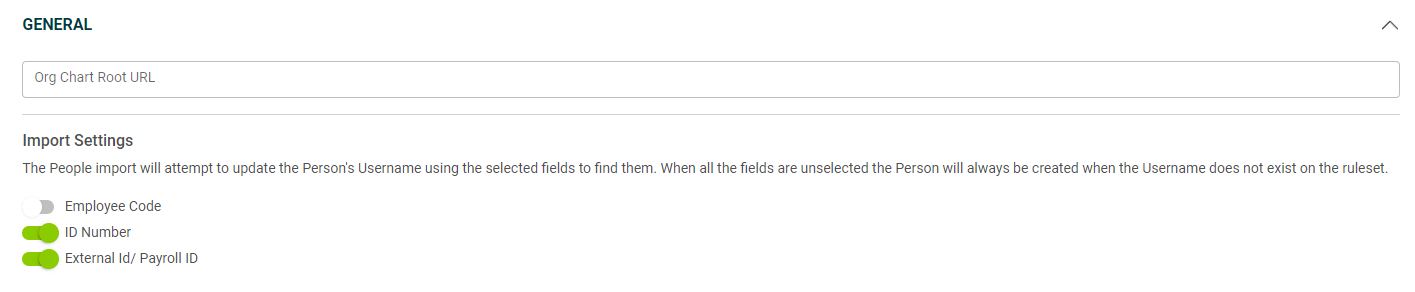
- Check on the settings in order starting with employee code, ID number and external ID to try and find the user to change the username for
- Should the unique field be in duplicate either in the import file or on the ruleset throw an appropriate error
- Add checks to ensure if the user was seen to have a username change but failed that it is not created as a new user.
- When exporting data via the ListUserExport API the start date in the group and the start date in the company are populated
- When a page is left open for an extended period the user will be redirected to the error page after the next click should the error not be handled
Performance Management
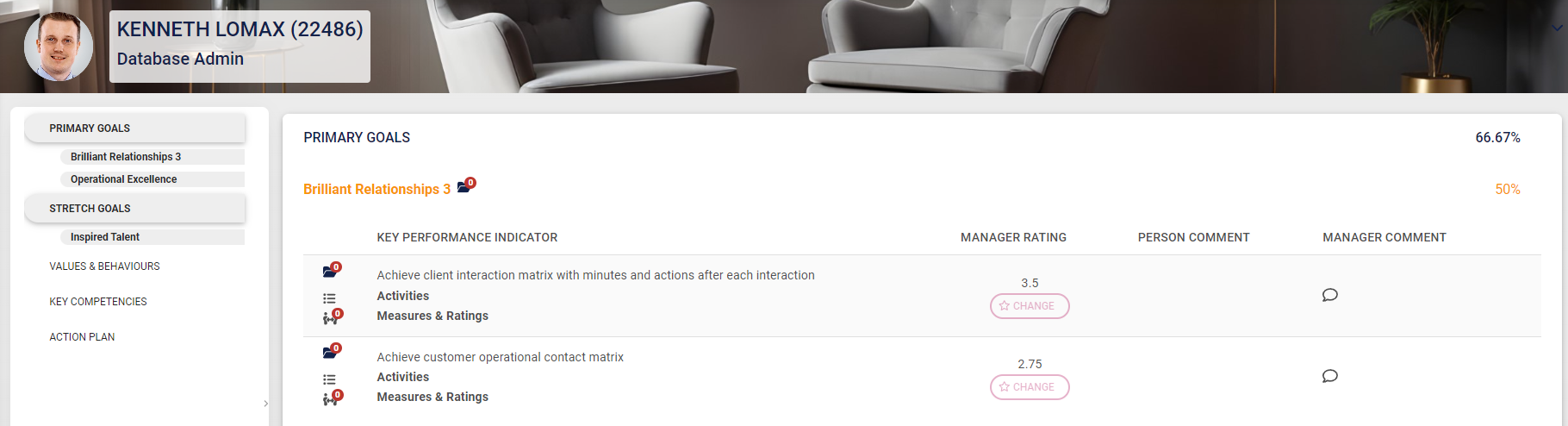
When rating KPI the area is not clickable anymore (#116413)
Problem
- To rate an item, the user must click the Rate / Change buttons.
- This is slightly inconvenient and the request was made to allow clicking anywhere on the row to access the item to rate (where it does not overlap with other functionality Eg the action buttons).
Solution
- Make the entire row clickable to allow rating regardless of whether the final score is approved, and update the person rating active configuration accordingly.
Technical
Domain Errors (#113747)
Problem
- The JSON errors were displayed as the page content
Solution
- Refactor the exception handler
- Add redirects in the auth controller for expiry
- Refactor error controller for Ajax and MVC loads, cater for session expiry
- Add retry on the general error page to reload
- Add session expired page with logout button for MVC, allow Ajax to directly logout when the session is expired.
- Reduce the batch size of exception consumer
Translations
Static translations missing (#118237)
Problem
- The static translations for all the core supported languages are not added, which are:
-
- de, af-Za, en-UK, en-US, AM, pt-MZ, fr-CF, ar-SA
- Static translations are not visible on the language module and cannot be changed from the front end and needs to be added on the Identity service.
- So far it looks like only German has been completely translated.
Solution
- Added static translations for all the core supported languages
HR Processes
Non-descriptive error displayed when adding process with name & code which already exists (#119243)
Problem
- The generic error message displays
Solution
- Added a descriptive message:
- This process code has already been used
Job Profiler
The system does not prevent a user from Unpublishing a Job Profiler with Active Positions (#120455)
Problem
- The system does not prevent a user from Unpublishing a Job Profiler with Active Positions.
Solution
- Prevent an Admin from "Unpublishing" a Job Profile that has Active Positions.
New Functionality
Performance Management: Interpolation (#115065)
Introduction
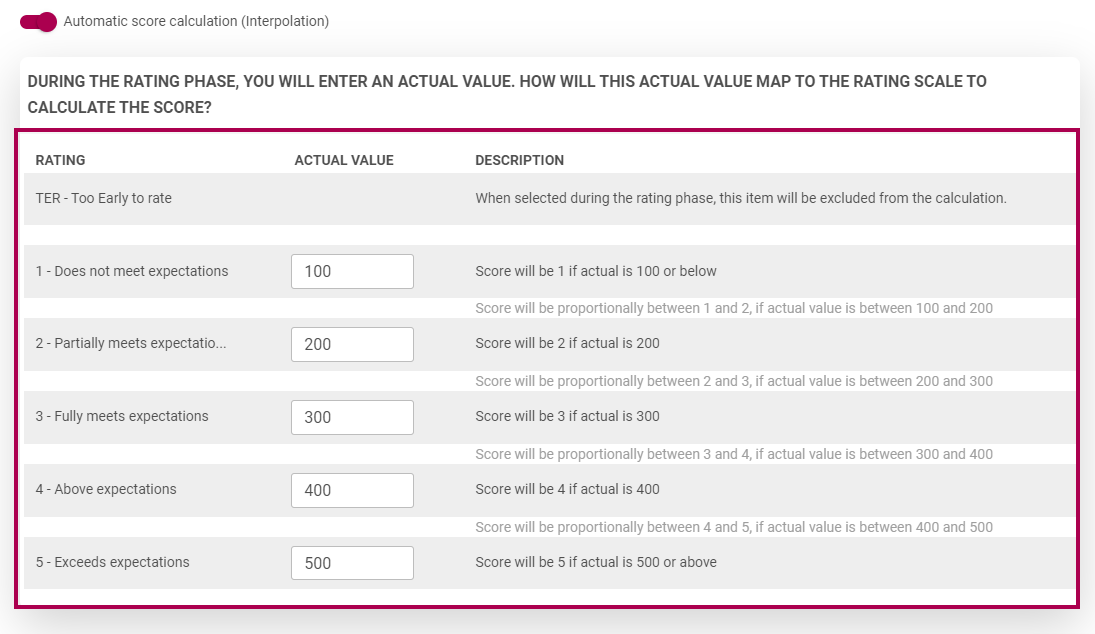
Interpolation is used to map Actual Values to the Rating Scales. During the Rating Phase, Actual Values are entered and then mapped to give a rating.
This functionality is available when creating Templates, when an agreement is Copied, as well as when a Blank Agreement is created.
Mapping Setup - Objective Setting Phase
When adding/editing a KPI, a new toggle is available
- Automatic score calculation (Interpolation)
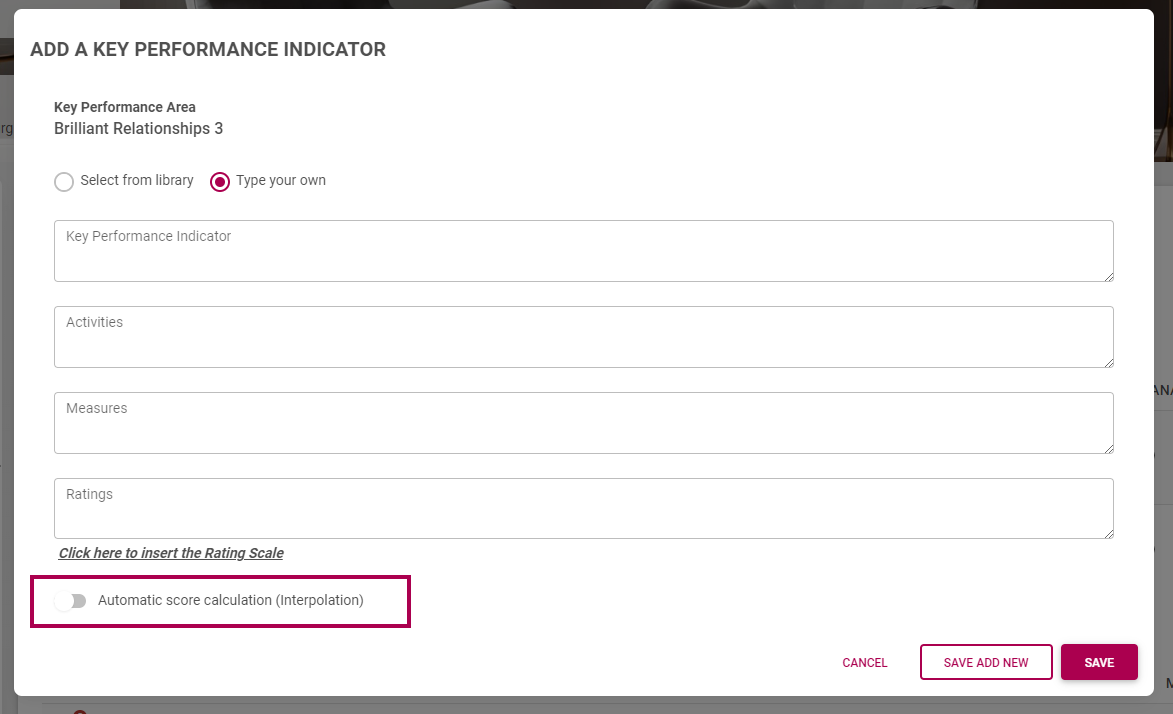
When this toggle is enabled, the mappings open where the Actual Values can be configured
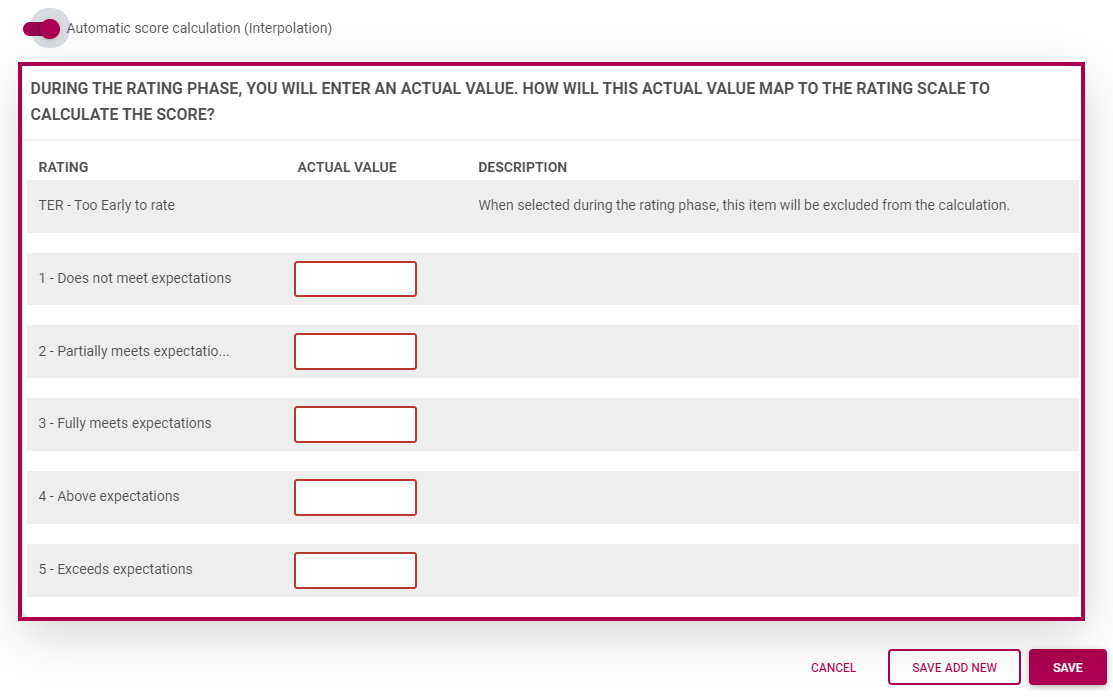
When the Actual Values have been inserted:
Ratings Phase
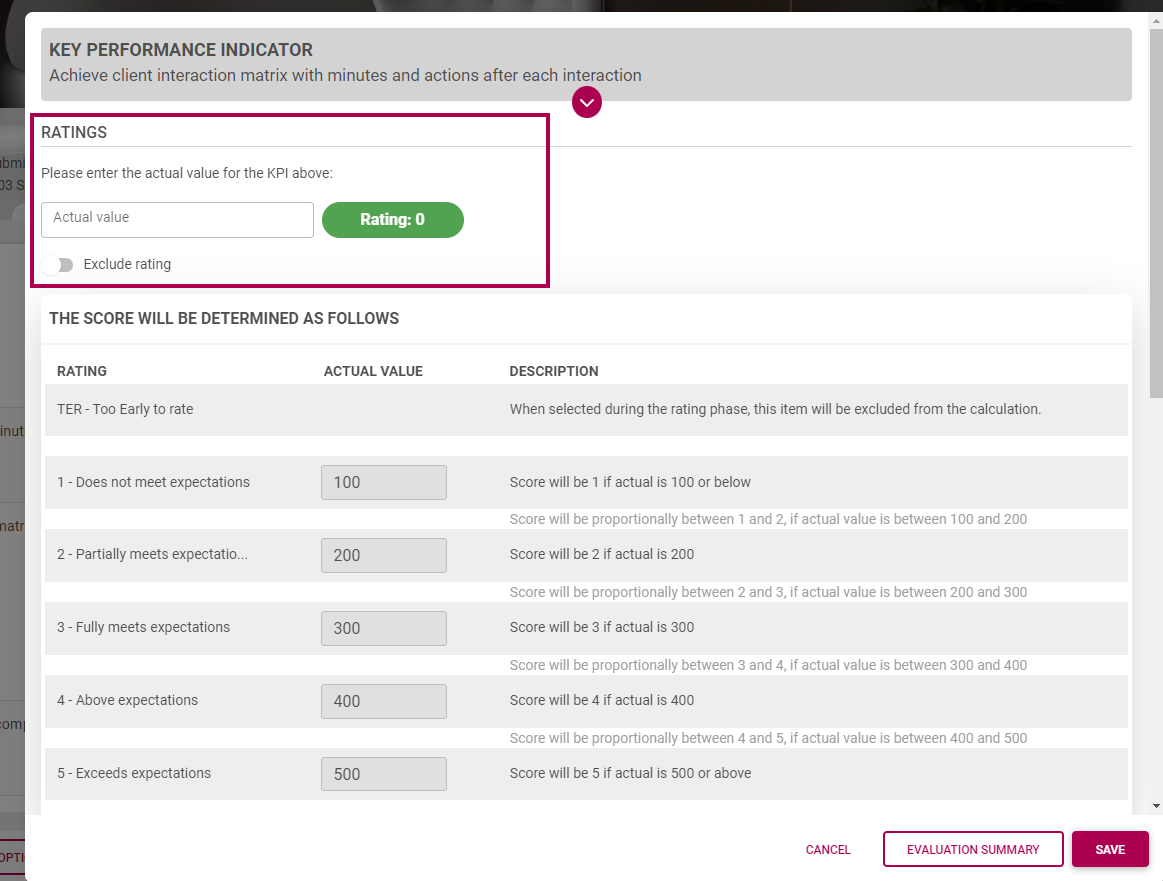
When rating a KPI, the Actual Values are inserted instead of selecting a rating.
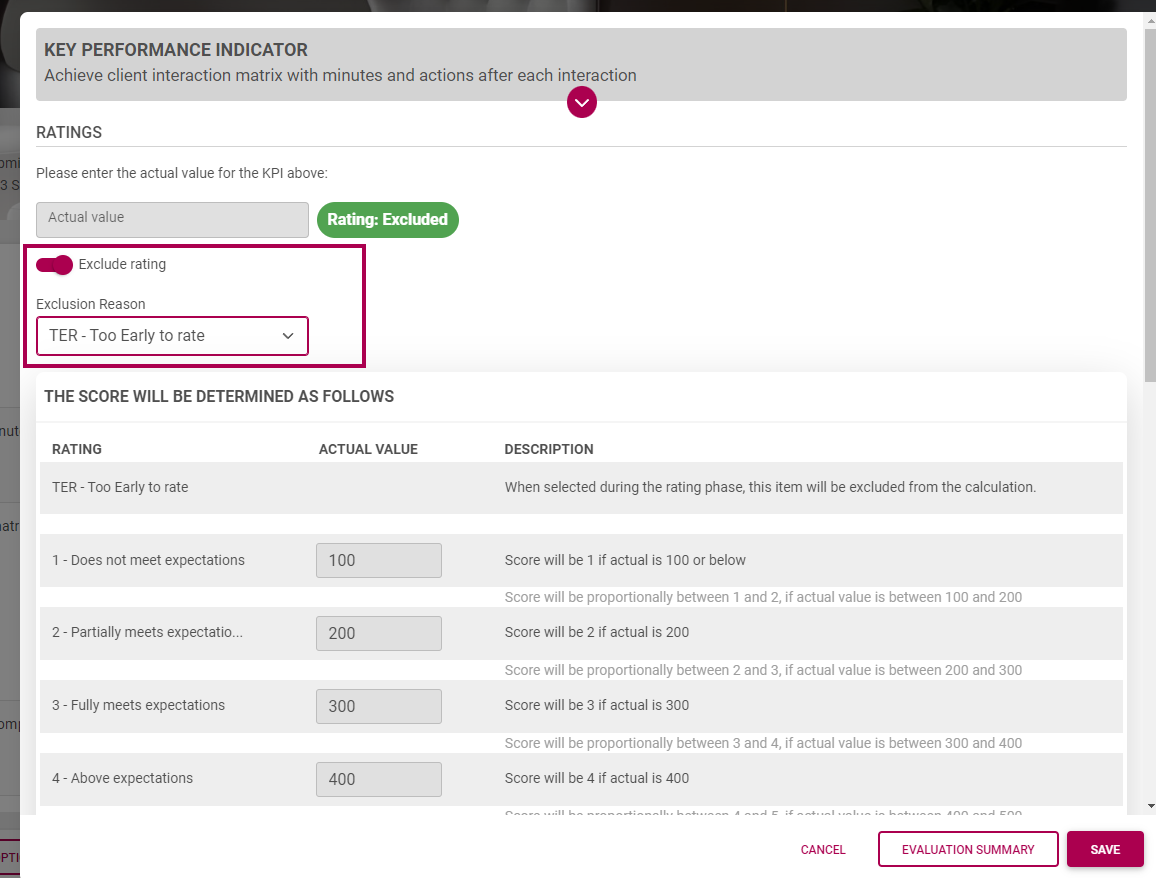
A rating can also be excluded:
When the Actual Value has been inserted, the score is shown:
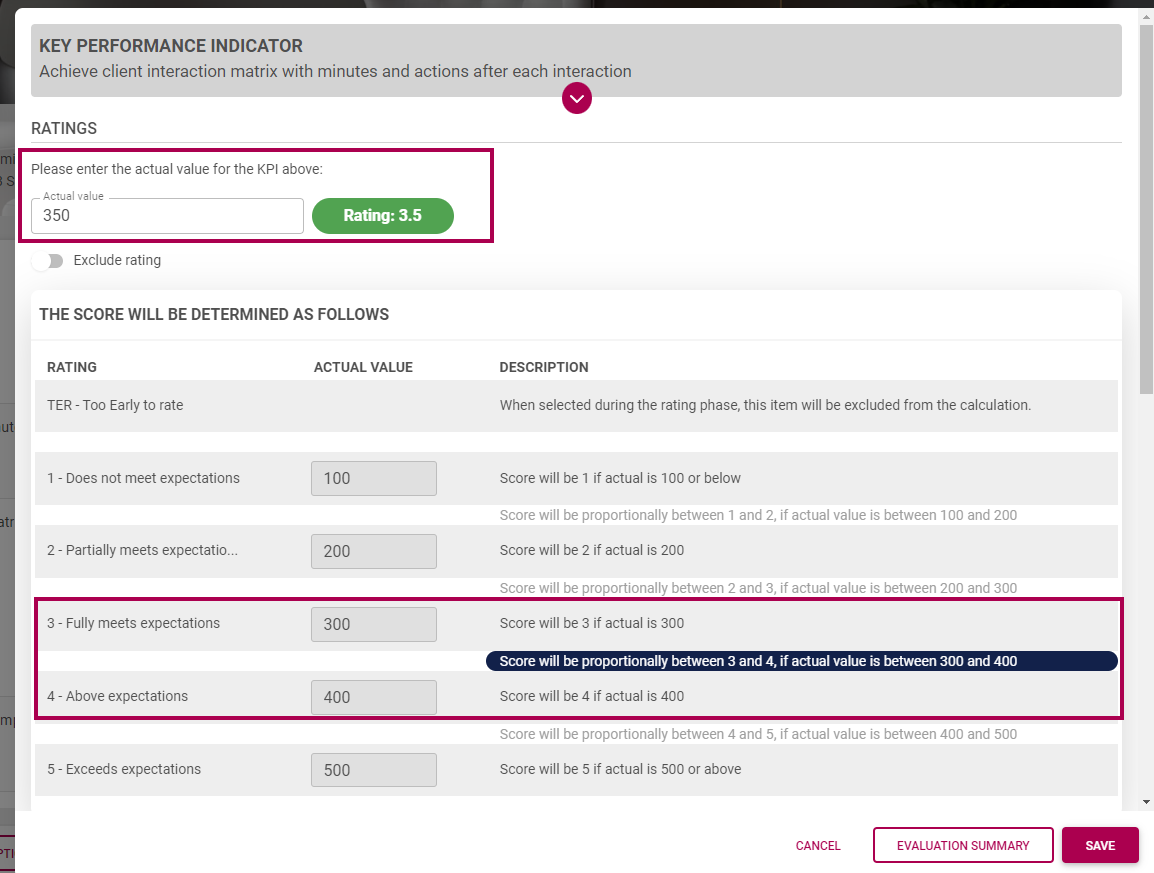
The score is shown after the rating has been saved
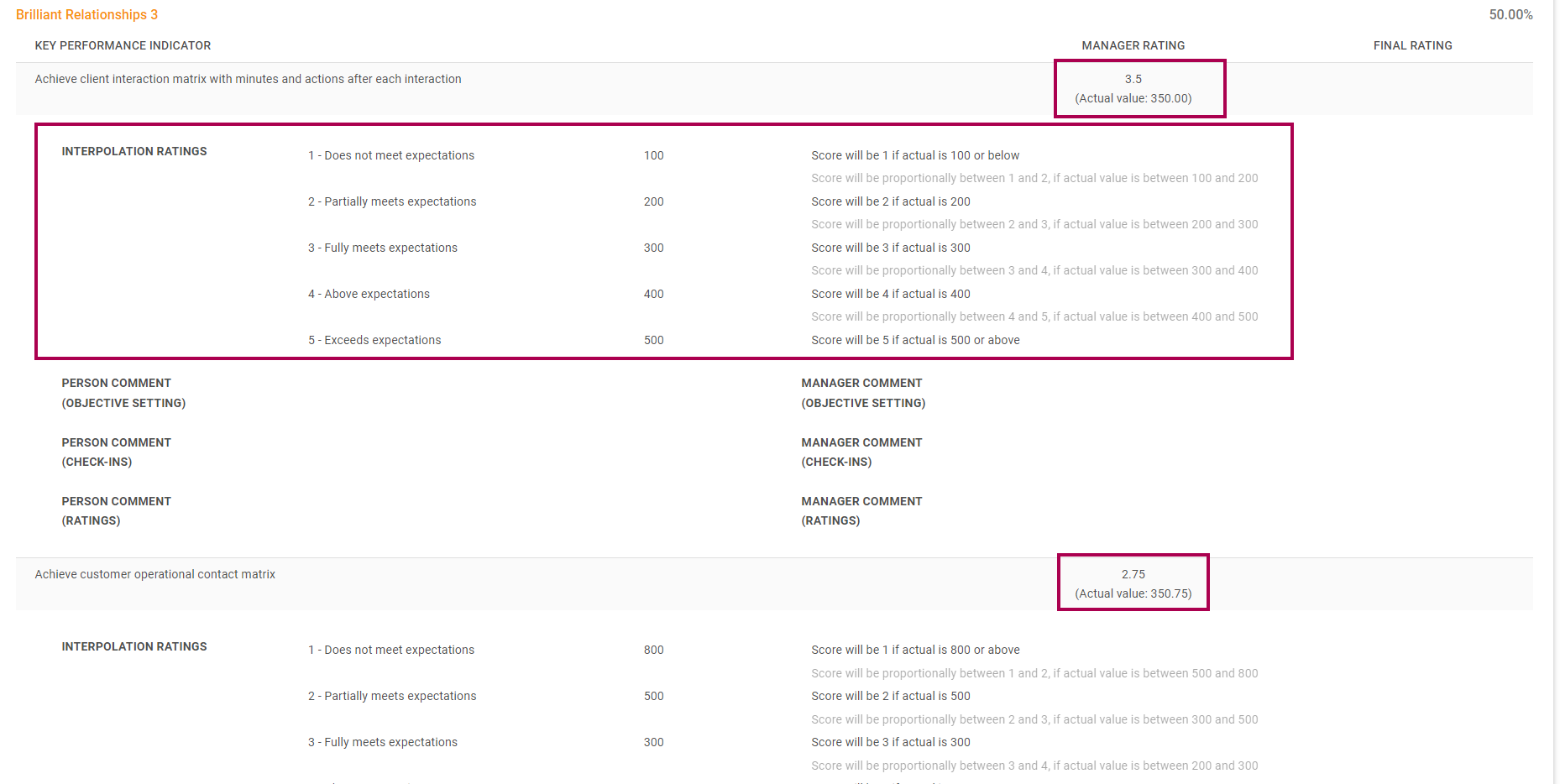
View / Print
When opening the Print View, the Interpolation ratings are also shown: