# Version 9.1.270 (9 November 2026)
#### **Communication Portal**
##### Discovery Version 10: AI: Chat Bot: User Story 1: As a System User, I would like to access the AI chat bot after logging in to the system to interact with it. (#156978)
**New Functionality**
- AI: Chat Bot: User Story 1: As a System User, I would like to access the AI chatbot after logging in to the system to interact with it.
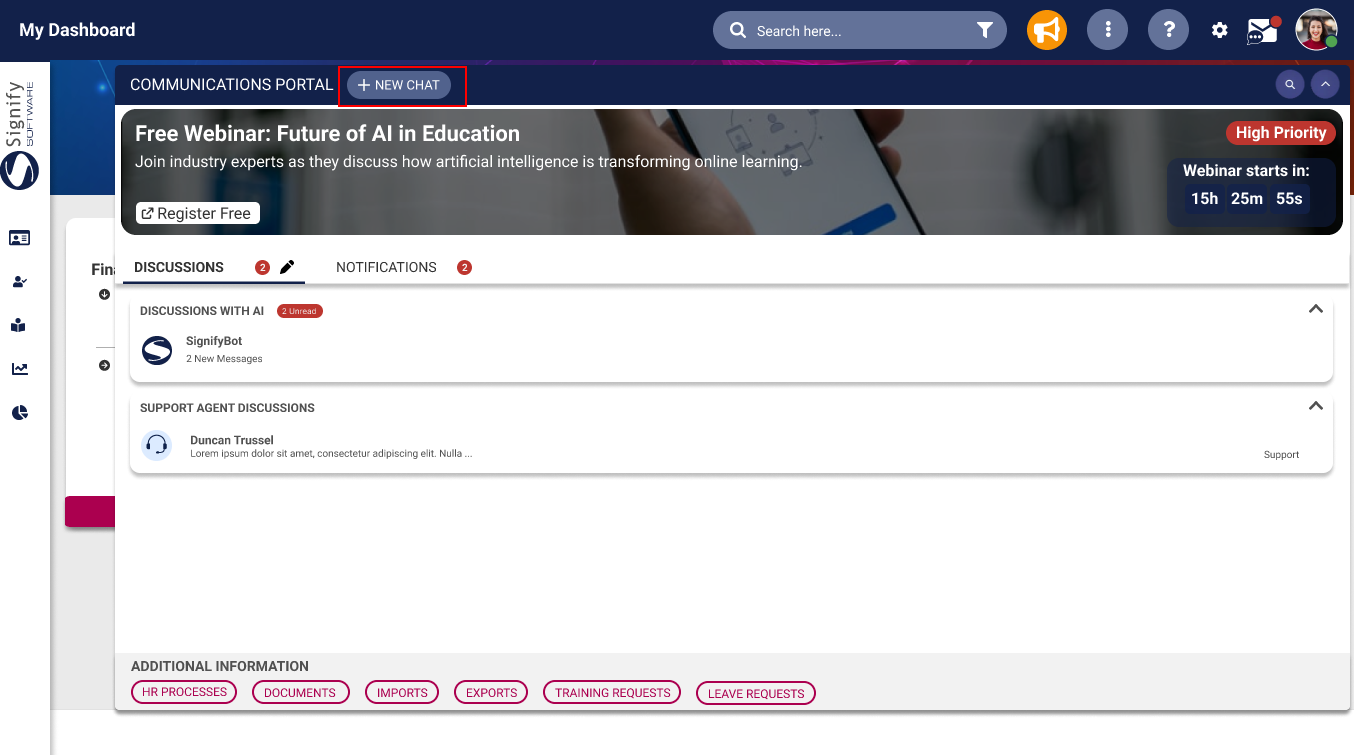
- Update the styling and location of the create new chat button in the communication portal.
[](https://signature.signifyhr.co.za/uploads/images/gallery/2026-11/VwN4ewz68Z88pcHk-image.png)
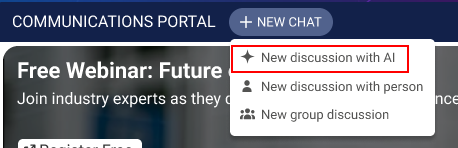
- When the button is selected, add a new option "New discussion with AI"
[](https://signature.signifyhr.co.za/uploads/images/gallery/2026-11/G0bfgGksgYYlrf3P-image.png)
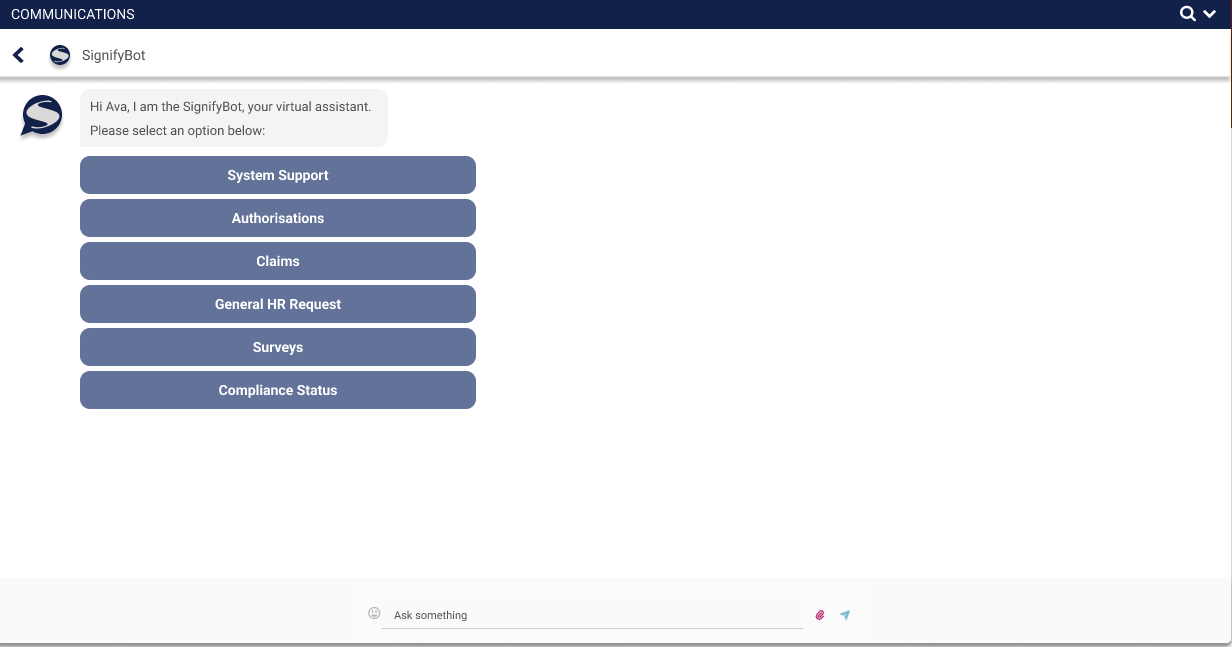
- When the button is selected, open a new chat with the AI chatbot
[](https://signature.signifyhr.co.za/uploads/images/gallery/2026-11/DO0ys6eYffrvjsRU-image.png)
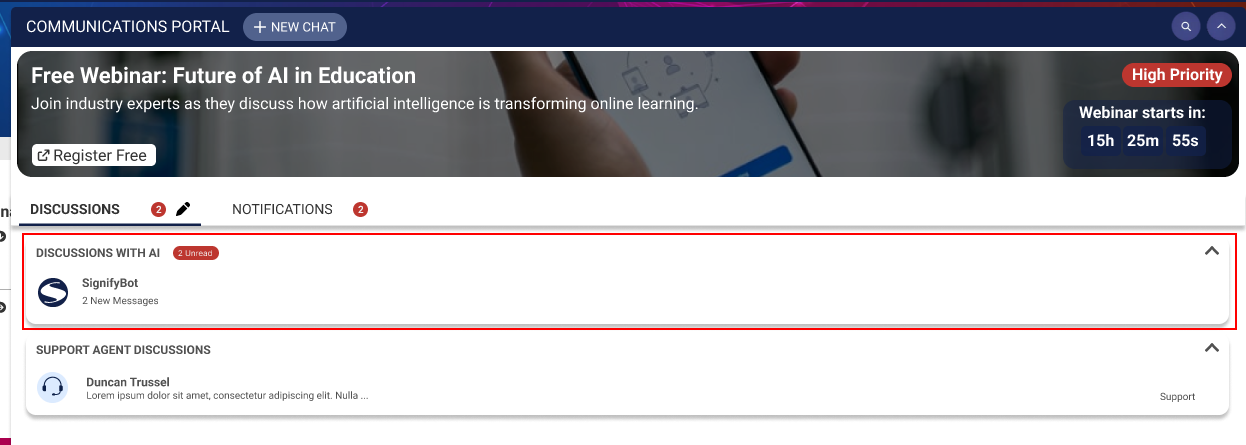
- Each time the "New discussion with AI" button is selected, a new chat is created in the "Discussions with AI" section.
[](https://signature.signifyhr.co.za/uploads/images/gallery/2026-11/30ViNyrurYqigp9T-image.png)
---