# Version 9.1.74 (25 March 2024)
### Data Warehouse
#### Improve handling of DataWarehouse table creation / updates (#112041)
Created a new SSIS package called **CreateTables** that will add all the required tables as this did not exists within the current repo.
#### Remove records marked as deleted from V9\_Data Warehouse during daily sync (#108782)
**Problem:**
During the sync from V9 databases to V9_Datawarehouse, records marked as Deleted still remains in V9_Datawarehouse.
**Solution:**
Change dtsx packages to remove records marked as Deleted from V9_Datawarehouse.
Example: Performance Management Contracts/Periods
---
### Performance Management
#### All agreement weights must be validated to be more than 0 (#113018)
**Problem:** Currently you can add perspectives and KPAs while leaving their weights 0. If you try to submit objectives, an error will be displayed. Only KPI weights are validated.
**Solution:** Added validation to Perspective and KPA weights to only allow you to add if the weight is more than 0 (if not itemsWeightedOverSection AND not hideScores). A snack message is displayed.
#### User can add duplicate review setups (#113022)
**Problem:**
User was able to add duplicate review setups.
**Solution:**
Disable Save button when creating and updating review setups.
---
### Ruleset Management
#### Addition of Catalogue menu in V9 for the learning product (#112786)
**Problem:**
The Catalogue menu was not included as part of the Learning Product.
**Solution:**
Add the Catalogue menu to the Ruleset System Menu list. When the Learning Product has been activated, this menu can also now be activated.
#### When viewing the integrations tab on ruleset setup, make sure the General tab is selected by default and not payroll (#113171)
**Problem:**
Payroll tab displayed by default.
**Solution:**
Make it so that the General tab displays by default.
---
### People Management
#### Styling of pages with large gaps (#112994)
**Problem:**
People Profile pages are not fitting correctly on the screen. There are large grey areas around it.
**Solution:**
Improve some styling on the person profile page, to fit external and normal pages better - filling the entire height of the screen.
#### Translation not applied for Username field (#113007)
**Problem:**
The Username label on the employee profile is now displayed as two words instead of one but the translation shows it as one word.
**Solution:**
Ensure correct translation is used for the Username field.
#### Unable to give data source access to active report categories on a new tenant’s ruleset (#112839)
**Problem:**
Because any new ruleset uses the the datasources/categories from Ruleset/Tenant 1 by default, nothing was returned, because the current Ruleset is not Ruleset 1
**Solution:**
When retrieving data categories, return the categories from Tenant 1 if the ruleset uses the Data Dictionary from Ruleset 1
#### Publish the Job Profile of the first user on a new Ruleset (#112780)
**Problem:**
Default ruleset job was not published.
**Solution:**
Changed it so that the default ruleset is published.
#### Vacant Positions of an Unpublished Job Profile displays the Vacancies Count for User Appointment (#112369)
**Problem:**
Jobs that were not published displayed in the list.
**Solution:**
Filter the jobs to those that are published.
---
### New Functionality
#### Kudos Development (#107675)
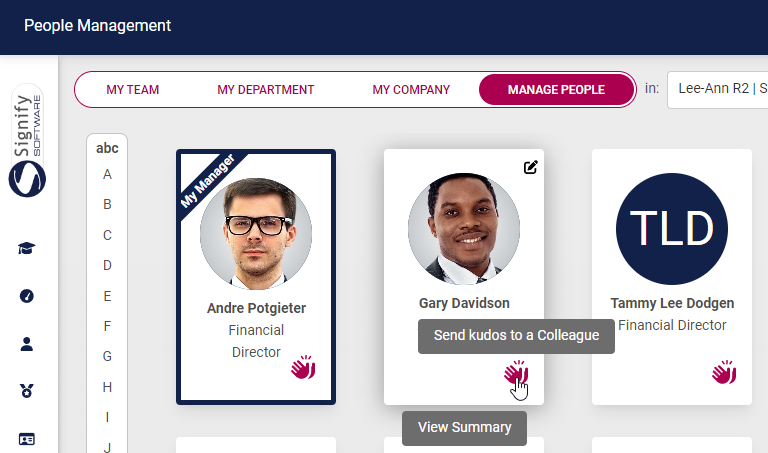
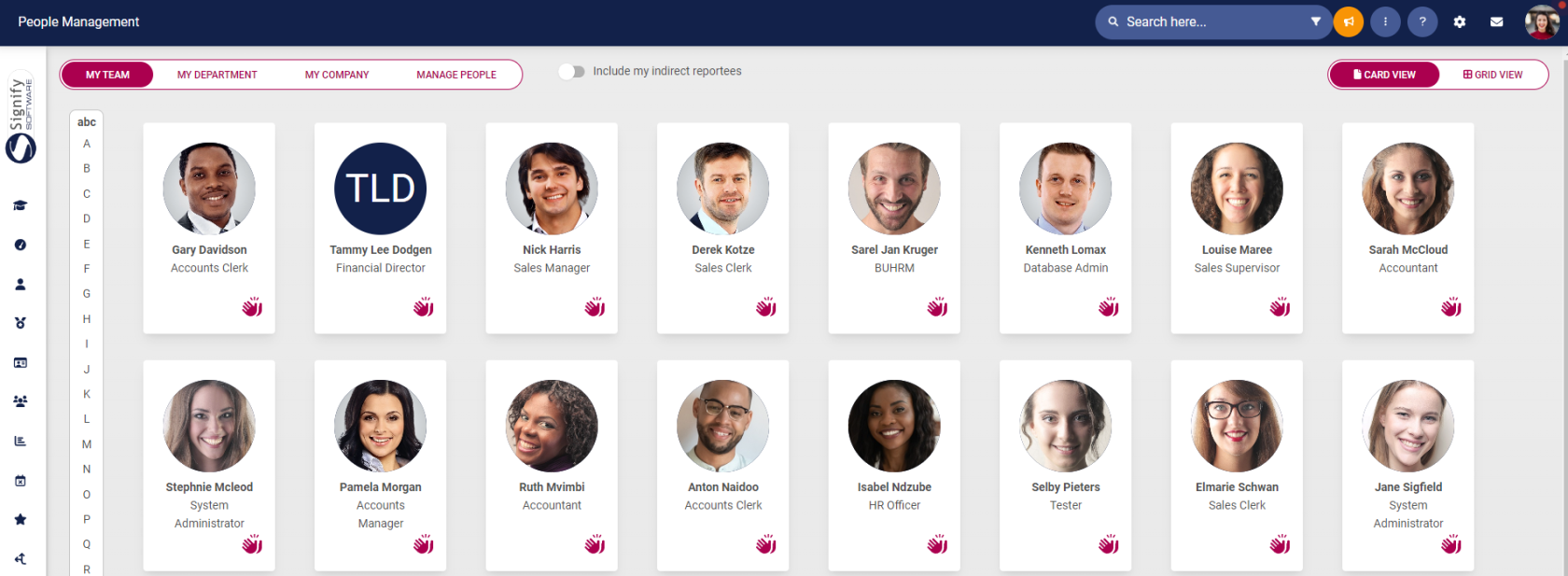
A new button has been added to People Management on the card view:
[](https://signature.signifyhr.co.za/uploads/images/gallery/2024-03/lHmYu0TEXgM6KA2k-image-1711348236692.png)
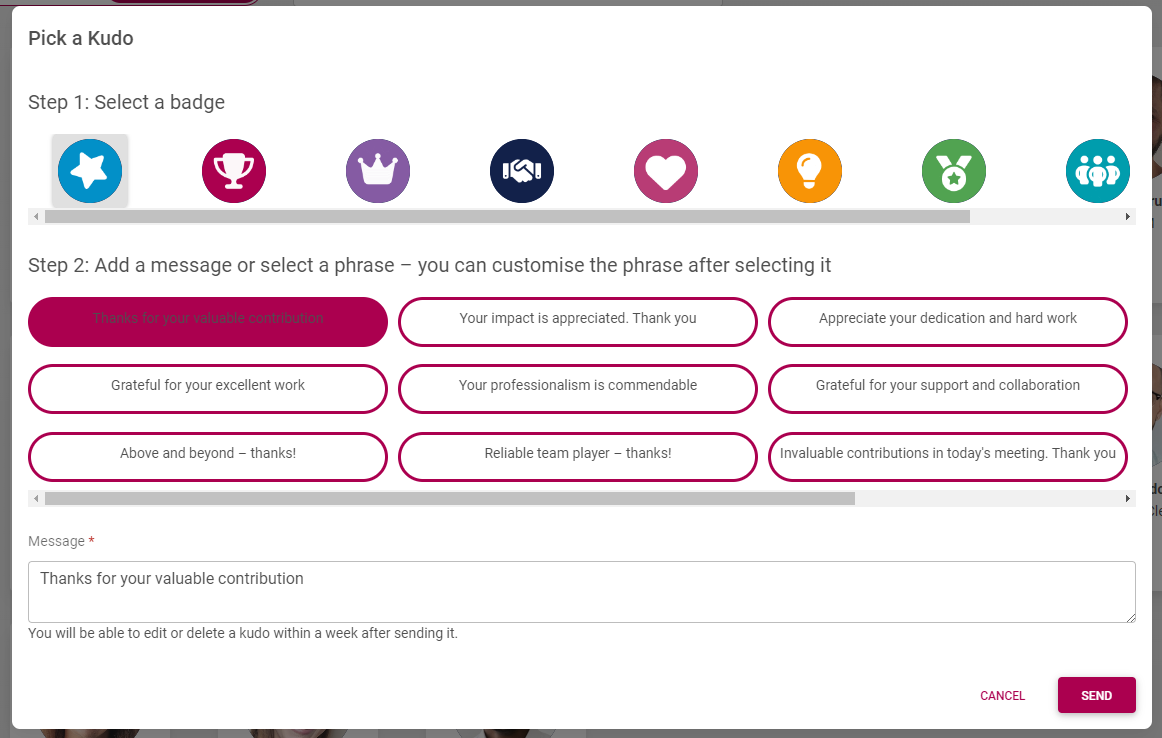
When selected, you will be able to send Kudos to a person. The page that opens is where you select a badge and add a message.
[](https://signature.signifyhr.co.za/uploads/images/gallery/2024-03/HSHRTQm8ROXRNZGC-image-1711348346306.png)
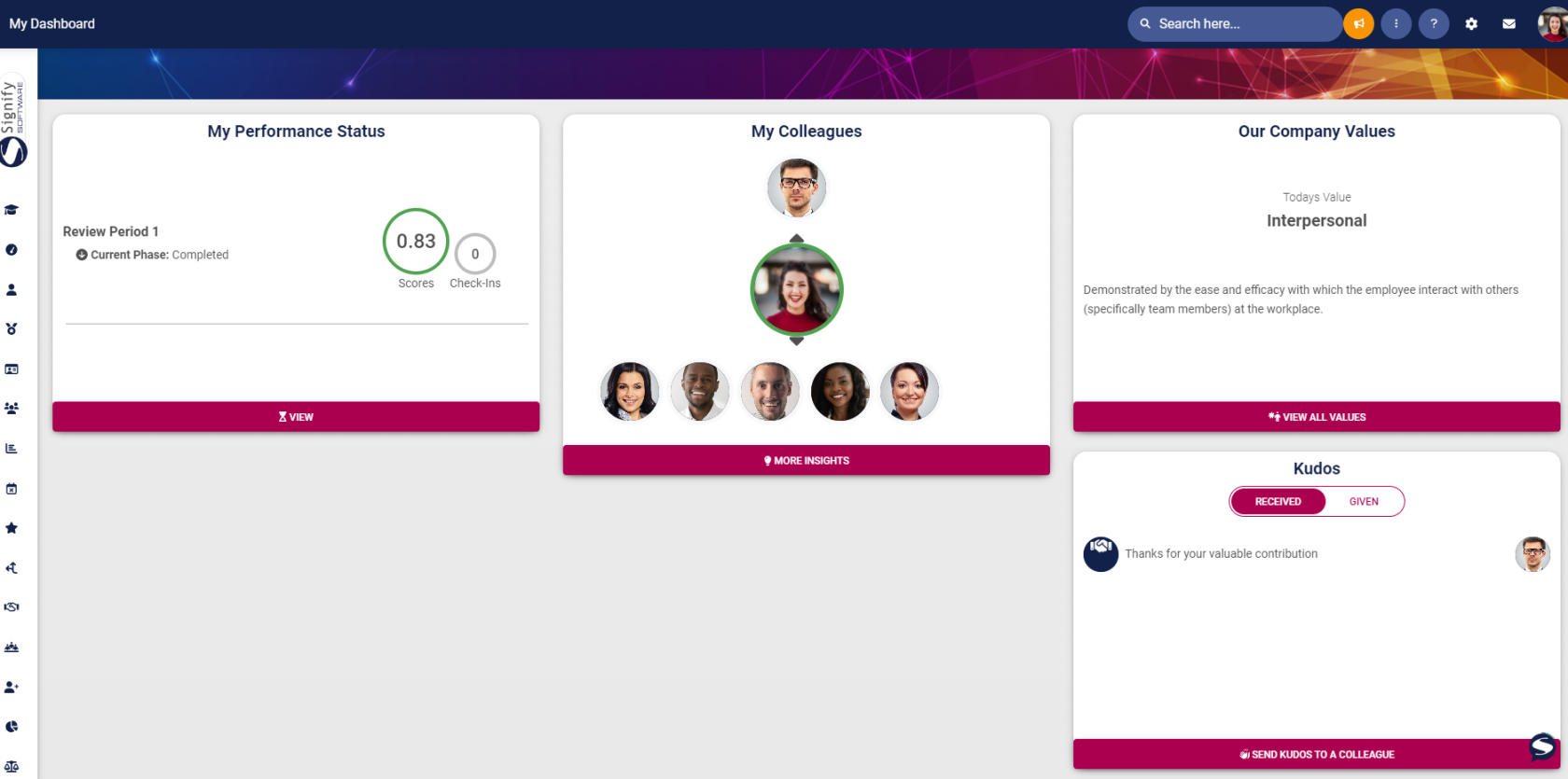
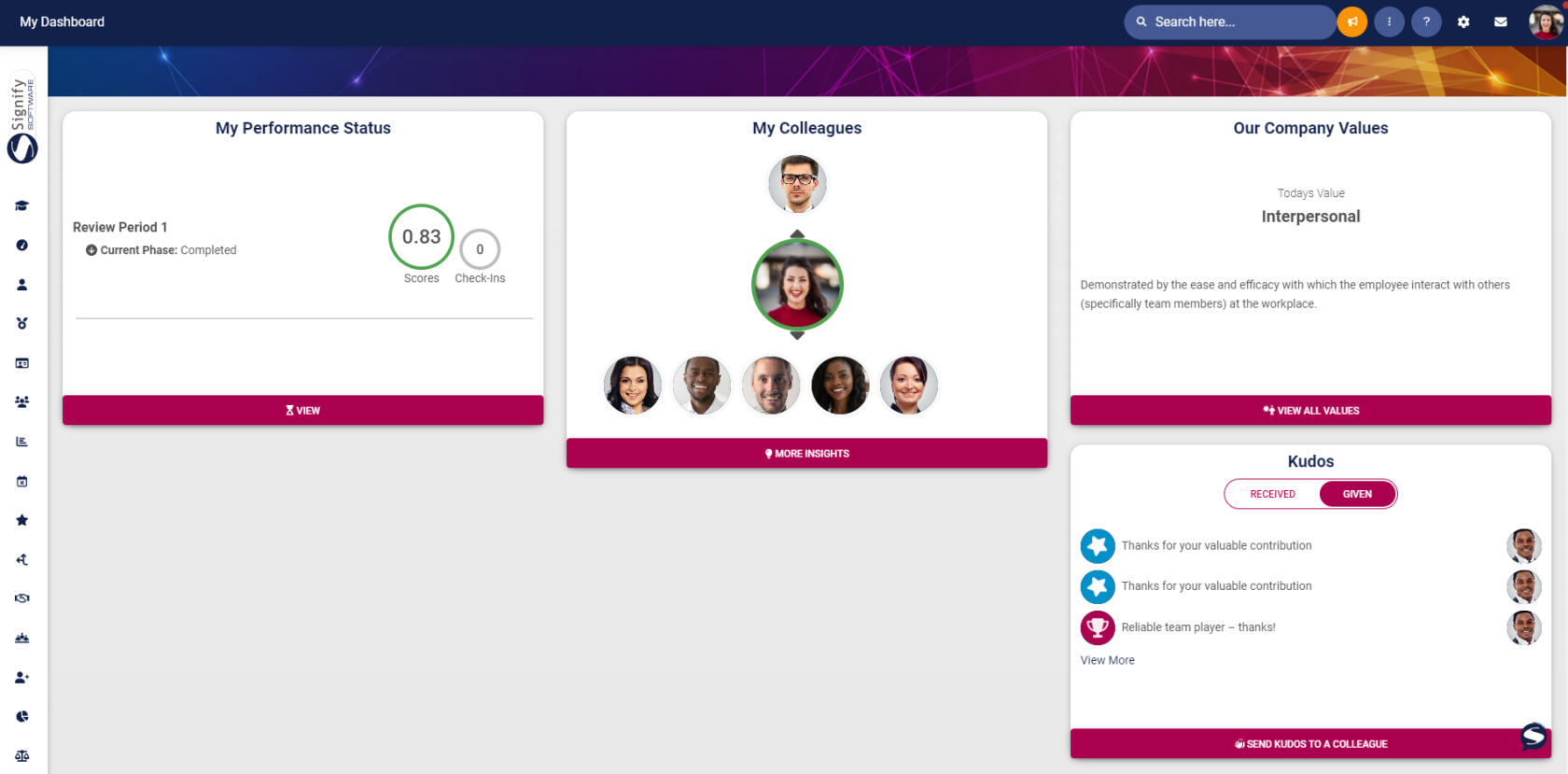
After sending the Kudos, you can see all Kudos that you received and all Kudos that you sent to others on the Main Dashboard.
***Received***
*Top 3 entries are shown*
[](https://signature.signifyhr.co.za/uploads/images/gallery/2024-03/5izCfPvX7E3MBIwK-image-1711348629545.png)
***Given***
*Top 3 entries are shown*
[](https://signature.signifyhr.co.za/uploads/images/gallery/2024-03/7QjYcyR7L7TYZd41-image-1711348688083.png)
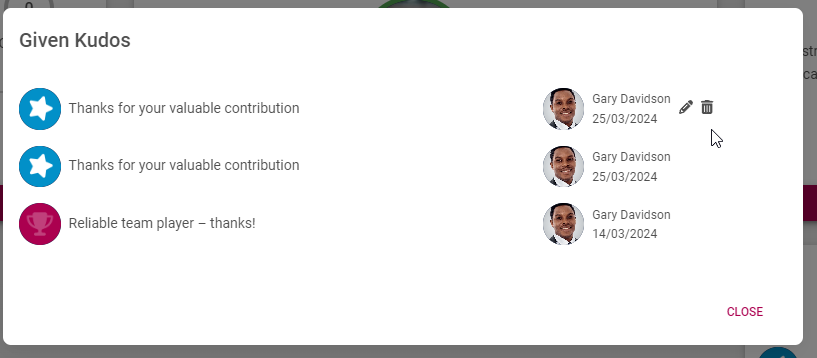
When clicking on the **View More** option, the full details are shown.
Only Kudos given can be deleted or edited withing 7 days of sending it.
[](https://signature.signifyhr.co.za/uploads/images/gallery/2024-03/VdTZKCuX4h2I0Zh7-image-1711348939092.png)
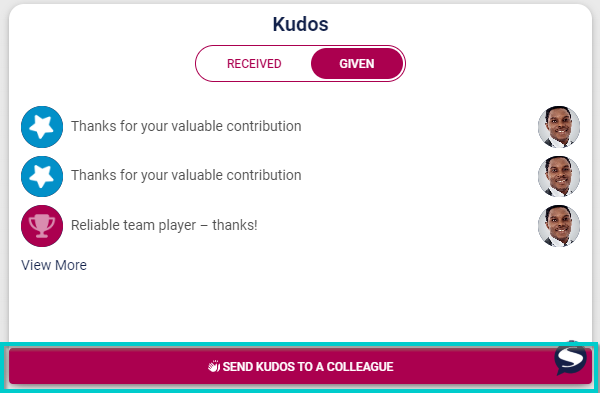
When clicking on the Send Kudos to a Colleagues button, the user will be navigated to People Management Dashboard.
[](https://signature.signifyhr.co.za/uploads/images/gallery/2024-03/f6o6FF6R2PpOIJYQ-image-1711349060978.png)
[](https://signature.signifyhr.co.za/uploads/images/gallery/2024-03/KjyMMC9dmXVgLOWV-image-1711349106287.png)