# Version 9.1.89 (3 June 2024)
### Help Files
#### Oversized images overlap outside the Help File Pop-up modal (#115092)
**Problem**
- The system displays the Help file model with the Oversized Image overlapping on the outside
**Solution**
- Auto Fit to size the image inside the HTML Editor based on the Limited size of the Pop-up modal
---
### Performance Management
#### Make the rating button more intuitive (#111934)
**Problem**
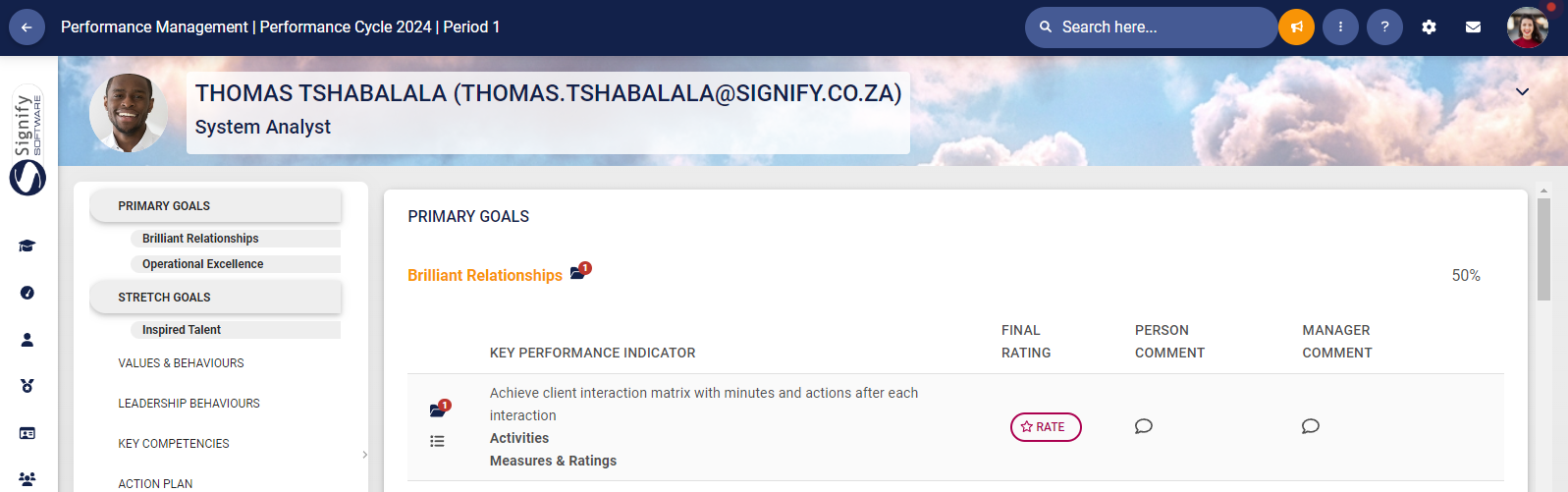
- It is not obvious when looking at the contract in the rating phase how to start the rating
**Solution**
- Instead of the Rating Icon, a button has been added in the rating column
[](https://signature.signifyhr.co.za/uploads/images/gallery/2024-06/g2FIZOodAKaz1M2t-image.png)
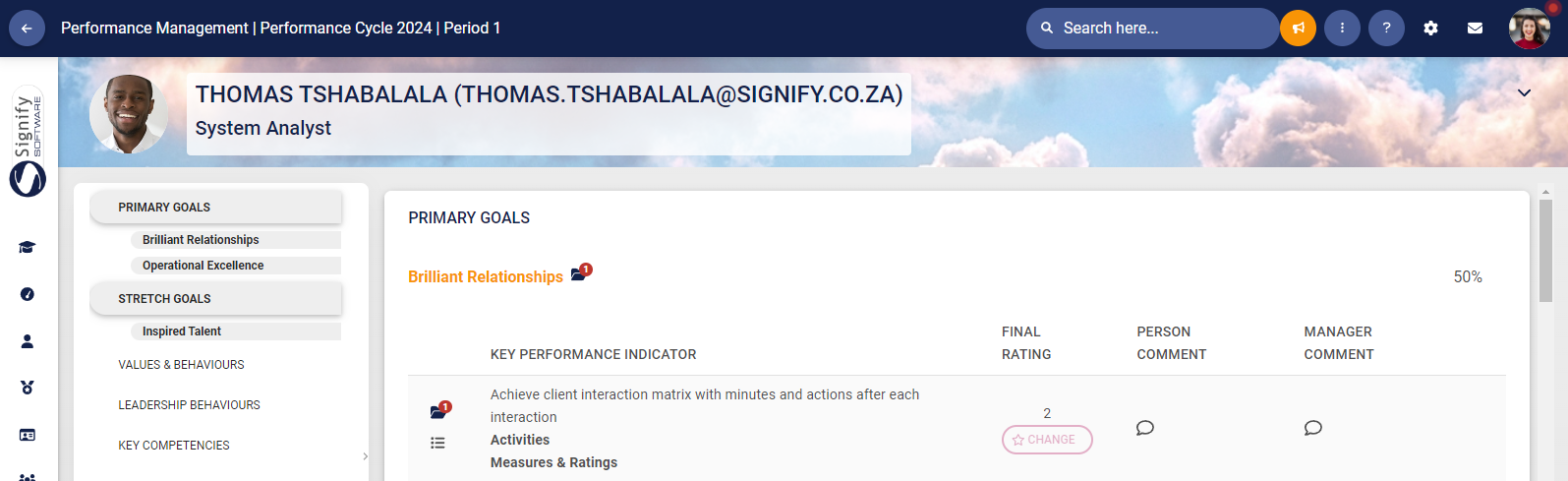
- After the KPI has been rated, the score is displayed and a change button is added underneath the score
[](https://signature.signifyhr.co.za/uploads/images/gallery/2024-06/42ODWdVPWluiV0qj-image.png)
- The change button is hidden when the ratings have been submitted
#### Add the invalid weights to the left menu item as well (#112426)
**Problem**
- It isn't easy to see where items do not add to 100%
**Solution**
- When a section weight does not have KPA's or KPI's or when the Perspective and/or KPA and/or KPI does not sum to 100
- Keep the flashing % on the right, but also indicate this on the left in the scroll spy menu
- Extend the message:
[](https://signature.signifyhr.co.za/uploads/images/gallery/2024-06/vLfmsdQkPk9EEceI-image.png)
Item weights must sum to 100. All item weights that do not sum to 100 will be indicated on the left menu.
#### Continue to rate without submitting when the other party has not submitted the objectives (#111933)
**Problem**
- When a manager or person has completed the Objective Setting, the ratings cannot be completed without the other party submitting the objectives first
**Solution**
- Enable the person who has submitted the objectives, to continue with the ratings
- The ratings cannot be submitted before the other party has submitted the objectives first
---
### Report Builder
#### Unable to add value in a sub report (#115591)
**Problem**
- The problem was a change made on the nav links that stopped this pivot value dropdown from working.
**Solution**
- Resolved the issue by making the classes it uses unique so it does not clash with the nav-links.
---
### People Management
#### Labour Relations: Disciplinary Actions(#105100)
New functionality is available to add a transgression on Labour Relations.
***People Management | Product Setup***
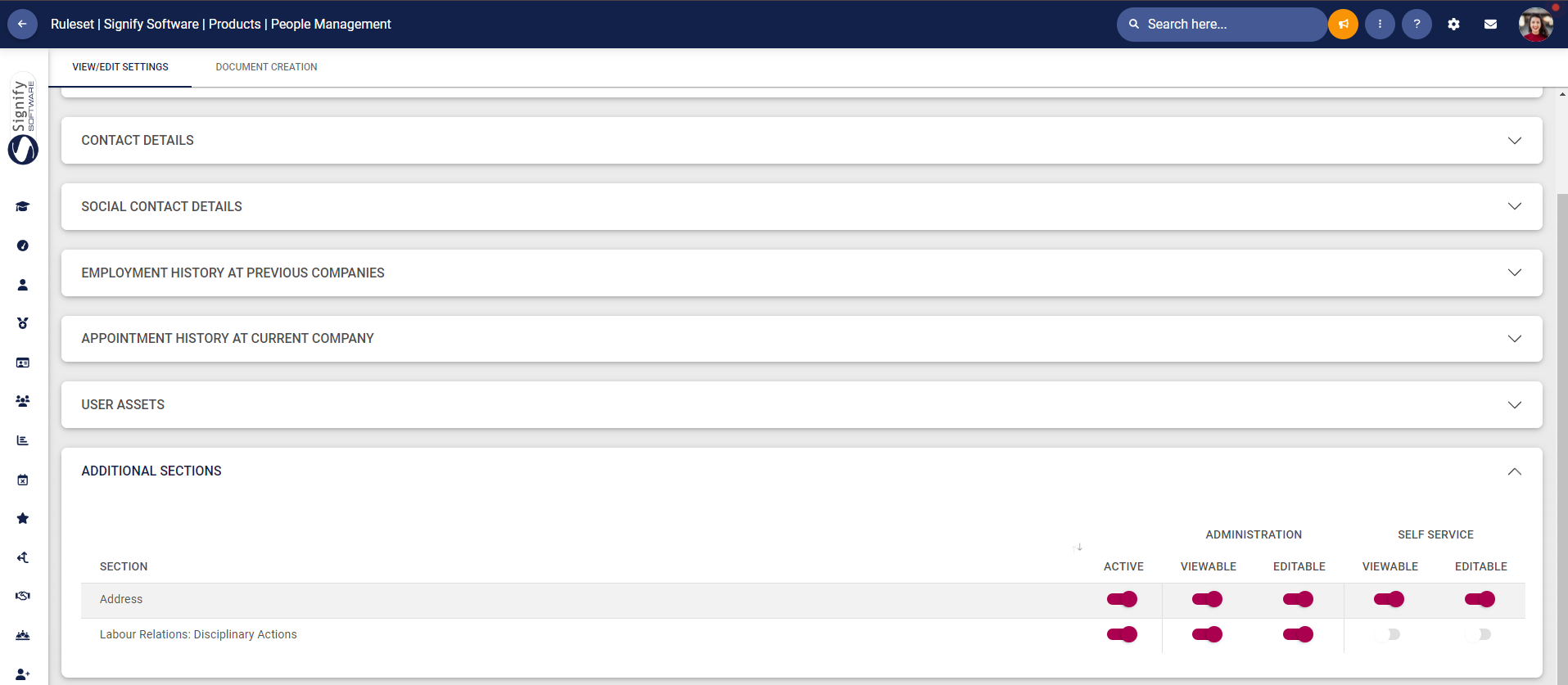
- To enable the Disciplinary Actions menu, this needs to be activated under the People Management settings
[](https://signature.signifyhr.co.za/uploads/images/gallery/2024-06/yM61GI8JP1dbUXhn-image.png)
***Master Data***
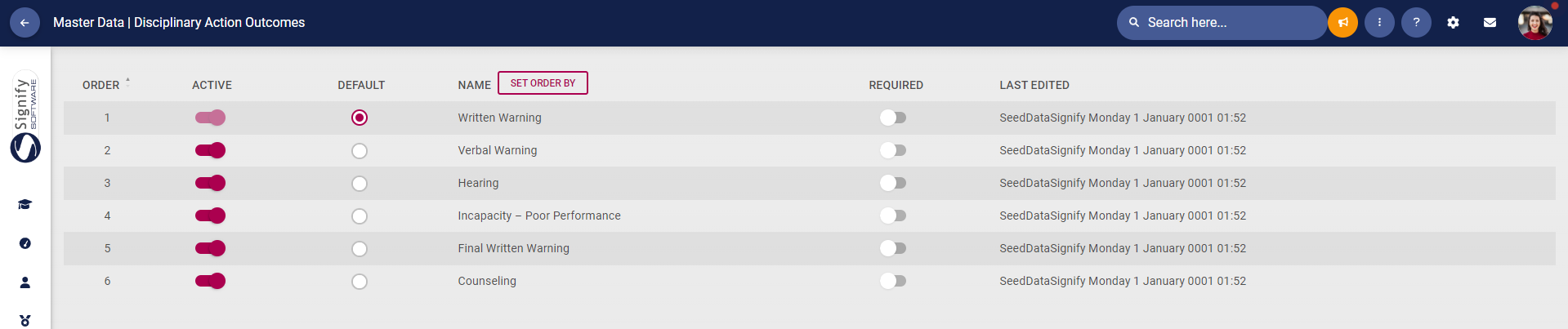
- Master Data needs to be added for
- Disciplinary Action Outcomes
[](https://signature.signifyhr.co.za/uploads/images/gallery/2024-06/HiBmATijwThC8MeG-image.png)
- - Disciplinary Transgressions
[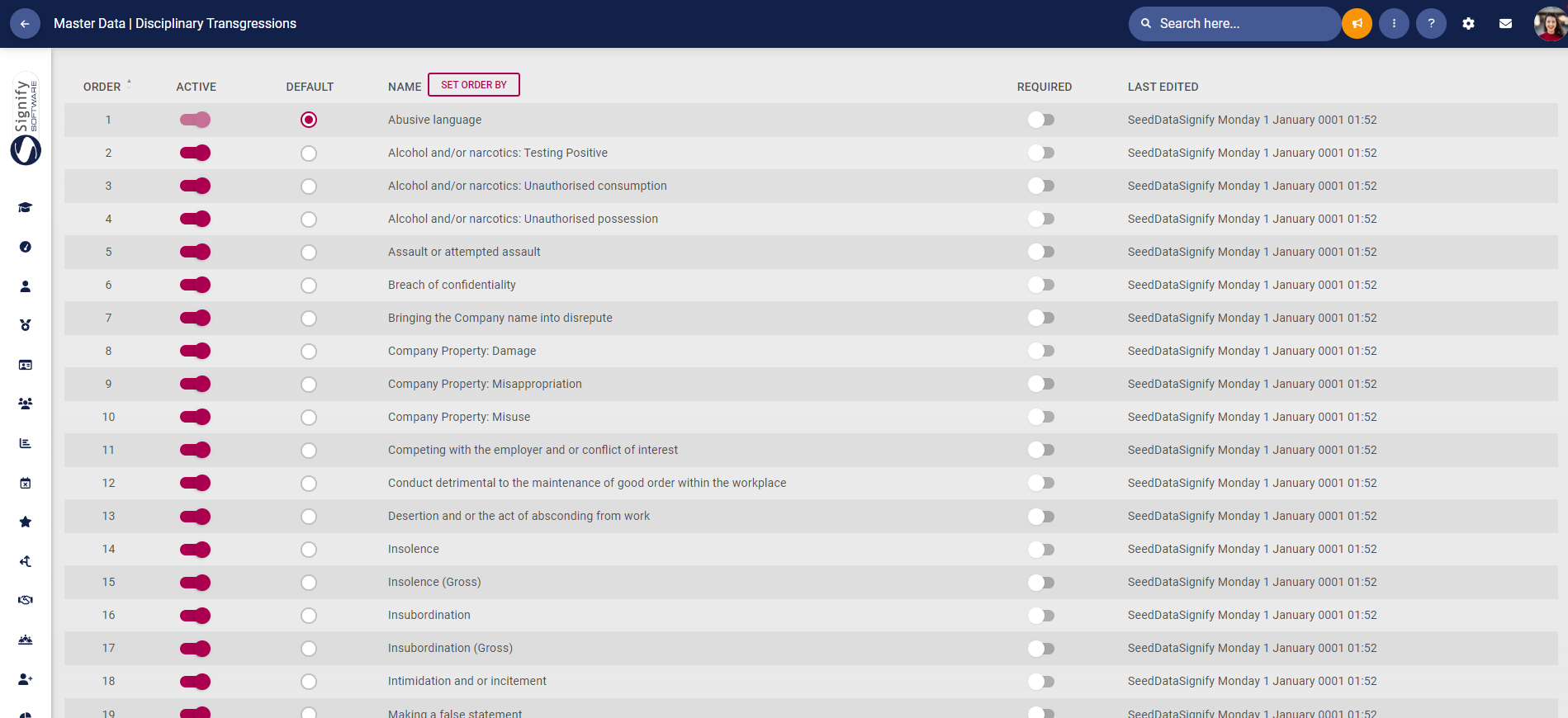](https://signature.signifyhr.co.za/uploads/images/gallery/2024-06/MPV9II01dm7sIGu3-image.png)
- Default Master Data is available for both
***People Management | Edit Profile***
- Under Labour Relations | Disciplinary Actions
[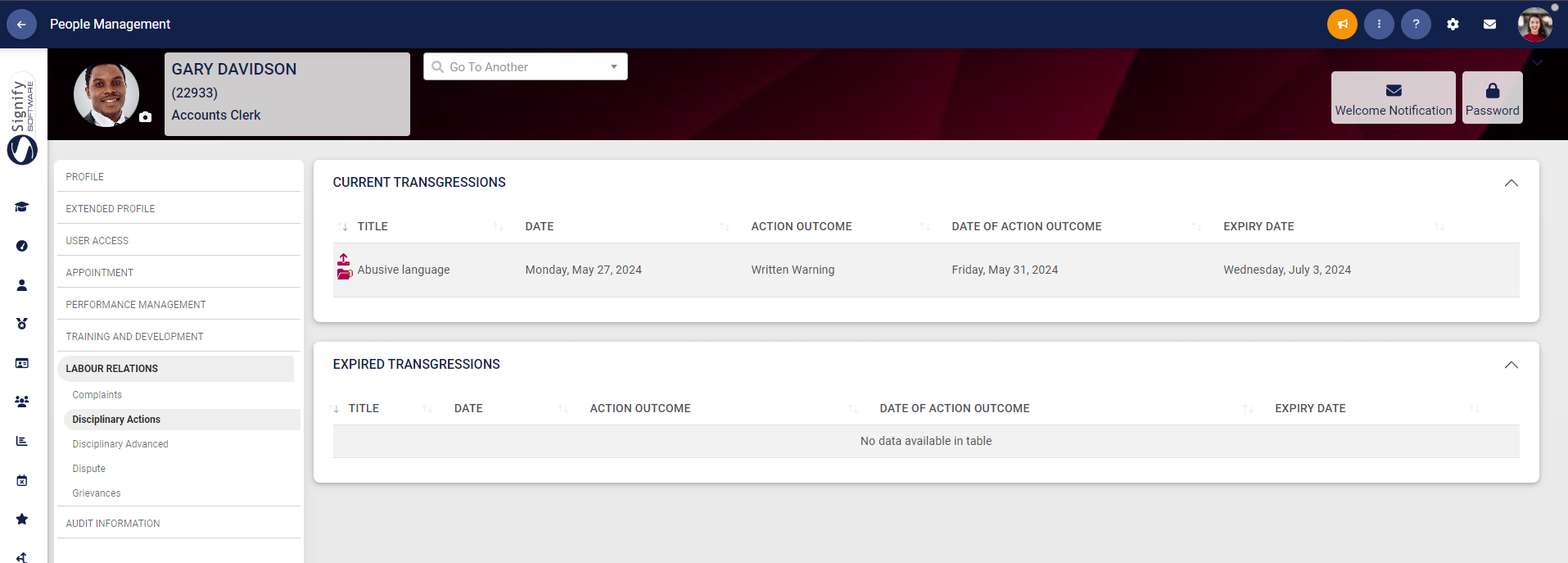](https://signature.signifyhr.co.za/uploads/images/gallery/2024-06/X2yH9XDnSyygeHtn-image.png)
- A new Transgression can be added.
[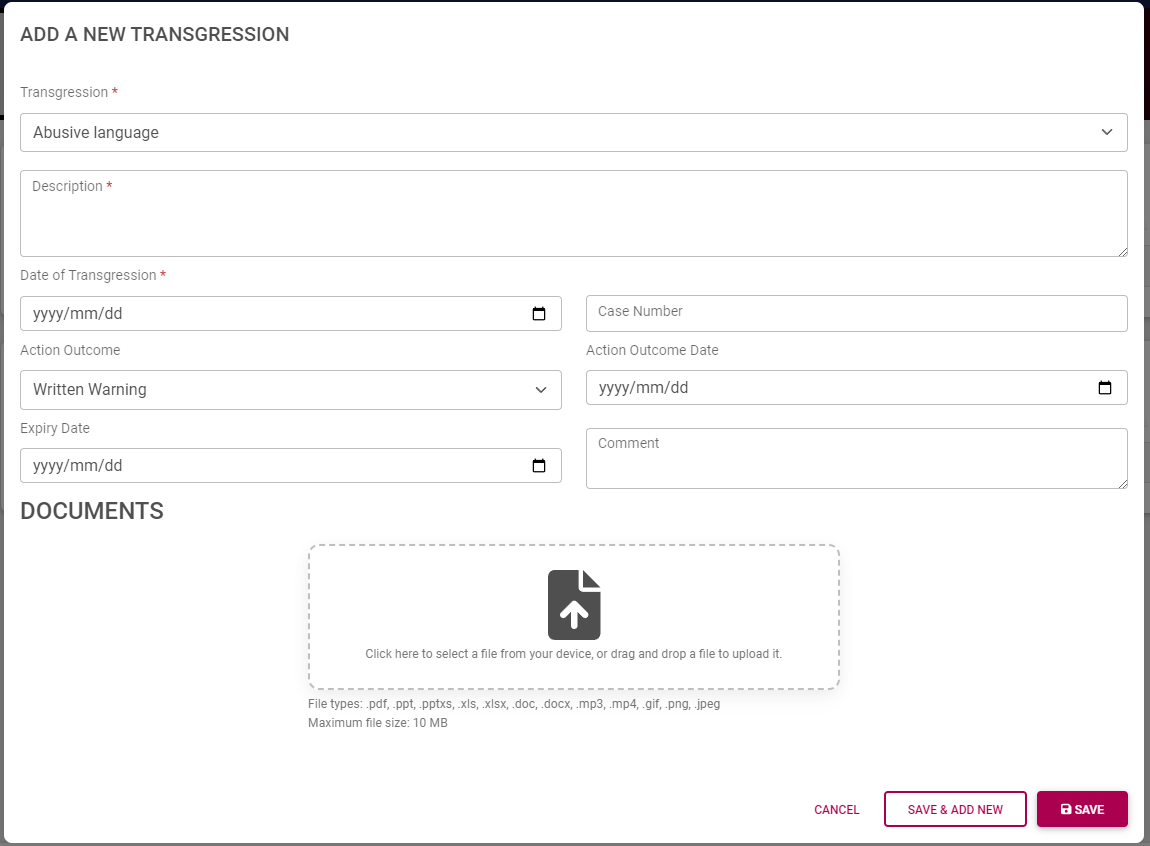](https://signature.signifyhr.co.za/uploads/images/gallery/2024-06/8n4kgSWKvOHteXn2-image.png)
- Documents can be viewed and uploaded
[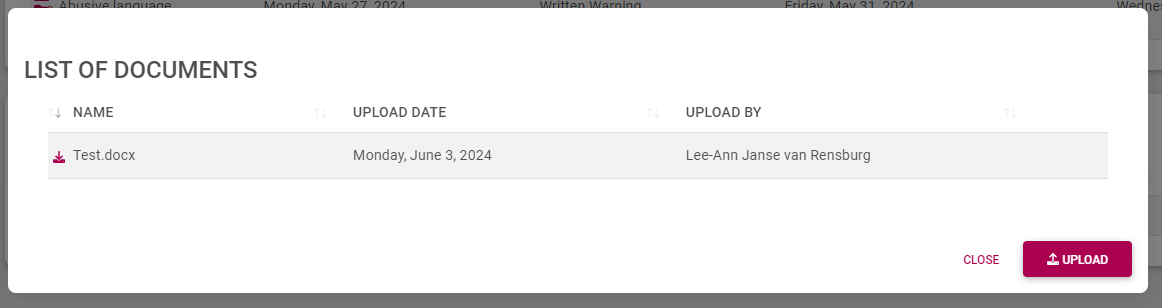](https://signature.signifyhr.co.za/uploads/images/gallery/2024-06/UtVTLhK58oMzt3GZ-image.png)