# How to create a new book
**When to add a book?**
You can think of a book as a topic you can speak on for days on end without stopping. In other words, there really is a lot to say!
Smaller or shorter snippets of information belong in either a chapter or a page.
**Steps**
- Sign into Signature
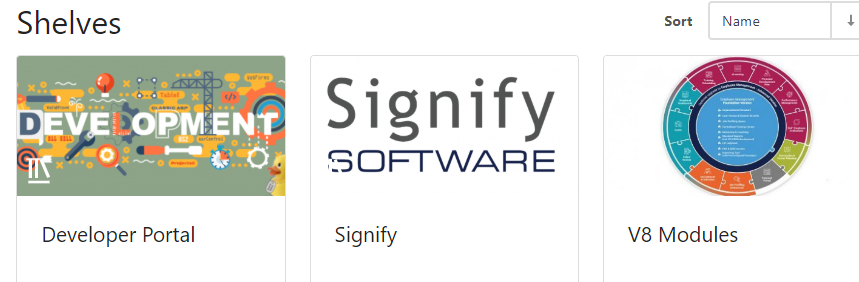
- Select the shelve you want to add the book to
[](https://signature.signifyhr.co.za/uploads/images/gallery/2020-06/0EC2Db1DVXJVBmyv-image-1593495864693.png)
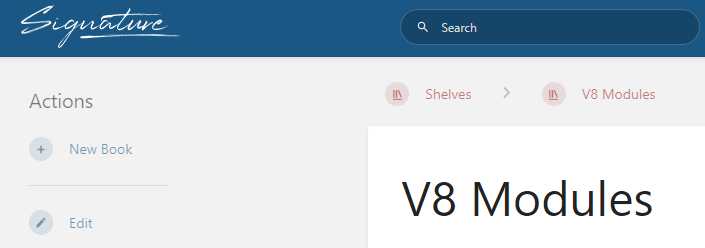
- Click on 'New Book'
[](https://signature.signifyhr.co.za/uploads/images/gallery/2020-06/mEZPOoC5PP1qFhL4-image-1593495915649.png)
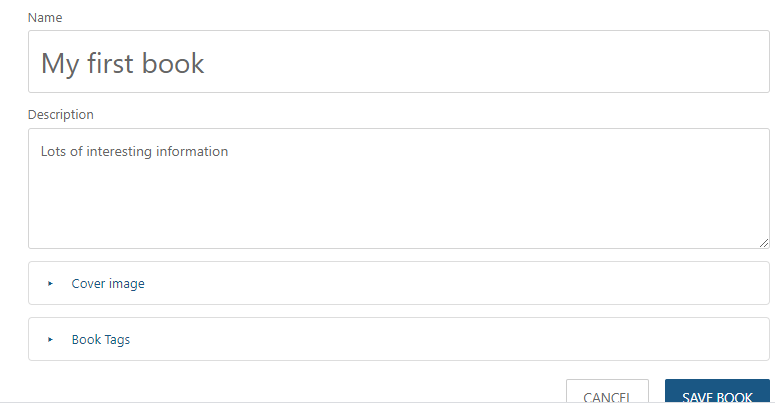
- Specify a proper name and description for your book (Pro-tip: A proper choice here will go far in others finding your book when they need it)
[](https://signature.signifyhr.co.za/uploads/images/gallery/2020-06/QNtv7V4vM0tJxQVT-image-1593496026977.png)
- Add a Cover image to help users identify your chapter visually over time
- Book Tags can be added to improve searching