Key Features of the Main Dashboard

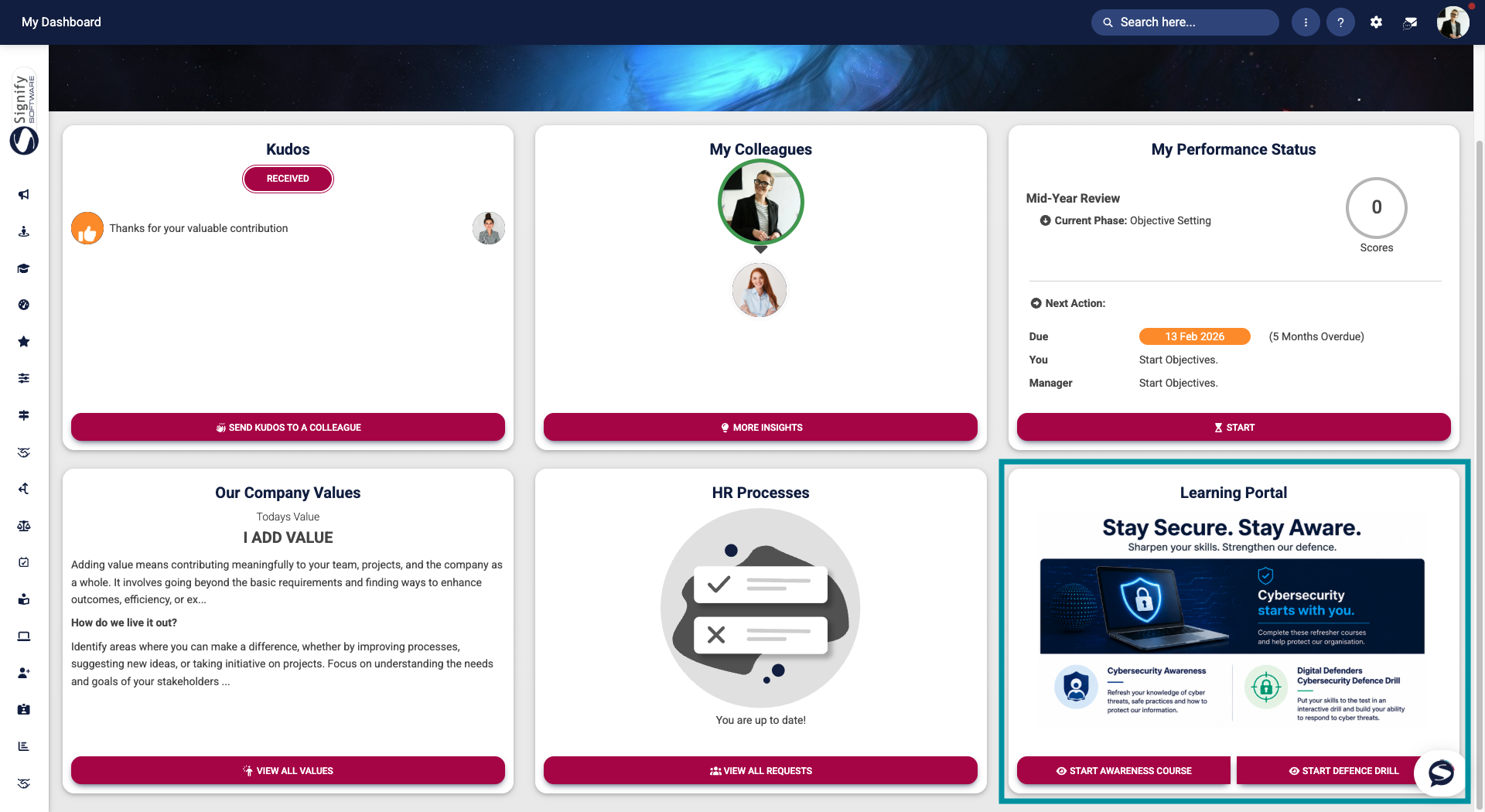
The Main Dashboard combines people, status, and communications into a personalised view, enabling users to scan, act, and navigate easily without having to searchsearching through menus. Let us examine the key features and their functions.
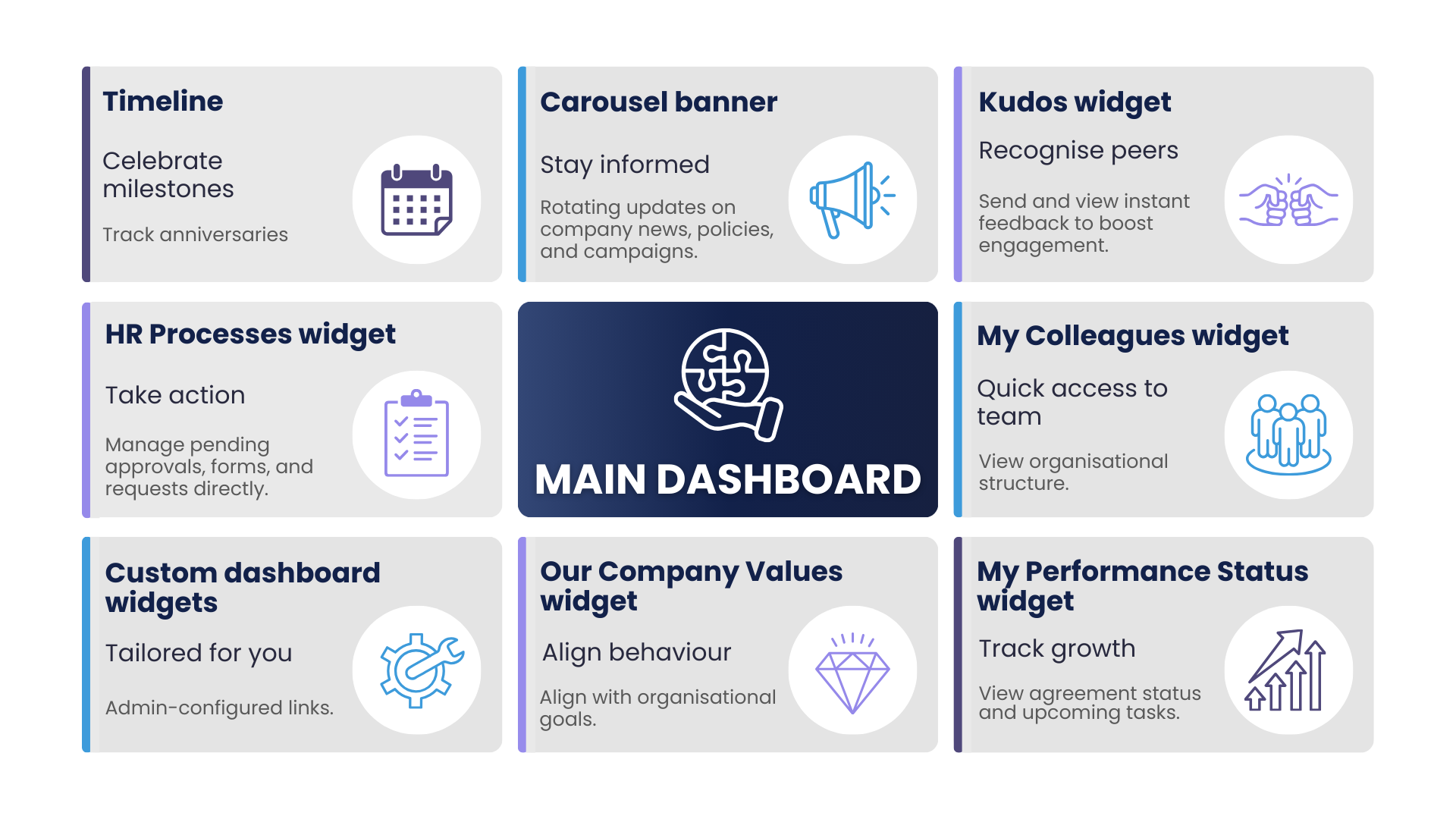
Timeline
DisplaysThe theTimeline user’shighlights employmentsome anniversaryimportant employment-related milestones, such as work anniversaries and other personalsignificant milestonesevents. alongThis provides users with a linearvisual timeline.overview Hoverof or click a milestone to view detailsupcoming and relatedrecent actions, such as anniversary messages or eligibility dates.
milestones.
Carousel banner
AThe rotatingCarousel banner can be used for organisation-wide announcements, campaigns, or featured content. Each slide can include a short message, an image, and a direct link to the relevant area of the system, likesuch as a policy, news item, or e-learning course.
Kudos widget
EncouragesThe Kudos widget helps boost engagement and highlights positive feedback without leaving the dashboard. It encourages peer recognition by showing recent kudos activity and providing a one-click option to send kudos to colleagues. It helps boost engagement and highlights positive feedback without leaving the dashboard.
My Colleagues widget
AThe My Colleagues widget is a compact panel showcasing your team members or reporting lines. It provides quick access to the organisational structure,structure helpingand usersoffers connectadditional withpeople-related theirinformation colleaguesand efficiently.
insights.
My Performance Status widget
SummarisesThe yourMy performancePerformance agreement,Status reviewwidget status,provides anda othersummary relevantof performance-related information, such as current agreement status, upcoming review dates, or pending performance actions.
Our Company Values widget
StrengthensThe Our Company Values widget is designed to encourage reflection and consistent behaviour across the organisation. It strengthens organisational culture by displaying the current value or behavioural focus, a brief explanation, and a link to the full values library or suggested behaviours. Designed to encourage reflection and consistent behaviour across the organisation.
HR Processes widget
DisplaysThe actionable HR tasks,Processes includingwidget displays outstanding requests, pendingforms, approvals, forms to complete, and helpfulother processHR-related links.activities that require attention. Users can track progress and complete tasks directly navigate from the widgetdashboard, tohelping submitthem orstay manageon requests.
of their responsibilities.
Custom dashboard widgets
Administrator-configurableCustom blocksDashboard forWidgets can be configured to display targeted announcements, links,important information, or embeddeddirect content.links Typicalto usesspecific areas of the system. Examples include quick accesslinks to e-learning courses, company-widefrequently announcements,used forms, and other commonly accessed resources. In the image below, the widget provides links to specifictwo modulee-learning features,courses orfor region-specificusers information.to complete.