
Overview of the Main Dashboard

The Main Dashboard is the user’sstarting central hubpoint for people-relatedusers within the system. It brings together important information, company updates, and quickactions actions. It deliversin a personalisedsingle snapshotlocation, ofmaking employmentit easy to stay informed and complete tasks efficiently.
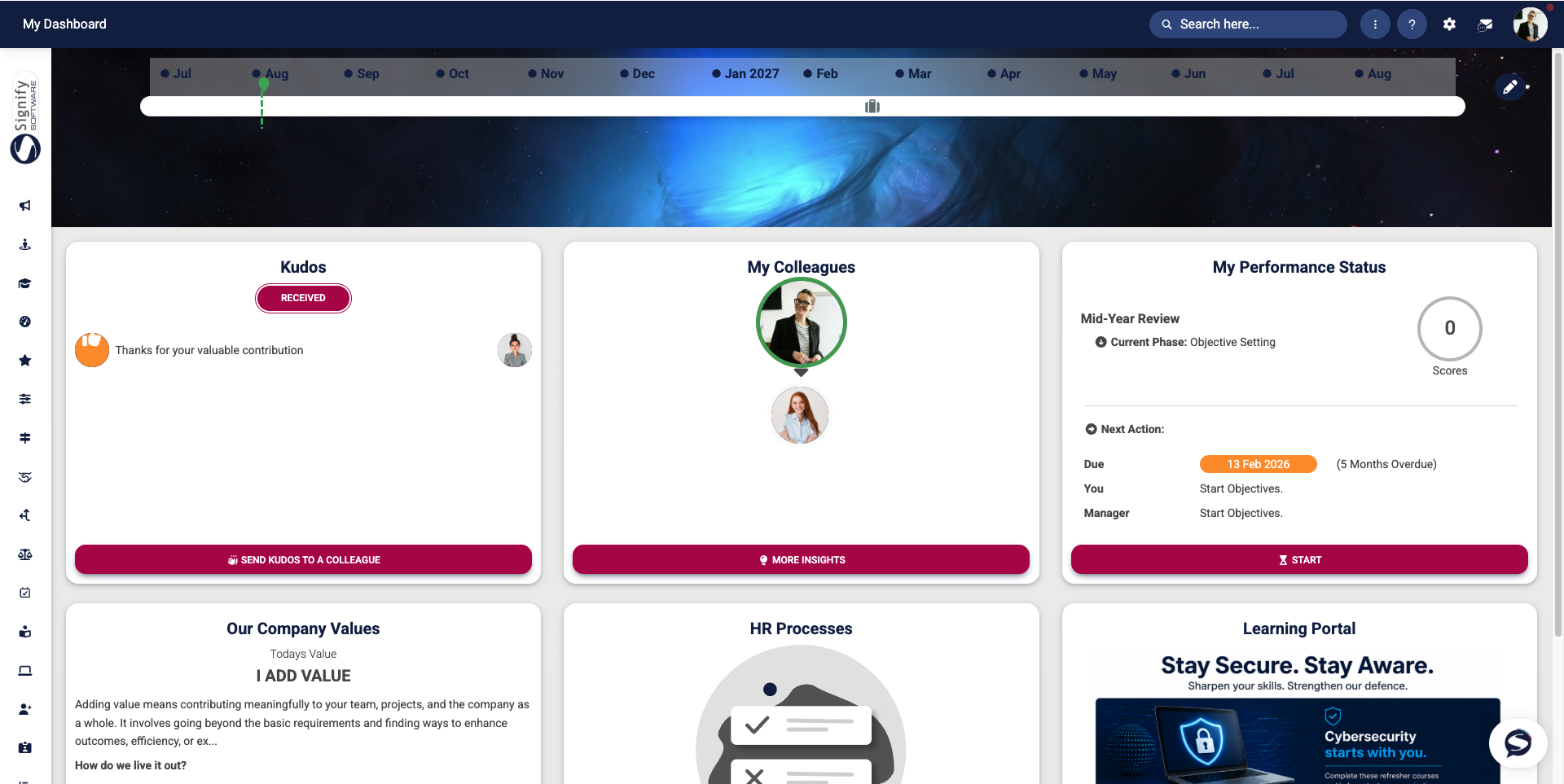
At a glance, users can view upcoming milestones, teamrecognise connectionscolleagues, monitor performance activities, access company information, and manage outstanding HR itemstasks. soThe usersdashboard canis seedesigned whatto mattersprovide mostquick at a glance and move quicklyaccess to the rightinformation placethat inmatters most, reducing the system.need to navigate through multiple menus.
Dashboard components
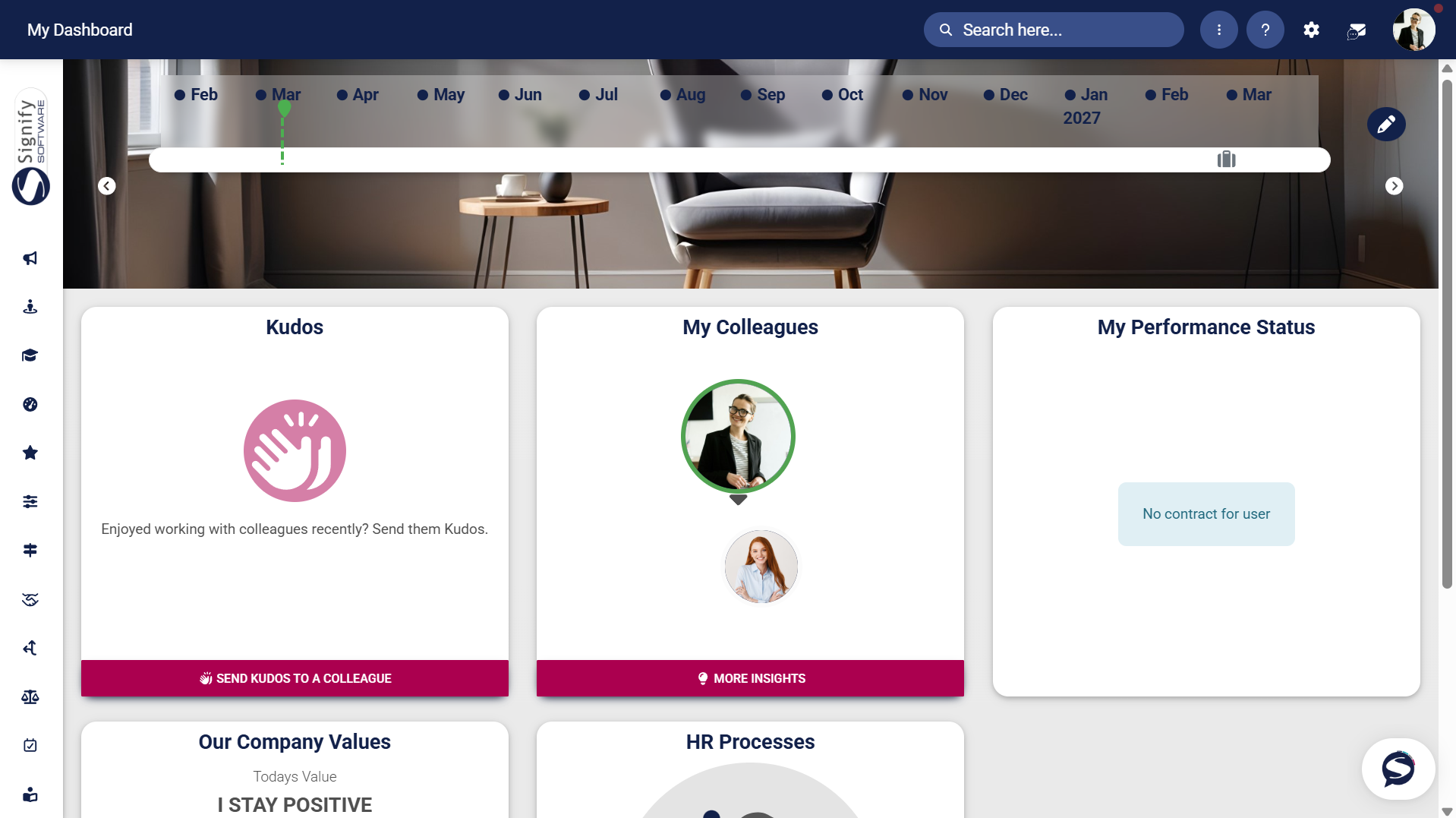
Timeline
Key elements include:
Carousel banner
content.Kudos
The Kudos widget that encourages peeremployee recognition withby allowing users to acknowledge and celebrate their colleagues' contributions. Recognition can be shared quickly through simple, one-click actions,
My Colleagues
The My Colleagues widget givingprovides a compactconvenient viewoverview of team members and shortcutsoffers quick access to peopleadditional insights,
My Performance Status
The My Performance Status widget thatprovides summarisesa contractsummary of performance-related information, including performance contracts and review information,activities.
Our Company Values
The Our CompanyCompany Values panel forreinforces reinforcingthe culture,
HR Processes
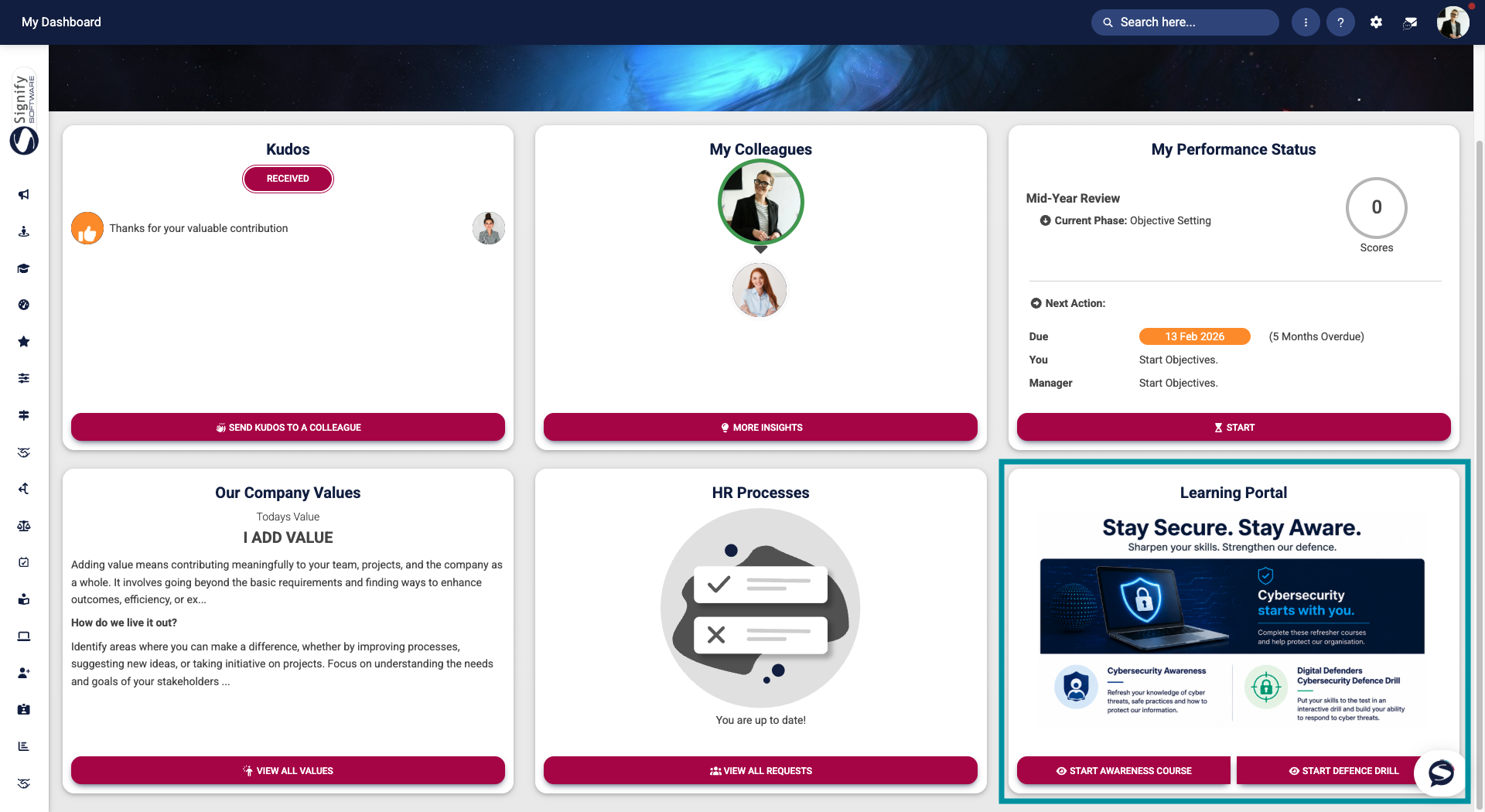
The HR Processes widget surfacesdisplays outstanding requests, formsforms, approvals, and approvalsother soHR-related usersactivities that require attention. Users can track progress and complete tasks withoutdirectly huntingfrom throughthe menus,dashboard, and
Custom dashboard widgets
Custom Dashboard Widgets thatcan allowbe configured to display targeted announcementsannouncements, important information, or direct links to specific systemareas areas,of suchthe assystem. anExamples include links to e-learning course or acourses, frequently used form.
Benefits of the dashboard
The dashboardMain isDashboard craftedhelps forusers:
