
Overview of the Main Dashboard

The Main Dashboard is the starting point for users within the system. It brings together important information, updates, and actions in a single location, making it easy to stay informed and complete tasks efficiently.
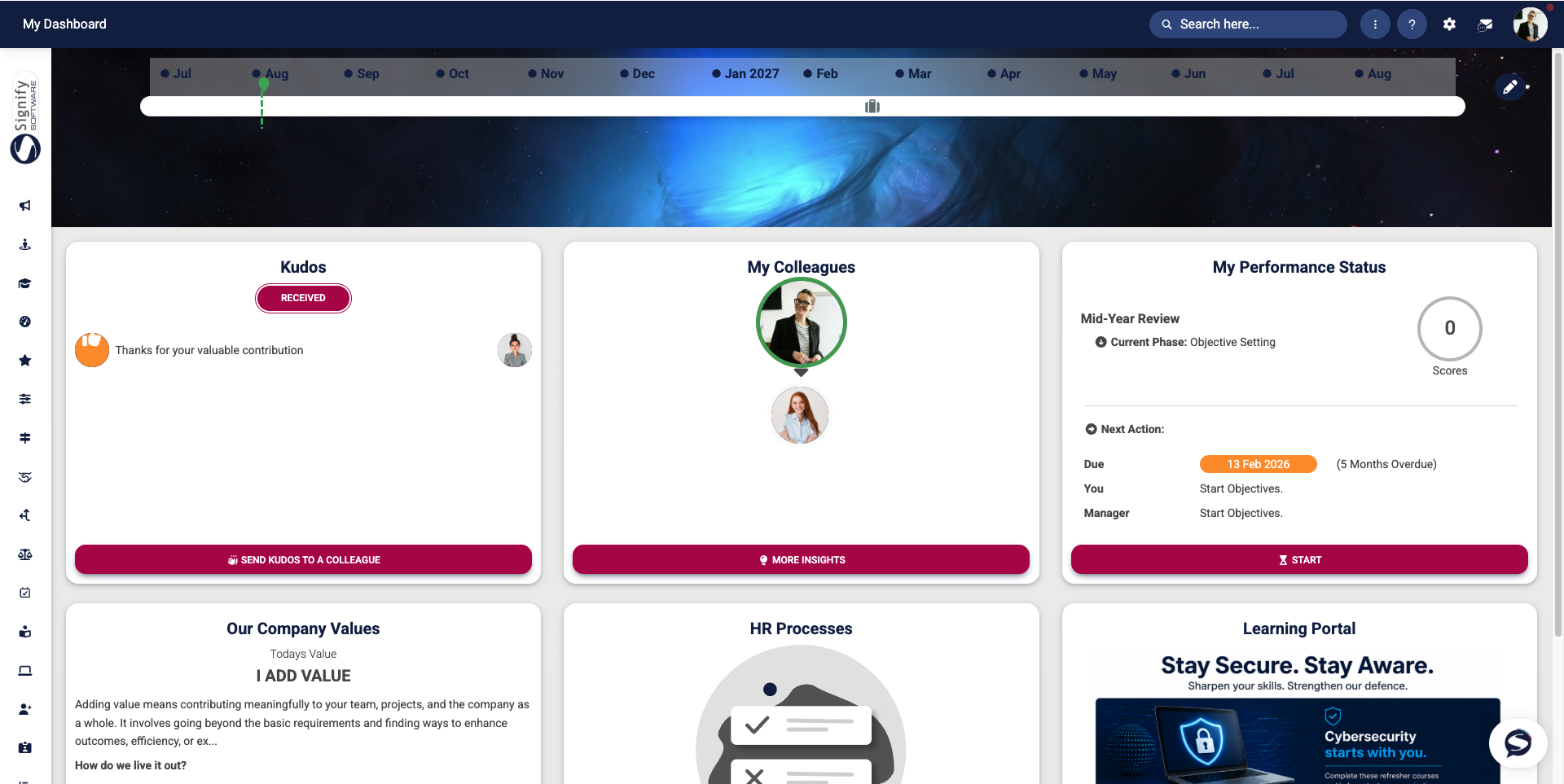
At a glance, users can view upcoming milestones, recognise colleagues, monitor performance activities, access company information, and manage outstanding HR tasks. The dashboard is designed to provide quick access to the information that matters most, reducing the need to navigate through multiple menus.
Dashboard components
The dashboard consists of several widgets, each designed to provide relevant information and quick access to key features. These include, but are not limited to, the following components:
The Timeline highlights important employment-related milestones, such as work anniversaries and other significant events. This provides users with a visual overview of upcoming and recent milestones.
Kudos
The Kudos
The My ColleaguesColleagues" widget
The My Performance StatusStatus" widget
The Our Company Values panel reinforces the organisation's culture by displaying the values that guide employee behaviour and decision-making.
HR Processes
The HR ProcessesValues" widget
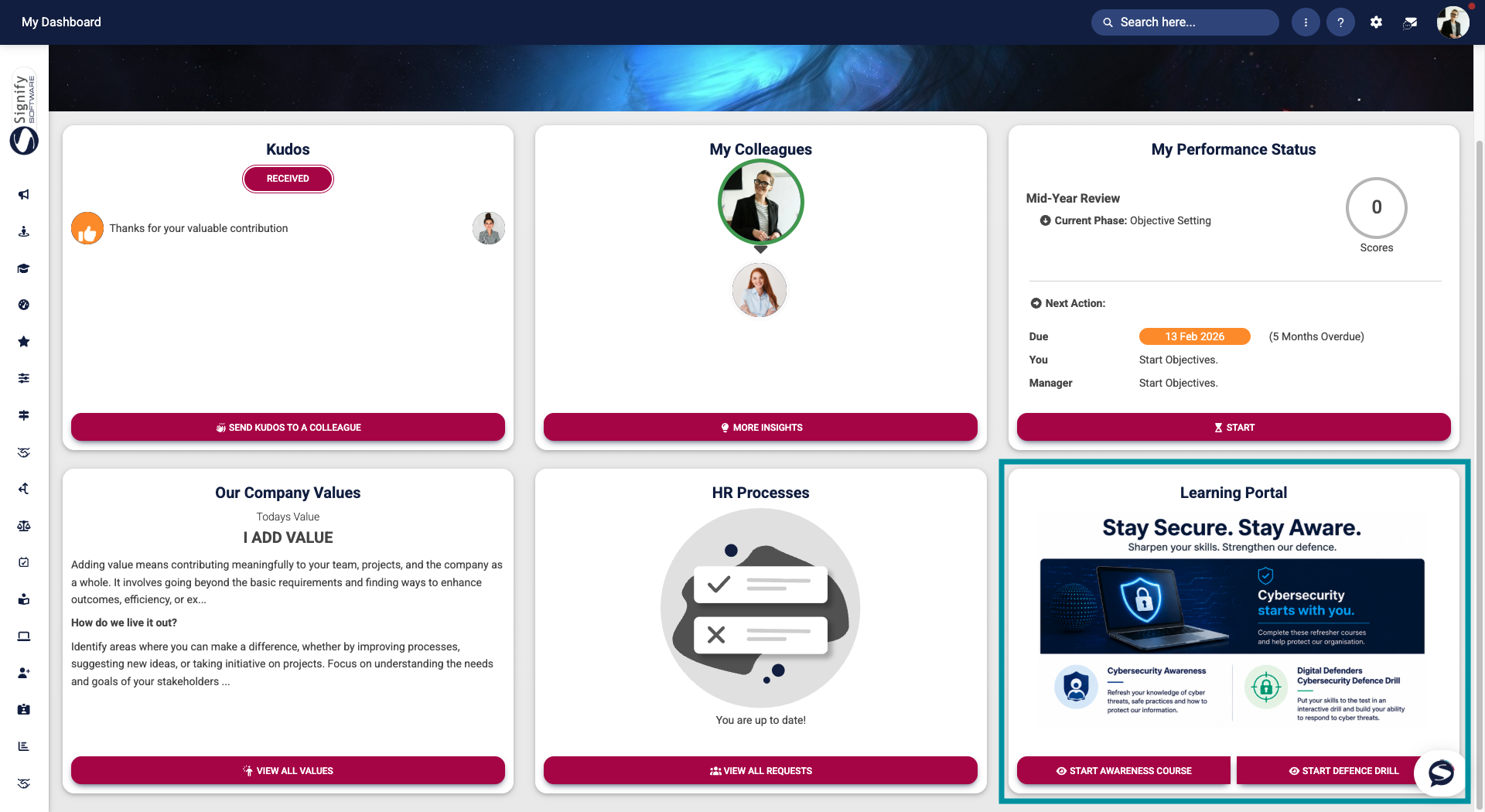
CustomThese Dashboard Widgets canwill be configureddiscussed toin displaymore targeteddetail announcements, important information, or direct links to specific areas ofin the system.following Examples include links to e-learning courses, frequently used forms, and other commonly accessed resources. In the image below, the widget provides links to two e-learning courses for users to complete.chapters.
Benefits of the dashboard
The Main Dashboard helps users:
- Stay informed about company updates and announcements.
- Track important milestones and employment-related events.
- Recognise colleagues through the Kudos feature.
- Monitor performance activities and review progress.
- Access key information quickly from a single location.
- Complete outstanding HR tasks without navigating through multiple system areas.
