Re-contracting Phase

Signify Header.png

The Recontracting Phase is similar to the objective-setting phase described earlier, with one key difference: a performance agreement has already been completed for the current performance year, and now a new one needs to be established. This guide assumes that you do not have an existing agreement for the current review period and that you want to create a new one.

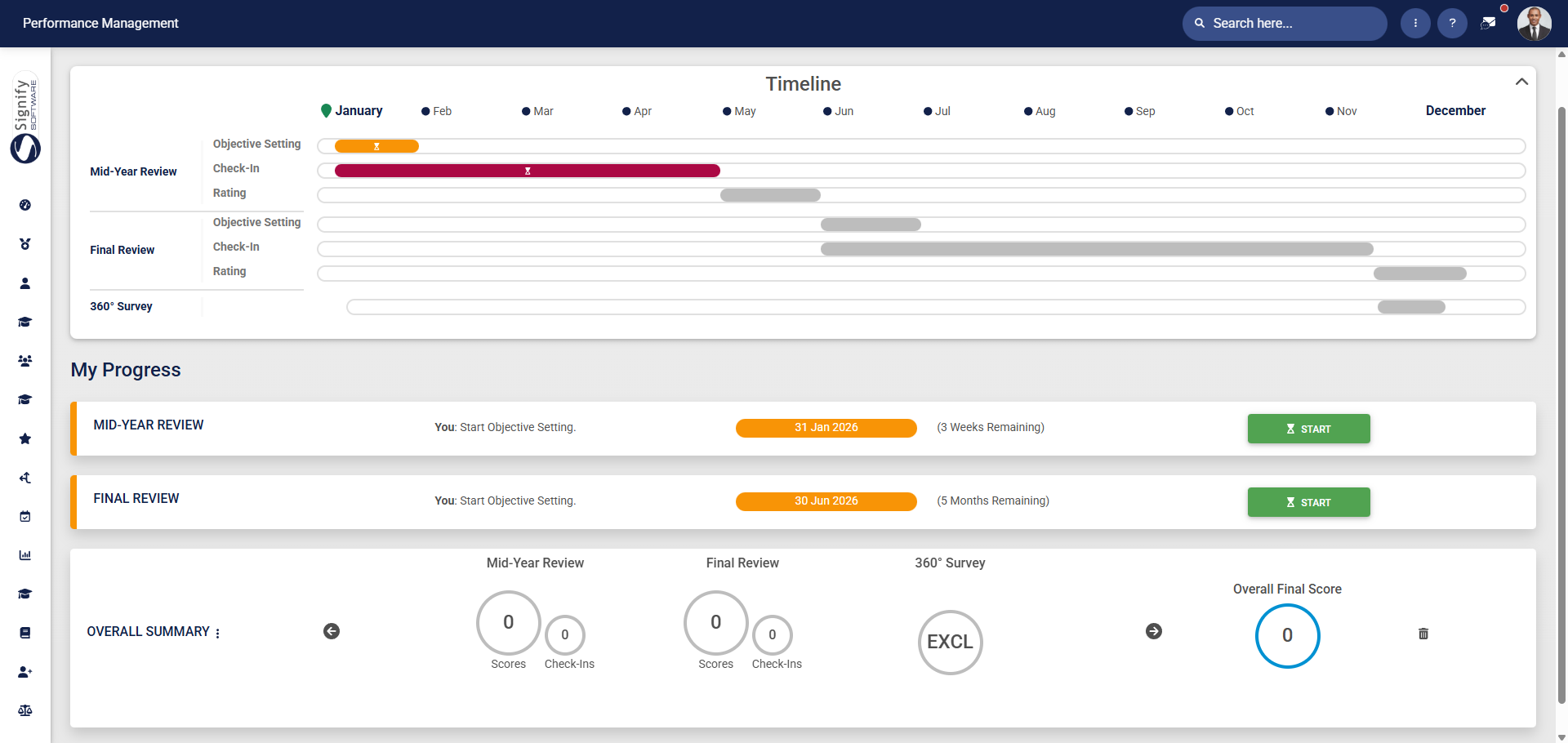
    Begin by navigating to the Performance Management dashboard.
    PM Dashboard (Employee).png

      Click START to create a new performance agreement.

      PM Start creating a performance agreement.png

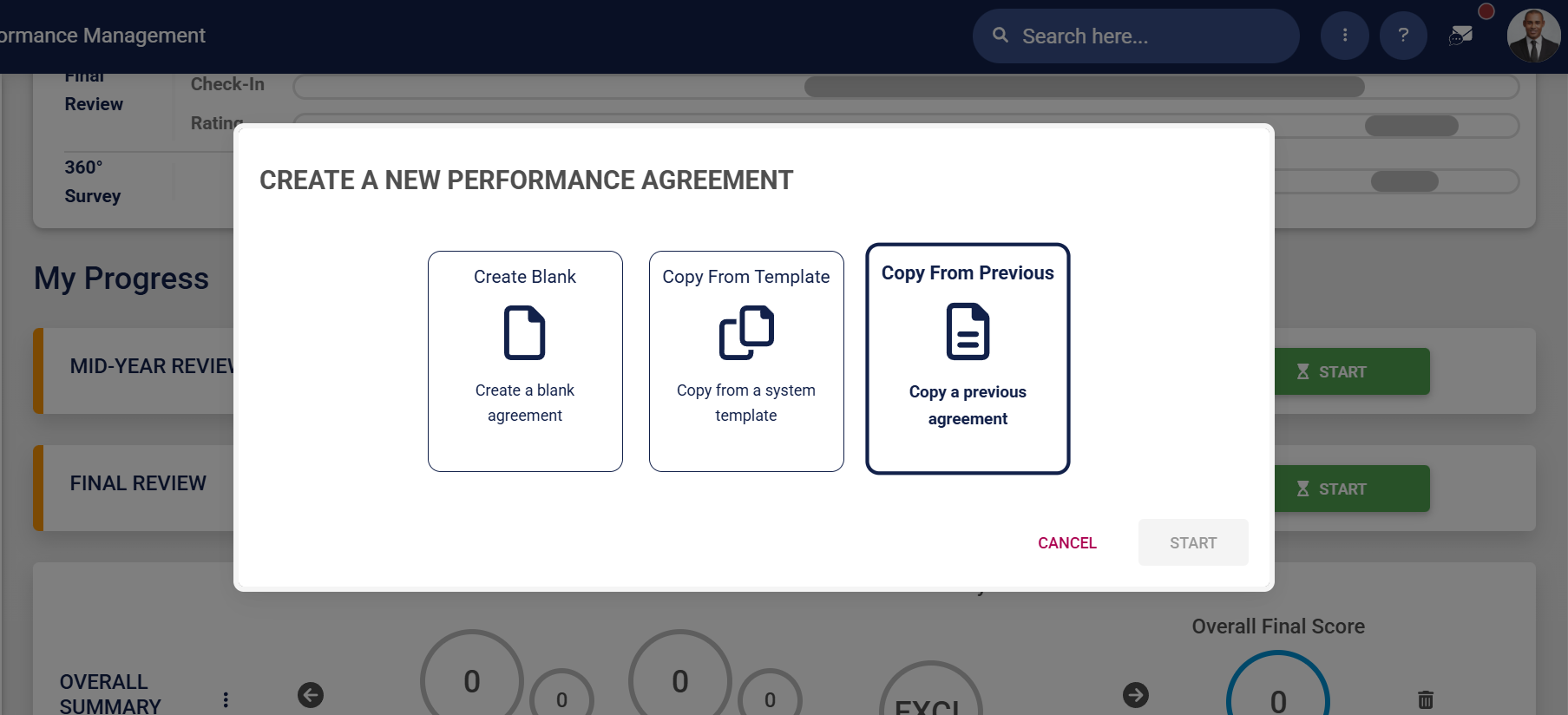
        The Performance Management module allows employees to create a performance agreement in three ways.
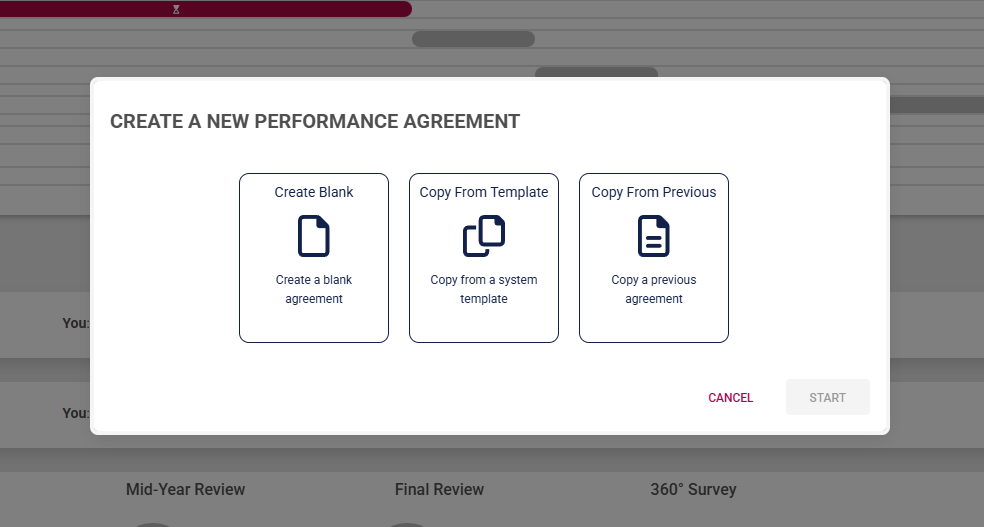
        PM Create PM agreement options for employees.png

          Managers are offered an additional option to create a performance agreement for a reportee using a template from another team member. 
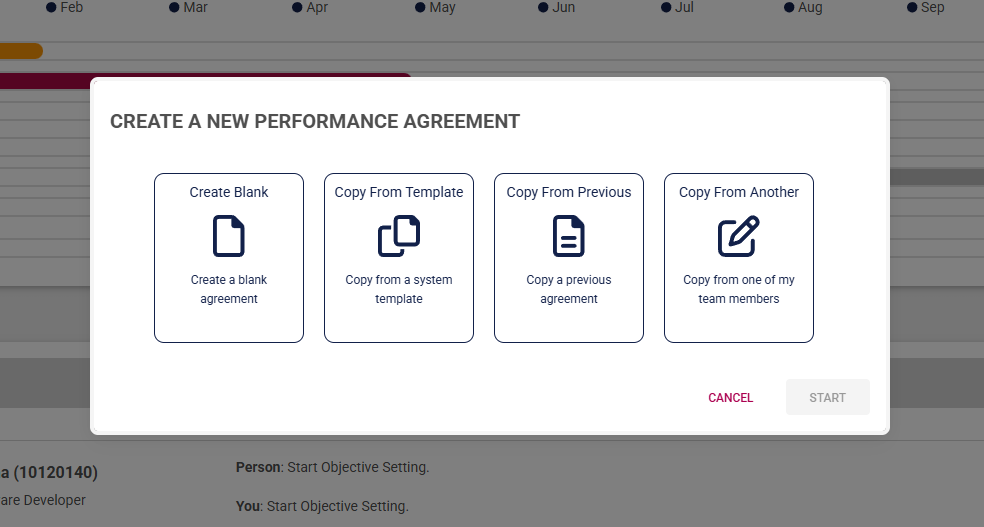
          PM Create PM agreement options for managers.png

          Click on the following tabs to expand the step-by-step instructions.

          Create a blank agreement
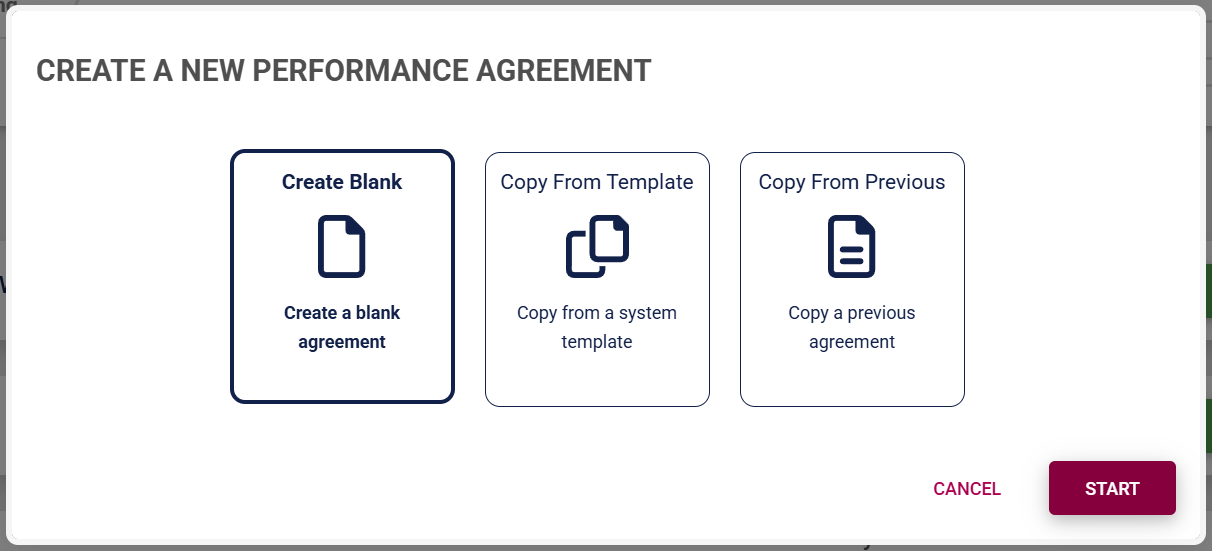
            Click Create Blank to start creating a performance agreement from the beginning.
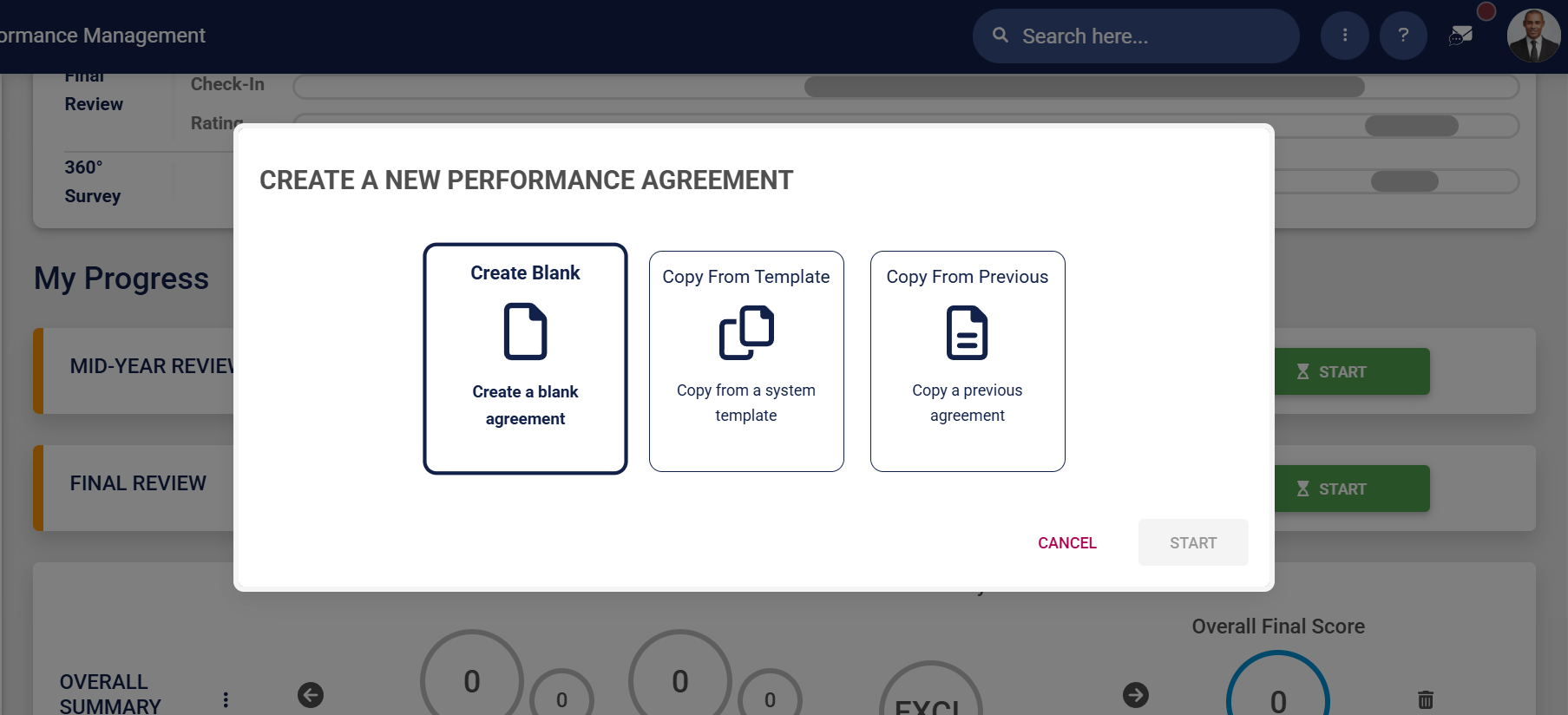
            PM Create PM agreement employees – Blank.png

              Click START.

              PM Create PM agreement employees – Blank – Start.png

                The performance agreement screen will display, showing the different sections, though it won't include any objectives at this stage. Adding objectives is covered in the next section.
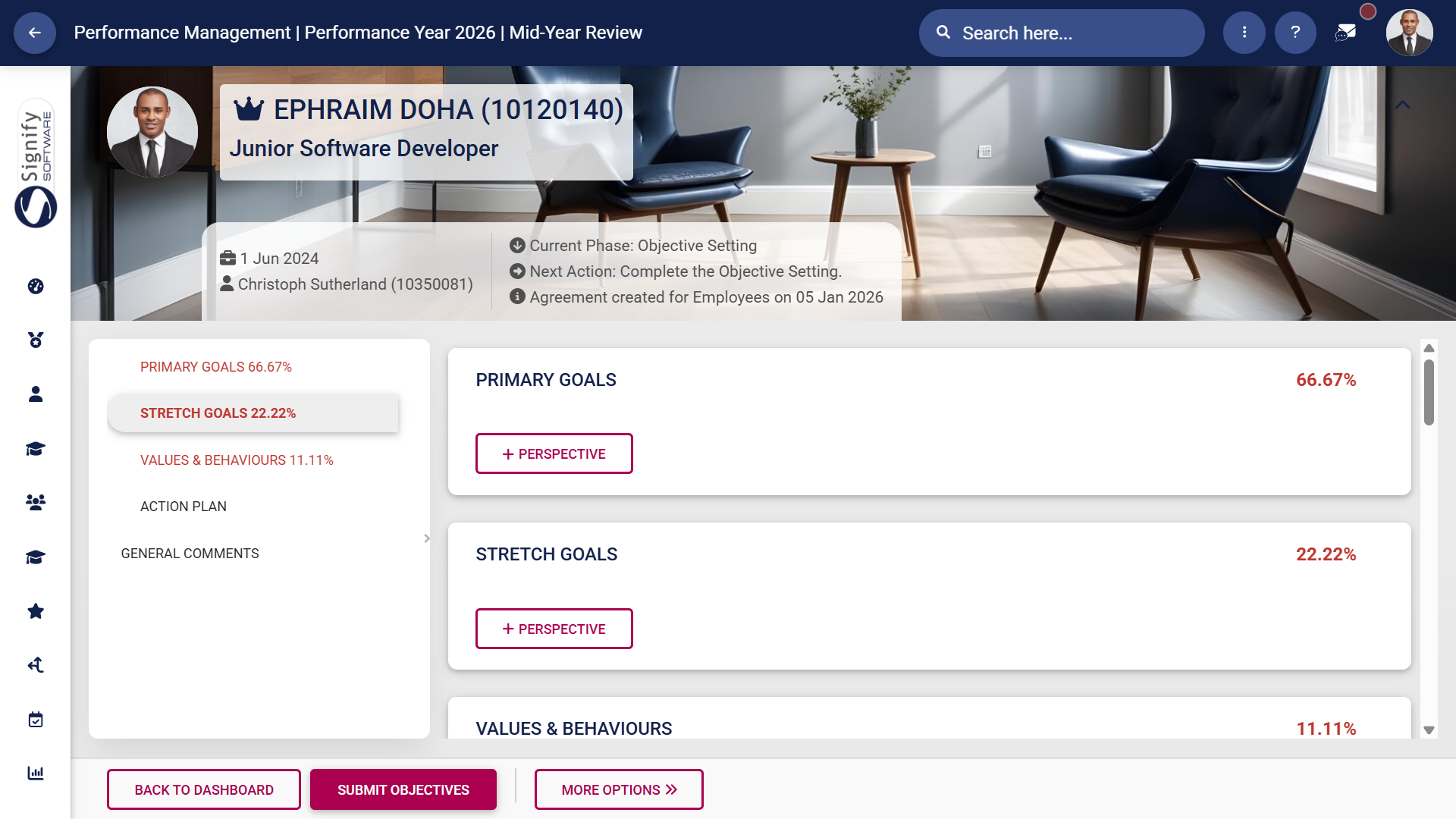
                PM Create PM agreement employees – Blank – Agreement Screen.png

                Use a performance agreement template
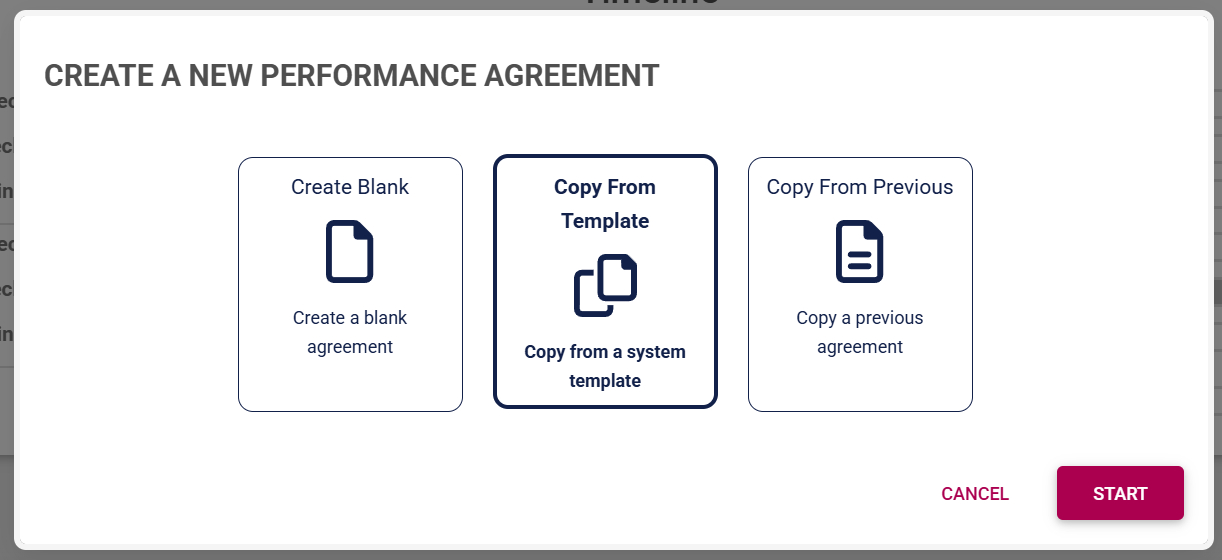
                  Click Copy From Template to create a performance agreement based on a system template.
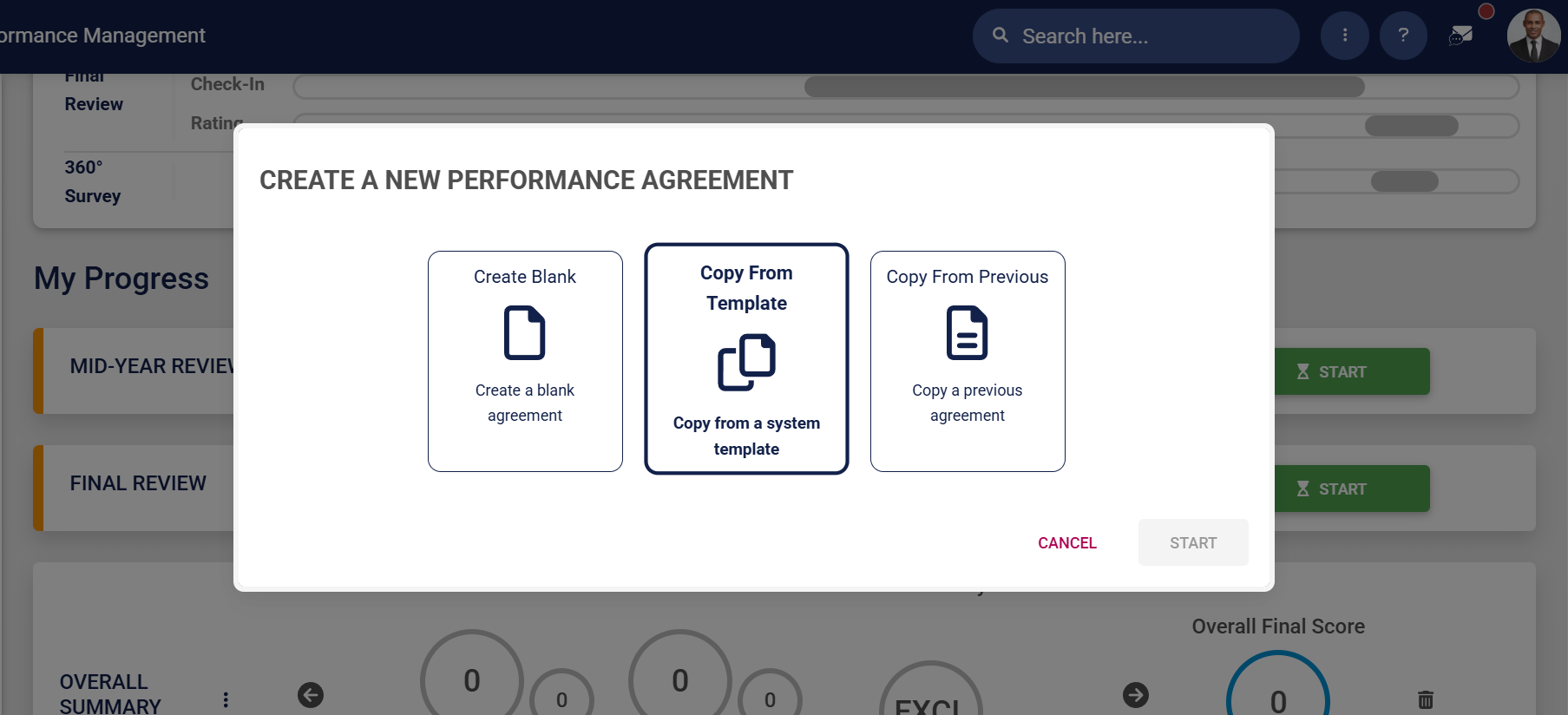
                  PM Create PM agreement employees – Template.png

                    Click START.

                    PM Create PM agreement employees – Template – Start.png

                      A list of the templates currently on the system will be shown.
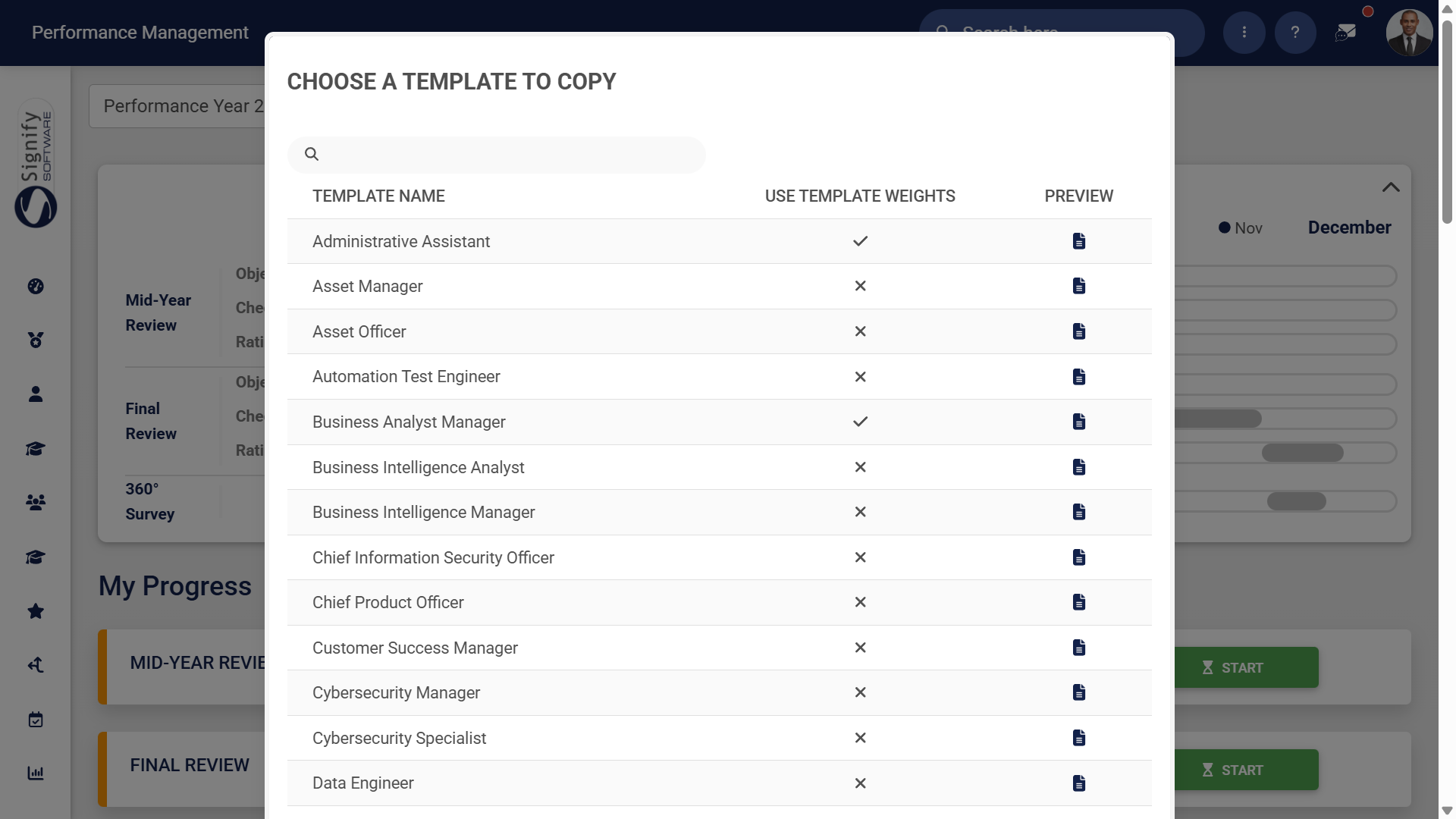
                      PM Create PM agreement employees – Template – List.png

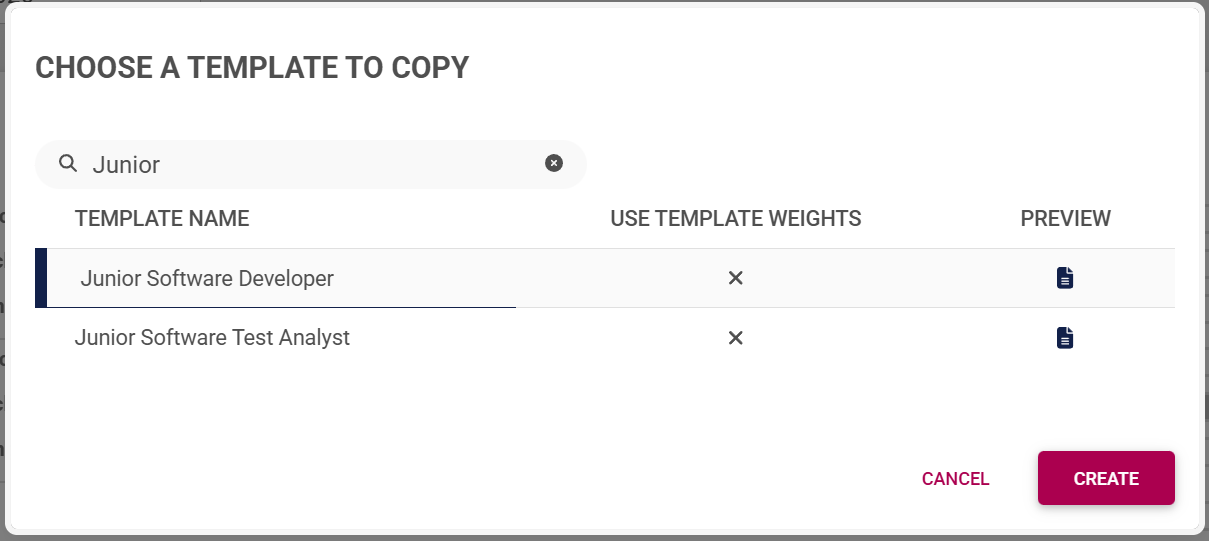
                            Use the search bar to search for a template based on a job title or specific keywords. 
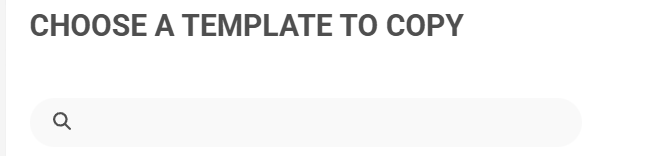
                            PM Create PM agreement employees – Template – Search Bar.png

                                  A tick will be displayed if the template's weights override the review setup's weights. A cross indicates that the review setup's weights will be used.

                                  PM Create PM agreement employees – Template – Use Template Weights.png

                                        To ensure you select the correct template, you can preview it by clicking the icon. The preview will open in a new tab.
                                        PM Create PM agreement employees – Template – Preview.png

                                          Choose a template you would like to copy, then click CREATE.
                                          PM Create PM agreement employees – Template – Create.png

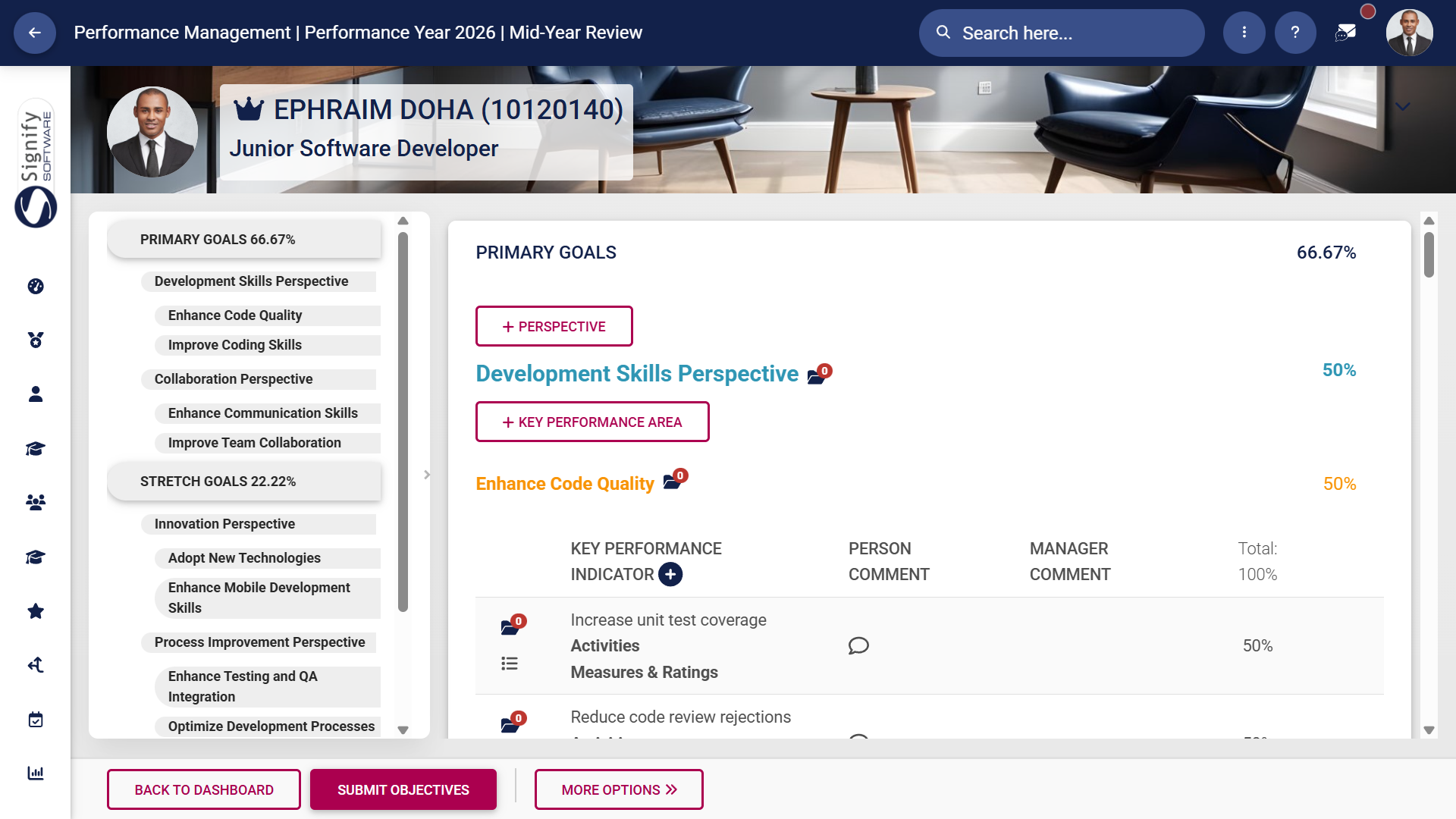
                                            The performance agreement screen will display, with the Perspective, Key Performance Area, and Key Performance Indicator fields filled in from the template.
                                            PM Create PM agreement employees – Template – Agreement Screen.png

                                            Copy from a previous agreement
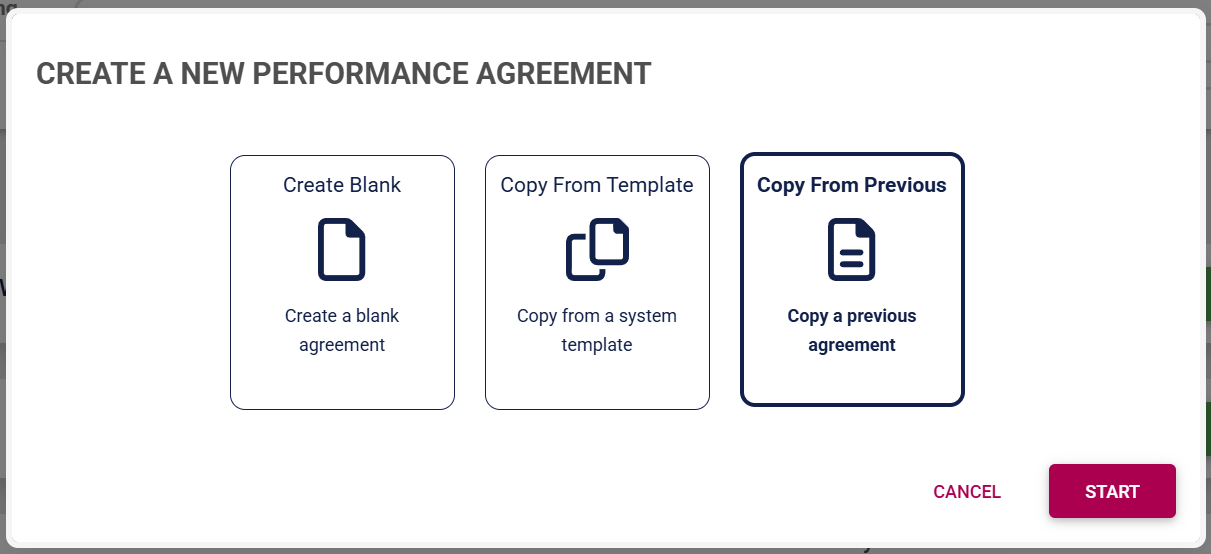
                                              Click Copy From Previous to create a performance agreement based on an agreement from a previous performance cycle.
                                              PM Create PM agreement employees – Previous.png

                                                Click START.

                                                PM Create PM agreement employees – Previous – Start.png

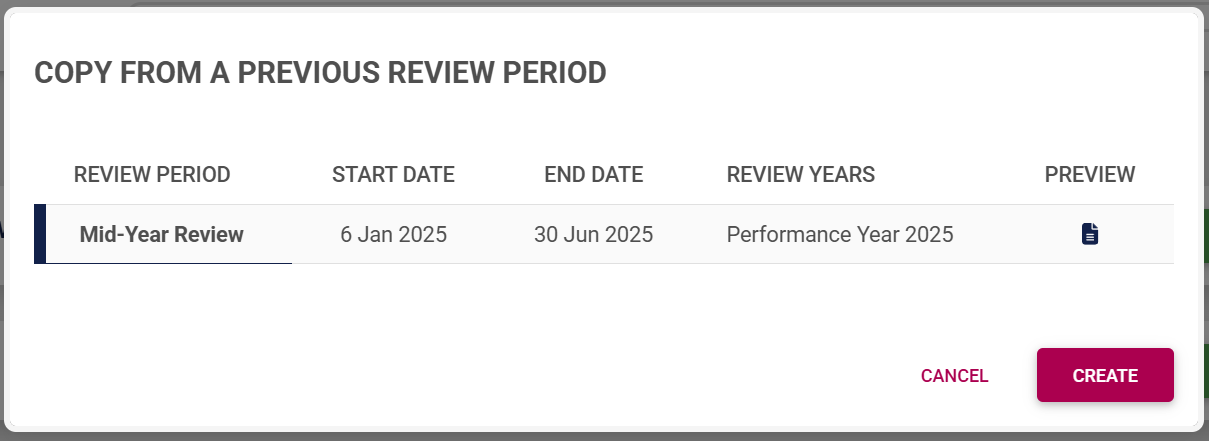
                                                  A list of the performance agreements from previous review periods will be shown.

                                                  PM Recontracting Phase Copy From Previous.png

                                                        To ensure you select the correct performance agreement, you can preview it by clicking the icon. The preview will open in a new tab.

                                                        PM Create PM agreement employees – Template – Preview.png

                                                          Select the performance agreement you would like to copy, then click CREATE.
                                                          PM Create PM agreement employees – Previous – Create.png

                                                            The performance agreement screen will display, with the Perspective, Key Performance Area, and Key Performance Indicator fields filled in from the previous agreement.

                                                            PM Create PM agreement employees – Template – Agreement Screen.png

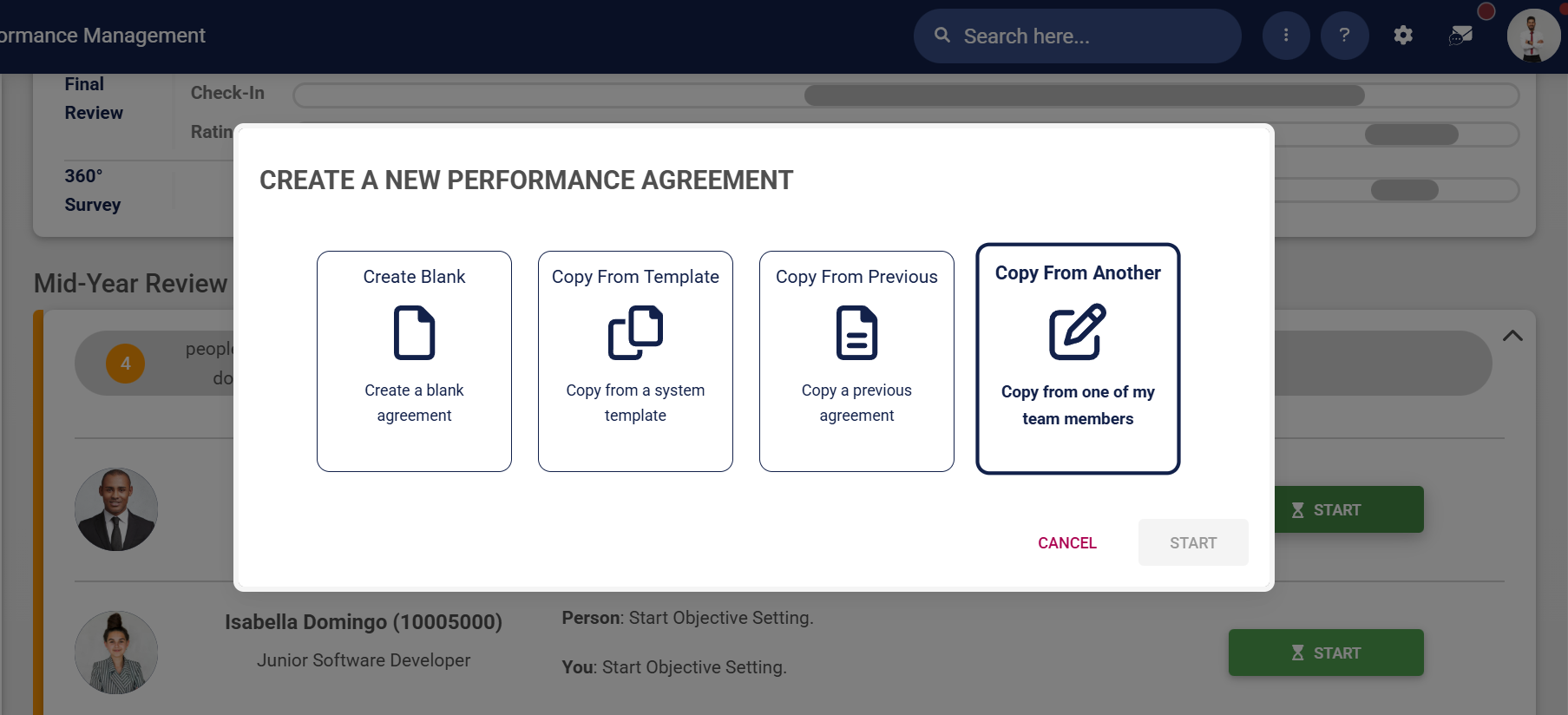
                                                            Copy an agreement from another employee (Managers only!)
                                                              Click Copy From Another to create a performance agreement based on another employee's agreement.
                                                              PM Create PM agreement employees – Another.png

                                                                Click START.

                                                                PM Create PM agreement employees – Another - Start.png

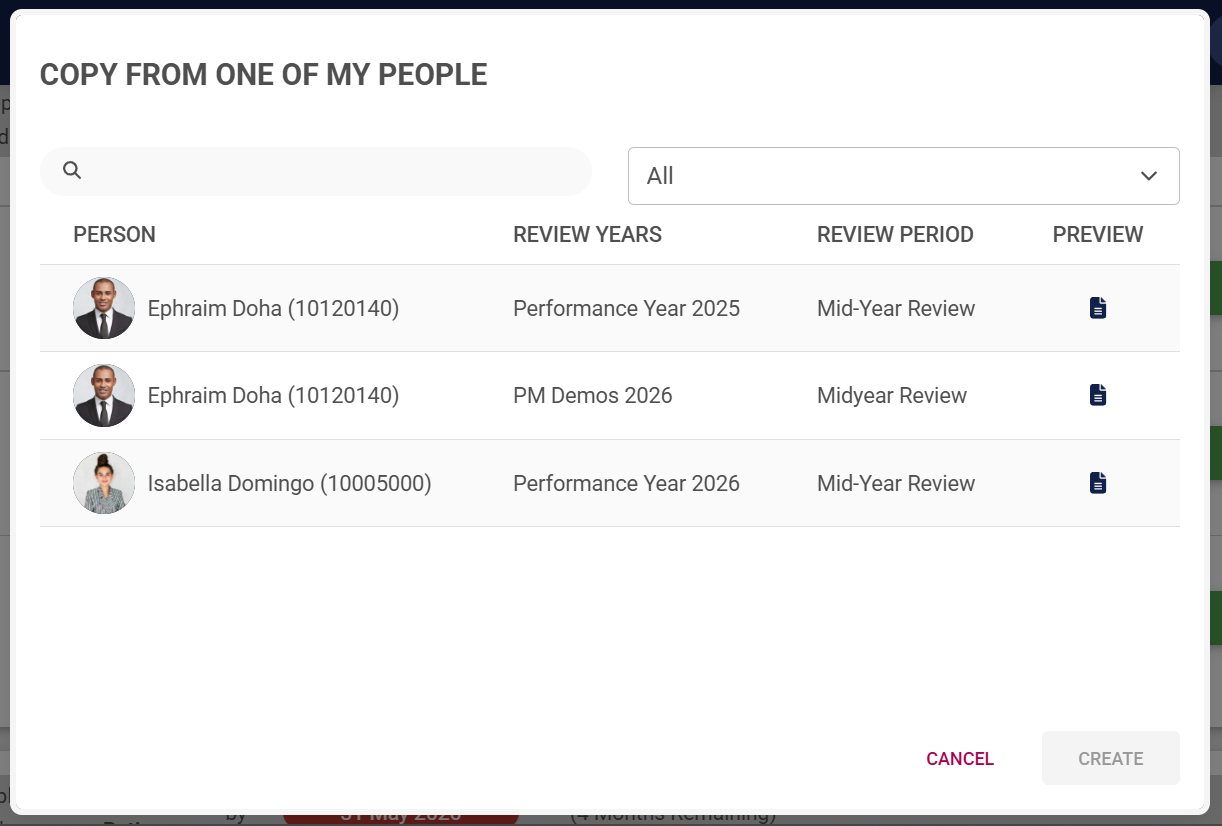
                                                                  A list of the other employees in your team's performance agreements will be shown. These agreements are from the current and previous review periods.
                                                                  PM Create PM agreement employees – Another - List.png

                                                                        To ensure you select the correct performance agreement, you can preview it by clicking the icon. The preview will open in a new tab.

                                                                        PM Create PM agreement employees – Template – Preview.png

                                                                          Select the performance agreement you would like to copy, then click CREATE.

                                                                          PM Create PM agreement employees – Another - Create.png

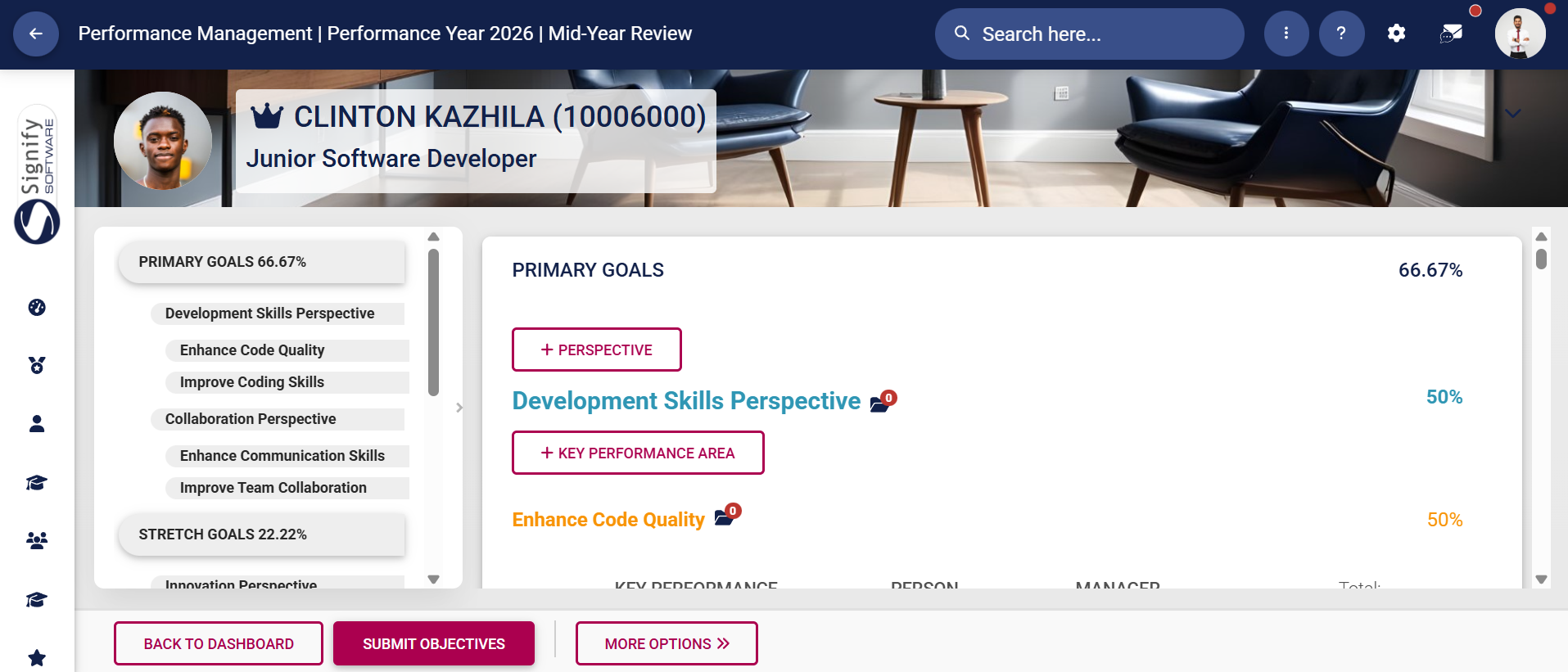
                                                                            The performance agreement screen will display, with the Perspective, Key Performance Area, and Key Performance Indicator fields filled in from the other employee's performance agreement.
                                                                            PM Create PM agreement employees – Another - Agreement.png

                                                                            Signify Footer.png