Do this to ensure success

We are addressing stepsteps 1 to 2 in the overall process of working with a performance contract. In this step we will create a contract from scratch, then go through the Performance Management Dashboard, and lastly we will do a quick tour of the contract itself, its sections and functionalities.
Step 1 pointed you towards the preparations needed to use the module e.g. which master data is required etc. In this step we assume that is all in place.
Communication and Change Management

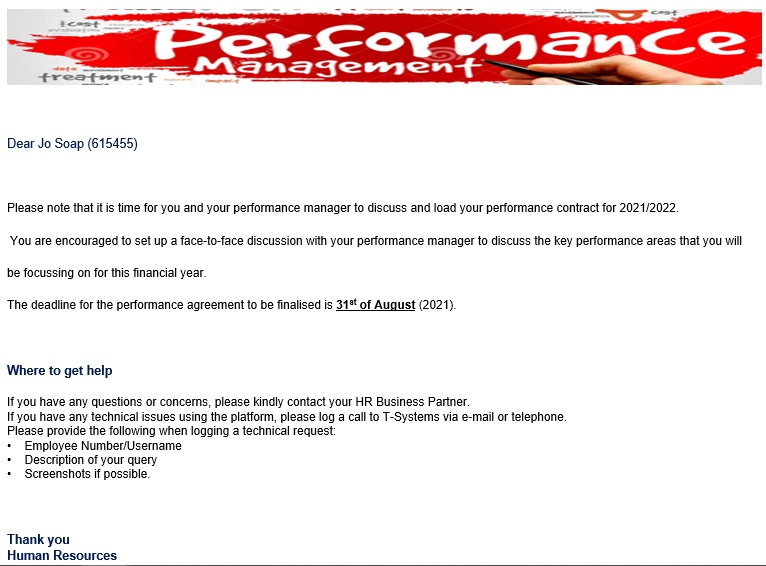
Managing expectations (and sometimes even fears) is crucial when embarking on a performance management process. More so if a new system is part of the package. We therefore recommend the following types of communication when you get to this point in the process. The Signify system has a general email that can be configured and scheduled to go out to all involved in the performance management project. See below for a typical example.
Send System Notifications
Further information that is helpful, include:
Conduct Short Training Sessions
And we mean short. Sometimes users get stuck on some tiny detail. Arrange online training sessions, which people can attend at will, and deal with short, impactful topics which are relevant at this stage of the process. These topics are usually supplementary to the standard training material, or emphasizing its importance. Examples of training sessions are:
Share Process Statistics
Besides the relevant upfront communication and guidelines, once the process has started, be sure to keep the momentum by encouraging employees and managers with little bits of information, and perhaps more guidance as to what is expected from them.
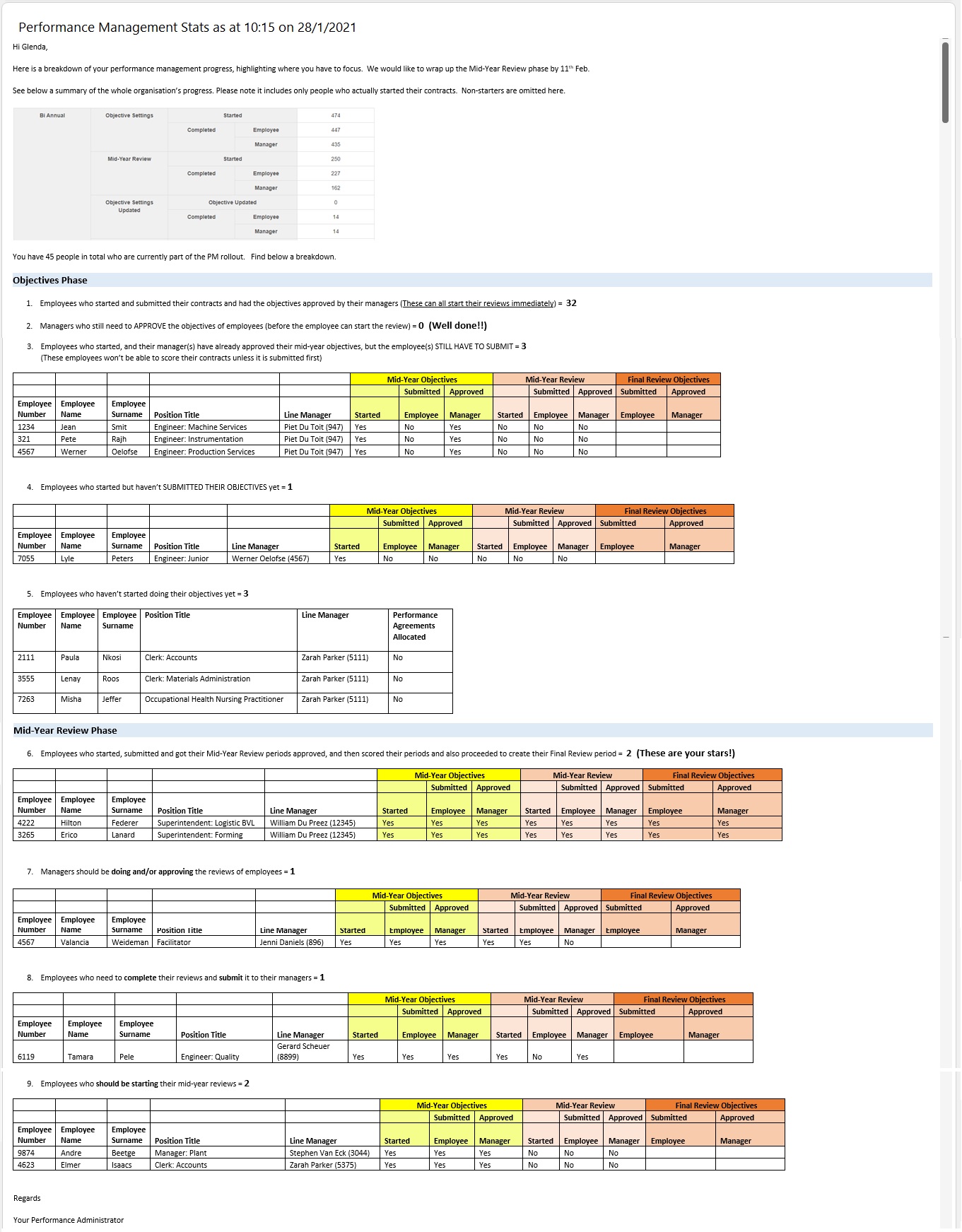
Use the system reports to extract process statistics and use these to create momentum. See below for an example.