
The Performance Management User Dashboard
Every user forming part of the performance management process, gets access to their own Performance Management Dashboard. This dashboard is actually just a high level summary of the current status of each of a user's performance contracts. Normally, a user can have one performance contract for any given performance cycle.
Create a New Performance Agreement
If the user has an existing contract
The user is busy with the 2022 performance cycle.
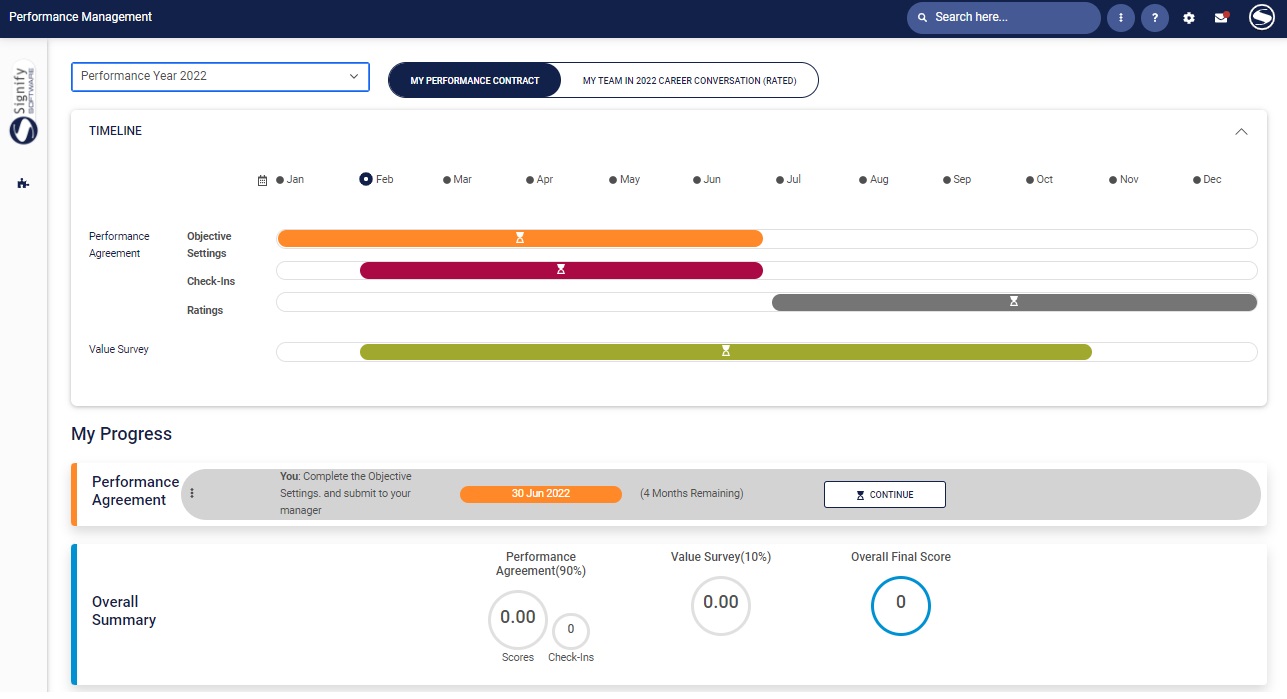
If a user doesn't have an existing contract for the current performance cycle
Create a blank review period- which means the user will have to type, or select every KPA and every KPI.
Copy from employee's previous review period - which means reusing, or starting with last year's performance contract.
Copy from a system template - which means start your contract from a standardised template and then customise as needed.
Copy an agreement of one of my employees - only available to a manager, should he/she want to copy contracts between employees.
The performance year and review frequency values displayed in the dropdown lists were provided by the System Administrator.
The performance year is the year period, or cycle, with a start date and end date, to which the performance contract will apply.
The review frequency is how often contract reviews will be held during the performance year e.g.:
Annual, there will be 1 review or assessment
To create a blank review period or copy from the employee's previous review period, select the performance year and review frequency from the drop down boxes and click the applicable tile.
Create a Blank Review Period
 A performance agreement usually consists of one or more review periods e.g. semesters, quarters etc. Within the scope of a performance agreement a semester or quarter is called a review period.
To create a new blank review/assessment period for the performance year you've selected:
Choose theCreate a blank review Periodtile.
Your Performance Profile screen will be displayed, showing the different sections.
Copy From Employee's Previous Review Period
If a previous performance agreement exists for an employee, its contents (except the ratings and comments) can be copied to the new agreement. (Note that the number of review periods in the resulting agreement will match the number of periods in the source agreement.)
Select the tile Copy from Employee's Previous Review Period.
Notice that by copying from a previous period you have...
... created the agreement
Copy from a System Template
Click the tileCopy from Template.(TO UPDATE)
Click on the Action hyperlink next to the template name and choose the Copy function. The new agreement is created and is opened on the agreement page, allowing the employee and manager to continue working on the agreement. (TO UPDATE)
Notice that by copying from an agreement template you have...
... created the agreement
Copy an Agreement from one of my employees

If you are a manager with employees reporting directly to you, the additional option to copy an agreement from one of your employees is available.
Click the tileCopy from Another.(TO UPDATE)
Notice that by copying from an agreement template you have...
... created the agreement