
100% The Performance Management Dashboard - For employees

Process Step

image-1645616186029.pngimage-1645616186029.png


Lesson Duration

About 5 minutes


What you will learn

    Summary of main process steps supported by the Performance Management Dashboard for Employees.Employees.
    Other actions available on the Performance Management Dashboard for Employees.

    image-1646310025963.pngimage-1646310025963.png


    The Performance Management Dashboard for Employees


    Every employee, forming part of the performance management process, gets access to their own Performance Management Dashboard.   This dashboard is a high level summary of an employee's performance contracts. Normally, an employee can have one performance contract for any given performance cycle.

    There are however differences between what an employee can do from his/her dashboard, and what managers can do from theirs.   The manager's dashboard is discussed in the following pages.
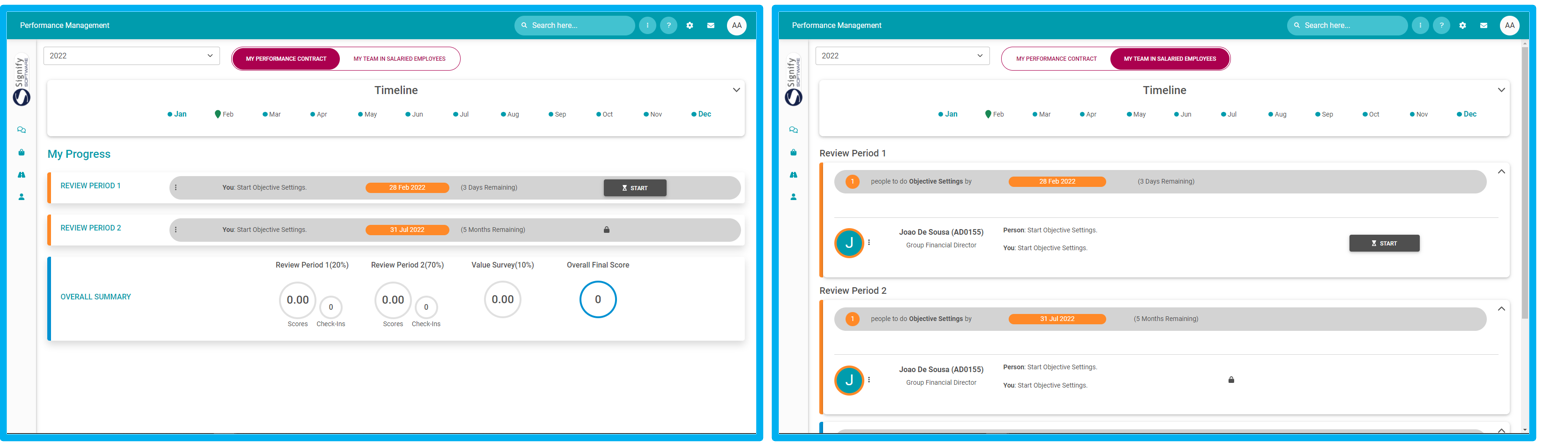
    image-1645700979040.pngimage-1645700979040.png

    Employee's Performance Management DashboardDashboard                              Manager's Performance Management Dashboard


    Typical activities an employee can perform from the Performance Management Dashboard, are:


      To view and/or open existing and previous performance contracts.   Create a new contract To determine the progress and next step of a performance contract phase.   Load objectives into a performance agreement Submit the agreement objectives for approval to a performance manager Consider check-in inputs from a performance manager Rate an agreement's objectives

      On top of these primary functions, the dashboard also enables a user to do the following:


        View and download documents on a contract. Print a copy of a contract. Verify if a review period is included or excluded from the overall contract score calculation. Determine if a subsequent phase is open or still locked.   Determine if a contract is locked for editing e.g. if a manager forgot to unlock it when exiting.   View the relative percentage weights of contract components.   View the manager's feedback given during a check-in, and reply as needed.  

        These are discussed in more detail in the following pages.

        image-1645701015688.pngimage-1645701015688.png


          Glossary of terminology and definitions:    

          --- End of Page ---