Version 9.1.162 (2 June 2025)
People Management
Improve People Group Materialisation and management (#130510)
Problem
When a people group has been materialised and a consumer event fails to refresh the people group in a service, there is no way to refresh the users in, for example, Performance Management, without changing the people group.
When a people group is handled by the SyncMaterialisedPeopleGroupUsersCommand command, there is no locking to prevent multiple consumers from processing the same people groups. This can lead to deadlocks, or at least redundant fetches and updates.
There is no way to know when the people group were materialised last.
Suggested Development
Add a button to the people group summary page to manually force a refresh of the open people group on all services
The Materialised people group users in the job profiler service are busted and rematerialised
This should trigger a new event consumed by the job profiler service and then the jp service must trigger the SyncMaterialisedPeopleGroupUsersCommand on all services using gRPC to ensure all services are in sync.
Add a MaterialisedDataLog table to each service
Columns: Id, created date, edited date, tabletype, status, referenceId
tabletype: Enum: PeopleGroupUsers, Ruleset, Users, Appointments
status: Available, Locked
referenceId: Reference to materialised table e.g. PeopleGroupId
When the people groups sync, add or update the entry in the table with the reference Id being the people group id.
Set the status to "locked" when processing a request.
Other refreshes wait, by checking every 20 seconds and up to 2 minutes, if the people group is Available and then continue refreshing.
Use the log table to find the tables that have been materialised.
Column fields for Evaluations modals not translated (#124581)
Problem
On the agreement, when adding an evaluation, the column headers were not translated into Deutsch.
Solution
Added translation for headings in the Deutsch translation.
Able to save the sections on a review setup after deleting all Rating Scales (#129104)
Problem
User could not save review setup with change made to check for rating scales.
Users could save a review setup when there were no rating scales defined, for example, all were deleted.
User could save a review setup without adding a 'Performance' Rating Scale.
Solution
Added a check to not validate rating scales for the action plan section.
Add a new check to ensure that the rating scales are defined for the active sections before saving, or else result in a detailed error.
Add a new check to ensure that there are performance rating scales
The circle for the overall Status icon does not turn green (#129073)
Problem
On the Performance Dashboard, the circle for the Overall Status icon does not turn green after finalising the agreement if the setting to hide all the weights is enabled.
Solution
Added a check for the circle to turn green when the agreement has been finalised.
Only display 20 characters of the review period names and add a tooltip on the Performance Management timeline (#128454)
Problem
Review period names are displayed in full length on the dashboard, causing an overlap with the edge of the card.
Solution
Changed to display only the first 20 characters, with an ellipsis text and a tooltip to display the full period name on the dashboard timeline
Update wording on 'submitting objectives' (#128266)
Problem
When the objective settings are confirmed on the modal, the text reads 'Please note that the Objective Settings will now blocked for editing'.
Solution
Change the text on the confirmation modal to read 'be locked for editing'.
Instructions overlapping "Continue" button (#121399)
Problem
Instructions text overlapping the "Continue" button on the manager's agreement for Objective Setting within the Performance Management Dashboard.
Solution
Add styling to restrict text from overlapping.
The hover-over item displays twice when hovering over Action Plan items on KPIs (#120060,120063)
Problem
A duplicate pop-over displays once an Action Plan has been added from a KPI within an agreement.
Solution
Removed duplicate popover and only kept one.
Able to delete an agreement when the phase is no longer active (#121573)
Problem
When a period has ended within a review setup, an agreement which has been started can still be deleted.
Solution
Add a check that if the phase has ended, do not show the option to delete the agreement on both Dual and without Dual agreements.
Manager side shows "Rate" button if submitted before the employee (#115767)
Problem
On the Manager side, the text 'Rate' is displayed even if the Manager has submitted their scores, and the user has not started yet.
Solution
Change to display View instead of Rate within the case that a User has not started and the Manager has submitted their scores.
Recruitment
Error when saving external applicant as employee on Advertisement created directly as an advertised position (#131948)
Problem
- When selecting a position during Advertisement creation, the user could select job positions unrelated to any organisational
structure.structure, leading to issues later on when appointing an applicantapplicant.
Solution
- Added a check to only show job positions when they are also found in org
positionspositions.
Imports
User Import: Add exclude from update functionality (#128857)
Problem
- When using Sage and other
3rdthird-party partiesapplications, a client does not useutilise all the 3rdthird-party partiesmodules, modulessuch likeas OFO codes.
- These codes are maintained directly in Signify via the front-end functionality.
- The user import uses the data received as the source of
truth,truth.
and shouldShould a value be empty in the import
receivedreceived, the value in the system is also updated to empty.
This means
shouldthat if a field like OFO code
havehas been updated in
SignifySignify, it will
clearbe itcleared with the next import received from the 3rd
partyparty.
Solution
- Create a master data table for import fields and indicate which fields should be excluded from
importimport, e.g. the system is the source of truthtruth.
- Master data ship as empty, add columns to be excluded from the front-
endend.
Main Dashboard
Problem
The HR Processes widget did not display when the logged-in user had no actions to perform (in other words, they had none of their own requests or requests to attend to).
Solution
Display an 'empty' widget when there are no actions to perform.
PeopleReport ManagementBuilder
Signing is not going through on assessment acceptance with a moderator (#131820)
Problem
Exceptions are thrown when the same Scoped DbContext is used in multiple threads/tasks, causing the signing to get stuck in "inprogress" status.
Solution
Create a scope for services for each task or thread running when signing documents.
Data Warehouse
Add datasource field description (#131323)
Problem
From the front-end, it is not known exactly what the purpose of each field in the data dictionary is.
Solution
Add a Description NVARCHAR(MAX) field to reportbuilder.DataSourceFields - Developer on V9 on reportbuilder migrations.
Update fields in the reportbuilder.DataSourceFields with description - only where it is not straightforward.
Create a new report category "System".
Create a report to display Table, Field, Field Description, Type, Length, and Display Order.
Select only tables with fields where the table and the field are not archived and where the field is selectable.
Tenant/Ruleset Management
Make products and system menus active according to subscription (#116680)
Problem
When creating a new Tenant &/or Ruleset, all products and the system menus are inactive.
Suggestion
When creating a Tenant or a new Ruleset from blank, make the products and system menus active according to the Tenant's subscription.
Development
When creating a ruleset, enable the products under ruleset management per the purchased license.
When the ruleset is already in use and a new license is purchased, the corresponding product should not automatically be enabled then, only during creation.
People Management, Job Profiler, Standard Reports:

Extended Core
Add a new product, Mentoring and Coaching, that is active when Extended Core is active.
Report Builder, Insights:

Rename the license to Insights and Report Builder.
eLearning:
Add a new product, PDP, and link the PDP menu to it:

Career and Succession Planning:
Training Scheduling:
Rename the license and product to Event Scheduling
360 evaluations:
Add a new product and move the 360 Employee Evaluations Menu to it
Show and hide menus in People Management config based on the active products and licenses.
Always show:
Core
Basic People Management
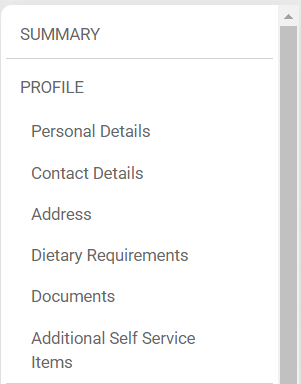
Profile (excl Extended Profile)
User Permissions
Appointment
Performance Management (if the Product has a subscription)
Training and Development (if PDP or Learning has a subscription)
Labour Relations
Audit Information
Org Structure
Basic Job and Position Library
Hide the Requirements tab on Job Profiling
HR Helpdesk
Standard Reports
Extended
Full People Management
Profile
Extended Profile
User Permissions
Appointment
Performance Management (if the Product has a subscription)
Training and Development (if PDP or Learning has a subscription)
Labour Relations
Audit Information
Mentoring & Coaching
Electronic Document Signing
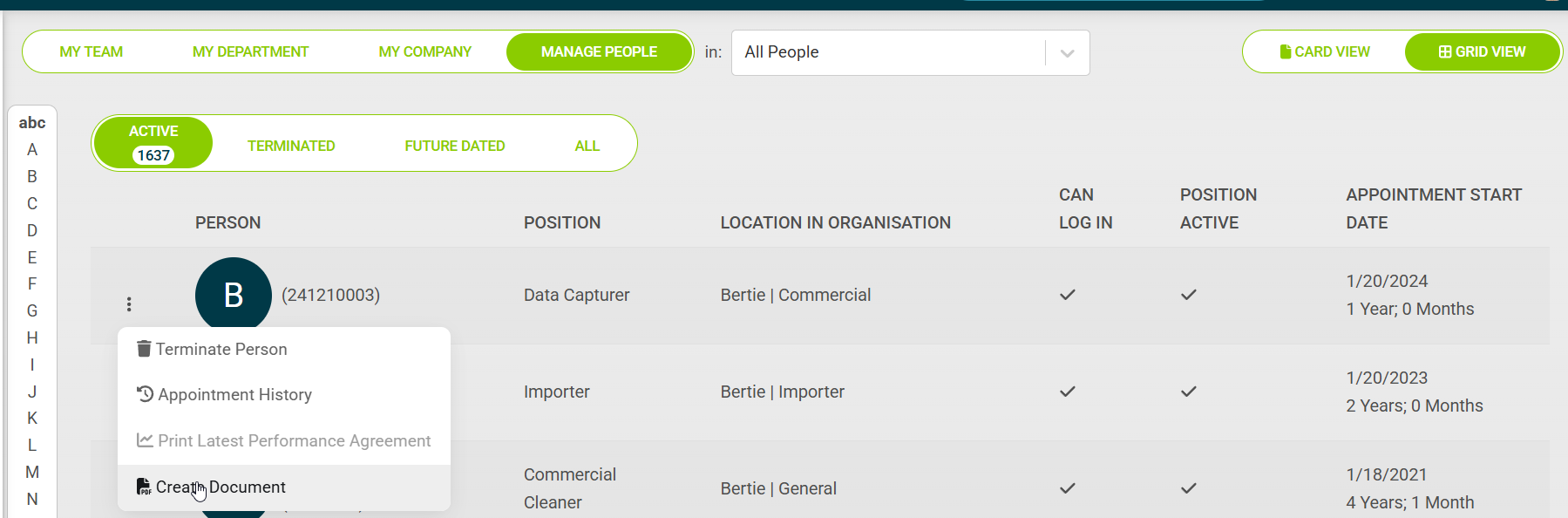
If the Signify System - Extended Core has not been selected, then disable the Create Document option on the Grid View
Add a tooltip
Only available with Extended Core
Show the menu in the grid view:
Leave Product Enabled - Add leave submenu in profile.
Performance Management Enabled- Add Performance Management.
Ensure all product-specific menus show when the corresponding product is enabled.