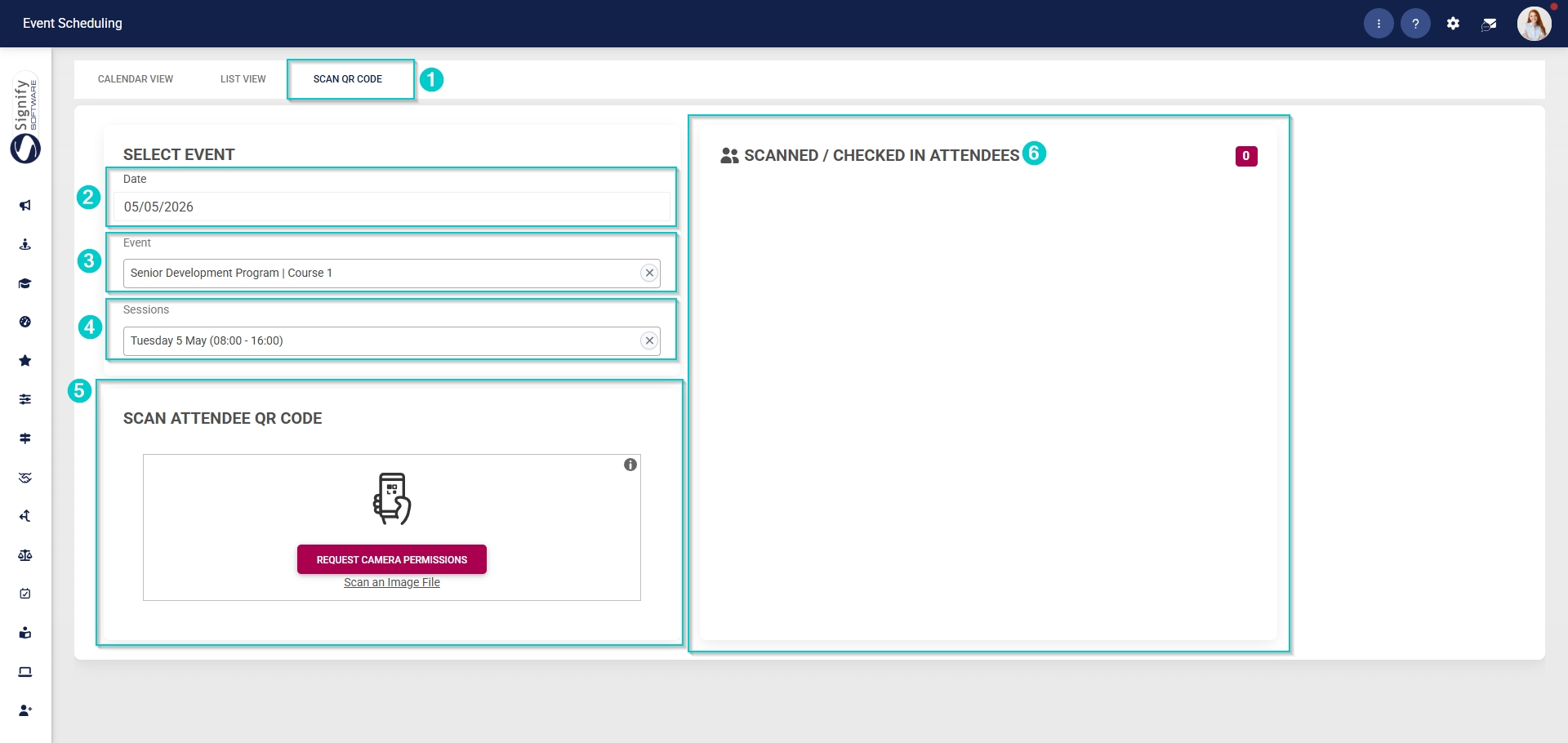
Scan QR Codes for Events

The QR code scanning feature lets event attendees quickly log their attendance.
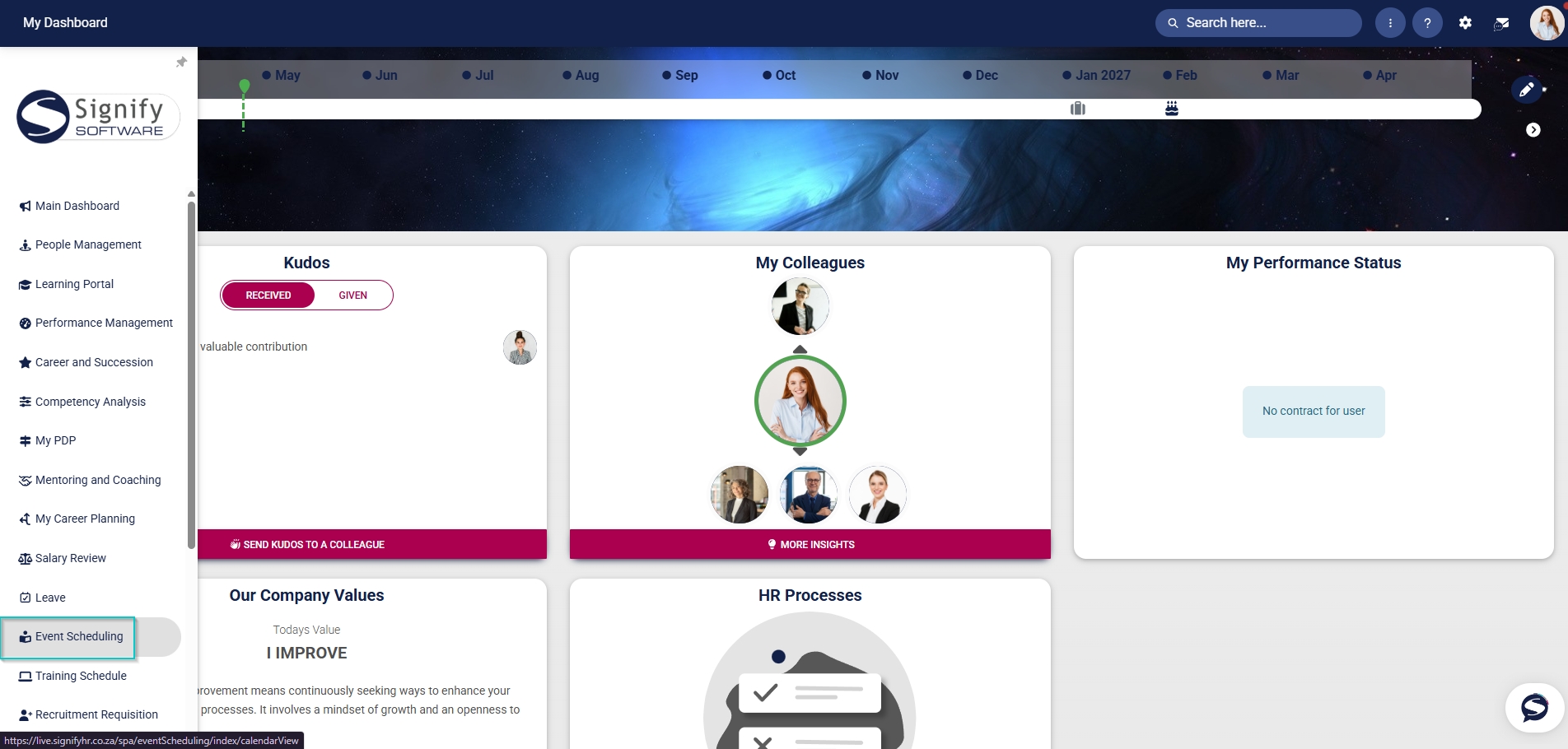
Hover over the sidebar menu, then click Event Scheduling.
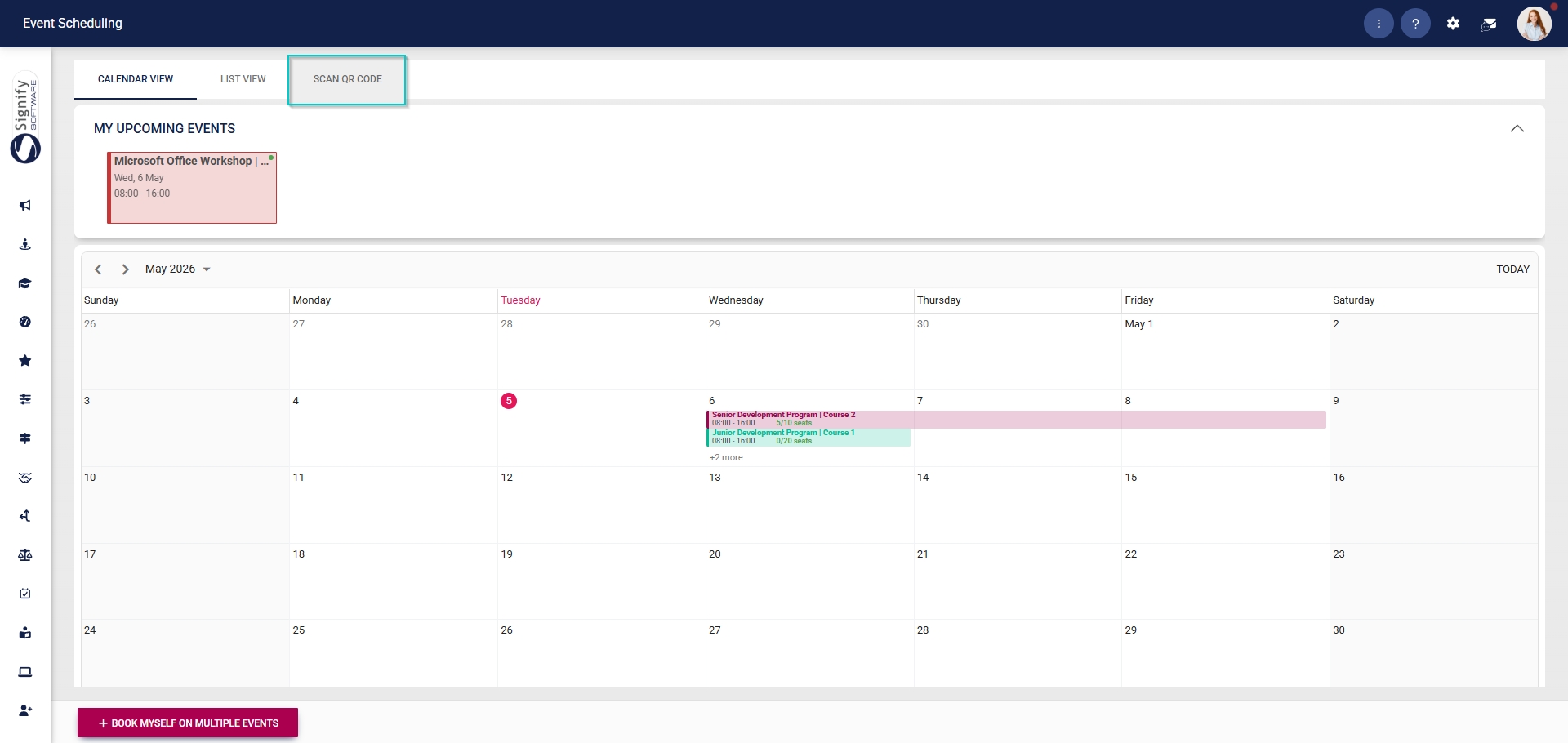
Click to navigate to the Scan QR Code tab.
Once an attendee has been booked on an event, they will receive an email containing a unique QR code. The QR code can be scanned to confirm the attendee’s attendance at events.
Use the date filter to find the correct event.
Select the event from the dropdown menu.
Select the session you would like to update your attendance for from the dropdown menu.
Use your phone to scan the QR code.
Attendees who have successfully scanned in will be displayed in the block on the right.