Skip to main content
View All
Search
Shelves
Books
Log in
Info
Content
Chapter 4: Using the E...
Upload Documents to an...
Page Revisions
Revision #14857
Upload Documents to an Event
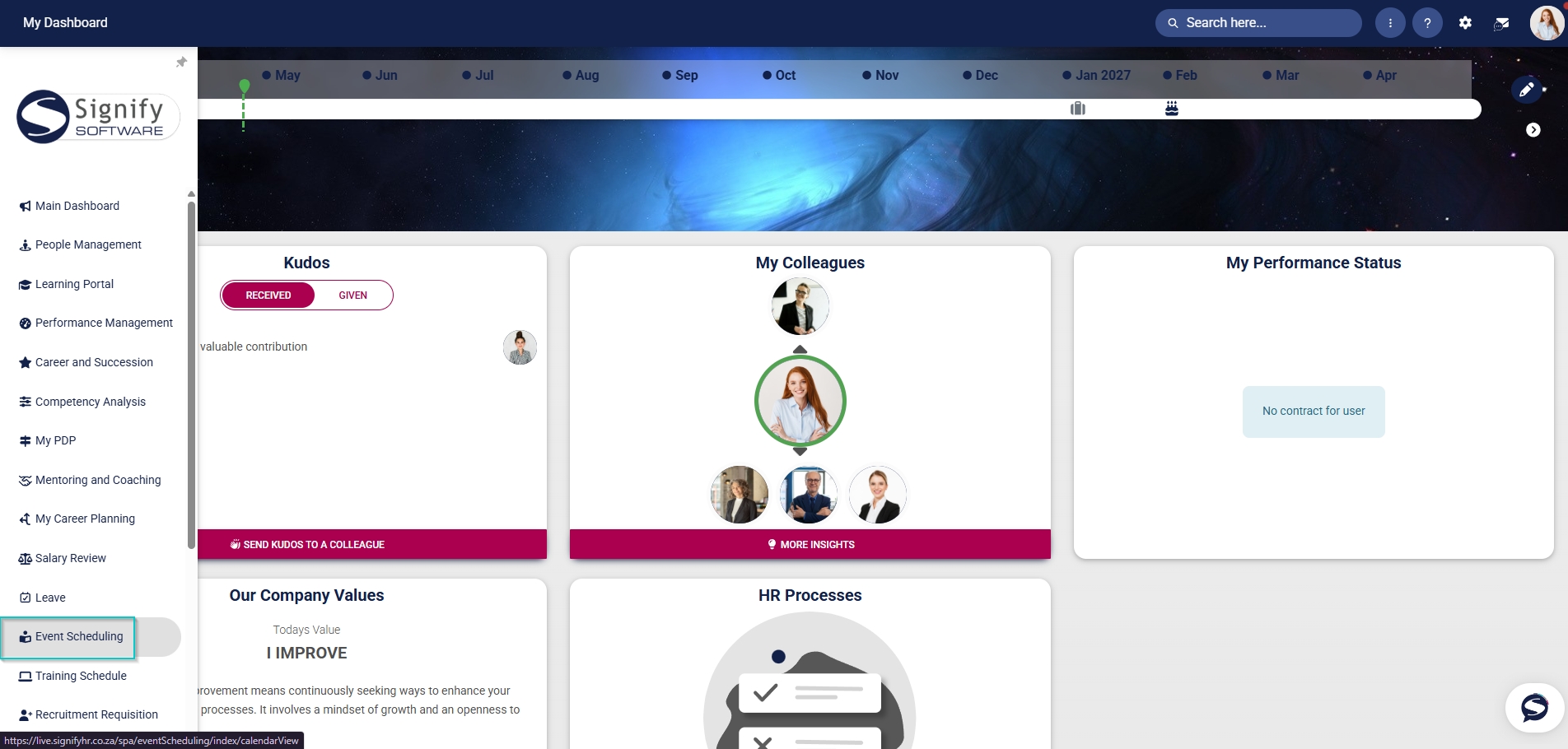
Hover over the
sidebar
menu, then click
Event Scheduling
.
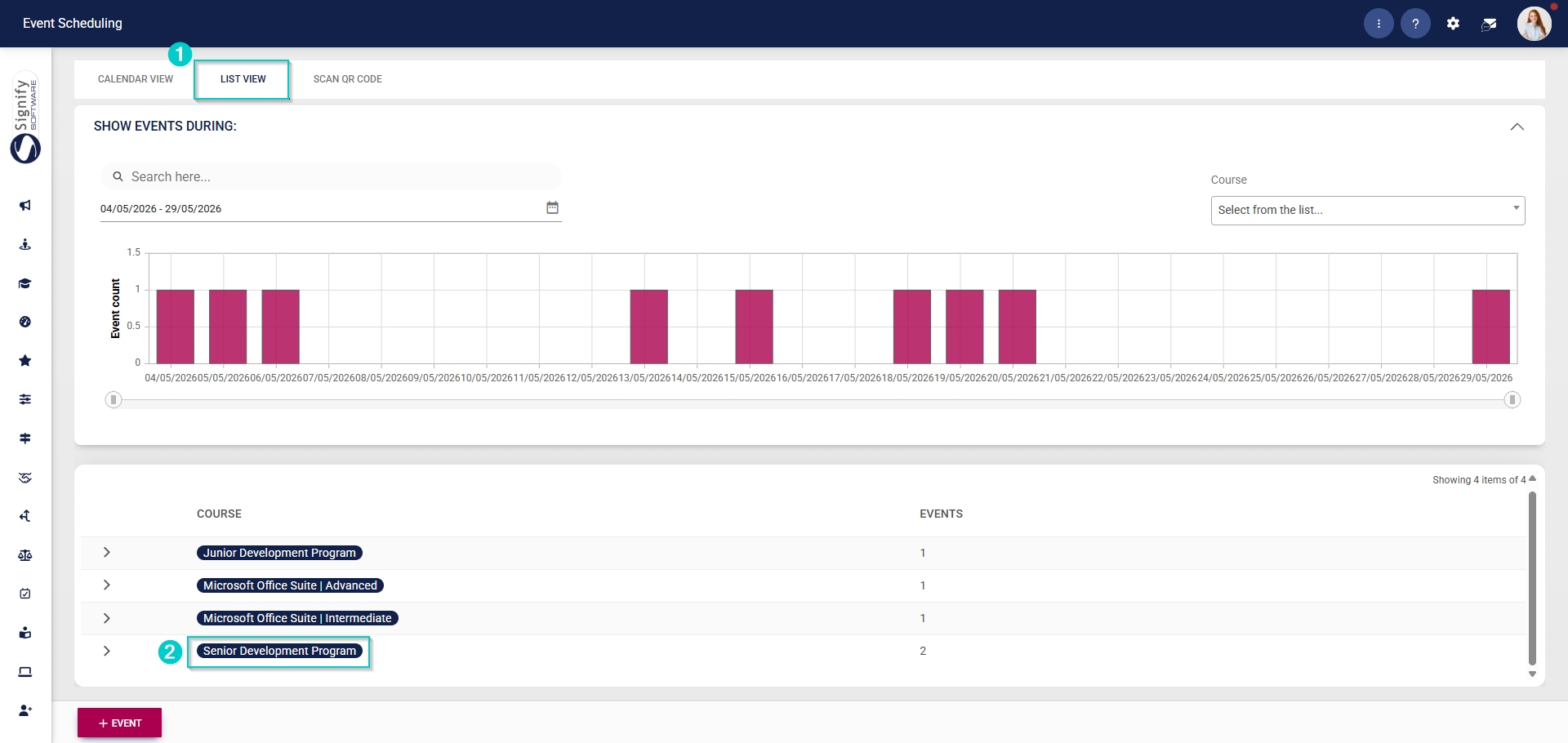
Navigate to the
List View
tab and expand the
course
you would like to edit by clicking on its name.
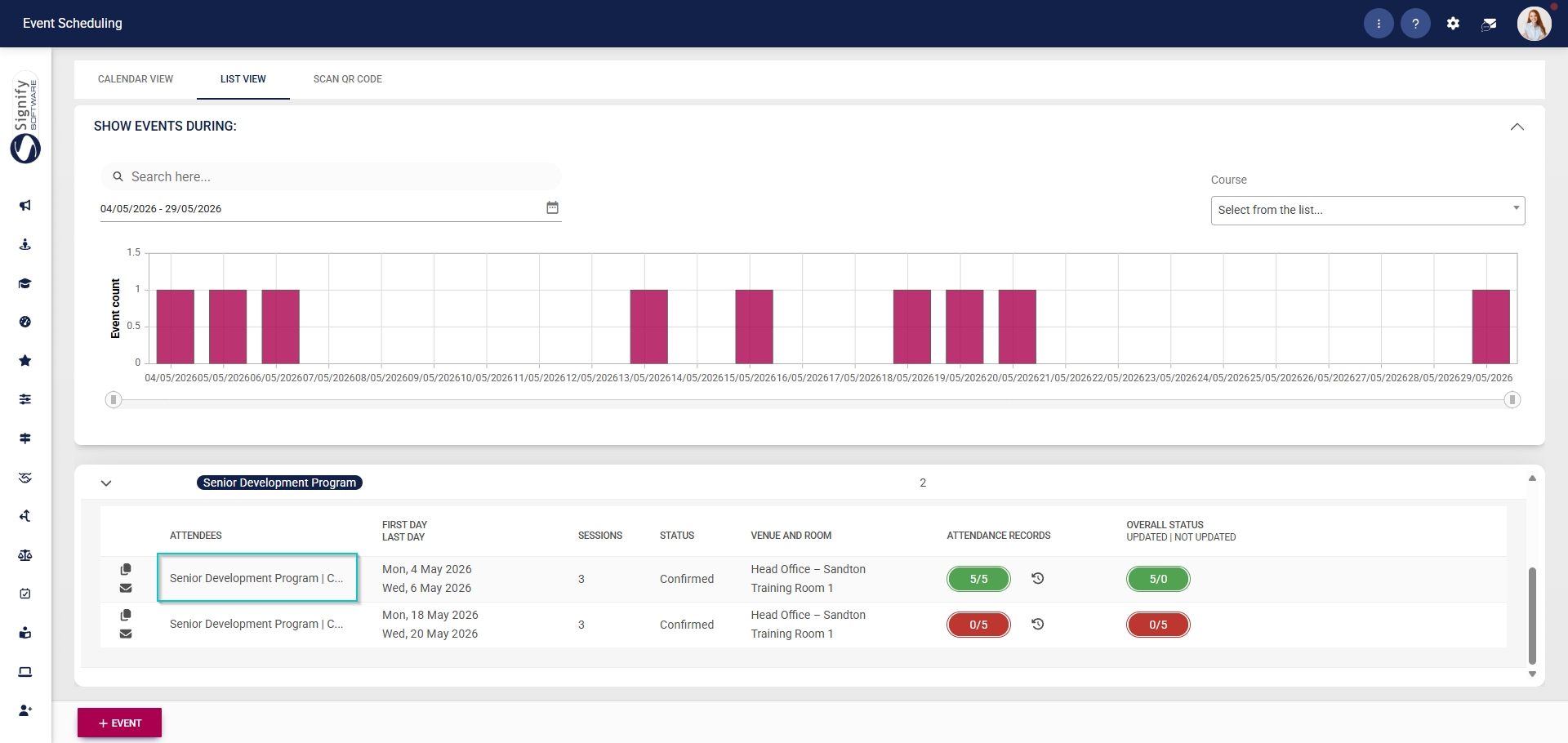
Click on the
name
of the event you would like to edit.
Back to top