Skip to main content
Configure Event Notifications

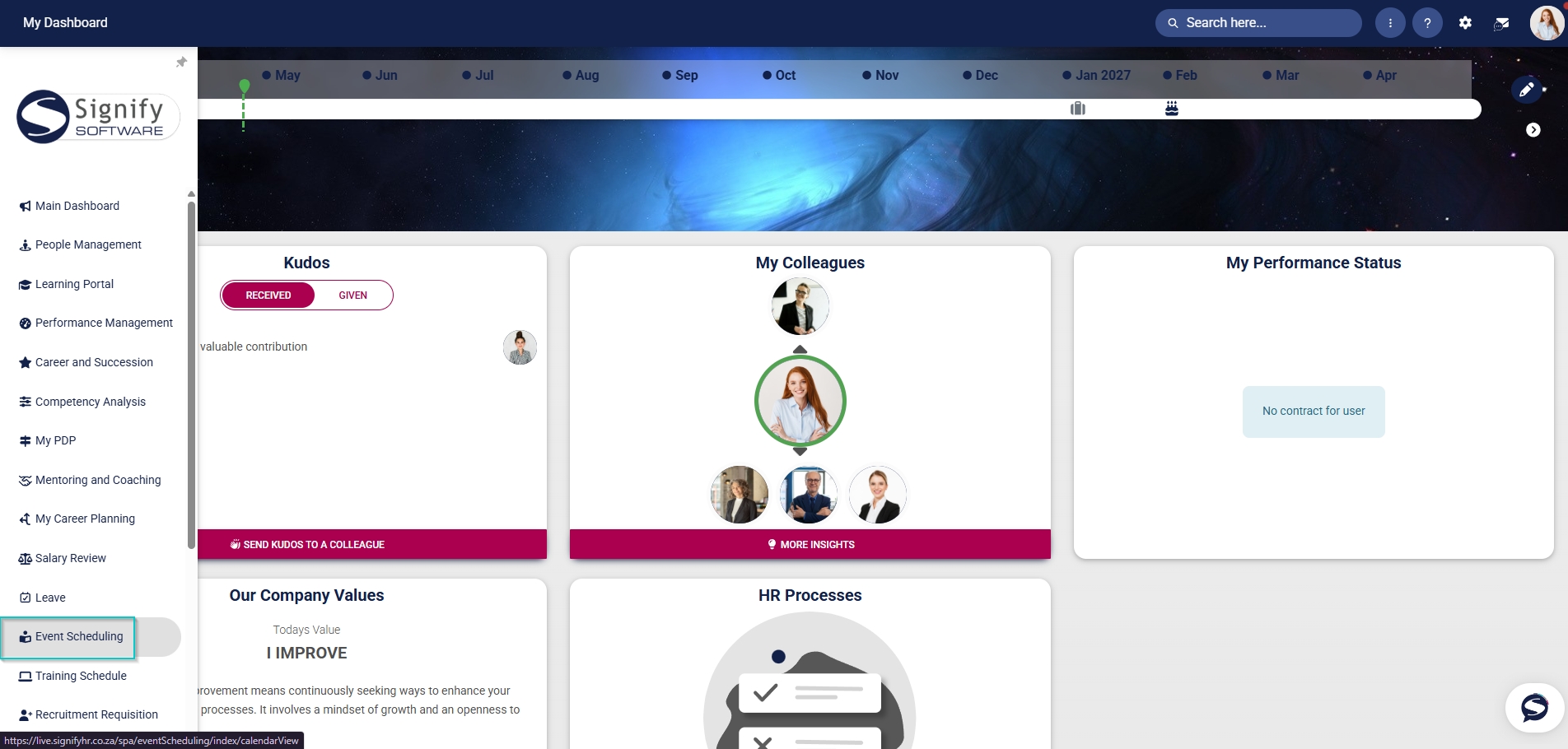
- Hover over the sidebar menu, then click Event Scheduling.
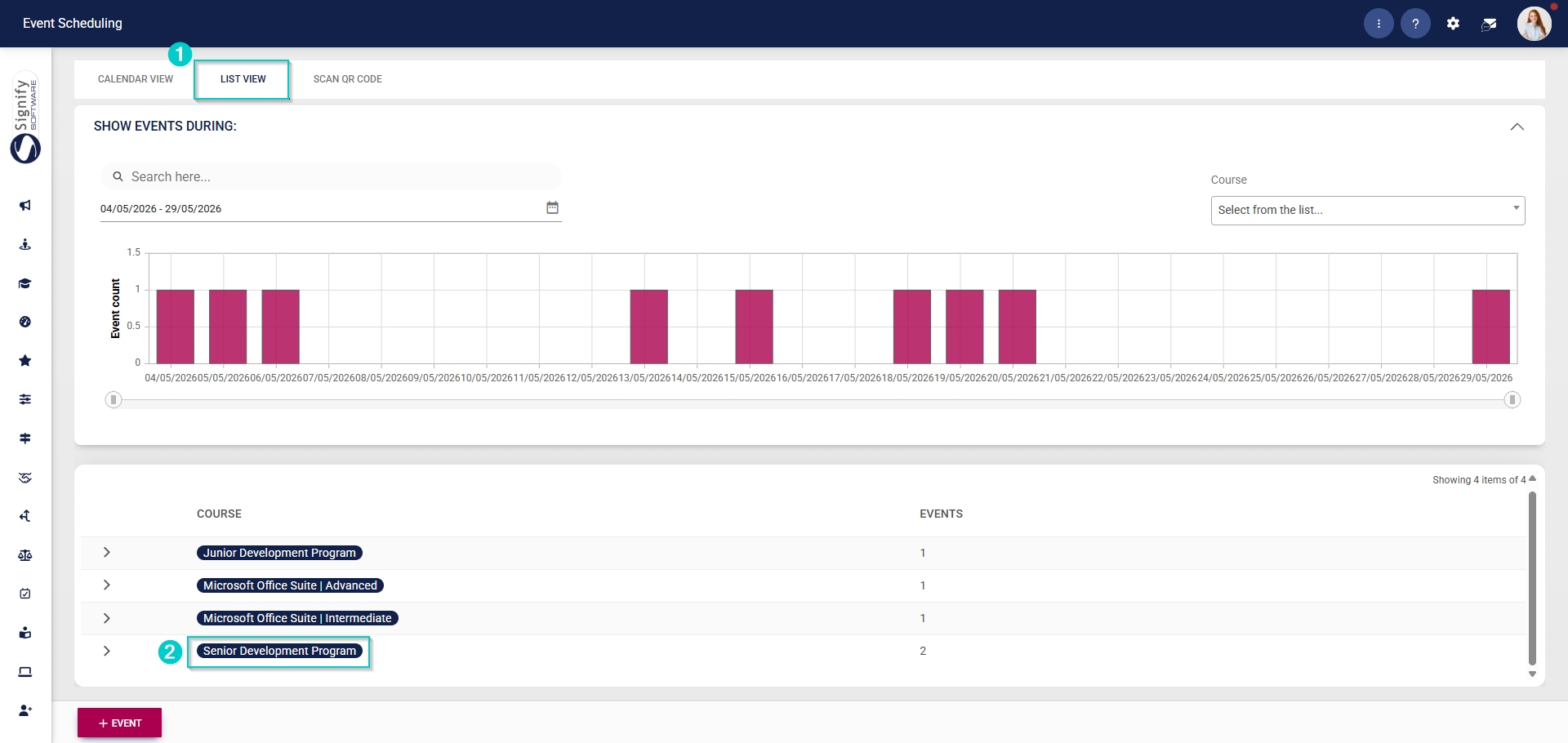
- Navigate to the List View tab and expand the course you would like to edit by clicking on its name.
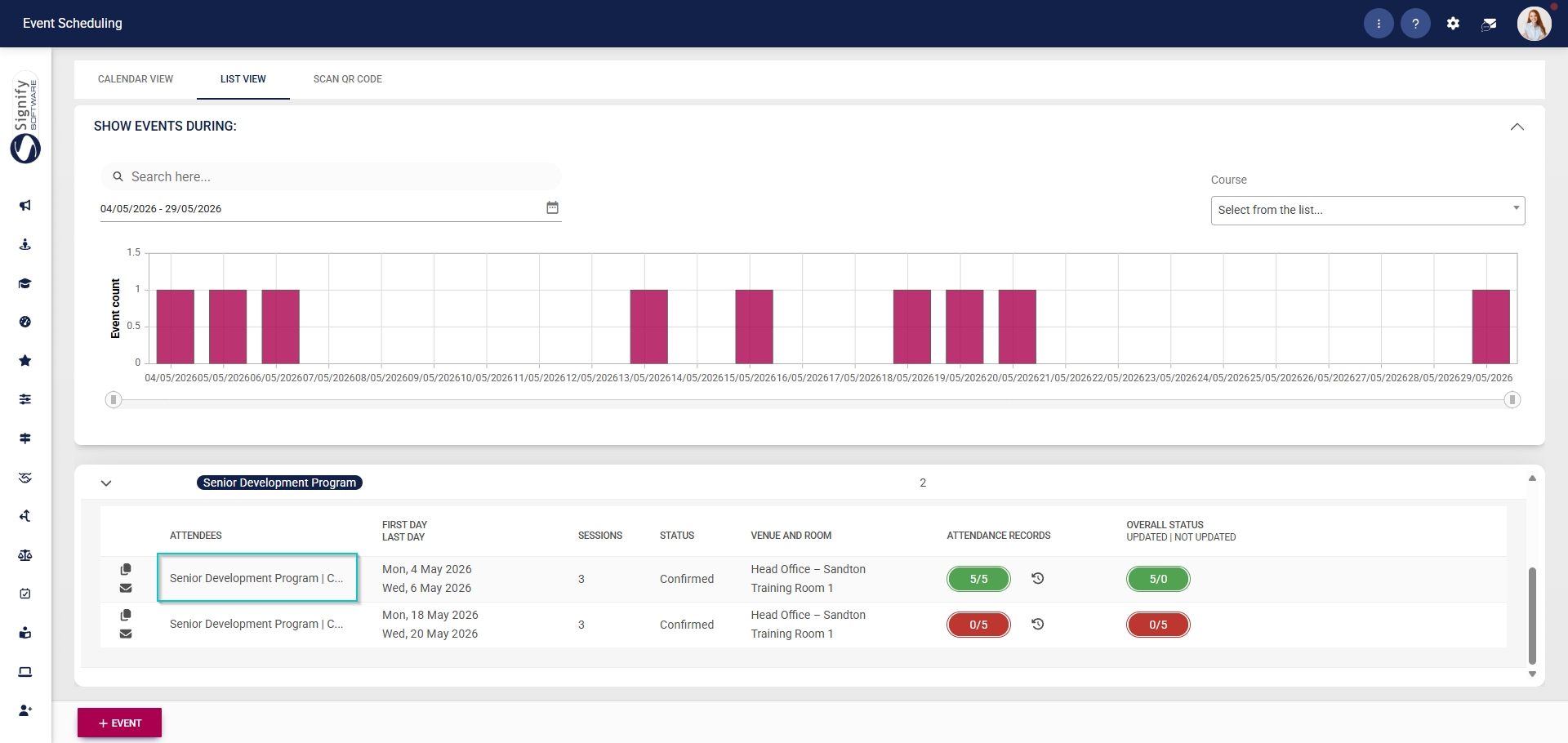
- Click on the name of the event you would like to edit.
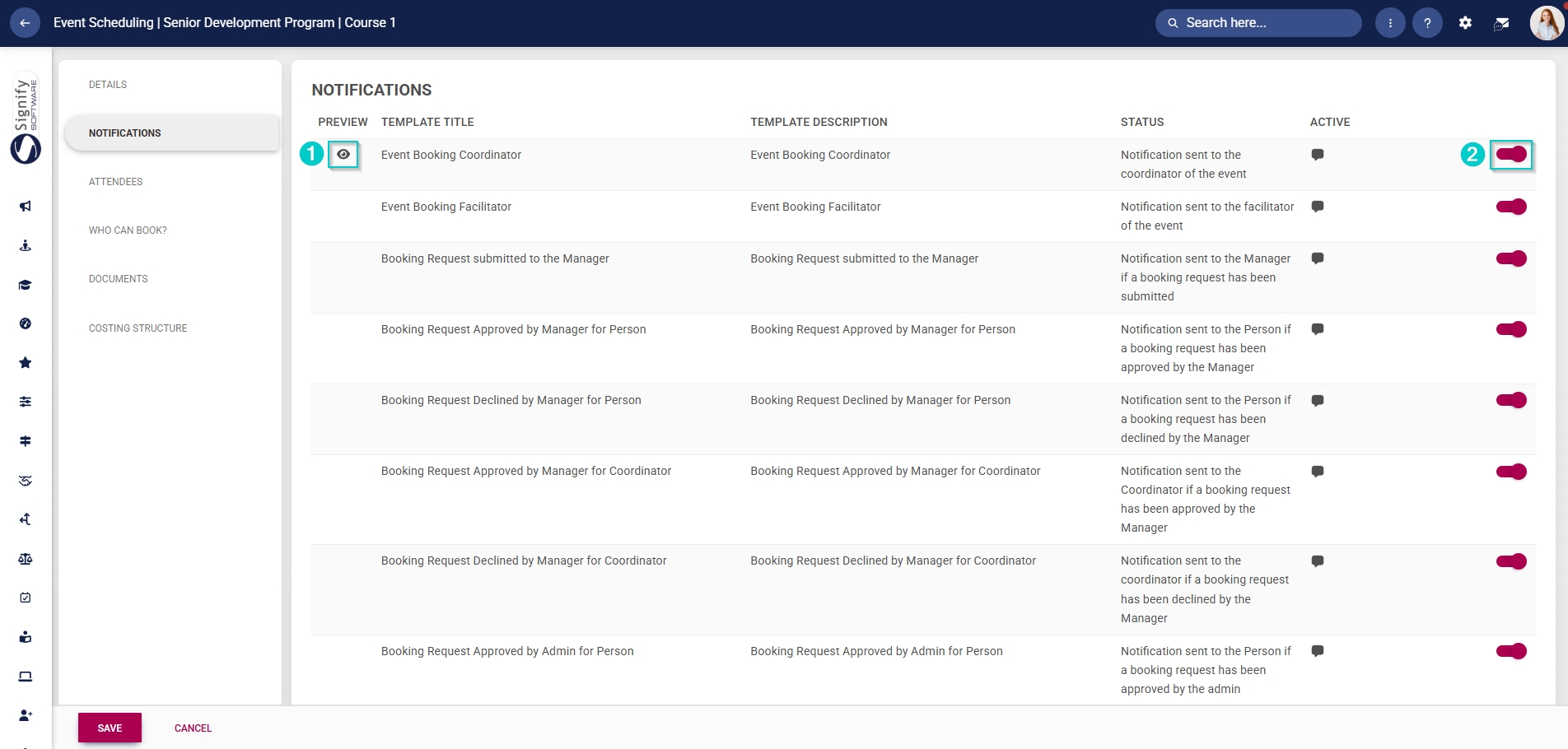
In the left-hand menu, click Notifications.
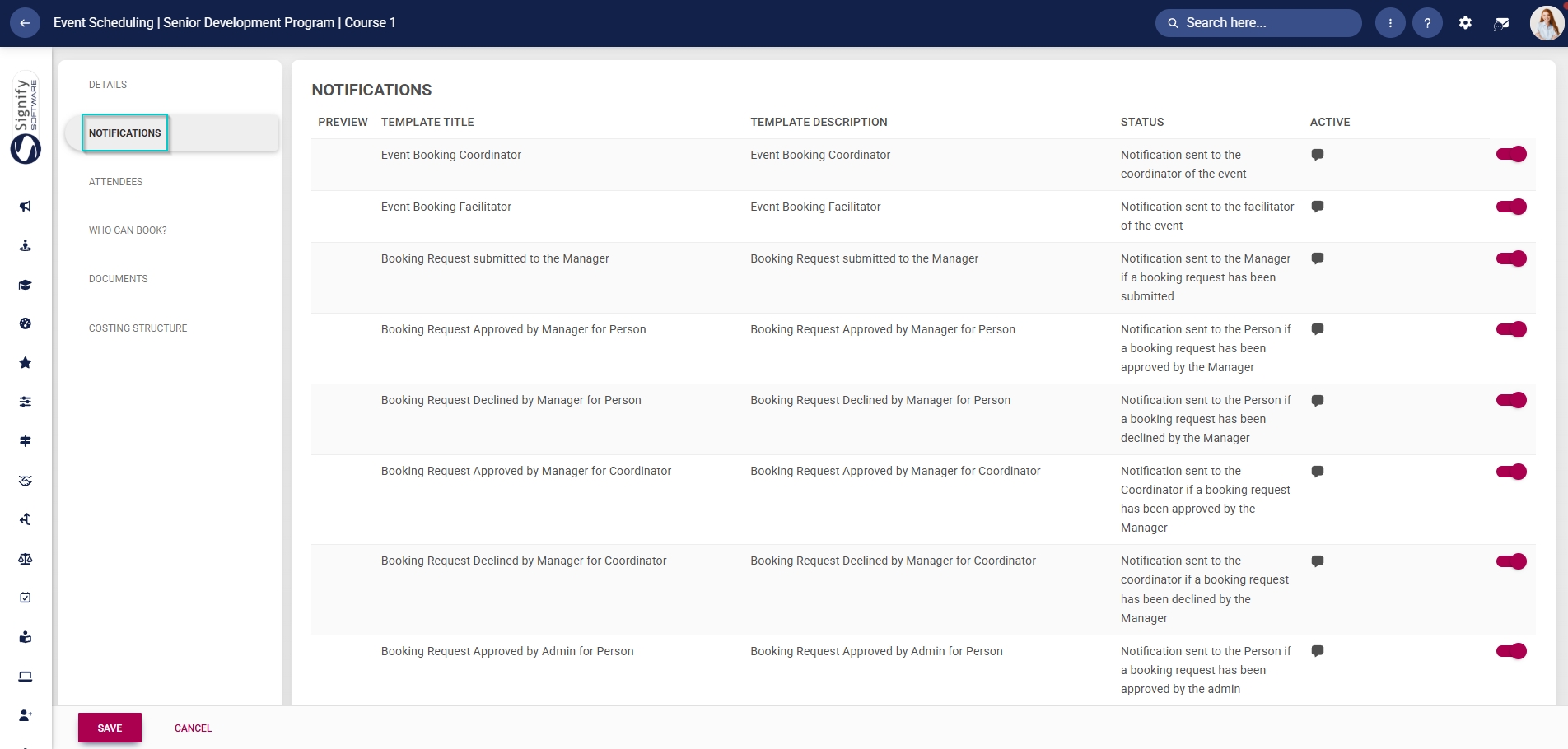
Email templates linked to Event Scheduling will be listed in the table.
Templates can be previewed by clicking the view icon.
Click the toggle button to set the template’s status to Active.