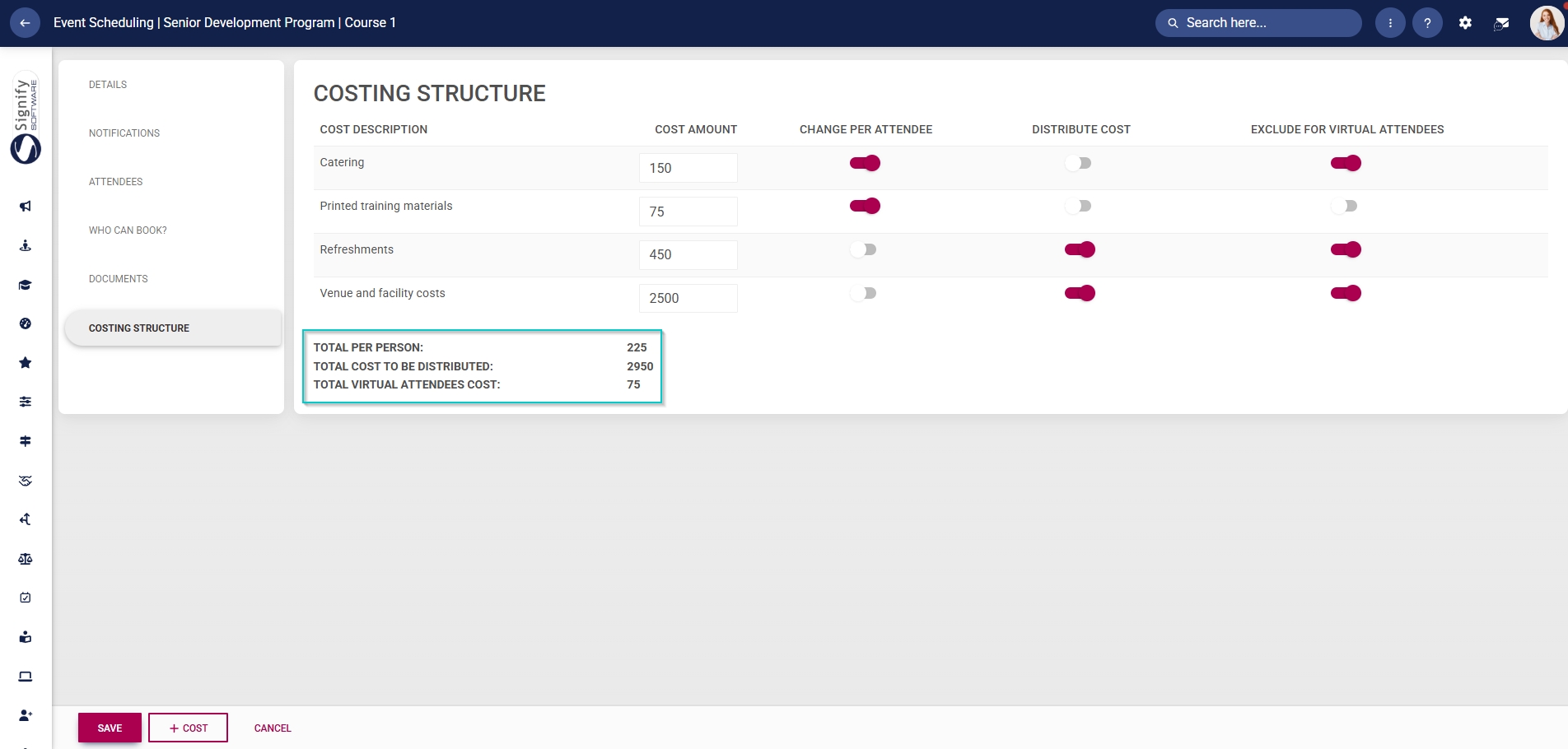
Configure Costing Structures

Administrators can add costing structures to events. The cost description categories are specified on the linked training intervention. The costs are then defined using the Event Scheduling module.
Add costs to the training intervention
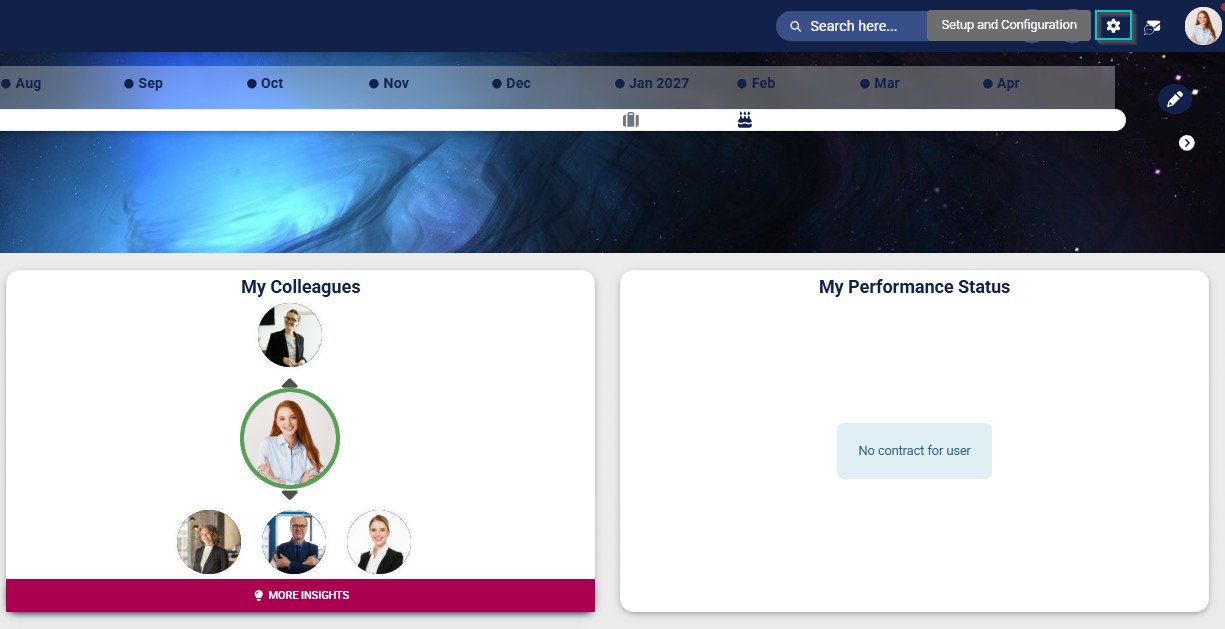
- Click the gear icon to access the Setup and Configuration menu.
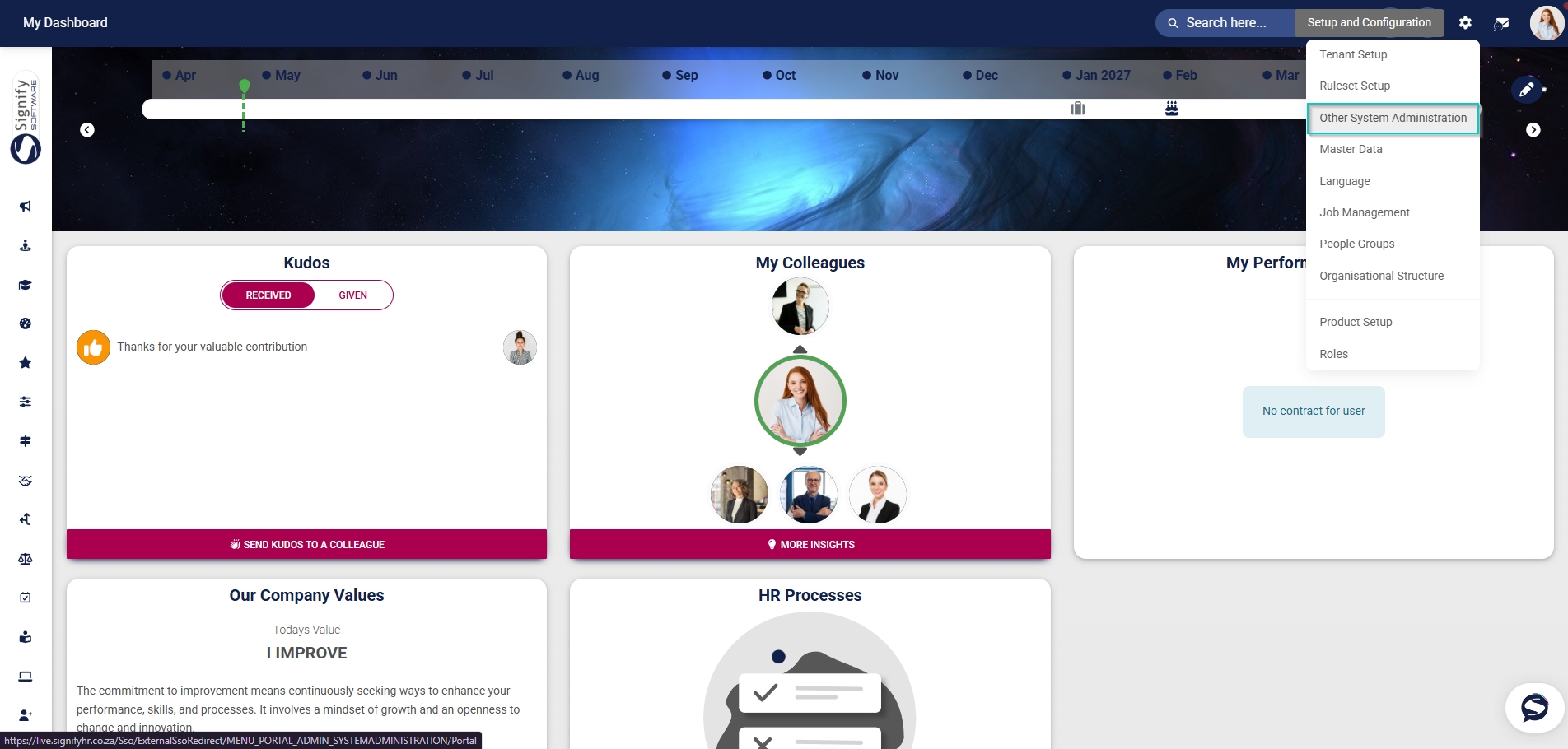
- Click Other System Administration.
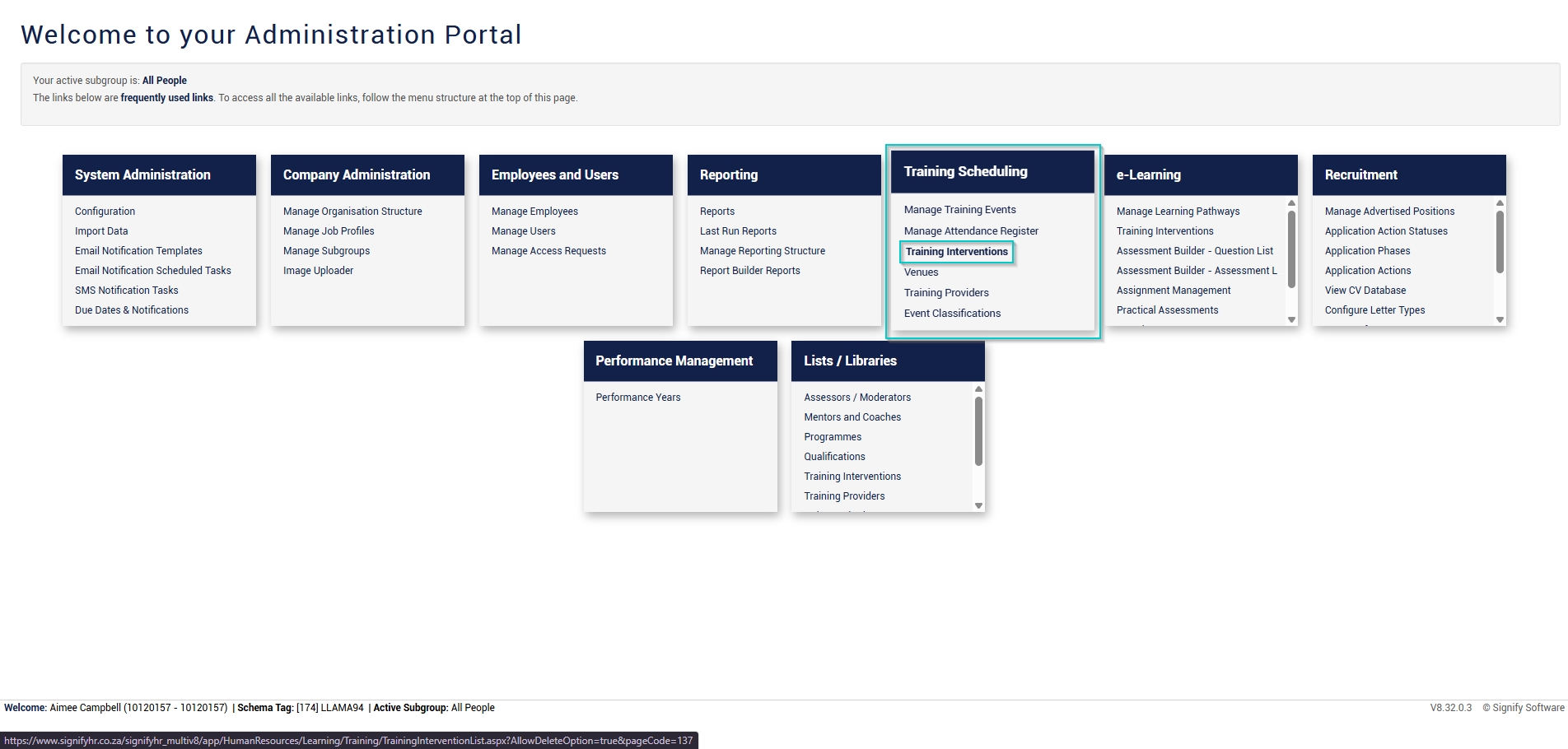
- In the new tab that opens, click Training Interventions in the Training Scheduling block.
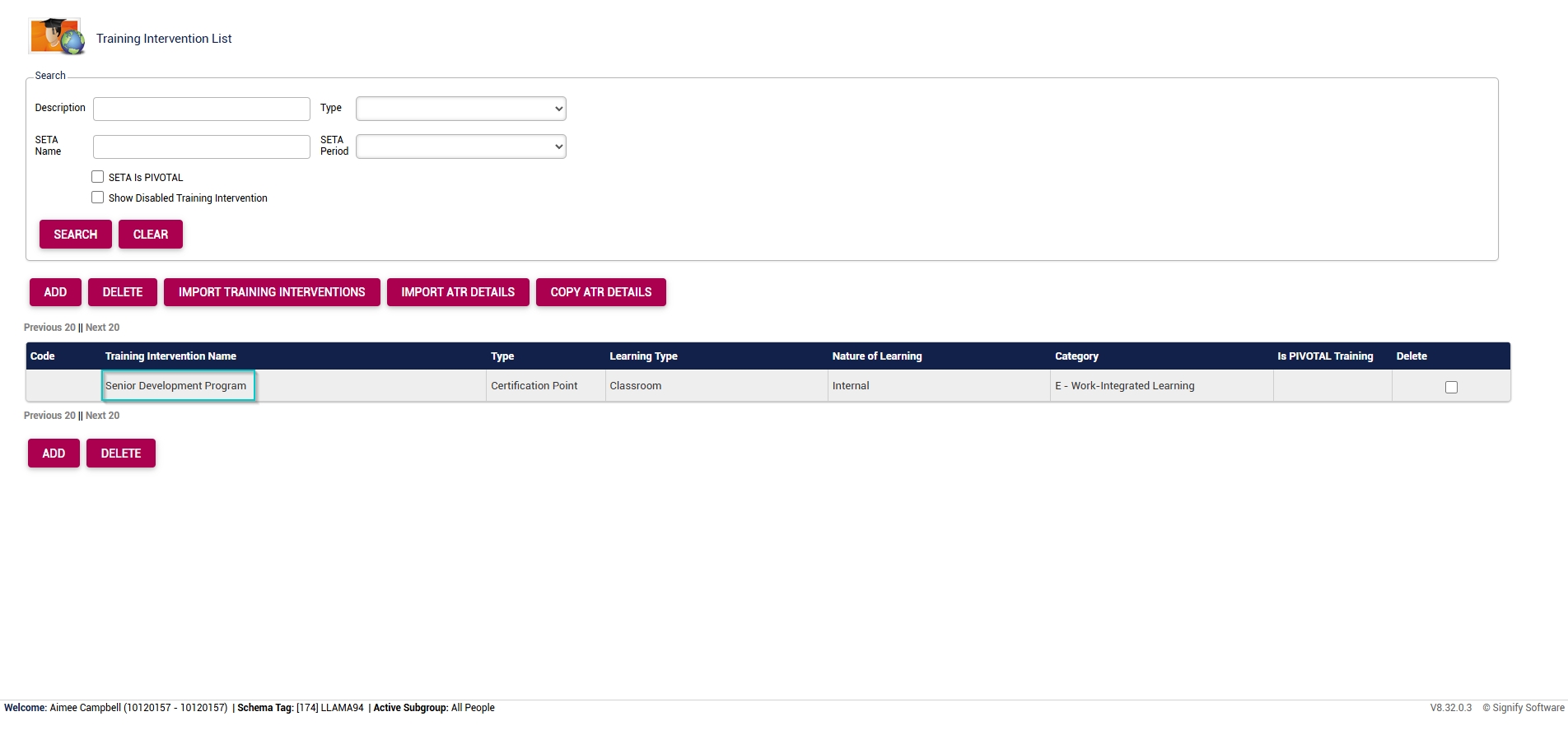
- The Training Intervention Library will open in a new tab. Select the training intervention you have created for this event.
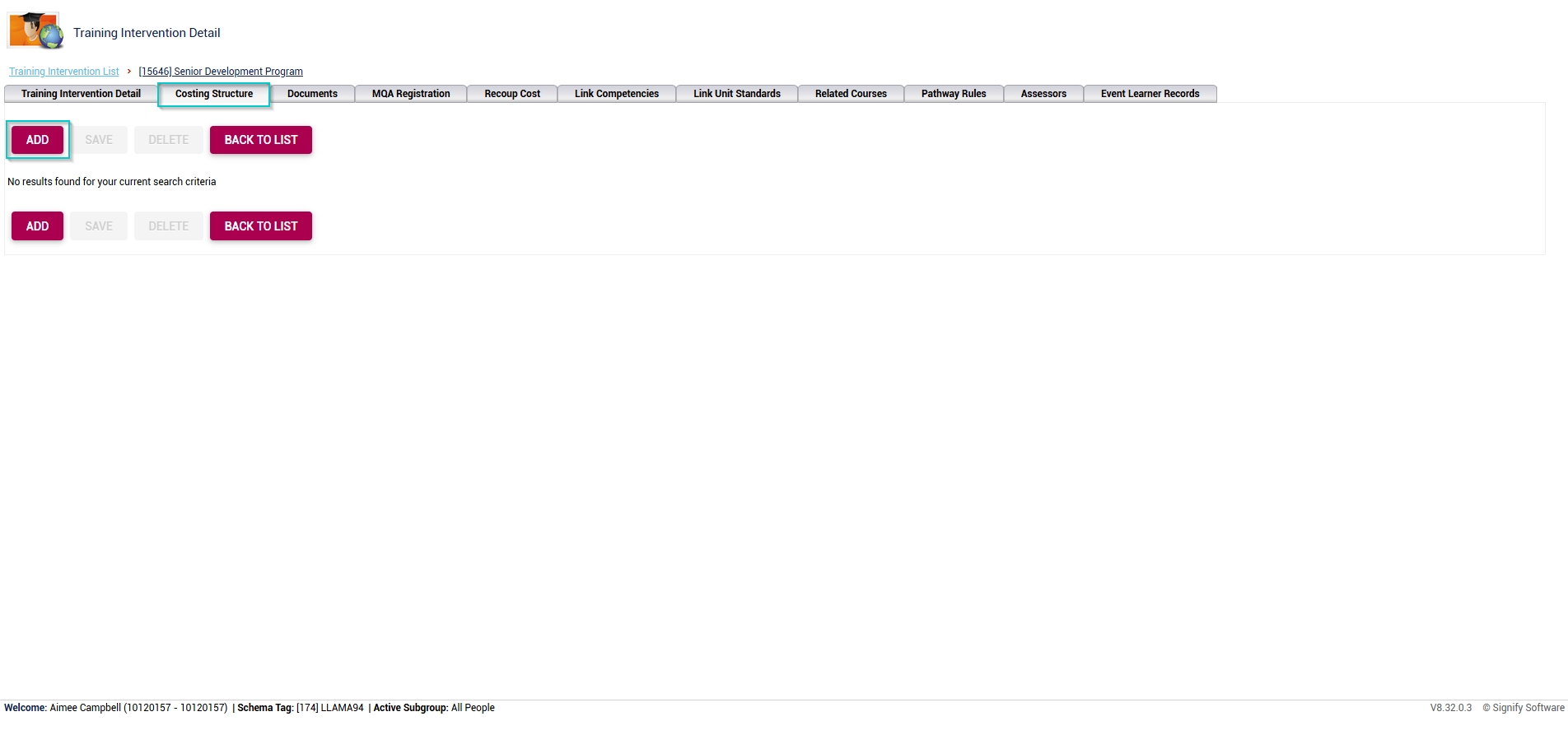
- In the pop-up window, click ADD to add default cost items.
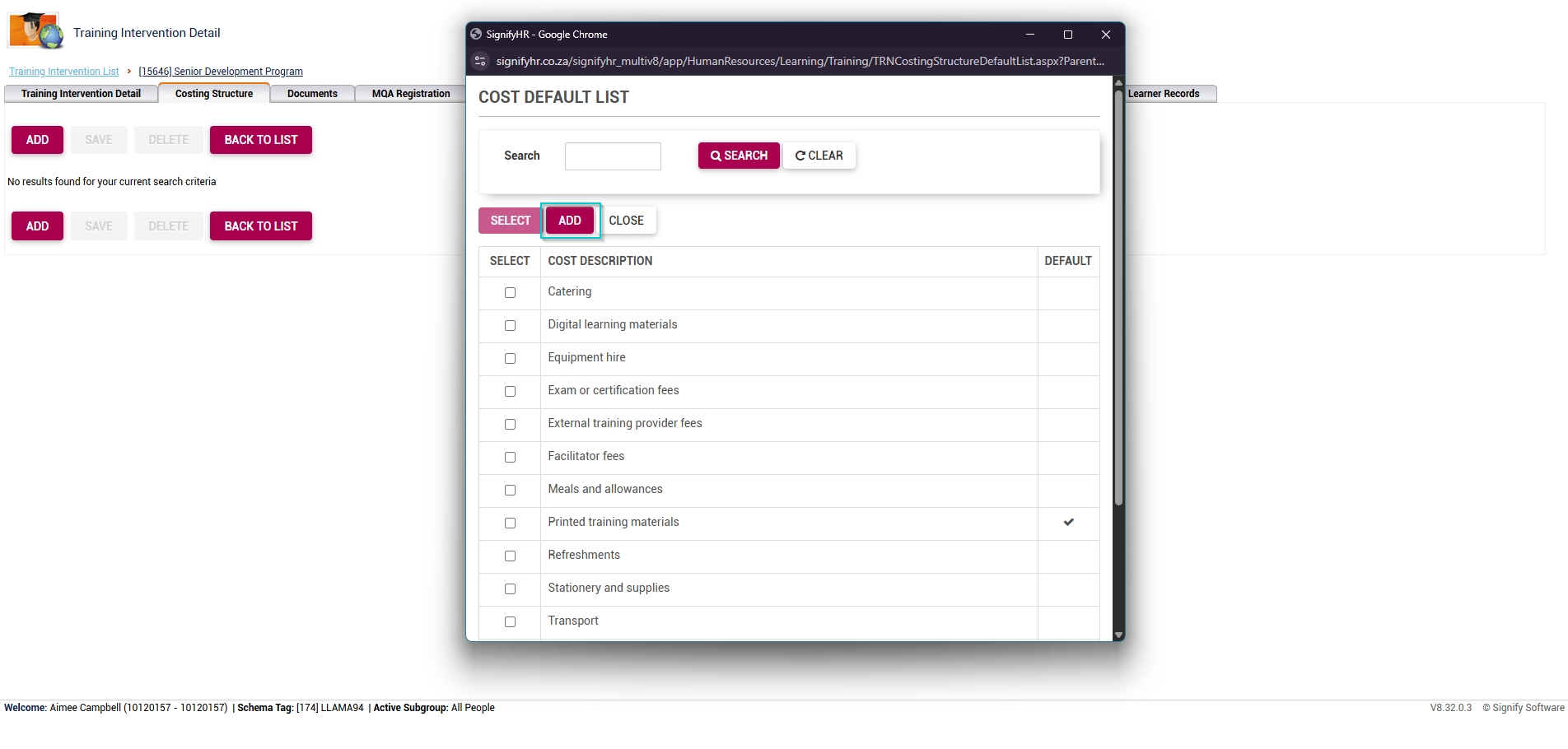
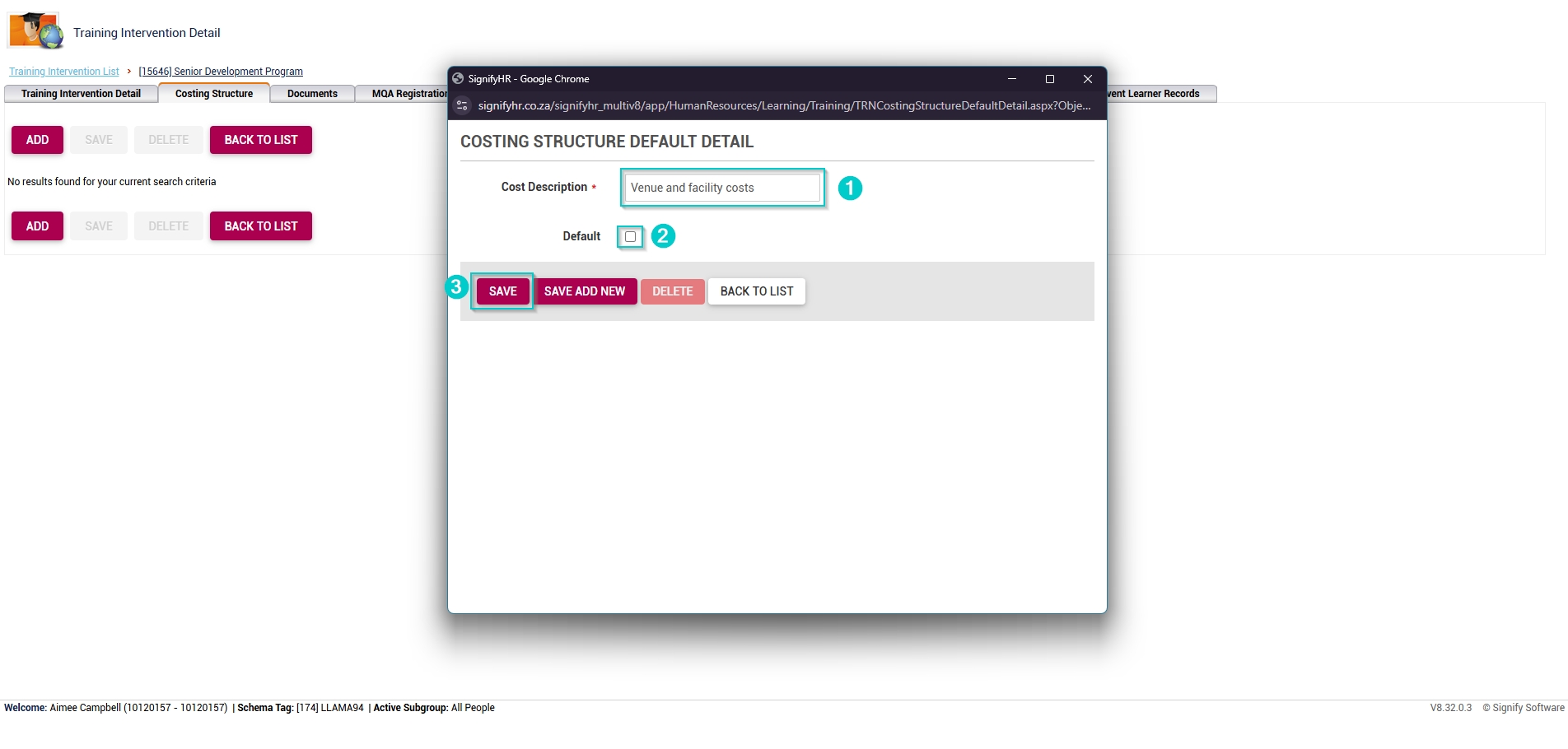
- Once the costing structure detail window loads, fill in the cost description.
- If the cost item should be a default item, tick the checkbox.
- Click SAVE when you are finished, SAVE ADD NEW to add another item or click CANCEL to discard your edits.
- Choose which costs to link to the event by ticking the checkbox next to each cost item.
- When you have selected all the relevant costs, click SELECT.
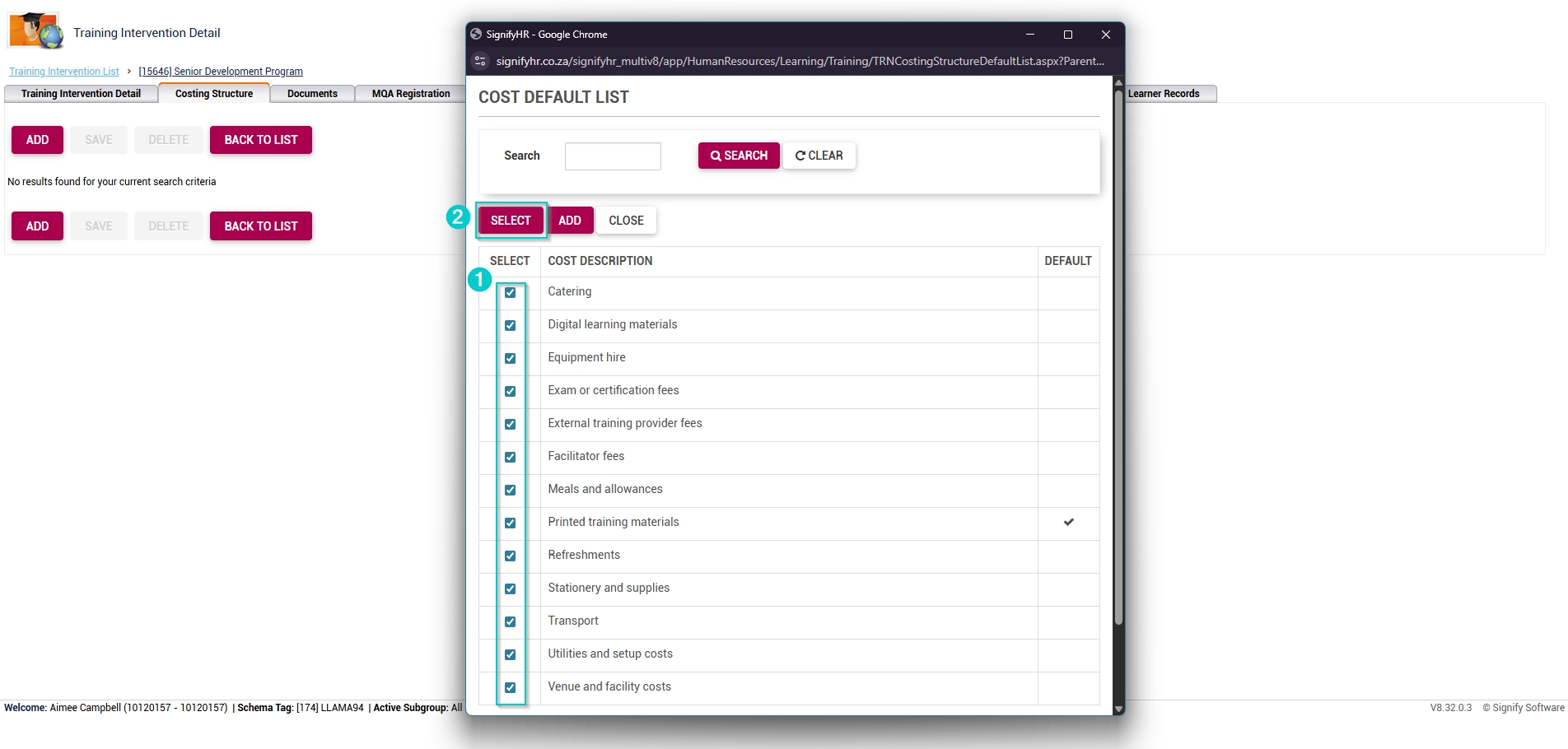
- For each cost item, add the cost amount.
- Tick the checkboxes if the cost should change per attendee, and if the cost item is editable.
- Once you are finished, click SAVE.

Add costs to the event
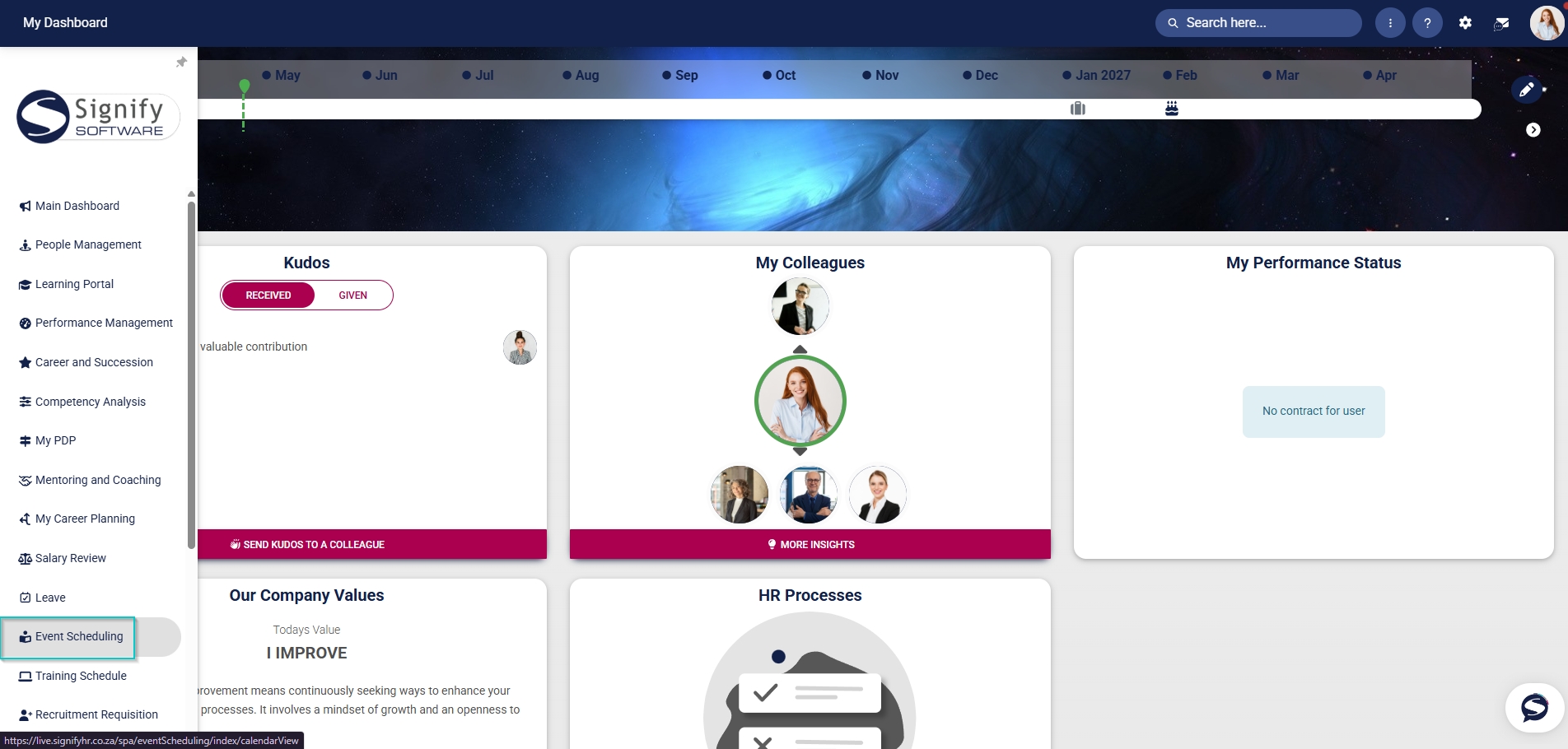
- Hover over the sidebar menu, then click Event Scheduling.
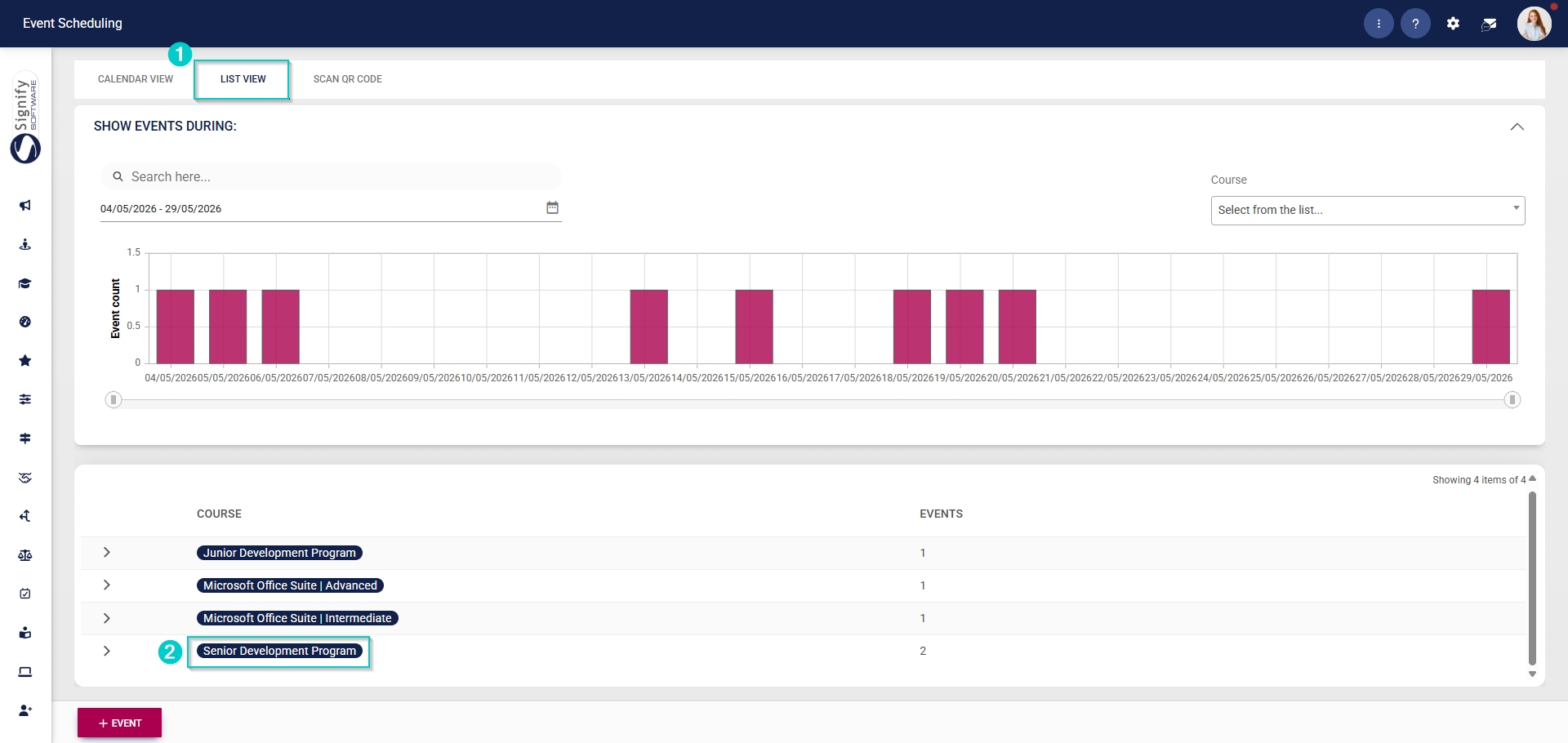
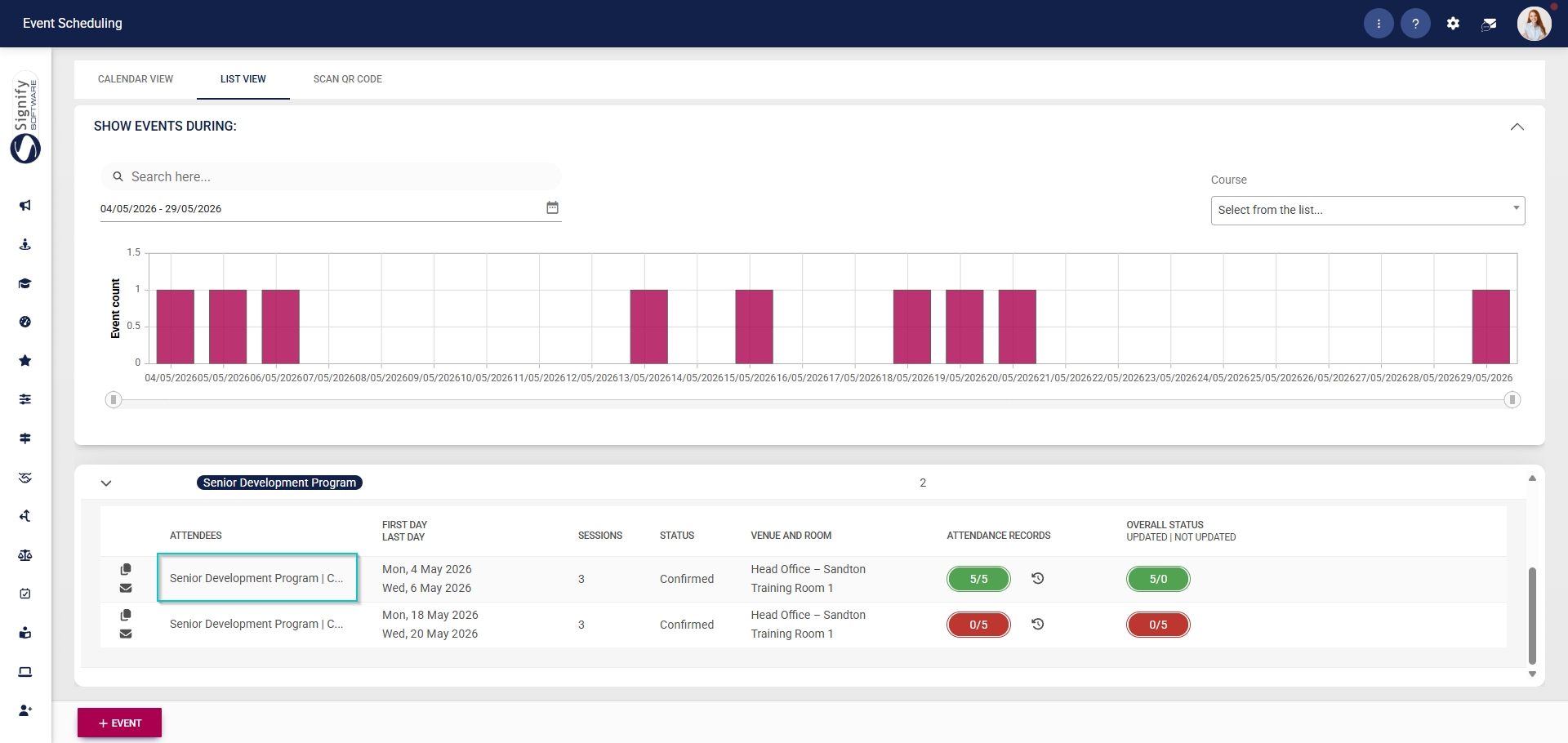
- Click on the name of the event you would like to edit.
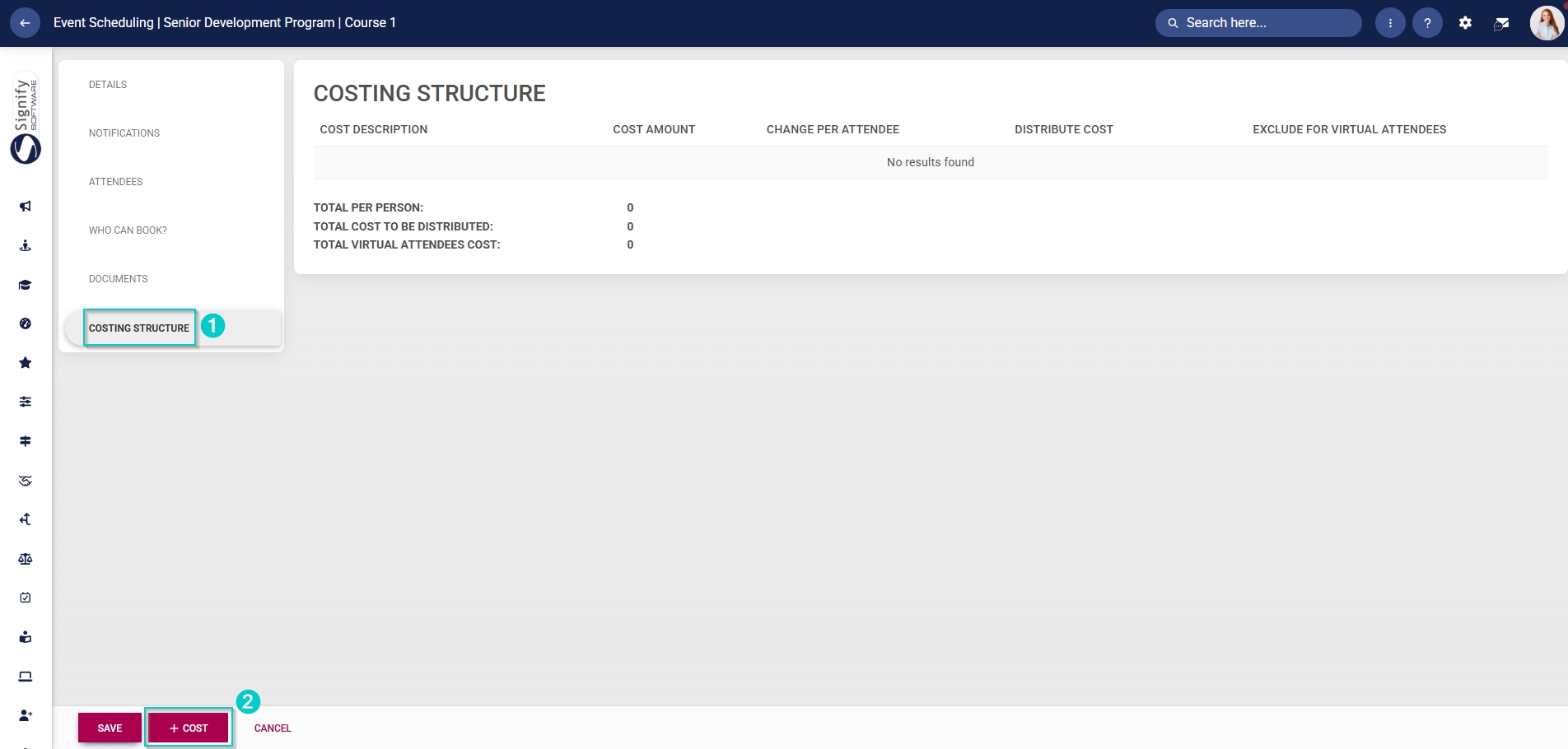
- In the left-hand menu, click Costing Structure. Click +COST to link costs to this event.
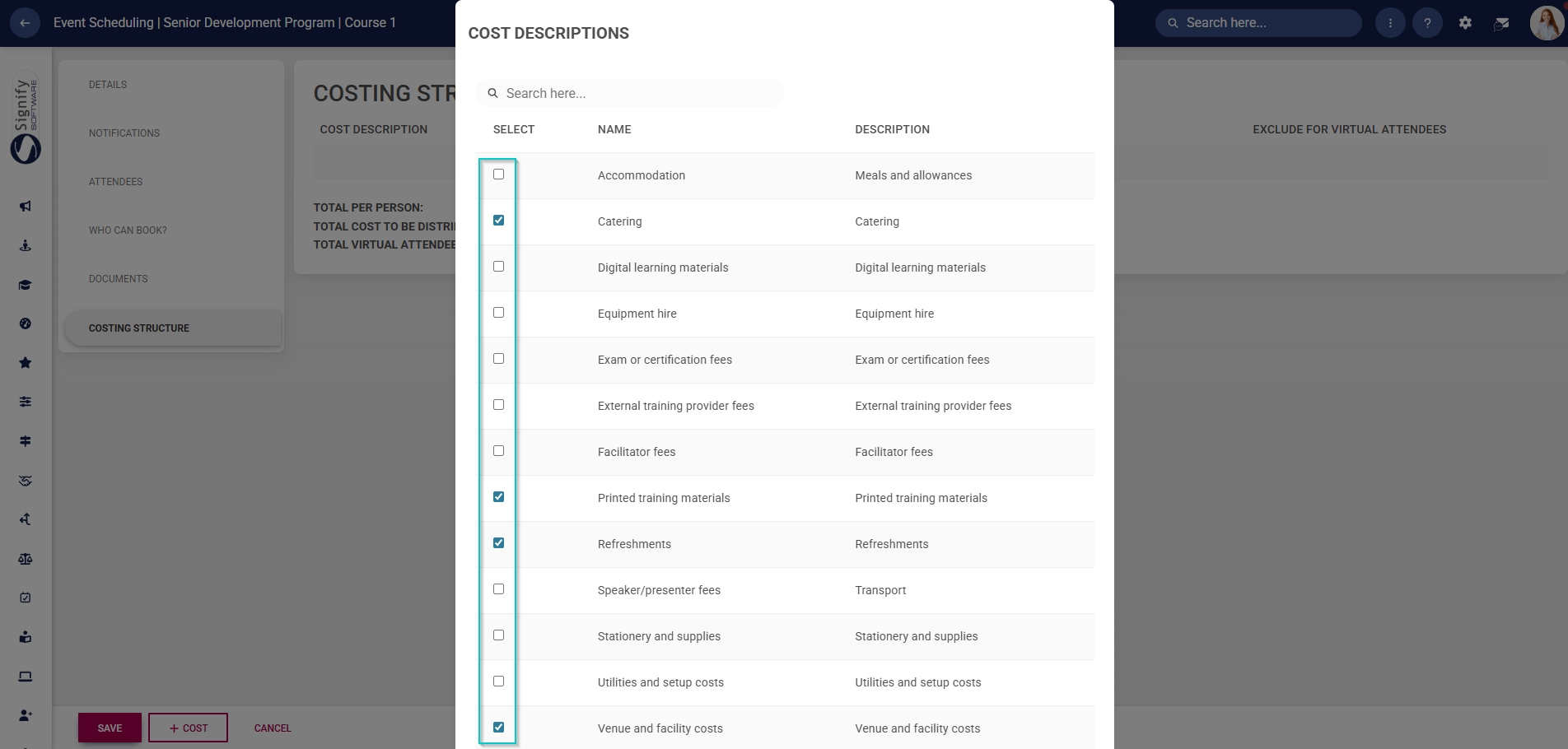
- Use the checkboxes to link the applicable cost descriptions to the event.
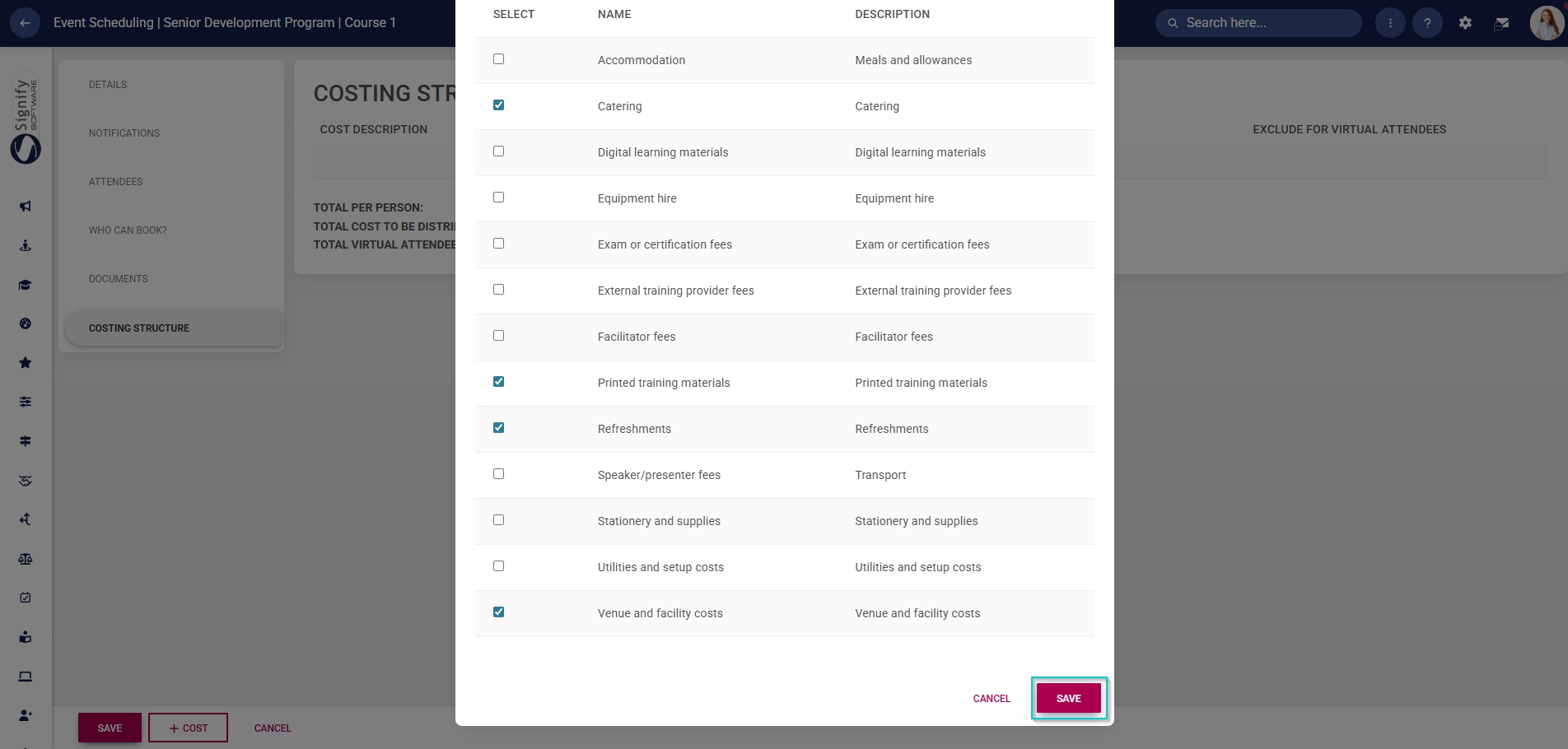
- Click SAVE when you are finished or click CANCEL to discard your edits.
- The cost descriptions will be listed in the Costing Structure table. Each cost description item can be edited:
- Enter the cost amount.
- Click the toggle button to change the cost per attendee.
- Click the toggle button to set the cost distribution to be evenly distributed across all attendees.
- Click the toggle button to set the status to exclude the cost for virtual attendees.
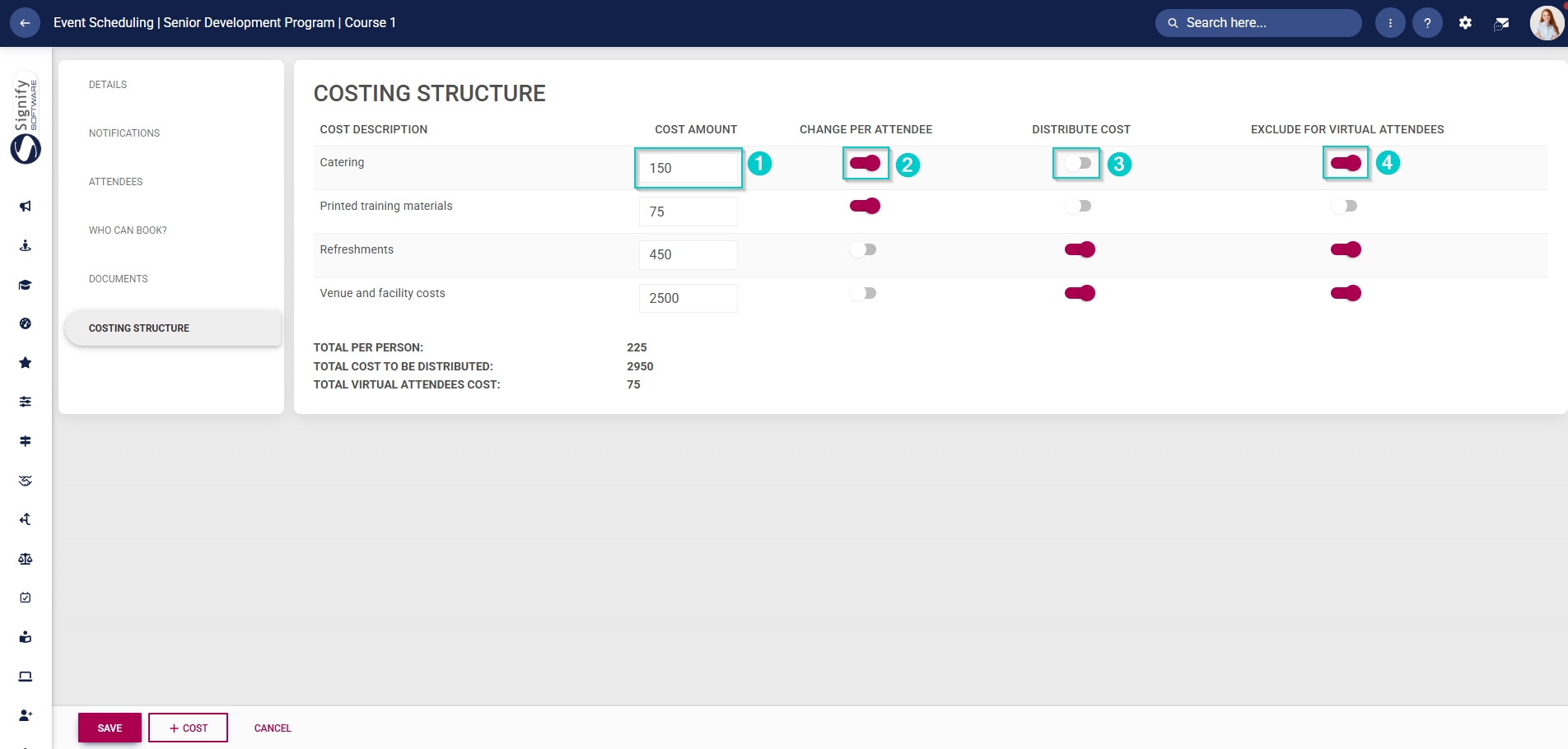
- In the costing structure summary section, the costs per person and per virtual attendee will be listed, along with the total cost for this event.