Skip to main content
Create a Subject

- Click the gear icon to access the Setup and Configuration menu.
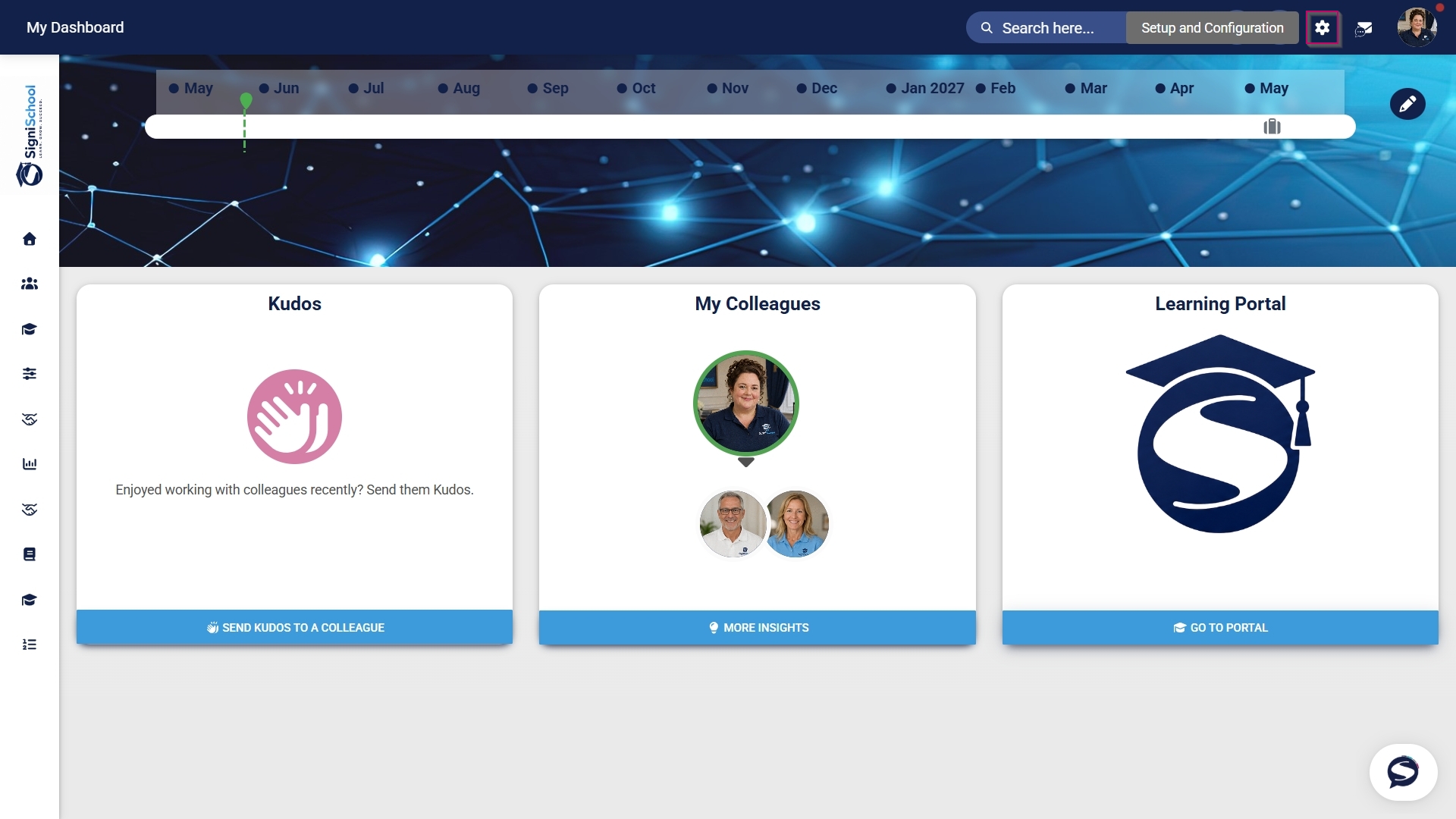

- Select the ruleset you would like to update.
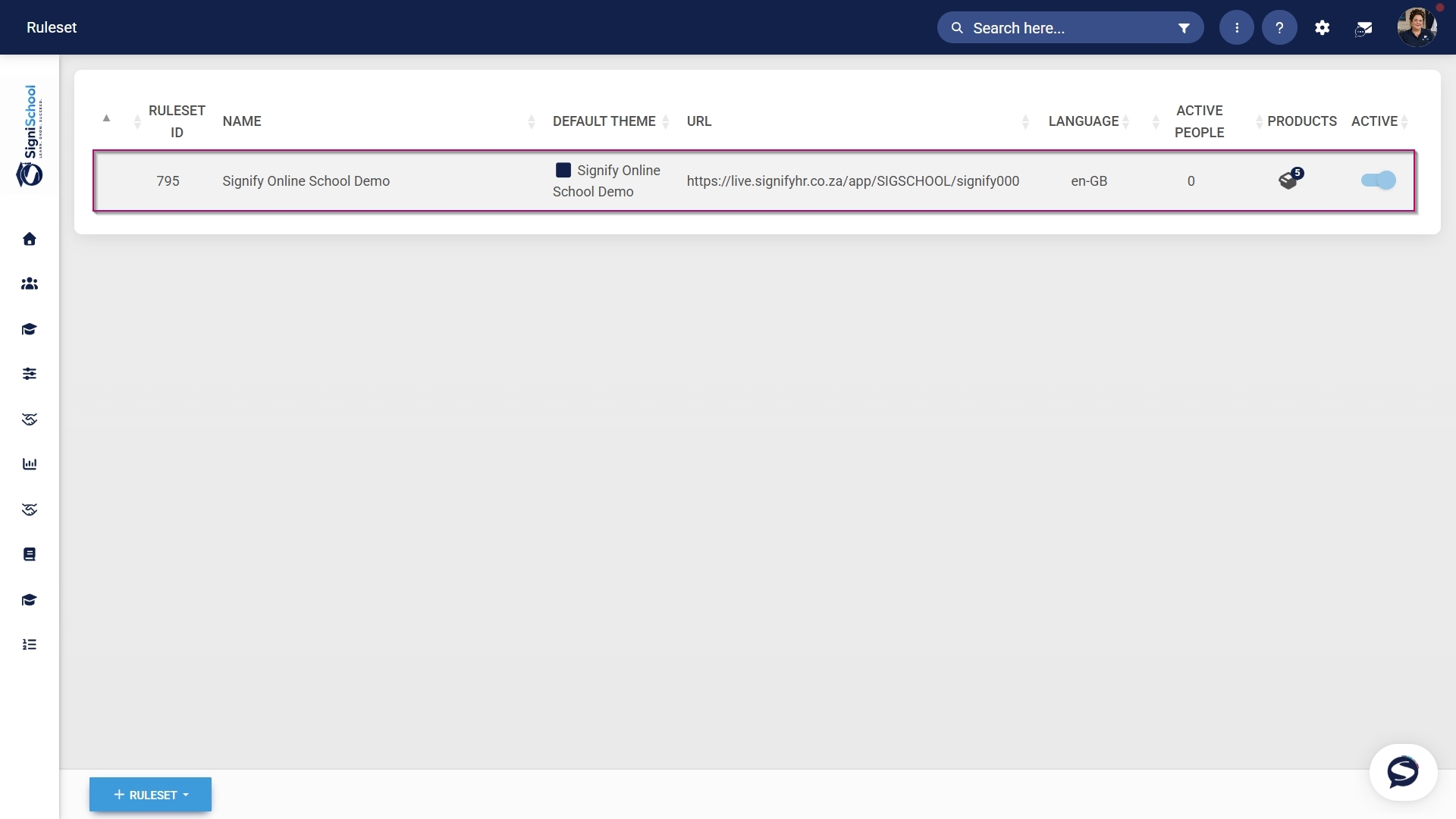
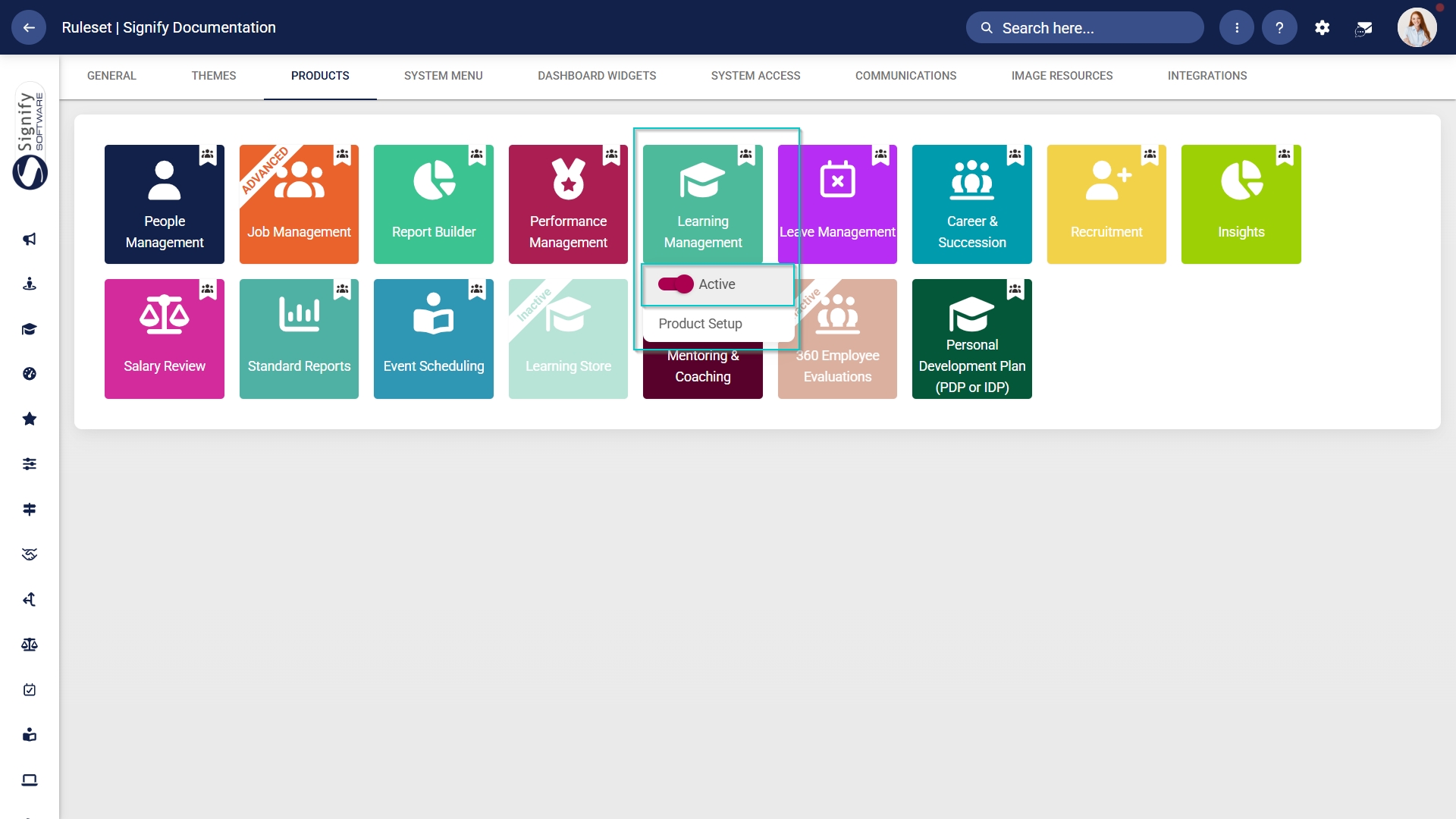
- Navigate to the Products tab.
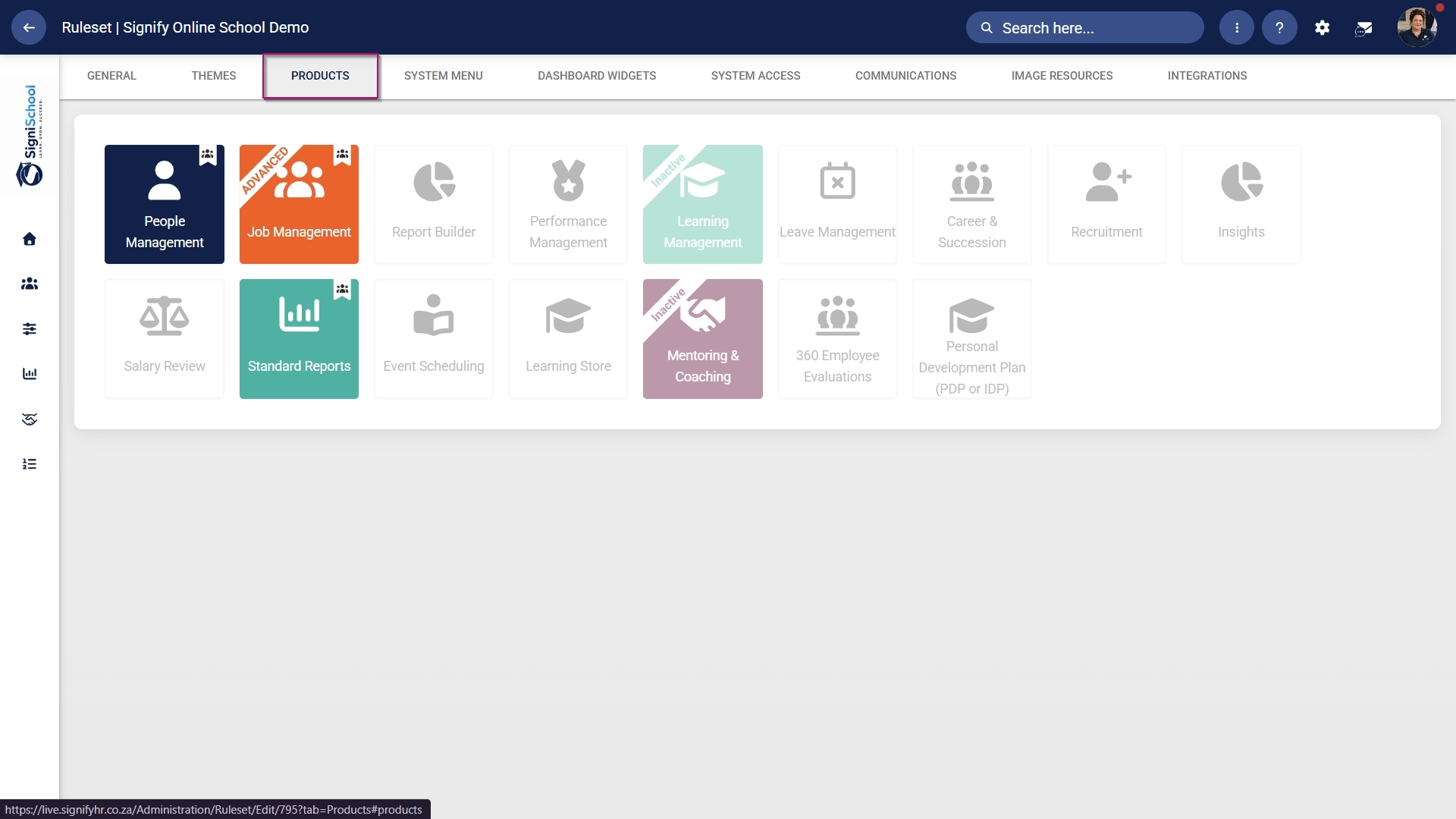
- Click on the Learning Management product card, then click Product Setup.
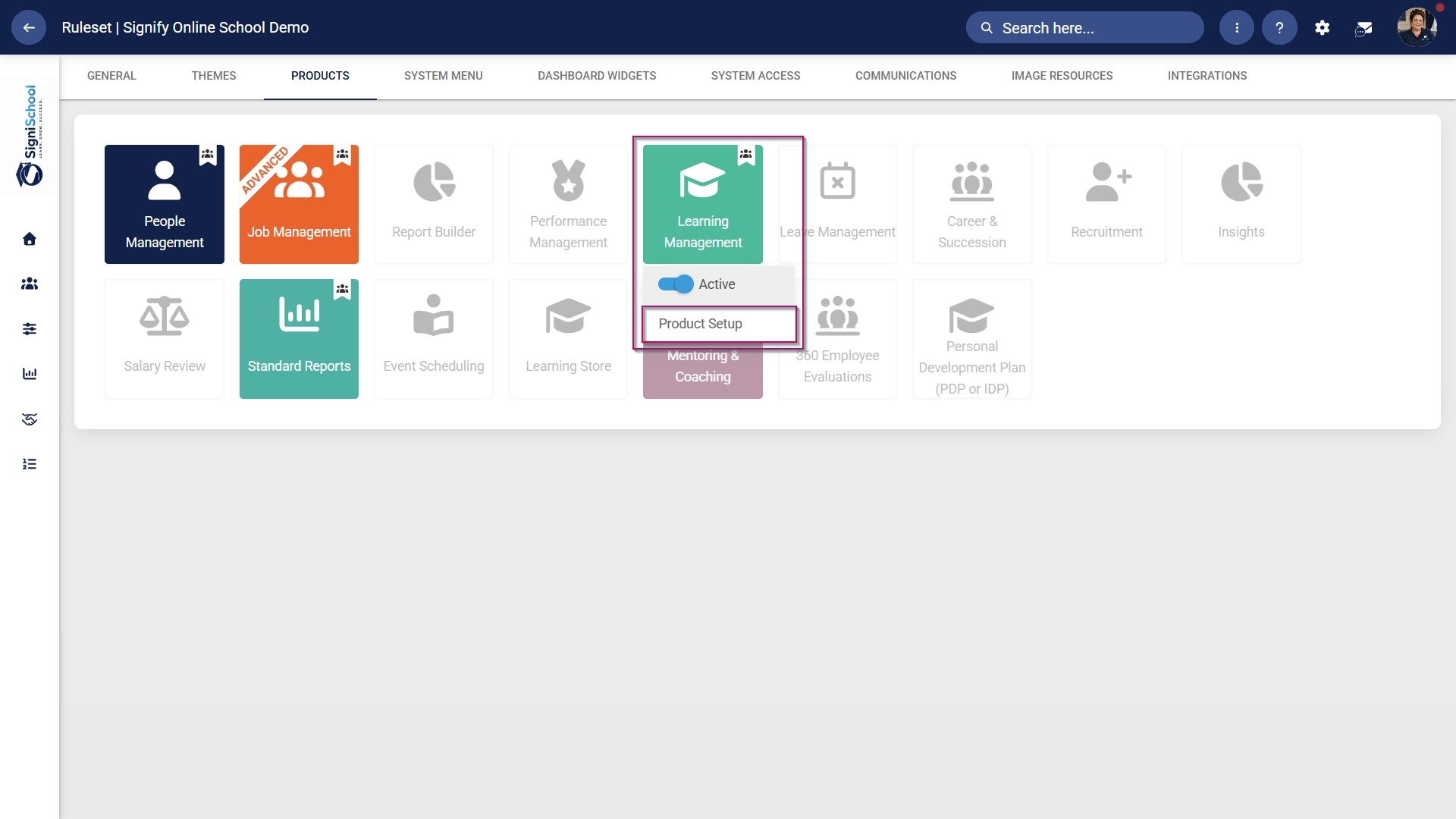
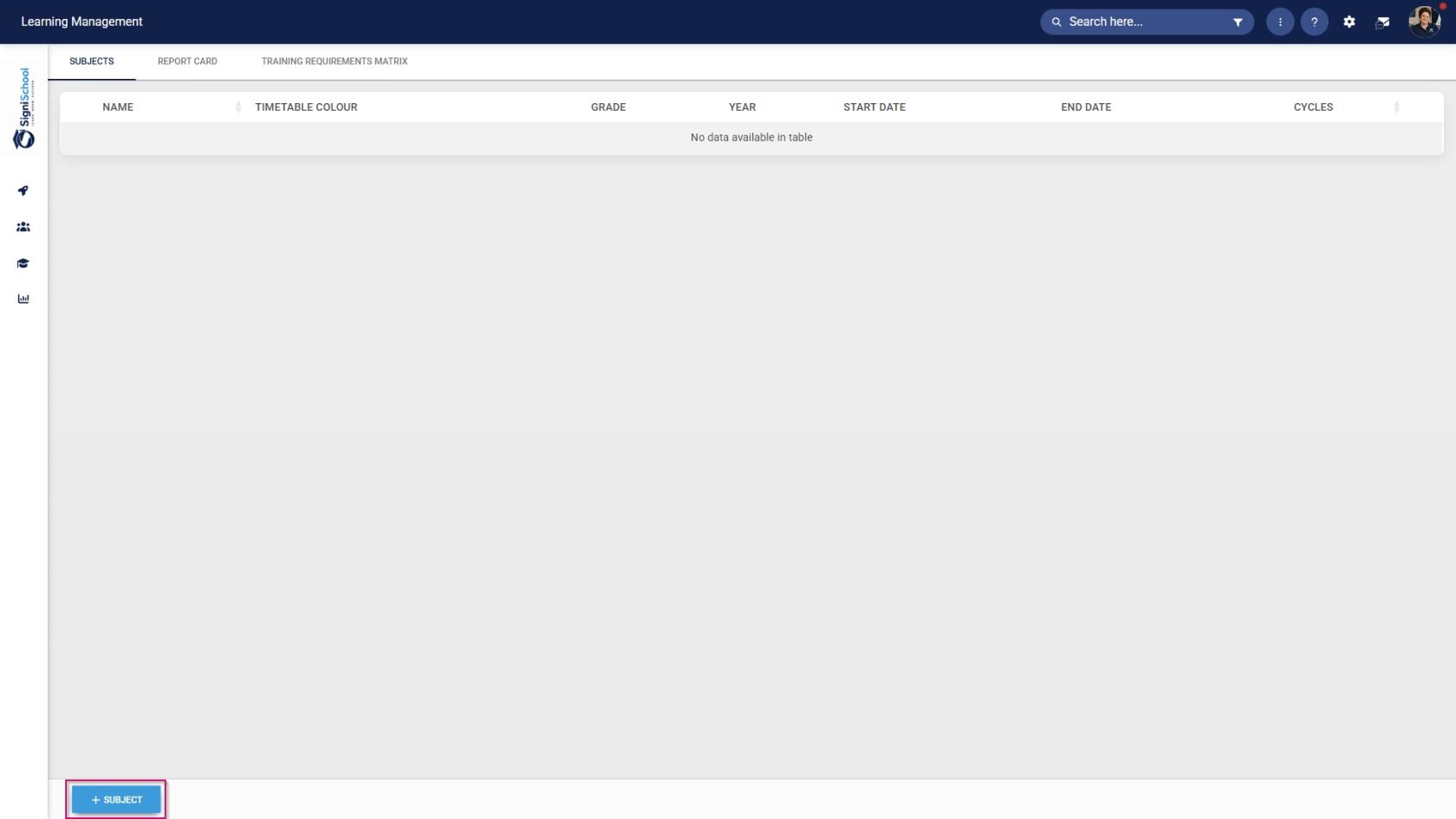
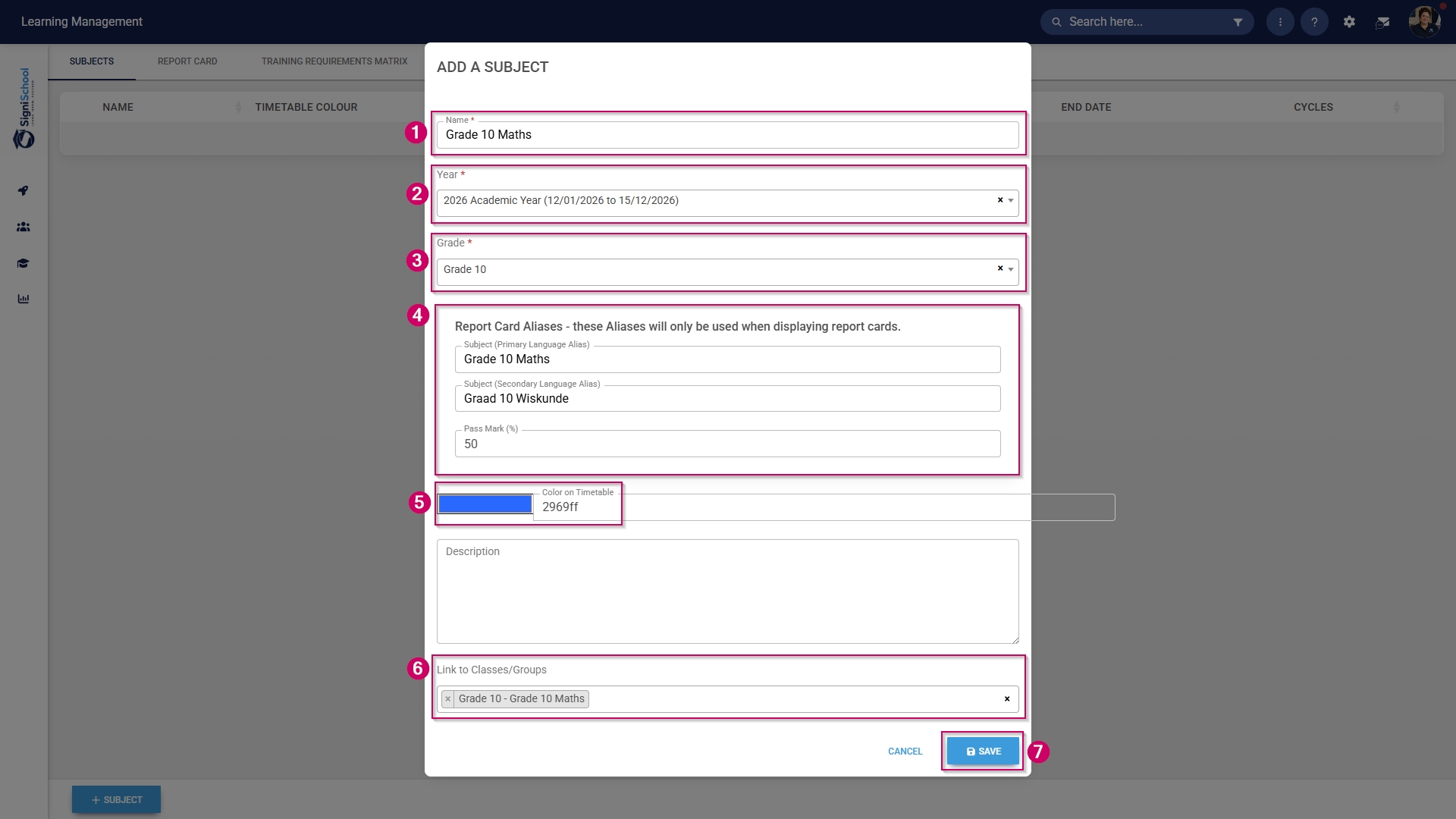
- Add a name for this subject.
- Select the academic year from the drop-down menu.
- Select the grade from the drop-down menu.
- Provide a primary and secondary language alias for the subject.
- Select a pass mark for the subject.
- Use the colour picker to choose a colour for this subject, which will appear on the timetable.
- Link the subject to a pathway's class/group.
- Click SAVE when you are finished or click CANCEL to discard your edits.

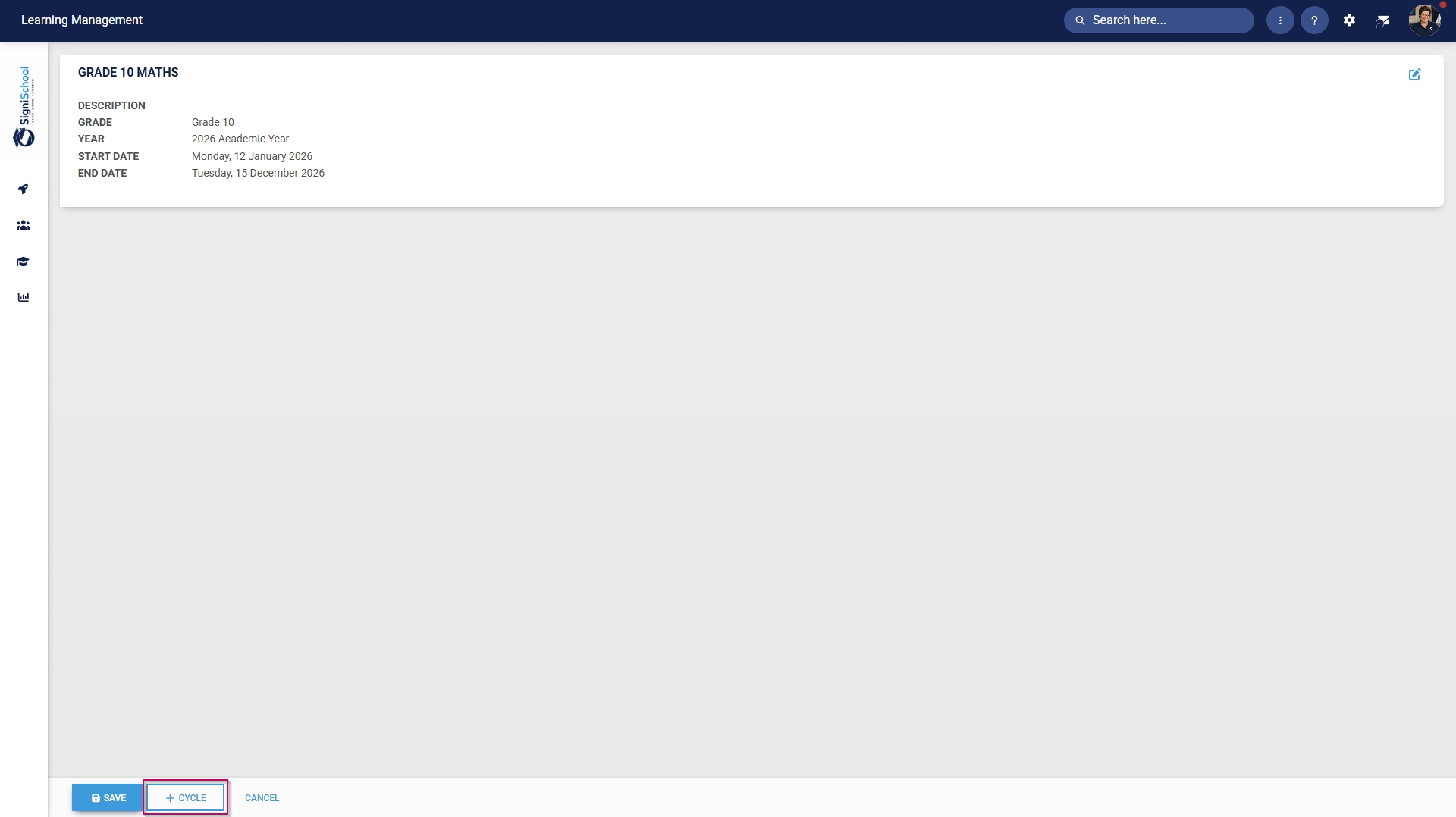
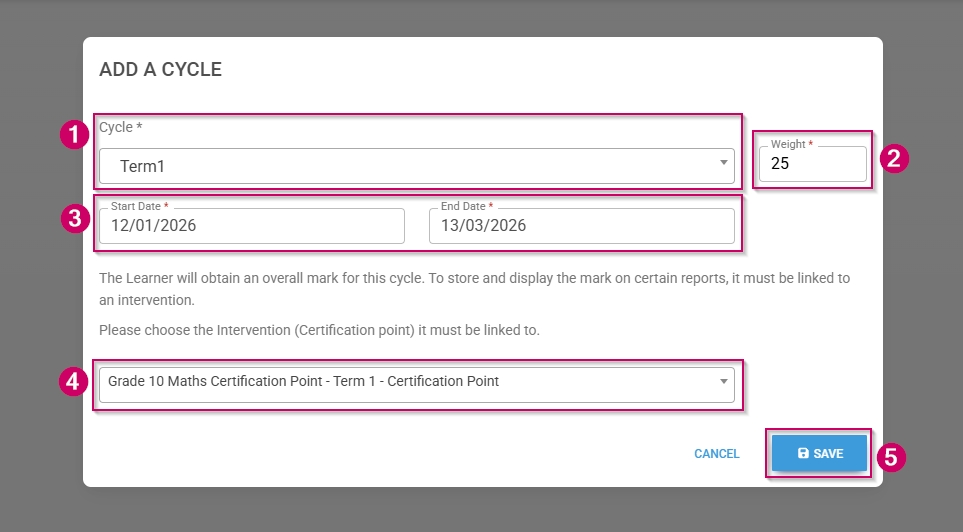
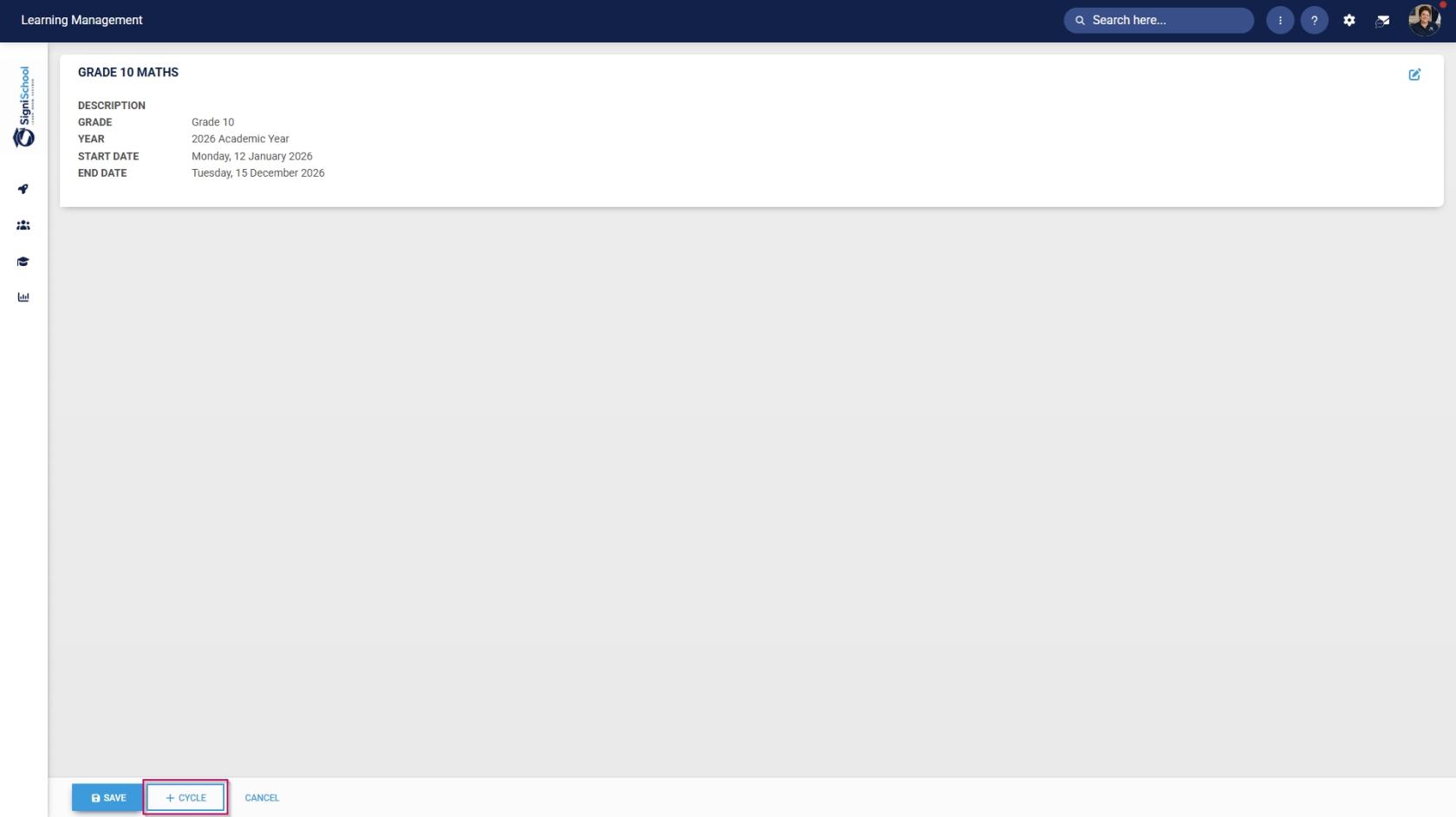
- Click +CYCLE to add a new academic cycle to the subject.
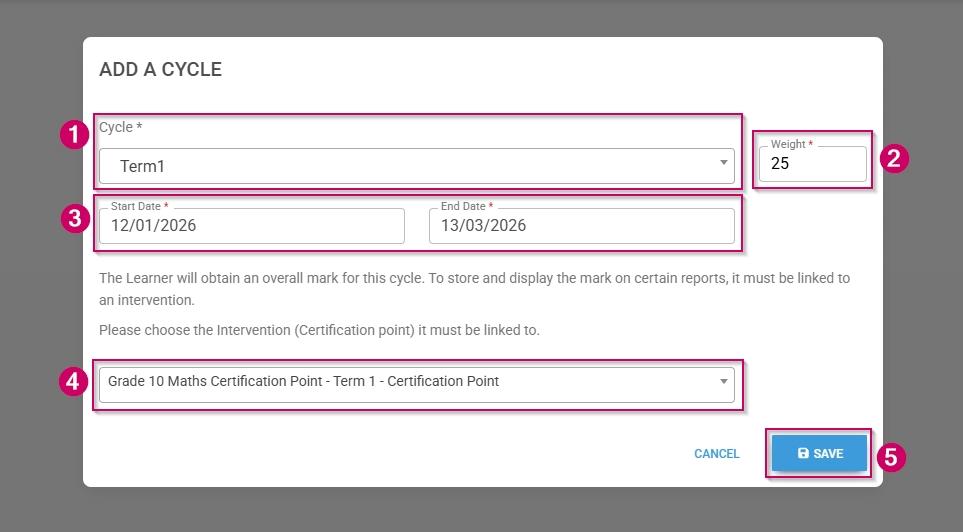
- Add a name for this cycle.
- Select the start and end dates for the cycle.
- Provide a weight.
- Use the drop-down menu to select a training intervention (it must be a certification point) to link to this term.
- Click SAVE when you are finished or click CANCEL to discard your edits.
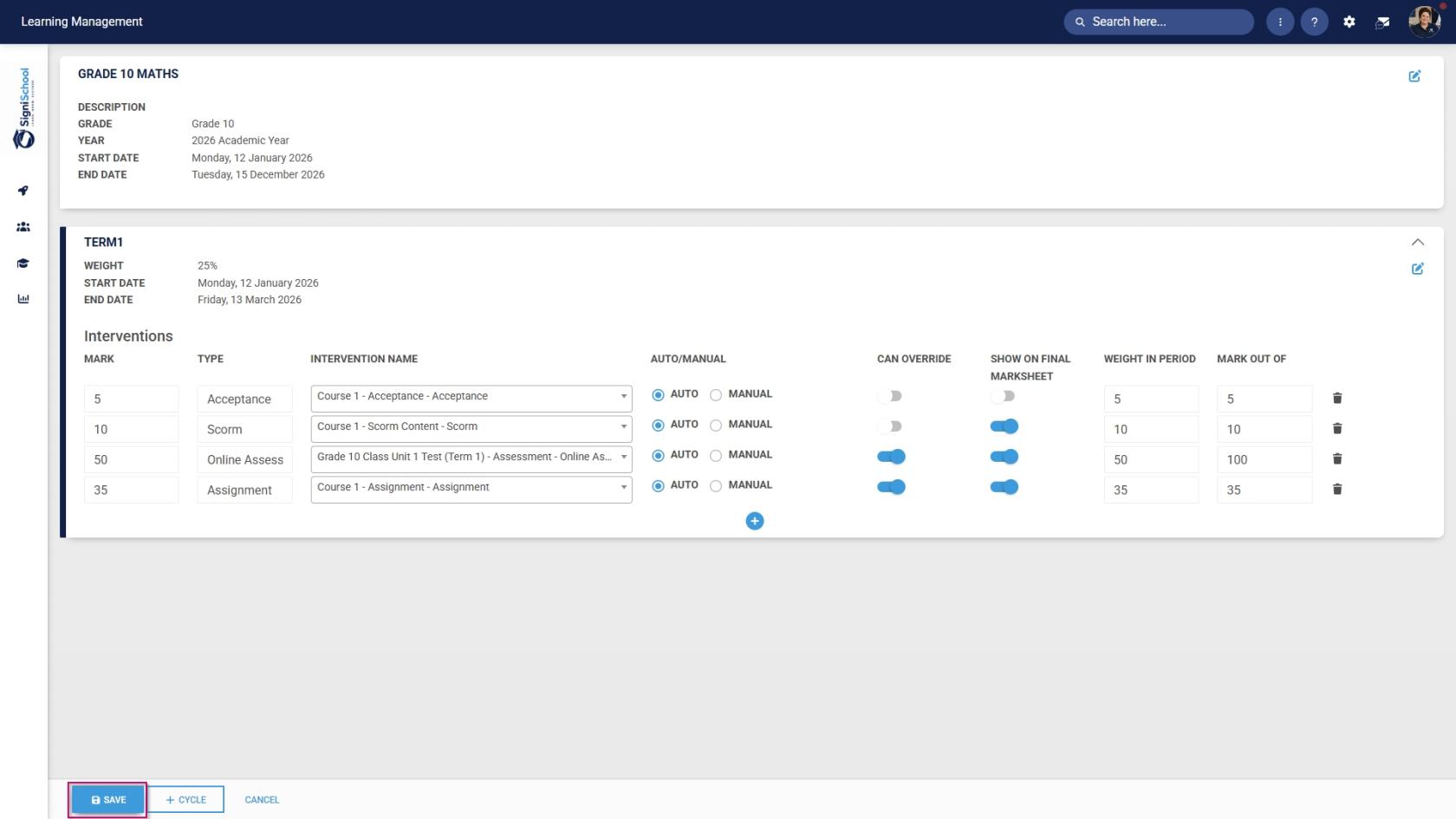
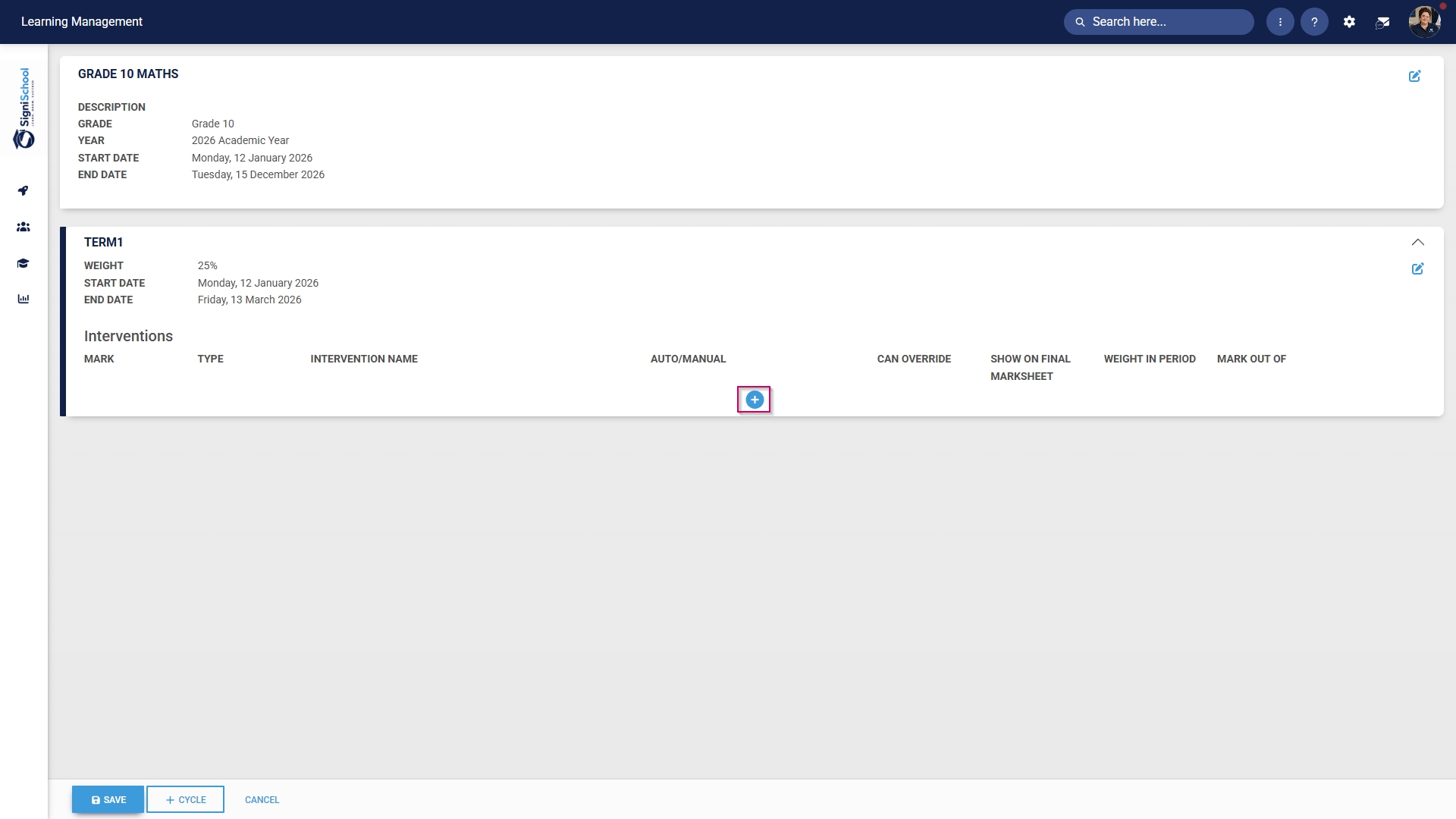
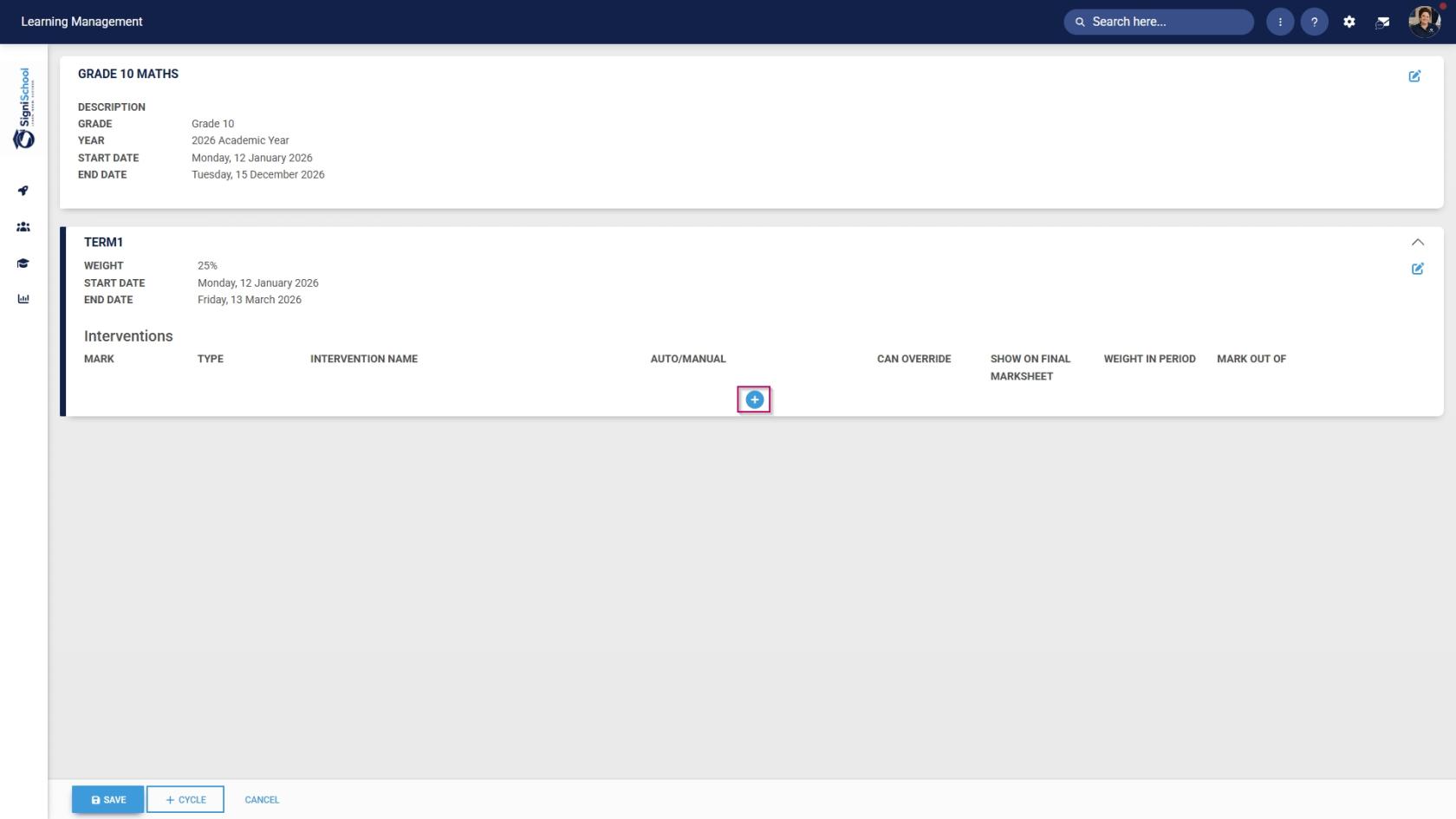
- Click the plus icon to construct a subject plan for this cycle.
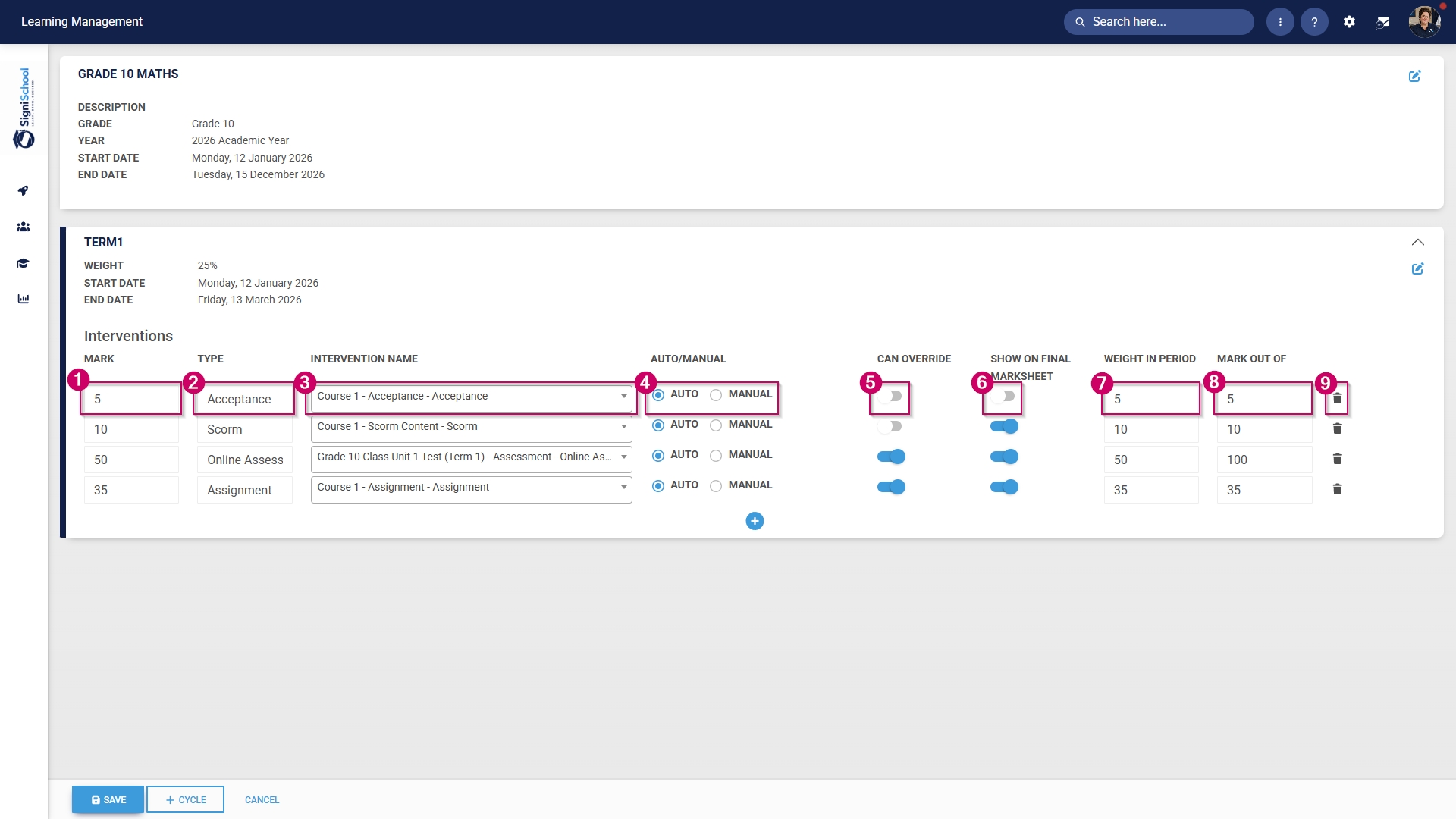
- Add a mark for the academic activity.
- The type will be automatically populated based on your training intervention.
- Select a training intervention from the drop-down menu.
- Choose whether the academic activity will be auto-marked or marked manually by a teacher or facilitator.
- Choose whether administrators can override the student's mark.
- Choose whether the academic activity will show on the final marksheet.
- Provide a weight for the academic activity within this cycle.
- Provide a mark used to grade this activity.
- If you would like to remove an academic activity, click the dustbin icon.
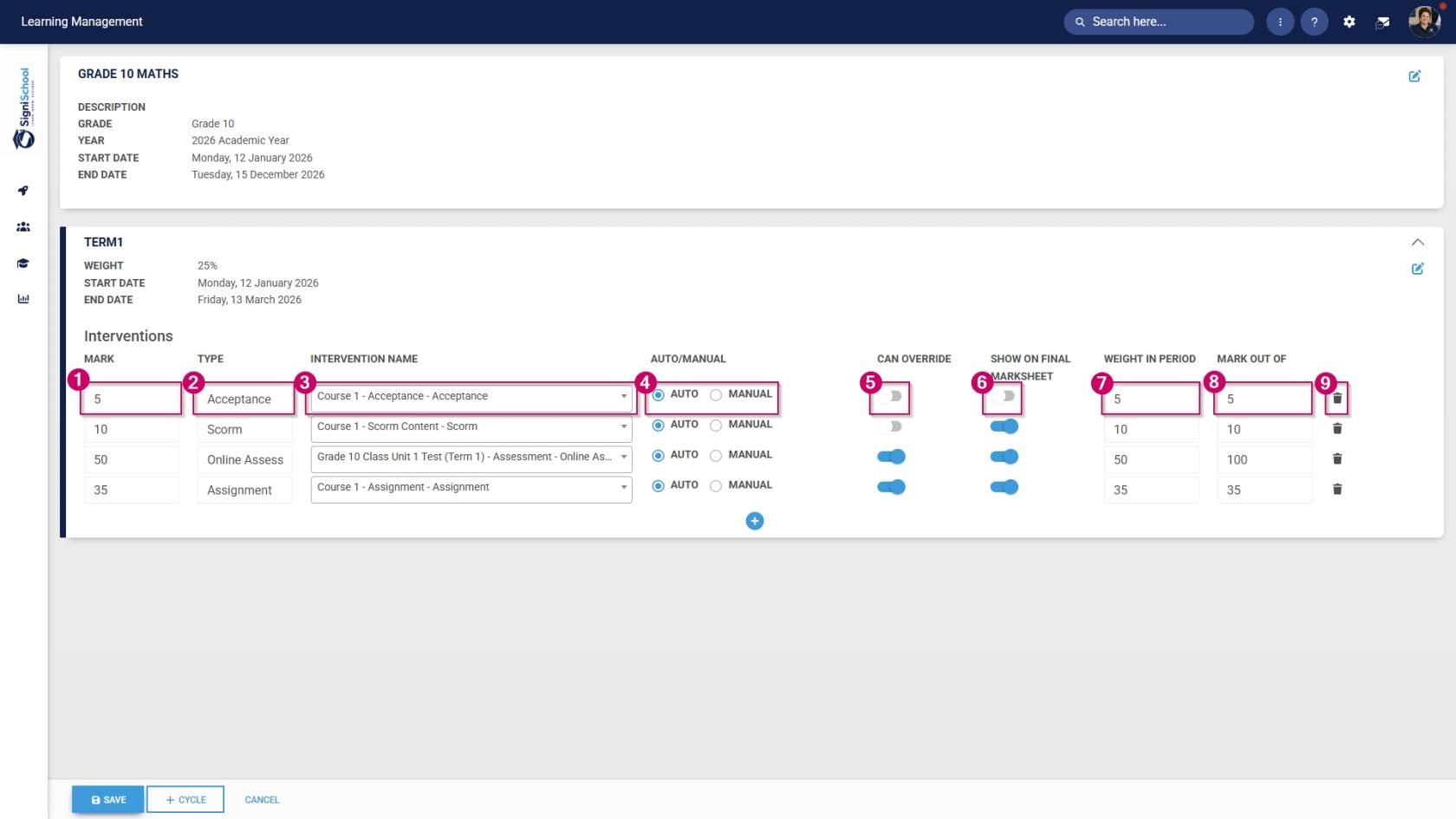
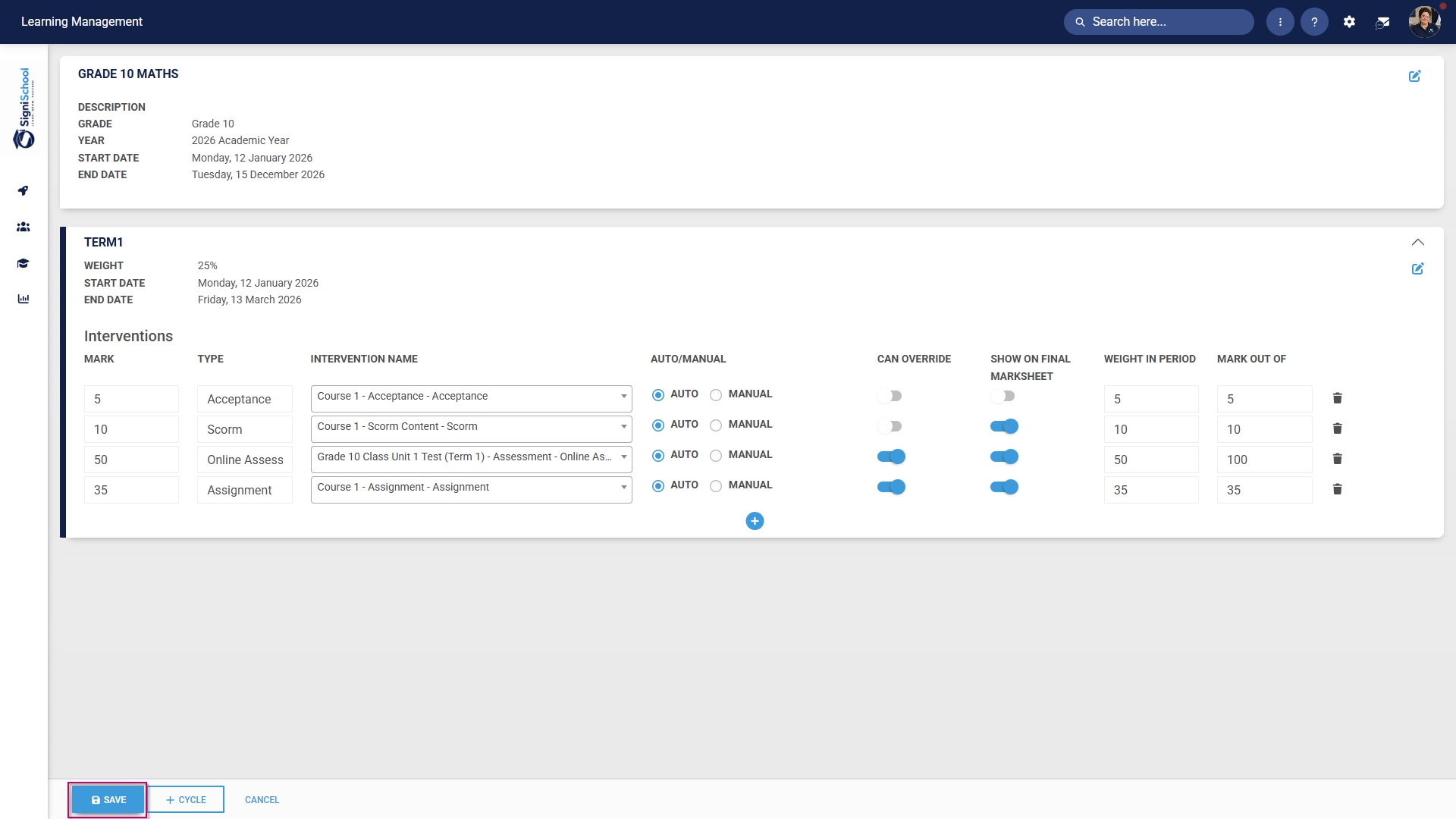
- Click SAVE when you are finished, +CYCLE to add another academic term, or CANCEL to discard your changes.